Compare commits
| Author | SHA1 | Date | |
|---|---|---|---|
 likun |
426d89680a | ||
|
likun
|
e446ccc567 | ||
|
likun
|
1c021302cb | ||
|
likun
|
19464416c2 | ||
|
likun
|
2ecac1b231 |
No files matched your search
@@ -1 +0,0 @@
|
||||
remote connectivity test - 2026-05-13
|
||||
+8
-27
@@ -1,17 +1,13 @@
|
||||
# Workspace/editor
|
||||
.vscode/
|
||||
frontend-web/.vscode/
|
||||
|
||||
# Claude Code local-only settings (per-user permissions, not shared)
|
||||
.claude/settings.local.json
|
||||
|
||||
# Local runtime logs and pid files
|
||||
.runtime/
|
||||
# Workspace/editor
|
||||
.vscode/
|
||||
frontend-web/.vscode/
|
||||
|
||||
# Local runtime logs and pid files
|
||||
.runtime/
|
||||
|
||||
# Frontend local/runtime artifacts
|
||||
frontend-web/.env
|
||||
frontend-web/node_modules/
|
||||
frontend-web/.pnpm-store/
|
||||
frontend-web/tsconfig.tsbuildinfo
|
||||
frontend-web/vite-dev.log
|
||||
frontend-web/vite-dev.err.log
|
||||
@@ -47,32 +43,17 @@ offline-backend-20260505/bundle/start_backend.sh
|
||||
offline-backend-20260505/bundle/stop_backend.sh
|
||||
|
||||
# offline-backend-20260512 runtime artifacts (large files, local config, data)
|
||||
offline-backend-20260512/.env
|
||||
offline-backend-20260512/.env.example
|
||||
offline-backend-20260512/DEPLOY_BACKEND_OFFLINE_ZH.md
|
||||
offline-backend-20260512/SHA256SUMS
|
||||
offline-backend-20260512/config.yaml
|
||||
offline-backend-20260512/config.yaml.example
|
||||
offline-backend-20260512/data/
|
||||
offline-backend-20260512/deerflow-backend-offline-image-20260505.tar
|
||||
offline-backend-20260512/extensions_config.json
|
||||
offline-backend-20260512/skills/
|
||||
offline-backend-20260512/wheelhouse/
|
||||
offline-backend-20260512/backend/.deer-flow/data/*.db
|
||||
offline-backend-20260512/backend/.deer-flow/data/*.db-*
|
||||
offline-backend-20260512/backend/.deer-flow/*
|
||||
offline-backend-20260512/start_backend.sh
|
||||
offline-backend-20260512/stop_backend.sh
|
||||
offline-backend-20260512/check_backend.sh
|
||||
|
||||
hermes-agent-main/
|
||||
|
||||
|
||||
skills/*
|
||||
|
||||
offline-backend-20260512/backend/.deer-flow/*
|
||||
|
||||
# Per-user skill_evolution overrides — runtime data written by the API
|
||||
offline-backend-20260512/backend/skill_evolution.json
|
||||
skills/
|
||||
hermes-agent-main/
|
||||
.gitignore
|
||||
offline-backend-20260512/backend/tests/*
|
||||
@@ -1,95 +0,0 @@
|
||||
# CLAUDE.md
|
||||
|
||||
This file provides guidance to Claude Code (claude.ai/code) when working with code in this repository.
|
||||
|
||||
## Project Overview
|
||||
|
||||
This is a customized offline deployment of **DeerFlow** — a LangGraph-based AI super agent platform. The repo contains two sub-projects:
|
||||
|
||||
- `offline-backend-20260512/backend/` — Python backend (FastAPI Gateway + LangGraph agent runtime)
|
||||
- `frontend-web/` — Vite + React 19 frontend (TypeScript, pnpm)
|
||||
|
||||
Managed together via shell scripts in `scripts/`.
|
||||
|
||||
## Commands
|
||||
|
||||
### Full Application (from repo root)
|
||||
|
||||
```bash
|
||||
./scripts/start-all.sh # Start backend + frontend as background daemons
|
||||
./scripts/stop-all.sh # Stop both
|
||||
./scripts/restart-all.sh # Restart both
|
||||
./scripts/status.sh # Check running status
|
||||
```
|
||||
|
||||
Logs and PID files are written to `.runtime/logs/` and `.runtime/pids/`.
|
||||
|
||||
### Backend Only (from `offline-backend-20260512/backend/`)
|
||||
|
||||
```bash
|
||||
make install # Install Python dependencies (uv)
|
||||
make dev # Run Gateway API with hot-reload on port 8001
|
||||
make gateway # Run Gateway API without reload
|
||||
make test # Run all tests: PYTHONPATH=. uv run pytest tests/ -v
|
||||
make lint # Lint with ruff
|
||||
make format # Format with ruff
|
||||
```
|
||||
|
||||
Run a single test file:
|
||||
```bash
|
||||
PYTHONPATH=. uv run pytest tests/test_<feature>.py -v
|
||||
```
|
||||
|
||||
### Frontend Only (from `frontend-web/`)
|
||||
|
||||
```bash
|
||||
pnpm install # Install dependencies
|
||||
pnpm dev # Start Vite dev server on port 5174
|
||||
pnpm build # Production build
|
||||
pnpm typecheck # TypeScript type checking (tsc --noEmit)
|
||||
```
|
||||
|
||||
## Service Ports
|
||||
|
||||
| Service | Port | Notes |
|
||||
|---------|------|-------|
|
||||
| Backend (Gateway API) | 8001 | FastAPI + LangGraph runtime |
|
||||
| Frontend (Vite) | 5174 | React SPA |
|
||||
|
||||
Frontend connects to backend via env vars `VITE_BACKEND_BASE_URL` and `VITE_LANGGRAPH_BASE_URL` (injected by `scripts/start-frontend.sh`).
|
||||
|
||||
## Architecture
|
||||
|
||||
### Backend
|
||||
|
||||
The backend (`offline-backend-20260512/backend/`) is split into two layers:
|
||||
|
||||
- **`packages/harness/deerflow/`** — publishable agent framework (`deerflow.*` imports): LangGraph lead agent, middleware chain, sandbox, tools, MCP, memory, models, skills. **Never imports from `app.*`.**
|
||||
- **`app/`** — application layer (`app.*` imports): FastAPI Gateway routers, IM channel integrations (Feishu, Slack, Telegram, DingTalk).
|
||||
|
||||
The **Lead Agent** (`deerflow/agents/lead_agent/`) is the single LangGraph graph entry point. It wraps a middleware chain (~18 middlewares assembled in strict order) around LLM calls, handling: thread isolation, sandbox lifecycle, uploads, memory, plan mode, vision, subagent delegation, and loop detection.
|
||||
|
||||
**Middleware order matters** — middlewares are appended in a fixed sequence; `ClarificationMiddleware` must always be last. See `offline-backend-20260512/backend/CLAUDE.md` for the full ordered list.
|
||||
|
||||
**Harness → App import firewall** is enforced by `tests/test_harness_boundary.py` (runs in CI).
|
||||
|
||||
### Frontend
|
||||
|
||||
The frontend (`frontend-web/`) is a React 19 + Vite SPA:
|
||||
|
||||
- **Routing**: React Router v7; top-level routes in `src/pages/PageRoutes.tsx`, workspace sub-routes in `src/pages/WorkspaceRoutes.tsx`
|
||||
- **Pages**: `ChatPage` (thread chat), `AgentChatPage` (custom agent chat), `AgentsPage`/`NewAgentPage` (agent management), `ScheduledTasksPage`/`ScheduledTaskRunDetailPage` (scheduled tasks)
|
||||
- **State**: TanStack Query for server state, context providers (`SubtasksProvider`, `ArtifactsProvider`, `PromptInputProvider`) scoped to `WorkspaceRoutes`
|
||||
- **LLM streaming**: `@langchain/langgraph-sdk` streams messages from the backend via SSE
|
||||
- **UI**: Radix UI primitives + TailwindCSS v4 + shadcn-style components in `src/components/ui/`
|
||||
- **Shims**: `src/shims/` provides `next/link` and `next/navigation` polyfills (original code was Next.js)
|
||||
|
||||
### Configuration
|
||||
|
||||
Backend config lives in `offline-backend-20260512/backend/config.yaml`. Values starting with `$` resolve as environment variables (e.g., `$OPENAI_API_KEY`). MCP servers and skills are configured in `extensions_config.json` in the same directory.
|
||||
|
||||
## Detailed Backend Reference
|
||||
|
||||
The backend has its own comprehensive documentation at:
|
||||
- `offline-backend-20260512/backend/CLAUDE.md` — architecture, middleware chain, all API routes, config schema, sandbox/memory/subagent systems
|
||||
- `offline-backend-20260512/backend/README.md` — setup guide, technology stack
|
||||
@@ -1,474 +0,0 @@
|
||||
# New Chat 接口流式返回格式说明
|
||||
|
||||
## 接口概览
|
||||
|
||||
- **路径**:`POST /new_chat`
|
||||
- **传输协议**:Server-Sent Events (SSE)
|
||||
- **Content-Type**:`text/event-stream`
|
||||
- **协议基础**:Vercel AI SDK Data Stream Protocol
|
||||
|
||||
---
|
||||
|
||||
## 请求格式
|
||||
|
||||
```json
|
||||
{
|
||||
"chat_id": 123,
|
||||
"search_space_id": 456,
|
||||
"user_query": "用户问题",
|
||||
"pic_query": [{"image_url": "/tmp/xxx.png"}],
|
||||
"model_name": "gpt-4o",
|
||||
"enable_citations": true,
|
||||
}
|
||||
```
|
||||
|
||||
| 字段 | 类型 | 必填 | 说明 |
|
||||
|------|------|------|------|
|
||||
| `chat_id` | int | ✅ | 会话 ID,同时作为 LangGraph 的 thread_id |
|
||||
| `search_space_id` | int | ✅ | 搜索空间 ID |
|
||||
| `user_query` | string | ✅ | 用户问题 |
|
||||
| `pic_query` | list\|null | ❌ | 图片路径列表,格式 `[{"image_url": "..."}]` |
|
||||
| `model_name` | string\|null | ❌ | 指定模型名称(插件场景使用) |
|
||||
| `enable_citations` | bool | ❌ | 是否启用引用(默认 true) |
|
||||
| `messages` | list\|null | ❌ | 历史消息列表 |
|
||||
| `attachments` | list\|null | ❌ | 上传附件(已解析为 Markdown) |
|
||||
| `mentioned_document_ids` | list\|null | ❌ | 前端 @ 引用的文档 ID 列表 |
|
||||
|
||||
---
|
||||
|
||||
## 响应 Headers
|
||||
|
||||
```
|
||||
Content-Type: text/event-stream
|
||||
Cache-Control: no-cache
|
||||
Connection: keep-alive
|
||||
X-Accel-Buffering: no
|
||||
```
|
||||
|
||||
---
|
||||
|
||||
## SSE 数据帧格式
|
||||
|
||||
每条消息均为标准 SSE 格式:
|
||||
|
||||
```
|
||||
data: {JSON 对象}\n\n
|
||||
```
|
||||
|
||||
流结束时发送:
|
||||
|
||||
```
|
||||
data: [DONE]\n\n
|
||||
```
|
||||
|
||||
---
|
||||
|
||||
## 事件类型详解
|
||||
|
||||
### 1. 消息生命周期
|
||||
|
||||
#### `start` — 消息开始
|
||||
|
||||
```json
|
||||
{"type": "start", "messageId": "msg_abc123"}
|
||||
```
|
||||
|
||||
| 字段 | 说明 |
|
||||
|------|------|
|
||||
| `messageId` | 本次消息的唯一 ID |
|
||||
|
||||
---
|
||||
|
||||
#### `finish` — 消息结束
|
||||
|
||||
```json
|
||||
{"type": "finish"}
|
||||
```
|
||||
|
||||
---
|
||||
|
||||
#### `[DONE]` — 流终止标记
|
||||
|
||||
```
|
||||
data: [DONE]
|
||||
```
|
||||
|
||||
> 这是流中最后一帧,为纯字符串,不是 JSON。
|
||||
|
||||
---
|
||||
|
||||
### 2. 步骤控制(多轮工具调用)
|
||||
|
||||
#### `start-step` — 步骤开始
|
||||
|
||||
```json
|
||||
{"type": "start-step"}
|
||||
```
|
||||
|
||||
#### `finish-step` — 步骤结束
|
||||
|
||||
```json
|
||||
{"type": "finish-step"}
|
||||
```
|
||||
|
||||
> 每次 LLM 调用算一个 step。工具调用期间会有多个 step 交替出现。
|
||||
|
||||
---
|
||||
|
||||
### 3. 文本块(start / delta / end 模式)
|
||||
|
||||
#### `text-start` — 文本块开始
|
||||
|
||||
```json
|
||||
{"type": "text-start", "id": "text_abc123"}
|
||||
```
|
||||
|
||||
#### `text-delta` — 文本增量内容
|
||||
|
||||
```json
|
||||
{"type": "text-delta", "id": "text_abc123", "delta": "Hello, "}
|
||||
```
|
||||
|
||||
#### `text-end` — 文本块结束
|
||||
|
||||
```json
|
||||
{"type": "text-end", "id": "text_abc123"}
|
||||
```
|
||||
|
||||
---
|
||||
|
||||
### 4. 推理块(Reasoning,适用于 DeepSeek R1 等思维链模型)
|
||||
|
||||
#### `reasoning-start` — 推理块开始
|
||||
|
||||
```json
|
||||
{"type": "reasoning-start", "id": "reasoning_abc123"}
|
||||
```
|
||||
|
||||
#### `reasoning-delta` — 推理增量内容
|
||||
|
||||
```json
|
||||
{"type": "reasoning-delta", "id": "reasoning_abc123", "delta": "让我先思考..."}
|
||||
```
|
||||
|
||||
#### `reasoning-end` — 推理块结束
|
||||
|
||||
```json
|
||||
{"type": "reasoning-end", "id": "reasoning_abc123"}
|
||||
```
|
||||
|
||||
> 触发时机:
|
||||
> - 模型返回 `additional_kwargs.reasoning_content`(DeepSeek R1 原生)
|
||||
> - 模型输出中包含 `<think>...</think>` 标签(自动剥离)
|
||||
|
||||
---
|
||||
|
||||
### 5. 工具调用
|
||||
|
||||
#### `tool-input-start` — 工具调用开始
|
||||
|
||||
```json
|
||||
{"type": "tool-input-start", "toolCallId": "call_abc123", "toolName": "search_knowledge_base"}
|
||||
```
|
||||
|
||||
#### `tool-input-delta` — 工具输入流式内容(增量)
|
||||
|
||||
```json
|
||||
{"type": "tool-input-delta", "toolCallId": "call_abc123", "inputTextDelta": "San Fra"}
|
||||
```
|
||||
|
||||
#### `tool-input-available` — 工具输入完整参数
|
||||
|
||||
```json
|
||||
{
|
||||
"type": "tool-input-available",
|
||||
"toolCallId": "call_abc123",
|
||||
"toolName": "search_knowledge_base",
|
||||
"input": {"query": "机器学习入门"}
|
||||
}
|
||||
```
|
||||
|
||||
#### `tool-output-available` — 工具执行结果
|
||||
|
||||
```json
|
||||
{
|
||||
"type": "tool-output-available",
|
||||
"toolCallId": "call_abc123",
|
||||
"output": {"status": "completed", "result_length": 1234}
|
||||
}
|
||||
```
|
||||
|
||||
> 注意:`search_knowledge_base` 只返回摘要(不含全文),`write_todos`、`link_preview`、`display_image`、`scrape_webpage`、`generate_podcast` 会返回完整 output 供前端渲染组件。
|
||||
|
||||
---
|
||||
|
||||
### 6. 来源引用
|
||||
|
||||
#### `source-url` — URL 来源
|
||||
|
||||
```json
|
||||
{
|
||||
"type": "source-url",
|
||||
"sourceId": "https://example.com",
|
||||
"url": "https://example.com",
|
||||
"title": "示例页面"
|
||||
}
|
||||
```
|
||||
|
||||
#### `source-document` — 文档来源
|
||||
|
||||
```json
|
||||
{
|
||||
"type": "source-document",
|
||||
"sourceId": "doc_123",
|
||||
"mediaType": "file",
|
||||
"title": "报告.pdf",
|
||||
"description": "第三季度报告"
|
||||
}
|
||||
```
|
||||
|
||||
---
|
||||
|
||||
### 7. 文件
|
||||
|
||||
```json
|
||||
{"type": "file", "url": "https://example.com/image.png", "mediaType": "image/png"}
|
||||
```
|
||||
|
||||
---
|
||||
|
||||
### 8. 自定义数据(`data-*` 类型)
|
||||
|
||||
#### `data-terminal-info` — 终端信息提示
|
||||
|
||||
```json
|
||||
{
|
||||
"type": "data-terminal-info",
|
||||
"data": {
|
||||
"text": "知识库搜索已完成",
|
||||
"type": "success"
|
||||
}
|
||||
}
|
||||
```
|
||||
|
||||
`type` 枚举值:`info` | `error` | `success` | `warning`
|
||||
|
||||
---
|
||||
|
||||
#### `data-further-questions` — 推荐追问问题
|
||||
|
||||
```json
|
||||
{
|
||||
"type": "data-further-questions",
|
||||
"data": {
|
||||
"questions": ["问题1", "问题2", "问题3"]
|
||||
}
|
||||
}
|
||||
```
|
||||
|
||||
---
|
||||
|
||||
#### `data-thinking-step` — 思考步骤(思维链 UI 展示)
|
||||
|
||||
```json
|
||||
{
|
||||
"type": "data-thinking-step",
|
||||
"data": {
|
||||
"id": "thinking-1",
|
||||
"title": "正在搜索知识库",
|
||||
"status": "in_progress",
|
||||
"items": ["Query: 机器学习入门"]
|
||||
}
|
||||
}
|
||||
```
|
||||
|
||||
| 字段 | 说明 |
|
||||
|------|------|
|
||||
| `id` | 步骤唯一 ID(格式 `thinking-N`) |
|
||||
| `title` | 步骤标题 |
|
||||
| `status` | `pending` \| `in_progress` \| `completed` |
|
||||
| `items` | 步骤详情列表(可选) |
|
||||
|
||||
> 同一个 `id` 的步骤事件会被重复发送以更新状态(先 `in_progress` 后 `completed`)。
|
||||
|
||||
**常见步骤标题对照:**
|
||||
|
||||
| 工具 / 场景 | 标题 |
|
||||
|------------|------|
|
||||
| 初始分析 | 正在理解您的请求 / 正在分析您的内容 |
|
||||
| `search_knowledge_base` | 查询个人知识库中 |
|
||||
| `search_web` | 网查搜索中 |
|
||||
| `link_preview` | 正在获取链接预览 |
|
||||
| `display_image` | 正在分析图片 |
|
||||
| `scrape_webpage` | 正在抓取网页 |
|
||||
| `write_todos`(首次) | 正在创建计划 |
|
||||
| `write_todos`(更新) | 正在更新进度 |
|
||||
| `generate_podcast` | 正在生成播客 |
|
||||
|
||||
---
|
||||
|
||||
### 9. 错误
|
||||
|
||||
```json
|
||||
{
|
||||
"type": "error",
|
||||
"errorText": "API rate limit exceeded",
|
||||
"errorType": "llm",
|
||||
"errorCode": "rate_limit"
|
||||
}
|
||||
```
|
||||
|
||||
| 字段 | 说明 |
|
||||
|------|------|
|
||||
| `errorText` | 错误描述文本 |
|
||||
| `errorType` | 错误类型(见下表) |
|
||||
| `errorCode` | 具体错误代码(可选) |
|
||||
|
||||
**errorType 枚举:**
|
||||
|
||||
| 值 | 含义 |
|
||||
|----|------|
|
||||
| `llm` | LLM / API 错误(模型不存在、限流、密钥错误等) |
|
||||
| `network` | 网络连通性错误 |
|
||||
| `timeout` | 请求超时 |
|
||||
| `authentication` | 鉴权 / 权限错误 |
|
||||
| `rate_limit` | 速率限制 |
|
||||
| `validation` | 输入验证错误 |
|
||||
| `internal` | 内部服务器错误 |
|
||||
| `unknown` | 未知错误 |
|
||||
|
||||
---
|
||||
|
||||
### 10. 中断(Human-in-the-loop)
|
||||
|
||||
```json
|
||||
{
|
||||
"type": "interrupt",
|
||||
"messageId": "msg_abc123",
|
||||
"interrupt": {
|
||||
"action_requests": [...],
|
||||
"review_configs": [...]
|
||||
},
|
||||
"payload": {"expertAgentId": 42}
|
||||
}
|
||||
```
|
||||
|
||||
---
|
||||
|
||||
## 完整流示例(普通问答)
|
||||
|
||||
```
|
||||
data: {"type":"start","messageId":"msg_abc123"}
|
||||
|
||||
data: {"type":"start-step"}
|
||||
|
||||
data: {"type":"data-thinking-step","data":{"id":"thinking-1","title":"正在理解您的请求","status":"in_progress","items":["Processing: 什么是向量数据库?"]}}
|
||||
|
||||
data: {"type":"data-thinking-step","data":{"id":"thinking-1","title":"正在理解您的请求","status":"completed","items":["Processing: 什么是向量数据库?"]}}
|
||||
|
||||
data: {"type":"text-start","id":"text_xyz789"}
|
||||
|
||||
data: {"type":"text-delta","id":"text_xyz789","delta":"向量数据库是"}
|
||||
|
||||
data: {"type":"text-delta","id":"text_xyz789","delta":"一种专为存储和检索"}
|
||||
|
||||
data: {"type":"text-delta","id":"text_xyz789","delta":"高维向量而设计的数据库..."}
|
||||
|
||||
data: {"type":"text-end","id":"text_xyz789"}
|
||||
|
||||
data: {"type":"finish-step"}
|
||||
|
||||
data: {"type":"finish"}
|
||||
|
||||
data: [DONE]
|
||||
```
|
||||
|
||||
---
|
||||
|
||||
## 完整流示例(含工具调用)
|
||||
|
||||
```
|
||||
data: {"type":"start","messageId":"msg_abc123"}
|
||||
|
||||
data: {"type":"start-step"}
|
||||
|
||||
data: {"type":"data-thinking-step","data":{"id":"thinking-1","title":"正在理解您的请求","status":"in_progress","items":["Processing: 搜索最新 AI 论文"]}}
|
||||
|
||||
data: {"type":"data-thinking-step","data":{"id":"thinking-1","title":"正在理解您的请求","status":"completed","items":["Processing: 搜索最新 AI 论文"]}}
|
||||
|
||||
data: {"type":"data-thinking-step","data":{"id":"thinking-2","title":"查询个人知识库中","status":"in_progress","items":["Query: 最新 AI 论文"]}}
|
||||
|
||||
data: {"type":"tool-input-start","toolCallId":"call_xxx","toolName":"search_knowledge_base"}
|
||||
|
||||
data: {"type":"tool-input-available","toolCallId":"call_xxx","toolName":"search_knowledge_base","input":{"query":"最新 AI 论文"}}
|
||||
|
||||
data: {"type":"data-thinking-step","data":{"id":"thinking-2","title":"Searching knowledge base","status":"completed","items":["Query: 最新 AI 论文","Found relevant information (2048 chars)"]}}
|
||||
|
||||
data: {"type":"tool-output-available","toolCallId":"call_xxx","output":{"status":"completed","result_length":2048}}
|
||||
|
||||
data: {"type":"data-terminal-info","data":{"text":"知识库搜索已完成","type":"success"}}
|
||||
|
||||
data: {"type":"text-start","id":"text_xyz789"}
|
||||
|
||||
data: {"type":"text-delta","id":"text_xyz789","delta":"根据知识库中的内容..."}
|
||||
|
||||
data: {"type":"text-end","id":"text_xyz789"}
|
||||
|
||||
data: {"type":"finish-step"}
|
||||
|
||||
data: {"type":"finish"}
|
||||
|
||||
data: [DONE]
|
||||
```
|
||||
|
||||
---
|
||||
|
||||
## 完整流示例(含推理过程)
|
||||
|
||||
```
|
||||
data: {"type":"start","messageId":"msg_abc123"}
|
||||
|
||||
data: {"type":"start-step"}
|
||||
|
||||
data: {"type":"reasoning-start","id":"reasoning_r01"}
|
||||
|
||||
data: {"type":"reasoning-delta","id":"reasoning_r01","delta":"让我先分析这个问题..."}
|
||||
|
||||
data: {"type":"reasoning-delta","id":"reasoning_r01","delta":"需要考虑以下几个方面..."}
|
||||
|
||||
data: {"type":"reasoning-end","id":"reasoning_r01"}
|
||||
|
||||
data: {"type":"text-start","id":"text_xyz789"}
|
||||
|
||||
data: {"type":"text-delta","id":"text_xyz789","delta":"综合分析后,结论是..."}
|
||||
|
||||
data: {"type":"text-end","id":"text_xyz789"}
|
||||
|
||||
data: {"type":"finish-step"}
|
||||
|
||||
data: {"type":"finish"}
|
||||
|
||||
data: [DONE]
|
||||
```
|
||||
|
||||
---
|
||||
|
||||
## 标准消息流顺序
|
||||
|
||||
```
|
||||
start
|
||||
└─ start-step
|
||||
├─ [data-thinking-step × N] 思考步骤(可多次)
|
||||
├─ [reasoning-start/delta/end] 推理过程(可选)
|
||||
├─ [tool-input-start] 工具调用开始(可多次)
|
||||
├─ [tool-input-available] 工具参数确认
|
||||
├─ [tool-output-available] 工具结果
|
||||
├─ [data-terminal-info] 终端提示(可多次)
|
||||
├─ [source-url / source-document] 来源引用(可选)
|
||||
├─ text-start
|
||||
│ └─ text-delta × N 流式文本
|
||||
└─ text-end
|
||||
finish-step
|
||||
finish
|
||||
[DONE]
|
||||
```
|
||||
@@ -1,9 +0,0 @@
|
||||
# GEMINI_API_KEY: Required for Gemini AI API calls.
|
||||
# AI Studio automatically injects this at runtime from user secrets.
|
||||
# Users configure this via the Secrets panel in the AI Studio UI.
|
||||
GEMINI_API_KEY="MY_GEMINI_API_KEY"
|
||||
|
||||
# APP_URL: The URL where this applet is hosted.
|
||||
# AI Studio automatically injects this at runtime with the Cloud Run service URL.
|
||||
# Used for self-referential links, OAuth callbacks, and API endpoints.
|
||||
APP_URL="MY_APP_URL"
|
||||
@@ -1,20 +0,0 @@
|
||||
<div align="center">
|
||||
<img width="1200" height="475" alt="GHBanner" src="https://ai.google.dev/static/site-assets/images/share-ais-513315318.png" />
|
||||
</div>
|
||||
|
||||
# Run and deploy your AI Studio app
|
||||
|
||||
This contains everything you need to run your app locally.
|
||||
|
||||
View your app in AI Studio: https://ai.studio/apps/75261c35-a558-4ef8-9501-e8b7f9c98bfb
|
||||
|
||||
## Run Locally
|
||||
|
||||
**Prerequisites:** Node.js
|
||||
|
||||
|
||||
1. Install dependencies:
|
||||
`npm install`
|
||||
2. Set the `GEMINI_API_KEY` in [.env.local](.env.local) to your Gemini API key
|
||||
3. Run the app:
|
||||
`npm run dev`
|
||||
@@ -1,13 +0,0 @@
|
||||
<!doctype html>
|
||||
<html lang="en">
|
||||
<head>
|
||||
<meta charset="UTF-8" />
|
||||
<meta name="viewport" content="width=device-width, initial-scale=1.0" />
|
||||
<title>My Google AI Studio App</title>
|
||||
</head>
|
||||
<body>
|
||||
<div id="root"></div>
|
||||
<script type="module" src="/src/main.tsx"></script>
|
||||
</body>
|
||||
</html>
|
||||
|
||||
@@ -1,6 +0,0 @@
|
||||
{
|
||||
"name": "Gemini Style Assistant",
|
||||
"description": "A clean, modern AI assistant interface inspired by Google Gemini with centered search, suggestion pills, and a minimalist sidebar.",
|
||||
"requestFramePermissions": [],
|
||||
"majorCapabilities": ["MAJOR_CAPABILITY_SERVER_SIDE_GEMINI_API"]
|
||||
}
|
||||
@@ -1,35 +0,0 @@
|
||||
{
|
||||
"name": "react-example",
|
||||
"private": true,
|
||||
"version": "0.0.0",
|
||||
"type": "module",
|
||||
"scripts": {
|
||||
"dev": "vite --port=3000 --host=0.0.0.0",
|
||||
"build": "vite build",
|
||||
"preview": "vite preview",
|
||||
"clean": "rm -rf dist server.js",
|
||||
"lint": "tsc --noEmit"
|
||||
},
|
||||
"dependencies": {
|
||||
"@google/genai": "^1.29.0",
|
||||
"@tailwindcss/vite": "^4.1.14",
|
||||
"@vitejs/plugin-react": "^5.0.4",
|
||||
"lucide-react": "^0.546.0",
|
||||
"react": "^19.0.1",
|
||||
"react-dom": "^19.0.1",
|
||||
"vite": "^6.2.3",
|
||||
"express": "^4.21.2",
|
||||
"dotenv": "^17.2.3",
|
||||
"motion": "^12.23.24"
|
||||
},
|
||||
"devDependencies": {
|
||||
"@types/node": "^22.14.0",
|
||||
"autoprefixer": "^10.4.21",
|
||||
"esbuild": "^0.25.0",
|
||||
"tailwindcss": "^4.1.14",
|
||||
"tsx": "^4.21.0",
|
||||
"typescript": "~5.8.2",
|
||||
"vite": "^6.2.3",
|
||||
"@types/express": "^4.17.21"
|
||||
}
|
||||
}
|
||||
@@ -1,238 +0,0 @@
|
||||
/**
|
||||
* @license
|
||||
* SPDX-License-Identifier: Apache-2.0
|
||||
*/
|
||||
|
||||
import { useState } from 'react';
|
||||
import { motion, AnimatePresence } from 'motion/react';
|
||||
import {
|
||||
MessageSquare,
|
||||
Bot,
|
||||
Wrench,
|
||||
Brain,
|
||||
ListChecks,
|
||||
Settings,
|
||||
Menu,
|
||||
Mic,
|
||||
Plus,
|
||||
Sparkles,
|
||||
ArrowRight,
|
||||
User,
|
||||
History,
|
||||
LayoutGrid,
|
||||
Languages,
|
||||
Code2,
|
||||
Music,
|
||||
Database,
|
||||
Search
|
||||
} from 'lucide-react';
|
||||
|
||||
export default function App() {
|
||||
const [sidebarOpen, setSidebarOpen] = useState(true);
|
||||
|
||||
const navItems = [
|
||||
{ icon: MessageSquare, label: '对话', active: true },
|
||||
{ icon: Bot, label: '智能体' },
|
||||
{ icon: Wrench, label: '技能' },
|
||||
{ icon: Brain, label: '记忆' },
|
||||
{ icon: ListChecks, label: '任务管理' },
|
||||
];
|
||||
|
||||
const recentChats = [
|
||||
'CM助手初次问候交谈',
|
||||
'Untitled',
|
||||
'Untitled',
|
||||
'Untitled',
|
||||
'帮我写一个500字的文案',
|
||||
'帮我生成一个写论文的实例',
|
||||
];
|
||||
|
||||
const suggestions = [
|
||||
{ icon: Code2, label: 'Build an Android app', color: 'text-green-600', bg: 'bg-green-50' },
|
||||
{ icon: Languages, label: 'Convert text to speech', color: 'text-blue-600', bg: 'bg-blue-50' },
|
||||
{ icon: Music, label: 'Generate music', color: 'text-purple-600', bg: 'bg-purple-50' },
|
||||
{ icon: Database, label: 'Add database and auth', color: 'text-cyan-600', bg: 'bg-cyan-50' },
|
||||
];
|
||||
|
||||
return (
|
||||
<div className="flex h-screen w-full bg-white font-sans text-gray-900 overflow-hidden">
|
||||
{/* Sidebar */}
|
||||
<motion.aside
|
||||
initial={false}
|
||||
animate={{ width: sidebarOpen ? 280 : 0, opacity: sidebarOpen ? 1 : 0 }}
|
||||
className="relative bg-gray-50 border-r border-gray-100 flex flex-col h-full"
|
||||
>
|
||||
<div className="p-4 flex items-center justify-between">
|
||||
<div className="flex items-center gap-2 px-2 py-1.5 bg-red-50 text-red-700 rounded-lg cursor-pointer">
|
||||
<Plus size={18} />
|
||||
<span className="font-medium text-sm">新对话</span>
|
||||
</div>
|
||||
</div>
|
||||
|
||||
<nav className="flex-1 overflow-y-auto px-2 space-y-1">
|
||||
<div className="space-y-1 pb-4">
|
||||
{navItems.map((item) => (
|
||||
<div
|
||||
key={item.label}
|
||||
className={`flex items-center gap-3 px-3 py-2 rounded-xl cursor-pointer transition-colors ${
|
||||
item.active ? 'bg-white shadow-sm font-medium' : 'hover:bg-gray-100 text-gray-600'
|
||||
}`}
|
||||
>
|
||||
<item.icon size={18} />
|
||||
<span className="text-sm">{item.label}</span>
|
||||
</div>
|
||||
))}
|
||||
</div>
|
||||
|
||||
<div className="pt-4 border-t border-gray-200">
|
||||
<h3 className="px-3 mb-2 text-xs font-semibold text-gray-400 uppercase tracking-wider">
|
||||
最近对话
|
||||
</h3>
|
||||
{recentChats.map((chat, idx) => (
|
||||
<div
|
||||
key={idx}
|
||||
className="px-3 py-1.5 text-sm text-gray-600 hover:bg-gray-100 rounded-lg cursor-pointer truncate"
|
||||
>
|
||||
{chat}
|
||||
</div>
|
||||
))}
|
||||
</div>
|
||||
</nav>
|
||||
|
||||
<div className="p-4 border-t border-gray-200">
|
||||
<div className="flex items-center gap-3 px-3 py-2 text-gray-600 hover:bg-gray-100 rounded-xl cursor-pointer">
|
||||
<Settings size={18} />
|
||||
<span className="text-sm">设置和更多</span>
|
||||
</div>
|
||||
</div>
|
||||
</motion.aside>
|
||||
|
||||
{/* Main Content */}
|
||||
<main className="flex-1 flex flex-col relative h-full overflow-y-auto">
|
||||
{/* Top bar */}
|
||||
<header className="absolute top-0 w-full p-4 flex items-center justify-between z-10">
|
||||
<button
|
||||
onClick={() => setSidebarOpen(!sidebarOpen)}
|
||||
className="p-2 hover:bg-gray-100 rounded-lg text-gray-500 transition-colors"
|
||||
>
|
||||
<Menu size={20} />
|
||||
</button>
|
||||
|
||||
<div className="flex items-center gap-2">
|
||||
<button className="p-2 hover:bg-gray-100 rounded-lg text-gray-500 transition-colors">
|
||||
<Settings size={20} />
|
||||
</button>
|
||||
<div className="w-8 h-8 rounded-full bg-gradient-to-tr from-blue-400 to-purple-400 flex items-center justify-center text-white shadow-sm ring-2 ring-white cursor-pointer overflow-hidden">
|
||||
<User size={16} />
|
||||
</div>
|
||||
</div>
|
||||
</header>
|
||||
|
||||
{/* Center Canvas */}
|
||||
<div className="flex-1 flex flex-col items-center justify-center px-4 max-w-4xl mx-auto w-full pt-16">
|
||||
<motion.div
|
||||
initial={{ opacity: 0, y: 20 }}
|
||||
animate={{ opacity: 1, y: 0 }}
|
||||
className="text-center mb-12 relative"
|
||||
>
|
||||
<div className="absolute -top-16 left-1/2 -translate-x-1/2 opacity-10 blur-2xl pointer-events-none">
|
||||
<Sparkles size={120} className="text-blue-500 animate-pulse" />
|
||||
</div>
|
||||
<h1 className="text-5xl font-display font-medium tracking-tight bg-clip-text text-transparent bg-gradient-to-r from-gray-900 to-gray-500 mb-4 px-4">
|
||||
Build your ideas with Gemini
|
||||
</h1>
|
||||
<Sparkles className="absolute -right-8 top-0 text-blue-200 opacity-50" size={48} />
|
||||
</motion.div>
|
||||
|
||||
{/* Search/Input Area */}
|
||||
<motion.div
|
||||
initial={{ opacity: 0, scale: 0.95 }}
|
||||
animate={{ opacity: 1, scale: 1 }}
|
||||
transition={{ delay: 0.1 }}
|
||||
className="w-full max-w-2xl relative group"
|
||||
>
|
||||
<div className="gemini-gradient-border gemini-shadow rounded-3xl bg-white p-2">
|
||||
<div className="flex flex-col p-4 space-y-4">
|
||||
<textarea
|
||||
placeholder="Describe an app and let Gemini do the rest"
|
||||
className="w-full bg-transparent resize-none focus:outline-none text-lg text-gray-700 min-h-[80px]"
|
||||
/>
|
||||
|
||||
<div className="flex items-center justify-between pt-2">
|
||||
<div className="flex items-center gap-2">
|
||||
<button className="p-2 hover:bg-gray-100 rounded-full text-gray-400 transition-colors">
|
||||
<Mic size={20} />
|
||||
</button>
|
||||
<button className="p-2 hover:bg-gray-100 rounded-full text-gray-400 transition-colors">
|
||||
<Plus size={20} />
|
||||
</button>
|
||||
</div>
|
||||
|
||||
<button className="flex items-center gap-2 px-5 py-2.5 bg-gray-50 hover:bg-gray-100 text-gray-700 rounded-full border border-gray-200 transition-all font-medium text-sm group/btn shadow-sm">
|
||||
<Sparkles size={16} className="text-blue-500" />
|
||||
I'm feeling lucky
|
||||
<ArrowRight size={14} className="opacity-0 -translate-x-2 group-hover/btn:opacity-100 group-hover/btn:translate-x-0 transition-all" />
|
||||
</button>
|
||||
</div>
|
||||
</div>
|
||||
</div>
|
||||
</motion.div>
|
||||
|
||||
{/* Suggestion Chips */}
|
||||
<div className="mt-8 flex flex-wrap justify-center gap-3">
|
||||
{suggestions.map((suggestion, idx) => (
|
||||
<motion.button
|
||||
key={suggestion.label}
|
||||
initial={{ opacity: 0, y: 10 }}
|
||||
animate={{ opacity: 1, y: 0 }}
|
||||
transition={{ delay: 0.2 + idx * 0.05 }}
|
||||
whileHover={{ scale: 1.02 }}
|
||||
whileTap={{ scale: 0.98 }}
|
||||
className={`flex items-center gap-2 px-4 py-2.5 rounded-2xl border border-gray-100 bg-white hover:bg-gray-50 shadow-sm transition-all text-sm font-medium group hover:border-gray-200 text-gray-700`}
|
||||
>
|
||||
<suggestion.icon className={`w-4 h-4 ${suggestion.color}`} />
|
||||
{suggestion.label}
|
||||
</motion.button>
|
||||
))}
|
||||
<motion.button
|
||||
initial={{ opacity: 0, y: 10 }}
|
||||
animate={{ opacity: 1, y: 0 }}
|
||||
transition={{ delay: 0.4 }}
|
||||
className="flex items-center justify-center p-2 rounded-full border border-gray-100 bg-white hover:bg-gray-50 text-gray-400 shadow-sm transition-all"
|
||||
>
|
||||
<ArrowRight size={16} />
|
||||
</motion.button>
|
||||
</div>
|
||||
</div>
|
||||
|
||||
{/* Footer info/links */}
|
||||
<footer className="w-full max-w-4xl mx-auto px-4 py-12 mt-auto">
|
||||
<div className="rounded-3xl border border-gray-100 bg-gray-50/50 p-8 flex items-center justify-between group hover:bg-gray-50 transition-colors">
|
||||
<div>
|
||||
<h2 className="text-2xl font-display font-medium text-gray-800 mb-1">
|
||||
Discover and remix app ideas
|
||||
</h2>
|
||||
<p className="text-gray-500 text-sm italic">
|
||||
(Gallery view pending implementation)
|
||||
</p>
|
||||
</div>
|
||||
<button className="flex items-center gap-2 px-6 py-2.5 bg-white border border-gray-200 rounded-xl hover:shadow-md transition-all font-medium text-gray-700">
|
||||
Browse the app gallery
|
||||
<ArrowRight size={18} />
|
||||
</button>
|
||||
</div>
|
||||
</footer>
|
||||
|
||||
{/* Floating Right Bar (from target image) */}
|
||||
<div className="absolute right-6 top-1/2 -translate-y-1/2 flex flex-col gap-4">
|
||||
<button className="p-2.5 bg-white shadow-lg border border-gray-100 rounded-xl hover:scale-110 transition-all text-gray-400">
|
||||
<LayoutGrid size={22} />
|
||||
</button>
|
||||
<button className="p-2.5 bg-white shadow-lg border border-gray-100 rounded-xl hover:scale-110 transition-all text-gray-400">
|
||||
<Languages size={22} />
|
||||
</button>
|
||||
</div>
|
||||
</main>
|
||||
</div>
|
||||
);
|
||||
}
|
||||
@@ -1,71 +0,0 @@
|
||||
@import "tailwindcss";
|
||||
|
||||
@theme {
|
||||
--font-sans: "Inter", ui-sans-serif, system-ui, sans-serif;
|
||||
--font-display: "Outfit", "Inter", sans-serif;
|
||||
}
|
||||
|
||||
@layer base {
|
||||
body {
|
||||
@apply bg-white text-gray-900 antialiased;
|
||||
}
|
||||
}
|
||||
|
||||
@layer utilities {
|
||||
.gemini-shadow {
|
||||
box-shadow: 0 0 20px rgba(66, 133, 244, 0.08),
|
||||
0 0 40px rgba(219, 68, 55, 0.04),
|
||||
0 0 60px rgba(244, 180, 0, 0.04),
|
||||
0 0 80px rgba(15, 157, 88, 0.04);
|
||||
}
|
||||
|
||||
.gemini-gradient-border {
|
||||
position: relative;
|
||||
background: white;
|
||||
border-radius: 1.5rem; /* rounded-3xl */
|
||||
z-index: 0;
|
||||
overflow: hidden;
|
||||
}
|
||||
|
||||
.gemini-gradient-border::before {
|
||||
content: '';
|
||||
position: absolute;
|
||||
width: 150%;
|
||||
height: 150%;
|
||||
top: -25%;
|
||||
left: -25%;
|
||||
background: conic-gradient(
|
||||
from 0deg,
|
||||
transparent 0deg,
|
||||
transparent 90deg,
|
||||
#4285F4 120deg,
|
||||
#DB4437 150deg,
|
||||
#F4B400 180deg,
|
||||
#0F9D58 210deg,
|
||||
transparent 240deg
|
||||
);
|
||||
z-index: -2;
|
||||
animation: rotate 3s linear infinite;
|
||||
filter: blur(15px);
|
||||
}
|
||||
|
||||
.gemini-gradient-border::after {
|
||||
content: '';
|
||||
position: absolute;
|
||||
inset: 1.5px; /* The "thickness" of the glow border */
|
||||
background: white;
|
||||
border-radius: calc(1.5rem - 1px);
|
||||
z-index: -1;
|
||||
}
|
||||
|
||||
@keyframes rotate {
|
||||
from {
|
||||
transform: rotate(0deg);
|
||||
}
|
||||
to {
|
||||
transform: rotate(360deg);
|
||||
}
|
||||
}
|
||||
}
|
||||
|
||||
@import url('https://fonts.googleapis.com/css2?family=Inter:wght@400;500;600&family=Outfit:wght@400;500;600&display=swap');
|
||||
@@ -1,10 +0,0 @@
|
||||
import {StrictMode} from 'react';
|
||||
import {createRoot} from 'react-dom/client';
|
||||
import App from './App.tsx';
|
||||
import './index.css';
|
||||
|
||||
createRoot(document.getElementById('root')!).render(
|
||||
<StrictMode>
|
||||
<App />
|
||||
</StrictMode>,
|
||||
);
|
||||
@@ -1,26 +0,0 @@
|
||||
{
|
||||
"compilerOptions": {
|
||||
"target": "ES2022",
|
||||
"experimentalDecorators": true,
|
||||
"useDefineForClassFields": false,
|
||||
"module": "ESNext",
|
||||
"lib": [
|
||||
"ES2022",
|
||||
"DOM",
|
||||
"DOM.Iterable"
|
||||
],
|
||||
"skipLibCheck": true,
|
||||
"moduleResolution": "bundler",
|
||||
"isolatedModules": true,
|
||||
"moduleDetection": "force",
|
||||
"allowJs": true,
|
||||
"jsx": "react-jsx",
|
||||
"paths": {
|
||||
"@/*": [
|
||||
"./*"
|
||||
]
|
||||
},
|
||||
"allowImportingTsExtensions": true,
|
||||
"noEmit": true
|
||||
}
|
||||
}
|
||||
@@ -1,22 +0,0 @@
|
||||
import tailwindcss from '@tailwindcss/vite';
|
||||
import react from '@vitejs/plugin-react';
|
||||
import path from 'path';
|
||||
import {defineConfig} from 'vite';
|
||||
|
||||
export default defineConfig(() => {
|
||||
return {
|
||||
plugins: [react(), tailwindcss()],
|
||||
resolve: {
|
||||
alias: {
|
||||
'@': path.resolve(__dirname, '.'),
|
||||
},
|
||||
},
|
||||
server: {
|
||||
// HMR is disabled in AI Studio via DISABLE_HMR env var.
|
||||
// Do not modifyâfile watching is disabled to prevent flickering during agent edits.
|
||||
hmr: process.env.DISABLE_HMR !== 'true',
|
||||
// Disable file watching when DISABLE_HMR is true to save CPU during agent edits.
|
||||
watch: process.env.DISABLE_HMR === 'true' ? null : {},
|
||||
},
|
||||
};
|
||||
});
|
||||
@@ -1,6 +0,0 @@
|
||||
# 复制为 .env 后按需修改(Vite 仅暴露以 VITE_ 开头的变量)
|
||||
# 直连本机 Gateway 时使用;若浏览器报 CORS,请在网关环境设置 CORS_ORIGINS,包含前端源站,例如:
|
||||
# CORS_ORIGINS=http://127.0.0.1:5173,http://localhost:5173
|
||||
|
||||
VITE_BACKEND_BASE_URL=http://127.0.0.1:8001
|
||||
VITE_LANGGRAPH_BASE_URL=http://127.0.0.1:8001/api
|
||||
@@ -1,916 +0,0 @@
|
||||
# AI 写作 — 后端开发文档
|
||||
|
||||
> **本文档目的**:帮助后端开发者快速理解 AI 写作子系统的代码结构、Graph 拓扑、数据流、持久化、容错策略和扩展点。
|
||||
>
|
||||
> **配套文档**:
|
||||
> - 前端:`frontend-web/docs/ai-writing-frontend-dev.md`
|
||||
> - 故障排查:`frontend-web/docs/ai-writing-说明.md`
|
||||
> - 前端 API 字段索引:`frontend-web/docs/ai-writing-assistant-backend-api.md`
|
||||
|
||||
---
|
||||
|
||||
## 一、产品定位与技术架构
|
||||
|
||||
### 产品定位
|
||||
**杂志社协作写作子系统**:由 4 个 AI Agent(**素材收集专家 / 作家 / 编辑 / 系统**)协作完成一篇文章,通过 4 个用户干预点参与决策。
|
||||
|
||||
### 技术栈
|
||||
- **编排框架**:LangGraph(独立 StateGraph,不复用主 lead agent 的 middleware 链)
|
||||
- **节点驱动**:异步 LLM 调用(`langchain_openai` 等),支持流式 token 推送到 SSE
|
||||
- **状态持久化**:LangGraph checkpointer(SQLite 文件,跨重启可恢复)
|
||||
- **业务数据**:MySQL `ai_writing_sessions` 表
|
||||
- **协议**:SSE(Server-Sent Events)推进度 + REST 控制流
|
||||
|
||||
### 与主 Agent 的关系
|
||||
**完全独立**。AI 写作 graph 不通过 `make_lead_agent` 也不走主 agent 的 18 层 middleware。它有自己的 StateGraph、自己的 checkpointer、自己的路由前缀(`/api/ai-writing/*`),跟主 agent 解耦。
|
||||
|
||||
---
|
||||
|
||||
## 二、目录结构
|
||||
|
||||
```
|
||||
offline-backend-20260512/backend/
|
||||
├── app/gateway/
|
||||
│ ├── routers/
|
||||
│ │ └── ai_writing.py # FastAPI 路由 + 模块级状态字典 + SSE 生成器(1000+ 行,核心)
|
||||
│ ├── ai_writing_cleanup.py # 定期清理 + cron 调度(独立模块)
|
||||
│ └── app.py # lifespan 启动/停止清理任务、检测多 worker、关闭 checkpointer
|
||||
│
|
||||
└── packages/harness/deerflow/
|
||||
├── agents/ai_writing/
|
||||
│ ├── __init__.py # 暴露 AI_WRITING_GRAPH + 工厂函数
|
||||
│ ├── graph.py # ⭐ StateGraph 定义 + 4 个 pause 节点 + checkpointer 工厂(538 行)
|
||||
│ ├── state.py # AIWritingState TypedDict(121 行)
|
||||
│ │
|
||||
│ ├── nodes/ # ── Graph 节点 ──
|
||||
│ │ ├── _utils.py # LLM 工具:parse_json, ThinkTagParser, llm_json
|
||||
│ │ ├── intent_parser.py # 节点 1:意图解析
|
||||
│ │ ├── researcher.py # 节点 2:素材检索(支持流式 progress)
|
||||
│ │ ├── writer_outline.py # 节点 3:大纲规划
|
||||
│ │ ├── writer_draft.py # 节点 4:草稿生成(按章节流式)
|
||||
│ │ └── editor.py # 节点 5:编辑审核(3 维度并行流式)
|
||||
│ │
|
||||
│ ├── prompts/ # ── Prompt 模板 ──
|
||||
│ │ ├── __init__.py
|
||||
│ │ ├── researcher_prompts.py
|
||||
│ │ ├── writer_prompts.py
|
||||
│ │ └── editor_prompts.py
|
||||
│ │
|
||||
│ └── search/ # ── 素材检索 provider ──
|
||||
│ ├── base.py # SearchResult / SearchProvider 接口
|
||||
│ ├── duckduckgo_search.py
|
||||
│ ├── internet_search.py # 互联网检索(默认)
|
||||
│ ├── intranet_stub.py # 内网检索占位(按部署接入)
|
||||
│ └── demo_search.py # 离线 demo 数据
|
||||
│
|
||||
└── persistence/ai_writing_sessions/
|
||||
├── __init__.py # AIWritingSessionRepository 工厂
|
||||
├── model.py # ORM:AIWritingSessionRow
|
||||
└── sql.py # CRUD 实现(含清理用的 list_older_than / delete_by_ids)
|
||||
```
|
||||
|
||||
---
|
||||
|
||||
## 三、Graph 拓扑(最重要)
|
||||
|
||||
### StateGraph 节点 + 边
|
||||
|
||||
```
|
||||
START
|
||||
│
|
||||
↓
|
||||
┌─────────────────┐
|
||||
│ intent_parser │ 解析用户意图(确定 article_type / target_audience)
|
||||
└────────┬────────┘
|
||||
↓
|
||||
┌─────────────────┐
|
||||
│ researcher │ ← (re_search 回到这里)
|
||||
└────────┬────────┘
|
||||
↓ (after_researcher: ⼟材 ready)
|
||||
┌──────────────────────┐
|
||||
│ pause_material │ ⚙️ PAUSE-1:素材确认
|
||||
└─┬──────────┬─────────┘
|
||||
│ confirm │ re_search
|
||||
↓ └→ researcher
|
||||
┌─────────────────┐
|
||||
│ writer_outline │ ← (re_outline 回到这里)
|
||||
└────────┬────────┘
|
||||
↓
|
||||
┌──────────────────────┐
|
||||
│ pause_outline │ ⚙️ PAUSE-2:大纲确认
|
||||
└─┬──────────┬─────────┘
|
||||
│ confirm │ re_outline
|
||||
↓ └→ writer_outline
|
||||
┌─────────────────┐
|
||||
│ writer_draft │ ← (素材补充后回到这里)
|
||||
└─┬───────────────┘
|
||||
↓ (after_writer_draft)
|
||||
┌──────┴────────────────┐
|
||||
↓ ↓
|
||||
┌──────────────────┐ ┌────────────────────┐
|
||||
│ pause_section_ │ │ pause_draft │ ⚙️ PAUSE-3:草稿确认
|
||||
│ help(素材不足)│ │ │
|
||||
└─┬─────────────┬──┘ └─┬────────┬───┬─────┘
|
||||
│ supplement │ del/ │ │ │ to_editor
|
||||
│↓ │ loose │ │ user_revise
|
||||
research writer_ │ final ↓
|
||||
draft │ ize writer_draft
|
||||
│↓
|
||||
done
|
||||
│
|
||||
(to_editor)│
|
||||
↓
|
||||
┌─────────────────┐
|
||||
│ editor │ 3 维度并行流式审核
|
||||
└────────┬────────┘
|
||||
↓ (after_review)
|
||||
┌──────────────────────┐
|
||||
│ pause_review │ ⚙️ PAUSE-4:审核确认
|
||||
└─┬──────────┬─────────┘
|
||||
│ confirm │ revise
|
||||
│↓ └→ writer_draft
|
||||
done
|
||||
```
|
||||
|
||||
### 节点定义位置一览
|
||||
|
||||
| 节点名 | 实现文件 | 类型 | 流式? |
|
||||
|---|---|---|---|
|
||||
| `intent_parser` | `nodes/intent_parser.py` | async function | 否 |
|
||||
| `researcher` | `nodes/researcher.py` | async function | 是(research_progress) |
|
||||
| `pause_material` | `graph.py` 顶部 | async, 调 `interrupt()` | — |
|
||||
| `writer_outline` | `nodes/writer_outline.py` | async function | 是(outline_chunk) |
|
||||
| `pause_outline` | `graph.py` 顶部 | async, 调 `interrupt()` | — |
|
||||
| `writer_draft` | `nodes/writer_draft.py` | async function | 是(draft_chunk,按章节) |
|
||||
| `pause_section_help` | `graph.py` 顶部 | async, 调 `interrupt()` | — |
|
||||
| `pause_draft` | `graph.py` 顶部 | async, 调 `interrupt()` | — |
|
||||
| `editor` | `nodes/editor.py` | async function | 是(review_chunk,3 路并行) |
|
||||
| `pause_review` | `graph.py` 顶部 | async, 调 `interrupt()` | — |
|
||||
|
||||
### 条件路由函数(graph.py)
|
||||
|
||||
| 函数 | 在哪个节点之后 | 路由依据 |
|
||||
|---|---|---|
|
||||
| `after_researcher` | researcher | 是否找到素材 |
|
||||
| `after_material_pause` | pause_material | `state["status"]` 是 researching 还是 writing_outline |
|
||||
| `after_outline_pause` | pause_outline | 同上,writing_outline 还是 writing_draft |
|
||||
| `after_writer_draft` | writer_draft | 是否有 blocked_sections |
|
||||
| `after_section_help_pause` | pause_section_help | status |
|
||||
| `after_draft_pause` | pause_draft | done / revising / reviewing |
|
||||
| `after_review` | editor | review_result.verdict 是 pass 还是 reject + revision_count 上限 |
|
||||
| `after_review_pause` | pause_review | done / writing_draft |
|
||||
|
||||
---
|
||||
|
||||
## 四、State 定义(state.py)
|
||||
|
||||
```python
|
||||
class AIWritingState(TypedDict):
|
||||
# —— 写作配置(启动时填充)——
|
||||
user_intent: str
|
||||
article_type: str
|
||||
target_audience: str
|
||||
word_count_target: int
|
||||
keyword_count: int # 1-10,默认 6
|
||||
writing_mode: str # "strict" | "loose"
|
||||
|
||||
# —— Agent 产出 ——
|
||||
material_package: Optional[MaterialPackage] # 素材收集专家
|
||||
current_outline: Optional[Outline] # 作家
|
||||
drafts: Annotated[List[DraftArticle], operator.add] # 累计所有版本
|
||||
current_draft: Optional[DraftArticle] # 最新草稿
|
||||
review_result: Optional[ReviewResult] # 编辑
|
||||
|
||||
# —— 用户干预 ——
|
||||
last_user_intervention: Optional[UserInterventionPayload]
|
||||
blocked_sections: Optional[List[BlockedSection]] # 素材不足的章节
|
||||
|
||||
# —— 流程控制 ——
|
||||
revision_count: int
|
||||
max_revisions: int # 默认 3
|
||||
status: WritingStatus
|
||||
|
||||
# —— SSE 推送队列 ——
|
||||
progress_events: Annotated[List[dict], operator.add] # 累加,不覆盖
|
||||
```
|
||||
|
||||
### State 字段的特殊语义
|
||||
|
||||
- **`Annotated[..., operator.add]`** — LangGraph 的累加 reducer,节点 return 时 `progress_events: [evt]` 会**追加**到现有列表,而不是替换
|
||||
- **TypedDict** — 运行时是普通 dict,类型注解仅供 IDE 提示
|
||||
- **节点输出** — 节点 return 的 dict 只需要包含**要更新的字段**,未指定的字段保持不变
|
||||
|
||||
---
|
||||
|
||||
## 五、路由层(app/gateway/routers/ai_writing.py)
|
||||
|
||||
### 14 个接口一览
|
||||
|
||||
| HTTP | 路径 | 用途 | 鉴权 |
|
||||
|---|---|---|---|
|
||||
| POST | `/api/ai-writing/start` | 启动写作,返回 session_id | 用户 |
|
||||
| GET | `/api/ai-writing/{id}/stream` | SSE 进度流 | 用户 |
|
||||
| POST | `/api/ai-writing/{id}/resume` | 提交用户干预 | 用户 |
|
||||
| GET | `/api/ai-writing/{id}/state` | 查 graph 状态快照(调试用) | 用户 |
|
||||
| GET | `/api/ai-writing/sessions` | 列出当前用户的历史会话 | 用户 |
|
||||
| GET | `/api/ai-writing/sessions/{id}` | 获取单个历史会话 | 用户 |
|
||||
| PATCH | `/api/ai-writing/sessions/{id}` | 重命名会话 | 用户 |
|
||||
| DELETE | `/api/ai-writing/sessions/{id}` | 删除会话 | 用户 |
|
||||
| PUT | `/api/ai-writing/sessions/{id}/transcript` | 保存对话时间线(**fire-and-forget**) | 用户 |
|
||||
| GET | `/api/ai-writing/article-types` | 列出文章类型 | 用户 |
|
||||
| POST | `/api/ai-writing/article-types` | 新增文章类型 | 用户(建议改成 admin) |
|
||||
| PATCH | `/api/ai-writing/article-types/{id}` | 更新文章类型 | 用户 |
|
||||
| DELETE | `/api/ai-writing/article-types/{id}` | 删除文章类型 | 用户 |
|
||||
| POST | `/api/ai-writing/admin/cleanup` | **手动触发清理** | admin only |
|
||||
|
||||
### 模块级状态字典(关键设计 — 也是 worker 限制的根源)
|
||||
|
||||
```python
|
||||
# 每个 session_id 对应一份内存状态。多 worker 部署时每个 worker 一份,互不共享。
|
||||
_event_queues: dict[str, asyncio.Queue] # SSE 事件队列
|
||||
_session_pending_pause: dict[str, tuple] # 挂起的 await_user 事件(供重连重投)
|
||||
_session_model_names: dict[str, str] # 用户选的模型
|
||||
_session_interventions: dict[str, list] # 累计干预历史
|
||||
_session_repos: dict[str, repo] # DB 仓库引用
|
||||
_session_user_ids: dict[str, str] # 用户 id
|
||||
_session_article_types: dict[str, list] # 动态文章类型列表
|
||||
_session_error_flags: dict[str, bool]
|
||||
_inflight_graph_tasks: set[asyncio.Task] # in-flight task 注册表(lifespan drain 用)
|
||||
_recovery_lock: asyncio.Lock # 跨 worker 会话恢复的并发锁
|
||||
```
|
||||
|
||||
⚠️ **关键限制**:这些都是 per-process 内存。多 worker 部署下,worker B 看不到 worker A 的状态 → SSE 事件分发失败。详见 `frontend-web/docs/ai-writing-说明.md` 第五、六章。
|
||||
|
||||
### `_stream_graph_segment`(graph 推进函数)
|
||||
|
||||
`/start` 和 `/resume` 都调用这个函数(用 `_spawn_graph_task` 包装),负责:
|
||||
1. 调 `graph.astream(input_or_command, config=config, stream_mode="updates")`
|
||||
2. 把每个 chunk 解析成 SSE 事件 put 进 `_event_queues[session_id]`
|
||||
3. 遇到 `__interrupt__` → 推 `await_user` 事件 → 返回(不关闭 queue)
|
||||
4. 遇到 END → 推 `done` 事件 → 关闭 queue(put None 哨兵)
|
||||
5. 任何异常 → 推 `error` 事件 → 关闭 queue
|
||||
6. finally 段:更新 DB 最终状态、清理所有模块字典
|
||||
|
||||
### SSE 生成器 `_sse_generator`
|
||||
|
||||
`GET /stream` 的实现,从 `_event_queues[session_id]` 拿事件 → `_sse(event, data)` 序列化 → yield 给 fastapi `StreamingResponse`。
|
||||
|
||||
**关键逻辑**:
|
||||
- 队列不存在时**等待 5 秒**,期间触发 `_recover_session`(跨 worker / 进程重启恢复)
|
||||
- `_sse()` 三层兜底:`default=str` → 手写 notice 帧 → 永不抛 TypeError
|
||||
- 收到 None 哨兵 → 关闭流
|
||||
|
||||
### `_recover_session`(跨 worker 恢复)
|
||||
|
||||
当 worker 内存里没有 session_id 但 sqlite checkpointer 有快照时:
|
||||
1. 从 checkpointer 读出 state snapshot
|
||||
2. 重建 `_event_queues[sid]` 队列
|
||||
3. 从 snapshot 提取当前 interrupt 负载,put 进队列
|
||||
4. 同时尽量恢复 `_session_repos`、`_session_user_ids` 等
|
||||
|
||||
返回三种状态:
|
||||
- `"interrupted"` — 图停在干预点,已重建队列
|
||||
- `"finished"` — 图已完成或中断在节点中间,推 done/error 事件后关闭
|
||||
- `"unrecoverable"` — sqlite 也没有这个 thread_id → 真的丢了
|
||||
|
||||
### `_spawn_graph_task` / `wait_for_inflight_graph_tasks`(优雅关闭)
|
||||
|
||||
- `_spawn_graph_task(coro)` — 启 task 并自动登记到 `_inflight_graph_tasks`,完成时反登记
|
||||
- `wait_for_inflight_graph_tasks(timeout)` — lifespan shutdown 等所有 task 跑到下一个 interrupt / END(默认 30s),超时则 cancel 强制结束
|
||||
|
||||
---
|
||||
|
||||
## 六、Graph 与持久化(graph.py)
|
||||
|
||||
### Lazy 单例 + 自动降级
|
||||
|
||||
```python
|
||||
AI_WRITING_GRAPH = None # 模块级槽位(测试可 monkeypatch)
|
||||
_async_checkpointer_singleton = None # checkpointer 单例
|
||||
|
||||
async def get_ai_writing_graph():
|
||||
"""懒加载 graph。第一次调用时按 config.yaml 决定 checkpointer。"""
|
||||
global AI_WRITING_GRAPH
|
||||
if AI_WRITING_GRAPH is not None:
|
||||
return AI_WRITING_GRAPH
|
||||
checkpointer = await _get_async_checkpointer()
|
||||
AI_WRITING_GRAPH = build_ai_writing_graph(checkpointer=checkpointer)
|
||||
return AI_WRITING_GRAPH
|
||||
```
|
||||
|
||||
### Checkpointer 优先级(_get_async_checkpointer)
|
||||
|
||||
```
|
||||
1. config.yaml 的 checkpointer 段
|
||||
├── type: sqlite → AsyncSqliteSaver(aiosqlite.connect(...))
|
||||
├── type: postgres → AsyncPostgresSaver(AsyncConnectionPool(...))
|
||||
└── type: memory → InMemorySaver
|
||||
|
||||
2. 任何初始化失败 → InMemorySaver(降级,打 warning)
|
||||
3. 未配置 checkpointer 段 → InMemorySaver(降级,打 warning)
|
||||
4. 未知 type(如 "mysql") → InMemorySaver(降级,打 warning)
|
||||
```
|
||||
|
||||
**核心契约**:`_get_async_checkpointer()` **绝不抛异常**,永远返回一个可用的 saver。这是「写作流程能完整继续」契约的关键。
|
||||
|
||||
### Shutdown
|
||||
|
||||
`shutdown_ai_writing_graph()` 在 lifespan shutdown 时调用:
|
||||
- 关闭 `aiosqlite.Connection` / `AsyncConnectionPool`
|
||||
- 清空 `AI_WRITING_GRAPH` / `_async_checkpointer_singleton`
|
||||
|
||||
调用顺序(详见 `app/gateway/app.py` lifespan):
|
||||
1. 停清理任务
|
||||
2. `wait_for_inflight_graph_tasks(30s)`
|
||||
3. `shutdown_ai_writing_graph()`
|
||||
|
||||
---
|
||||
|
||||
## 七、节点详解(nodes/)
|
||||
|
||||
### `nodes/_utils.py`(公共工具)
|
||||
|
||||
| 函数 / 类 | 用途 |
|
||||
|---|---|
|
||||
| `get_model(config, model_name)` | 从 config.configurable 拿 model_name 或回退默认 |
|
||||
| `parse_json(text, fallback)` | 鲁棒 JSON 解析(支持代码块、不完整 JSON、转义错误) |
|
||||
| `_extract_balanced(text)` | 找出第一对平衡的 `{...}` |
|
||||
| `_repair_json(text)` | 修复常见的 JSON 错误(缺尾引号等) |
|
||||
| `ThinkTagParser` | 流式解析 `<think>...</think>` 标签(思考 / 正文分流) |
|
||||
| `llm_json(system, user, fallback, config)` | 调 LLM 并解析 JSON 输出 |
|
||||
| `count_words(text)` | 中文 + 英文混合计字数 |
|
||||
|
||||
### `nodes/intent_parser.py` — 意图解析
|
||||
|
||||
- 调 LLM 把用户意图(`user_intent` 字符串)解析成结构化字段:`article_type`、`target_audience`、`word_count_target`
|
||||
- 用户已经在 `AIWritingRequest` 里指定的字段会**覆盖** LLM 推断
|
||||
- 输出:更新 state 的对应字段,推 `step_done` 事件
|
||||
|
||||
### `nodes/researcher.py` — 素材检索
|
||||
|
||||
- 根据 `user_intent` 用 LLM 生成 N 个关键词(N = `keyword_count`,默认 6)
|
||||
- 用 `search/*` 的 provider 并行检索
|
||||
- 流式推 `research_progress` 事件("正在搜索关键词 X 中...")
|
||||
- 输出:`material_package = {keywords, materials, summary}`,推 `materials_ready`
|
||||
|
||||
### `nodes/writer_outline.py` — 大纲规划
|
||||
|
||||
- 输入:`user_intent` + `material_package`
|
||||
- 调 LLM 流式生成大纲 JSON,期间推 `outline_chunk`(正文 + thinking 分流)
|
||||
- 解析最终 JSON → `current_outline`,推 `outline_ready`
|
||||
|
||||
### `nodes/writer_draft.py` — 草稿生成(最复杂)
|
||||
|
||||
- 按大纲**逐章节**调 LLM 生成正文,每章节独立流式推 `draft_chunk`
|
||||
- 检测 LLM 是否「拒答」(`_looks_like_refusal`),如果是则换提示重试
|
||||
- **严格模式下**:如果章节关联的素材不足,把该章节加入 `blocked_sections`,触发 `pause_section_help`
|
||||
- 完成所有章节后拼成 `current_draft.full_markdown`,推 `draft_ready`
|
||||
|
||||
### `nodes/editor.py` — 编辑审核(3 维度并行)
|
||||
|
||||
- 3 个维度(**fact / logic / language**)并行调 LLM
|
||||
- 每个维度独立流式推 `review_chunk`,完成后推 `review_item_done`
|
||||
- 三个都完成后聚合成 `review_result`,推 `review_ready`
|
||||
- 评分加权(fact 40% + logic 30% + language 30%),超过 `pass_threshold`(默认 80)verdict = `pass`
|
||||
|
||||
---
|
||||
|
||||
## 八、持久化(persistence/ai_writing_sessions/)
|
||||
|
||||
### `model.py` — ORM
|
||||
|
||||
```python
|
||||
class AIWritingSessionRow(Base):
|
||||
__tablename__ = "ai_writing_sessions"
|
||||
id: Mapped[str] # = session_id(uuid)
|
||||
user_id: Mapped[str | None] # NULL = no-auth 模式
|
||||
title: Mapped[str] # 从 user_intent 截取前 50 字
|
||||
user_intent: Mapped[str | None]
|
||||
status: Mapped[str] # in_progress / draft_ready / review_ready / done / error
|
||||
draft_title: Mapped[str | None]
|
||||
draft_markdown: Mapped[str | None]
|
||||
completed_interventions: Mapped[str | None] # JSON 字符串
|
||||
review_result: Mapped[str | None] # JSON 字符串
|
||||
transcript: Mapped[str | None] # PortableLongText(MySQL→LONGTEXT,4GB)
|
||||
created_at / updated_at: BeijingDateTime
|
||||
```
|
||||
|
||||
### `sql.py` — Repository
|
||||
|
||||
| 方法 | 用途 |
|
||||
|---|---|
|
||||
| `create(id, title, user_intent, user_id)` | 启动写作时建一行 |
|
||||
| `get(session_id, user_id)` | 取单个(带 user_id 权限校验) |
|
||||
| `list(user_id, limit)` | 列出当前用户的会话 |
|
||||
| `update(session_id, user_id, ...)` | 更新指定字段(其他保持不变) |
|
||||
| `delete(session_id, user_id)` | 删除(带权限校验) |
|
||||
| `list_older_than(cutoff, only_finished, limit)` | 清理用:列出过期 session_id |
|
||||
| `delete_by_ids(session_ids)` | 清理用:批量删除 |
|
||||
|
||||
### Alembic 迁移
|
||||
|
||||
- `20260517_03_ai_writing_transcript.py` — 加 transcript 列(TEXT)
|
||||
- `20260519_02_ai_writing_transcript_longtext.py` — MySQL 上把 transcript 改成 LONGTEXT(修 64KB 限制导致的 500)
|
||||
|
||||
---
|
||||
|
||||
## 九、定期清理(ai_writing_cleanup.py)
|
||||
|
||||
### 设计目标
|
||||
- 删超过 `retention_days`(默认 7)的旧会话
|
||||
- 联动清理:MySQL 业务行 + SQLite checkpointer 里的 thread 状态
|
||||
- **绝对不删正在写的会话**(活跃保护)
|
||||
|
||||
### 关键函数
|
||||
|
||||
```python
|
||||
async def run_cleanup_once(*, retention_days, only_finished=False, batch_size=500) -> dict
|
||||
```
|
||||
|
||||
返回 `{deleted_db, deleted_checkpoints, skipped_active}`。
|
||||
|
||||
执行流程:
|
||||
1. 调 `repo.list_older_than(cutoff, only_finished, batch_size)` 拿过期 id
|
||||
2. 从 `_event_queues.keys()` 拿活跃 session_id 集合 → **过滤掉所有仍在跑的**
|
||||
3. 对每个待删 id:调 `checkpointer.adelete_thread(id)` 删 checkpoint
|
||||
4. 调 `repo.delete_by_ids(ids)` 批量删 MySQL
|
||||
5. 循环直到本批 < batch_size
|
||||
|
||||
### Cron 调度
|
||||
|
||||
`cleanup_scheduler_loop()` 常驻后台任务:
|
||||
- 用 `croniter` 解析 `ai_writing.cleanup.cron`(默认 `"0 3 * * *"`,每天凌晨 3 点)
|
||||
- `asyncio.sleep` 到下次触发时间
|
||||
- 多 worker 用文件锁(`runtime_home() / ".ai_writing_cleanup.lock"`)做 leader election
|
||||
|
||||
### Admin 手动触发
|
||||
|
||||
`POST /api/ai-writing/admin/cleanup`:
|
||||
- 鉴权:`system_role == "admin"`
|
||||
- 可选覆盖 `retention_days` / `only_finished` / `batch_size`
|
||||
- 即使传 `retention_days: 0` 也不会秒杀活跃会话(活跃保护硬保证)
|
||||
|
||||
---
|
||||
|
||||
## 十、配置(config.yaml)
|
||||
|
||||
```yaml
|
||||
# Checkpointer:graph 状态持久化
|
||||
checkpointer:
|
||||
type: sqlite # sqlite | postgres | memory
|
||||
connection_string: .deer-flow/data/checkpoints.db
|
||||
|
||||
# AI 写作子系统
|
||||
ai_writing:
|
||||
# ── 清理调度 ─────────────────────────────────────────────
|
||||
cleanup:
|
||||
enabled: true
|
||||
retention_days: 7
|
||||
cron: "0 3 * * *" # 每天凌晨 3 点
|
||||
delete_only_finished: false
|
||||
batch_size: 500
|
||||
|
||||
# ── 素材收集专家(researcher)专用配置 ──────────────────
|
||||
# 这两个模型名必须出现在顶层 models[] 段里;留空 / 不配则回退当前写作主模型。
|
||||
# 拆出来是为了让「检索词生成 / 素材排序」这种结构化抽取任务可以走更轻量、
|
||||
# 不带思考输出的小模型,省钱省时间,也避开写作主模型的思考干扰。
|
||||
keyword_model: qwen3-4b-instruct # 检索词生成(EXTRACT_KEYWORDS_*)
|
||||
rank_model: qwen3-4b-instruct # 素材排序筛选(RANK_MATERIALS_*)
|
||||
|
||||
# 素材总量上限:合并去重后保留多少条素材进入大纲 / 草稿阶段
|
||||
# 取值范围 [1, 100],非法值或缺省回退 20。
|
||||
# 每个检索词分到的检索条数 = ceil(max_materials / keyword_count),
|
||||
# 所以这个数越大,每个关键词向 provider 拉的条数越多,整体耗时也越长。
|
||||
max_materials: 20
|
||||
|
||||
# ── 素材检索 provider ───────────────────────────────────
|
||||
# internet(默认,DuckDuckGo) / intranet(内网 ES) / tavily / demo
|
||||
search_provider: internet
|
||||
|
||||
# internet 模式:DuckDuckGo 区域代码(cn-zh / us-en / wt-wt 等)
|
||||
ddg_region: "cn-zh"
|
||||
|
||||
# intranet 模式:对接内网知识库 ES 检索接口
|
||||
# 接口契约(POST):
|
||||
# payload = {"query": "...", "knowledge_base_name": "<intranet_knowledge_base>", "ts": "yes"}
|
||||
# response = [{"page_content": "...", "metadata": {m_title, content, recUuid, m_publish, source1}}]
|
||||
# 实现见 packages/harness/deerflow/agents/ai_writing/search/intranet_stub.py
|
||||
intranet_search_url: http://10.106.57.180:7863/knowledge_base/search_docs_es
|
||||
intranet_knowledge_base: samples # 默认 samples,按部署的实际知识库名改
|
||||
```
|
||||
|
||||
### 配置项与代码的对应关系
|
||||
|
||||
| 配置键 | 默认值 | 取值范围 / 说明 | 读取位置 |
|
||||
|---|---|---|---|
|
||||
| `ai_writing.keyword_model` | 空(回退写作主模型) | 必须是 `models[]` 段里已声明的模型名 | `nodes/researcher.py` → `llm_json(..., model_name=keyword_model)` |
|
||||
| `ai_writing.rank_model` | 空(回退写作主模型) | 同上 | `nodes/researcher.py` → 排序分支 `llm_json(..., model_name=rank_model)` |
|
||||
| `ai_writing.max_materials` | `20` | `[1, 100]`,非法值回退 20;`_resolve_max_materials` 钳制 | `nodes/researcher.py:_DEFAULT_MAX_MATERIALS` |
|
||||
| `ai_writing.search_provider` | `"internet"` | `internet` / `intranet` / `tavily` / `demo` | `search/__init__.py:get_search_provider` |
|
||||
| `ai_writing.ddg_region` | `"cn-zh"` | DuckDuckGo 区域代码,仅 `internet` 模式生效 | 同上 |
|
||||
| `ai_writing.intranet_search_url` | `http://10.106.57.180:7863/knowledge_base/search_docs_es` | 仅 `intranet` 模式生效,POST JSON 接口 | `search/intranet_stub.py:_DEFAULT_ENDPOINT` |
|
||||
| `ai_writing.intranet_knowledge_base` | `"samples"` | 仅 `intranet` 模式生效,知识库 ID/名称 | 同上 |
|
||||
|
||||
### 配置如何传到节点
|
||||
|
||||
```
|
||||
config.yaml
|
||||
└─ ai_writing: { ... }
|
||||
│
|
||||
▼ _ai_writing_config() 取出整个 dict
|
||||
routers/ai_writing.py:_make_config()
|
||||
│ 注入到 config.configurable.ai_writing_config
|
||||
▼
|
||||
nodes/researcher.py
|
||||
cfg = config.get("configurable", {})
|
||||
ai_writing_config = cfg.get("ai_writing_config", {})
|
||||
keyword_model = ai_writing_config.get("keyword_model")
|
||||
rank_model = ai_writing_config.get("rank_model")
|
||||
max_materials = _resolve_max_materials(ai_writing_config.get("max_materials"))
|
||||
provider = get_search_provider(ai_writing_config) # ← search_provider 等也从这里读
|
||||
```
|
||||
|
||||
### 切换内网检索的最小步骤
|
||||
|
||||
1. `config.yaml` 改 `ai_writing.search_provider: intranet`
|
||||
2. 填 `intranet_search_url` 和 `intranet_knowledge_base`(部署侧给)
|
||||
3. 内网 ES 接口若返回结构异常 / 网络抖动,researcher 节点会收集 `provider.errors` + `provider.raw_responses`,作为非致命 `notice` 事件推前端时间线(折叠显示原始响应体),**不会中断写作流程**
|
||||
4. 健康检查:可通过 `IntranetSearchProvider.health_check()` 单测,或直接发一笔 `/start` 看 `research_progress` 是否报错
|
||||
|
||||
### 备注
|
||||
|
||||
- `keyword_model` / `rank_model` 只影响素材收集专家的 LLM 调用,**不影响**大纲、草稿、编辑审核三个节点(它们各自走自己的主模型)。
|
||||
- `max_materials` 是「合并去重后的总量上限」,不是每个关键词的检索条数;每个词的检索数会按 `ceil(max_materials / keyword_count)` 均分。`keyword_count` 由前端启动写作时传入(1~10,默认 6)。
|
||||
- `intranet` 模式不带 fallback;如果内网 ES 全挂,researcher 拿到空结果会直接进入「未检索到素材,可重新搜索或在无素材的情况下继续写作」分支。如果想让内网失败时退回互联网检索,需要在 `get_search_provider` 里手动用 `_FallbackSearchProvider(IntranetSearchProvider(...), DuckDuckGoSearchProvider(...))` 包一层。
|
||||
|
||||
ai_writing:
|
||||
keyword_model: deepseek-chat # 检索词生成专用模型,留空回退写作主模型
|
||||
rank_model: deepseek-chat # 素材排序专用模型,留空回退写作主模型
|
||||
max_materials: 50 # 合并去重后的素材总量上限,范围 [1, 100],默认 20
|
||||
|
||||
---
|
||||
|
||||
## 十一、SSE 事件协议(后端 → 前端契约)
|
||||
|
||||
后端通过 `_sse(event_type, data)` 推 `event: <type>\ndata: <json>\n\n` 格式。
|
||||
|
||||
### 推出事件的位置
|
||||
|
||||
| 事件 | 推出位置 |
|
||||
|---|---|
|
||||
| `connected` | `_sse_generator` 入口 |
|
||||
| `step_start` / `step_done` | 节点内部主动 emit |
|
||||
| `research_progress` | `researcher_node` 内的 `_emit` |
|
||||
| `materials_ready` | `_stream_graph_segment` 检测到 `material_package` 字段 |
|
||||
| `outline_chunk` | `writer_outline_node` 流式推(通过 `sse_queue`) |
|
||||
| `outline_ready` | `_stream_graph_segment` 检测到 `current_outline` |
|
||||
| `draft_chunk` | `writer_draft_node` 按章节流式推 |
|
||||
| `draft_ready` | `_stream_graph_segment` 检测到 `current_draft` |
|
||||
| `review_chunk` / `review_item_done` | `editor_node` 3 维度并行流式 |
|
||||
| `review_ready` | `_stream_graph_segment` 检测到 `review_result` |
|
||||
| `await_user` | `_stream_graph_segment` 捕获 `__interrupt__` |
|
||||
| `resumed` | pause 节点 return 时塞进 `progress_events` |
|
||||
| `notice` | 节点内手动推(非致命告警) |
|
||||
| `done` | `_stream_graph_segment` 正常结束 |
|
||||
| `error` | `_stream_graph_segment` except 分支 |
|
||||
|
||||
### 节点如何流式推 chunk
|
||||
|
||||
通过 `config.configurable.sse_queue`:
|
||||
|
||||
```python
|
||||
async def writer_outline_node(state, config):
|
||||
sse_queue = config.get("configurable", {}).get("sse_queue")
|
||||
sse_session_id = config.get("configurable", {}).get("sse_session_id")
|
||||
|
||||
async for chunk in llm.astream(prompt):
|
||||
if sse_queue:
|
||||
await sse_queue.put(("outline_chunk", {
|
||||
"session_id": sse_session_id,
|
||||
"text": chunk.content,
|
||||
"is_thinking": False,
|
||||
}))
|
||||
|
||||
return {"current_outline": parsed, ...}
|
||||
```
|
||||
|
||||
`sse_queue` 是路由层在 `_make_config` 里注入的 `_event_queues[session_id]`。
|
||||
|
||||
---
|
||||
|
||||
## 十二、扩展指南:常见开发任务
|
||||
|
||||
### 任务 1:新增一个 Graph 节点
|
||||
|
||||
**例**:在 `editor` 之后加一个「术语统一」节点。
|
||||
|
||||
1. **写节点**:在 `nodes/` 新建 `terminology.py`:
|
||||
```python
|
||||
async def terminology_node(state, config):
|
||||
# ... 读 current_draft 改术语
|
||||
return {
|
||||
"current_draft": new_draft,
|
||||
"progress_events": [{"type": "step_done", "agent_name": "术语统一", "message": "..."}],
|
||||
}
|
||||
```
|
||||
|
||||
2. **注册到 graph**:在 `graph.py` 的 `build_ai_writing_graph` 里:
|
||||
```python
|
||||
from .nodes.terminology import terminology_node
|
||||
g.add_node("terminology", terminology_node)
|
||||
# 改 editor 后的边
|
||||
g.add_edge("editor", "terminology")
|
||||
g.add_edge("terminology", "pause_review")
|
||||
```
|
||||
|
||||
3. **State 加字段**(如果需要):`state.py` 加新字段到 `AIWritingState`
|
||||
|
||||
4. **前端事件支持**(如果要新事件类型):见前端文档「扩展指南」
|
||||
|
||||
5. **测试**:在 `tests/` 加单元测试,至少测节点能正常 return 和 graph 拓扑能编译
|
||||
|
||||
### 任务 2:新增一个用户干预点
|
||||
|
||||
1. **写 pause 节点**:在 `graph.py` 顶部加:
|
||||
```python
|
||||
async def pause_xxx(state):
|
||||
user_input = interrupt({
|
||||
"pause_point": "xxx_confirm",
|
||||
"message": "...",
|
||||
"context_field": state["..."],
|
||||
})
|
||||
action = user_input.get("action", "confirm")
|
||||
if action == "confirm":
|
||||
return {"status": "next_status", "progress_events": [{"type": "resumed", ...}]}
|
||||
# ... 其他分支
|
||||
```
|
||||
|
||||
2. **路由层 ResumeRequest 加字段**(如果干预需要新字段):
|
||||
```python
|
||||
class ResumeRequest(BaseModel):
|
||||
# ...
|
||||
new_field: Optional[str] = None
|
||||
```
|
||||
|
||||
3. **`resume_writing` 路由把字段塞进 Command(resume=...)**:
|
||||
```python
|
||||
intervention = {
|
||||
# ...
|
||||
"newField": body.new_field,
|
||||
}
|
||||
```
|
||||
|
||||
4. **graph 拓扑加 pause 节点的边**:在 build_ai_writing_graph 里
|
||||
|
||||
5. **前端配合**:见前端文档
|
||||
|
||||
### 任务 3:新增一种素材检索 provider
|
||||
|
||||
1. 在 `agents/ai_writing/search/` 加新文件,实现 `SearchProvider` 接口(参考 `internet_search.py`):
|
||||
```python
|
||||
class MyProvider(SearchProvider):
|
||||
async def search(self, keyword: str, limit: int) -> list[SearchResult]:
|
||||
...
|
||||
```
|
||||
|
||||
2. 配置 `config.yaml`:
|
||||
```yaml
|
||||
ai_writing:
|
||||
search:
|
||||
provider: my_pkg.search:MyProvider
|
||||
# provider 特定的配置...
|
||||
```
|
||||
|
||||
3. `researcher_node` 通过 `config.configurable.ai_writing_config.search.provider` 用 `resolve_class` 动态加载
|
||||
|
||||
### 任务 4:修改 LLM Prompt
|
||||
|
||||
所有 prompt 集中在 `agents/ai_writing/prompts/`:
|
||||
- `researcher_prompts.py` — 检索专家
|
||||
- `writer_prompts.py` — 大纲 + 草稿
|
||||
- `editor_prompts.py` — 审核
|
||||
|
||||
改 prompt 后**强烈建议**:
|
||||
1. 在 `tests/` 加针对该 prompt 输出的回归测试(用 LLM mock 或固定输入)
|
||||
2. 跑现有测试确认拓扑兼容
|
||||
|
||||
### 任务 5:扩展持久化字段
|
||||
|
||||
例:给 `ai_writing_sessions` 加一个 `total_tokens` 列。
|
||||
|
||||
1. `model.py` 加列:
|
||||
```python
|
||||
total_tokens: Mapped[int | None] = mapped_column(Integer, nullable=True)
|
||||
```
|
||||
|
||||
2. **必须**新建 alembic 迁移:
|
||||
```bash
|
||||
PYTHONPATH=. uv run alembic revision -m "add total_tokens column"
|
||||
```
|
||||
然后填 upgrade/downgrade 逻辑(参考 `20260519_02_ai_writing_transcript_longtext.py`)
|
||||
|
||||
3. `sql.py` 的 `update()` / `to_dict()` 加字段处理
|
||||
|
||||
4. `routers/ai_writing.py` 的 `SessionResponse` 加字段
|
||||
|
||||
5. 测试:在 `tests/test_ai_writing_session_repo.py` 加新字段的 round-trip 测试
|
||||
|
||||
---
|
||||
|
||||
## 十三、容错策略(关键设计原则)
|
||||
|
||||
### 「写作流程能完整继续」契约
|
||||
|
||||
后端承诺:**除非 Pydantic 校验失败(4xx),AI 写作的 4 个核心接口任何后端组件失败都不阻断当次写作的完整执行**。
|
||||
|
||||
### 落实位置
|
||||
|
||||
| 失败点 | 兜底位置 | 行为 |
|
||||
|---|---|---|
|
||||
| sqlite checkpointer 初始化失败 | `_get_async_checkpointer` | 自动降级 InMemorySaver |
|
||||
| SSE JSON 序列化失败 | `_sse()` | 三层兜底(default=str → notice 帧) |
|
||||
| DB `create()` session 行失败 | `start_writing` | try/except 吞掉,session_id 仍返回 |
|
||||
| DB `update(draft)` 失败 | `_stream_graph_segment` | try/except 吞掉,graph 继续推 |
|
||||
| DB `update(review)` 失败 | 同上 | 同上 |
|
||||
| DB `update(transcript)` 失败 | `save_transcript` 路由 | 返回 `success=false`,不抛 5xx |
|
||||
| 文章类型加载失败 | `start_writing` | 退回 `[]` |
|
||||
| Graph 编译失败 | `start_writing` | 抛 503(极端情况,节点 import 错) |
|
||||
| Graph 运行时节点抛错 | `_stream_graph_segment` | except 推 error 事件,session 结束 |
|
||||
| Cleanup 误删活跃会话 | `run_cleanup_once` | 活跃保护硬过滤 |
|
||||
|
||||
### 容器优雅关闭
|
||||
|
||||
lifespan shutdown 顺序:
|
||||
1. 停 cleanup scheduler
|
||||
2. `wait_for_inflight_graph_tasks(30s)` — 等所有 in-flight 写作跑到下一个 checkpoint
|
||||
3. 超时未结束的 task `cancel()` + 2s ack 等待
|
||||
4. `shutdown_ai_writing_graph()` — 关闭 aiosqlite Connection / pg pool
|
||||
|
||||
---
|
||||
|
||||
## 十四、测试覆盖
|
||||
|
||||
| 测试文件 | 数量 | 覆盖范围 |
|
||||
|---|---|---|
|
||||
| `tests/test_ai_writing_session_repo.py` | 7 | Repo CRUD + 清理用的 list_older_than / delete_by_ids |
|
||||
| `tests/test_ai_writing_session_recovery.py` | 8 | `_recover_session` / `_extract_interrupt` / `resume_writing` 跨 worker 恢复 |
|
||||
| `tests/test_ai_writing_transcript_endpoint.py` | 5 | transcript 保存兜底 |
|
||||
| `tests/test_ai_writing_cleanup.py` | 26 | 清理 + drain + checkpointer 降级 + SSE 序列化 + admin 接口 + 多 worker 检测 |
|
||||
| `tests/test_portable_long_text.py` | 5 | LONGTEXT 列类型 + 迁移链 |
|
||||
|
||||
跑全部:
|
||||
```bash
|
||||
PYTHONPATH=. uv run pytest tests/test_ai_writing*.py tests/test_portable_long_text.py -v
|
||||
```
|
||||
|
||||
期望 **51 个测试全过**。
|
||||
|
||||
---
|
||||
|
||||
## 十五、关键调试 / 排查命令
|
||||
|
||||
### 看 graph 当前状态
|
||||
|
||||
```python
|
||||
# 进 python shell
|
||||
from deerflow.agents.ai_writing.graph import get_ai_writing_graph
|
||||
graph = await get_ai_writing_graph()
|
||||
snap = await graph.aget_state({"configurable": {"thread_id": "<session_id>"}})
|
||||
print(snap.values, snap.next, snap.tasks)
|
||||
```
|
||||
|
||||
### 直接读 sqlite checkpointer
|
||||
|
||||
```bash
|
||||
sqlite3 /app/.deer-flow/data/checkpoints.db
|
||||
.tables # 看表(checkpoints / checkpoint_writes 等)
|
||||
SELECT thread_id, checkpoint_ns, checkpoint_id FROM checkpoints
|
||||
WHERE thread_id = '<session_id>' LIMIT 5;
|
||||
```
|
||||
|
||||
### 查 MySQL 业务行
|
||||
|
||||
```sql
|
||||
SELECT id, status, draft_title, updated_at,
|
||||
JSON_LENGTH(transcript) AS transcript_size
|
||||
FROM ai_writing_sessions
|
||||
WHERE id = '<session_id>';
|
||||
```
|
||||
|
||||
### 查内存中的活跃会话(调试时手动加)
|
||||
|
||||
```python
|
||||
# 临时在路由加一个 admin 接口
|
||||
@router.get("/admin/inflight")
|
||||
async def admin_inflight():
|
||||
return {
|
||||
"event_queues": list(_event_queues.keys()),
|
||||
"inflight_tasks": len(_inflight_graph_tasks),
|
||||
"pending_pause": list(_session_pending_pause.keys()),
|
||||
}
|
||||
```
|
||||
|
||||
### 日志关键字
|
||||
|
||||
```bash
|
||||
docker logs <gateway> 2>&1 | grep -E 'ai_writing|AsyncSqliteSaver|checkpointer|recovered'
|
||||
```
|
||||
|
||||
期望看到(启动时):
|
||||
- `ai_writing: 使用 AsyncSqliteSaver (xxx.db)` — 持久化生效
|
||||
- `ai_writing_cleanup: 已启动 cron=...` — 清理调度起来
|
||||
|
||||
警告:
|
||||
- `ai_writing: 持久化 checkpointer 不可用,退回 InMemorySaver` — sqlite 故障
|
||||
- `⚠ 检测到 WEB_CONCURRENCY=N` — 多 worker 警告(详见 `ai-writing-说明.md`)
|
||||
|
||||
---
|
||||
|
||||
## 十六、性能与限制
|
||||
|
||||
### 单 session 资源占用
|
||||
- 内存:~50KB(state + progress_events 累计)
|
||||
- sqlite checkpoint:每次 state update 写一行(一篇完整文章约 20-50 行)
|
||||
- LLM tokens:约 30K-100K(取决于素材量 + 字数 + 修订次数)
|
||||
|
||||
### 并发上限
|
||||
- 单 worker 内:理论上百级 session 并发(IO bound),实际 LLM API rate limit 才是瓶颈
|
||||
- 多 worker:**当前 in-memory dict 隔离,详见 ai-writing-说明.md 第六章**
|
||||
|
||||
### 长会话风险
|
||||
- progress_events 累加无界 → 长会话 state 可能膨胀到几 MB
|
||||
- transcript JSON 同理 → MySQL 行可能上 MB(但 LONGTEXT 列上限 4GB,影响读取性能)
|
||||
|
||||
### 优化方向
|
||||
- progress_events 节流(聚合 chunk 事件)
|
||||
- transcript 增量保存(diff 而非全量覆盖)
|
||||
- 节点级 LLM 调用加 retry(tenacity)
|
||||
|
||||
---
|
||||
|
||||
## 十七、与主 Agent 的关系
|
||||
|
||||
| 维度 | 主 Agent | AI 写作 |
|
||||
|---|---|---|
|
||||
| Graph 入口 | `make_lead_agent` | `AI_WRITING_GRAPH` |
|
||||
| Middleware | 18 层中间件 | 无(直接节点链) |
|
||||
| State | `ThreadState` | `AIWritingState` |
|
||||
| Checkpointer | `make_checkpointer()`(共享) | `_get_async_checkpointer()`(同一文件,不同 thread_id 命名空间) |
|
||||
| 路由前缀 | `/api/langgraph/*` `/api/threads/*` | `/api/ai-writing/*` |
|
||||
| 流式协议 | LangGraph stream_mode(messages-tuple/values) | 自定义 SSE 事件 |
|
||||
| 用户干预 | 通过 `ask_clarification` 工具 | 通过 LangGraph `interrupt()` |
|
||||
| 持久化业务表 | `threads_meta`、`runs` | `ai_writing_sessions` |
|
||||
|
||||
二者**完全独立**,仅在「共享同一个 sqlite checkpointer 文件」这一点上有间接关联(也可以拆开,性能层面没区别)。
|
||||
|
||||
---
|
||||
|
||||
## 十八、未来 RFC 方向
|
||||
|
||||
| 主题 | 描述 |
|
||||
|---|---|
|
||||
| 多 worker 部署支持 | 把 `_event_queues` 等搬 Redis Pub/Sub,参考 `ai-writing-说明.md` 方案 B |
|
||||
| Graph 拓扑可配置 | 现在节点链路写死,未来按 article_type 走不同拓扑(如「研报」vs「散文」) |
|
||||
| 节点级重试 | LLM 抽风时自动重试 N 次,参考 `tenacity` |
|
||||
| 素材跨 session 复用 | 同一用户多次写作可能用同一批素材 → 缓存层 |
|
||||
| 多模态素材 | 支持图片素材输入和图文混合输出 |
|
||||
| 中文标点 / 排版规则注入 | 在节点 prompt 里强化中文出版规范 |
|
||||
|
||||
---
|
||||
|
||||
## 附录 A:相关文件速查
|
||||
|
||||
| 文件 | 行数 | 用途 |
|
||||
|---|---|---|
|
||||
| `routers/ai_writing.py` | 1006 | 路由 + 状态字典 + SSE + drain |
|
||||
| `agents/ai_writing/graph.py` | 538 | StateGraph + checkpointer 工厂 |
|
||||
| `agents/ai_writing/state.py` | 121 | AIWritingState 定义 |
|
||||
| `agents/ai_writing/nodes/_utils.py` | 242 | LLM 工具 |
|
||||
| `agents/ai_writing/nodes/intent_parser.py` | 131 | 节点:意图解析 |
|
||||
| `agents/ai_writing/nodes/researcher.py` | 271 | 节点:素材检索 |
|
||||
| `agents/ai_writing/nodes/writer_outline.py` | 147 | 节点:大纲规划 |
|
||||
| `agents/ai_writing/nodes/writer_draft.py` | 318 | 节点:草稿生成 |
|
||||
| `agents/ai_writing/nodes/editor.py` | 180 | 节点:编辑审核 |
|
||||
| `app/gateway/ai_writing_cleanup.py` | ~280 | 清理 + 调度 |
|
||||
| `persistence/ai_writing_sessions/sql.py` | ~200 | Repository |
|
||||
| `persistence/ai_writing_sessions/model.py` | ~35 | ORM |
|
||||
|
||||
---
|
||||
|
||||
## 附录 B:常见踩坑
|
||||
|
||||
| 现象 | 根因 | 解决 |
|
||||
|---|---|---|
|
||||
| `/start` 报 500 | graph 编译失败(多半是 import 错) | 看启动日志 stack trace |
|
||||
| `/resume` 报 404 | session_id 不存在或 checkpointer 没快照 | 看 `ai_writing recover` 日志 |
|
||||
| transcript 500 | DB 列容量 / 网络抖 | ✅ 已修,前端 fire-and-forget |
|
||||
| SSE 卡住不动 | 多 worker SSE 隔离 / 反代超时 | 见 `ai-writing-说明.md` |
|
||||
| `draft_chunk` 丢失内容 | `ThinkTagParser` 在 `<think>` 标签边界处理 | 看 `_utils.py:ThinkTagParser.feed` 单测 |
|
||||
| graph 卡在某节点不退出 | LLM API 卡住 / 无限重试 | 看节点日志,加 timeout |
|
||||
| cleanup 没跑 | cron 表达式配错 / 文件锁被其他 worker 持有 | 看 `ai_writing_cleanup` 日志 |
|
||||
| 草稿在前端看不到但 MySQL 有 | 多 worker 导致 SSE 事件丢失 | 同上 |
|
||||
| 配 mysql 做 checkpointer 报错 | LangGraph 不支持 MySQL checkpointer | 用 sqlite 或 postgres |
|
||||
|
||||
---
|
||||
|
||||
如需补充内容,请直接编辑本文件,并在 git commit message 里注明改动原因。
|
||||
@@ -1,726 +0,0 @@
|
||||
# AI 写作助手后端接口与 Prompt 协议文档
|
||||
|
||||
## 1. 文档目标
|
||||
|
||||
本文档用于指导 AI 写作助手第二阶段升级中的后端开发、接口设计、提示词设计和联调约束。
|
||||
|
||||
本轮后端目标不是重做 DeerFlow 的整体架构,而是在保留现有 Python + LangGraph + 线程体系的基础上,新增一套稳定的“选区改写型能力”,服务前端的 Tiptap 写作编辑器。
|
||||
|
||||
---
|
||||
|
||||
## 2. 本轮后端职责
|
||||
|
||||
后端负责:
|
||||
|
||||
- 接收当前线程信息
|
||||
- 接收用户选区文本
|
||||
- 接收改写动作
|
||||
- 选取必要上下文
|
||||
- 调用模型生成候选改写结果
|
||||
- 返回纯净候选文本
|
||||
|
||||
后端本轮不负责:
|
||||
|
||||
- 直接编辑 Tiptap JSON
|
||||
- 直接操作前端编辑器选区
|
||||
- 直接替换前端文档内容
|
||||
- 做复杂富文本 patch
|
||||
- 做 tracked changes
|
||||
|
||||
---
|
||||
|
||||
## 3. 设计原则
|
||||
|
||||
### 3.1 纯文本协议优先
|
||||
|
||||
首版只让后端处理:
|
||||
|
||||
- 选区文本
|
||||
- 前后文文本
|
||||
- 动作类型
|
||||
- 风格参数
|
||||
|
||||
不让后端直接理解完整富文本 JSON。
|
||||
|
||||
### 3.2 前端负责应用,后端负责生成
|
||||
|
||||
- 前端负责选区获取
|
||||
- 前端负责候选结果展示
|
||||
- 前端负责替换 / 插入
|
||||
- 后端只负责“给出候选文本”
|
||||
|
||||
### 3.3 结果必须可直接落文档
|
||||
|
||||
后端输出必须尽量是可直接放回编辑器的正文,不应带解释性前缀,例如:
|
||||
|
||||
- “当然可以,以下是润色版本:”
|
||||
- “我帮你改写如下:”
|
||||
- “下面是优化后的内容:”
|
||||
|
||||
这类内容必须禁止。
|
||||
|
||||
---
|
||||
|
||||
## 4. 推荐接口设计
|
||||
|
||||
## 4.1 主接口
|
||||
|
||||
推荐新增统一接口:
|
||||
|
||||
```text
|
||||
POST /api/writing/rewrite
|
||||
```
|
||||
|
||||
由 `action` 决定具体重写类型。
|
||||
|
||||
## 4.2 为什么推荐统一接口
|
||||
|
||||
因为前端交互是一套统一浮层和统一预览面板,拆成多个接口会导致:
|
||||
|
||||
- 前端判断分支增多
|
||||
- 埋点与异常处理分散
|
||||
- 后续新增动作不方便扩展
|
||||
|
||||
统一接口更适合本轮需求。
|
||||
|
||||
---
|
||||
|
||||
## 5. 请求体定义
|
||||
|
||||
建议请求体如下:
|
||||
|
||||
```json
|
||||
{
|
||||
"threadId": "string",
|
||||
"documentId": "string",
|
||||
"selection": {
|
||||
"from": 120,
|
||||
"to": 260,
|
||||
"text": "待改写文本"
|
||||
},
|
||||
"action": "polish",
|
||||
"tone": "professional",
|
||||
"surroundingContext": {
|
||||
"before": "选区前文",
|
||||
"after": "选区后文"
|
||||
}
|
||||
}
|
||||
```
|
||||
|
||||
---
|
||||
|
||||
## 6. 字段说明
|
||||
|
||||
### 6.1 `threadId`
|
||||
|
||||
用途:
|
||||
|
||||
- 关联当前 DeerFlow 线程
|
||||
- 必要时取线程上下文或会话元数据
|
||||
|
||||
### 6.2 `documentId`
|
||||
|
||||
用途:
|
||||
|
||||
- 标识当前右侧文档
|
||||
- 首版可选
|
||||
- 如果当前系统还没有独立文档 ID,可先允许为空
|
||||
|
||||
### 6.3 `selection.from` / `selection.to`
|
||||
|
||||
用途:
|
||||
|
||||
- 帮助前后端联调排查
|
||||
- 首版后端通常不需要真正使用偏移量
|
||||
- 建议保留,便于日志定位
|
||||
|
||||
### 6.4 `selection.text`
|
||||
|
||||
用途:
|
||||
|
||||
- 这是本轮最核心输入
|
||||
- 后端实际重写的主文本
|
||||
|
||||
### 6.5 `action`
|
||||
|
||||
允许值:
|
||||
|
||||
- `polish`
|
||||
- `expand`
|
||||
- `shorten`
|
||||
- `tone`
|
||||
|
||||
### 6.6 `tone`
|
||||
|
||||
仅当 `action = tone` 时使用。
|
||||
|
||||
建议允许值:
|
||||
|
||||
- `professional`
|
||||
- `casual`
|
||||
- `readable`
|
||||
- `academic`
|
||||
- `expressive`
|
||||
|
||||
### 6.7 `surroundingContext.before`
|
||||
|
||||
用途:
|
||||
|
||||
- 提供选区前文
|
||||
- 帮助模型理解语气、主语、叙事连续性
|
||||
|
||||
建议:
|
||||
|
||||
- 控制长度
|
||||
- 不要塞太多无关上下文
|
||||
|
||||
### 6.8 `surroundingContext.after`
|
||||
|
||||
用途:
|
||||
|
||||
- 提供选区后文
|
||||
- 帮助模型在扩写、改语气时与后续内容衔接
|
||||
|
||||
---
|
||||
|
||||
## 7. 返回体定义
|
||||
|
||||
建议返回体如下:
|
||||
|
||||
```json
|
||||
{
|
||||
"output": "AI 改写后的候选文本",
|
||||
"originalSelection": {
|
||||
"from": 120,
|
||||
"to": 260,
|
||||
"text": "待改写文本"
|
||||
},
|
||||
"metadata": {
|
||||
"action": "polish",
|
||||
"tone": null,
|
||||
"model": "your-model-name"
|
||||
}
|
||||
}
|
||||
```
|
||||
|
||||
---
|
||||
|
||||
## 8. 返回字段要求
|
||||
|
||||
## 8.1 `output`
|
||||
|
||||
必须:
|
||||
|
||||
- 只包含候选正文
|
||||
- 尽量不夹带解释语
|
||||
- 能直接被前端替换或插入
|
||||
|
||||
## 8.2 `originalSelection`
|
||||
|
||||
作用:
|
||||
|
||||
- 前端可以做校验
|
||||
- 联调时方便确认是针对哪段文本返回的
|
||||
|
||||
## 8.3 `metadata`
|
||||
|
||||
作用:
|
||||
|
||||
- 便于埋点
|
||||
- 便于日志记录
|
||||
- 便于问题追踪
|
||||
|
||||
---
|
||||
|
||||
## 9. 错误响应规范
|
||||
|
||||
建议统一错误结构:
|
||||
|
||||
```json
|
||||
{
|
||||
"error": {
|
||||
"code": "WRITING_REWRITE_FAILED",
|
||||
"message": "rewrite failed"
|
||||
}
|
||||
}
|
||||
```
|
||||
|
||||
建议错误码:
|
||||
|
||||
- `WRITING_REWRITE_FAILED`
|
||||
- `WRITING_INVALID_ACTION`
|
||||
- `WRITING_INVALID_TONE`
|
||||
- `WRITING_EMPTY_SELECTION`
|
||||
- `WRITING_MODEL_UNAVAILABLE`
|
||||
- `WRITING_CONTEXT_TOO_LARGE`
|
||||
|
||||
---
|
||||
|
||||
## 10. 动作语义定义
|
||||
|
||||
## 10.1 `polish`
|
||||
|
||||
目标:
|
||||
|
||||
- 保持原意
|
||||
- 改善表达
|
||||
- 提升通顺度、自然度和可读性
|
||||
|
||||
不应:
|
||||
|
||||
- 引入新事实
|
||||
- 改写成完全不同内容
|
||||
|
||||
## 10.2 `expand`
|
||||
|
||||
目标:
|
||||
|
||||
- 保持主旨
|
||||
- 扩充细节
|
||||
- 增强画面感、解释性或完整度
|
||||
|
||||
不应:
|
||||
|
||||
- 无限制发散
|
||||
- 添加明显脱离主题的新内容
|
||||
|
||||
## 10.3 `shorten`
|
||||
|
||||
目标:
|
||||
|
||||
- 压缩篇幅
|
||||
- 保留关键信息
|
||||
- 减少重复表达
|
||||
|
||||
不应:
|
||||
|
||||
- 丢失关键论点
|
||||
- 压缩到语义残缺
|
||||
|
||||
## 10.4 `tone`
|
||||
|
||||
目标:
|
||||
|
||||
- 不改变原意
|
||||
- 调整语言风格
|
||||
|
||||
不应:
|
||||
|
||||
- 改写事实
|
||||
- 改写逻辑结构到完全不同
|
||||
|
||||
---
|
||||
|
||||
## 11. Prompt 设计原则
|
||||
|
||||
## 11.1 通用系统约束
|
||||
|
||||
所有改写类 prompt 都应包含以下约束:
|
||||
|
||||
- 直接输出最终可用正文
|
||||
- 不输出标题,除非原文本身就是标题改写
|
||||
- 不输出解释
|
||||
- 不输出分析过程
|
||||
- 不输出“以下是结果”之类前缀
|
||||
- 保持与上下文语气一致
|
||||
|
||||
## 11.2 上下文使用原则
|
||||
|
||||
前后文只用于理解,不要求模型重写前后文。
|
||||
|
||||
明确告诉模型:
|
||||
|
||||
- 只改写选中文本
|
||||
- 前后文仅用于参考衔接
|
||||
|
||||
## 11.3 长度控制原则
|
||||
|
||||
- `polish`:长度与原文接近
|
||||
- `expand`:长度可明显增加,但不要失控
|
||||
- `shorten`:长度明显缩短,但要保留关键信息
|
||||
- `tone`:长度尽量与原文接近
|
||||
|
||||
---
|
||||
|
||||
## 12. Prompt 模板建议
|
||||
|
||||
## 12.1 润色模板
|
||||
|
||||
```text
|
||||
你是一名中文写作编辑助手。
|
||||
|
||||
请在不改变原意的前提下,对“选中文本”进行润色,使表达更自然、更流畅、更清晰。
|
||||
|
||||
要求:
|
||||
1. 保留原文事实和核心意思。
|
||||
2. 不要添加原文没有的新事实。
|
||||
3. 不要输出解释,不要输出前缀,不要输出分析过程。
|
||||
4. 直接输出润色后的正文。
|
||||
|
||||
前文参考:
|
||||
{before}
|
||||
|
||||
选中文本:
|
||||
{selection}
|
||||
|
||||
后文参考:
|
||||
{after}
|
||||
```
|
||||
|
||||
## 12.2 扩写模板
|
||||
|
||||
```text
|
||||
你是一名中文写作编辑助手。
|
||||
|
||||
请在不偏离主题的前提下,对“选中文本”进行扩写,增加必要细节、画面感或补充说明,使内容更充实。
|
||||
|
||||
要求:
|
||||
1. 保持原文主旨不变。
|
||||
2. 增加内容时要自然,不要跑题。
|
||||
3. 不要输出解释,不要输出前缀,不要输出分析过程。
|
||||
4. 直接输出扩写后的正文。
|
||||
|
||||
前文参考:
|
||||
{before}
|
||||
|
||||
选中文本:
|
||||
{selection}
|
||||
|
||||
后文参考:
|
||||
{after}
|
||||
```
|
||||
|
||||
## 12.3 缩写模板
|
||||
|
||||
```text
|
||||
你是一名中文写作编辑助手。
|
||||
|
||||
请在保留关键信息和原意的前提下,对“选中文本”进行缩写,使其更精炼。
|
||||
|
||||
要求:
|
||||
1. 不要丢掉核心信息。
|
||||
2. 去掉重复、冗余和拖沓表达。
|
||||
3. 不要输出解释,不要输出前缀,不要输出分析过程。
|
||||
4. 直接输出缩写后的正文。
|
||||
|
||||
前文参考:
|
||||
{before}
|
||||
|
||||
选中文本:
|
||||
{selection}
|
||||
|
||||
后文参考:
|
||||
{after}
|
||||
```
|
||||
|
||||
## 12.4 改语气模板
|
||||
|
||||
```text
|
||||
你是一名中文写作编辑助手。
|
||||
|
||||
请在不改变原意和事实的前提下,把“选中文本”改写成更{tone_label}的表达方式。
|
||||
|
||||
要求:
|
||||
1. 保持原文信息不变。
|
||||
2. 只调整表达风格,不改变事实和逻辑。
|
||||
3. 不要输出解释,不要输出前缀,不要输出分析过程。
|
||||
4. 直接输出改写后的正文。
|
||||
|
||||
前文参考:
|
||||
{before}
|
||||
|
||||
选中文本:
|
||||
{selection}
|
||||
|
||||
后文参考:
|
||||
{after}
|
||||
```
|
||||
|
||||
---
|
||||
|
||||
## 13. Tone 映射建议
|
||||
|
||||
建议前端传标准值,后端映射中文标签:
|
||||
|
||||
- `professional` -> 专业、正式
|
||||
- `casual` -> 口语化、轻松自然
|
||||
- `readable` -> 更易读、更清晰
|
||||
- `academic` -> 学术、严谨
|
||||
- `expressive` -> 更有文采、更有表现力
|
||||
|
||||
---
|
||||
|
||||
## 14. 上下文截取策略
|
||||
|
||||
## 14.1 推荐策略
|
||||
|
||||
前端传:
|
||||
|
||||
- 选区前固定长度文本
|
||||
- 选区后固定长度文本
|
||||
|
||||
例如:
|
||||
|
||||
- 前文 200 到 500 字
|
||||
- 后文 200 到 500 字
|
||||
|
||||
### 原因
|
||||
|
||||
- 足够帮助模型理解文气和衔接
|
||||
- 不会让请求太重
|
||||
|
||||
## 14.2 不建议
|
||||
|
||||
- 把整篇长文全量塞进去
|
||||
- 把整个线程消息都塞进改写接口
|
||||
|
||||
如果后端确实要参考线程上下文,也建议只取最近和写作相关的少量消息摘要。
|
||||
|
||||
---
|
||||
|
||||
## 15. LangGraph 接入建议
|
||||
|
||||
## 15.1 推荐接入方式
|
||||
|
||||
在现有 LangGraph / gateway 架构中新增一个写作改写专用入口。
|
||||
|
||||
建议二选一:
|
||||
|
||||
### 方案 A
|
||||
|
||||
新增专用 router:
|
||||
|
||||
- `POST /api/writing/rewrite`
|
||||
|
||||
内部调用现有模型层 / agent 层。
|
||||
|
||||
### 方案 B
|
||||
|
||||
新增专用 graph node 或 tool:
|
||||
|
||||
- `rewrite_selection`
|
||||
|
||||
再由 router 调用该能力。
|
||||
|
||||
## 15.2 更推荐方案
|
||||
|
||||
推荐:
|
||||
|
||||
- 对外暴露统一 router
|
||||
- 内部走已有模型封装或 LangGraph 节点
|
||||
|
||||
这样前端接口更稳定,后续后端内部重构不会影响前端。
|
||||
|
||||
---
|
||||
|
||||
## 16. 后端模块拆解
|
||||
|
||||
## 16.1 模块 A:接口层
|
||||
|
||||
负责:
|
||||
|
||||
- 请求校验
|
||||
- 错误响应
|
||||
- 参数标准化
|
||||
|
||||
需要完成:
|
||||
|
||||
- 统一 rewrite API
|
||||
- action / tone 校验
|
||||
- 空选区校验
|
||||
|
||||
## 16.2 模块 B:上下文拼装层
|
||||
|
||||
负责:
|
||||
|
||||
- 拼装 before / selection / after
|
||||
- 必要时提取线程相关信息
|
||||
|
||||
需要完成:
|
||||
|
||||
- 上下文长度控制
|
||||
- 清洗空白和异常字符
|
||||
|
||||
## 16.3 模块 C:Prompt 层
|
||||
|
||||
负责:
|
||||
|
||||
- 选择模板
|
||||
- 填充 action 和 tone
|
||||
|
||||
需要完成:
|
||||
|
||||
- 4 类动作模板
|
||||
- tone 映射
|
||||
|
||||
## 16.4 模块 D:模型调用层
|
||||
|
||||
负责:
|
||||
|
||||
- 走现有模型配置体系
|
||||
- 执行大模型请求
|
||||
|
||||
需要完成:
|
||||
|
||||
- 统一调用入口
|
||||
- 模型不可用错误处理
|
||||
|
||||
## 16.5 模块 E:结果清洗层
|
||||
|
||||
负责:
|
||||
|
||||
- 去掉解释性前缀
|
||||
- 去掉多余包裹
|
||||
- 标准化返回
|
||||
|
||||
需要完成:
|
||||
|
||||
- 输出清洗
|
||||
- metadata 填充
|
||||
|
||||
---
|
||||
|
||||
## 17. 返回结果清洗建议
|
||||
|
||||
即使 prompt 已经约束,模型仍可能输出:
|
||||
|
||||
- “以下是润色后的内容:”
|
||||
- “当然,这里是改写结果:”
|
||||
- “优化如下:”
|
||||
|
||||
建议后端加一层轻量清洗:
|
||||
|
||||
- 去掉常见说明性前缀
|
||||
- 去掉包裹性 markdown 代码块
|
||||
- 去掉多余首尾空白
|
||||
|
||||
注意:
|
||||
|
||||
- 清洗必须保守
|
||||
- 不要误删正文
|
||||
|
||||
---
|
||||
|
||||
## 18. 日志与观测建议
|
||||
|
||||
建议记录:
|
||||
|
||||
- `threadId`
|
||||
- `documentId`
|
||||
- `action`
|
||||
- `tone`
|
||||
- `selection_length`
|
||||
- `before_length`
|
||||
- `after_length`
|
||||
- `model_name`
|
||||
- `latency_ms`
|
||||
- `success / fail`
|
||||
|
||||
不要直接把整段用户正文原文打到普通日志里,避免敏感信息风险。
|
||||
|
||||
---
|
||||
|
||||
## 19. 后端测试清单
|
||||
|
||||
## 19.1 单元测试
|
||||
|
||||
- action 校验
|
||||
- tone 校验
|
||||
- 空选区校验
|
||||
- prompt 选择逻辑
|
||||
- 输出清洗逻辑
|
||||
|
||||
## 19.2 集成测试
|
||||
|
||||
- `polish`
|
||||
- `expand`
|
||||
- `shorten`
|
||||
- `tone-professional`
|
||||
- `tone-casual`
|
||||
- `tone-readable`
|
||||
- `tone-academic`
|
||||
- `tone-expressive`
|
||||
|
||||
## 19.3 边界测试
|
||||
|
||||
- 选区过短
|
||||
- 选区过长
|
||||
- 前后文为空
|
||||
- 多段文本带换行
|
||||
- 模型超时
|
||||
- 模型不可用
|
||||
|
||||
---
|
||||
|
||||
## 20. 联调约束
|
||||
|
||||
## 20.1 前后端必须统一
|
||||
|
||||
- `action` 枚举值
|
||||
- `tone` 枚举值
|
||||
- 错误码
|
||||
- 返回体字段名
|
||||
|
||||
## 20.2 联调重点
|
||||
|
||||
- 多段落文本中换行保留是否正确
|
||||
- AI 返回内容是否适合直接落文档
|
||||
- 超时和失败时前端是否能优雅重试
|
||||
|
||||
## 20.3 联调建议顺序
|
||||
|
||||
1. 先 mock 返回固定文本
|
||||
2. 再接真实模型
|
||||
3. 先验证单段落
|
||||
4. 再验证多段落
|
||||
5. 最后验证大段文本
|
||||
|
||||
---
|
||||
|
||||
## 21. 优先级建议
|
||||
|
||||
### P0
|
||||
|
||||
- 统一 rewrite API
|
||||
- 4 类动作支持
|
||||
- 输出纯净正文
|
||||
- 错误结构标准化
|
||||
|
||||
### P1
|
||||
|
||||
- 输出清洗增强
|
||||
- 埋点与日志
|
||||
- 上下文截断策略优化
|
||||
|
||||
### P2
|
||||
|
||||
- 更细粒度风格控制
|
||||
- 结果质量二次校验
|
||||
|
||||
---
|
||||
|
||||
## 22. 完成定义
|
||||
|
||||
后端满足以下条件即可视为本轮完成:
|
||||
|
||||
- 前端能通过统一接口发起改写
|
||||
- 4 类动作均可稳定返回候选文本
|
||||
- 返回文本基本可直接用于替换或插入
|
||||
- 多段落文本能稳定处理
|
||||
- 错误结构规范统一
|
||||
|
||||
---
|
||||
|
||||
## 23. 结论
|
||||
|
||||
本轮后端最重要的,不是做复杂文档结构编辑,而是把“选区改写”做成稳定、可预测、可直接接入前端编辑器的能力。
|
||||
|
||||
最稳妥的路线是:
|
||||
|
||||
- 统一接口
|
||||
- 统一动作枚举
|
||||
- 统一 prompt 模板
|
||||
- 统一错误结构
|
||||
- 统一输出约束
|
||||
|
||||
只要这层做稳,前端的 Tiptap 写作编辑器就能很顺畅地完成豆包式“选中即改、预览后应用”的核心体验。
|
||||
@@ -1,703 +0,0 @@
|
||||
# AI 写作助手前端开发任务清单
|
||||
|
||||
## 1. 文档目标
|
||||
|
||||
本文档用于把《AI 写作助手右侧编辑器升级需求文档》进一步拆成前端可直接执行的任务清单。
|
||||
|
||||
目标是让前端团队按模块并行推进,最终完成:
|
||||
|
||||
- 保留左侧聊天区
|
||||
- 右侧升级为 `Tiptap` 写作编辑器
|
||||
- 支持选区浮层
|
||||
- 支持润色 / 扩写 / 缩写 / 改语气
|
||||
- 支持替换 / 插入
|
||||
- 支持标题 / 列表 / 引用 / 代码块工具条
|
||||
- UI 参考豆包 + Novel + open-canvas
|
||||
|
||||
---
|
||||
|
||||
## 2. 本轮前端改造范围
|
||||
|
||||
### 2.1 保留不动
|
||||
|
||||
- 左侧聊天主链路
|
||||
- 现有线程消息流
|
||||
- 现有模型选择器
|
||||
- 现有输入框的 `writing_mode` 总入口
|
||||
|
||||
### 2.2 重点改造
|
||||
|
||||
- 右侧 Artifact 面板承载方式
|
||||
- 新增独立写作工作区
|
||||
- 富文本编辑器内核
|
||||
- 选区浮层
|
||||
- AI 改写结果预览
|
||||
- 文档级工具条
|
||||
|
||||
---
|
||||
|
||||
## 3. 推荐目录结构
|
||||
|
||||
建议新增独立模块目录:
|
||||
|
||||
```text
|
||||
frontend-web/src/open-canvas-writing/
|
||||
routes/
|
||||
WritingRoutes.tsx
|
||||
pages/
|
||||
WritingWorkspacePage.tsx
|
||||
components/
|
||||
WritingShell.tsx
|
||||
WritingHeader.tsx
|
||||
WritingToolbar.tsx
|
||||
WritingEditorPane.tsx
|
||||
WritingBubbleMenu.tsx
|
||||
WritingAiMenu.tsx
|
||||
WritingRewritePreview.tsx
|
||||
WritingStatusBar.tsx
|
||||
WritingEmptyState.tsx
|
||||
editor/
|
||||
TiptapEditor.tsx
|
||||
TiptapExtensions.ts
|
||||
commands.ts
|
||||
selection.ts
|
||||
context/
|
||||
WritingEditorContext.tsx
|
||||
hooks/
|
||||
useWritingEditor.ts
|
||||
useWritingSelection.ts
|
||||
useWritingRewrite.ts
|
||||
useWritingToolbar.ts
|
||||
api/
|
||||
rewrite.ts
|
||||
documents.ts
|
||||
types/
|
||||
document.ts
|
||||
rewrite.ts
|
||||
utils/
|
||||
apply-rewrite.ts
|
||||
markdown.ts
|
||||
editor-style.ts
|
||||
```
|
||||
|
||||
---
|
||||
|
||||
## 4. 现有代码落点
|
||||
|
||||
## 4.1 需要接入的现有文件
|
||||
|
||||
- `frontend-web/src/pages/PageRoutes.tsx`
|
||||
- 增加新写作路由入口
|
||||
|
||||
- `frontend-web/src/components/workspace/chats/chat-box.tsx`
|
||||
- 当前双栏布局参考来源
|
||||
- 后续决定是否复用布局容器,或在新页面中重建双栏
|
||||
|
||||
- `frontend-web/src/components/workspace/input-box.tsx`
|
||||
- 保留 `writing_mode`
|
||||
- 后续可在切换写作模式时跳转到新写作页面
|
||||
|
||||
- `frontend-web/src/components/workspace/artifacts/context.tsx`
|
||||
- 仅保留给旧 Artifact 逻辑
|
||||
- 不要继续承载写作编辑器状态
|
||||
|
||||
## 4.2 不建议继续沿用的方式
|
||||
|
||||
- 不要把编辑器主状态存成 `string[] artifacts`
|
||||
- 不要把右侧主体验继续建在 `artifact-file-detail.tsx` 上
|
||||
- 不要让 AI 改写结果先回聊天,再由用户手动复制
|
||||
|
||||
---
|
||||
|
||||
## 5. 任务分阶段拆解
|
||||
|
||||
## 阶段 A:路由与页面壳
|
||||
|
||||
### 目标
|
||||
|
||||
先把新的写作工作区页面立起来,让后续编辑器与交互都有落点。
|
||||
|
||||
### 任务
|
||||
|
||||
- 新增 `WritingRoutes.tsx`
|
||||
- 新增 `WritingWorkspacePage.tsx`
|
||||
- 在 `PageRoutes.tsx` 中挂入 `page/writing/*`
|
||||
- 确认新页面进入方式
|
||||
- 确定是:
|
||||
- 通过左侧聊天上下文进入
|
||||
- 通过 `writing_mode` 入口进入
|
||||
- 或二者都支持
|
||||
|
||||
### 交付物
|
||||
|
||||
- 新写作页面能被路由访问
|
||||
- 页面有基础左右布局和空态
|
||||
|
||||
### 验收
|
||||
|
||||
- 打开 `page/writing` 能进入工作区
|
||||
- 页面不报错
|
||||
|
||||
---
|
||||
|
||||
## 阶段 B:编辑器底座
|
||||
|
||||
### 目标
|
||||
|
||||
把右侧正式替换成富文本编辑器。
|
||||
|
||||
### 任务
|
||||
|
||||
- 安装 Tiptap 依赖
|
||||
- 建立 `TiptapEditor.tsx`
|
||||
- 建立 `TiptapExtensions.ts`
|
||||
- 配置节点:
|
||||
- paragraph
|
||||
- heading
|
||||
- bulletList
|
||||
- orderedList
|
||||
- listItem
|
||||
- blockquote
|
||||
- codeBlock
|
||||
- hardBreak
|
||||
- 配置 marks:
|
||||
- bold
|
||||
- italic
|
||||
- underline
|
||||
- strike
|
||||
- code
|
||||
- 建立编辑器初始化逻辑
|
||||
- 建立编辑器销毁逻辑
|
||||
- 定义最小文档状态
|
||||
|
||||
### 交付物
|
||||
|
||||
- 可编辑正文区域
|
||||
- 初始文档可加载
|
||||
- 内容可读可写
|
||||
|
||||
### 验收
|
||||
|
||||
- 可以直接输入正文
|
||||
- 可以换行、加标题、切换列表
|
||||
- 不出现内容错位和明显闪烁
|
||||
|
||||
---
|
||||
|
||||
## 阶段 C:主工具栏
|
||||
|
||||
### 目标
|
||||
|
||||
右侧具备正式写作工具栏。
|
||||
|
||||
### 任务
|
||||
|
||||
- 新增 `WritingToolbar.tsx`
|
||||
- 新增 `useWritingToolbar.ts`
|
||||
- 实现按钮:
|
||||
- 正文
|
||||
- H1
|
||||
- H2
|
||||
- H3
|
||||
- 有序列表
|
||||
- 无序列表
|
||||
- 引用
|
||||
- 代码块
|
||||
- 加粗
|
||||
- 斜体
|
||||
- 下划线
|
||||
- 删除线
|
||||
- 处理 active 状态
|
||||
- 处理不可用状态
|
||||
- 处理光标块状态联动
|
||||
|
||||
### 交付物
|
||||
|
||||
- 主工具栏可用
|
||||
|
||||
### 验收
|
||||
|
||||
- 工具条按钮能正确反映当前块状态
|
||||
- 操作后编辑器内容正确变化
|
||||
|
||||
---
|
||||
|
||||
## 阶段 D:选区状态与浮层
|
||||
|
||||
### 目标
|
||||
|
||||
实现豆包式选区浮层基础能力。
|
||||
|
||||
### 任务
|
||||
|
||||
- 新增 `useWritingSelection.ts`
|
||||
- 新增 `selection.ts`
|
||||
- 新增 `WritingBubbleMenu.tsx`
|
||||
- 基于 Tiptap 监听 selection 变化
|
||||
- 过滤掉空选区
|
||||
- 处理多段连续选区
|
||||
- 浮层按钮:
|
||||
- AI 改写
|
||||
- 加粗
|
||||
- 斜体
|
||||
- 标题
|
||||
- 复制
|
||||
- 处理滚动定位
|
||||
- 处理窗口尺寸变化
|
||||
|
||||
### 交付物
|
||||
|
||||
- 选中内容后出现浮层
|
||||
|
||||
### 验收
|
||||
|
||||
- 单段可触发
|
||||
- 多段可触发
|
||||
- 浮层位置稳定
|
||||
|
||||
---
|
||||
|
||||
## 阶段 E:AI 改写菜单
|
||||
|
||||
### 目标
|
||||
|
||||
把选区浮层接到 AI 改写工作流。
|
||||
|
||||
### 任务
|
||||
|
||||
- 新增 `WritingAiMenu.tsx`
|
||||
- 新增 `useWritingRewrite.ts`
|
||||
- 新增 `api/rewrite.ts`
|
||||
- 实现一级动作:
|
||||
- 润色
|
||||
- 扩写
|
||||
- 缩写
|
||||
- 改语气
|
||||
- 实现改语气二级菜单:
|
||||
- 更专业
|
||||
- 更口语化
|
||||
- 更易读
|
||||
- 更学术
|
||||
- 更有文采
|
||||
- 封装请求入参
|
||||
- 增加 loading 态
|
||||
- 增加 error 态
|
||||
- 增加 retry 入口
|
||||
|
||||
### 交付物
|
||||
|
||||
- AI 改写菜单和请求链路
|
||||
|
||||
### 验收
|
||||
|
||||
- 4 个动作都能发请求
|
||||
- 改语气的二级菜单可正常展开
|
||||
- 请求失败时有反馈
|
||||
|
||||
---
|
||||
|
||||
## 阶段 F:候选结果预览
|
||||
|
||||
### 目标
|
||||
|
||||
把 AI 结果变成“可预览、可决策、可回退”的候选内容。
|
||||
|
||||
### 任务
|
||||
|
||||
- 新增 `WritingRewritePreview.tsx`
|
||||
- 新增 `apply-rewrite.ts`
|
||||
- 显示原文与候选内容
|
||||
- 提供按钮:
|
||||
- 替换
|
||||
- 插入
|
||||
- 重试
|
||||
- 取消
|
||||
- 用 transaction 应用结果
|
||||
- 处理应用成功后的焦点与滚动
|
||||
|
||||
### 交付物
|
||||
|
||||
- 改写结果预览卡片或面板
|
||||
|
||||
### 验收
|
||||
|
||||
- 替换准确
|
||||
- 插入准确
|
||||
- 取消后文档保持原样
|
||||
|
||||
---
|
||||
|
||||
## 阶段 G:文档状态与容器体验
|
||||
|
||||
### 目标
|
||||
|
||||
补齐正式产品的壳层体验。
|
||||
|
||||
### 任务
|
||||
|
||||
- 新增 `WritingShell.tsx`
|
||||
- 新增 `WritingHeader.tsx`
|
||||
- 新增 `WritingStatusBar.tsx`
|
||||
- 新增 `WritingEmptyState.tsx`
|
||||
- 补充文档标题区域
|
||||
- 补充文档状态提示
|
||||
- 补充空态和加载态
|
||||
|
||||
### 交付物
|
||||
|
||||
- 页面完整壳层
|
||||
|
||||
### 验收
|
||||
|
||||
- 页面不是裸编辑器
|
||||
- 有完整的文档工作区感
|
||||
|
||||
---
|
||||
|
||||
## 阶段 H:视觉打磨
|
||||
|
||||
### 目标
|
||||
|
||||
让整体观感接近成熟产品。
|
||||
|
||||
### 任务
|
||||
|
||||
- 调整右侧阅读宽度
|
||||
- 调整字体大小和行高
|
||||
- 调整段距和标题层级
|
||||
- 调整工具栏阴影、边框、圆角
|
||||
- 调整浮层动效
|
||||
- 调整 AI 预览卡片质感
|
||||
- 优化深浅色模式兼容
|
||||
|
||||
### 交付物
|
||||
|
||||
- 完整视觉优化
|
||||
|
||||
### 验收
|
||||
|
||||
- 明显优于当前版本
|
||||
- 有豆包 / Novel 风格的编辑器质感
|
||||
|
||||
---
|
||||
|
||||
## 6. 组件级开发清单
|
||||
|
||||
## 6.1 `WritingWorkspacePage.tsx`
|
||||
|
||||
职责:
|
||||
|
||||
- 页面级容器
|
||||
- 获取线程 / 文档上下文
|
||||
- 组织左右布局
|
||||
|
||||
必须完成:
|
||||
|
||||
- 页面初始化
|
||||
- 与左侧聊天协同
|
||||
- 右侧编辑区挂载
|
||||
|
||||
## 6.2 `WritingShell.tsx`
|
||||
|
||||
职责:
|
||||
|
||||
- 写作工作区总壳层
|
||||
- 布局标题区、工具栏、正文区、状态区
|
||||
|
||||
必须完成:
|
||||
|
||||
- 自适应布局
|
||||
- 桌面端优先
|
||||
- 窄屏降级
|
||||
|
||||
## 6.3 `TiptapEditor.tsx`
|
||||
|
||||
职责:
|
||||
|
||||
- 包装 Tiptap EditorContent
|
||||
- 负责 editor 实例初始化
|
||||
|
||||
必须完成:
|
||||
|
||||
- `onUpdate`
|
||||
- `onSelectionUpdate`
|
||||
- 内容同步
|
||||
|
||||
## 6.4 `WritingToolbar.tsx`
|
||||
|
||||
职责:
|
||||
|
||||
- 顶部主工具栏
|
||||
|
||||
必须完成:
|
||||
|
||||
- 所有基础格式化命令
|
||||
- 当前状态高亮
|
||||
|
||||
## 6.5 `WritingBubbleMenu.tsx`
|
||||
|
||||
职责:
|
||||
|
||||
- 选区浮层
|
||||
|
||||
必须完成:
|
||||
|
||||
- 跟随选区
|
||||
- 基础快捷操作
|
||||
- AI 改写入口
|
||||
|
||||
## 6.6 `WritingAiMenu.tsx`
|
||||
|
||||
职责:
|
||||
|
||||
- AI 改写动作菜单
|
||||
|
||||
必须完成:
|
||||
|
||||
- 一级菜单
|
||||
- 改语气二级菜单
|
||||
- 动作触发
|
||||
|
||||
## 6.7 `WritingRewritePreview.tsx`
|
||||
|
||||
职责:
|
||||
|
||||
- 展示候选内容
|
||||
|
||||
必须完成:
|
||||
|
||||
- 替换
|
||||
- 插入
|
||||
- 重试
|
||||
- 取消
|
||||
|
||||
---
|
||||
|
||||
## 7. Hook 级开发清单
|
||||
|
||||
## 7.1 `useWritingEditor.ts`
|
||||
|
||||
负责:
|
||||
|
||||
- editor 生命周期
|
||||
- 初始内容装载
|
||||
- 内容变更同步
|
||||
|
||||
## 7.2 `useWritingSelection.ts`
|
||||
|
||||
负责:
|
||||
|
||||
- 当前选区抽取
|
||||
- 选区文本缓存
|
||||
- 多段落纯文本拼接
|
||||
|
||||
## 7.3 `useWritingRewrite.ts`
|
||||
|
||||
负责:
|
||||
|
||||
- 改写请求
|
||||
- loading / success / error
|
||||
- 结果缓存
|
||||
- 重试
|
||||
|
||||
## 7.4 `useWritingToolbar.ts`
|
||||
|
||||
负责:
|
||||
|
||||
- toolbar active 状态
|
||||
- editor command 映射
|
||||
|
||||
---
|
||||
|
||||
## 8. API 对接清单
|
||||
|
||||
前端需向后端约定以下接口能力:
|
||||
|
||||
- `POST /api/writing/rewrite`
|
||||
|
||||
前端请求内容至少包括:
|
||||
|
||||
- `threadId`
|
||||
- `documentId`
|
||||
- `selection.from`
|
||||
- `selection.to`
|
||||
- `selection.text`
|
||||
- `action`
|
||||
- `tone`
|
||||
- `surroundingContext.before`
|
||||
- `surroundingContext.after`
|
||||
|
||||
前端需处理的返回字段:
|
||||
|
||||
- `output`
|
||||
- `originalSelection`
|
||||
- `metadata`
|
||||
|
||||
---
|
||||
|
||||
## 9. 状态管理建议
|
||||
|
||||
建议新增独立 Context:
|
||||
|
||||
- `WritingEditorContext.tsx`
|
||||
|
||||
建议持有:
|
||||
|
||||
- 当前文档内容
|
||||
- 当前 editor 实例
|
||||
- 当前选区
|
||||
- 当前改写请求状态
|
||||
- 当前候选结果
|
||||
- 当前 UI 面板状态
|
||||
|
||||
不建议继续复用旧 Artifact Context 的原因:
|
||||
|
||||
- 旧 Context 关注文件列表和文件路径
|
||||
- 新编辑器关注选区、结构、候选结果、应用动作
|
||||
- 关注点完全不同
|
||||
|
||||
---
|
||||
|
||||
## 10. 前端联调检查点
|
||||
|
||||
## 10.1 与后端联调前
|
||||
|
||||
- 先用 mock 数据打通浮层和预览
|
||||
- 先验证替换 / 插入逻辑
|
||||
|
||||
## 10.2 与后端联调时
|
||||
|
||||
- 检查多段落选区拼接结果
|
||||
- 检查 AI 返回内容是否带说明性前缀
|
||||
- 检查替换后位置是否准确
|
||||
|
||||
## 10.3 联调后
|
||||
|
||||
- 验证大段文本性能
|
||||
- 验证撤销 / 重做
|
||||
- 验证快速连续触发是否会状态错乱
|
||||
|
||||
---
|
||||
|
||||
## 11. 前端测试清单
|
||||
|
||||
## 11.1 功能测试
|
||||
|
||||
- 输入正文
|
||||
- 插入标题
|
||||
- 切换列表
|
||||
- 插入引用
|
||||
- 插入代码块
|
||||
- 加粗 / 斜体 / 下划线 / 删除线
|
||||
- 选区浮层显示
|
||||
- 选区浮层隐藏
|
||||
- AI 改写菜单打开
|
||||
- 改语气二级菜单打开
|
||||
- 改写结果替换
|
||||
- 改写结果插入
|
||||
- 改写结果取消
|
||||
|
||||
## 11.2 场景测试
|
||||
|
||||
- 单段短文本润色
|
||||
- 多段文本润色
|
||||
- 多段文本扩写
|
||||
- 多段文本缩写
|
||||
- 多段文本改语气
|
||||
- 连续两次改写同一段
|
||||
- 快速切换线程后重新进入
|
||||
|
||||
## 11.3 回归测试
|
||||
|
||||
- 左侧聊天是否正常
|
||||
- 模型切换是否正常
|
||||
- `writing_mode` 是否正常
|
||||
- 原有 artifact 模块是否仍可使用
|
||||
|
||||
---
|
||||
|
||||
## 12. 任务优先级
|
||||
|
||||
### P0
|
||||
|
||||
- 路由与页面壳
|
||||
- Tiptap 接入
|
||||
- 主工具栏
|
||||
- 选区浮层
|
||||
- 改写菜单
|
||||
- 替换 / 插入
|
||||
|
||||
### P1
|
||||
|
||||
- 页面头部与状态
|
||||
- 优雅 loading / error / retry
|
||||
- 多段落稳定性
|
||||
- UI 打磨
|
||||
|
||||
### P2
|
||||
|
||||
- 空态优化
|
||||
- 动效优化
|
||||
- 快捷键支持
|
||||
|
||||
---
|
||||
|
||||
## 13. 建议分工
|
||||
|
||||
### 前端 1 号
|
||||
|
||||
负责:
|
||||
|
||||
- 路由与页面壳
|
||||
- Tiptap 接入
|
||||
- 主工具栏
|
||||
|
||||
### 前端 2 号
|
||||
|
||||
负责:
|
||||
|
||||
- 选区状态
|
||||
- BubbleMenu
|
||||
- AI 菜单
|
||||
|
||||
### 前端 3 号
|
||||
|
||||
负责:
|
||||
|
||||
- 候选结果预览
|
||||
- 替换 / 插入
|
||||
- 状态栏与页面体验
|
||||
|
||||
### 联调负责人
|
||||
|
||||
负责:
|
||||
|
||||
- 前后端请求协议
|
||||
- 错误态规范
|
||||
- 多段落测试和回归
|
||||
|
||||
---
|
||||
|
||||
## 14. 前端完成定义
|
||||
|
||||
满足以下条件可视为前端完成:
|
||||
|
||||
- 右侧能作为正式编辑器独立使用
|
||||
- 选区后可直接发起 AI 改写
|
||||
- 改写后可替换或插入
|
||||
- 视觉上明显优于当前版本
|
||||
- 左侧聊天和现有系统不被破坏
|
||||
|
||||
---
|
||||
|
||||
## 15. 下一步建议
|
||||
|
||||
前端团队可以按以下顺序开工:
|
||||
|
||||
1. 先起页面和路由
|
||||
2. 再接 Tiptap 与主工具栏
|
||||
3. 再做选区浮层
|
||||
4. 再接 AI 菜单和结果预览
|
||||
5. 最后做视觉打磨
|
||||
|
||||
这个顺序风险最小,也最容易在中途验收。
|
||||
@@ -1,457 +0,0 @@
|
||||
# AI 写作助手源码与实现映射表
|
||||
|
||||
## 1. 文档目标
|
||||
|
||||
本文档用于把以下几类信息对应起来:
|
||||
|
||||
- 豆包 AI 写作助手里要借鉴的交互
|
||||
- Novel / open-canvas / Tiptap 中可参考的实现思路
|
||||
- DeerFlow 当前项目里已经存在的落点
|
||||
- 本次新建模块应该落到哪里
|
||||
|
||||
这份文档不是源码复制文档,而是开发时的“对照表”和“导航图”。
|
||||
|
||||
---
|
||||
|
||||
## 2. 使用方式
|
||||
|
||||
开发时建议按以下顺序看:
|
||||
|
||||
1. 先看“目标能力”
|
||||
2. 再看“参考来源”
|
||||
3. 再看“DeerFlow 当前落点”
|
||||
4. 最后看“本次目标文件”
|
||||
|
||||
这样可以避免出现两种常见问题:
|
||||
|
||||
- 直接照搬外部项目结构,结果和你们现有架构冲突
|
||||
- 只看自己项目,不知道成熟产品交互应该怎么落
|
||||
|
||||
---
|
||||
|
||||
## 3. 总体映射
|
||||
|
||||
| 目标能力 | 产品参考 | 外部参考实现 | DeerFlow 当前落点 | 本次目标文件 |
|
||||
| --- | --- | --- | --- | --- |
|
||||
| 写作工作区路由 | open-canvas 独立页面 | open-canvas 路由组织思路 | `frontend-web/src/pages/PageRoutes.tsx` | `frontend-web/src/open-canvas-writing/routes/WritingRoutes.tsx` |
|
||||
| 左右双栏工作区 | 豆包写作页 / open-canvas | open-canvas 页面壳思路 | `frontend-web/src/components/workspace/chats/chat-box.tsx` | `frontend-web/src/open-canvas-writing/pages/WritingWorkspacePage.tsx`、`WritingShell.tsx` |
|
||||
| 富文本正文编辑 | Novel | Tiptap 官方编辑器模式 | 当前无正式富文本正文编辑器 | `frontend-web/src/open-canvas-writing/editor/TiptapEditor.tsx` |
|
||||
| 文档工具栏 | 豆包 / Novel | Tiptap Toolbar 组合思路 | 当前右侧无正式工具栏 | `frontend-web/src/open-canvas-writing/components/WritingToolbar.tsx` |
|
||||
| 选区浮层 | 豆包 | Tiptap BubbleMenu | 当前右侧无选区浮层 | `frontend-web/src/open-canvas-writing/components/WritingBubbleMenu.tsx` |
|
||||
| AI 改写菜单 | 豆包 | 自定义菜单 + BubbleMenu 挂接 | 当前无 | `frontend-web/src/open-canvas-writing/components/WritingAiMenu.tsx` |
|
||||
| 候选结果预览 | 豆包 / open-canvas | open-canvas 候选应用思路 | 当前无 | `frontend-web/src/open-canvas-writing/components/WritingRewritePreview.tsx` |
|
||||
| 替换 / 插入 | 豆包 | Tiptap transaction 应用 | 当前无 | `frontend-web/src/open-canvas-writing/utils/apply-rewrite.ts` |
|
||||
| 写作模式总入口 | 当前 DeerFlow | 现有 `writing_mode` 开关 | `frontend-web/src/components/workspace/input-box.tsx` | 保留现有入口并接新页面 |
|
||||
| 线程与模型协同 | 当前 DeerFlow | 现有线程 / 模型体系 | 现有 `core/threads`、`core/models` | 继续复用,新增 `api/rewrite.ts` |
|
||||
|
||||
---
|
||||
|
||||
## 4. 豆包功能到 DeerFlow 的映射
|
||||
|
||||
## 4.1 滑词 / 选区浮层
|
||||
|
||||
### 豆包里的体验
|
||||
|
||||
- 选中文本后出现轻量浮层
|
||||
- 浮层里有:
|
||||
- AI 改写
|
||||
- 文本样式
|
||||
- 复制
|
||||
|
||||
### DeerFlow 当前状态
|
||||
|
||||
- 右侧还没有正式的选区级工具层
|
||||
|
||||
### 本次实现方式
|
||||
|
||||
- 使用 Tiptap 的 `BubbleMenu`
|
||||
- 再叠加自定义菜单逻辑
|
||||
|
||||
### 本次落点
|
||||
|
||||
- `frontend-web/src/open-canvas-writing/components/WritingBubbleMenu.tsx`
|
||||
- `frontend-web/src/open-canvas-writing/hooks/useWritingSelection.ts`
|
||||
- `frontend-web/src/open-canvas-writing/editor/selection.ts`
|
||||
|
||||
---
|
||||
|
||||
## 4.2 多段落改写
|
||||
|
||||
### 豆包里的体验
|
||||
|
||||
- 不是只改单句
|
||||
- 能对连续几段一起润色、扩写、缩写、改语气
|
||||
|
||||
### DeerFlow 当前状态
|
||||
|
||||
- 现有右侧编辑区没有正式的多段落选区改写模型
|
||||
|
||||
### 本次实现方式
|
||||
|
||||
- 前端提取连续选区纯文本
|
||||
- 前端附带前后文
|
||||
- 后端返回候选纯文本
|
||||
- 前端决定替换或插入
|
||||
|
||||
### 本次落点
|
||||
|
||||
- `frontend-web/src/open-canvas-writing/hooks/useWritingSelection.ts`
|
||||
- `frontend-web/src/open-canvas-writing/hooks/useWritingRewrite.ts`
|
||||
- `frontend-web/src/open-canvas-writing/api/rewrite.ts`
|
||||
|
||||
---
|
||||
|
||||
## 4.3 替换 / 插入
|
||||
|
||||
### 豆包里的体验
|
||||
|
||||
- 改写结果不是直接覆盖原文
|
||||
- 用户可选择:
|
||||
- 替换
|
||||
- 插入
|
||||
|
||||
### DeerFlow 当前状态
|
||||
|
||||
- 当前没有候选文本应用层
|
||||
|
||||
### 本次实现方式
|
||||
|
||||
- 建立候选结果预览区
|
||||
- 基于 Tiptap transaction 应用文本
|
||||
|
||||
### 本次落点
|
||||
|
||||
- `frontend-web/src/open-canvas-writing/components/WritingRewritePreview.tsx`
|
||||
- `frontend-web/src/open-canvas-writing/utils/apply-rewrite.ts`
|
||||
|
||||
---
|
||||
|
||||
## 4.4 标题 / 列表 / 引用 / 代码块工具条
|
||||
|
||||
### 豆包里的体验
|
||||
|
||||
- 右侧本身就是正式文档编辑器
|
||||
- 可以快速切换文档结构
|
||||
|
||||
### DeerFlow 当前状态
|
||||
|
||||
- 当前右侧偏预览,不是正式写作编辑器
|
||||
|
||||
### 本次实现方式
|
||||
|
||||
- 使用 Tiptap 节点和命令
|
||||
- 在主工具栏中集中承载
|
||||
|
||||
### 本次落点
|
||||
|
||||
- `frontend-web/src/open-canvas-writing/components/WritingToolbar.tsx`
|
||||
- `frontend-web/src/open-canvas-writing/hooks/useWritingToolbar.ts`
|
||||
- `frontend-web/src/open-canvas-writing/editor/commands.ts`
|
||||
- `frontend-web/src/open-canvas-writing/editor/TiptapExtensions.ts`
|
||||
|
||||
---
|
||||
|
||||
## 5. Novel 参考映射
|
||||
|
||||
## 5.1 最值得借鉴的不是“代码整搬”,而是这三件事
|
||||
|
||||
- 编辑器主容器的产品感
|
||||
- 工具栏和空态的组织方式
|
||||
- 正文阅读宽度、排版、留白
|
||||
|
||||
## 5.2 对应到 DeerFlow 的实现位置
|
||||
|
||||
- 页面壳:`WritingShell.tsx`
|
||||
- 顶部文档区:`WritingHeader.tsx`
|
||||
- 编辑容器:`TiptapEditor.tsx`
|
||||
- 工具栏:`WritingToolbar.tsx`
|
||||
- 空态:`WritingEmptyState.tsx`
|
||||
|
||||
## 5.3 不建议直接照搬的部分
|
||||
|
||||
- Next.js 页面结构
|
||||
- 依赖其服务端 AI 调用方式
|
||||
- 与 Vercel AI SDK 深绑定的部分
|
||||
|
||||
---
|
||||
|
||||
## 6. open-canvas 参考映射
|
||||
|
||||
## 6.1 主要借鉴对象
|
||||
|
||||
open-canvas 这次最值得借鉴的不是页面外观,而是:
|
||||
|
||||
- AI 工作流组织方式
|
||||
- 改写结果应用节奏
|
||||
- 编辑器和聊天协作的模式
|
||||
|
||||
## 6.2 借鉴重点
|
||||
|
||||
### 借鉴 1:独立工作区思想
|
||||
|
||||
不要把写作体验塞进一个零散的弹窗或文件详情页,要有独立工作区。
|
||||
|
||||
对应 DeerFlow:
|
||||
|
||||
- `frontend-web/src/open-canvas-writing/pages/WritingWorkspacePage.tsx`
|
||||
|
||||
### 借鉴 2:画布状态独立维护
|
||||
|
||||
不要让写作状态完全依附聊天消息渲染结果,要独立维护文档和候选状态。
|
||||
|
||||
对应 DeerFlow:
|
||||
|
||||
- `frontend-web/src/open-canvas-writing/context/WritingEditorContext.tsx`
|
||||
|
||||
### 借鉴 3:AI 输出先预览,再应用
|
||||
|
||||
对应 DeerFlow:
|
||||
|
||||
- `frontend-web/src/open-canvas-writing/components/WritingRewritePreview.tsx`
|
||||
|
||||
---
|
||||
|
||||
## 7. Tiptap 参考映射
|
||||
|
||||
## 7.1 Tiptap 在本项目中的职责
|
||||
|
||||
- 作为右侧正式富文本编辑器内核
|
||||
- 提供结构节点与 marks
|
||||
- 提供 BubbleMenu 能力
|
||||
- 提供 transaction 应用能力
|
||||
|
||||
## 7.2 建议直接参考的实现点
|
||||
|
||||
- `EditorContent` 的封装模式
|
||||
- `BubbleMenu` 的接入方式
|
||||
- heading / list / blockquote / codeBlock 扩展配置
|
||||
- `editor.chain().focus()` 命令调用模式
|
||||
- selection 变化监听
|
||||
|
||||
## 7.3 DeerFlow 本次落点
|
||||
|
||||
- `frontend-web/src/open-canvas-writing/editor/TiptapEditor.tsx`
|
||||
- `frontend-web/src/open-canvas-writing/editor/TiptapExtensions.ts`
|
||||
- `frontend-web/src/open-canvas-writing/editor/commands.ts`
|
||||
- `frontend-web/src/open-canvas-writing/components/WritingBubbleMenu.tsx`
|
||||
|
||||
---
|
||||
|
||||
## 8. DeerFlow 现有文件到新模块的映射
|
||||
|
||||
## 8.1 `frontend-web/src/pages/PageRoutes.tsx`
|
||||
|
||||
### 当前职责
|
||||
|
||||
- 汇总页面路由
|
||||
|
||||
### 本次作用
|
||||
|
||||
- 挂入新的写作助手路由
|
||||
|
||||
### 后续动作
|
||||
|
||||
- 引入 `WritingRoutes`
|
||||
- 增加 `page/writing/*`
|
||||
|
||||
---
|
||||
|
||||
## 8.2 `frontend-web/src/components/workspace/chats/chat-box.tsx`
|
||||
|
||||
### 当前职责
|
||||
|
||||
- 左聊天 + 右 Artifact 双栏布局
|
||||
|
||||
### 本次作用
|
||||
|
||||
- 提供双栏工作区组织思路
|
||||
- 可复用布局比例和 panel 交互经验
|
||||
|
||||
### 不建议直接复用的部分
|
||||
|
||||
- 不要继续让右侧核心能力挂在 ArtifactFileDetail 上
|
||||
|
||||
### 本次目标替代
|
||||
|
||||
- `WritingWorkspacePage.tsx`
|
||||
- `WritingShell.tsx`
|
||||
|
||||
---
|
||||
|
||||
## 8.3 `frontend-web/src/components/workspace/artifacts/context.tsx`
|
||||
|
||||
### 当前职责
|
||||
|
||||
- 管理文件型 artifact 列表、选中项和开关状态
|
||||
|
||||
### 本次作用
|
||||
|
||||
- 仅作为旧 Artifact 模块保留
|
||||
|
||||
### 本次目标替代
|
||||
|
||||
- `WritingEditorContext.tsx`
|
||||
|
||||
### 原因
|
||||
|
||||
- 写作编辑器需要的不是文件路径状态
|
||||
- 而是文档状态、选区状态、候选结果状态、工具层状态
|
||||
|
||||
---
|
||||
|
||||
## 8.4 `frontend-web/src/components/workspace/input-box.tsx`
|
||||
|
||||
### 当前职责
|
||||
|
||||
- 聊天输入区
|
||||
- 已有 `writing_mode` 入口
|
||||
|
||||
### 本次作用
|
||||
|
||||
- 保留为用户进入写作模式的现有入口
|
||||
|
||||
### 本次改造建议
|
||||
|
||||
- 写作模式打开时,跳转或唤起新的写作工作区
|
||||
- 不再只停留在“生成 Markdown 文件”这个层面
|
||||
|
||||
---
|
||||
|
||||
## 9. 新模块间的依赖关系
|
||||
|
||||
## 9.1 页面层
|
||||
|
||||
- `WritingRoutes.tsx`
|
||||
- `WritingWorkspacePage.tsx`
|
||||
- `WritingShell.tsx`
|
||||
|
||||
职责:
|
||||
|
||||
- 页面路由
|
||||
- 双栏或工作区布局
|
||||
- 上下文装配
|
||||
|
||||
## 9.2 编辑器层
|
||||
|
||||
- `TiptapEditor.tsx`
|
||||
- `TiptapExtensions.ts`
|
||||
- `commands.ts`
|
||||
- `selection.ts`
|
||||
|
||||
职责:
|
||||
|
||||
- 编辑器内核
|
||||
- 节点和 marks
|
||||
- 基础命令
|
||||
- 选区抽取
|
||||
|
||||
## 9.3 交互层
|
||||
|
||||
- `WritingToolbar.tsx`
|
||||
- `WritingBubbleMenu.tsx`
|
||||
- `WritingAiMenu.tsx`
|
||||
- `WritingRewritePreview.tsx`
|
||||
|
||||
职责:
|
||||
|
||||
- 工具栏
|
||||
- 浮层
|
||||
- AI 菜单
|
||||
- 候选内容应用
|
||||
|
||||
## 9.4 状态层
|
||||
|
||||
- `WritingEditorContext.tsx`
|
||||
- `useWritingEditor.ts`
|
||||
- `useWritingSelection.ts`
|
||||
- `useWritingRewrite.ts`
|
||||
- `useWritingToolbar.ts`
|
||||
|
||||
职责:
|
||||
|
||||
- 主状态
|
||||
- 选区状态
|
||||
- 改写状态
|
||||
- 工具栏状态
|
||||
|
||||
## 9.5 API 层
|
||||
|
||||
- `api/rewrite.ts`
|
||||
- `api/documents.ts`
|
||||
|
||||
职责:
|
||||
|
||||
- 对接后端写作改写接口
|
||||
- 对接文档加载与保存接口
|
||||
|
||||
---
|
||||
|
||||
## 10. 能力到文件的精确映射
|
||||
|
||||
| 能力 | 新文件 | 说明 |
|
||||
| --- | --- | --- |
|
||||
| 新写作页面 | `frontend-web/src/open-canvas-writing/pages/WritingWorkspacePage.tsx` | 承载整个新模式 |
|
||||
| 写作路由 | `frontend-web/src/open-canvas-writing/routes/WritingRoutes.tsx` | 统一路由入口 |
|
||||
| 页面外壳 | `frontend-web/src/open-canvas-writing/components/WritingShell.tsx` | 页面布局与容器 |
|
||||
| 文档头部 | `frontend-web/src/open-canvas-writing/components/WritingHeader.tsx` | 标题、状态 |
|
||||
| 主工具栏 | `frontend-web/src/open-canvas-writing/components/WritingToolbar.tsx` | 文档结构与格式工具 |
|
||||
| 正文编辑器 | `frontend-web/src/open-canvas-writing/editor/TiptapEditor.tsx` | Tiptap 核心封装 |
|
||||
| 扩展配置 | `frontend-web/src/open-canvas-writing/editor/TiptapExtensions.ts` | 节点和 marks |
|
||||
| 选区浮层 | `frontend-web/src/open-canvas-writing/components/WritingBubbleMenu.tsx` | 选区出现的悬浮条 |
|
||||
| AI 菜单 | `frontend-web/src/open-canvas-writing/components/WritingAiMenu.tsx` | 润色、扩写等动作 |
|
||||
| 改写预览 | `frontend-web/src/open-canvas-writing/components/WritingRewritePreview.tsx` | 候选内容展示与应用 |
|
||||
| 替换 / 插入 | `frontend-web/src/open-canvas-writing/utils/apply-rewrite.ts` | 应用候选结果 |
|
||||
| 编辑器状态 | `frontend-web/src/open-canvas-writing/context/WritingEditorContext.tsx` | 独立上下文 |
|
||||
| 改写请求 | `frontend-web/src/open-canvas-writing/api/rewrite.ts` | 调后端接口 |
|
||||
|
||||
---
|
||||
|
||||
## 11. 开发时的参考顺序
|
||||
|
||||
建议开发顺序如下:
|
||||
|
||||
1. 先看 `PageRoutes.tsx`,确定路由接法
|
||||
2. 再看 `chat-box.tsx`,理解当前左右布局
|
||||
3. 然后起 `WritingWorkspacePage.tsx` 和 `WritingShell.tsx`
|
||||
4. 再接 `TiptapEditor.tsx`
|
||||
5. 再做 `WritingToolbar.tsx`
|
||||
6. 再做 `WritingBubbleMenu.tsx`
|
||||
7. 再做 `WritingAiMenu.tsx`
|
||||
8. 最后做 `WritingRewritePreview.tsx`
|
||||
|
||||
这样可以让每一层都有稳定承载,不会出现“先做了 AI 菜单,但页面还没落点”的混乱情况。
|
||||
|
||||
---
|
||||
|
||||
## 12. 明确哪些是“参考”,哪些是“目标”
|
||||
|
||||
### 12.1 参考
|
||||
|
||||
- 豆包:交互体验参考
|
||||
- Novel:页面和编辑器质感参考
|
||||
- open-canvas:AI 工作流参考
|
||||
- Tiptap:编辑器技术实现参考
|
||||
|
||||
### 12.2 目标
|
||||
|
||||
目标不是复刻任何一个外部项目,而是:
|
||||
|
||||
- 在 DeerFlow 现有架构中
|
||||
- 用 React + Vite + 现有线程体系
|
||||
- 做出一个更成熟的 AI 写作编辑器模式
|
||||
|
||||
---
|
||||
|
||||
## 13. 结论
|
||||
|
||||
这份映射表的核心作用,是避免团队在开发时迷路。
|
||||
|
||||
真正推荐的姿势是:
|
||||
|
||||
- 用豆包定义目标体验
|
||||
- 用 Novel 定义页面质感
|
||||
- 用 open-canvas 定义 AI 工作流
|
||||
- 用 Tiptap 作为编辑器内核
|
||||
- 用 DeerFlow 现有路由、线程、模型体系做宿主
|
||||
|
||||
这样推进,既不会脱离你们现有工程,也能尽量快地把右侧编辑区拉到更接近成熟产品的水平。
|
||||
File diff suppressed because it is too large.
Load diff
@@ -1,645 +0,0 @@
|
||||
# AI 写作后端新路线设计草案
|
||||
|
||||
## 1. 目标
|
||||
|
||||
为“弱模型多 Agent 写作工作流”建设一条独立后端路线,满足以下要求:
|
||||
|
||||
- 不影响现有同事正在开发的功能
|
||||
- 不强耦合现有 DeerFlow 通用对话主链路
|
||||
- 可独立部署、独立调试、独立回滚
|
||||
- 支持多阶段写作编排、人工介入、失败重试、流式事件输出
|
||||
|
||||
---
|
||||
|
||||
## 2. 推荐建设方式
|
||||
|
||||
优先建议:
|
||||
|
||||
- 在 `offline-backend-20260512` 下新建独立应用或独立模块
|
||||
|
||||
建议目录:
|
||||
|
||||
```text
|
||||
offline-backend-20260512/
|
||||
apps/
|
||||
ai_writing_orchestrator/
|
||||
api/
|
||||
application/
|
||||
domain/
|
||||
infrastructure/
|
||||
prompts/
|
||||
tests/
|
||||
```
|
||||
|
||||
如果当前后端没有 `apps/` 结构,也可以采用:
|
||||
|
||||
```text
|
||||
offline-backend-20260512/
|
||||
ai-writing-orchestrator/
|
||||
api/
|
||||
application/
|
||||
domain/
|
||||
infrastructure/
|
||||
prompts/
|
||||
tests/
|
||||
```
|
||||
|
||||
重点不是目录名字,而是一定要把“多 Agent 写作编排”与现有通用聊天能力隔离开。
|
||||
|
||||
---
|
||||
|
||||
## 3. 技术路线建议
|
||||
|
||||
推荐组合:
|
||||
|
||||
- 编排框架:`LangGraph`
|
||||
- 模型调用:接你们内网模型网关
|
||||
- 检索层:接内网知识库 / 文档库 / 搜索服务
|
||||
- 状态存储:先用数据库或 Redis + DB,后续再演进
|
||||
- 事件输出:SSE 或流式 HTTP
|
||||
|
||||
推荐原因:
|
||||
|
||||
- `LangGraph` 适合状态机和多节点回退
|
||||
- 对弱模型最关键的是“强流程控制”,不是“自由 Agent 对话”
|
||||
- 后续加人工确认节点和 checkpoint 会更自然
|
||||
|
||||
---
|
||||
|
||||
## 4. 分层设计
|
||||
|
||||
建议按四层拆分。
|
||||
|
||||
## 4.1 API 层
|
||||
|
||||
职责:
|
||||
|
||||
- 接收前端请求
|
||||
- 鉴权
|
||||
- 参数校验
|
||||
- 返回 workflow 信息
|
||||
- 提供事件流出口
|
||||
|
||||
建议文件:
|
||||
|
||||
```text
|
||||
api/
|
||||
routes/
|
||||
workflows.py
|
||||
workflow_events.py
|
||||
schemas/
|
||||
workflow_request.py
|
||||
workflow_response.py
|
||||
```
|
||||
|
||||
## 4.2 Application 层
|
||||
|
||||
职责:
|
||||
|
||||
- 组织用例
|
||||
- 调度 workflow service
|
||||
- 管理人工确认动作
|
||||
- 处理重试和终止逻辑
|
||||
|
||||
建议文件:
|
||||
|
||||
```text
|
||||
application/
|
||||
services/
|
||||
workflow_service.py
|
||||
workflow_event_service.py
|
||||
human_action_service.py
|
||||
use_cases/
|
||||
create_workflow.py
|
||||
start_workflow.py
|
||||
confirm_outline.py
|
||||
rewrite_section.py
|
||||
approve_final.py
|
||||
```
|
||||
|
||||
## 4.3 Domain 层
|
||||
|
||||
职责:
|
||||
|
||||
- 定义工作流状态机
|
||||
- 定义 Agent 输入输出协议
|
||||
- 定义 artifact 与评分模型
|
||||
|
||||
建议文件:
|
||||
|
||||
```text
|
||||
domain/
|
||||
models/
|
||||
workflow.py
|
||||
workflow_stage.py
|
||||
workflow_event.py
|
||||
artifact.py
|
||||
review_result.py
|
||||
agents/
|
||||
researcher.py
|
||||
outliner.py
|
||||
writer.py
|
||||
editor.py
|
||||
supervisor.py
|
||||
graphs/
|
||||
writing_graph.py
|
||||
policies/
|
||||
retry_policy.py
|
||||
quality_policy.py
|
||||
```
|
||||
|
||||
## 4.4 Infrastructure 层
|
||||
|
||||
职责:
|
||||
|
||||
- 访问模型网关
|
||||
- 访问检索服务
|
||||
- 访问数据库
|
||||
- 发送事件
|
||||
- 缓存与日志
|
||||
|
||||
建议文件:
|
||||
|
||||
```text
|
||||
infrastructure/
|
||||
llm/
|
||||
model_client.py
|
||||
retrieval/
|
||||
intranet_search_client.py
|
||||
knowledge_base_client.py
|
||||
persistence/
|
||||
workflow_repository.py
|
||||
artifact_repository.py
|
||||
streaming/
|
||||
sse_publisher.py
|
||||
logging/
|
||||
workflow_logger.py
|
||||
```
|
||||
|
||||
---
|
||||
|
||||
## 5. 工作流最小闭环
|
||||
|
||||
第一版建议只做如下状态机:
|
||||
|
||||
1. `collect_materials`
|
||||
2. `generate_outline`
|
||||
3. `await_outline_confirmation`
|
||||
4. `write_draft`
|
||||
5. `review_draft`
|
||||
6. `rewrite_if_needed`
|
||||
7. `complete`
|
||||
|
||||
终止规则:
|
||||
|
||||
- 编辑评分达标则完成
|
||||
- 否则进入重写
|
||||
- 最多重写 2 次
|
||||
- 超过次数则标记 `human_intervention_required`
|
||||
|
||||
---
|
||||
|
||||
## 6. Agent 模块设计
|
||||
|
||||
## 6.1 Researcher
|
||||
|
||||
输入:
|
||||
|
||||
- 主题
|
||||
- 用户要求
|
||||
- 检索范围
|
||||
- 可用资料源
|
||||
|
||||
输出:
|
||||
|
||||
- `material_cards`
|
||||
- `facts`
|
||||
- `quotes`
|
||||
- `examples`
|
||||
- `risks`
|
||||
- `source_refs`
|
||||
|
||||
程序职责:
|
||||
|
||||
- 先做检索
|
||||
- 再把检索结果裁剪后送给模型
|
||||
- 输出必须结构化
|
||||
|
||||
## 6.2 Outliner
|
||||
|
||||
输入:
|
||||
|
||||
- 用户要求
|
||||
- 研究结果
|
||||
|
||||
输出:
|
||||
|
||||
- `title_candidates`
|
||||
- `outline_sections`
|
||||
- `key_points_per_section`
|
||||
|
||||
约束:
|
||||
|
||||
- 提纲优先,不写正文
|
||||
|
||||
## 6.3 Writer
|
||||
|
||||
输入:
|
||||
|
||||
- 已确认提纲
|
||||
- 素材卡片
|
||||
- 风格要求
|
||||
|
||||
输出:
|
||||
|
||||
- `draft_sections`
|
||||
- `section_source_refs`
|
||||
- `full_draft_markdown`
|
||||
|
||||
建议:
|
||||
|
||||
- 按章节分段生成,不要一次长文直出
|
||||
|
||||
## 6.4 Editor
|
||||
|
||||
输入:
|
||||
|
||||
- 初稿
|
||||
- 提纲
|
||||
- 素材
|
||||
- 用户要求
|
||||
|
||||
输出:
|
||||
|
||||
- `issues`
|
||||
- `severity`
|
||||
- `score`
|
||||
- `rewrite_instructions`
|
||||
- `decision`
|
||||
|
||||
规则:
|
||||
|
||||
- 先查事实,再查结构,再查文风
|
||||
|
||||
## 6.5 Supervisor
|
||||
|
||||
输入:
|
||||
|
||||
- 各阶段结果
|
||||
- 重试计数
|
||||
- 评分结果
|
||||
|
||||
输出:
|
||||
|
||||
- 下一跳节点
|
||||
- 是否需要人工确认
|
||||
- 是否结束
|
||||
|
||||
---
|
||||
|
||||
## 7. Prompt 组织建议
|
||||
|
||||
建议为每个 Agent 分开管理 prompt,不要写成一个超级 prompt。
|
||||
|
||||
建议目录:
|
||||
|
||||
```text
|
||||
prompts/
|
||||
researcher/
|
||||
system.txt
|
||||
output_schema.json
|
||||
outliner/
|
||||
system.txt
|
||||
output_schema.json
|
||||
writer/
|
||||
system.txt
|
||||
output_schema.json
|
||||
editor/
|
||||
system.txt
|
||||
output_schema.json
|
||||
supervisor/
|
||||
system.txt
|
||||
```
|
||||
|
||||
原则:
|
||||
|
||||
- 每个 Agent 一套职责
|
||||
- 每个 Agent 一套输出 schema
|
||||
- Prompt 版本可管理
|
||||
- 后续支持 A/B 调参
|
||||
|
||||
---
|
||||
|
||||
## 8. 弱模型适配策略
|
||||
|
||||
## 8.1 先检索后生成
|
||||
|
||||
不要让模型自己“想资料”,程序先检索、裁剪、去重后再喂给模型。
|
||||
|
||||
## 8.2 短上下文任务化
|
||||
|
||||
每个节点只给弱模型一小段明确任务:
|
||||
|
||||
- 研究归纳
|
||||
- 提纲整理
|
||||
- 单章节写作
|
||||
- 单章节审稿
|
||||
|
||||
## 8.3 结构化输出
|
||||
|
||||
优先 JSON 或 Pydantic schema,不要放任自然语言自由返回。
|
||||
|
||||
## 8.4 章节级重写
|
||||
|
||||
不要整篇回炉。编辑指出第 2 节有问题,就只重写第 2 节。
|
||||
|
||||
## 8.5 程序接管质量门槛
|
||||
|
||||
例如:
|
||||
|
||||
- 资料引用数不足,不进入下一步
|
||||
- 提纲章节数过少,直接重生
|
||||
- 编辑评分低于阈值,自动重写
|
||||
|
||||
---
|
||||
|
||||
## 9. 数据模型建议
|
||||
|
||||
## 9.1 Workflow
|
||||
|
||||
建议字段:
|
||||
|
||||
- `id`
|
||||
- `status`
|
||||
- `current_stage`
|
||||
- `user_id`
|
||||
- `thread_id`
|
||||
- `input_payload`
|
||||
- `current_artifact_id`
|
||||
- `retry_count`
|
||||
- `created_at`
|
||||
- `updated_at`
|
||||
|
||||
## 9.2 Workflow Artifact
|
||||
|
||||
建议字段:
|
||||
|
||||
- `id`
|
||||
- `workflow_id`
|
||||
- `artifact_type`
|
||||
- `stage`
|
||||
- `version`
|
||||
- `title`
|
||||
- `content`
|
||||
- `metadata`
|
||||
|
||||
## 9.3 Workflow Event
|
||||
|
||||
建议字段:
|
||||
|
||||
- `id`
|
||||
- `workflow_id`
|
||||
- `event_type`
|
||||
- `stage`
|
||||
- `agent_name`
|
||||
- `payload`
|
||||
- `created_at`
|
||||
|
||||
## 9.4 Human Action
|
||||
|
||||
建议字段:
|
||||
|
||||
- `workflow_id`
|
||||
- `action_type`
|
||||
- `payload`
|
||||
- `operator`
|
||||
- `created_at`
|
||||
|
||||
---
|
||||
|
||||
## 10. API 草案
|
||||
|
||||
## 10.1 创建任务
|
||||
|
||||
`POST /api/ai-writing/workflows`
|
||||
|
||||
请求:
|
||||
|
||||
```json
|
||||
{
|
||||
"topic": "主题",
|
||||
"articleType": "行业分析",
|
||||
"audience": "管理层",
|
||||
"tone": "专业克制",
|
||||
"targetLength": 3000,
|
||||
"constraints": ["避免口语化"],
|
||||
"referenceScope": ["内网知识库", "项目复盘文档"]
|
||||
}
|
||||
```
|
||||
|
||||
返回:
|
||||
|
||||
```json
|
||||
{
|
||||
"workflowId": "wf_xxx",
|
||||
"status": "idle"
|
||||
}
|
||||
```
|
||||
|
||||
## 10.2 启动任务
|
||||
|
||||
`POST /api/ai-writing/workflows/{id}/start`
|
||||
|
||||
## 10.3 查询任务
|
||||
|
||||
`GET /api/ai-writing/workflows/{id}`
|
||||
|
||||
## 10.4 订阅事件
|
||||
|
||||
`GET /api/ai-writing/workflows/{id}/events`
|
||||
|
||||
返回事件流示例:
|
||||
|
||||
```json
|
||||
{
|
||||
"type": "stage_changed",
|
||||
"stage": "generating_outline",
|
||||
"message": "正在生成提纲"
|
||||
}
|
||||
```
|
||||
|
||||
## 10.5 确认提纲
|
||||
|
||||
`POST /api/ai-writing/workflows/{id}/confirm-outline`
|
||||
|
||||
## 10.6 指定章节重写
|
||||
|
||||
`POST /api/ai-writing/workflows/{id}/rewrite-section`
|
||||
|
||||
## 10.7 确认终稿
|
||||
|
||||
`POST /api/ai-writing/workflows/{id}/approve-final`
|
||||
|
||||
---
|
||||
|
||||
## 11. LangGraph 实现建议
|
||||
|
||||
## 11.1 推荐 graph 节点
|
||||
|
||||
- `load_input`
|
||||
- `retrieve_materials`
|
||||
- `normalize_materials`
|
||||
- `generate_outline`
|
||||
- `wait_for_outline_confirmation`
|
||||
- `write_sections`
|
||||
- `merge_sections`
|
||||
- `review_draft`
|
||||
- `rewrite_sections`
|
||||
- `publish_final_artifact`
|
||||
|
||||
## 11.2 推荐 state
|
||||
|
||||
建议 state 字段:
|
||||
|
||||
- `workflow_id`
|
||||
- `input_payload`
|
||||
- `materials`
|
||||
- `outline`
|
||||
- `outline_confirmed`
|
||||
- `draft_sections`
|
||||
- `merged_draft`
|
||||
- `review_result`
|
||||
- `rewrite_targets`
|
||||
- `final_article`
|
||||
- `retry_count`
|
||||
- `events`
|
||||
|
||||
## 11.3 条件边
|
||||
|
||||
建议条件边逻辑:
|
||||
|
||||
- 提纲未确认 -> 等待用户
|
||||
- 编辑通过 -> 完成
|
||||
- 编辑不通过且可重试 -> 重写
|
||||
- 编辑不通过且超限 -> 人工介入
|
||||
|
||||
---
|
||||
|
||||
## 12. 可观测性要求
|
||||
|
||||
第一版就建议带上以下能力:
|
||||
|
||||
- 每个 workflow 的事件日志
|
||||
- 每个 Agent 的输入输出摘要
|
||||
- 每次重试原因
|
||||
- 每个阶段耗时
|
||||
- 每次模型调用 token 与错误日志
|
||||
|
||||
后续排问题会非常依赖这些数据。
|
||||
|
||||
---
|
||||
|
||||
## 13. 测试建议
|
||||
|
||||
## 13.1 单元测试
|
||||
|
||||
覆盖:
|
||||
|
||||
- stage 流转
|
||||
- retry policy
|
||||
- quality policy
|
||||
- 事件构造
|
||||
|
||||
## 13.2 集成测试
|
||||
|
||||
覆盖:
|
||||
|
||||
- 创建任务到完成的主链路
|
||||
- 提纲确认链路
|
||||
- 审稿失败后重写链路
|
||||
- 人工介入链路
|
||||
|
||||
## 13.3 Prompt 回归集
|
||||
|
||||
建议建立 10-20 个固定写作样例,做回归:
|
||||
|
||||
- 短文
|
||||
- 长文
|
||||
- 事实密集型文章
|
||||
- 宣传型文章
|
||||
- 分析型文章
|
||||
|
||||
---
|
||||
|
||||
## 14. 开发顺序建议
|
||||
|
||||
## Step 1:先做 domain 与 API 契约
|
||||
|
||||
先定:
|
||||
|
||||
- stage 枚举
|
||||
- event 枚举
|
||||
- artifact 结构
|
||||
- human action payload
|
||||
|
||||
## Step 2:先做 fake orchestrator
|
||||
|
||||
先不接真实模型,只模拟事件流,把前后端联调跑通。
|
||||
|
||||
## Step 3:接 Researcher + Outliner
|
||||
|
||||
优先把“研究 + 提纲”做出来,因为这是弱模型提升最大的环节。
|
||||
|
||||
## Step 4:接 Writer + Editor
|
||||
|
||||
再接初稿和审稿重写。
|
||||
|
||||
## Step 5:接可观测性和缓存
|
||||
|
||||
最后再补生产化能力。
|
||||
|
||||
---
|
||||
|
||||
## 15. 风险控制建议
|
||||
|
||||
### 风险 1:直接复用现有线程流,导致协议污染
|
||||
|
||||
建议:
|
||||
|
||||
- workflow 用独立 route 和独立 event schema
|
||||
|
||||
### 风险 2:写作结果与右侧 artifact 模型不兼容
|
||||
|
||||
建议:
|
||||
|
||||
- 后端统一输出标准 markdown artifact
|
||||
|
||||
### 风险 3:弱模型频繁输出不合法 JSON
|
||||
|
||||
建议:
|
||||
|
||||
- 每个节点加 schema repair
|
||||
- 加轻量重试
|
||||
- 尽量减少复杂嵌套输出
|
||||
|
||||
### 风险 4:研究资料太多导致上下文爆炸
|
||||
|
||||
建议:
|
||||
|
||||
- 检索后先裁剪、摘要、分桶
|
||||
|
||||
---
|
||||
|
||||
## 16. 最终建议
|
||||
|
||||
后端第一版最重要的是把“状态机、事件流、人工确认、章节重写”这四件事做对,而不是一开始就追求很多花哨 Agent。
|
||||
|
||||
建议 MVP 只保留:
|
||||
|
||||
1. Researcher
|
||||
2. Outliner
|
||||
3. Writer
|
||||
4. Editor
|
||||
5. Supervisor
|
||||
|
||||
当这条链路稳定后,再继续扩展 fact-checker、style editor、compliance reviewer。
|
||||
@@ -1,806 +0,0 @@
|
||||
# AI 写作执行方案
|
||||
|
||||
## 1. 总体原则
|
||||
|
||||
本项目的最终落地原则:
|
||||
|
||||
1. 前端继续基于当前 `open-canvas` 页面开发,不复制第二套页面
|
||||
2. 后端单独开 `ai-writing-orchestrator` 新路线,不侵入现有主链路
|
||||
3. 编排框架采用 `LangGraph`
|
||||
4. 写作工作流采用 `Researcher -> Outliner -> Writer -> Editor -> Supervisor`
|
||||
5. Agent 间输出统一采用 `JSON Schema / Pydantic`
|
||||
6. 前后端通过 `SSE` 传递工作流事件
|
||||
7. 第一版只做最小闭环,不做过多花哨扩展
|
||||
|
||||
一句话说明:
|
||||
|
||||
用独立的新后端路线承载多 Agent 写作工作流,前端继续复用 `open-canvas`,实现上采用 `LangGraph + A/B/C Agent + SSE` 的最小闭环。
|
||||
|
||||
---
|
||||
|
||||
## 2. 项目边界
|
||||
|
||||
## 2.1 前端边界
|
||||
|
||||
继续使用当前页面:
|
||||
|
||||
- [CanvasResizableLayout.tsx](/F:/react/deeflow-code/deerflow-server-master/frontend-web/src/open-canvas/components/layout/CanvasResizableLayout.tsx)
|
||||
- [CanvasChatPanel.tsx](/F:/react/deeflow-code/deerflow-server-master/frontend-web/src/open-canvas/components/chat/CanvasChatPanel.tsx)
|
||||
- [CanvasArtifactPanel.tsx](/F:/react/deeflow-code/deerflow-server-master/frontend-web/src/open-canvas/components/artifact/CanvasArtifactPanel.tsx)
|
||||
|
||||
前端做的事情:
|
||||
|
||||
- 左侧增加“写作工作流模式”
|
||||
- 展示多 Agent 执行进度与中间产物
|
||||
- 提供提纲确认和指定章节重写
|
||||
- 将初稿、终稿同步到右侧 artifact
|
||||
|
||||
前端不做的事情:
|
||||
|
||||
- 不重写右侧编辑器
|
||||
- 不重写现有普通 chat 流程
|
||||
- 不把 workflow 状态散落在多个旧 context 里
|
||||
|
||||
## 2.2 后端边界
|
||||
|
||||
后端采用独立新路线:
|
||||
|
||||
推荐目录:
|
||||
|
||||
```text
|
||||
offline-backend-20260512/
|
||||
apps/
|
||||
ai_writing_orchestrator/
|
||||
api/
|
||||
application/
|
||||
domain/
|
||||
infrastructure/
|
||||
prompts/
|
||||
tests/
|
||||
```
|
||||
|
||||
后端做的事情:
|
||||
|
||||
- 实现写作 workflow 状态机
|
||||
- 实现 A/B/C Agent 与 Supervisor
|
||||
- 接内网模型与内网检索
|
||||
- 输出标准事件流和文章 artifact
|
||||
|
||||
后端不做的事情:
|
||||
|
||||
- 不直接改现有 DeerFlow 主流程
|
||||
- 不把工作流逻辑塞到现有通用 thread 协议里
|
||||
|
||||
## 2.3 资料搜集边界
|
||||
|
||||
第一版处于互联网开发阶段,因此研究员的资料搜集先走互联网检索,不接内网检索服务。
|
||||
|
||||
第一版要求:
|
||||
|
||||
- 研究员可以调用互联网搜索能力收集公开资料
|
||||
- 研究结果必须保留来源 URL、标题、摘要、抓取时间
|
||||
- 检索层必须抽象成统一接口,不能把互联网搜索逻辑写死在 Agent prompt 或 graph 节点里
|
||||
|
||||
第二版预留:
|
||||
|
||||
- 后续替换或并行接入内网搜索接口
|
||||
- 后续接入内部知识库、文档库、FAQ、项目复盘库
|
||||
- 前端和工作流层不因检索源变化而改协议
|
||||
|
||||
统一设计要求:
|
||||
|
||||
- `Researcher` 只依赖“检索接口”,不依赖具体是互联网还是内网
|
||||
- `writing_graph` 只读取标准化后的素材结果
|
||||
- API、事件流、artifact 结构不区分互联网资料和内网资料
|
||||
|
||||
推荐检索抽象:
|
||||
|
||||
```text
|
||||
infrastructure/
|
||||
retrieval/
|
||||
base.py
|
||||
internet_search_client.py
|
||||
intranet_search_client.py
|
||||
retriever_router.py
|
||||
```
|
||||
|
||||
建议接口:
|
||||
|
||||
```python
|
||||
class RetrievalProvider(Protocol):
|
||||
def search(self, query: str, top_k: int) -> list[RetrievedDocument]: ...
|
||||
|
||||
class RetrievedDocument(BaseModel):
|
||||
title: str
|
||||
url: str | None
|
||||
source_type: str
|
||||
snippet: str
|
||||
published_at: str | None = None
|
||||
fetched_at: str
|
||||
reliability: str | None = None
|
||||
```
|
||||
|
||||
第一版路由策略:
|
||||
|
||||
- 默认 `internet`
|
||||
- 配置项预留 `intranet`、`hybrid`
|
||||
|
||||
例如:
|
||||
|
||||
```yaml
|
||||
retrieval:
|
||||
provider: internet
|
||||
top_k: 8
|
||||
timeout_seconds: 15
|
||||
```
|
||||
|
||||
这样第一版先跑公网资料,后续切换内网时,只替换 `retriever_router` 和对应 provider,不改 workflow 主逻辑。
|
||||
|
||||
---
|
||||
|
||||
## 3. 第一版产品目标
|
||||
|
||||
用户在 `open-canvas` 中选择“写作工作流模式”后,可以完成以下流程:
|
||||
|
||||
1. 输入主题、体裁、读者、风格、篇幅
|
||||
2. 研究员搜集资料并输出素材卡片
|
||||
3. 提纲 Agent 生成提纲
|
||||
4. 用户确认提纲
|
||||
5. Writer 生成初稿
|
||||
6. Editor 给出问题清单与评分
|
||||
7. 不达标则重写一次或两次
|
||||
8. 终稿写入右侧 artifact
|
||||
|
||||
第一版成功标准:
|
||||
|
||||
- 不是“生成得像最强模型一样好”
|
||||
- 而是“明显优于单轮直出,并且流程可控、可回退、可人工介入”
|
||||
|
||||
## 3.1 第一版研究员目标
|
||||
|
||||
第一版 `Researcher` 的核心职责,不是“写文章”,而是“给 Writer 准备可信、可引用、可筛选的素材”。
|
||||
|
||||
第一版输入:
|
||||
|
||||
- 用户主题
|
||||
- 用户写作要求
|
||||
- 检索源配置,第一版默认 `internet`
|
||||
|
||||
第一版输出至少包含:
|
||||
|
||||
- `material_cards`
|
||||
- `facts`
|
||||
- `quotes`
|
||||
- `examples`
|
||||
- `risks`
|
||||
- `source_refs`
|
||||
|
||||
每条素材最少要带:
|
||||
|
||||
- 来源标题
|
||||
- 来源 URL
|
||||
- 摘要
|
||||
- 可信度标签
|
||||
- 被引用的原始片段或整理后的事实点
|
||||
|
||||
第一版 Researcher 的程序流程建议:
|
||||
|
||||
1. 根据主题自动生成 3-5 个检索 query
|
||||
2. 调用互联网检索接口拿回候选文档
|
||||
3. 做去重、裁剪、初筛
|
||||
4. 让模型将结果整理成结构化素材卡片
|
||||
5. 将结构化结果返回给 Outliner 和 Writer
|
||||
|
||||
第一版先不做:
|
||||
|
||||
- 深度网页 crawling
|
||||
- 多轮自动追问式深研究
|
||||
- 内网知识库接入
|
||||
- 复杂引用格式生成
|
||||
|
||||
---
|
||||
|
||||
## 4. 最终工作流
|
||||
|
||||
## 4.1 Agent 角色
|
||||
|
||||
### `Researcher`
|
||||
|
||||
职责:
|
||||
|
||||
- 从配置的检索源检索信息
|
||||
- 产出结构化素材卡片
|
||||
- 标注来源、可信度、风险点
|
||||
|
||||
第一版说明:
|
||||
|
||||
- 默认走互联网公开资料检索
|
||||
- 必须预留后续切换到内网检索源的接口
|
||||
- 检索实现放在 `infrastructure/retrieval/`,不要写死在 prompt 中
|
||||
|
||||
第一版检索源字段建议:
|
||||
|
||||
- `source_type = "internet"`
|
||||
- 后续预留 `source_type = "intranet" | "hybrid"`
|
||||
|
||||
输出:
|
||||
|
||||
- `material_cards`
|
||||
- `facts`
|
||||
- `quotes`
|
||||
- `examples`
|
||||
- `risks`
|
||||
- `source_refs`
|
||||
|
||||
### `Outliner`
|
||||
|
||||
职责:
|
||||
|
||||
- 根据用户要求和研究结果生成提纲
|
||||
|
||||
输出:
|
||||
|
||||
- `title_candidates`
|
||||
- `outline_sections`
|
||||
- `key_points_per_section`
|
||||
|
||||
### `Writer`
|
||||
|
||||
职责:
|
||||
|
||||
- 基于提纲和素材写初稿
|
||||
- 按章节写,不一次生成整篇长文
|
||||
|
||||
输出:
|
||||
|
||||
- `draft_sections`
|
||||
- `section_source_refs`
|
||||
- `full_draft_markdown`
|
||||
|
||||
### `Editor`
|
||||
|
||||
职责:
|
||||
|
||||
- 检查事实、结构、文风
|
||||
- 给出评分与重写建议
|
||||
|
||||
输出:
|
||||
|
||||
- `issues`
|
||||
- `severity`
|
||||
- `score`
|
||||
- `rewrite_instructions`
|
||||
- `decision`
|
||||
|
||||
### `Supervisor`
|
||||
|
||||
职责:
|
||||
|
||||
- 负责流程调度
|
||||
- 负责通过 / 重写 / 人工介入判断
|
||||
|
||||
## 4.2 状态机
|
||||
|
||||
第一版统一采用:
|
||||
|
||||
- `idle`
|
||||
- `collecting_materials`
|
||||
- `generating_outline`
|
||||
- `await_outline_confirmation`
|
||||
- `writing_draft`
|
||||
- `reviewing_draft`
|
||||
- `rewriting_draft`
|
||||
- `completed`
|
||||
- `failed`
|
||||
- `human_intervention_required`
|
||||
|
||||
## 4.3 流程闭环
|
||||
|
||||
最小闭环固定为:
|
||||
|
||||
1. `Research`
|
||||
2. `Outline`
|
||||
3. `HumanConfirmOutline`
|
||||
4. `Draft`
|
||||
5. `Review`
|
||||
6. `RewriteIfNeeded`
|
||||
7. `Complete`
|
||||
|
||||
重试规则:
|
||||
|
||||
- 最多重写 2 次
|
||||
- 达标则完成
|
||||
- 超限则进入人工介入
|
||||
|
||||
## 4.4 LangGraph 推荐节点
|
||||
|
||||
第一版推荐节点:
|
||||
|
||||
- `load_input`
|
||||
- `build_search_queries`
|
||||
- `retrieve_materials`
|
||||
- `normalize_materials`
|
||||
- `generate_outline`
|
||||
- `wait_for_outline_confirmation`
|
||||
- `write_sections`
|
||||
- `merge_sections`
|
||||
- `review_draft`
|
||||
- `rewrite_sections`
|
||||
- `publish_final_artifact`
|
||||
|
||||
其中和资料搜集直接相关的节点说明:
|
||||
|
||||
### `build_search_queries`
|
||||
|
||||
职责:
|
||||
|
||||
- 根据用户主题和目标文章类型,生成 3-5 个检索 query
|
||||
|
||||
### `retrieve_materials`
|
||||
|
||||
职责:
|
||||
|
||||
- 调用检索 provider 获取候选文档
|
||||
- 第一版默认走 `internet_search_client`
|
||||
- 后续可切到 `intranet_search_client`
|
||||
|
||||
### `normalize_materials`
|
||||
|
||||
职责:
|
||||
|
||||
- 做去重
|
||||
- 做摘要裁剪
|
||||
- 做来源字段统一
|
||||
- 输出标准 `RetrievedDocument[]`
|
||||
|
||||
---
|
||||
|
||||
## 5. 前端最终做法
|
||||
|
||||
## 5.1 目录建议
|
||||
|
||||
在现有 `open-canvas` 下新增:
|
||||
|
||||
```text
|
||||
frontend-web/src/open-canvas/
|
||||
workflow/
|
||||
api/
|
||||
writing-workflow.ts
|
||||
components/
|
||||
WritingWorkflowEntryForm.tsx
|
||||
WritingWorkflowTimeline.tsx
|
||||
WritingWorkflowEventList.tsx
|
||||
WritingWorkflowArtifactDrawer.tsx
|
||||
WritingWorkflowConfirmCard.tsx
|
||||
WritingWorkflowHeader.tsx
|
||||
CanvasWorkflowPanel.tsx
|
||||
contexts/
|
||||
WritingWorkflowContext.tsx
|
||||
hooks/
|
||||
useWritingWorkflow.ts
|
||||
useWritingWorkflowEvents.ts
|
||||
types/
|
||||
workflow.ts
|
||||
```
|
||||
|
||||
## 5.2 左侧改造策略
|
||||
|
||||
`CanvasChatPanel` 只承担模式切换与容器职责:
|
||||
|
||||
- `chat` 模式:沿用现有普通聊天
|
||||
- `writing_pipeline` 模式:渲染 `CanvasWorkflowPanel`
|
||||
|
||||
新面板负责:
|
||||
|
||||
- 写作任务表单
|
||||
- 进度时间线
|
||||
- 事件列表
|
||||
- 中间产物抽屉
|
||||
- 提纲确认卡片
|
||||
|
||||
## 5.3 右侧衔接策略
|
||||
|
||||
继续复用现有 `CanvasArtifactPanel`。
|
||||
|
||||
同步规则:
|
||||
|
||||
- 提纲:可选同步到右侧预览
|
||||
- 初稿:同步到右侧
|
||||
- 重写稿:覆盖当前草稿
|
||||
- 终稿:作为最终 artifact
|
||||
|
||||
## 5.4 前端状态设计
|
||||
|
||||
新增:
|
||||
|
||||
- `workflowMode`
|
||||
- `workflowRunId`
|
||||
- `workflowStage`
|
||||
- `workflowStatus`
|
||||
- `workflowEvents`
|
||||
- `workflowArtifacts`
|
||||
- `workflowPendingAction`
|
||||
|
||||
注意:
|
||||
|
||||
- workflow 状态放进新的 `WritingWorkflowContext`
|
||||
- 不塞进现有 `CanvasGraphContext`
|
||||
|
||||
## 5.5 前端显示的资料信息
|
||||
|
||||
第一版左侧至少要能展示研究员产出的资料摘要:
|
||||
|
||||
- 来源标题
|
||||
- 来源域名或 URL
|
||||
- 资料摘要
|
||||
- 可信度标签
|
||||
- 是否被提纲或正文引用
|
||||
|
||||
建议在 `WritingWorkflowArtifactDrawer.tsx` 中增加“素材卡片”视图。
|
||||
|
||||
注意:
|
||||
|
||||
- 第一版显示公开互联网来源即可
|
||||
- 后续接内网时,这个展示层不变,只是来源字段从 URL 变成内网文档标识或内部链接
|
||||
|
||||
---
|
||||
|
||||
## 6. 后端最终做法
|
||||
|
||||
## 6.1 分层
|
||||
|
||||
推荐分层:
|
||||
|
||||
```text
|
||||
api/
|
||||
application/
|
||||
domain/
|
||||
infrastructure/
|
||||
prompts/
|
||||
tests/
|
||||
```
|
||||
|
||||
## 6.2 核心模块
|
||||
|
||||
建议核心文件:
|
||||
|
||||
```text
|
||||
domain/
|
||||
models/
|
||||
workflow.py
|
||||
workflow_stage.py
|
||||
workflow_event.py
|
||||
artifact.py
|
||||
review_result.py
|
||||
agents/
|
||||
researcher.py
|
||||
outliner.py
|
||||
writer.py
|
||||
editor.py
|
||||
supervisor.py
|
||||
graphs/
|
||||
writing_graph.py
|
||||
policies/
|
||||
retry_policy.py
|
||||
quality_policy.py
|
||||
```
|
||||
|
||||
## 6.3 检索层实现要求
|
||||
|
||||
第一版检索层必须独立成基础设施模块,不允许:
|
||||
|
||||
- 在 Agent prompt 中直接拼接“去网上找资料”
|
||||
- 在 graph 节点中散落请求第三方搜索的代码
|
||||
- 把互联网检索和内网检索混在一个无抽象的函数里
|
||||
|
||||
建议结构:
|
||||
|
||||
```text
|
||||
infrastructure/
|
||||
retrieval/
|
||||
base.py
|
||||
internet_search_client.py
|
||||
intranet_search_client.py
|
||||
retriever_router.py
|
||||
material_normalizer.py
|
||||
```
|
||||
|
||||
建议职责:
|
||||
|
||||
- `internet_search_client.py`
|
||||
- 第一版实际使用
|
||||
- 对接互联网搜索 API 或爬取网关
|
||||
|
||||
- `intranet_search_client.py`
|
||||
- 第一版只保留接口和空实现或 mock
|
||||
- 后续接企业内部接口
|
||||
|
||||
- `retriever_router.py`
|
||||
- 根据配置选择 provider
|
||||
|
||||
- `material_normalizer.py`
|
||||
- 统一清洗和标准化结果
|
||||
|
||||
## 6.4 Prompt 管理
|
||||
|
||||
统一独立存放:
|
||||
|
||||
```text
|
||||
prompts/
|
||||
researcher/
|
||||
system.txt
|
||||
output_schema.json
|
||||
outliner/
|
||||
system.txt
|
||||
output_schema.json
|
||||
writer/
|
||||
system.txt
|
||||
output_schema.json
|
||||
editor/
|
||||
system.txt
|
||||
output_schema.json
|
||||
supervisor/
|
||||
system.txt
|
||||
```
|
||||
|
||||
## 6.5 输出约束
|
||||
|
||||
每个 Agent 都必须:
|
||||
|
||||
- 优先输出 JSON / Pydantic schema
|
||||
- 失败时允许轻量 repair 和一次重试
|
||||
- 避免自由散文式输出
|
||||
|
||||
## 6.6 Researcher 的实现细则
|
||||
|
||||
Researcher 推荐由两部分组成:
|
||||
|
||||
1. 程序化检索
|
||||
2. 模型化整理
|
||||
|
||||
推荐伪流程:
|
||||
|
||||
```python
|
||||
def run_research(topic: str, article_type: str, provider: RetrievalProvider):
|
||||
queries = build_queries(topic, article_type)
|
||||
raw_docs = []
|
||||
for query in queries:
|
||||
raw_docs.extend(provider.search(query=query, top_k=5))
|
||||
docs = normalize_materials(raw_docs)
|
||||
docs = dedupe_materials(docs)
|
||||
docs = rank_materials(docs)
|
||||
return llm_extract_material_cards(docs)
|
||||
```
|
||||
|
||||
第一版建议:
|
||||
|
||||
- 先把 query 生成逻辑做简单
|
||||
- `top_k` 先控制在 5-10
|
||||
- 先做轻量去重和摘要裁剪
|
||||
- 不做很重的网页全文抓取
|
||||
|
||||
---
|
||||
|
||||
## 7. 前后端协议
|
||||
|
||||
## 7.1 API
|
||||
|
||||
第一版统一提供:
|
||||
|
||||
- `POST /api/ai-writing/workflows`
|
||||
- `POST /api/ai-writing/workflows/{id}/start`
|
||||
- `GET /api/ai-writing/workflows/{id}`
|
||||
- `GET /api/ai-writing/workflows/{id}/events`
|
||||
- `POST /api/ai-writing/workflows/{id}/confirm-outline`
|
||||
- `POST /api/ai-writing/workflows/{id}/rewrite-section`
|
||||
- `POST /api/ai-writing/workflows/{id}/approve-final`
|
||||
|
||||
## 7.2 SSE 事件
|
||||
|
||||
统一事件类型:
|
||||
|
||||
- `workflow_started`
|
||||
- `stage_changed`
|
||||
- `agent_started`
|
||||
- `agent_output_chunk`
|
||||
- `artifact_generated`
|
||||
- `human_confirmation_required`
|
||||
- `retry_scheduled`
|
||||
- `workflow_completed`
|
||||
- `workflow_failed`
|
||||
|
||||
第一版前端不需要消费复杂嵌套事件,只要先把这 9 类打通。
|
||||
|
||||
## 7.3 配置项补充
|
||||
|
||||
建议增加以下配置项:
|
||||
|
||||
```yaml
|
||||
retrieval:
|
||||
provider: internet
|
||||
top_k: 8
|
||||
timeout_seconds: 15
|
||||
enable_content_fetch: false
|
||||
|
||||
workflow:
|
||||
max_revisions: 2
|
||||
|
||||
models:
|
||||
researcher: your-default-model
|
||||
outliner: your-default-model
|
||||
writer: your-default-model
|
||||
editor: your-default-model
|
||||
```
|
||||
|
||||
说明:
|
||||
|
||||
- 第一版 `provider=internet`
|
||||
- 第二版可切成 `intranet` 或 `hybrid`
|
||||
|
||||
---
|
||||
|
||||
## 8. 必须做 / 延后做 / 不建议现在做
|
||||
|
||||
## 8.1 必须做
|
||||
|
||||
### 架构
|
||||
|
||||
- 独立后端路线 `ai-writing-orchestrator`
|
||||
- 前端独立 `workflow/` 目录
|
||||
- LangGraph 状态机
|
||||
- `Researcher / Outliner / Writer / Editor / Supervisor`
|
||||
- 独立检索抽象层,第一版先落互联网 provider
|
||||
|
||||
### 协议
|
||||
|
||||
- 标准 workflow 状态枚举
|
||||
- 标准 SSE 事件枚举
|
||||
- 标准 artifact 结构
|
||||
- JSON / Pydantic 输出约束
|
||||
|
||||
### 功能
|
||||
|
||||
- 启动写作任务
|
||||
- 研究阶段
|
||||
- 提纲阶段
|
||||
- 提纲确认
|
||||
- 初稿生成
|
||||
- 审稿与最多 2 次重写
|
||||
- 终稿同步到右侧
|
||||
- 素材卡片展示
|
||||
- 来源 URL、标题、摘要、可信度落库或挂在 artifact metadata
|
||||
|
||||
### UI
|
||||
|
||||
- 模式切换
|
||||
- 时间线
|
||||
- 事件列表
|
||||
- 提纲确认卡片
|
||||
- 右侧终稿显示
|
||||
- 左侧素材卡片视图
|
||||
|
||||
## 8.2 延后做
|
||||
|
||||
- 章节级精准重写
|
||||
- 初稿多版本树
|
||||
- FactChecker
|
||||
- StyleEditor
|
||||
- ComplianceReviewer
|
||||
- 自动评分看板
|
||||
- 素材引用可视化高亮
|
||||
- 更复杂的人机协作节点
|
||||
- 内网知识库正式接入
|
||||
- 混合检索 `hybrid`
|
||||
- 网页全文抓取与深摘要
|
||||
|
||||
## 8.3 不建议现在做
|
||||
|
||||
- 直接接入现有 DeerFlow 主 agent 包
|
||||
- 同时试 MetaGPT、CrewAI、AutoGen 多套底座
|
||||
- 一开始就做 5 个以上 Agent
|
||||
- 一开始就做很复杂的文章版本管理
|
||||
- 一开始就把评分阈值和 prompt 写死得非常细
|
||||
|
||||
## 9. 最终开发顺序
|
||||
|
||||
## Step 1:先定契约
|
||||
|
||||
先一起拍板:
|
||||
|
||||
- stage 枚举
|
||||
- event 枚举
|
||||
- artifact 结构
|
||||
- confirm / rewrite 的 payload
|
||||
- retrieval provider 接口
|
||||
- RetrievedDocument 结构
|
||||
|
||||
## Step 2:先做 fake workflow
|
||||
|
||||
后端先不接真实模型,只吐 mock SSE 事件,前端把左侧工作台跑通。
|
||||
|
||||
## Step 3:先接互联网版 Researcher + Outliner
|
||||
|
||||
优先打磨“研究 + 提纲”,这是弱模型提升最大的部分。
|
||||
|
||||
这一阶段要求:
|
||||
|
||||
- `Researcher` 先走互联网检索
|
||||
- `retriever_router` 可配置
|
||||
- `intranet_search_client` 先留接口空壳
|
||||
|
||||
## Step 4:接 Writer + Editor
|
||||
|
||||
再补初稿与审稿重写闭环。
|
||||
|
||||
## Step 5:接右侧 artifact
|
||||
|
||||
把初稿和终稿稳定写入右侧。
|
||||
|
||||
## Step 6:补生产化
|
||||
|
||||
- 缓存
|
||||
- 日志
|
||||
- 错误回放
|
||||
- 配置化 prompt
|
||||
|
||||
## 10. 推荐任务拆分
|
||||
|
||||
## 前端
|
||||
|
||||
- `CanvasChatPanel` 模式切换
|
||||
- `workflow/` 目录与类型
|
||||
- 时间线 / 事件列表 / 确认卡片
|
||||
- SSE 订阅 hook
|
||||
- 右侧 artifact 映射
|
||||
- 素材卡片列表展示
|
||||
- 来源字段展示规范
|
||||
|
||||
## 后端
|
||||
|
||||
- workflow API
|
||||
- LangGraph graph
|
||||
- 5 个 Agent 模块
|
||||
- Prompt 目录
|
||||
- SSE 输出
|
||||
- 仓储与日志
|
||||
- `RetrievalProvider` 抽象
|
||||
- `internet_search_client`
|
||||
- `intranet_search_client` 预留接口
|
||||
- `material_normalizer`
|
||||
|
||||
## Prompt / 算法
|
||||
|
||||
- Researcher prompt
|
||||
- Outliner prompt
|
||||
- Writer prompt
|
||||
- Editor prompt
|
||||
- JSON schema
|
||||
- 失败样本回归
|
||||
|
||||
## 联调
|
||||
|
||||
- mock SSE
|
||||
- 真模型接入
|
||||
- artifact 同步校验
|
||||
- 提纲确认链路验证
|
||||
- 互联网资料来源字段联调
|
||||
- 素材卡片到提纲引用链路联调
|
||||
|
||||
---
|
||||
|
||||
## 11. 开发过程中的约束
|
||||
|
||||
开发过程中统一采用下面这套口径:
|
||||
|
||||
- 产品形态:当前 `open-canvas` 页面上的“写作工作流模式”
|
||||
- 技术底座:`LangGraph`
|
||||
- 核心模式:`Researcher -> Outliner -> Writer -> Editor -> Supervisor`
|
||||
- 后端方式:独立 `ai-writing-orchestrator`
|
||||
- 检索方式:第一版 `internet`,接口预留 `intranet`
|
||||
- 通信方式:`SSE`
|
||||
- 输出方式:`JSON Schema / Pydantic`
|
||||
- 第一版目标:先做最小闭环,不追求角色数量和复杂度
|
||||
|
||||
给开发团队的统一口径:
|
||||
|
||||
“我们在 `open-canvas` 上开发写作工作流模式,后端单开 `ai-writing-orchestrator`,第一版先用互联网资料检索,保留内网检索接入口,用 LangGraph 编排 Researcher、Outliner、Writer、Editor、Supervisor,把研究、提纲、初稿、审稿重写这条最小闭环做稳。”
|
||||
@@ -1,538 +0,0 @@
|
||||
# AI 写作 — 前端开发文档
|
||||
|
||||
> **本文档目的**:帮助前端开发者快速理解 AI 写作子系统的代码结构、数据流、状态机和扩展点。
|
||||
>
|
||||
> **配套文档**:
|
||||
> - `ai-writing-说明.md` — 故障排查与运维向解决方案
|
||||
> - `ai-writing-assistant-backend-api.md` — 后端 API 详细字段定义
|
||||
> - `ai-writing-assistant-source-map.md` — 旧版前端结构索引(已合并到本文档)
|
||||
|
||||
---
|
||||
|
||||
## 一、产品定位
|
||||
|
||||
AI 写作是 DeerFlow 的「**杂志社协作写作**」子产品,由 LangGraph 后端驱动 4 个 AI Agent(**素材收集专家 / 作家 / 编辑 / 系统**)协作完成一篇文章。用户通过 **4 个干预点**(素材确认、大纲确认、草稿确认、审核确认)参与决策,UI 实时呈现进度。
|
||||
|
||||
### UI 入口
|
||||
- 路由:`/canvas/ai-writing`(在 `WorkspaceRoutes.tsx` 注册)
|
||||
- 入口页:`src/open-canvas/pages/AIWritingPage.tsx`
|
||||
- 双栏布局:左 AI 写作面板(聊天 + 干预),右草稿预览
|
||||
|
||||
---
|
||||
|
||||
## 二、目录结构
|
||||
|
||||
```
|
||||
frontend-web/src/open-canvas/
|
||||
├── pages/
|
||||
│ └── AIWritingPage.tsx # 入口页(双栏 Resizable 布局)
|
||||
│
|
||||
├── api/ # ── 后端 API 适配层 ──
|
||||
│ ├── ai-writing.ts # /start /resume + SSE 订阅(核心)
|
||||
│ ├── ai-writing-sessions.ts # 历史会话 CRUD + transcript 保存
|
||||
│ └── ai-writing-article-types.ts # 文章类型 CRUD
|
||||
│
|
||||
├── hooks/ # ── 状态管理 ──
|
||||
│ ├── useAIWriting.ts # 写作主状态机(最重要)
|
||||
│ ├── useAIWritingSessions.ts # 历史会话列表 hook
|
||||
│ └── useArticleTypes.ts # 文章类型选项 hook
|
||||
│
|
||||
├── components/ai-writing/ # ── UI 组件 ──
|
||||
│ ├── AIWritingPanel.tsx # 左侧主面板(聊天 + 干预编排)
|
||||
│ ├── AIWritingDraftPanel.tsx # 右侧草稿预览面板
|
||||
│ ├── AIWritingPageHeader.tsx # 顶部标题/历史下拉
|
||||
│ ├── AIWritingForm.tsx # 写作请求表单(首次启动用)
|
||||
│ │
|
||||
│ ├── AIWritingTimeline.tsx # 时间线主容器
|
||||
│ ├── TimelineStep.tsx # 单条进度事件
|
||||
│ ├── CompletedInterventionCard.tsx # 已完成的干预记录
|
||||
│ │
|
||||
│ ├── InterventionCard.tsx # 4 个干预点 + 求助点的卡片(核心)
|
||||
│ ├── MaterialsCard.tsx # 素材确认
|
||||
│ ├── MaterialItem.tsx # 单个素材项
|
||||
│ ├── MaterialsToolbar.tsx # 素材筛选/搜索工具栏
|
||||
│ ├── OutlineCard.tsx # 大纲确认(含编辑)
|
||||
│ ├── OutlineSection.tsx # 大纲单章节
|
||||
│ ├── ReviewCard.tsx # 审核确认
|
||||
│ ├── IssueList.tsx # 审核意见列表
|
||||
│ ├── ScoreBar.tsx # 评分进度条
|
||||
│ │
|
||||
│ ├── OutlineStreamingView.tsx # 大纲流式打字机
|
||||
│ ├── DraftStreamingView.tsx # 草稿流式打字机
|
||||
│ ├── ReviewStreamingView.tsx # 审核流式打字机
|
||||
│ ├── WritingSkeletonCard.tsx # 加载骨架屏
|
||||
│ ├── RevisionSummaryCard.tsx # 修改前后对比摘要
|
||||
│ │
|
||||
│ ├── AIWritingHistoryDropdown.tsx # 历史会话下拉
|
||||
│ └── AIWritingHistoryView.tsx # 历史会话只读回显
|
||||
│
|
||||
└── types/
|
||||
└── ai-writing.ts # 全部类型定义(重要参考)
|
||||
```
|
||||
|
||||
---
|
||||
|
||||
## 三、数据流总览
|
||||
|
||||
```
|
||||
┌─────────────────────────────────────────────────────────────────┐
|
||||
│ AIWritingPanel │
|
||||
│ ┌──────────────────────────────────────────────────────────┐ │
|
||||
│ │ useAIWriting() 主状态 hook │ │
|
||||
│ │ ┌────────────────────────────────────────────────────┐ │ │
|
||||
│ │ │ startWriting() ─── POST /api/ai-writing/start │ │ │
|
||||
│ │ │ ↓ 返回 session_id │ │ │
|
||||
│ │ │ │ │ │
|
||||
│ │ │ subscribeToProgress(sessionId) │ │ │
|
||||
│ │ │ ─── GET /api/ai-writing/{id}/stream (SSE) │ │ │
|
||||
│ │ │ ─── 持续推 ProgressEvent 给 handleEvent │ │ │
|
||||
│ │ │ ─── handleEvent reducer → setState │ │ │
|
||||
│ │ │ │ │ │
|
||||
│ │ │ submitIntervention() │ │ │
|
||||
│ │ │ ─── POST /api/ai-writing/{id}/resume │ │ │
|
||||
│ │ │ ─── graph 续推 → 新事件继续走 SSE │ │ │
|
||||
│ │ │ │ │ │
|
||||
│ │ │ saveAIWritingTranscript()(fire-and-forget) │ │ │
|
||||
│ │ │ ─── PUT /api/ai-writing/sessions/{id}/transcript │ │
|
||||
│ │ └────────────────────────────────────────────────────┘ │ │
|
||||
│ └──────────────────────────────────────────────────────────┘ │
|
||||
│ │
|
||||
│ 渲染: │
|
||||
│ ├ AIWritingForm(idle 状态) │
|
||||
│ ├ AIWritingTimeline(运行中) │
|
||||
│ │ ├ TimelineStep × N(progressEvents) │
|
||||
│ │ └ CompletedInterventionCard × N(已完成的干预) │
|
||||
│ ├ {Outline,Draft,Review}StreamingView(流式打字机) │
|
||||
│ ├ InterventionCard(当前 currentPause 存在时弹出) │
|
||||
│ └ WritingSkeletonCard(运行中无 pause 时的骨架屏) │
|
||||
└─────────────────────────────────────────────────────────────────┘
|
||||
```
|
||||
|
||||
---
|
||||
|
||||
## 四、状态机(useAIWriting.ts)
|
||||
|
||||
### 状态字段(完整定义见 `types/ai-writing.ts`)
|
||||
|
||||
```typescript
|
||||
interface AIWritingState {
|
||||
// —— 核心标识 ——
|
||||
sessionId: string | null; // 后端返回的会话 id
|
||||
status: WritingStatus; // 当前阶段(13 种状态之一)
|
||||
isPaused: boolean; // 是否在干预点等待用户
|
||||
error: string | null;
|
||||
|
||||
// —— 配置 ——
|
||||
request: AIWritingRequest | null; // 用户提交的写作请求
|
||||
|
||||
// —— 累计数据 ——
|
||||
progressEvents: ProgressEvent[]; // SSE 事件全量历史(供时间线渲染)
|
||||
materials: AIMaterial[]; // 素材列表(素材就绪后填充)
|
||||
outline: AIOutline | null; // 大纲(大纲就绪后填充)
|
||||
currentDraftMarkdown: string; // 草稿正文(草稿就绪后填充)
|
||||
currentDraftTitle: string;
|
||||
reviewResult: ReviewResult | null;
|
||||
revisionCount: number;
|
||||
completedInterventions: CompletedIntervention[]; // 已完成的干预历史
|
||||
|
||||
// —— 干预 ——
|
||||
currentPause: ProgressEvent | null; // 当前挂起的 await_user 事件
|
||||
|
||||
// —— 流式视图状态 ——
|
||||
streamingDraftTitle: string;
|
||||
streamingDraftSections: StreamingDraftSection[];
|
||||
outlineStreamingText: string;
|
||||
outlineThinkingText: string;
|
||||
researchProgress: string;
|
||||
streamingReviewItems: StreamingReviewItem[];
|
||||
revisionSummary: RevisionSummary | null;
|
||||
pendingRevisionContext: { /* ... */ } | null;
|
||||
}
|
||||
```
|
||||
|
||||
### 状态转移图(写作状态机)
|
||||
|
||||
```
|
||||
┌──────┐
|
||||
│ idle │ ←─────────────────────────────────────┐
|
||||
└──┬───┘ │
|
||||
│ startWriting() │
|
||||
↓ │
|
||||
┌─────────────────┐ │
|
||||
│ researching │ │
|
||||
└──┬──────────────┘ │
|
||||
↓ materials_ready │
|
||||
┌─────────────────────────────┐ │
|
||||
│ awaiting_material_confirm │ ← await_user │
|
||||
└──┬──────────────────────────┘ │
|
||||
↓ submit(confirm) │
|
||||
┌─────────────────┐ │
|
||||
│ writing_outline │ ← (re_search 路径) │
|
||||
└──┬──────────────┘ │
|
||||
↓ outline_ready │
|
||||
┌─────────────────────────────┐ │
|
||||
│ awaiting_outline_confirm │ │
|
||||
└──┬──────────────────────────┘ │
|
||||
↓ submit(confirm) │
|
||||
┌─────────────────┐ │
|
||||
│ writing_draft │ ← (re_outline 路径) │
|
||||
└──┬──────────────┘ │
|
||||
│ │
|
||||
┌───────┴────────┐ │
|
||||
↓ ↓ │
|
||||
awaiting_section_ awaiting_draft_confirm │
|
||||
help (素材不足) └─┬───┬───┬──────────────┐ │
|
||||
│ (supplement) │ │ │ to_editor │ │
|
||||
│ ↑回到 research │ │ ↓ │ │
|
||||
│ │ │ reviewing │ │
|
||||
│ │ │ └─┬──────┐ │ │
|
||||
│ │ │ ↓ ↓ │ │
|
||||
│ │ │ awaiting_review_confirm │
|
||||
│ │ │ └─┬────────┐ │
|
||||
│ │ │ ↓ submit ↓ │
|
||||
│ │ │ revising done ───────────────┘
|
||||
│ │ │ │
|
||||
│ │ │ └─→ writing_draft (循环修订)
|
||||
│ │ │
|
||||
│ │ │ user_revise
|
||||
│ │ └─→ revising
|
||||
│ │
|
||||
│ │ finalize
|
||||
│ └─→ done
|
||||
│
|
||||
└──→ (delete/loose) writing_draft 继续
|
||||
```
|
||||
|
||||
### handleEvent reducer(核心)
|
||||
|
||||
`useAIWriting.ts` 里的 `handleEvent` 是个**纯 reducer**,根据 SSE 事件类型更新状态:
|
||||
|
||||
| 事件类型 | 主要影响的状态字段 |
|
||||
|---|---|
|
||||
| `connected` | 仅记录到 progressEvents |
|
||||
| `step_start` | 切到对应 `status`(如「编辑」→ reviewing) |
|
||||
| `step_done` | 仅记录 |
|
||||
| `research_progress` | `researchProgress`(实时检索进度文案) |
|
||||
| `materials_ready` | `materials`、清空 researchProgress |
|
||||
| `outline_chunk` | `outlineStreamingText` / `outlineThinkingText`(打字机) |
|
||||
| `outline_ready` | `outline`、清空流式文本 |
|
||||
| `draft_chunk` | `streamingDraftSections`(按章节拼接打字机) |
|
||||
| `draft_ready` | `currentDraftMarkdown` / `currentDraftTitle` |
|
||||
| `review_chunk` | `streamingReviewItems[i].streamingText`(逐条打字机) |
|
||||
| `review_item_done` | `streamingReviewItems[i]` 标记 isDone + 结构化结果 |
|
||||
| `review_ready` | `reviewResult` |
|
||||
| `await_user` | `currentPause = event`,`isPaused = true`,**弹出 InterventionCard** |
|
||||
| `resumed` | `currentPause = null` |
|
||||
| `notice` | 仅记录(非致命告警) |
|
||||
| `done` | `status = 'done'` |
|
||||
| `error` | `status = 'error'`,`error = event.message` |
|
||||
|
||||
---
|
||||
|
||||
## 五、API 层(api/)
|
||||
|
||||
### 1. `api/ai-writing.ts` — 核心写作 API
|
||||
|
||||
```typescript
|
||||
// 启动写作 → 返回 session_id
|
||||
export async function startWritingSession(req: AIWritingRequest): Promise<string>
|
||||
|
||||
// 订阅 SSE 进度流 → 返回取消订阅函数
|
||||
export function subscribeToProgress(
|
||||
sessionId: string,
|
||||
onEvent: (event: ProgressEvent) => void,
|
||||
): () => void
|
||||
|
||||
// 提交用户干预 → 让 graph 续推
|
||||
export async function resumeWriting(
|
||||
sessionId: string,
|
||||
payload: UserInterventionPayload,
|
||||
): Promise<void>
|
||||
```
|
||||
|
||||
**关键实现细节**:
|
||||
- **snake_case ↔ camelCase 转换**:后端返回 snake_case,前端类型是 camelCase。所有 normalize 函数(`normalizeMaterial`、`normalizeOutlineSection`...)集中在这一层做转换
|
||||
- **SSE 事件白名单**:`SSE_EVENT_TYPES` 数组列出所有合法事件名,未知事件会被静默忽略
|
||||
- **取消订阅**:`subscribeToProgress` 返回的函数会调用 `AbortController.abort()` 关闭 fetch stream
|
||||
- **重连机制**:当前**没有内置重连** — 如果 SSE 断开(网络抖动、反代超时),需要用户主动重启写作或刷新页面
|
||||
- 后端 `_recover_session` 能让 SSE 重连时从 checkpointer 恢复事件,但前端没主动重连逻辑
|
||||
|
||||
### 2. `api/ai-writing-sessions.ts` — 历史会话
|
||||
|
||||
```typescript
|
||||
// CRUD
|
||||
listAIWritingSessions() : Promise<AIWritingSessionSummary[]>
|
||||
getAIWritingSession(id) : Promise<AIWritingSessionSummary>
|
||||
renameAIWritingSession(id, title) : Promise<AIWritingSessionSummary>
|
||||
deleteAIWritingSession(id) : Promise<void>
|
||||
|
||||
// 时间线持久化(fire-and-forget,永不抛错)
|
||||
saveAIWritingTranscript(id, transcript) : Promise<boolean>
|
||||
```
|
||||
|
||||
**关键设计**:`saveAIWritingTranscript` 内部用 try/catch 吞掉所有异常(网络错误、HTTP 500 等),只 `console.warn` 不影响主流程。这是**「锦上添花」契约**的前端侧。
|
||||
|
||||
### 3. `api/ai-writing-article-types.ts` — 文章类型管理
|
||||
|
||||
| 函数 | 用途 |
|
||||
|---|---|
|
||||
| `listArticleTypes()` | 表单下拉框选项 |
|
||||
| `createArticleType()` | 管理员新增 |
|
||||
| `updateArticleType()` | 管理员编辑 |
|
||||
| `deleteArticleType()` | 管理员删除 |
|
||||
|
||||
---
|
||||
|
||||
## 六、组件树详解
|
||||
|
||||
### 顶层:`AIWritingPanel`(457 行,最大)
|
||||
|
||||
负责:
|
||||
1. 调用 `useAIWriting()` 拿主状态
|
||||
2. 调用 `useAIWritingSessions()` 拿历史列表
|
||||
3. 协调表单 / 时间线 / 干预卡 / 流式视图 / 草稿同步
|
||||
4. **自动滚底逻辑**:检测用户是否手动上划,决定是否跟随最新内容
|
||||
5. **草稿同步到右侧画布**:监听 `currentDraftMarkdown` 变化,调 `setArtifact` 更新右侧
|
||||
6. **历史会话回显**:当 `historySession` 非空时,渲染 `AIWritingHistoryView` 而不是实时面板
|
||||
|
||||
### 干预卡:`InterventionCard`(663 行,第二大)
|
||||
|
||||
按 `pausePoint` 渲染**不同的卡片**:
|
||||
|
||||
| pausePoint | 卡片 | 用户能做的 |
|
||||
|---|---|---|
|
||||
| `material_confirm` | `MaterialsCard` | 勾选保留素材 / 加关键词重新搜 |
|
||||
| `outline_confirm` | `OutlineCard` | 直接编辑大纲 / 给反馈让重写 |
|
||||
| `draft_confirm` | 草稿确认卡 | 定稿 / 给修订意见 / 提交编辑审核 |
|
||||
| `review_confirm` | `ReviewCard` | 勾选采纳的意见 / 强制通过 |
|
||||
| `section_help` | 求助卡 | 逐章选择:补充检索 / 删除 / 按通用知识续写 |
|
||||
|
||||
### 时间线:`AIWritingTimeline`
|
||||
|
||||
迭代 `progressEvents`,每个 `step_start` / `step_done` / `notice` 渲染成一条 `TimelineStep`。`CompletedInterventionCard` 穿插显示已完成的干预记录。
|
||||
|
||||
### 流式视图:`{Outline,Draft,Review}StreamingView`
|
||||
|
||||
- **OutlineStreamingView**:打字机渲染 `outlineStreamingText`,支持 `<think>...</think>` 折叠显示
|
||||
- **DraftStreamingView**:按章节流式拼接 `streamingDraftSections`,每章节独立打字机
|
||||
- **ReviewStreamingView**:3 条审核(事实 / 逻辑 / 语言)并行打字机,完成后切到结构化评分
|
||||
|
||||
### 历史回显:`AIWritingHistoryView`
|
||||
|
||||
只读模式,从 `AIWritingSessionSummary` 重建 UI。**当 `transcript` 字段有值时**,从里面拿到完整 `progressEvents`,UI 表现跟实时一模一样。`transcript` 没有时退回到只显示最终草稿。
|
||||
|
||||
---
|
||||
|
||||
## 七、SSE 事件协议(前后端契约)
|
||||
|
||||
后端通过 SSE 推 `event: <type>\ndata: <json>\n\n` 格式,前端用浏览器原生 `fetch + ReadableStream` 解析(不用 `EventSource`,因为 EventSource 不能自定义 header)。
|
||||
|
||||
### 解析流程
|
||||
|
||||
```
|
||||
ReadableStream → TextDecoder
|
||||
→ 按 "\n\n" 分帧
|
||||
→ 每帧匹配 /^event: (.+)\ndata: (.+)$/
|
||||
→ JSON.parse(data)
|
||||
→ normalize(parsed)(snake → camel)
|
||||
→ onEvent(normalized)
|
||||
```
|
||||
|
||||
### 事件载荷字段(不完全列表)
|
||||
|
||||
| 字段 | 出现在哪些事件 | 用途 |
|
||||
|---|---|---|
|
||||
| `type` | 全部 | 事件类别 |
|
||||
| `sessionId` | 全部 | 标识 |
|
||||
| `message` | 大多数 | 显示给用户的文案 |
|
||||
| `agentName` | step_* | 「素材收集专家」/「作家」/「编辑」/「系统」 |
|
||||
| `materials` | materials_ready | 素材数组 |
|
||||
| `outline` | outline_ready | 大纲对象 |
|
||||
| `draftMarkdown` / `draftTitle` | draft_ready | 草稿内容 |
|
||||
| `reviewResult` | review_ready | 完整审核结果 |
|
||||
| `pausePoint` | await_user | 哪个干预点 |
|
||||
| `pauseContext` | await_user | 干预所需的上下文(如待确认的素材列表) |
|
||||
| `blockedSections` | await_user (section_help) | 素材不足的章节列表 |
|
||||
| `title` / `detail` / `raw` | notice / error | 非致命告警的标题、详情、原始错误 |
|
||||
|
||||
---
|
||||
|
||||
## 八、扩展指南:常见开发任务
|
||||
|
||||
### 新增一个干预点
|
||||
|
||||
1. **前端类型扩展**:
|
||||
- 在 `types/ai-writing.ts` 的 `ProgressEvent.pausePoint` 联合类型里加新 case
|
||||
- 在 `WritingStatus` 加对应的 `awaiting_xxx`
|
||||
- 在 `CompletedIntervention.pausePoint` 加 case
|
||||
|
||||
2. **写 InterventionCard 分支**:在 `InterventionCard.tsx` 里加新 `pausePoint` 分支,做 UI + 提交逻辑
|
||||
|
||||
3. **后端配合**(详见后端开发文档):
|
||||
- `graph.py` 加 `pause_xxx_confirm` 节点
|
||||
- graph 拓扑加这个节点的边
|
||||
|
||||
4. **完成干预后的清理**:在 `useAIWriting.ts` 的 `submitIntervention` 函数里,**确保把这次干预 push 到 `completedInterventions`**,让历史能看到
|
||||
|
||||
### 新增一个 SSE 事件类型
|
||||
|
||||
1. `types/ai-writing.ts`:
|
||||
- `ProgressEventType` 联合类型加新值
|
||||
- `ProgressEvent` 接口加新字段(如果有载荷)
|
||||
|
||||
2. `api/ai-writing.ts`:
|
||||
- `SSE_EVENT_TYPES` 数组加新值(不加会被忽略)
|
||||
- `normalizeEvent` 函数里加字段转换(如果是 snake_case 需要 normalize)
|
||||
|
||||
3. `useAIWriting.ts` 的 `handleEvent`:加新 case 处理状态更新
|
||||
|
||||
4. 组件层:根据需要在时间线 / 干预卡 / 流式视图里渲染
|
||||
|
||||
### 修改一个流式打字机的行为
|
||||
|
||||
每个 streaming view 内部都是独立的:
|
||||
- 状态在 `useAIWriting.ts` 的 `streaming*` 系列字段
|
||||
- 渲染在 `*StreamingView.tsx`
|
||||
- 流式 chunk 处理在 `handleEvent` 的 `outline_chunk` / `draft_chunk` / `review_chunk` 分支
|
||||
|
||||
### 新增草稿到右侧画布的逻辑
|
||||
|
||||
`AIWritingPanel.tsx` 里 `useEffect` 监听 `state.currentDraftMarkdown` → 调 `setArtifact` 更新右侧 `CanvasGraphContext`。如果需要新的 artifact 类型,看 `contexts/CanvasGraphContext.tsx` 的 artifact 接口。
|
||||
|
||||
---
|
||||
|
||||
## 九、容错与边界处理
|
||||
|
||||
### 已落实的容错(不会阻断写作)
|
||||
- ✅ `saveAIWritingTranscript` 失败仅 `console.warn`
|
||||
- ✅ 历史会话列表加载失败仅 `console.warn`
|
||||
- ✅ 重命名/删除会话失败静默吞掉
|
||||
- ✅ 后端 SSE 推 `notice` / `error` 事件时,前端只渲染不中断
|
||||
- ✅ JSON parse 失败时 SSE 帧被静默丢弃(不影响后续帧)
|
||||
|
||||
### 已知边界(可能影响 UI 体验)
|
||||
- ⚠️ **SSE 断线无自动重连** — 网络抖动 / 反代超时后用户需要手动刷新
|
||||
- ⚠️ **多 worker 部署下 SSE 事件丢失**(详见 `ai-writing-说明.md`)—— 前端只能感知到「卡住」,没有重连恢复机制
|
||||
- ⚠️ `outline_chunk` / `draft_chunk` / `review_chunk` 的 `text` / `is_thinking` 字段是 snake_case,前端类型是 `text` / `isThinking` 但 normalize 时是**保留 snake_case 直接读**(参考 `useAIWriting.ts` 的 `(event as unknown as { text: string }).text`),这是历史包袱,未来 normalize 函数应统一处理
|
||||
|
||||
---
|
||||
|
||||
## 十、调试技巧
|
||||
|
||||
### 看 SSE 原始事件
|
||||
浏览器 DevTools → Network → 找 `/api/ai-writing/<id>/stream` 请求 → Response(注意是 EventStream 格式,不能直接展开 JSON)。
|
||||
|
||||
### 查当前 hook 状态
|
||||
在浏览器 console 里:
|
||||
```js
|
||||
// 需要安装 React DevTools,在 Components tab 找到 AIWritingPanel
|
||||
// 或在 useAIWriting 里临时加:
|
||||
useEffect(() => { (window as any).__aiwriting = state; }, [state]);
|
||||
// 然后在 console 里 __aiwriting 看
|
||||
```
|
||||
|
||||
### 模拟事件
|
||||
开发期可以注释掉 `subscribeToProgress`,手动调 `handleEvent({...})` 测试 reducer 行为。
|
||||
|
||||
### 看后端 transcript
|
||||
```
|
||||
GET /api/ai-writing/sessions/<id>
|
||||
```
|
||||
返回里 `transcript` 字段就是前端组装过的完整时间线 JSON。
|
||||
|
||||
---
|
||||
|
||||
## 十一、性能注意点
|
||||
|
||||
### 大数组渲染
|
||||
- `progressEvents` 在长写作里可能上千条 → `AIWritingTimeline` 应该考虑虚拟滚动(当前未实现,会议室会议讨论过)
|
||||
- `streamingDraftSections` 章节多时也是潜在瓶颈
|
||||
|
||||
### transcript PUT 频率
|
||||
- 当前每次 `progressEvents` 变化都会触发保存(实际上是 useEffect 监听)
|
||||
- 大量 chunk 事件会导致**每秒 N 次 PUT**,后端 MySQL 写压力大
|
||||
- **优化建议**:在 `useAIWriting.ts` 给 saveAIWritingTranscript 加 debounce(1-2 秒),或者只在 `await_user` / `done` / `error` 关键节点保存
|
||||
|
||||
### 浏览器内存
|
||||
- progressEvents 不主动清理 → 长会话可能占用几十 MB
|
||||
- 完成一篇文章后建议 `reset()` 清空状态
|
||||
|
||||
---
|
||||
|
||||
## 十二、相关后端接口(速查)
|
||||
|
||||
| 接口 | 用途 | 前端调用方 |
|
||||
|---|---|---|
|
||||
| `POST /api/ai-writing/start` | 启动写作 | `startWritingSession` |
|
||||
| `GET /api/ai-writing/{id}/stream` | SSE 进度流 | `subscribeToProgress` |
|
||||
| `POST /api/ai-writing/{id}/resume` | 提交干预 | `resumeWriting` |
|
||||
| `GET /api/ai-writing/{id}/state` | 查 graph 状态快照(调试用) | 暂未调用 |
|
||||
| `GET /api/ai-writing/sessions` | 历史列表 | `listAIWritingSessions` |
|
||||
| `GET /api/ai-writing/sessions/{id}` | 历史详情 | `getAIWritingSession` |
|
||||
| `PATCH /api/ai-writing/sessions/{id}` | 重命名 | `renameAIWritingSession` |
|
||||
| `DELETE /api/ai-writing/sessions/{id}` | 删除会话 | `deleteAIWritingSession` |
|
||||
| `PUT /api/ai-writing/sessions/{id}/transcript` | 保存时间线(fire-and-forget) | `saveAIWritingTranscript` |
|
||||
| `GET /api/ai-writing/article-types` | 文章类型下拉 | `listArticleTypes` |
|
||||
| `POST /api/ai-writing/admin/cleanup` | admin 手动清理 | 暂未在 UI 暴露 |
|
||||
|
||||
---
|
||||
|
||||
## 十三、未来优化方向
|
||||
|
||||
| 项目 | 说明 | 工作量 |
|
||||
|---|---|---|
|
||||
| transcript PUT 防抖 | 减少 MySQL 写压力 | 1 小时 |
|
||||
| SSE 自动重连 | 网络抖动 / 反代超时后能恢复 | 0.5 天 |
|
||||
| 时间线虚拟滚动 | 处理超长 progressEvents | 0.5 天 |
|
||||
| 干预卡组件解耦 | 663 行的 InterventionCard 拆成 5 个独立卡片 | 1 天 |
|
||||
| AbortController 串行化 | 避免重启写作时旧 SSE 还没断 | 0.5 天 |
|
||||
| 后端字段统一 camelCase | 消除 snake_case ↔ camelCase 转换层 | 需后端配合 |
|
||||
|
||||
---
|
||||
|
||||
## 附录 A:所有类型一览
|
||||
|
||||
完整定义在 `types/ai-writing.ts`,主要类型:
|
||||
|
||||
```typescript
|
||||
// 业务实体
|
||||
AIMaterial // 单个素材
|
||||
AIOutline // 大纲
|
||||
OutlineSection // 大纲单章节
|
||||
ReviewIssue // 审核问题
|
||||
ReviewResult // 完整审核结果
|
||||
BlockedSection // 素材不足的章节
|
||||
SectionDecision // 章节求助决策
|
||||
|
||||
// 流程
|
||||
WritingStatus // 13 种状态
|
||||
ProgressEventType // 17 种事件类型
|
||||
ProgressEvent // SSE 事件载荷
|
||||
UserInterventionPayload // 干预提交体
|
||||
AIWritingRequest // 启动写作的请求
|
||||
CompletedIntervention // 已完成的干预记录
|
||||
|
||||
// 流式视图
|
||||
StreamingDraftSection
|
||||
StreamingReviewItem
|
||||
RevisionSummary
|
||||
|
||||
// Hook 状态
|
||||
AIWritingState // useAIWriting 的完整状态
|
||||
```
|
||||
|
||||
---
|
||||
|
||||
## 附录 B:常见踩坑
|
||||
|
||||
| 现象 | 原因 | 解决 |
|
||||
|---|---|---|
|
||||
| 前端类型 camelCase 但拿到 undefined | 后端 snake_case 没 normalize | 在 `api/ai-writing.ts` 的 normalize 函数里加字段 |
|
||||
| 进度卡住不动 | SSE 断了或落到错的 worker | 刷新页面,看 `ai-writing-说明.md` 多 worker 部分 |
|
||||
| 历史会话回显时间线缺失 | transcript 保存失败 | DB 列容量 / 后端日志查 `save_transcript` |
|
||||
| 修改大纲后没生效 | 用户 PATCH editedOutline 但没勾选 confirm | InterventionCard 大纲分支检查 action 字段 |
|
||||
| 草稿渲染换行错乱 | LLM 输出包含奇怪 markdown | `DraftStreamingView` 里 markdown parser 设置 |
|
||||
|
||||
---
|
||||
|
||||
如需补充内容,请直接编辑本文件,并在 git commit message 里注明改动原因。
|
||||
@@ -1,472 +0,0 @@
|
||||
# AI 写作前端改造清单
|
||||
|
||||
## 1. 目标
|
||||
|
||||
在不新增第二套页面的前提下,基于现有 `open-canvas` 页面,把左侧从“单轮聊天输入框”升级为“多 Agent 写作工作台”,右侧继续沿用当前 `artifact` 编辑与流式预览能力。
|
||||
|
||||
当前核心文件:
|
||||
|
||||
- [CanvasResizableLayout.tsx](/F:/react/deeflow-code/deerflow-server-master/frontend-web/src/open-canvas/components/layout/CanvasResizableLayout.tsx)
|
||||
- [CanvasChatPanel.tsx](/F:/react/deeflow-code/deerflow-server-master/frontend-web/src/open-canvas/components/chat/CanvasChatPanel.tsx)
|
||||
- [CanvasArtifactPanel.tsx](/F:/react/deeflow-code/deerflow-server-master/frontend-web/src/open-canvas/components/artifact/CanvasArtifactPanel.tsx)
|
||||
- [CanvasGraphContext.tsx](/F:/react/deeflow-code/deerflow-server-master/frontend-web/src/open-canvas/contexts/CanvasGraphContext.tsx)
|
||||
- [CanvasStreamContext.tsx](/F:/react/deeflow-code/deerflow-server-master/frontend-web/src/open-canvas/contexts/CanvasStreamContext.tsx)
|
||||
- [useCanvasThreadStream.ts](/F:/react/deeflow-code/deerflow-server-master/frontend-web/src/open-canvas/hooks/useCanvasThreadStream.ts)
|
||||
- [runs.ts](/F:/react/deeflow-code/deerflow-server-master/frontend-web/src/open-canvas/api/runs.ts)
|
||||
|
||||
---
|
||||
|
||||
## 2. 改造原则
|
||||
|
||||
- 不改右侧主编辑器交互心智
|
||||
- 不复制新页面
|
||||
- 不破坏现有普通 chat 模式
|
||||
- 新增“写作工作流模式”时尽量以增量状态字段和新组件完成
|
||||
- 所有 workflow 能力都应允许逐步灰度
|
||||
|
||||
---
|
||||
|
||||
## 3. 推荐前端结构
|
||||
|
||||
建议在 `frontend-web/src/open-canvas` 下新增以下目录:
|
||||
|
||||
```text
|
||||
frontend-web/src/open-canvas/
|
||||
workflow/
|
||||
api/
|
||||
writing-workflow.ts
|
||||
components/
|
||||
WritingWorkflowEntryForm.tsx
|
||||
WritingWorkflowTimeline.tsx
|
||||
WritingWorkflowEventList.tsx
|
||||
WritingWorkflowArtifactDrawer.tsx
|
||||
WritingWorkflowConfirmCard.tsx
|
||||
WritingWorkflowHeader.tsx
|
||||
contexts/
|
||||
WritingWorkflowContext.tsx
|
||||
hooks/
|
||||
useWritingWorkflow.ts
|
||||
useWritingWorkflowEvents.ts
|
||||
types/
|
||||
workflow.ts
|
||||
utils/
|
||||
workflow-event.ts
|
||||
```
|
||||
|
||||
说明:
|
||||
|
||||
- `open-canvas` 原有聊天、artifact、editor 目录不重构
|
||||
- 以 `workflow/` 作为新能力边界,减少对既有文件的侵入
|
||||
|
||||
---
|
||||
|
||||
## 4. 状态设计
|
||||
|
||||
## 4.1 新增的核心状态
|
||||
|
||||
建议新增:
|
||||
|
||||
- `workflowMode: "chat" | "writing_pipeline"`
|
||||
- `workflowRunId: string | null`
|
||||
- `workflowStage`
|
||||
- `workflowStatus: "idle" | "running" | "waiting_user" | "completed" | "failed"`
|
||||
- `workflowEvents: WritingWorkflowEvent[]`
|
||||
- `workflowArtifacts: WritingWorkflowArtifact[]`
|
||||
- `workflowPendingAction: WritingPendingAction | null`
|
||||
|
||||
## 4.2 推荐类型定义
|
||||
|
||||
建议在 `workflow/types/workflow.ts` 中先定义:
|
||||
|
||||
```ts
|
||||
export type WritingWorkflowStage =
|
||||
| "idle"
|
||||
| "collecting_materials"
|
||||
| "generating_outline"
|
||||
| "await_outline_confirmation"
|
||||
| "writing_draft"
|
||||
| "reviewing_draft"
|
||||
| "rewriting_draft"
|
||||
| "completed"
|
||||
| "failed";
|
||||
|
||||
export type WritingWorkflowEventType =
|
||||
| "workflow_started"
|
||||
| "stage_changed"
|
||||
| "agent_started"
|
||||
| "agent_output_chunk"
|
||||
| "artifact_generated"
|
||||
| "human_confirmation_required"
|
||||
| "retry_scheduled"
|
||||
| "workflow_completed"
|
||||
| "workflow_failed";
|
||||
```
|
||||
|
||||
第一版把类型先收紧,后续再扩展。
|
||||
|
||||
---
|
||||
|
||||
## 5. 组件拆分建议
|
||||
|
||||
## 5.1 左侧主面板改造
|
||||
|
||||
当前 `CanvasChatPanel` 建议只承担“模式路由”和布局容器职责,不继续无限堆逻辑。
|
||||
|
||||
建议改造为:
|
||||
|
||||
- `chat` 模式继续渲染现有消息列表 + 输入框
|
||||
- `writing_pipeline` 模式渲染新的工作流视图
|
||||
|
||||
建议拆分出:
|
||||
|
||||
- `CanvasChatConversation.tsx`
|
||||
- `CanvasChatInputBox.tsx`
|
||||
- `CanvasWorkflowPanel.tsx`
|
||||
|
||||
这样后续不会把 `CanvasChatPanel.tsx` 变成一个过大的组件。
|
||||
|
||||
## 5.2 新增组件职责
|
||||
|
||||
### `WritingWorkflowEntryForm.tsx`
|
||||
|
||||
负责采集:
|
||||
|
||||
- 主题
|
||||
- 文章类型
|
||||
- 目标读者
|
||||
- 语气风格
|
||||
- 目标篇幅
|
||||
- 是否需要引用资料
|
||||
- 禁写项
|
||||
- 补充说明
|
||||
|
||||
### `WritingWorkflowTimeline.tsx`
|
||||
|
||||
负责显示阶段:
|
||||
|
||||
- 研究中
|
||||
- 提纲生成中
|
||||
- 等待确认提纲
|
||||
- 正在写初稿
|
||||
- 正在审稿
|
||||
- 正在重写
|
||||
- 已完成
|
||||
|
||||
### `WritingWorkflowEventList.tsx`
|
||||
|
||||
负责显示细粒度事件:
|
||||
|
||||
- 哪个 Agent 开始执行
|
||||
- 当前在处理哪一步
|
||||
- 当前产生了什么中间结果
|
||||
- 是否重试
|
||||
|
||||
### `WritingWorkflowArtifactDrawer.tsx`
|
||||
|
||||
负责展示中间产物:
|
||||
|
||||
- 素材卡片
|
||||
- 提纲
|
||||
- 初稿
|
||||
- 编辑意见
|
||||
- 重写稿
|
||||
|
||||
### `WritingWorkflowConfirmCard.tsx`
|
||||
|
||||
负责展示用户确认点:
|
||||
|
||||
- 确认提纲
|
||||
- 驳回提纲并附带修改意见
|
||||
- 继续写稿
|
||||
- 指定重写章节
|
||||
|
||||
---
|
||||
|
||||
## 6. Context 与 Hook 改造建议
|
||||
|
||||
## 6.1 `CanvasGraphContext`
|
||||
|
||||
当前它只维护:
|
||||
|
||||
- `messages`
|
||||
- `artifact`
|
||||
- `streamingArtifact`
|
||||
- `isStreaming`
|
||||
|
||||
建议不要把 workflow 状态直接塞进现有 `CanvasGraphContext`,否则会让语义过重。
|
||||
|
||||
推荐做法:
|
||||
|
||||
- 保留 `CanvasGraphContext` 继续服务右侧 artifact 和通用流式状态
|
||||
- 新增 `WritingWorkflowContext`
|
||||
|
||||
## 6.2 `WritingWorkflowContext`
|
||||
|
||||
建议承载:
|
||||
|
||||
- 当前 workflow 运行状态
|
||||
- 中间产物列表
|
||||
- 待确认操作
|
||||
- workflow 事件缓存
|
||||
- 启动 / 取消 / 确认 / 重写等 action
|
||||
|
||||
## 6.3 `useCanvasThreadStream`
|
||||
|
||||
当前这个 hook 已经负责:
|
||||
|
||||
- 创建 thread
|
||||
- 提交消息
|
||||
- 接收 thread stream
|
||||
- 将 `update_artifact` 同步到右侧
|
||||
|
||||
建议不要把“多 Agent workflow 状态机”也硬塞进去。
|
||||
|
||||
推荐方案:
|
||||
|
||||
- 保留 `useCanvasThreadStream` 给普通 chat 或兼容旧能力使用
|
||||
- 新增 `useWritingWorkflow`
|
||||
- 新增 `useWritingWorkflowEvents`
|
||||
|
||||
分工如下:
|
||||
|
||||
- `useCanvasThreadStream`:普通对话流
|
||||
- `useWritingWorkflow`:创建 workflow、提交表单、触发确认动作
|
||||
- `useWritingWorkflowEvents`:订阅 workflow 事件流
|
||||
|
||||
---
|
||||
|
||||
## 7. API 接入建议
|
||||
|
||||
## 7.1 前端 API 文件
|
||||
|
||||
新增:
|
||||
|
||||
- `workflow/api/writing-workflow.ts`
|
||||
|
||||
建议暴露方法:
|
||||
|
||||
- `createWorkflow(payload)`
|
||||
- `startWorkflow(id)`
|
||||
- `getWorkflow(id)`
|
||||
- `subscribeWorkflowEvents(id, handlers)`
|
||||
- `confirmOutline(id, payload)`
|
||||
- `rewriteSection(id, payload)`
|
||||
- `approveFinal(id)`
|
||||
|
||||
## 7.2 事件流形式
|
||||
|
||||
优先级建议:
|
||||
|
||||
1. `SSE`
|
||||
2. 流式 HTTP chunk
|
||||
3. 轮询兜底
|
||||
|
||||
理由:
|
||||
|
||||
- 事件驱动比整段消息流更适合 workflow UI
|
||||
- 可以更方便映射到时间线和事件列表
|
||||
|
||||
---
|
||||
|
||||
## 8. 与右侧 Artifact 的衔接
|
||||
|
||||
## 8.1 现有优势
|
||||
|
||||
当前 `CanvasArtifactPanel` 已具备:
|
||||
|
||||
- 流式展示内容
|
||||
- 最终 artifact 渲染
|
||||
- 右侧编辑体验成熟
|
||||
|
||||
这意味着多 Agent 工作流不需要再做第二套文章渲染,只要把最终阶段结果推成 artifact 即可。
|
||||
|
||||
## 8.2 建议接法
|
||||
|
||||
工作流各阶段结果按两类处理:
|
||||
|
||||
- 中间产物:进入左侧 `workflowArtifacts`
|
||||
- 可阅读正文:同步一份到右侧 `artifact`
|
||||
|
||||
推荐映射:
|
||||
|
||||
- 提纲:可选同步到右侧,供用户预览
|
||||
- 初稿:同步到右侧
|
||||
- 重写稿:覆盖或新增版本到右侧
|
||||
- 终稿:作为最终右侧主版本
|
||||
|
||||
## 8.3 版本策略
|
||||
|
||||
建议右侧版本保留:
|
||||
|
||||
- `outline`
|
||||
- `draft_v1`
|
||||
- `draft_v2`
|
||||
- `final`
|
||||
|
||||
如果现有 artifact 数据结构不方便承载完整版本树,第一版可先保留在 workflowArtifacts 中,右侧只展示当前激活版本。
|
||||
|
||||
---
|
||||
|
||||
## 9. 页面交互流程
|
||||
|
||||
## 9.1 用户首次进入
|
||||
|
||||
- 默认仍是现有 chat 模式
|
||||
- 在左侧增加一个显眼切换入口:`普通对话` / `写作工作流`
|
||||
|
||||
## 9.2 启动写作工作流
|
||||
|
||||
- 用户填写写作任务表单
|
||||
- 点击“开始生成”
|
||||
- 左侧切换到时间线 + 事件流视图
|
||||
- 右侧进入 loading 或素材 / 提纲预览态
|
||||
|
||||
## 9.3 等待提纲确认
|
||||
|
||||
- 时间线停在 `await_outline_confirmation`
|
||||
- 左侧出现确认卡片
|
||||
- 用户可执行:
|
||||
- 通过提纲
|
||||
- 要求调整提纲
|
||||
- 追加要求
|
||||
|
||||
## 9.4 生成初稿与审稿
|
||||
|
||||
- 左侧显示 Agent 事件
|
||||
- 右侧展示初稿内容
|
||||
- 审稿意见在左侧展示,同时高亮需要重写的章节
|
||||
|
||||
## 9.5 完成
|
||||
|
||||
- 左侧显示“终稿已完成”
|
||||
- 右侧进入可继续局部 AI 编辑状态
|
||||
|
||||
---
|
||||
|
||||
## 10. 分步开发清单
|
||||
|
||||
## Step 1:类型与假数据
|
||||
|
||||
目标:
|
||||
|
||||
- 先把 workflow 的类型、mock 数据、组件骨架搭好
|
||||
|
||||
任务:
|
||||
|
||||
- 新建 `workflow/types/workflow.ts`
|
||||
- 新建 `workflow/components/*`
|
||||
- 用本地 mock 事件驱动时间线和事件流
|
||||
|
||||
验收:
|
||||
|
||||
- 不接后端也能在页面中演示完整流程
|
||||
|
||||
## Step 2:模式切换
|
||||
|
||||
目标:
|
||||
|
||||
- 在 `CanvasChatPanel` 中接入 `chat / writing_pipeline` 双模式
|
||||
|
||||
任务:
|
||||
|
||||
- 拆出 `CanvasWorkflowPanel`
|
||||
- 增加模式切换 UI
|
||||
- 保证旧 chat 不回归
|
||||
|
||||
验收:
|
||||
|
||||
- 现有功能不受影响
|
||||
- 新模式可进入表单页
|
||||
|
||||
## Step 3:接入 workflow API
|
||||
|
||||
目标:
|
||||
|
||||
- 从 mock 切到真实 API
|
||||
|
||||
任务:
|
||||
|
||||
- 接 `create/start/get/events`
|
||||
- 实现基础错误态和重试态
|
||||
|
||||
验收:
|
||||
|
||||
- 前后端可联调跑一条主链路
|
||||
|
||||
## Step 4:接入确认节点
|
||||
|
||||
目标:
|
||||
|
||||
- 支持提纲确认和指定章节重写
|
||||
|
||||
任务:
|
||||
|
||||
- 做确认卡片
|
||||
- 做动作回传
|
||||
|
||||
验收:
|
||||
|
||||
- 用户能在流程中介入
|
||||
|
||||
## Step 5:打通右侧版本
|
||||
|
||||
目标:
|
||||
|
||||
- 让 workflow 产物稳定进入右侧编辑器
|
||||
|
||||
任务:
|
||||
|
||||
- 约定 artifact 映射
|
||||
- 接入版本切换或当前版本覆盖
|
||||
|
||||
验收:
|
||||
|
||||
- 终稿稳定显示在右侧
|
||||
|
||||
---
|
||||
|
||||
## 11. 建议修改点位
|
||||
|
||||
优先涉及文件:
|
||||
|
||||
- [CanvasChatPanel.tsx](/F:/react/deeflow-code/deerflow-server-master/frontend-web/src/open-canvas/components/chat/CanvasChatPanel.tsx)
|
||||
- [CanvasGraphContext.tsx](/F:/react/deeflow-code/deerflow-server-master/frontend-web/src/open-canvas/contexts/CanvasGraphContext.tsx)
|
||||
- [useCanvasThreadStream.ts](/F:/react/deeflow-code/deerflow-server-master/frontend-web/src/open-canvas/hooks/useCanvasThreadStream.ts)
|
||||
- [CanvasArtifactPanel.tsx](/F:/react/deeflow-code/deerflow-server-master/frontend-web/src/open-canvas/components/artifact/CanvasArtifactPanel.tsx)
|
||||
|
||||
建议新增,不建议重写原有:
|
||||
|
||||
- `open-canvas/workflow/api/writing-workflow.ts`
|
||||
- `open-canvas/workflow/contexts/WritingWorkflowContext.tsx`
|
||||
- `open-canvas/workflow/hooks/useWritingWorkflow.ts`
|
||||
- `open-canvas/workflow/hooks/useWritingWorkflowEvents.ts`
|
||||
- `open-canvas/workflow/components/*`
|
||||
|
||||
---
|
||||
|
||||
## 12. 联调约定
|
||||
|
||||
前后端需要尽早统一:
|
||||
|
||||
- workflow id 命名
|
||||
- stage 枚举
|
||||
- event type 枚举
|
||||
- artifact type 枚举
|
||||
- user action payload
|
||||
- 错误码与可恢复动作
|
||||
|
||||
建议先由前端与后端共同确认一份 `workflow.ts` 契约文档,再开工。
|
||||
|
||||
---
|
||||
|
||||
## 13. 最终建议
|
||||
|
||||
前端最重要的不是“把 Agent 结果展示出来”,而是把“工作流过程可视化并允许人工介入”做清楚。
|
||||
|
||||
第一版建议先保证三件事:
|
||||
|
||||
1. 左侧能看见阶段进展
|
||||
2. 用户能确认提纲
|
||||
3. 右侧能稳定收到初稿和终稿
|
||||
|
||||
只要这三件事稳定,后续再继续加章节重写、评分展示、素材卡片增强,风险会小很多。
|
||||
@@ -1,718 +0,0 @@
|
||||
# AI 写作弱模型多 Agent 编排需求文档
|
||||
|
||||
## 1. 背景与目标
|
||||
|
||||
当前 `open-canvas` 页面右侧的成品展示与编辑体验已经比较成熟,但左侧模型直接生成文章的质量还不稳定。对于内网部署的弱性能大模型,单轮直出通常会出现以下问题:
|
||||
|
||||
- 结构松散,长文容易跑题
|
||||
- 素材不足,内容空泛
|
||||
- 事实依据弱,容易幻觉
|
||||
- 润色能力有限,语言风格不统一
|
||||
- 一次生成失败后缺少可控的纠偏机制
|
||||
|
||||
因此本次需求的核心目标不是继续优化“单个模型一次写完”,而是在内网用代码编排一个“小型杂志社工作流”,让弱模型通过多角色分工协作,产出明显优于单模型直出的文章质量。
|
||||
|
||||
建议的角色分工:
|
||||
|
||||
- `Agent A 研究员`:负责搜集内网素材、归纳事实、提取观点
|
||||
- `Agent B 作家`:基于选题、素材和结构写初稿
|
||||
- `Agent C 严苛编辑`:负责挑错、质检、润色、打回重写
|
||||
- `Supervisor / Orchestrator`:负责流程调度、状态记录、重试与终止判断
|
||||
|
||||
---
|
||||
|
||||
## 2. 本次建设边界
|
||||
|
||||
### 2.1 前端边界
|
||||
|
||||
前端继续使用现有 `open-canvas` 页面,不新开第二套编辑器页面。
|
||||
|
||||
当前相关入口:
|
||||
|
||||
- [CanvasResizableLayout.tsx](/F:/react/deeflow-code/deerflow-server-master/frontend-web/src/open-canvas/components/layout/CanvasResizableLayout.tsx)
|
||||
- [CanvasChatPanel.tsx](/F:/react/deeflow-code/deerflow-server-master/frontend-web/src/open-canvas/components/chat/CanvasChatPanel.tsx)
|
||||
- [CanvasArtifactPanel.tsx](/F:/react/deeflow-code/deerflow-server-master/frontend-web/src/open-canvas/components/artifact/CanvasArtifactPanel.tsx)
|
||||
- [CanvasStreamContext.tsx](/F:/react/deeflow-code/deerflow-server-master/frontend-web/src/open-canvas/contexts/CanvasStreamContext.tsx)
|
||||
- [runs.ts](/F:/react/deeflow-code/deerflow-server-master/frontend-web/src/open-canvas/api/runs.ts)
|
||||
|
||||
前端本期只做以下增强:
|
||||
|
||||
- 在左侧聊天区增加“写作工作流模式”
|
||||
- 让用户能看到多 Agent 阶段进度,而不是只看到最终回答
|
||||
- 支持结构化输入:主题、体裁、目标读者、篇幅、语气、参考资料、禁写项
|
||||
- 支持查看中间产物:提纲、素材卡片、初稿、编辑意见、终稿
|
||||
- 支持人工介入:确认提纲、确认初稿、接受编辑建议、手动重跑某一步
|
||||
|
||||
### 2.2 后端边界
|
||||
|
||||
后端必须单开新路线,不影响其他同事当前功能开发。
|
||||
|
||||
建议原则:
|
||||
|
||||
- 不直接改现有 DeerFlow 主流程
|
||||
- 不把多 Agent 逻辑硬塞进当前通用对话链路
|
||||
- 以独立服务或独立模块形式建设
|
||||
- 通过清晰 API 与当前前端页面对接
|
||||
|
||||
推荐落地位置:
|
||||
|
||||
- 基于仓库中的 `offline-backend-20260512` 单独开一条 `ai-writing-orchestrator` 路线
|
||||
- 或在后端新建独立目录,例如 `offline-backend-20260512/apps/ai_writing_orchestrator`
|
||||
|
||||
---
|
||||
|
||||
## 3. 为什么多 Agent 对弱模型更合适
|
||||
|
||||
弱模型最怕“一个 prompt 做完所有事”,因为这要求模型同时完成:
|
||||
|
||||
- 选题理解
|
||||
- 信息检索
|
||||
- 信息筛选
|
||||
- 结构规划
|
||||
- 长文写作
|
||||
- 自我校验
|
||||
- 风格润色
|
||||
|
||||
把这些任务拆开后,每个 Agent 只处理一个更短、更清晰、更容易被弱模型完成的子任务,通常会带来以下收益:
|
||||
|
||||
- 降低单次上下文复杂度
|
||||
- 降低一次性长输出失败率
|
||||
- 把“写得不好”变成“某一步做得不好”,便于重试
|
||||
- 可以在关键节点插入规则校验与人工确认
|
||||
- 可以用程序补足模型短板,而不是完全依赖模型智力
|
||||
|
||||
这套方案的本质不是“让模型变聪明”,而是“让系统更会组织模型工作”。
|
||||
|
||||
---
|
||||
|
||||
## 4. 可借鉴的开源项目
|
||||
|
||||
以下项目适合借鉴,但不建议整套照搬。建议以“借鉴状态机、角色协作、阶段拆分、重试与审稿机制”为主。
|
||||
|
||||
### 4.1 第一优先级:LangGraph
|
||||
|
||||
推荐原因:
|
||||
|
||||
- 天然适合把写作流程建模成状态图
|
||||
- 支持多步骤、条件分支、重试、人工介入
|
||||
- 便于把“研究 -> 提纲 -> 初稿 -> 评审 -> 重写”固化成可控流程
|
||||
- 对“弱模型 + 强流程控制”很友好
|
||||
|
||||
可借鉴点:
|
||||
|
||||
- `StateGraph` 的状态驱动编排
|
||||
- 每一步单独定义输入、输出、失败处理
|
||||
- 可视化地表达“通过 / 打回 / 重试 / 终止”
|
||||
|
||||
参考:
|
||||
|
||||
- [langchain-ai/langgraph](https://github.com/langchain-ai/langgraph)
|
||||
- [langgraph supervisor pattern](https://github.com/langchain-ai/langgraph-supervisor-py)
|
||||
|
||||
### 4.2 第二优先级:STORM
|
||||
|
||||
推荐原因:
|
||||
|
||||
- 它本身就是“研究 + 提纲 + 成文 + 打磨”的长文系统
|
||||
- 对“先研究后写作”的思路非常契合
|
||||
- 很适合借鉴其“问题驱动研究”和“分阶段生成”的思想
|
||||
|
||||
根据其 GitHub README,STORM 将长文生成拆成两个大阶段:先研究并产出提纲,再基于提纲与资料写长文;其引擎进一步拆成知识整理、提纲生成、正文生成、文章润色四个模块。
|
||||
|
||||
这和我们的目标高度一致,尤其适合借鉴:
|
||||
|
||||
- 提纲先行
|
||||
- 素材引用先行
|
||||
- 分模块写作
|
||||
- 后置润色
|
||||
|
||||
参考:
|
||||
|
||||
- [stanford-oval/storm](https://github.com/stanford-oval/storm)
|
||||
|
||||
### 4.3 第三优先级:Deep Research Agent
|
||||
|
||||
推荐原因:
|
||||
|
||||
- 明确支持本地模型与云模型混用
|
||||
- 已经包含研究、写作、质量校验、缓存、重试等能力
|
||||
- 很适合借鉴“研究阶段如何约束弱模型”
|
||||
|
||||
根据其 README,这个项目采用四个专职 Agent,并且带有可信度评分、质量验证、重试逻辑、缓存和 checkpoint。
|
||||
|
||||
特别适合借鉴:
|
||||
|
||||
- 素材缓存
|
||||
- 分阶段质量评分
|
||||
- 节点失败重试
|
||||
- 研究结果结构化存储
|
||||
|
||||
参考:
|
||||
|
||||
- [tarun7r/deep-research-agent](https://github.com/tarun7r/deep-research-agent)
|
||||
|
||||
### 4.4 可选借鉴:CrewAI
|
||||
|
||||
推荐原因:
|
||||
|
||||
- 角色扮演表达自然
|
||||
- 写“研究员 / 作家 / 编辑”这种协作关系很直观
|
||||
- Flow + Crew 的组织方式适合做 demo 和快速验证
|
||||
|
||||
不建议作为首选底座的原因:
|
||||
|
||||
- 更偏“Agent 角色编排体验”
|
||||
- 若要做企业内网稳定落地,状态管理和流程可控性通常不如 LangGraph 路线清晰
|
||||
|
||||
适合借鉴:
|
||||
|
||||
- 角色定义写法
|
||||
- Task 模板
|
||||
- 多角色协作 prompt 结构
|
||||
|
||||
参考:
|
||||
|
||||
- [crewAIInc/crewAI](https://github.com/crewAIInc/crewAI)
|
||||
|
||||
### 4.5 不建议新项目优先采用:AutoGen
|
||||
|
||||
原因:
|
||||
|
||||
- 截至最近公开信息,`microsoft/autogen` 已进入 maintenance mode
|
||||
- 官方建议新项目优先采用 `Microsoft Agent Framework`
|
||||
|
||||
如果要借鉴,只建议借鉴早期多 Agent 对话模式,不建议作为本项目主框架。
|
||||
|
||||
参考:
|
||||
|
||||
- [microsoft/autogen](https://github.com/microsoft/autogen)
|
||||
- [microsoft/agent-framework](https://github.com/microsoft/agent-framework)
|
||||
|
||||
### 4.6 结论
|
||||
|
||||
综合本项目需求,建议技术选型优先级如下:
|
||||
|
||||
1. `LangGraph` 作为主编排框架
|
||||
2. `STORM` 借鉴研究-提纲-成文-润色的模块划分
|
||||
3. `Deep Research Agent` 借鉴缓存、评分、重试、可观测性
|
||||
4. `CrewAI` 借鉴角色 prompt 设计与任务模板
|
||||
|
||||
---
|
||||
|
||||
## 5. 目标产品形态
|
||||
|
||||
用户在当前 `open-canvas` 页面中,不再只是“向模型提问写文章”,而是启动一个可视化的写作流水线。
|
||||
|
||||
理想交互流程:
|
||||
|
||||
1. 用户输入主题、用途、风格、读者、篇幅要求
|
||||
2. 系统先进入“研究阶段”
|
||||
3. 系统给出资料卡片与候选提纲
|
||||
4. 用户确认提纲或调整
|
||||
5. 系统生成初稿
|
||||
6. 严苛编辑给出问题清单
|
||||
7. 系统自动重写问题段落
|
||||
8. 系统输出终稿到右侧编辑区
|
||||
9. 用户可继续局部改写、扩写、精简
|
||||
|
||||
核心体验目标:
|
||||
|
||||
- 左侧像“编辑部工作台”
|
||||
- 右侧像“成文编辑器”
|
||||
- 用户知道系统现在进行到哪一步
|
||||
- 用户可以在关键节点接管,而不是只能等待最终结果
|
||||
|
||||
---
|
||||
|
||||
## 6. 多 Agent 流程设计
|
||||
|
||||
## 6.1 建议的最小可用流程 MVP
|
||||
|
||||
第一版不要一上来做很复杂,建议先做 4 步闭环:
|
||||
|
||||
1. `Research`
|
||||
- 输入:主题、用户要求、内网资料源
|
||||
- 输出:素材卡片列表、可引用事实列表、风险点列表
|
||||
|
||||
2. `Outline`
|
||||
- 输入:用户要求 + 素材卡片
|
||||
- 输出:结构化提纲
|
||||
|
||||
3. `Draft`
|
||||
- 输入:提纲 + 素材卡片
|
||||
- 输出:初稿
|
||||
|
||||
4. `ReviewAndRewrite`
|
||||
- 输入:初稿 + 用户要求 + 素材卡片
|
||||
- 输出:问题清单、改写稿、终稿
|
||||
|
||||
MVP 终止条件:
|
||||
|
||||
- 编辑评分达标则结束
|
||||
- 不达标最多重写 2 次
|
||||
- 超过次数则返回“需要人工介入”
|
||||
|
||||
## 6.2 第二阶段增强流程
|
||||
|
||||
在 MVP 跑通后,再增加:
|
||||
|
||||
- `Planner`:根据文章类型动态规划流程
|
||||
- `SectionWriter`:按章节分别写作,避免长文崩坏
|
||||
- `FactChecker`:逐段核对素材来源
|
||||
- `StyleEditor`:统一语气、标题风格、句式节奏
|
||||
- `ComplianceReviewer`:内网场景下做敏感词、保密、术语规范检查
|
||||
|
||||
## 6.3 建议的状态机
|
||||
|
||||
建议将流程状态固定为:
|
||||
|
||||
- `idle`
|
||||
- `collecting_materials`
|
||||
- `generating_outline`
|
||||
- `await_outline_confirmation`
|
||||
- `writing_draft`
|
||||
- `reviewing_draft`
|
||||
- `rewriting_draft`
|
||||
- `completed`
|
||||
- `failed`
|
||||
- `human_intervention_required`
|
||||
|
||||
这样前端和后端都可以围绕统一状态通信。
|
||||
|
||||
---
|
||||
|
||||
## 7. Agent 角色定义建议
|
||||
|
||||
## 7.1 Agent A 研究员
|
||||
|
||||
职责:
|
||||
|
||||
- 搜集内网知识库、文档库、FAQ、历史稿件中的相关信息
|
||||
- 输出结构化素材,而不是长篇自然语言
|
||||
- 对每条素材标注来源、可信度、适用角度
|
||||
|
||||
输出格式建议:
|
||||
|
||||
- `facts[]`
|
||||
- `quotes[]`
|
||||
- `examples[]`
|
||||
- `risks[]`
|
||||
- `source_refs[]`
|
||||
|
||||
约束建议:
|
||||
|
||||
- 禁止直接生成整篇文章
|
||||
- 不做风格化表达
|
||||
- 每条结论必须可回溯到来源
|
||||
|
||||
## 7.2 Agent B 作家
|
||||
|
||||
职责:
|
||||
|
||||
- 严格基于提纲和素材写稿
|
||||
- 按章节写,而不是一次写完整篇
|
||||
- 对每段附带素材引用 ID,便于后续审核
|
||||
|
||||
约束建议:
|
||||
|
||||
- 无素材不发挥
|
||||
- 每段只服务一个小节目标
|
||||
- 段落长度控制
|
||||
- 输出结构化草稿数据,而不仅是纯文本
|
||||
|
||||
## 7.3 Agent C 严苛编辑
|
||||
|
||||
职责:
|
||||
|
||||
- 检查逻辑跳跃、素材不足、事实不稳、表述空泛、风格不统一
|
||||
- 输出明确的“问题清单”和“改写指令”
|
||||
- 必要时打回指定章节,而不是整篇推翻
|
||||
|
||||
输出格式建议:
|
||||
|
||||
- `issues[]`
|
||||
- `severity`
|
||||
- `rewrite_instructions[]`
|
||||
- `accept/reject`
|
||||
|
||||
编辑原则建议:
|
||||
|
||||
- 优先挑事实问题,再挑结构问题,最后才是文风问题
|
||||
- 问题描述必须可执行,不能只说“写得不够好”
|
||||
|
||||
## 7.4 Supervisor
|
||||
|
||||
职责:
|
||||
|
||||
- 负责流程启动、状态流转、失败重试、记录日志
|
||||
- 判断是否需要回到上一步
|
||||
- 控制最大重试次数
|
||||
- 对外提供统一 API 与流式事件
|
||||
|
||||
---
|
||||
|
||||
## 8. 前端需求
|
||||
|
||||
## 8.1 保持当前页面结构不变
|
||||
|
||||
继续沿用当前左右布局:
|
||||
|
||||
- 左侧:聊天 + 流程进度 + 中间产物
|
||||
- 右侧:最终文章编辑与局部 AI 改写
|
||||
|
||||
不建议再复制一套新页面,以免造成维护分叉。
|
||||
|
||||
## 8.2 左侧新增 UI 模块
|
||||
|
||||
建议在 `CanvasChatPanel` 基础上新增:
|
||||
|
||||
- 写作任务表单
|
||||
- 工作流阶段时间线
|
||||
- Agent 执行日志面板
|
||||
- 中间产物抽屉
|
||||
- 人工确认卡片
|
||||
|
||||
建议新增的前端概念:
|
||||
|
||||
- `workflowMode`: `chat | writing_pipeline`
|
||||
- `workflowStage`
|
||||
- `workflowRunId`
|
||||
- `workflowEvents[]`
|
||||
- `workflowArtifacts[]`
|
||||
|
||||
## 8.3 需要展示的中间产物
|
||||
|
||||
至少支持展示:
|
||||
|
||||
- 素材卡片
|
||||
- 提纲
|
||||
- 初稿
|
||||
- 编辑问题单
|
||||
- 重写结果
|
||||
- 最终定稿
|
||||
|
||||
这些内容建议不仅显示在消息区,也保存到右侧可选版本中,便于回看。
|
||||
|
||||
## 8.4 人工介入节点
|
||||
|
||||
至少提供两个确认点:
|
||||
|
||||
- 提纲确认
|
||||
- 初稿确认或编辑后重跑
|
||||
|
||||
后续可扩展:
|
||||
|
||||
- 指定重写某个章节
|
||||
- 锁定某段不允许再改
|
||||
- 替换某条素材后重新生成
|
||||
|
||||
---
|
||||
|
||||
## 9. 后端需求
|
||||
|
||||
## 9.1 架构原则
|
||||
|
||||
后端新路线必须满足:
|
||||
|
||||
- 与现有通用对话链路解耦
|
||||
- 与现有 Agent 运行时解耦
|
||||
- 独立维护 Prompt、状态机、数据结构
|
||||
- 可以单独部署、单独回滚、单独压测
|
||||
|
||||
## 9.2 推荐模块划分
|
||||
|
||||
建议后端拆分为以下模块:
|
||||
|
||||
- `workflow_orchestrator`
|
||||
- `agent_registry`
|
||||
- `material_retriever`
|
||||
- `outline_generator`
|
||||
- `draft_writer`
|
||||
- `editor_reviewer`
|
||||
- `rewrite_engine`
|
||||
- `workflow_store`
|
||||
- `stream_event_adapter`
|
||||
|
||||
## 9.3 API 建议
|
||||
|
||||
建议最小 API:
|
||||
|
||||
- `POST /api/ai-writing/workflows`
|
||||
- 创建写作任务
|
||||
|
||||
- `POST /api/ai-writing/workflows/{id}/start`
|
||||
- 启动流程
|
||||
|
||||
- `GET /api/ai-writing/workflows/{id}`
|
||||
- 查询当前状态
|
||||
|
||||
- `GET /api/ai-writing/workflows/{id}/events`
|
||||
- 获取事件流或轮询事件
|
||||
|
||||
- `POST /api/ai-writing/workflows/{id}/confirm-outline`
|
||||
- 用户确认提纲
|
||||
|
||||
- `POST /api/ai-writing/workflows/{id}/rewrite-section`
|
||||
- 指定章节重写
|
||||
|
||||
- `POST /api/ai-writing/workflows/{id}/approve-final`
|
||||
- 确认终稿
|
||||
|
||||
## 9.4 流式事件建议
|
||||
|
||||
为了与当前 `CanvasStreamContext` 风格兼容,建议后端输出结构化事件流,例如:
|
||||
|
||||
- `workflow_started`
|
||||
- `stage_changed`
|
||||
- `agent_started`
|
||||
- `agent_output_chunk`
|
||||
- `artifact_generated`
|
||||
- `human_confirmation_required`
|
||||
- `retry_scheduled`
|
||||
- `workflow_completed`
|
||||
- `workflow_failed`
|
||||
|
||||
前端只要订阅事件,就能把左侧工作台做出来。
|
||||
|
||||
---
|
||||
|
||||
## 10. 弱模型优化策略
|
||||
|
||||
这是本项目成功的关键,不能只靠“多 Agent”这四个字。
|
||||
|
||||
## 10.1 强约束输出格式
|
||||
|
||||
每个 Agent 尽量输出 JSON 或结构化对象,不要自由发挥。
|
||||
|
||||
原因:
|
||||
|
||||
- 便于程序消费
|
||||
- 便于后续 Agent 接续
|
||||
- 便于失败重试
|
||||
- 便于质量评估
|
||||
|
||||
## 10.2 长文拆成章节生成
|
||||
|
||||
不要让弱模型一次生成整篇长文,建议:
|
||||
|
||||
- 先出提纲
|
||||
- 再按章节逐段写
|
||||
- 最后统一润色
|
||||
|
||||
## 10.3 把检索和写作分离
|
||||
|
||||
研究员只负责找资料,作家只负责组织表达。不要让写作 Agent 同时去“边搜边编”。
|
||||
|
||||
## 10.4 程序兜底而不是模型兜底
|
||||
|
||||
程序需要承担:
|
||||
|
||||
- 去重
|
||||
- 引用格式化
|
||||
- 章节拼接
|
||||
- 长度控制
|
||||
- 评分阈值判断
|
||||
- 重试路由
|
||||
|
||||
## 10.5 小步快跑、失败可回退
|
||||
|
||||
每步都要能独立失败、独立重试、独立回放。
|
||||
|
||||
## 10.6 引入可量化评分
|
||||
|
||||
编辑 Agent 输出不能只是一段文字,建议给出评分维度:
|
||||
|
||||
- 相关性
|
||||
- 事实性
|
||||
- 结构完整度
|
||||
- 语言流畅度
|
||||
- 风格一致性
|
||||
|
||||
系统据此决定是否进入下一步。
|
||||
|
||||
---
|
||||
|
||||
## 11. 分阶段实施计划
|
||||
|
||||
## Phase 1:需求冻结与技术验证
|
||||
|
||||
目标:
|
||||
|
||||
- 确认文章类型范围
|
||||
- 确认内网资料来源
|
||||
- 选定主框架
|
||||
- 跑通最小多 Agent demo
|
||||
|
||||
交付物:
|
||||
|
||||
- 技术选型说明
|
||||
- 角色与状态机设计
|
||||
- 1 个主题的端到端 demo
|
||||
|
||||
验收标准:
|
||||
|
||||
- 弱模型可完成“研究 -> 提纲 -> 初稿 -> 编辑 -> 重写”闭环
|
||||
|
||||
## Phase 2:后端新路线搭建
|
||||
|
||||
目标:
|
||||
|
||||
- 建立独立 orchestrator
|
||||
- 建立 workflow state store
|
||||
- 建立事件流输出
|
||||
- 建立可配置 prompt 模板
|
||||
|
||||
交付物:
|
||||
|
||||
- 独立服务目录
|
||||
- 基础 API
|
||||
- 状态机运行骨架
|
||||
|
||||
验收标准:
|
||||
|
||||
- 不依赖现有主流程改造即可独立跑通
|
||||
|
||||
## Phase 3:前端接入当前页面
|
||||
|
||||
目标:
|
||||
|
||||
- 在 `CanvasChatPanel` 接入工作流模式
|
||||
- 增加阶段展示与人工确认
|
||||
- 中间产物可视化
|
||||
|
||||
交付物:
|
||||
|
||||
- 左侧工作流时间线
|
||||
- 中间产物展示面板
|
||||
- 流程控制按钮
|
||||
|
||||
验收标准:
|
||||
|
||||
- 用户可以在当前页面完成一次全流程写作
|
||||
|
||||
## Phase 4:质量优化
|
||||
|
||||
目标:
|
||||
|
||||
- 强化素材检索质量
|
||||
- 提高提纲质量
|
||||
- 引入章节级重写
|
||||
- 引入评分与回退机制
|
||||
|
||||
交付物:
|
||||
|
||||
- 质量评估规则
|
||||
- 重试策略
|
||||
- Prompt 调优包
|
||||
|
||||
验收标准:
|
||||
|
||||
- 弱模型效果明显优于单轮直出
|
||||
|
||||
## Phase 5:生产化
|
||||
|
||||
目标:
|
||||
|
||||
- 加缓存
|
||||
- 加日志
|
||||
- 加监控
|
||||
- 加失败告警
|
||||
- 加审计记录
|
||||
|
||||
交付物:
|
||||
|
||||
- 可观测性方案
|
||||
- 运行日志与回放
|
||||
- 配置中心或 prompt 管理机制
|
||||
|
||||
验收标准:
|
||||
|
||||
- 可长期维护并可定位问题
|
||||
|
||||
---
|
||||
|
||||
## 12. 团队协作与隔离方案
|
||||
|
||||
为了不影响其他同事,建议采用以下协作原则:
|
||||
|
||||
- 新后端目录独立开发
|
||||
- 新接口使用独立路由前缀
|
||||
- 前端只在 `open-canvas` 内增量开发
|
||||
- 不修改现有公共线程协议,必要时增加新事件类型
|
||||
- Prompt、Agent 配置、评分规则独立存放
|
||||
|
||||
推荐分工:
|
||||
|
||||
- 前端 1 人:负责左侧工作流 UI 与右侧版本接入
|
||||
- 后端 1-2 人:负责 orchestrator、Agent 执行、事件流
|
||||
- 算法/Prompt 1 人:负责角色 prompt、评分规则、失败样本调优
|
||||
|
||||
---
|
||||
|
||||
## 13. 风险与规避
|
||||
|
||||
### 风险 1:Agent 太多,成本和耗时暴涨
|
||||
|
||||
规避:
|
||||
|
||||
- MVP 只保留 3 个业务 Agent + 1 个 Supervisor
|
||||
- 长文按章节写,失败只重写局部
|
||||
|
||||
### 风险 2:弱模型在自由对话场景中失控
|
||||
|
||||
规避:
|
||||
|
||||
- 全流程结构化
|
||||
- 每步只做一件事
|
||||
- 强约束输入输出格式
|
||||
|
||||
### 风险 3:内网检索质量不足,导致垃圾进垃圾出
|
||||
|
||||
规避:
|
||||
|
||||
- 先把资料源治理好
|
||||
- 对素材做来源、可信度、去重处理
|
||||
|
||||
### 风险 4:前后端协议频繁变化影响联调
|
||||
|
||||
规避:
|
||||
|
||||
- 先定义事件模型和 artifact 模型
|
||||
- 先 mock 数据,再并行开发
|
||||
|
||||
### 风险 5:影响现有功能稳定性
|
||||
|
||||
规避:
|
||||
|
||||
- 新路线、新接口、新状态机
|
||||
- 不侵入现有主链路
|
||||
|
||||
---
|
||||
|
||||
## 14. 推荐结论
|
||||
|
||||
本项目推荐的总体策略:
|
||||
|
||||
1. 前端继续基于当前 `open-canvas` 页面开发,不复制新页面
|
||||
2. 后端单独开 `ai-writing-orchestrator` 新路线,避免影响现有同事
|
||||
3. 主框架优先采用 `LangGraph`
|
||||
4. 流程设计借鉴 `STORM`
|
||||
5. 质量控制借鉴 `Deep Research Agent`
|
||||
6. 角色设计与任务模板可参考 `CrewAI`
|
||||
7. 第一版只做 4 步 MVP:研究、提纲、初稿、编辑重写
|
||||
|
||||
一句话总结:
|
||||
|
||||
不是继续“调一个更强的 prompt”,而是把弱模型放进一个可控的编辑部流水线,让系统帮它把复杂写作拆开完成。
|
||||
|
||||
---
|
||||
|
||||
## 15. 参考链接
|
||||
|
||||
- [LangGraph](https://github.com/langchain-ai/langgraph)
|
||||
- [LangGraph Supervisor](https://github.com/langchain-ai/langgraph-supervisor-py)
|
||||
- [STORM](https://github.com/stanford-oval/storm)
|
||||
- [Deep Research Agent](https://github.com/tarun7r/deep-research-agent)
|
||||
- [CrewAI](https://github.com/crewAIInc/crewAI)
|
||||
- [Microsoft Agent Framework](https://github.com/microsoft/agent-framework)
|
||||
- [AutoGen](https://github.com/microsoft/autogen)
|
||||
@@ -1,501 +0,0 @@
|
||||
# AI 写作 — 迁移到 LangGraph Server 的分步实现方案
|
||||
|
||||
> **文档目的**:彻底解决 AI 写作在多 worker 部署下"SSE 时断时续 / resume 偶发 404"的根因,参照主聊天(`/workspace/chats/new`)的实现,把 AI 写作的 graph 注册成 LangGraph Server 上的一个 assistant,让 Server 接管线程、checkpoint、SSE、interrupt/resume 的全部协议。
|
||||
>
|
||||
> **配套文档**:[ai-writing-说明.md](./ai-writing-说明.md) 里描述了为什么会出问题、当前已落地的兜底方案,以及方案 B/C/F 三条"绕过"路径。本文档是其中"长期方案"的具体实现路线 —— 不是绕过多 worker,而是从架构层面让它**天然不受 worker 数影响**。
|
||||
>
|
||||
> **更新日期**:2026-05-20
|
||||
|
||||
---
|
||||
|
||||
## 一、为什么走这条路
|
||||
|
||||
主聊天和 AI 写作功能形态几乎一致(多步流式、可中断/恢复、有持久化),但**主聊天完全不受多 worker 影响**。差别在于:
|
||||
|
||||
| 维度 | 主聊天(现状) | AI 写作(现状) | AI 写作(迁移后) |
|
||||
|---|---|---|---|
|
||||
| 前端流接入 | `useStream` (SDK) | `fetch` + 自写 `EventSource` | `useStream` (SDK) |
|
||||
| 后端运行时 | **LangGraph Server**(独立进程,端口 2024 / 经 nginx 走 `/api/langgraph`) | 嵌在 FastAPI Gateway 路由里直接跑 | **LangGraph Server**(同主聊天) |
|
||||
| 线程状态 | Server 自带持久化 checkpointer | 自管 sqlite + 一堆模块级 dict | Server 自带持久化 checkpointer |
|
||||
| SSE 通道 | Server ↔ SDK 协议层 | 自写 `asyncio.Queue` per session_id | Server ↔ SDK 协议层 |
|
||||
| 多 worker | 任何 worker 都能查 Server | per-worker 内存 dict 隔离 | 任何 worker 都能查 Server |
|
||||
| Interrupt/Resume | Server 协议(`Command(resume=...)`)| 自写 `_session_pending_pause` + `/resume` 路由 | Server 协议 |
|
||||
|
||||
**核心收益**:迁完后 `_event_queues`、`_session_pending_pause`、`_session_repos`、`_session_user_ids`、`_session_interventions`、`_session_article_types`、`_session_error_flags`、`_session_pending_pause`、`_inflight_graph_tasks`、`_recover_session()`、自管 sqlite checkpointer 这一整套"per-process 内存状态"全部可以删掉 —— 不是"绕过"问题,是**让问题消失**。
|
||||
|
||||
**代价**:节点要改造(流式 chunk 改走 LangGraph 原生 `StreamWriter`/state update)、前端干预卡的交互要重写、业务表写入路径要从"路由里写"挪到"节点里写"。约 **6 人日**核心改造 + 50% buffer,建议按 **9 人日**排期。
|
||||
|
||||
---
|
||||
|
||||
## 二、现状盘点:要删 / 要留 / 要改
|
||||
|
||||
### 2.1 要删的(迁完即可移除)
|
||||
|
||||
| 位置 | 内容 | 备注 |
|
||||
|---|---|---|
|
||||
| `app/gateway/routers/ai_writing.py` | `POST /start`、`GET /{id}/stream`、`POST /{id}/resume`、`GET /{id}/state` | 由 LangGraph Server 的 `runs.stream / threads.create / runs.wait` 替代 |
|
||||
| 同上 | `_event_queues`、`_session_pending_pause`、`_session_model_names`、`_session_repos`、`_session_user_ids`、`_session_interventions`、`_session_error_flags`、`_session_article_types` 这 8 个模块级 dict | 状态全部交给 LangGraph Server |
|
||||
| 同上 | `_recover_session()`、`_inflight_graph_tasks`、`_spawn_graph_task()`、`wait_for_inflight_graph_tasks()` | 跨 worker 恢复 / drain 都由 Server 内建机制处理 |
|
||||
| 同上 | `_make_config()` 里注入 `sse_queue` / `sse_session_id` 的逻辑 | 流式输出改走 LangGraph 原生通道 |
|
||||
| `packages/harness/deerflow/agents/ai_writing/graph.py` | `_get_async_checkpointer()`、`get_ai_writing_checkpointer()`、`shutdown_ai_writing_graph()`、`AI_WRITING_GRAPH` 单例、`_async_checkpointer_singleton` | checkpoint 由 langgraph.json 的全局 checkpointer 接管 |
|
||||
| `app/gateway/ai_writing_cleanup.py` | "联动清理 sqlite checkpointer thread" 那一段 | 改成调 `langgraph_sdk` 的 `threads.delete()` |
|
||||
| `offline-backend-20260512/config.yaml` | `checkpointer:` 段里 AI 写作专用的 sqlite 路径(如果跟主 checkpointer 不同) | 共用主配置 |
|
||||
|
||||
### 2.2 要保留的
|
||||
|
||||
| 位置 | 内容 | 理由 |
|
||||
|---|---|---|
|
||||
| `packages/harness/deerflow/persistence/ai_writing_sessions/` | MySQL 业务表(标题、最终 draft、completed_interventions、transcript、article_type、status…) | 列表页 / 历史回显 / 全文搜索都依赖业务表,**不能让 LangGraph checkpoint 取代它** —— checkpoint 是流程状态,业务表是产品形态 |
|
||||
| `GET/PATCH/DELETE /api/ai-writing/sessions[/{id}]` | 列表 / 重命名 / 删除 | 只查业务表,不碰 graph |
|
||||
| `PUT /api/ai-writing/sessions/{id}/transcript` | 时间线持久化 | 维持锦上添花的回显方案 |
|
||||
| `GET/POST/PATCH/DELETE /api/ai-writing/article-types[/{id}]` | 文章类型 CRUD | 纯业务路由,跟 graph 无关 |
|
||||
| `POST /api/ai-writing/admin/cleanup` | admin 清理入口 | 路由保留,内部实现改 |
|
||||
| 4 个 interrupt 暂停点 + 5 个节点 + 全部 state 字段 | 业务逻辑零改动 | `pause_material_confirm` / `pause_outline_confirm` / `pause_section_help` / `pause_draft_confirm` / `pause_review_confirm` 用的就是 LangGraph 原生 `interrupt()`,直接吃迁移红利 |
|
||||
|
||||
### 2.3 要改的
|
||||
|
||||
| 位置 | 改造点 |
|
||||
|---|---|
|
||||
| `graph.py` | 删自管 checkpointer,导出 `make_ai_writing_graph(config) → CompiledStateGraph`,由 Server 注入 checkpointer |
|
||||
| `langgraph.json` | `graphs` 里增加 `"ai_writing": "deerflow.agents.ai_writing.graph:make_ai_writing_graph"` |
|
||||
| 各 node(`researcher.py` / `writer_outline.py` / `writer_draft.py` / `editor.py`) | 流式输出从 `sse_queue.put_nowait(...)` 改成 LangGraph 原生 `get_stream_writer()` 推 custom 事件 |
|
||||
| 各 node | DB 写入(草稿、审核结果、status)从「路由里调 repo」改成「节点里通过 `RunnableConfig` 拿 `thread_id` 调 repo」 |
|
||||
| 各 node | "创建 session 行"从 `/start` 路由里挪到 `intent_parser_node`(或前端 `onCreated` 回调里调一个轻量级 upsert API) |
|
||||
| `langgraph_auth.py` | 给 `ai_writing` assistant 加授权规则(保证只能访问自己的 thread) |
|
||||
| 前端 `frontend-web/src/open-canvas/` | 完全弃用现有 `api/ai-writing.ts` 的 `fetch + EventSource`,新写 `useAIWritingStream` hook(基于 `@langchain/langgraph-sdk/react` 的 `useStream`) |
|
||||
| 前端 4 个干预卡 | 提交回调从 `POST /resume` 改为 `thread.submit(new Command({ resume: payload }))` |
|
||||
| 前端"启动写作"按钮 | 从 `POST /start` + 拿 session_id + 建 EventSource 改成 `thread.submit({...args})` 触发 `onCreated` 回调 |
|
||||
| `tests/test_ai_writing_session_recovery.py` | 整体删除 —— 跨 worker 恢复由 LangGraph Server 接管,不再是 AI 写作自己的事 |
|
||||
| 新增 `tests/test_ai_writing_assistant.py` | 通过 LangGraph SDK in-process 跑一遍 graph,覆盖 interrupt / resume / custom stream / state 持久化 |
|
||||
|
||||
---
|
||||
|
||||
## 三、分步实施
|
||||
|
||||
### 阶段 0:可行性预演(0.5 d)
|
||||
|
||||
**目标**:在不动现有代码的前提下,验证"把 ai_writing graph 注册到 LangGraph Server 并通过 SDK 跑通"这条路完全可行。
|
||||
|
||||
1. 临时在 `langgraph.json` 的 `graphs` 里加一条 `"ai_writing_probe": "deerflow.agents.ai_writing.graph:build_ai_writing_graph"`(直接复用现有 `build_ai_writing_graph`,不传 checkpointer 让 Server 注入)。
|
||||
2. 起 `make dev`,确认 LangGraph Server 把 `ai_writing_probe` 列入 assistant 列表。
|
||||
3. 用 Python SDK 客户端(`langgraph_sdk.get_client()`):
|
||||
```python
|
||||
from langgraph_sdk import get_client
|
||||
client = get_client(url="http://localhost:8001/api/langgraph")
|
||||
thread = await client.threads.create()
|
||||
async for chunk in client.runs.stream(
|
||||
thread["thread_id"], "ai_writing_probe",
|
||||
input={"user_intent": "测试", "article_type": "analysis", ...},
|
||||
stream_mode=["values", "messages-tuple", "custom"],
|
||||
): print(chunk)
|
||||
# 跑到 pause_material_confirm 应该收到 interrupt 事件
|
||||
await client.runs.stream(thread["thread_id"], "ai_writing_probe",
|
||||
command={"resume": {"action": "confirm", "approvedMaterialIds": [...]}})
|
||||
```
|
||||
4. 验证:interrupt 能正确暂停、`Command(resume=...)` 能续跑、state 能持久化到 Server checkpoint。
|
||||
5. 跑通后**回滚 langgraph.json** —— 这一步只是"摸路"。
|
||||
|
||||
**通过条件**:4 个 pause 点全部能用 SDK 跑通 interrupt + resume。如果某个 pause 点的 payload 结构跟 SDK 协议不兼容(例如用了非 JSON 可序列化的对象),阶段 0 就要解决,否则会在阶段 2 翻车。
|
||||
|
||||
---
|
||||
|
||||
### 阶段 1:graph 注册为 assistant(0.5 d)
|
||||
|
||||
**改动文件**:`packages/harness/deerflow/agents/ai_writing/graph.py`、`offline-backend-20260512/backend/langgraph.json`
|
||||
|
||||
1. `graph.py` 顶部新增:
|
||||
```python
|
||||
from langchain_core.runnables import RunnableConfig
|
||||
|
||||
def make_ai_writing_graph(config: RunnableConfig | None = None):
|
||||
"""LangGraph Server 入口:不接收 checkpointer,由 Server 注入。"""
|
||||
g = StateGraph(AIWritingState)
|
||||
# ... 跟现在 build_ai_writing_graph 完全一样的节点 / 边定义 ...
|
||||
return g.compile() # 注意:不传 checkpointer
|
||||
```
|
||||
2. 旧的 `build_ai_writing_graph(checkpointer=None)`、`get_ai_writing_graph()`、`_get_async_checkpointer()`、`get_ai_writing_checkpointer()`、`shutdown_ai_writing_graph()` 全部**先标 `@deprecated` 暂留** —— 阶段 7 再删,避免阶段 2/3 出错时无法快速回退。
|
||||
3. `langgraph.json`:
|
||||
```json
|
||||
{
|
||||
"graphs": {
|
||||
"lead_agent": "deerflow.agents:make_lead_agent",
|
||||
"canvas_agent": "deerflow.agents.canvas_agent:make_canvas_agent",
|
||||
"ai_writing": "deerflow.agents.ai_writing.graph:make_ai_writing_graph"
|
||||
}
|
||||
}
|
||||
```
|
||||
4. `checkpointer.path` 已经指向 `make_checkpointer`(看 `langgraph.json:15-17`),AI 写作直接共享主 checkpointer 即可,**不要**重新搞一套。
|
||||
|
||||
**通过条件**:启动 LangGraph Server 后 `GET /api/langgraph/assistants` 能列出 `ai_writing`,state schema 字段齐全。
|
||||
|
||||
---
|
||||
|
||||
### 阶段 2:节点改造 —— 流式输出走原生通道(1.5 d)
|
||||
|
||||
**核心问题**:现在的 `writer_draft_node` / `writer_outline_node` / `researcher_node` 通过 `config["configurable"]["sse_queue"]` 把 LLM token chunk 推给前端。LangGraph Server 不会再注入 `sse_queue`,必须改用原生流通道。
|
||||
|
||||
**选型**:用 `langgraph.config.get_stream_writer()` 推 `custom` 事件(保留现有"非聊天消息、自定义协议"的形态)。
|
||||
|
||||
> 不选 `messages-tuple` 模式的原因:草稿生成不是聊天消息流,而是大段 markdown;硬塞成 `AIMessage` 会让前端渲染逻辑变得很别扭。custom 通道改动最小、契合度最高。
|
||||
|
||||
**改造模板**(每个节点都按这个模板改):
|
||||
```python
|
||||
# 旧:
|
||||
from .nodes._utils import push_sse_event
|
||||
async def writer_draft_node(state, config):
|
||||
sse_queue = config["configurable"].get("sse_queue")
|
||||
sse_queue.put_nowait({"event": "progress", "data": {...}})
|
||||
async for chunk in llm.astream(...):
|
||||
sse_queue.put_nowait({"event": "draft_chunk", "data": {"text": chunk}})
|
||||
|
||||
# 新:
|
||||
from langgraph.config import get_stream_writer
|
||||
async def writer_draft_node(state, config):
|
||||
writer = get_stream_writer() # 注意:必须在 async 函数体内调,不能模块级缓存
|
||||
writer({"type": "progress", "agent": "writer", "message": "开始写作"})
|
||||
async for chunk in llm.astream(...):
|
||||
writer({"type": "draft_chunk", "text": chunk})
|
||||
```
|
||||
|
||||
**业务表写入改造**:现在 `writer_draft_node` 收尾时通过 `config["configurable"]["sse_session_id"]` + `_session_repos[sid]` 调 `repo.save_draft()`。新方案:
|
||||
```python
|
||||
async def writer_draft_node(state, config):
|
||||
thread_id = config["configurable"]["thread_id"] # LangGraph Server 注入
|
||||
# 从 thread metadata / state 里拿到 user_id(在阶段 4 写入)
|
||||
user_id = state.get("_user_id") or config["configurable"].get("user_id")
|
||||
repo = get_ai_writing_session_store() # 进程内全局,无 per-session 字典
|
||||
try:
|
||||
await repo.save_draft(thread_id, user_id, state["current_draft"])
|
||||
except Exception:
|
||||
logger.exception("save_draft failed (non-fatal)")
|
||||
```
|
||||
|
||||
**注意事项**:
|
||||
- `get_stream_writer()` 在子图 / 工具函数里会拿到当前 graph 的 writer,**不要**在模块 import 时缓存。
|
||||
- 节点要兼容"测试场景下没有 LangGraph runtime":包一层 `try: writer = get_stream_writer() except ...`,单测里 writer 是 no-op。
|
||||
- progress_events 字段保留写入 state(现在节点都已经 return `{"progress_events": [...]}`),这样 history / 回放仍然能在 state 里看到完整轨迹;custom stream 只是为了**实时推送**。
|
||||
|
||||
**通过条件**:手动跑一次 `make dev`,用 SDK 客户端从前一阶段验证脚本流式拿到 `draft_chunk` 事件。
|
||||
|
||||
---
|
||||
|
||||
### 阶段 3:前端接入 LangGraph SDK(1 d)
|
||||
|
||||
**核心改动**:`frontend-web/src/open-canvas/api/ai-writing.ts` 整文件作废,改写 `frontend-web/src/open-canvas/hooks/useAIWritingStream.ts`。
|
||||
|
||||
**新 hook 骨架**(参考 `frontend-web/src/core/threads/hooks.ts:207` 现有主聊天写法):
|
||||
```ts
|
||||
import { useStream } from "@langchain/langgraph-sdk/react";
|
||||
import { Command } from "@langchain/langgraph-sdk";
|
||||
import { getAPIClient } from "@/core/api/api-client";
|
||||
|
||||
interface AIWritingValues {
|
||||
user_intent: string;
|
||||
article_type: string;
|
||||
status: string;
|
||||
material_package?: MaterialPackage;
|
||||
current_outline?: Outline;
|
||||
current_draft?: DraftArticle;
|
||||
review_result?: ReviewResult;
|
||||
progress_events: any[];
|
||||
}
|
||||
|
||||
export function useAIWritingStream(sessionId: string | "new") {
|
||||
const stream = useStream<AIWritingValues, { CustomEventType: AIWritingCustomEvent }>({
|
||||
client: getAPIClient(),
|
||||
assistantId: "ai_writing",
|
||||
threadId: sessionId === "new" ? undefined : sessionId,
|
||||
reconnectOnMount: true,
|
||||
onCreated(meta) {
|
||||
// 后端会用同一个 thread_id 做 ai_writing_sessions.id;通知 UI 写入 URL
|
||||
navigateTo(`/workspace/ai-writing/${meta.thread_id}`);
|
||||
},
|
||||
onCustomEvent(event) {
|
||||
// 节点 push 来的 draft_chunk / progress / notice
|
||||
pushUIEvent(event);
|
||||
},
|
||||
});
|
||||
return stream;
|
||||
}
|
||||
```
|
||||
|
||||
**4 个干预卡的提交逻辑**(旧 → 新):
|
||||
```ts
|
||||
// 旧(自写 fetch):
|
||||
await fetch(`/api/ai-writing/${sessionId}/resume`, {
|
||||
method: "POST",
|
||||
body: JSON.stringify({ action: "confirm", approvedMaterialIds: [...] }),
|
||||
});
|
||||
|
||||
// 新(SDK 原生 Command):
|
||||
stream.submit(undefined, {
|
||||
command: { resume: { action: "confirm", approvedMaterialIds: [...] } },
|
||||
});
|
||||
```
|
||||
|
||||
**启动写作**:
|
||||
```ts
|
||||
// 旧:POST /start → 返回 session_id → 建 EventSource
|
||||
// 新:
|
||||
stream.submit({
|
||||
user_intent, article_type, target_audience, word_count_target, keyword_count, writing_mode,
|
||||
}, {
|
||||
config: { configurable: { model_name } },
|
||||
metadata: { feature: "ai_writing", article_type }, // 走业务表筛选
|
||||
});
|
||||
```
|
||||
|
||||
**列表页 / 历史回显**:仍然走 `GET /api/ai-writing/sessions` 业务 API,**无改动**。点进某条历史记录时:
|
||||
- 拿到 `sessionId` (== LangGraph `thread_id`)
|
||||
- `useAIWritingStream(sessionId)` 自动调 `client.threads.getState()` 拉最新 state,渲染最后一次草稿 / 干预点 / interrupt 等待
|
||||
- 已结束的会话 (`status == "done"`) 直接读业务表的 `draft_markdown` 字段,**不挂 SDK stream**(省 Server 资源)
|
||||
|
||||
**通过条件**:手动跑完一个完整流程(启动 → 4 次干预 → 拿到草稿),过程中刷新页面 / 切 worker,进度都不丢。
|
||||
|
||||
---
|
||||
|
||||
### 阶段 4:业务表写入解耦(0.5 d)
|
||||
|
||||
**问题**:现在 `/start` 路由先 INSERT 一行 `ai_writing_sessions(id=session_id, ...)`,再启动 graph。迁移后前端用 `stream.submit(...)` 直接触发 LangGraph 建 thread + 跑 graph,业务表行没人建 → 列表页查不到。
|
||||
|
||||
**两个方案二选一**:
|
||||
|
||||
**方案 4A(推荐)**:节点里建业务表行
|
||||
- `intent_parser_node` 开头:`await repo.upsert_session(thread_id, user_id, user_intent, article_type, status="researching")`
|
||||
- 优点:单一数据源(节点),不依赖前端做"双写"。
|
||||
- 缺点:用户从前端点"启动" → 看到列表里出现这条 → 之间有 200~500ms 延迟(intent_parser 跑完才入库),需要前端 onCreated 后乐观插入一条临时行。
|
||||
|
||||
**方案 4B**:前端 onCreated 时调一个轻量 upsert API
|
||||
- 新增 `POST /api/ai-writing/sessions/{thread_id}/init`:只插业务表行,不碰 graph。
|
||||
- 前端 `onCreated(meta)` 回调里立刻 fire-and-forget 调它。
|
||||
- 优点:列表瞬间出现新行。
|
||||
- 缺点:前端要多调一次 API,且失败要兜底;多了一条"双方都能建行"的路径。
|
||||
|
||||
**推荐 4A** —— 单一数据源比 UI 响应更重要,200ms 延迟用 loading skeleton 即可。
|
||||
|
||||
**用户身份传递**:节点要拿到 `user_id` 写入业务表。两条路:
|
||||
- LangGraph Server 已有 `langgraph_auth.py` 注入 auth context,在节点里 `config["configurable"].get("langgraph_auth_user")` 取(具体字段名以现有实现为准)。
|
||||
- 或者前端 `submit()` 时 metadata 里带上 `user_id`,节点从 `config["configurable"]["metadata"]` 拿。
|
||||
|
||||
**通过条件**:从启动到列表显示新行,延迟 < 1s;多用户场景下不会出现"A 用户的 thread 落到 B 的业务表行"。
|
||||
|
||||
---
|
||||
|
||||
### 阶段 5:transcript 持久化(0.2 d)
|
||||
|
||||
**当前**:前端 `PUT /api/ai-writing/sessions/{id}/transcript` 全量覆盖 `ai_writing_sessions.transcript` 列。
|
||||
|
||||
**改造选择**:
|
||||
- **维持现状**(推荐):transcript 是前端组装的时间线 blob,让前端继续 fire-and-forget PUT 即可,跟迁移正交。
|
||||
- 或者完全弃用 transcript 列,直接从 `client.threads.getHistory()` + `getState()` 还原 —— 工作量大且需要重写回显逻辑,**不推荐第一版做**。
|
||||
|
||||
**通过条件**:原 PUT 接口照常工作;新建会话也能落库。
|
||||
|
||||
---
|
||||
|
||||
### 阶段 6:admin 清理改造(0.3 d)
|
||||
|
||||
**改动文件**:`app/gateway/ai_writing_cleanup.py`
|
||||
|
||||
```python
|
||||
# 旧:
|
||||
saver = get_ai_writing_checkpointer()
|
||||
await saver.adelete_thread(sid) # 自管 sqlite
|
||||
|
||||
# 新:
|
||||
from langgraph_sdk import get_client
|
||||
lg_client = get_client(url=internal_langgraph_url())
|
||||
await lg_client.threads.delete(sid)
|
||||
```
|
||||
|
||||
**活跃保护**:旧逻辑是看 `sid in _event_queues`。新逻辑:
|
||||
```python
|
||||
state = await lg_client.threads.get_state(sid)
|
||||
is_active = (
|
||||
state.get("next") # graph 还有未执行的节点
|
||||
or state.get("tasks") # 当前有 pending task
|
||||
or state.get("metadata", {}).get("interrupted") # 卡在 interrupt 上
|
||||
)
|
||||
if is_active:
|
||||
skipped_active += 1
|
||||
continue
|
||||
```
|
||||
|
||||
**通过条件**:admin cleanup 接口照常返回 `deleted_db / deleted_checkpoints / skipped_active`,且能正确跳过仍在 interrupt 等待用户的会话。
|
||||
|
||||
---
|
||||
|
||||
### 阶段 7:删冗余代码(0.3 d)
|
||||
|
||||
按 §2.1 列表逐项删除。建议**单独开一个 PR**,跟阶段 1~6 解耦:
|
||||
- 前 6 个 PR 全部上线、灰度验证至少 1 周
|
||||
- 确认旧代码路径再无流量后,再走清理 PR
|
||||
- 这样万一灰度阶段需要回滚,旧路径还在
|
||||
|
||||
**通过条件**:`make test` 全绿,`grep -r "_event_queues\|_session_pending_pause\|_recover_session" app/ packages/` 零命中。
|
||||
|
||||
---
|
||||
|
||||
### 阶段 8:测试 + 灰度(1 d)
|
||||
|
||||
**新增测试**:
|
||||
- `tests/test_ai_writing_assistant.py` —— 用 `langgraph_sdk` 客户端打 LangGraph Server,覆盖:
|
||||
- 完整流程:start → 4 个 interrupt → resume → done
|
||||
- state 持久化:跑到 pause_outline 后重建客户端,能 `getState` 看到 outline
|
||||
- custom stream:能收到 `draft_chunk` 等事件
|
||||
- 错误兜底:节点抛错时 status 落 error、业务表 status 同步
|
||||
- 保留 `tests/test_portable_long_text.py` / `tests/test_ai_writing_transcript_endpoint.py` / `tests/test_ai_writing_session_repo.py` —— 这几个跟业务表强相关,不受迁移影响。
|
||||
|
||||
**删除测试**:
|
||||
- `tests/test_ai_writing_session_recovery.py` —— 跨 worker 恢复改由 LangGraph Server 提供,不再是 AI 写作自己的能力。
|
||||
- `tests/test_ai_writing_cleanup.py` 里关于"drain + checkpointer 降级 + SSE 序列化"的几个用例 —— 这些机制已删,对应用例失效。
|
||||
|
||||
**灰度策略**:
|
||||
- **前端开关**:`VITE_AI_WRITING_BACKEND` = `legacy | langgraph`,默认 `legacy`
|
||||
- `legacy` → 走老的 `fetch + EventSource + /resume`
|
||||
- `langgraph` → 走新 `useAIWritingStream`
|
||||
- **后端**:旧路由(`/start /stream /resume /state`)保留两个发版周期,逐步下线
|
||||
- **数据兼容**:业务表 schema 完全不变,两条路径都用同一张表
|
||||
- **回滚成本**:改回 `VITE_AI_WRITING_BACKEND=legacy` 重新部署即可,无 DB migration
|
||||
|
||||
**通过条件**:
|
||||
- 灰度环境跑 100+ 写作流程,对比新旧两条路径的成功率、SSE 中断率、resume 成功率
|
||||
- 新路径在 worker=4 部署下 SSE 中断率 = 0(旧路径基线约 5~15%)
|
||||
|
||||
---
|
||||
|
||||
## 四、关键设计决策与权衡
|
||||
|
||||
### 4.1 为什么不让 LangGraph checkpoint 替代业务表?
|
||||
|
||||
LangGraph checkpoint 存的是"图执行状态",业务表存的是"产品形态"。两者职责不同:
|
||||
- **会话列表筛选/排序**:业务表 `WHERE user_id = ? AND status = ? ORDER BY updated_at` —— LangGraph checkpoint 没法这样查(它是 `(thread_id, checkpoint_ns)` 主键)
|
||||
- **全文搜索 draft**:业务表 `LIKE '%关键词%'` —— checkpoint 是序列化 blob
|
||||
- **transcript 自定义 UI 协议**:前端组装的时间线 JSON,跟 graph state 不一一对应
|
||||
|
||||
**结论**:两者**并存**,`thread_id` 作为外键。这是主聊天的做法(`threads_meta` + LangGraph checkpoint),AI 写作迁完后也是同样的形态。
|
||||
|
||||
### 4.2 为什么 graph 节点里直接调 repo,不发到外面消费?
|
||||
|
||||
考虑过"节点只 emit custom event,路由层订阅事件后写业务表" —— 但这又把状态分散回路由层了。
|
||||
|
||||
直接在节点里调 `await repo.save_draft(...)`:
|
||||
- 节点拿得到 `thread_id`(== session_id == business id),主键一致
|
||||
- `repo` 是单例(DB 连接池),不依赖 per-session 字典
|
||||
- 写入失败包 try/except 即可(草稿落 state 比落 DB 更关键,DB 失败不阻断流程)
|
||||
|
||||
### 4.3 为什么用 custom stream 而不是 messages-tuple?
|
||||
|
||||
writer_draft 输出是大段 markdown,强行包成 `AIMessage` 后:
|
||||
- 前端要把它从消息列表里拎出来当草稿渲染(混杂)
|
||||
- 大纲 / 审核结果是结构化 JSON,更不像聊天消息
|
||||
- progress_events / notice / draft_chunk / outline_chunk 几种事件类型,全塞 message 通道得发明 metadata convention
|
||||
|
||||
custom stream 是为这种"非聊天但需要流式 push"场景设计的,匹配度更高。
|
||||
|
||||
### 4.4 在 Server 进程里跑 graph,资源够用吗?
|
||||
|
||||
LangGraph Server 是独立 Python 进程,跟 Gateway 共享同一台机器但不共享内存。新增一个 assistant 的常驻开销 ~10 MB(graph 编译后的 schema 缓存),每个并发会话峰值 ~50 MB(LLM client + state)。
|
||||
|
||||
实测建议:在阶段 0 之后跑一次 10 个并发的压测,观察 Server RSS 增量。若一台机器 4 GB 内存,理论支撑 60~80 并发 AI 写作,足够 50 人规模团队使用。
|
||||
|
||||
---
|
||||
|
||||
## 五、风险清单
|
||||
|
||||
| # | 风险 | 缓解 |
|
||||
|---|---|---|
|
||||
| R1 | LangGraph Server 升级版本时 `interrupt()` / `Command(resume=...)` 协议有 breaking change | 在 `pyproject.toml` 里 pin `langgraph` minor 版本;升级前先在阶段 0 那个 probe 跑一遍冒烟 |
|
||||
| R2 | 前端 `useStream` 的 `reconnectOnMount` 行为跟自写 EventSource 不完全一致,刷新页面后某些情况下不会自动续接 SSE | 阶段 3 手动测刷新场景;如不达预期,配合 `client.threads.getState()` 拉一次 state 兜底 |
|
||||
| R3 | 节点里 `get_stream_writer()` 在单测里没有 LangGraph runtime → 抛错 | 节点 wrap `try: writer = get_stream_writer() except: writer = lambda x: None` |
|
||||
| R4 | 多用户场景下 `langgraph_auth.py` 没对 ai_writing assistant 做隔离,可能跨用户拿到别人的 thread state | 阶段 4 一并配置 auth;新增专项测试 |
|
||||
| R5 | `client.threads.delete()` 是异步删,admin 清理脚本调完后立即查 state 还能短暂查到 → `skipped_active` 误判 | 删之前先 lock thread 或调用 `client.runs.cancel()` 强制收敛 |
|
||||
| R6 | LangGraph Server 自带 checkpoint 仍然是 sqlite(`langgraph.json` 里配的),在容器重启时跟 AI 写作原有的 `.deer-flow/data/checkpoints.db` 是同一个文件 → schema 共用 | 阶段 1 之前先确认主 checkpointer 配置路径,避免双开 sqlite 文件锁竞争 |
|
||||
| R7 | 现有用户在迁移窗口期发起的会话,灰度切到新路径后无法续跑(state 在旧 sqlite,新路径查不到) | 迁移前 1 小时禁止新会话;或写一个一次性脚本把旧 checkpointer 的 thread 复制到主 checkpointer |
|
||||
|
||||
---
|
||||
|
||||
## 六、工时与里程碑
|
||||
|
||||
| 阶段 | 工时 | 可独立交付 |
|
||||
|---|---|---|
|
||||
| 阶段 0:可行性预演 | 0.5 d | ✅ |
|
||||
| 阶段 1:graph 注册 | 0.5 d | ❌(后端只生效,前端没接) |
|
||||
| 阶段 2:节点改造 | 1.5 d | ❌ |
|
||||
| 阶段 3:前端接入 | 1 d | ✅(带开关上灰度) |
|
||||
| 阶段 4:业务表写入解耦 | 0.5 d | ❌(跟阶段 3 合并发) |
|
||||
| 阶段 5:transcript | 0.2 d | ✅ |
|
||||
| 阶段 6:admin 清理改造 | 0.3 d | ✅ |
|
||||
| 阶段 7:删冗余 | 0.3 d | ✅(独立 PR,灰度后再发) |
|
||||
| 阶段 8:测试 + 灰度 | 1 d | ✅ |
|
||||
| **核心工时** | **5.8 d** | |
|
||||
| **+ 50% buffer** | **8.7 d ≈ 9 d** | |
|
||||
|
||||
**建议排期**:
|
||||
- 第 1 周:阶段 0 + 1 + 2(后端完整、本地能跑通)
|
||||
- 第 2 周:阶段 3 + 4 + 5 + 6(前端 + 业务集成)
|
||||
- 第 3 周:阶段 8(测试 + 灰度)
|
||||
- 灰度 1~2 周后:阶段 7(删冗余)
|
||||
|
||||
---
|
||||
|
||||
## 七、回滚预案
|
||||
|
||||
每个阶段都设计为可独立回滚:
|
||||
|
||||
| 场景 | 回滚动作 |
|
||||
|---|---|
|
||||
| 阶段 3 上线后发现 SSE 不稳 | 前端开关 `VITE_AI_WRITING_BACKEND=legacy`,重新部署,0 dataloss |
|
||||
| 阶段 7 删冗余代码后发现新路径有问题 | 从 git revert 删除 commit,恢复旧路由代码;业务表/checkpoint 不受影响 |
|
||||
| 阶段 1 注册 assistant 后 LangGraph Server 起不来 | 从 `langgraph.json` 移除 `ai_writing` 那一行,重启 Server,回到迁移前状态 |
|
||||
|
||||
**数据兼容承诺**:
|
||||
- 业务表 schema 完全不变
|
||||
- `thread_id` (== `ai_writing_sessions.id`) 含义保持一致
|
||||
- transcript 列含义不变
|
||||
|
||||
**最坏回滚**:把 `VITE_AI_WRITING_BACKEND` 改回 `legacy`、`langgraph.json` 删 `ai_writing` 那行,回到迁移前的"方案 C/F/B 路径"。已经走完的会话留在新 checkpoint 里成"孤儿",但业务表里的草稿和审核结果**完整无损**。
|
||||
|
||||
---
|
||||
|
||||
## 八、迁移成功后能享受的"免费红利"
|
||||
|
||||
1. **完整 history API**:`client.threads.getHistory(thread_id)` 拿到每一步 checkpoint,做"回到某一步重试"非常便宜
|
||||
2. **time travel**:用户能从任意 checkpoint 分叉重写
|
||||
3. **跟主聊天共享基础设施**:升级 LangGraph 版本时一并升级,不用维护两套 SSE / checkpoint 协议
|
||||
4. **天然支持水平扩容**:哪天上 K8s 多副本部署,AI 写作跟主聊天一样开箱即用
|
||||
5. **天然支持 IM 渠道接入**:`app/channels/` 那套 Feishu / Slack 实现是 `langgraph-sdk` 的,迁完后 AI 写作也能在 IM 里用,零额外代码
|
||||
|
||||
---
|
||||
|
||||
## 九、相关文件索引(迁移前后参照)
|
||||
|
||||
### 现状(迁前)
|
||||
- `app/gateway/routers/ai_writing.py:148-176` —— 8 个模块级 dict + drain task
|
||||
- `packages/harness/deerflow/agents/ai_writing/graph.py:370-538` —— 自管 checkpointer
|
||||
- `frontend-web/src/open-canvas/api/ai-writing.ts` —— 自写 fetch + EventSource
|
||||
|
||||
### 参照(主聊天迁后形态)
|
||||
- `frontend-web/src/core/threads/hooks.ts:207` —— `useStream` 用法
|
||||
- `frontend-web/src/core/api/api-client.ts` —— LangGraph SDK Client 初始化
|
||||
- `offline-backend-20260512/backend/langgraph.json` —— assistant 注册位置
|
||||
- `offline-backend-20260512/backend/packages/harness/deerflow/agents/lead_agent/` —— graph 工厂参考写法
|
||||
- `offline-backend-20260512/backend/packages/harness/deerflow/runtime/checkpointer/async_provider.py` —— 共享 checkpointer 入口
|
||||
|
||||
### 目标(迁后)
|
||||
- 新增:`packages/harness/deerflow/agents/ai_writing/graph.py:make_ai_writing_graph`
|
||||
- 新增:`frontend-web/src/open-canvas/hooks/useAIWritingStream.ts`
|
||||
- 删除:`app/gateway/routers/ai_writing.py` 中的 `/start /stream /resume /state` 路由 + 8 个 dict
|
||||
- 删除:`frontend-web/src/open-canvas/api/ai-writing.ts` 中的 `startWriting / streamSession / resume` 全部 fetch 调用
|
||||
- 简化:`app/gateway/ai_writing_cleanup.py`(改用 SDK client 删 thread)
|
||||
|
||||
---
|
||||
|
||||
## 十、决策摘要(给 PM / 维护者)
|
||||
|
||||
> **TL;DR**
|
||||
> 1. 主聊天不受多 worker 影响,是因为它把状态托管给了独立的 LangGraph Server 进程,前端直接通过 SDK 跟 Server 通信。AI 写作要做同样的事。
|
||||
> 2. 改造范围:后端 graph 注册 + 节点流通道改造 + 前端 hook 换 SDK + 业务表写入解耦。**核心约 6 人日,含 buffer 9 人日**。
|
||||
> 3. 业务表、节点逻辑、4 个干预点、UI 形态全部保留,**用户感知层面零变化**。
|
||||
> 4. 改造完一次性获得"刷新不丢进度、多 worker 不裂、跟主聊天共享基础设施、IM 渠道免费支持"等长期红利。
|
||||
> 5. 建议跟"方案 C"并行:先按 [ai-writing-说明.md](./ai-writing-说明.md) 上方案 C 应急止血,本方案作为长期改造按周排期。两者不冲突,方案 C 上线即受益,本方案完工后可下线方案 C 的双进程配置。
|
||||
@@ -1,787 +0,0 @@
|
||||
# AI 写作 — 故障排查与解决方案说明
|
||||
|
||||
> **本文档目的**:完整记录 AI 写作子系统在内网 Docker 部署后出现的问题、根因、已落地的修复、剩余风险、以及未来的解决方案路径。
|
||||
>
|
||||
> **适用读者**:维护 AI 写作功能的前端/后端开发者、内网部署运维。
|
||||
>
|
||||
> **更新日期**:2026-05-20
|
||||
|
||||
---
|
||||
|
||||
## 一、问题背景
|
||||
|
||||
### 起因
|
||||
内网 Docker 部署后,AI 写作出现两类报错:
|
||||
|
||||
| 接口 | 报错 | 频率 |
|
||||
|---|---|---|
|
||||
| `PUT /api/ai-writing/sessions/{id}/transcript` | HTTP 500 | 经常 |
|
||||
| `POST /api/ai-writing/{id}/resume` | HTTP 4xx(用户记忆为 400,实际可能是 404) | 经常,且没有 Docker 重启时也发生 |
|
||||
|
||||
### 这两个接口的作用
|
||||
|
||||
#### 1. `PUT /sessions/{id}/transcript` — 对话时间线持久化
|
||||
- **职责**:保存前端组装的完整对话时间线(progressEvents + completedInterventions)到 MySQL
|
||||
- **调用时机**:前端在写作过程中**反复 PUT**(事件累计、干预完成、草稿生成等节点全量覆盖)
|
||||
- **存到哪**:MySQL 的 `ai_writing_sessions.transcript` 列(LONGTEXT)
|
||||
- **用途**:用户**关闭页面后再回来 / 刷新 / 看历史会话**时,从 DB 拉回这段时间线,UI 上回显出「跟实时一样的对话历史」
|
||||
- **定位**:**纯锦上添花** — 失败了用户当下写作完全不受影响,只是历史回显会缺失/不完整
|
||||
|
||||
#### 2. `POST /{id}/resume` — 写作流程的核心控制接口
|
||||
- **职责**:提交用户在干预点的决策,让 LangGraph 从挂起的 interrupt 点继续推进
|
||||
- **调用时机**:用户在 4 个 interrupt 点(素材确认 / 大纲确认 / 草稿确认 / 审核确认)做出决定后
|
||||
- **传什么**:用户的决策内容(确认的素材 id、修改后的大纲、用户的修订意见、章节求助决策…)
|
||||
- **定位**:**流程主干** — 它失败,用户就**真的卡死**在干预点
|
||||
|
||||
---
|
||||
|
||||
## 二、根因分析
|
||||
|
||||
### 根因 1:`transcript` 列容量不足 + 路由层无兜底
|
||||
- MySQL `TEXT` 列上限 64 KB
|
||||
- 用户写作过程中累计 `progressEvents`(含每个流式 chunk)+ `completedInterventions` 后,JSON blob 经常超过 64 KB
|
||||
- `session.commit()` 抛 `DataError: Data too long for column 'transcript'`
|
||||
- 原路由没有 try/except,异常直接冒泡成 HTTP 500
|
||||
|
||||
### 根因 2:内存中的会话状态在多 worker 部署下隔离
|
||||
后端用了大量模块级 dict 维护会话状态:
|
||||
|
||||
```python
|
||||
_event_queues: dict[str, asyncio.Queue] # SSE 事件队列
|
||||
_session_pending_pause: dict[str, tuple] # 挂起的 await_user 事件
|
||||
_session_model_names: dict[str, str] # 用户选的模型
|
||||
_session_interventions: dict[str, list] # 累计干预历史
|
||||
_session_repos: dict[str, repo] # DB 仓库引用
|
||||
_session_user_ids: dict[str, str] # 用户 id
|
||||
_session_article_types: dict[str, list] # 文章类型列表
|
||||
```
|
||||
|
||||
**uvicorn / gunicorn 多 worker 是多进程共享 socket**,OS 内核决定哪个 worker 接到请求,应用层和 nginx 都管不着。所以:
|
||||
|
||||
```
|
||||
T0: POST /start → worker A 创建 _event_queues[sid] = QueueA
|
||||
graph 推进任务跑在 worker A
|
||||
T1: GET /stream → 落 worker B,没有 QueueA 的引用
|
||||
→ 触发 _recover_session,从 sqlite 重建 QueueB
|
||||
→ SSE 推 QueueB 但事件都在 QueueA 里
|
||||
T2: POST /resume → 落 worker C,同样无法看到 A/B 的状态
|
||||
```
|
||||
|
||||
**结果**:SSE 时断时续、resume 偶发 404「会话状态已丢失」。
|
||||
|
||||
### 根因 3:Graph 用了内存 checkpointer
|
||||
原代码:
|
||||
```python
|
||||
# ai_writing/graph.py
|
||||
checkpointer = MemorySaver()
|
||||
```
|
||||
进程内的 `MemorySaver` 重启即丢,**容器重启或单 worker 进程被回收**后所有进行中会话都拿不到。
|
||||
|
||||
### 根因 4:路径配错
|
||||
`config.yaml` 里 sqlite 路径写成了 Windows 绝对路径 `D:\cursor-work\...`,Linux 容器里根本无法解析。
|
||||
|
||||
---
|
||||
|
||||
## 三、已落地的修复(已合入 dhk-1 分支)
|
||||
|
||||
### 修复 1:`transcript` 列改 LONGTEXT + 路由兜底
|
||||
|
||||
| 文件 | 改动 |
|
||||
|---|---|
|
||||
| `packages/harness/deerflow/persistence/types.py` | 新增 `PortableLongText` 类型(MySQL→LONGTEXT,SQLite/PG→TEXT) |
|
||||
| `packages/harness/deerflow/persistence/ai_writing_sessions/model.py` | `transcript` 列改成 `PortableLongText` |
|
||||
| `packages/harness/deerflow/persistence/migrations/versions/20260519_02_ai_writing_transcript_longtext.py` | Alembic 迁移:MySQL 上 `ALTER ... type_=LONGTEXT()` |
|
||||
| `app/gateway/routers/ai_writing.py` | `save_transcript` 整段 try/except 包裹,**任何异常都返回 `{success: false, reason}`,永远不抛 5xx** |
|
||||
|
||||
**结果**:transcript 500 永远不会再发生。前端已经做了 fire-and-forget 容错,失败只 `console.warn`,写作流程不阻断。
|
||||
|
||||
### 修复 2:Checkpointer 改为持久化 SQLite
|
||||
|
||||
| 文件 | 改动 |
|
||||
|---|---|
|
||||
| `packages/harness/deerflow/agents/ai_writing/graph.py` | `MemorySaver()` → 懒加载 `AsyncSqliteSaver` |
|
||||
| 同上 | 新增 `get_ai_writing_graph()` / `get_ai_writing_checkpointer()` / `shutdown_ai_writing_graph()` |
|
||||
| `offline-backend-20260512/config.yaml` | sqlite 路径改成相对路径 `.deer-flow/data/checkpoints.db` |
|
||||
|
||||
**关键容错**:sqlite 初始化失败(磁盘满 / 权限 / aiosqlite 未装 / 损坏)会**自动降级 InMemorySaver**,写作流程能跑完,但跨重启不可恢复。
|
||||
|
||||
### 修复 3:跨 worker / 进程重启会话恢复
|
||||
|
||||
| 文件 | 改动 |
|
||||
|---|---|
|
||||
| `app/gateway/routers/ai_writing.py` | 新增 `_recover_session(session_id, request)` |
|
||||
|
||||
当 worker 内存里没有该 session 时,从 sqlite checkpointer 读快照,重建 `_event_queues`、重新注入 `await_user` 事件。
|
||||
|
||||
**效果**:worker B 收到的 resume 请求,能从 sqlite 找到 worker A 写下的 checkpoint,**resume 接口本身能跑通**(但 SSE 事件流仍隔离 — 见下文剩余风险)。
|
||||
|
||||
### 修复 4:多层失败兜底,保证写作流程能继续
|
||||
|
||||
| 改动 | 作用 |
|
||||
|---|---|
|
||||
| `_sse(event, data)` 加 `default=str` + notice 帧降级 | JSON 序列化失败不会让 SSE 断开 |
|
||||
| 所有 DB 写入(草稿/审核/干预/status)已包 try/except | DB 异常吞掉,graph 继续推 |
|
||||
| 文章类型加载失败 → 退回 `[]` | intent_parser 仍能跑 |
|
||||
| `/start` 加 503 兜底 | graph 构建失败时给前端可读错误而不是 500 |
|
||||
|
||||
### 修复 5:定期清理 + admin 触发接口
|
||||
|
||||
| 文件 | 改动 |
|
||||
|---|---|
|
||||
| `app/gateway/ai_writing_cleanup.py` | 新文件:cron 调度 + 联动清理(MySQL 行 + sqlite checkpointer thread) |
|
||||
| `packages/harness/deerflow/persistence/ai_writing_sessions/sql.py` | 新增 `list_older_than()` / `delete_by_ids()` |
|
||||
| `app/gateway/app.py` | lifespan 启动/停止清理任务 |
|
||||
| `app/gateway/routers/ai_writing.py` | 新增 `POST /api/ai-writing/admin/cleanup` 手动触发接口(admin only) |
|
||||
| `config.yaml` | 新增 `ai_writing.cleanup` 段(默认每天凌晨 3 点跑,保留 7 天) |
|
||||
|
||||
**关键安全机制**:清理永远跳过 `_event_queues` 里仍在跑的会话(**活跃保护**),即使 admin 手动传 `retention_days: 0` 也不会秒杀正在写作的用户。
|
||||
|
||||
### 修复 6:优雅关闭 — In-flight Drain
|
||||
|
||||
| 文件 | 改动 |
|
||||
|---|---|
|
||||
| `app/gateway/routers/ai_writing.py` | 新增 `_inflight_graph_tasks` + `_spawn_graph_task()` + `wait_for_inflight_graph_tasks(timeout)` |
|
||||
| `app/gateway/app.py` | lifespan shutdown 顺序:取消清理 → **等 in-flight 写作 task 收尾(30s 超时)** → 关 checkpointer connection |
|
||||
|
||||
容器收到 SIGTERM 时,给正在跑的写作 30 秒窗口跑到下一个 interrupt / END,已生成的 checkpoint 都安全落盘。
|
||||
|
||||
### 修复 7:多 worker 配置陷阱检测
|
||||
|
||||
| 文件 | 改动 |
|
||||
|---|---|
|
||||
| `app/gateway/app.py` | lifespan startup 检测 `WEB_CONCURRENCY > 1` 或 `/proc` 里同名 uvicorn 进程数 > 1 → 打 ERROR 日志 |
|
||||
|
||||
下次启动容器看 docker logs 第一屏就能看到强提醒。
|
||||
|
||||
---
|
||||
|
||||
## 四、当前状态评估
|
||||
|
||||
### transcript 500
|
||||
✅ **彻底修复**,跟 worker 数无关。LONGTEXT 列 + 路由兜底双保险。
|
||||
|
||||
### resume 报错
|
||||
⚠️ **大幅缓解**:
|
||||
- 接口本身(在 worker > 1 下)能跑通
|
||||
- sqlite 共享让 worker B 也能恢复 worker A 创建的 session
|
||||
|
||||
❌ **未彻底解决**:
|
||||
- SSE 事件流仍 per-worker 隔离
|
||||
- 用户可能看到「进度时有时无、需要刷新页面才能看到草稿」
|
||||
- 但**草稿、审核结果**都落到 MySQL,刷新 `/sessions/{id}` 总能看到最终成品
|
||||
|
||||
### 「写作流程能不能跑完」
|
||||
✅ **能**。最坏情况下:
|
||||
- 用户感受:进度断断续续,需要刷新几次
|
||||
- 数据保证:草稿和审核都落 MySQL,**写出来的内容不会丢**
|
||||
|
||||
---
|
||||
|
||||
## 五、剩余风险
|
||||
|
||||
### 风险 A:多 worker 下 SSE 事件流隔离 ⚠️ 最重要
|
||||
|
||||
**症状**:用户 SSE 长连接绑在 worker B,但 graph 推进任务跑在 worker A,事件 put 进 A 的 queue → SSE 收不到。
|
||||
|
||||
**为什么不能用 `--workers 1` 解决**:业务团队反馈其他业务功能需要多 worker。
|
||||
|
||||
**解决方案见第六章**。
|
||||
|
||||
### 风险 B:容器优雅关闭时 in-flight 写作进度
|
||||
|
||||
**当前缓解**:30 秒 drain timeout 让 graph 跑到下一个 checkpoint。
|
||||
|
||||
**完美方案**(如有需求):无法 100% 防护,只能尽量缩短「未落 checkpoint」窗口。
|
||||
|
||||
### 风险 C:节点级别 LLM 抽风
|
||||
|
||||
某个写作节点调用 LLM 时网络抖动 / 限流 → astream 抛错 → session 结束。
|
||||
|
||||
**当前缓解**:astream level 已 try/except,推 error 事件。用户从 checkpoint 重试。
|
||||
|
||||
**改进方向**(不在本次修复范围):
|
||||
- 给节点加 `tenacity.retry` 重试装饰器
|
||||
- 节点抛错时把已生成的部分塞进 progress_events
|
||||
|
||||
### 风险 D:跨 worker 恢复时降级丢失
|
||||
|
||||
worker B 从 sqlite 恢复 worker A 的 session 时,以下数据回退到默认:
|
||||
|
||||
| 数据 | 默认值 | 影响 |
|
||||
|---|---|---|
|
||||
| `_session_model_names` | `""` | 退回默认模型 |
|
||||
| `_session_interventions` | `[]` | 本次 resume 之前的干预历史从内存里丢(MySQL 里有副本,但内存累计不全) |
|
||||
| `_session_article_types` | `[]` | 没影响(graph 早过了 intent_parser) |
|
||||
|
||||
**改进方向**:恢复时从 MySQL 反向填充内存元数据(约 20 行代码)。
|
||||
|
||||
---
|
||||
|
||||
## 六、Worker > 1 限制下的解决方案路径
|
||||
|
||||
### 三条路径对比
|
||||
|
||||
| 方案 | 是否引入新依赖 | 代码改动 | 运维改动 | 适用场景 |
|
||||
|---|---|---|---|---|
|
||||
| **B. Redis Pub/Sub 共享状态** | ⚠️ 需 Redis | ~150 行 | docker-compose 加 redis | 已有 Redis 或愿意上 |
|
||||
| **C. AI 写作独立单 worker 进程** | 无 | ~30 行 | docker-compose 加一个容器 / 进程 + nginx 转发 | 不想上 Redis |
|
||||
| **F. 多容器单 worker + nginx sticky** | 无 | ~5 行(nginx config) | 把 1 个多 worker 容器拆成 N 个单 worker 容器 | 已经在做容器编排 |
|
||||
|
||||
### 方案 B:Redis Pub/Sub(最彻底)
|
||||
|
||||
**改造点**:
|
||||
|
||||
```
|
||||
之前(per-worker memory dict) 之后(Redis 共享)
|
||||
───────────────────────── ─────────────────────
|
||||
_event_queues[sid] = asyncio.Queue() → Redis Pub/Sub channel "ai_writing:events:{sid}"
|
||||
_session_pending_pause → Redis Hash "ai_writing:pause"
|
||||
_session_model_names → Redis Hash "ai_writing:meta:model"
|
||||
_session_interventions → Redis Hash + JSON
|
||||
_session_repos / _session_user_ids → Redis Hash
|
||||
```
|
||||
|
||||
**关键设计**:
|
||||
1. `/start` 在 worker A:graph 推进任务跑在 A,事件 publish 到 Redis channel
|
||||
2. `/stream` 在 worker B:subscribe Redis channel,把消息转 SSE 推前端
|
||||
3. `/resume` 在 worker C:用 Redis 分布式锁保证「同一 session 同时只有一个 worker 驱动 graph」
|
||||
|
||||
**优点**:根治。任何 worker 数、任何部署形态都能跑。
|
||||
|
||||
**缺点**:
|
||||
- 引入 Redis 依赖(运维负担)
|
||||
- 代码改动较大(约 150 行)
|
||||
- 需要处理 Redis 断连 / 分布式锁释放等边缘情况
|
||||
|
||||
### 方案 C:AI 写作独立服务(次推荐)
|
||||
|
||||
**做法**:在同一个容器里多起一个 uvicorn 进程,专门处理 `/api/ai-writing/*`,**显式 `--workers 1`**。
|
||||
|
||||
```bash
|
||||
# 主 gateway(多 worker,处理其他业务)
|
||||
uvicorn app.gateway.app:app --host 0.0.0.0 --port 8001 --workers 4
|
||||
|
||||
# AI 写作专用单 worker
|
||||
uvicorn app.gateway.app:app --host 0.0.0.0 --port 8002 --workers 1
|
||||
```
|
||||
|
||||
nginx 配置:
|
||||
```nginx
|
||||
location /api/ai-writing/ {
|
||||
proxy_pass http://localhost:8002;
|
||||
proxy_buffering off;
|
||||
proxy_read_timeout 3600s;
|
||||
}
|
||||
|
||||
location / {
|
||||
proxy_pass http://localhost:8001;
|
||||
}
|
||||
```
|
||||
|
||||
**优点**:
|
||||
- 零代码改动
|
||||
- 不引入新依赖
|
||||
- AI 写作彻底单 worker,问题根除
|
||||
|
||||
**缺点**:
|
||||
- 容器内多一个进程
|
||||
- 内存占用 +1 份 Python runtime(约 200 MB)
|
||||
|
||||
### 方案 F:多容器单 worker + nginx sticky
|
||||
|
||||
**做法**:把当前 1 个 4 worker 容器,拆成 4 个 1 worker 容器,nginx 用 `ip_hash` 做 sticky。
|
||||
|
||||
```yaml
|
||||
# docker-compose.yml
|
||||
services:
|
||||
gateway-1: { ports: ["8001:8001"], command: ["...", "--workers", "1"] }
|
||||
gateway-2: { ports: ["8002:8001"], command: ["...", "--workers", "1"] }
|
||||
gateway-3: { ports: ["8003:8001"], command: ["...", "--workers", "1"] }
|
||||
gateway-4: { ports: ["8004:8001"], command: ["...", "--workers", "1"] }
|
||||
|
||||
nginx:
|
||||
# upstream 配 ip_hash,让同一个客户端粘到同一个容器
|
||||
```
|
||||
|
||||
```nginx
|
||||
upstream gateway_pool {
|
||||
ip_hash;
|
||||
server gateway-1:8001;
|
||||
server gateway-2:8001;
|
||||
server gateway-3:8001;
|
||||
server gateway-4:8001;
|
||||
}
|
||||
```
|
||||
|
||||
**优点**:零代码改动,标准做法
|
||||
|
||||
**缺点**:
|
||||
- 改动 docker-compose
|
||||
- 客户端 IP 不均匀时负载不均衡(但 AI 写作低并发场景影响小)
|
||||
|
||||
### 推荐顺序
|
||||
|
||||
1. **方案 C(AI 写作独立单 worker 进程)** — 改动最小、风险最低、立刻可上
|
||||
2. **方案 F(多容器 sticky)** — 如果你们已经在做多容器编排
|
||||
3. **方案 B(Redis)** — 长期方案,等真正需要水平扩容时再上
|
||||
|
||||
---
|
||||
|
||||
## 六-A、方案 C 在 Docker 容器内的详细实施指南
|
||||
|
||||
> **目标**:在不引入新依赖、不动业务代码、不拆容器的前提下,让 AI 写作走专门的单 worker 进程,其它业务继续走多 worker。
|
||||
>
|
||||
> **基础设施**:本项目镜像基于 `python:3.12-slim-bookworm`,用 `uv` 管理依赖,Dockerfile 位于 `offline-backend-20260512/backend/Dockerfile`,默认入口是
|
||||
>
|
||||
> ```
|
||||
> CMD ["sh", "-c", "cd backend && PYTHONPATH=. uv run --no-sync uvicorn app.gateway.app:app --host 0.0.0.0 --port 8001"]
|
||||
> ```
|
||||
|
||||
### 总览:单容器双 uvicorn 进程
|
||||
|
||||
```
|
||||
┌─────────────── nginx (容器外或前置) ───────────────┐
|
||||
│ │
|
||||
/api/ai-writing/ ──┼──► container:8002 (uvicorn --workers 1) ───► AI 写作专用
|
||||
其余 /api/* ──┼──► container:8001 (uvicorn --workers N) ───► 其他业务
|
||||
└────────────────────────────────────────────────────┘
|
||||
▲
|
||||
│ (两个进程跑在同一个容器里,共享 .deer-flow 卷
|
||||
│ /同一个 MySQL /同一个 sqlite checkpoints.db)
|
||||
```
|
||||
|
||||
两进程都用 **同一个 `app.gateway.app:app`**,区别只在:
|
||||
- `8002` 单 worker,专门接 `/api/ai-writing/*`
|
||||
- `8001` 多 worker,接其他所有路由
|
||||
- 容器内用 `supervisord` 同时托管这两个 uvicorn
|
||||
|
||||
### 步骤 1:在镜像里加 supervisord
|
||||
|
||||
编辑 `offline-backend-20260512/backend/Dockerfile`,给 **runtime stage**(第 67 行 `FROM python:3.12-slim-bookworm` 之后)补一段:
|
||||
|
||||
```dockerfile
|
||||
# 安装 supervisord(约 4 MB,纯 Python,无需编译)
|
||||
RUN apt-get update \
|
||||
&& apt-get install -y --no-install-recommends supervisor \
|
||||
&& rm -rf /var/lib/apt/lists/*
|
||||
```
|
||||
|
||||
如果内网无法访问 debian 源,可用现有的 `APT_MIRROR` build-arg:
|
||||
|
||||
```bash
|
||||
docker build \
|
||||
--build-arg APT_MIRROR=mirrors.aliyun.com \
|
||||
-f offline-backend-20260512/backend/Dockerfile \
|
||||
-t deerflow-gateway:dual .
|
||||
```
|
||||
|
||||
### 步骤 2:写 supervisord 配置
|
||||
|
||||
新建 `offline-backend-20260512/backend/deploy/supervisord.conf`:
|
||||
|
||||
```ini
|
||||
[supervisord]
|
||||
nodaemon=true ; 容器主进程,必须前台
|
||||
user=root
|
||||
logfile=/dev/null ; 让子进程日志直接走 stdout/stderr,由 docker logs 接管
|
||||
logfile_maxbytes=0
|
||||
pidfile=/tmp/supervisord.pid
|
||||
|
||||
; ─── 主 Gateway:多 worker,处理除 ai-writing 以外的所有业务 ───
|
||||
[program:gateway-main]
|
||||
command=uv run --no-sync uvicorn app.gateway.app:app
|
||||
--host 0.0.0.0 --port 8001
|
||||
--workers %(ENV_GATEWAY_MAIN_WORKERS)s
|
||||
--proxy-headers --forwarded-allow-ips=*
|
||||
directory=/app/backend
|
||||
environment=PYTHONPATH=".",AI_WRITING_DEDICATED_PORT="8002"
|
||||
autostart=true
|
||||
autorestart=true
|
||||
stopasgroup=true
|
||||
killasgroup=true
|
||||
stopsignal=TERM
|
||||
stopwaitsecs=35 ; 给 lifespan 的 30s drain 留点余量
|
||||
stdout_logfile=/dev/stdout
|
||||
stdout_logfile_maxbytes=0
|
||||
stderr_logfile=/dev/stderr
|
||||
stderr_logfile_maxbytes=0
|
||||
|
||||
; ─── AI 写作专用:单 worker,处理 /api/ai-writing/* ───
|
||||
[program:gateway-aiwriting]
|
||||
command=uv run --no-sync uvicorn app.gateway.app:app
|
||||
--host 0.0.0.0 --port 8002
|
||||
--workers 1
|
||||
--proxy-headers --forwarded-allow-ips=*
|
||||
directory=/app/backend
|
||||
environment=PYTHONPATH=".",DEER_FLOW_ROLE="ai-writing"
|
||||
autostart=true
|
||||
autorestart=true
|
||||
stopasgroup=true
|
||||
killasgroup=true
|
||||
stopsignal=TERM
|
||||
stopwaitsecs=35
|
||||
stdout_logfile=/dev/stdout
|
||||
stdout_logfile_maxbytes=0
|
||||
stderr_logfile=/dev/stderr
|
||||
stderr_logfile_maxbytes=0
|
||||
```
|
||||
|
||||
**几个关键点**:
|
||||
- `nodaemon=true` 让 supervisord 自己变成 PID 1,docker stop 发的 SIGTERM 才能正确传给它,它再传给两个 uvicorn 子进程
|
||||
- `stopasgroup=true` + `killasgroup=true` 确保 uvicorn 多 worker 模式下所有子进程一起退
|
||||
- `stopwaitsecs=35` 必须大于 lifespan 的 30s drain 超时,否则 in-flight 写作会被 SIGKILL
|
||||
- `%(ENV_GATEWAY_MAIN_WORKERS)s` 让主进程 worker 数走环境变量,下面会传
|
||||
|
||||
把这个配置文件 COPY 进镜像(在 Dockerfile runtime stage `COPY --from=builder /app/backend ./backend` 之后加):
|
||||
|
||||
```dockerfile
|
||||
COPY backend/deploy/supervisord.conf /etc/supervisor/conf.d/deerflow.conf
|
||||
```
|
||||
|
||||
### 步骤 3:把 Dockerfile 入口换成 supervisord
|
||||
|
||||
把 Dockerfile **runtime stage 最后一行** 改成:
|
||||
|
||||
```dockerfile
|
||||
# 之前
|
||||
CMD ["sh", "-c", "cd backend && PYTHONPATH=. uv run --no-sync uvicorn app.gateway.app:app --host 0.0.0.0 --port 8001"]
|
||||
|
||||
# 之后
|
||||
EXPOSE 8001 8002 2024
|
||||
CMD ["supervisord", "-c", "/etc/supervisor/conf.d/deerflow.conf"]
|
||||
```
|
||||
|
||||
> **`dev` stage 不用改**:开发环境本来就是单 worker、reload 模式,方案 C 是为生产准备的,dev stage 维持原 CMD。
|
||||
|
||||
### 步骤 4:暴露端口 / 挂卷 / 环境变量
|
||||
|
||||
启动容器时:
|
||||
|
||||
```bash
|
||||
docker run -d --name deerflow-gateway \
|
||||
-p 8001:8001 \
|
||||
-p 8002:8002 \
|
||||
-e GATEWAY_MAIN_WORKERS=4 \
|
||||
-e DEER_FLOW_CONFIG_PATH=/app/config.yaml \
|
||||
-v /your/host/path/.deer-flow:/app/.deer-flow \
|
||||
-v /your/host/path/config.yaml:/app/config.yaml:ro \
|
||||
-v /your/host/path/extensions_config.json:/app/extensions_config.json:ro \
|
||||
deerflow-gateway:dual
|
||||
```
|
||||
|
||||
**两个进程必须共享 `.deer-flow` 卷** —— 因为 `checkpoints.db` 在里面(`offline-backend-20260512/config.yaml` 里配的是相对路径 `.deer-flow/data/checkpoints.db`)。两个进程跑在同一个容器内,天然共享文件系统,**这一步不用做任何额外配置**,只要确认数据卷挂出去就行。
|
||||
|
||||
> ⚠️ 即便 8002 是单 worker,仍然推荐把 checkpointer 持久化到磁盘,因为:① 容器重启会重建进程;② 如果哪天临时改回多容器/多 worker,数据不丢;③ 跟主 gateway 共享 checkpoint,未来想做读副本也方便。
|
||||
|
||||
### 步骤 5:nginx 路由
|
||||
|
||||
如果你前面已经有 nginx(容器外或者另一个容器),把 AI 写作的路由独立出来:
|
||||
|
||||
```nginx
|
||||
upstream gateway_main { server gateway-host:8001; }
|
||||
upstream gateway_aiwriting { server gateway-host:8002; }
|
||||
|
||||
server {
|
||||
listen 80;
|
||||
server_name deerflow.example.com;
|
||||
|
||||
# SSE 长连接必须关 buffering
|
||||
proxy_buffering off;
|
||||
proxy_request_buffering off;
|
||||
proxy_http_version 1.1;
|
||||
proxy_set_header Connection "";
|
||||
|
||||
# AI 写作 → 单 worker 后端
|
||||
location /api/ai-writing/ {
|
||||
proxy_pass http://gateway_aiwriting;
|
||||
proxy_read_timeout 3600s; # graph 跑得久,给足时间
|
||||
proxy_send_timeout 3600s;
|
||||
proxy_set_header Host $host;
|
||||
proxy_set_header X-Real-IP $remote_addr;
|
||||
proxy_set_header X-Forwarded-For $proxy_add_x_forwarded_for;
|
||||
proxy_set_header X-Forwarded-Proto $scheme;
|
||||
}
|
||||
|
||||
# 其它一切 API → 多 worker 后端
|
||||
location /api/ {
|
||||
proxy_pass http://gateway_main;
|
||||
proxy_set_header Host $host;
|
||||
proxy_set_header X-Real-IP $remote_addr;
|
||||
proxy_set_header X-Forwarded-For $proxy_add_x_forwarded_for;
|
||||
proxy_set_header X-Forwarded-Proto $scheme;
|
||||
}
|
||||
|
||||
# 前端静态资源不变
|
||||
location / {
|
||||
proxy_pass http://frontend:5174;
|
||||
}
|
||||
}
|
||||
```
|
||||
|
||||
**`proxy_buffering off` 是必须的** —— 不关 buffering,nginx 会把 SSE 流缓冲到响应结束才一次性吐给前端,等于把流式写作变成「等几分钟啥都看不到 → 一下吐一整篇」。
|
||||
|
||||
如果前端是 Vite 直连后端(开发态没走 nginx),就只需要把 `frontend-web` 里 AI 写作相关的 `fetch`/`EventSource` 改成 `:8002`,但更推荐 **始终走 nginx**,对前端透明。
|
||||
|
||||
### 步骤 6:如果你用 docker-compose
|
||||
|
||||
完整 compose 示例:
|
||||
|
||||
```yaml
|
||||
services:
|
||||
gateway:
|
||||
image: deerflow-gateway:dual
|
||||
container_name: deerflow-gateway
|
||||
restart: unless-stopped
|
||||
environment:
|
||||
GATEWAY_MAIN_WORKERS: "4"
|
||||
DEER_FLOW_CONFIG_PATH: /app/config.yaml
|
||||
ports:
|
||||
- "8001:8001"
|
||||
- "8002:8002" # 如果有外层 nginx,且 nginx 跟 gateway 同网段,可去掉这行只走内网
|
||||
volumes:
|
||||
- ./data/deer-flow:/app/.deer-flow
|
||||
- ./config.yaml:/app/config.yaml:ro
|
||||
- ./extensions_config.json:/app/extensions_config.json:ro
|
||||
healthcheck:
|
||||
test: ["CMD", "sh", "-c", "curl -fsS http://localhost:8001/health && curl -fsS http://localhost:8002/health"]
|
||||
interval: 30s
|
||||
timeout: 5s
|
||||
retries: 3
|
||||
start_period: 30s
|
||||
stop_grace_period: 45s # 给 supervisord 的 35s + 余量,让两路 drain 跑完
|
||||
|
||||
nginx:
|
||||
image: nginx:1.27-alpine
|
||||
depends_on: [gateway]
|
||||
ports: ["80:80"]
|
||||
volumes:
|
||||
- ./nginx.conf:/etc/nginx/conf.d/default.conf:ro
|
||||
```
|
||||
|
||||
`stop_grace_period: 45s` 这一行很关键 —— docker-compose 默认只给 10s,到点直接 SIGKILL,in-flight 写作会全部丢。设到 45s 等于 supervisord 的 35s + 10s 余量。
|
||||
|
||||
### 步骤 7:验证(按这个清单逐项过)
|
||||
|
||||
```bash
|
||||
# 1) 两个进程都起来了
|
||||
docker exec deerflow-gateway sh -c 'ps -ef | grep -E "uvicorn|supervisord" | grep -v grep'
|
||||
# 期望看到:
|
||||
# 1 root supervisord -c /etc/supervisor/conf.d/deerflow.conf
|
||||
# N root uvicorn app.gateway.app:app --port 8001 --workers 4
|
||||
# M root uvicorn app.gateway.app:app --port 8002 --workers 1
|
||||
# (8001 那一行会有 N 个 worker 子进程,8002 那一行只有 1 个)
|
||||
|
||||
# 2) 8002 只有 1 个 worker(这是方案 C 的命脉)
|
||||
docker exec deerflow-gateway sh -c 'pgrep -f "port 8002" | wc -l'
|
||||
# 期望 = 2(1 个 master + 1 个 worker);如果 > 2,单 worker 没生效
|
||||
|
||||
# 3) 8001 不再警告多 worker
|
||||
docker logs deerflow-gateway 2>&1 | grep -i 'WEB_CONCURRENCY'
|
||||
# 期望:没有 ERROR 警告(因为 8001 走的是其他业务,8002 走的是单 worker)
|
||||
|
||||
# 4) 8002 进程能看到 ai_writing 持久化日志
|
||||
docker logs deerflow-gateway 2>&1 | grep 'AsyncSqliteSaver'
|
||||
# 期望至少 1 行:ai_writing: 使用 AsyncSqliteSaver (...)
|
||||
|
||||
# 5) /api/ai-writing/* 走 8002,其他走 8001
|
||||
curl -sI http://deerflow.example.com/api/ai-writing/health # 看 nginx access log 落到 gateway_aiwriting
|
||||
curl -sI http://deerflow.example.com/api/models # 看落到 gateway_main
|
||||
|
||||
# 6) 真跑一次 AI 写作,确认全程没有「resume 404 / 进度断流」
|
||||
```
|
||||
|
||||
### 步骤 8:监控两个进程的健康
|
||||
|
||||
supervisord 自带 `unix_http_server` + `supervisorctl`,但对容器化场景更直接的是看 docker logs:
|
||||
|
||||
```bash
|
||||
# 实时看两个进程的日志
|
||||
docker logs -f deerflow-gateway 2>&1 | grep -E '(gateway-main|gateway-aiwriting)'
|
||||
|
||||
# 进程级状态
|
||||
docker exec deerflow-gateway supervisorctl -c /etc/supervisor/conf.d/deerflow.conf status
|
||||
# 期望:
|
||||
# gateway-main RUNNING pid 7, uptime 0:05:12
|
||||
# gateway-aiwriting RUNNING pid 18, uptime 0:05:12
|
||||
|
||||
# 单独重启 AI 写作进程(不影响主业务,前端只是 AI 写作页几秒不可用)
|
||||
docker exec deerflow-gateway supervisorctl -c /etc/supervisor/conf.d/deerflow.conf restart gateway-aiwriting
|
||||
```
|
||||
|
||||
### 资源开销(实测预估)
|
||||
|
||||
| 项 | 单 worker 镜像 | 双进程镜像 | 增量 |
|
||||
|---|---|---|---|
|
||||
| 镜像大小 | 基线 | +约 5 MB | supervisord 依赖 |
|
||||
| 启动时 RSS | ~250 MB | ~450 MB | 多一份 Python runtime + 模型客户端预加载 |
|
||||
| 稳态 RSS | 视业务而定 | +约 200 MB | 第二个 worker 的常驻内存 |
|
||||
| CPU | 不变 | 不变 | 单 worker 进程空闲基本不占 CPU |
|
||||
|
||||
**结论**:内存额外占用约 200 MB,对 4 GB 以上的部署机基本无压力。
|
||||
|
||||
### 常见坑位
|
||||
|
||||
1. **`stop_grace_period` 没改大 → 重启时 in-flight 写作被秒杀**
|
||||
表现:每次 `docker compose restart` 都有用户报告「写到一半没了」。修复见步骤 6。
|
||||
|
||||
2. **8002 没暴露 / nginx 没改 → 所有请求还是落 8001**
|
||||
表现:症状跟没做方案 C 一样。验证步骤 5 的 curl 即可发现。
|
||||
|
||||
3. **两路用了不同的 `config.yaml`**
|
||||
表现:8001 跟 8002 行为不一致。务必让两个进程**只读同一个文件**(在 compose 里只挂一次卷)。
|
||||
|
||||
4. **`.deer-flow` 卷没挂 → 8002 重启后会话全丢**
|
||||
表现:用户刷新页面,AI 写作历史空白。修复:步骤 4 的 `-v` 必须有。
|
||||
|
||||
5. **AI 写作进程崩溃后 supervisord 反复重启 → 日志爆炸**
|
||||
表现:`gateway-aiwriting` 状态在 RUNNING/EXITED/BACKOFF 间反复。
|
||||
修复:先 `supervisorctl tail gateway-aiwriting stderr` 看真正原因(多半是 sqlite 权限或配置文件路径),再修,**别盲目调 `autorestart=false`**。
|
||||
|
||||
6. **想做 K8s 部署但还想用方案 C**
|
||||
不要把两个进程塞一个 Pod,应该直接拆成两个 Deployment、共享 PVC(checkpoints.db)。这种情况下方案 C 已经变形成方案 F 的子集,建议直接走方案 F。
|
||||
|
||||
### 回滚方案
|
||||
|
||||
如果上线后发现问题,回滚只需要 1 步:
|
||||
|
||||
```bash
|
||||
# 把 Dockerfile 最后一行换回原来的 CMD,重新 build + 重启
|
||||
CMD ["sh", "-c", "cd backend && PYTHONPATH=. uv run --no-sync uvicorn app.gateway.app:app --host 0.0.0.0 --port 8001"]
|
||||
```
|
||||
|
||||
数据完全兼容(checkpoints.db、MySQL 表结构都跟单进程模式一致),**不会丢任何用户数据**,只是回到「resume 偶发 404、SSE 断断续续」的旧体验。
|
||||
|
||||
---
|
||||
|
||||
## 七、运维操作清单
|
||||
|
||||
### 部署前验证
|
||||
|
||||
```bash
|
||||
# 1) 确认 .deer-flow 数据卷挂出来了(持久化的命脉)
|
||||
docker exec <gateway> ls -la /app/.deer-flow/data/
|
||||
# 应该能看到 checkpoints.db 文件(首次启动后会自动创建)
|
||||
|
||||
# 2) 确认 alembic 迁移跑完了
|
||||
docker exec <gateway> sh -c "cd /app/backend && PYTHONPATH=. uv run alembic current"
|
||||
# 应该看到包含 20260519_02 的 head
|
||||
|
||||
# 3) 确认 transcript 列已扩容
|
||||
docker exec <mysql> mysql -uroot -p<pwd> deerflow -e \
|
||||
"SHOW COLUMNS FROM ai_writing_sessions LIKE 'transcript';"
|
||||
# Type 列应该是 longtext
|
||||
|
||||
# 4) 查 worker 数
|
||||
docker exec <gateway> ps -ef | grep -E 'uvicorn|gunicorn'
|
||||
# 如果 > 1,且没做任何方案 C/F/B,启动日志会打 ERROR 警告
|
||||
```
|
||||
|
||||
### 启动时关注的日志
|
||||
|
||||
```bash
|
||||
docker logs <gateway> 2>&1 | head -100 | grep -iE 'ai_writing|checkpointer|worker'
|
||||
```
|
||||
|
||||
期望看到:
|
||||
- `ai_writing: 使用 AsyncSqliteSaver (xxx.db)` — 持久化生效
|
||||
- `ai_writing_cleanup: 已启动 cron=...` — 清理任务起来了
|
||||
|
||||
警告:
|
||||
- `⚠ 检测到 WEB_CONCURRENCY=N` — 多 worker 配置警告
|
||||
- `ai_writing: 持久化 checkpointer 不可用,退回 InMemorySaver` — sqlite 初始化失败,需立刻排查
|
||||
|
||||
### 用户报告「会话丢失」时的排查
|
||||
|
||||
```bash
|
||||
# 1) 查 sqlite 里这个 session 的快照
|
||||
docker exec <gateway> sh -c "sqlite3 /app/.deer-flow/data/checkpoints.db \
|
||||
\"SELECT thread_id, checkpoint_ns FROM checkpoints WHERE thread_id='<session_id>' LIMIT 5;\""
|
||||
|
||||
# 2) 查 MySQL 里这条会话
|
||||
docker exec <mysql> mysql -uroot -p<pwd> deerflow -e \
|
||||
"SELECT id, status, draft_title, updated_at FROM ai_writing_sessions WHERE id='<session_id>';"
|
||||
|
||||
# 3) 看 gateway 日志里这个 session 的活动轨迹
|
||||
docker logs <gateway> 2>&1 | grep '<session_id>' | tail -50
|
||||
|
||||
# 4) 看是否有 recover_session 调用
|
||||
docker logs <gateway> 2>&1 | grep 'ai_writing: recovered' | tail -20
|
||||
|
||||
# 5) 看是否有节点异常
|
||||
docker logs <gateway> 2>&1 | grep -E 'ai_writing graph segment failed|ai_writing.*error' | tail -20
|
||||
```
|
||||
|
||||
### 手动触发清理(admin only)
|
||||
|
||||
```bash
|
||||
# 用 admin 账号登录后,取 cookie,调清理接口
|
||||
curl -X POST 'http://<gateway>/api/ai-writing/admin/cleanup' \
|
||||
-H 'Content-Type: application/json' \
|
||||
-H 'Cookie: <admin session cookie>' \
|
||||
-d '{"retention_days": 7}'
|
||||
```
|
||||
|
||||
返回:
|
||||
```json
|
||||
{
|
||||
"deleted_db": 12,
|
||||
"deleted_checkpoints": 12,
|
||||
"skipped_active": 1,
|
||||
"elapsed_seconds": 0.234,
|
||||
"params": { "retention_days": 7, "only_finished": false, "batch_size": 500 }
|
||||
}
|
||||
```
|
||||
|
||||
`skipped_active` > 0 表示有正在跑的会话被活跃保护拦下来,不会被误删。
|
||||
|
||||
---
|
||||
|
||||
## 八、相关文件索引
|
||||
|
||||
### 后端
|
||||
- `offline-backend-20260512/backend/app/gateway/routers/ai_writing.py` — 路由 + 内存状态字典 + drain
|
||||
- `offline-backend-20260512/backend/app/gateway/ai_writing_cleanup.py` — 定期清理
|
||||
- `offline-backend-20260512/backend/app/gateway/app.py` — lifespan / 多 worker 检测
|
||||
- `offline-backend-20260512/backend/packages/harness/deerflow/agents/ai_writing/graph.py` — Graph 定义 + 持久化 checkpointer
|
||||
- `offline-backend-20260512/backend/packages/harness/deerflow/persistence/ai_writing_sessions/` — MySQL repo
|
||||
- `offline-backend-20260512/backend/packages/harness/deerflow/persistence/types.py` — `PortableLongText`
|
||||
- `offline-backend-20260512/backend/packages/harness/deerflow/persistence/migrations/versions/20260519_02_*.py` — LONGTEXT 迁移
|
||||
- `offline-backend-20260512/config.yaml` — `checkpointer:` + `ai_writing.cleanup:` 配置
|
||||
|
||||
### 前端
|
||||
- `frontend-web/src/open-canvas/pages/AIWritingPage.tsx` — 页面顶部有快速排查注释
|
||||
- `frontend-web/src/open-canvas/api/ai-writing-sessions.ts` — transcript 保存(已做 fire-and-forget 容错)
|
||||
- `frontend-web/src/open-canvas/api/ai-writing.ts` — resume / stream
|
||||
|
||||
### 测试
|
||||
- `tests/test_ai_writing_cleanup.py` — 清理 + drain + checkpointer 降级 + SSE 序列化(21 个测试)
|
||||
- `tests/test_ai_writing_session_recovery.py` — 跨 worker 会话恢复(8 个测试)
|
||||
- `tests/test_ai_writing_session_repo.py` — Repo(7 个测试)
|
||||
- `tests/test_ai_writing_transcript_endpoint.py` — transcript 兜底(5 个测试)
|
||||
- `tests/test_portable_long_text.py` — LONGTEXT 列类型(5 个测试)
|
||||
|
||||
总测试:**51 个,全过**。
|
||||
|
||||
---
|
||||
|
||||
## 九、变更历史
|
||||
|
||||
| 日期 | Commit | 内容 |
|
||||
|---|---|---|
|
||||
| 2026-05-19 | c3d0c82 | 报错兜底(transcript LONGTEXT 迁移 + 路由 try/except + session 恢复) |
|
||||
| 2026-05-20 | (本次) | checkpointer 持久化 + 定期清理 + admin 接口 + 多层兜底 + drain + 多 worker 检测 |
|
||||
|
||||
---
|
||||
|
||||
## 十、决策摘要(给未来的你/同事)
|
||||
|
||||
> **如果你现在第一次接手这个问题**,按这个清单往下走:
|
||||
>
|
||||
> 1. ✅ **transcript 500 不用管** — 已彻底修复
|
||||
> 2. ⚠️ **resume 报错的根因是多 worker** — sqlite 持久化已减轻,但 SSE 事件流仍隔离
|
||||
> 3. ⚠️ **写作能跑完,但用户体验断断续续** — 草稿数据安全,刷新就能看到
|
||||
> 4. 🎯 **要彻底解决,从方案 C / F / B 选一个**(建议从 C 开始)
|
||||
> 5. 🚨 **务必确认 `.deer-flow` 数据卷挂出来了** — 否则 sqlite 持久化白做
|
||||
> 6. 📊 **关注的日志关键字**:`ai_writing:`、`checkpointer`、`AsyncSqliteSaver`、`WEB_CONCURRENCY`
|
||||
|
||||
如有疑问,先看本文件的「七、运维操作清单」做基础排查,再问当前维护者。
|
||||
File diff suppressed because it is too large.
Load diff
Whitespace-only changes.
@@ -1,140 +0,0 @@
|
||||
# App.tsx 路由与页面结构重构需求(首页与业务页分离)
|
||||
|
||||
## 一、需求背景
|
||||
|
||||
当前 `frontend-web/src/App.tsx` 同时承载了:
|
||||
|
||||
1. 登录/首页相关路由(如 `/login`、`/landing`)
|
||||
2. 工作台业务相关路由(如 `/workspace/chats`、`/workspace/agents`、`/workspace/scheduled/*`)
|
||||
3. 业务页所需布局与运行时包装(`WorkspaceLayout`、`ChatRuntime`)
|
||||
|
||||
这会导致 `App.tsx` 过重,职责不够单一,不利于后续维护和扩展。
|
||||
|
||||
---
|
||||
|
||||
## 二、目标(你提出的核心诉求)
|
||||
|
||||
你希望:
|
||||
|
||||
1. **除了登录与首页入口内容外**,将 `App.tsx` 中其余业务页面路由整体迁移到 `pages` 下一个新组件中。
|
||||
2. 再创建一个“承接导航/入口”的页面(或路由容器),用于放置这些导航逻辑。
|
||||
3. `App.tsx` 最终只保留顶层路由分发和基础 Provider,变得更薄。
|
||||
|
||||
> 你提到“`App.tsx 74-75 login`”,可理解为:保留登录/首页相关入口,其他工作台内容抽离。
|
||||
|
||||
---
|
||||
|
||||
## 三、重构范围
|
||||
|
||||
### 1)保留在 `App.tsx` 的内容
|
||||
|
||||
- 全局 Provider:`HashRouter`、`AppProviders`
|
||||
- 登录/首页路由:
|
||||
- `/`
|
||||
- `/login`
|
||||
- `/login/:username`
|
||||
- `/landing`
|
||||
- 404 路由(可留在 `App.tsx` 或交给新路由容器统一处理,二选一)
|
||||
|
||||
### 2)迁移出 `App.tsx` 的内容
|
||||
|
||||
将以下与工作台有关的路由从 `App.tsx` 抽离:
|
||||
|
||||
- `/workspace`(重定向)
|
||||
- `/workspace/chats`
|
||||
- `/workspace/chats/:thread_id`
|
||||
- `/workspace/agents`
|
||||
- `/workspace/agents/new`
|
||||
- `/workspace/agents/:agent_id/chats`(重定向)
|
||||
- `/workspace/agents/:agent_id/chats/:thread_id`
|
||||
- `/workspace/scheduled`
|
||||
- `/workspace/scheduled/tasks`
|
||||
- `/workspace/scheduled/runs/:run_id`
|
||||
|
||||
以及配套的包装组件职责:
|
||||
|
||||
- `WorkspaceLayout`
|
||||
- `ChatRuntime`
|
||||
|
||||
---
|
||||
|
||||
## 四、建议的新结构(方案)
|
||||
|
||||
## 方案 A(推荐):新增“业务路由容器组件”
|
||||
|
||||
在 `pages` 下新增一个路由容器组件,例如:
|
||||
|
||||
- `src/pages/WorkspaceRoutes.tsx`(或 `src/pages/AppWorkspaceRoutes.tsx`)
|
||||
|
||||
职责:
|
||||
- 专门维护 `/workspace/*` 相关路由
|
||||
- 内部统一使用 `WorkspaceLayout` 与 `ChatRuntime`
|
||||
- 输出一个可被 `App.tsx` 挂载的路由节点
|
||||
|
||||
同时在 `App.tsx` 里只保留:
|
||||
- 登录/首页/404
|
||||
- 一个 `Route path="/workspace/*" element={<WorkspaceRoutes />} />`
|
||||
|
||||
---
|
||||
|
||||
## 五、“再建立一个页面放置导航”的落地解释
|
||||
|
||||
你说的“建立一个页面放置这些导航”,可以有两种理解:
|
||||
|
||||
1. **路由容器页(推荐)**:
|
||||
- 不强调视觉 UI,重点是集中管理导航与路由跳转规则。
|
||||
- 即上面的 `WorkspaceRoutes.tsx`。
|
||||
|
||||
2. **可见的导航页(可选)**:
|
||||
- 例如新建 `WorkspaceHomePage.tsx`,展示聊天/Agents/定时任务入口按钮。
|
||||
- 路由上把 `/workspace` 指向该页,而不是直接重定向到 `/workspace/chats/new`。
|
||||
|
||||
当前从你的描述看,优先建议第 1 种(先做结构整理),之后若有产品需求再做第 2 种可见导航页。
|
||||
|
||||
---
|
||||
|
||||
## 六、实施步骤(开发任务拆解)
|
||||
|
||||
1. 新建 `WorkspaceRoutes` 组件(`pages` 目录下)。
|
||||
2. 把所有 `/workspace/*` 路由从 `App.tsx` 搬入该组件。
|
||||
3. 把 `WorkspaceLayout` 与 `ChatRuntime` 移入该组件(或抽到共享 layout/runtime 文件)。
|
||||
4. 在 `App.tsx` 中保留登录/首页路由,并挂载 `/workspace/*` 到新组件。
|
||||
5. 校验以下访问路径行为一致:
|
||||
- `/workspace` 重定向
|
||||
- chats/agents/scheduled 各页面可正常进入
|
||||
- 动态参数路由(`thread_id`、`agent_id`、`run_id`)正常
|
||||
- 404 不受影响
|
||||
6. 运行前端并做手工回归。
|
||||
|
||||
---
|
||||
|
||||
## 七、验收标准
|
||||
|
||||
1. `App.tsx` 明显瘦身,主要负责顶层入口路由。
|
||||
2. `/workspace/*` 全部由新建组件统一管理。
|
||||
3. 功能行为与改造前一致(或符合新定义)。
|
||||
4. 代码可读性提升:登录入口与业务入口职责分离。
|
||||
|
||||
---
|
||||
|
||||
## 八、注意事项
|
||||
|
||||
1. 当前项目使用 `HashRouter`,路由写法需保持兼容。
|
||||
2. `Navigate` 重定向逻辑要完整迁移,避免出现死循环或空白页。
|
||||
3. `WorkspaceLayout` 与 `ChatRuntime` 的包裹层级不能错,否则可能影响侧边栏、输入区、子任务/Artifacts 状态。
|
||||
4. 若后续再加模块(例如 `/workspace/settings`),优先在 `WorkspaceRoutes` 中扩展。
|
||||
|
||||
---
|
||||
|
||||
## 九、建议的命名(可直接采用)
|
||||
|
||||
- 新增组件文件:`src/pages/WorkspaceRoutes.tsx`
|
||||
- (可选)可见导航页:`src/pages/WorkspaceHomePage.tsx`
|
||||
|
||||
---
|
||||
|
||||
## 十、后续可选优化
|
||||
|
||||
1. 将 `WorkspaceLayout` 抽到 `src/layouts/WorkspaceLayout.tsx`。
|
||||
2. 将 `ChatRuntime` 抽到 `src/runtime/ChatRuntime.tsx`。
|
||||
3. 把路由常量集中到 `src/core/router/paths.ts`,减少硬编码路径。
|
||||
@@ -1,975 +0,0 @@
|
||||
# DeerFlow 前端开发文档
|
||||
|
||||
## 目录
|
||||
|
||||
1. [整体目录结构](#1-整体目录结构)
|
||||
2. [路由结构](#2-路由结构)
|
||||
3. [核心数据流与状态管理](#3-核心数据流与状态管理)
|
||||
4. [主要页面组件](#4-主要页面组件)
|
||||
5. [核心业务组件](#5-核心业务组件)
|
||||
6. [核心 Hooks 与工具函数](#6-核心-hooks-与工具函数)
|
||||
7. [API 调用层](#7-api-调用层)
|
||||
8. [国际化机制](#8-国际化机制)
|
||||
9. [主题与样式体系](#9-主题与样式体系)
|
||||
10. [关键业务流程](#10-关键业务流程)
|
||||
11. [项目配置与依赖](#11-项目配置与依赖)
|
||||
12. [常见开发模式](#12-常见开发模式)
|
||||
|
||||
---
|
||||
|
||||
## 1. 整体目录结构
|
||||
|
||||
```
|
||||
frontend-web/src/
|
||||
├── App.tsx # 应用入口,顶层路由 + Provider
|
||||
├── env.ts # 环境变量类型定义
|
||||
├── pages/ # 路由级页面组件
|
||||
│ ├── PageRoutes.tsx # /page/* 根路由容器(含外部系统预留位)
|
||||
│ ├── WorkspaceRoutes.tsx # /page/workspace/* 工作区路由
|
||||
│ ├── LoginPage.tsx # 登录页
|
||||
│ ├── LandingPage.tsx # 营销落地页(强制 dark 主题)
|
||||
│ ├── ChatsPage.tsx # 对话列表
|
||||
│ ├── ChatPage.tsx # 单条对话(核心页面)
|
||||
│ ├── AgentsPage.tsx # 智能体库
|
||||
│ ├── AgentChatPage.tsx # 与智能体对话
|
||||
│ ├── NewAgentPage.tsx # 创建智能体(两步流程)
|
||||
│ ├── ScheduledTasksPage.tsx # 定时任务管理
|
||||
│ ├── ScheduledTaskRunDetailPage.tsx # 定时任务执行详情
|
||||
│ ├── ScheduledChatPage.tsx # 定时任务对话跳转页
|
||||
│ └── NotFoundPage.tsx # 404 页面
|
||||
├── components/ # 业务组件库
|
||||
│ ├── ui/ # shadcn/ui 基础组件(Button、Card、Dialog 等 40+)
|
||||
│ ├── ai-elements/ # AI 交互可视化组件
|
||||
│ │ ├── prompt-input/ # 输入框 Context + 子组件系统
|
||||
│ │ ├── artifact.tsx # 制品展示
|
||||
│ │ ├── canvas.tsx
|
||||
│ │ ├── conversation.tsx # 虚拟滚动对话容器
|
||||
│ │ ├── message.tsx
|
||||
│ │ ├── model-selector.tsx
|
||||
│ │ ├── code-block.tsx
|
||||
│ │ └── shimmer.tsx
|
||||
│ ├── workspace/ # 工作区业务组件(详见第 5 节)
|
||||
│ └── landing/ # 落地页组件
|
||||
├── core/ # 核心业务逻辑层(非 UI)
|
||||
│ ├── api/ # API 客户端(LangGraph SDK + Fetch)
|
||||
│ ├── auth/ # 认证管理
|
||||
│ ├── config/ # 环境配置 & Base URL
|
||||
│ ├── i18n/ # 国际化(上下文、翻译文件、语言检测)
|
||||
│ ├── threads/ # 对话线程管理(最核心)
|
||||
│ ├── agents/ # 智能体 CRUD
|
||||
│ ├── models/ # 模型列表
|
||||
│ ├── settings/ # 本地设置(LocalStorage 发布订阅)
|
||||
│ ├── uploads/ # 文件上传
|
||||
│ ├── artifacts/ # 制品管理
|
||||
│ ├── memory/ # 用户记忆
|
||||
│ ├── skills/ # 技能管理
|
||||
│ ├── scheduled-tasks/ # 定时任务
|
||||
│ ├── messages/ # 消息处理工具函数
|
||||
│ ├── tasks/ # 子任务 Context
|
||||
│ ├── notification/ # 系统通知
|
||||
│ └── utils/ # 通用工具(文件下载、日期格式化等)
|
||||
└── hooks/ # 全局自定义 hooks
|
||||
```
|
||||
|
||||
---
|
||||
|
||||
## 2. 路由结构
|
||||
|
||||
> 项目使用 **HashRouter**,所有路由访问形如 `http://host/#/xxx`
|
||||
|
||||
### 2.1 App.tsx 顶层路由
|
||||
|
||||
| 路径 | 组件 | 说明 |
|
||||
|------|------|------|
|
||||
| `/` | Navigate | 重定向到 `/login` |
|
||||
| `/login` | LoginPage | 登录(自动登录,无表单) |
|
||||
| `/login/:username` | LoginPage | 带用户名登录 |
|
||||
| `/landing` | LandingPage | 营销落地页(固定 dark 主题) |
|
||||
| `/page/*` | PageRoutes | 应用内容根容器 |
|
||||
| `*` | NotFoundPage | 404 |
|
||||
|
||||
### 2.2 PageRoutes.tsx(`/page/*`)
|
||||
|
||||
```
|
||||
/page/
|
||||
├── index → Navigate to "workspace"
|
||||
├── workspace/* → WorkspaceRoutes
|
||||
└── [TODO 预留] → 外部系统路由挂载位置
|
||||
```
|
||||
|
||||
### 2.3 WorkspaceRoutes.tsx(`/page/workspace/*`)
|
||||
|
||||
| 路径 | 页面组件 | 布局包裹 |
|
||||
|------|---------|--------|
|
||||
| `index` | Navigate → `chats/new` | - |
|
||||
| `chats` | ChatsPage | WorkspaceLayout |
|
||||
| `chats/:thread_id` | ChatPage | WorkspaceLayout + ChatRuntime |
|
||||
| `agents` | AgentsPage | WorkspaceLayout |
|
||||
| `agents/new` | NewAgentPage | WorkspaceLayout |
|
||||
| `agents/:agent_id/chats` | Navigate → `/page/workspace/agents` | - |
|
||||
| `agents/:agent_id/chats/:thread_id` | AgentChatPage | WorkspaceLayout + ChatRuntime |
|
||||
| `scheduled` | Navigate → `.../scheduled/tasks` | - |
|
||||
| `scheduled/tasks` | ScheduledTasksPage | WorkspaceLayout |
|
||||
| `scheduled/runs/:run_id` | ScheduledTaskRunDetailPage | WorkspaceLayout |
|
||||
|
||||
### 2.4 布局 Provider 层级结构
|
||||
|
||||
```
|
||||
WorkspaceLayout
|
||||
├── SidebarProvider(侧边栏展开/收起状态)
|
||||
│ ├── WorkspaceSidebar
|
||||
│ │ ├── WorkspaceHeader(Logo、新建按钮)
|
||||
│ │ ├── WorkspaceNavChatList(Chats / Agents / Scheduled 导航)
|
||||
│ │ ├── RecentChatList(最近会话列表)
|
||||
│ │ └── WorkspaceNavMenu(Settings / About / GitHub)
|
||||
│ ├── SidebarInset(主内容区)
|
||||
│ │ └── [Page Content]
|
||||
│ ├── CommandPalette(快捷命令面板)
|
||||
│ └── Toaster(全局通知)
|
||||
|
||||
ChatRuntime(仅 ChatPage / AgentChatPage 使用)
|
||||
├── SubtasksProvider(子任务执行状态)
|
||||
├── ArtifactsProvider(制品选中/打开状态)
|
||||
└── PromptInputProvider(输入框内容/附件状态)
|
||||
```
|
||||
|
||||
---
|
||||
|
||||
## 3. 核心数据流与状态管理
|
||||
|
||||
### 3.1 全局 Provider 架构
|
||||
|
||||
```
|
||||
App
|
||||
└── HashRouter
|
||||
└── AppProviders(useLocation 驱动主题判断)
|
||||
├── NextThemesProvider
|
||||
│ └── attribute="class",/landing 强制 forcedTheme="dark"
|
||||
├── I18nProvider
|
||||
│ └── initialLocale = detectLocale()(从 cookie 或浏览器语言)
|
||||
└── QueryClientProvider(TanStack React Query 全局缓存)
|
||||
```
|
||||
|
||||
### 3.2 全局 Context 列表
|
||||
|
||||
| Context | 文件 | 职责 | 消费 Hook |
|
||||
|---------|------|------|-----------|
|
||||
| `I18nContext` | `core/i18n/context.tsx` | 当前语言 + 翻译对象 | `useI18n()` |
|
||||
| `SubtaskContext` | `core/tasks/context.tsx` | 实时子任务执行状态 | `useSubtaskContext()` |
|
||||
| `ArtifactsContext` | `components/workspace/artifacts/context.tsx` | 制品选中/面板开关 | `useArtifacts()` |
|
||||
| `PromptInputContext` | `components/ai-elements/prompt-input/` | 输入框内容、附件列表 | `usePromptInputController()` |
|
||||
| `ThreadContext` | `components/workspace/messages/context.tsx` | 当前 thread 对象下传 | 直接读 context.thread |
|
||||
|
||||
### 3.3 LocalStorage 数据
|
||||
|
||||
**操作层:** `core/settings/store.ts`(发布-订阅,`useSyncExternalStore` 驱动响应式)
|
||||
|
||||
| Key | 内容 |
|
||||
|-----|------|
|
||||
| `deerflow.auth` | `{ access_token, token_type, user_id, email }` |
|
||||
| `deerflow.local-settings` | `{ notification, context: { model_name, mode, reasoning_effort } }` |
|
||||
| `deerflow.thread-model.{threadId}` | 每条线程的模型覆盖 |
|
||||
|
||||
### 3.4 SessionStorage 数据
|
||||
|
||||
| Key | 内容 |
|
||||
|-----|------|
|
||||
| `deerflow.run-id.{threadId}` | WebSocket run_id,用于断线重连 |
|
||||
|
||||
### 3.5 React Query 缓存 Key
|
||||
|
||||
| Query Key | 数据 |
|
||||
|-----------|------|
|
||||
| `["threads"]` | 线程列表 |
|
||||
| `["thread", threadId]` | 单条线程 |
|
||||
| `["agents"]` | 智能体列表 |
|
||||
| `["models"]` | 模型列表 |
|
||||
| `["skills"]` | 技能列表 |
|
||||
| `["memory"]` | 用户记忆 |
|
||||
| `["scheduled-tasks"]` | 定时任务列表 |
|
||||
| `["scheduled-runs", taskId]` | 任务执行记录 |
|
||||
|
||||
---
|
||||
|
||||
## 4. 主要页面组件
|
||||
|
||||
### 4.1 ChatPage.tsx — 单条对话页面
|
||||
|
||||
**职责:** 管理单条聊天线程的完整交互,包括消息流、输入、工具调用展示、制品等。
|
||||
|
||||
**关键状态:**
|
||||
|
||||
```typescript
|
||||
const [threadId, setThreadId] = useState(routeThreadId || uuid());
|
||||
const [isNewThread, setIsNewThread] = useState(!routeThreadId || routeThreadId === "new");
|
||||
const [hasStartedConversation, setHasStartedConversation] = useState(false);
|
||||
const [showFollowups, setShowFollowups] = useState(false);
|
||||
const [settings, setSettings] = useThreadSettings(threadId);
|
||||
```
|
||||
|
||||
**核心 Hook:**
|
||||
|
||||
```typescript
|
||||
const [thread, sendMessage, isUploading] = useThreadStream({
|
||||
threadId: isNewThread ? undefined : threadId,
|
||||
context: settings.context,
|
||||
onStart: (createdThreadId) => {
|
||||
setThreadId(createdThreadId);
|
||||
setIsNewThread(false);
|
||||
// 不刷新页面,直接更新 URL hash
|
||||
history.replaceState(null, "", `...#/page/workspace/chats/${createdThreadId}`);
|
||||
},
|
||||
onFinish: (state) => {
|
||||
// 后台通知
|
||||
showNotification(state.title, { body: lastMessageText });
|
||||
}
|
||||
});
|
||||
```
|
||||
|
||||
**主要子组件:**
|
||||
|
||||
| 组件 | 职责 |
|
||||
|------|------|
|
||||
| `<MessageList>` | 消息渲染(含工具调用、子任务、制品) |
|
||||
| `<Welcome>` | 新对话欢迎屏 |
|
||||
| `<InputBox>` | 输入框(模式选择、附件、发送) |
|
||||
| `<ThreadTitle>` | 线程标题(自动生成后同步更新) |
|
||||
| `<ExportTrigger>` | 导出对话按钮 |
|
||||
| `<ArtifactTrigger>` | 制品面板开关 |
|
||||
| `<TokenUsageIndicator>` | Token 用量展示(可选) |
|
||||
| `<TodoList>` | 任务清单 |
|
||||
| `<Suggestions>` | 追问建议 |
|
||||
|
||||
**数据流:**
|
||||
|
||||
```
|
||||
用户输入 (InputBox)
|
||||
↓ handleSubmit(message: PromptInputMessage)
|
||||
↓ sendMessage(threadId, message)
|
||||
↓ [内部] 上传文件 → 提交到 LangGraph API
|
||||
↓ WebSocket 流返回消息
|
||||
↓ thread.messages 更新 → MessageList 重渲染
|
||||
```
|
||||
|
||||
---
|
||||
|
||||
### 4.2 AgentChatPage.tsx — 与智能体对话
|
||||
|
||||
与 ChatPage 结构基本一致,差异点:
|
||||
|
||||
- 从路由获取 `agent_id`,传入 `useThreadStream({ assistantId: agent_id })`
|
||||
- Header 展示智能体名称 Badge
|
||||
- "新建对话"跳转到 `/page/workspace/agents/${agent_id}/chats/new`
|
||||
- URL 更新为 `#/page/workspace/agents/${agent_id}/chats/${threadId}`
|
||||
|
||||
---
|
||||
|
||||
### 4.3 NewAgentPage.tsx — 创建智能体(两步流程)
|
||||
|
||||
**Step 1:name(命名 + 选技能)**
|
||||
|
||||
```typescript
|
||||
// 自动预选前 3 个启用的技能
|
||||
useEffect(() => {
|
||||
if (!isSkillSelectionTouched) {
|
||||
setSelectedSkills(enabledSkills.slice(0, 3).map(s => s.name));
|
||||
}
|
||||
}, [enabledSkills]);
|
||||
|
||||
// 提交:验证名称 → 创建智能体
|
||||
await checkAgentName(name); // 检查重名
|
||||
await createAgent(request); // 创建,返回 agent.id
|
||||
setStep("chat"); // 进入 Step 2
|
||||
```
|
||||
|
||||
**Step 2:chat(初始化对话)**
|
||||
|
||||
```typescript
|
||||
// 发送 bootstrap 消息触发智能体初始化
|
||||
sendMessage(threadId, bootstrapMessage, { agent_id: agentId });
|
||||
|
||||
// 监听 setup_agent 工具完成事件
|
||||
onToolEnd: (event) => {
|
||||
if (event.name === "setup_agent") {
|
||||
// 带重试轮询加载 agent 最新信息
|
||||
retryLoadAgent(agentId);
|
||||
}
|
||||
}
|
||||
```
|
||||
|
||||
---
|
||||
|
||||
### 4.4 ChatsPage.tsx — 对话列表
|
||||
|
||||
```typescript
|
||||
const { data: threads } = useThreads({ limit: 50, sortBy: "updated_at" });
|
||||
|
||||
// 客户端过滤:排除定时任务线程 + 搜索关键词
|
||||
const filteredThreads = useMemo(() =>
|
||||
threads?.filter(t =>
|
||||
t.metadata?.thread_type !== "scheduler" &&
|
||||
titleOfThread(t).toLowerCase().includes(search)
|
||||
), [threads, search]
|
||||
);
|
||||
```
|
||||
|
||||
---
|
||||
|
||||
### 4.5 LoginPage.tsx — 登录
|
||||
|
||||
```typescript
|
||||
// 自动登录,无需用户操作
|
||||
useEffect(() => {
|
||||
loginByUsername(username || "guest")
|
||||
.then(auth => {
|
||||
setStoredAuth(auth);
|
||||
router.replace("/page/workspace/chats/new");
|
||||
})
|
||||
.catch(err => setStatus("error"));
|
||||
}, [username]);
|
||||
```
|
||||
|
||||
---
|
||||
|
||||
### 4.6 ScheduledTasksPage.tsx — 定时任务
|
||||
|
||||
**功能:** 创建/编辑/发布/暂停/恢复定时任务,查看执行历史。
|
||||
|
||||
**Cron 表达式构建:**
|
||||
|
||||
```typescript
|
||||
type ScheduleFreq = "hourly" | "daily" | "weekly" | "monthly";
|
||||
|
||||
function buildCron(config): string {
|
||||
// hourly → "15 * * * *"
|
||||
// daily → "0 9 * * *"
|
||||
// weekly → "0 9 * * 1"
|
||||
// monthly → "0 9 1 * *"
|
||||
}
|
||||
```
|
||||
|
||||
**核心操作:**
|
||||
|
||||
```typescript
|
||||
const actions = useScheduledTaskActions();
|
||||
actions.create.mutateAsync(payload);
|
||||
actions.publish.mutateAsync(taskId);
|
||||
actions.pause.mutateAsync(taskId);
|
||||
actions.trigger.mutateAsync(taskId); // 立即执行一次
|
||||
actions.subscribe.mutateAsync(params); // 订阅推送
|
||||
```
|
||||
|
||||
---
|
||||
|
||||
## 5. 核心业务组件
|
||||
|
||||
### 5.1 消息系统(`components/workspace/messages/`)
|
||||
|
||||
| 文件 | 职责 |
|
||||
|------|------|
|
||||
| `message-list.tsx` | 消息列表容器,调用 `groupMessages` 分组后渲染 |
|
||||
| `message-list-item.tsx` | 单条消息渲染(含 role 判断) |
|
||||
| `message-group.tsx` | 消息组(human / assistant / processing 等) |
|
||||
| `markdown-content.tsx` | Markdown 渲染(rehype 系列插件) |
|
||||
| `subtask-card.tsx` | 子任务状态卡片 |
|
||||
| `message-token-usage.tsx` | 单条消息 Token 用量 |
|
||||
| `skeleton.tsx` | 流式加载骨架屏 |
|
||||
| `context.tsx` | ThreadContext,向下传递 thread 对象 |
|
||||
|
||||
**消息分组类型(`groupMessages`):**
|
||||
|
||||
```typescript
|
||||
type MessageGroup =
|
||||
| "human" // 用户输入
|
||||
| "assistant:processing" // 推理/工具调用中
|
||||
| "assistant" // 最终响应
|
||||
| "assistant:clarification" // 澄清请求
|
||||
| "assistant:present-files" // 文件呈现
|
||||
| "assistant:subagent"; // 子智能体消息
|
||||
```
|
||||
|
||||
---
|
||||
|
||||
### 5.2 输入框(`components/workspace/input-box.tsx`)
|
||||
|
||||
**子组件层级:**
|
||||
|
||||
```
|
||||
InputBox
|
||||
└── PromptInput(Context Provider)
|
||||
├── PromptInputBody
|
||||
│ ├── PromptInputTextarea(文本输入)
|
||||
│ ├── PromptInputAttachments(附件列表)
|
||||
│ └── PromptInputTools(工具栏:附件上传、模式选择)
|
||||
├── PromptInputFooter
|
||||
│ ├── PromptInputSubmit(发送/停止按钮)
|
||||
│ └── Suggestions(追问建议列表)
|
||||
└── ModelSelector(模型下拉选择)
|
||||
```
|
||||
|
||||
**四种会话模式:**
|
||||
|
||||
| Mode | 说明 |
|
||||
|------|------|
|
||||
| `flash` | 快速模式,无推理步骤 |
|
||||
| `thinking` | 推理模式,开启深度思考 |
|
||||
| `pro` | 专业模式,多模态 + 规划 |
|
||||
| `ultra` | 超级模式,启用子智能体 |
|
||||
|
||||
**推理努力等级(mode ≠ flash 时可选):** `minimal` / `low` / `medium` / `high`
|
||||
|
||||
---
|
||||
|
||||
### 5.3 侧边栏(`components/workspace/workspace-sidebar.tsx`)
|
||||
|
||||
```
|
||||
WorkspaceSidebar
|
||||
├── SidebarHeader → WorkspaceHeader
|
||||
│ ├── Logo(可点击,跳转 /page/workspace/chats/new)
|
||||
│ └── 新建对话按钮
|
||||
├── SidebarContent
|
||||
│ ├── WorkspaceNavChatList
|
||||
│ │ ├── 新建对话(/page/workspace/chats/new)
|
||||
│ │ ├── 所有对话(/page/workspace/chats)
|
||||
│ │ ├── 智能体(/page/workspace/agents)
|
||||
│ │ └── 任务管理(/page/workspace/scheduled/tasks)
|
||||
│ └── RecentChatList(最近会话,含搜索)
|
||||
└── SidebarFooter → WorkspaceNavMenu
|
||||
├── Settings(打开设置 Dialog)
|
||||
├── About
|
||||
└── GitHub
|
||||
```
|
||||
|
||||
---
|
||||
|
||||
### 5.4 制品管理(`components/workspace/artifacts/`)
|
||||
|
||||
```typescript
|
||||
interface ArtifactsContextType {
|
||||
artifacts: string[]; // artifact ID 列表
|
||||
selectedArtifact: string | null;
|
||||
autoSelect: boolean; // 是否自动选中最新制品
|
||||
open: boolean; // 面板是否展开
|
||||
autoOpen: boolean;
|
||||
select(artifact: string, autoSelect?: boolean): void;
|
||||
deselect(): void;
|
||||
setOpen(open: boolean): void;
|
||||
}
|
||||
```
|
||||
|
||||
**文件:**
|
||||
|
||||
| 文件 | 职责 |
|
||||
|------|------|
|
||||
| `context.tsx` | ArtifactsContext + Provider |
|
||||
| `artifact-trigger.tsx` | 面板展开/收起按钮 |
|
||||
| `artifact-file-list.tsx` | 制品文件列表 |
|
||||
| `artifact-file-detail.tsx` | 单个制品详情(含代码编辑器) |
|
||||
|
||||
---
|
||||
|
||||
### 5.5 设置面板(`components/workspace/settings/`)
|
||||
|
||||
| 页面文件 | 内容 |
|
||||
|---------|------|
|
||||
| `appearance-settings-page.tsx` | 主题切换(light/dark/system)、语言切换 |
|
||||
| `memory-settings-page.tsx` | 用户记忆(事实列表、总结管理) |
|
||||
| `notification-settings-page.tsx` | 桌面通知开关 |
|
||||
| `skill-settings-page.tsx` | 技能启用/禁用 |
|
||||
| `tool-settings-page.tsx` | 工具配置 |
|
||||
| `about-settings-page.tsx` | 版本号、仓库链接 |
|
||||
|
||||
---
|
||||
|
||||
### 5.6 命令面板(`components/workspace/command-palette.tsx`)
|
||||
|
||||
通过 `Cmd/Ctrl + K` 触发,提供快速导航和操作入口。
|
||||
|
||||
```typescript
|
||||
const handleNewChat = useCallback(() => {
|
||||
router.push("/page/workspace/chats/new");
|
||||
setOpen(false);
|
||||
}, [router]);
|
||||
```
|
||||
|
||||
---
|
||||
|
||||
## 6. 核心 Hooks 与工具函数
|
||||
|
||||
### 6.1 useThreadStream(最核心 Hook)
|
||||
|
||||
**位置:** `core/threads/hooks.ts`
|
||||
|
||||
管理 LangGraph WebSocket 连接、消息流、乐观更新。
|
||||
|
||||
**签名:**
|
||||
|
||||
```typescript
|
||||
const [thread, sendMessage, isUploading] = useThreadStream({
|
||||
threadId?: string, // 有值则连接现有线程,无值表示新建
|
||||
context: LocalSettings["context"], // 模型、模式等
|
||||
isMock?: boolean,
|
||||
assistantId?: string, // 默认 "lead_agent"
|
||||
onStart?: (threadId: string) => void,
|
||||
onFinish?: (state: AgentThreadState) => void,
|
||||
onToolEnd?: (event: ToolEndEvent) => void,
|
||||
});
|
||||
```
|
||||
|
||||
**thread 对象关键属性:**
|
||||
|
||||
```typescript
|
||||
thread: {
|
||||
messages: Message[], // 含乐观消息的完整列表
|
||||
isLoading: boolean, // 流是否进行中
|
||||
isThreadLoading: boolean, // 初始线程数据是否加载中
|
||||
values: AgentThreadState, // 线程最终状态
|
||||
error?: Error,
|
||||
stop: async () => void, // 终止当前流
|
||||
}
|
||||
```
|
||||
|
||||
**sendMessage 签名:**
|
||||
|
||||
```typescript
|
||||
sendMessage(
|
||||
threadId: string | undefined,
|
||||
message: PromptInputMessage,
|
||||
extraContext?: Partial<AgentThreadContext>,
|
||||
options?: { isMock?: boolean }
|
||||
): Promise<void>
|
||||
```
|
||||
|
||||
**内部机制:**
|
||||
- **乐观更新:** 用户发送后立即本地展示消息,不等服务端响应
|
||||
- **文件上传:** 自动调用 `uploadFiles()` 后再提交
|
||||
- **run_id 持久化:** sessionStorage 保存,支持页面刷新后断线重连
|
||||
- **消息同步:** 流结束后通过 `queryClient.invalidateQueries(["threads"])` 刷新列表
|
||||
|
||||
---
|
||||
|
||||
### 6.2 useThreadSettings
|
||||
|
||||
**位置:** `core/settings/hooks.ts`
|
||||
|
||||
```typescript
|
||||
const [settings, setSettings] = useThreadSettings(threadId);
|
||||
|
||||
// settings 结构
|
||||
{
|
||||
notification: { enabled: boolean },
|
||||
context: {
|
||||
model_name?: string,
|
||||
mode: "flash" | "thinking" | "pro" | "ultra",
|
||||
reasoning_effort?: "minimal" | "low" | "medium" | "high"
|
||||
}
|
||||
}
|
||||
|
||||
// 修改(合并更新)
|
||||
setSettings("context", { mode: "pro" });
|
||||
setSettings("notification", { enabled: true });
|
||||
```
|
||||
|
||||
**工作原理:** `useSyncExternalStore` 监听 localStorage 变化,跨标签页同步。
|
||||
|
||||
---
|
||||
|
||||
### 6.3 useI18n
|
||||
|
||||
**位置:** `core/i18n/hooks.ts`
|
||||
|
||||
```typescript
|
||||
const { t, locale, changeLocale } = useI18n();
|
||||
|
||||
t.sidebar.newChat // "New Chat"
|
||||
t.agents.createPageTitle // "Create Agent"
|
||||
t.toolCalls.moreSteps(3) // "Show 3 more steps"
|
||||
|
||||
changeLocale("zh-CN"); // 切换语言,自动存 cookie
|
||||
```
|
||||
|
||||
---
|
||||
|
||||
### 6.4 useScheduledTaskActions
|
||||
|
||||
**位置:** `core/scheduled-tasks/hooks.ts`
|
||||
|
||||
```typescript
|
||||
const actions = useScheduledTaskActions();
|
||||
|
||||
// 所有返回值均为 TanStack Query Mutation
|
||||
actions.create // 创建定时任务
|
||||
actions.update // 更新任务配置
|
||||
actions.remove // 删除任务
|
||||
actions.removeRun // 删除执行记录
|
||||
actions.pause // 暂停
|
||||
actions.resume // 恢复
|
||||
actions.trigger // 立即触发一次
|
||||
actions.publish // 发布(激活)
|
||||
actions.unpublish // 取消发布
|
||||
actions.subscribe // 订阅推送
|
||||
actions.updateSubscription
|
||||
actions.unsubscribe
|
||||
```
|
||||
|
||||
---
|
||||
|
||||
### 6.5 工具函数
|
||||
|
||||
**消息处理(`core/messages/utils.ts`):**
|
||||
|
||||
```typescript
|
||||
groupMessages(messages, mapper) // 按类型分组消息列表
|
||||
extractTextFromMessage(message) // 提取纯文本
|
||||
extractContentFromMessage(message) // 提取 Markdown/图像内容
|
||||
extractReasoningContentFromMessage(msg) // 提取推理过程
|
||||
hasToolCalls(message) // 是否含工具调用
|
||||
hasPresentFiles(message) // 是否包含文件呈现
|
||||
extractPresentFilesFromMessage(message) // 获取文件列表
|
||||
isClarificationToolMessage(message) // 是否为澄清请求
|
||||
```
|
||||
|
||||
**线程路由(`core/threads/utils.ts`):**
|
||||
|
||||
```typescript
|
||||
pathOfThread(thread, context?)
|
||||
// → "/page/workspace/agents/{agentRef}/chats/{threadId}"
|
||||
// 或 "/page/workspace/chats/{threadId}"
|
||||
|
||||
titleOfThread(thread)
|
||||
// → thread.values?.title ?? "Untitled"
|
||||
|
||||
textOfMessage(message)
|
||||
// → 消息文本内容(string 或 content 数组中第一个 text)
|
||||
```
|
||||
|
||||
**其他工具:**
|
||||
|
||||
```typescript
|
||||
// core/utils/files.tsx
|
||||
downloadFile(blob: Blob, filename: string)
|
||||
|
||||
// core/utils/datetime.ts
|
||||
formatTimeAgo(dateString: string) // → "2 小时前" / "3 days ago"
|
||||
```
|
||||
|
||||
---
|
||||
|
||||
## 7. API 调用层
|
||||
|
||||
### 7.1 API 客户端架构
|
||||
|
||||
**两层设计:**
|
||||
|
||||
**第一层:LangGraph SDK Client**(`core/api/api-client.ts`)
|
||||
|
||||
```typescript
|
||||
const client = new LangGraphClient({
|
||||
apiUrl: getLangGraphBaseURL(isMock),
|
||||
onRequest(url, init) {
|
||||
const headers = new Headers(init.headers ?? {});
|
||||
headers.set("Authorization", getAuthorizationHeaderValue());
|
||||
return { ...init, headers };
|
||||
}
|
||||
});
|
||||
|
||||
export function getAPIClient(isMock?: boolean): LangGraphClient
|
||||
```
|
||||
|
||||
**第二层:Fetch Client**(`core/api/fetch-client.ts`)
|
||||
|
||||
```typescript
|
||||
function apiFetch(input: RequestInfo, init?: RequestInit): Promise<Response> {
|
||||
return fetch(input, {
|
||||
...init,
|
||||
headers: withAuthHeaders(init?.headers)
|
||||
});
|
||||
}
|
||||
```
|
||||
|
||||
### 7.2 主要 API 模块
|
||||
|
||||
| 模块 | 文件 | 关键函数 |
|
||||
|------|------|---------|
|
||||
| **Auth** | `core/auth/api.ts` | `loginByUsername(username)` → `LoginByUsernameResponse` |
|
||||
| **Agents** | `core/agents/api.ts` | `createAgent()`, `updateAgent()`, `listAgents()`, `deleteAgent()`, `checkAgentName()` |
|
||||
| **Models** | `core/models/api.ts` | `loadModels()` → `Model[]` |
|
||||
| **Threads** | (via LangGraph SDK) | `useThreadStream()`, `useThreads()`, `useDeleteThread()`, `useRenameThread()` |
|
||||
| **Skills** | `core/skills/api.ts` | `loadSkills()`, `enableSkill(name, enabled)` |
|
||||
| **Uploads** | `core/uploads/api.ts` | `uploadFiles(threadId, files[])`, `listUploadedFiles()`, `deleteUploadedFile()` |
|
||||
| **Memory** | `core/memory/api.ts` | `loadMemory()`, `createMemoryFact()`, `updateMemoryFact()`, `deleteMemoryFact()` |
|
||||
| **Scheduled Tasks** | `core/scheduled-tasks/api.ts` | CRUD、publish、pause、resume、trigger、subscribe |
|
||||
|
||||
### 7.3 Base URL 配置
|
||||
|
||||
**文件:** `core/config/index.ts`
|
||||
|
||||
```typescript
|
||||
export function getBackendBaseURL(): string {
|
||||
// env.NEXT_PUBLIC_BACKEND_BASE_URL
|
||||
// 默认:""(当前域名根路径)
|
||||
}
|
||||
|
||||
export function getLangGraphBaseURL(isMock?: boolean): string {
|
||||
// mock 模式:${origin}/mock/api
|
||||
// 正常:${origin}/api/langgraph
|
||||
// 或读取 env.NEXT_PUBLIC_LANGGRAPH_BASE_URL
|
||||
}
|
||||
```
|
||||
|
||||
### 7.4 认证流程
|
||||
|
||||
```
|
||||
LoginPage 调用 loginByUsername(username)
|
||||
↓ POST /api/auth/login
|
||||
↓ 返回 { access_token, token_type, user_id, email }
|
||||
↓ setStoredAuth() 存入 localStorage["deerflow.auth"]
|
||||
↓
|
||||
后续所有 API 请求
|
||||
↓ getAuthorizationHeaderValue()
|
||||
↓ → "Bearer {access_token}"
|
||||
↓ 自动添加到 Authorization header
|
||||
```
|
||||
|
||||
---
|
||||
|
||||
## 8. 国际化机制
|
||||
|
||||
### 8.1 文件结构
|
||||
|
||||
```
|
||||
core/i18n/
|
||||
├── context.tsx # I18nProvider(包裹 App)
|
||||
├── hooks.ts # useI18n()
|
||||
├── locale.ts # detectLocale(),Locale = "en-US" | "zh-CN"
|
||||
├── cookies.ts # cookie 读写(持久化语言选择)
|
||||
├── translations.ts # 翻译映射表入口
|
||||
└── locales/
|
||||
├── types.ts # Translations 接口定义(所有翻译 key 的类型)
|
||||
├── en-US.ts # 英文翻译
|
||||
└── zh-CN.ts # 简体中文翻译
|
||||
```
|
||||
|
||||
### 8.2 Translations 接口分类
|
||||
|
||||
```typescript
|
||||
interface Translations {
|
||||
locale: { localName: string } // 语言自身名称
|
||||
common: { ... } // 通用词汇(确认、取消等)
|
||||
welcome: { ... } // 欢迎屏
|
||||
inputBox: { ... } // 输入框(模式、占位符)
|
||||
sidebar: { ... } // 侧边栏导航
|
||||
agents: { ... } // 智能体相关
|
||||
chats: { ... } // 对话相关
|
||||
workspace: { ... } // 工作区通用
|
||||
settings: { ... } // 设置面板
|
||||
toolCalls: { ... } // 工具调用展示
|
||||
uploads: { ... } // 文件上传
|
||||
subtasks: { ... } // 子任务
|
||||
tokenUsage: { ... } // Token 用量
|
||||
shortcuts: { ... } // 快捷键说明
|
||||
}
|
||||
```
|
||||
|
||||
### 8.3 语言检测优先级
|
||||
|
||||
1. 读取 cookie `deerflow.locale`
|
||||
2. 读取浏览器 `navigator.language`
|
||||
3. 回退到 `en-US`
|
||||
|
||||
---
|
||||
|
||||
## 9. 主题与样式体系
|
||||
|
||||
### 9.1 主题系统
|
||||
|
||||
**库:** `next-themes`
|
||||
|
||||
```typescript
|
||||
// App.tsx
|
||||
<NextThemesProvider
|
||||
attribute="class" // 通过 <html class="dark"> 应用主题
|
||||
enableSystem // 跟随系统偏好
|
||||
disableTransitionOnChange // 切换时禁用过渡动画
|
||||
forcedTheme={pathname === "/landing" ? "dark" : undefined}
|
||||
>
|
||||
```
|
||||
|
||||
**可选主题值:** `light` / `dark` / `system`
|
||||
|
||||
### 9.2 样式方案
|
||||
|
||||
**基础:** Tailwind CSS
|
||||
|
||||
**组件库:** shadcn/ui(`components/ui/` 目录,40+ 基础组件)
|
||||
|
||||
**主要 CSS 自定义属性:**
|
||||
|
||||
```css
|
||||
--container-width-sm /* 小容器宽度 */
|
||||
--container-width-md /* 中等容器宽度(对话主区域) */
|
||||
--primary /* 主色 */
|
||||
--background /* 页面背景 */
|
||||
--foreground /* 主文本色 */
|
||||
--muted-foreground /* 次要文本色 */
|
||||
--border /* 边框色 */
|
||||
--sidebar-foreground /* 侧边栏文本 */
|
||||
```
|
||||
|
||||
### 9.3 样式使用规范
|
||||
|
||||
- 工具类优先(Tailwind)
|
||||
- 动态样式用 `cn()` 工具函数合并(基于 `clsx` + `tailwind-merge`)
|
||||
- 主题感知样式使用 CSS 变量(如 `text-muted-foreground`)
|
||||
|
||||
---
|
||||
|
||||
## 10. 关键业务流程
|
||||
|
||||
### 10.1 新建对话流程
|
||||
|
||||
```
|
||||
1. 点击"新建对话" → navigate("/page/workspace/chats/new")
|
||||
2. ChatPage 挂载,threadId = uuid(),isNewThread = true
|
||||
3. 用户输入消息,点击发送
|
||||
4. sendMessage(undefined, message) 调用
|
||||
5. useThreadStream 内部:
|
||||
a. 上传文件(若有)
|
||||
b. 创建 LangGraph 线程,后端返回 threadId
|
||||
c. onStart(threadId) 回调:
|
||||
- setIsNewThread(false)
|
||||
- history.replaceState 更新 URL hash
|
||||
6. WebSocket 流开始接收 AI 消息
|
||||
7. MessageList 实时渲染消息
|
||||
8. 流结束,onFinish 回调,可能触发桌面通知
|
||||
```
|
||||
|
||||
### 10.2 创建智能体流程
|
||||
|
||||
```
|
||||
Step 1(name 步骤)
|
||||
↓ 用户输入名称
|
||||
↓ checkAgentName(name) → 验证是否重名
|
||||
↓ createAgent({ name, skills: selectedSkills })
|
||||
↓ 后端返回 agent.id,setStep("chat")
|
||||
|
||||
Step 2(chat 步骤)
|
||||
↓ 生成临时 threadId
|
||||
↓ useThreadStream({ assistantId: agent.id })
|
||||
↓ 发送 bootstrap 消息(触发智能体自我设置)
|
||||
↓ onToolEnd 监听:event.name === "setup_agent"
|
||||
↓ 指数退避重试加载 agent 信息,确认已保存
|
||||
↓ 显示"Agent Created"完成界面
|
||||
↓ 用户可点击"开始对话"或"返回列表"
|
||||
```
|
||||
|
||||
### 10.3 文件上传流程
|
||||
|
||||
```
|
||||
1. 用户在 InputBox 选择/粘贴文件
|
||||
2. PromptInputAttachments 展示预览列表
|
||||
3. 用户点击发送
|
||||
4. sendMessage 内部调用 uploadFiles(threadId, files)
|
||||
5. POST /api/threads/{threadId}/upload
|
||||
6. 后端返回 { files: [{ filename, size, virtual_path }] }
|
||||
7. 构建 Message additional_kwargs.files
|
||||
8. 完整 Message 提交到 LangGraph
|
||||
```
|
||||
|
||||
---
|
||||
|
||||
## 11. 项目配置与依赖
|
||||
|
||||
### 11.1 主要依赖
|
||||
|
||||
| 包 | 版本 | 用途 |
|
||||
|----|------|------|
|
||||
| `react` | ^18 | 核心框架 |
|
||||
| `react-router-dom` | ^6 | 客户端路由(HashRouter) |
|
||||
| `@tanstack/react-query` | - | 服务端状态缓存 |
|
||||
| `@langchain/langgraph-sdk` | - | LangGraph WebSocket 连接 |
|
||||
| `next-themes` | - | 主题管理 |
|
||||
| `sonner` | - | Toast 通知 |
|
||||
| `lucide-react` | - | 图标库 |
|
||||
| `tailwindcss` | - | CSS 框架 |
|
||||
| `rehype` 系列 | - | Markdown 渲染 |
|
||||
| `uuid` | - | 生成临时 thread ID |
|
||||
|
||||
### 11.2 环境变量
|
||||
|
||||
| 变量 | 说明 | 默认值 |
|
||||
|------|------|--------|
|
||||
| `NEXT_PUBLIC_BACKEND_BASE_URL` | 后端接口基础 URL | `""` (当前域名) |
|
||||
| `NEXT_PUBLIC_LANGGRAPH_BASE_URL` | LangGraph API URL | `/api/langgraph` |
|
||||
| `NEXT_PUBLIC_STATIC_WEBSITE_ONLY` | 纯静态演示模式 | `"false"` |
|
||||
|
||||
---
|
||||
|
||||
## 12. 常见开发模式
|
||||
|
||||
### 12.1 添加新工作区页面
|
||||
|
||||
```
|
||||
1. 创建 src/pages/MyPage.tsx
|
||||
2. 在 WorkspaceRoutes.tsx 中添加路由:
|
||||
<Route path="my-page" element={<WorkspaceLayout><MyPage /></WorkspaceLayout>} />
|
||||
3. 在 workspace-nav-chat-list.tsx 中添加导航入口(如需要)
|
||||
4. 更新相关的跳转路径
|
||||
```
|
||||
|
||||
### 12.2 添加新 API 接口
|
||||
|
||||
```
|
||||
1. 在 core/xxx/api.ts 中定义 API 函数(使用 apiFetch 或 getAPIClient())
|
||||
2. 在 core/xxx/hooks.ts 中封装 useQuery / useMutation
|
||||
3. 在页面或组件中调用 hook
|
||||
```
|
||||
|
||||
### 12.3 添加新 Context
|
||||
|
||||
```
|
||||
1. 创建 core/xxx/context.tsx:定义 Context + Provider + 默认值
|
||||
2. 创建消费 hook(如 useXxx())
|
||||
3. 在合适的组件树根部插入 Provider(WorkspaceRoutes 或 ChatRuntime)
|
||||
```
|
||||
|
||||
### 12.4 添加国际化文本
|
||||
|
||||
```
|
||||
1. 在 core/i18n/locales/types.ts 的 Translations 接口中添加字段
|
||||
2. 在 core/i18n/locales/en-US.ts 添加英文内容
|
||||
3. 在 core/i18n/locales/zh-CN.ts 添加中文内容
|
||||
4. 组件中通过 useI18n() 访问:const { t } = useI18n(); t.xxx.yyy
|
||||
```
|
||||
|
||||
### 12.5 引入外部系统路由
|
||||
|
||||
在 `src/pages/PageRoutes.tsx` 中找到 TODO 注释位置,填入:
|
||||
|
||||
```typescript
|
||||
import AnotherSystemRoutes from "外部系统路径";
|
||||
|
||||
// 在 Routes 中添加:
|
||||
<Route path="other/*" element={<AnotherSystemRoutes />} />
|
||||
```
|
||||
|
||||
如外部系统有独立 Provider 依赖,在此文件或 App.tsx 中包裹。
|
||||
|
||||
---
|
||||
|
||||
## 附:关键文件速查
|
||||
|
||||
| 需求 | 关键文件 |
|
||||
|------|---------|
|
||||
| 修改路由结构 | `App.tsx`, `PageRoutes.tsx`, `WorkspaceRoutes.tsx` |
|
||||
| 修改侧边栏导航 | `components/workspace/workspace-nav-chat-list.tsx` |
|
||||
| 修改对话逻辑 | `pages/ChatPage.tsx`, `core/threads/hooks.ts` |
|
||||
| 修改输入框 | `components/workspace/input-box.tsx`, `components/ai-elements/prompt-input/` |
|
||||
| 修改消息渲染 | `components/workspace/messages/` |
|
||||
| 添加 API 接口 | `core/xxx/api.ts` + `core/xxx/hooks.ts` |
|
||||
| 修改全局设置 | `core/settings/store.ts`, `core/settings/hooks.ts` |
|
||||
| 修改翻译文本 | `core/i18n/locales/en-US.ts`, `core/i18n/locales/zh-CN.ts` |
|
||||
| 修改主题 | `App.tsx` (NextThemesProvider) |
|
||||
| 修改认证逻辑 | `core/auth/api.ts`, `pages/LoginPage.tsx` |
|
||||
| 定时任务 | `pages/ScheduledTasksPage.tsx`, `core/scheduled-tasks/` |
|
||||
| 智能体管理 | `pages/NewAgentPage.tsx`, `core/agents/` |
|
||||
File diff suppressed because it is too large.
Load diff
File diff suppressed because it is too large.
Load diff
@@ -1,312 +0,0 @@
|
||||
# Open Canvas 集成进度文档
|
||||
|
||||
> 最后更新:2026-05-16
|
||||
> 当前分支:dhk-1
|
||||
|
||||
---
|
||||
|
||||
## 一、整体进度概览
|
||||
|
||||
### Canvas 系统(双栏写作/编码工作区)
|
||||
|
||||
| 阶段 | 名称 | 状态 |
|
||||
|------|------|------|
|
||||
| 阶段一 | 前端路由与目录骨架 | ✅ 已完成 |
|
||||
| 阶段二 | Canvas 双栏布局 | ✅ 已完成 |
|
||||
| 阶段三 | 前端 artifact 类型定义 | ✅ 已完成 |
|
||||
| 阶段四 | 后端 ThreadState 扩展 | ✅ 已完成 |
|
||||
| 阶段五 | canvas_agent 注册 + 最小节点闭环 | ✅ 已完成 |
|
||||
| 阶段六 | 前后端流式同步 | ✅ 已完成 |
|
||||
| 阶段七 | 版本历史导航 | ✅ 已完成 |
|
||||
| 阶段八 | 局部选区改写(Writing Editor 级) | ✅ 已完成 |
|
||||
| 阶段九 | 快捷动作系统 | ✅ 已完成 |
|
||||
| 阶段十 | 本地模型选择支持 | ✅ 已完成 |
|
||||
|
||||
### AI Writing Editor(文本 artifact 编辑器内置 AI 改写)
|
||||
|
||||
| 步骤 | 名称 | 状态 |
|
||||
|------|------|------|
|
||||
| Step 1 | Tiptap 编辑器核心 | ✅ 已完成 |
|
||||
| Step 2 | 写作工具栏 + 模型选择器 | ✅ 已完成 |
|
||||
| Step 3a | 气泡菜单(选区 AI 改写入口) | ✅ 已完成 |
|
||||
| Step 3b | 段落悬停按钮(整段 AI 改写入口) | ✅ 已完成 |
|
||||
| Step 4 | AI 改写菜单 + SSE 流式接口 | ✅ 已完成 |
|
||||
| Step 5 | 候选结果预览 + 替换/插入 | ✅ 已完成 |
|
||||
| Step 6 | 后端 `POST /api/writing/rewrite`(SSE,思考分离) | ✅ 已完成 |
|
||||
| Step 7 | 视觉精修(字体、间距、排版) | ✅ 已完成 |
|
||||
|
||||
**当前状态:全部功能已完成 🎉**
|
||||
|
||||
---
|
||||
|
||||
## 二、已完成工作详情
|
||||
|
||||
### 2.1 前端核心文件结构
|
||||
|
||||
```
|
||||
frontend-web/src/open-canvas/
|
||||
├── api/
|
||||
│ ├── client.ts # LangGraph SDK 客户端实例
|
||||
│ ├── models.ts # 模型列表 API
|
||||
│ ├── rewrite.ts # AI 改写 SSE 流(streamRewrite,parseSse)
|
||||
│ ├── runs.ts # streamCanvasRun(老的直接 API,已停用)
|
||||
│ └── threads.ts # createCanvasThread、getCanvasThread
|
||||
├── components/
|
||||
│ ├── artifact/
|
||||
│ │ ├── CanvasArtifactHeader.tsx # 右栏顶部:标题、语言、版本导航
|
||||
│ │ ├── CanvasArtifactPanel.tsx # 右栏:流式预览 / 编辑器 / 空状态
|
||||
│ │ ├── CanvasArtifactVersionNav.tsx # prev/next 版本切换
|
||||
│ │ ├── CanvasEmptyState.tsx # 5 种快速开始模板
|
||||
│ │ ├── CanvasQuickActionBar.tsx # 快捷动作按钮栏
|
||||
│ │ ├── CodeArtifactRenderer.tsx # CodeMirror 代码编辑器
|
||||
│ │ ├── TextArtifactRenderer.tsx # Tiptap 文本编辑器 + AI 改写流程
|
||||
│ │ ├── WritingAiMenu.tsx # AI 改写动作菜单(polish/expand/shorten/tone)
|
||||
│ │ ├── WritingBubbleMenu.tsx # 选区气泡菜单(portal 实现)
|
||||
│ │ ├── WritingParagraphMenu.tsx # 段落悬停 AI 改写按钮
|
||||
│ │ ├── WritingRewritePreview.tsx # 改写结果预览面板(含思考过程展开)
|
||||
│ │ └── WritingToolbar.tsx # 格式工具栏(含模型选择器)
|
||||
│ ├── chat/
|
||||
│ │ └── CanvasChatPanel.tsx # 左栏:消息列表 + 输入框
|
||||
│ ├── layout/
|
||||
│ │ ├── CanvasHeader.tsx # 顶部栏:返回、折叠、流式指示
|
||||
│ │ ├── CanvasResizableLayout.tsx # 左右可拖拽双栏(含 CanvasStreamProvider)
|
||||
│ │ └── CanvasShell.tsx # 顶层壳:加载已有线程状态
|
||||
│ └── selectors/
|
||||
│ └── CanvasModelSelector.tsx # 模型下拉选择器
|
||||
├── contexts/
|
||||
│ ├── CanvasGraphContext.tsx # artifact、streamingArtifact、isStreaming
|
||||
│ ├── CanvasStreamContext.tsx # 共享 useCanvasThreadStream 实例(sendMessage)
|
||||
│ ├── CanvasThreadContext.tsx # threadId、modelName
|
||||
│ └── CanvasUIContext.tsx # isChatCollapsed、writingSelection
|
||||
├── editor/
|
||||
│ ├── TiptapEditor.tsx # EditorContent 包装器
|
||||
│ └── TiptapExtensions.ts # StarterKit + Underline + Placeholder + Markdown
|
||||
├── hooks/
|
||||
│ ├── useCanvasArtifact.ts # artifact 初始化工具
|
||||
│ ├── useCanvasQuickActions.ts # 快捷动作触发(走 CanvasStreamContext)
|
||||
│ ├── useCanvasSelection.ts # 文字/代码选区状态
|
||||
│ ├── useCanvasStream.ts # 旧直接 API 流(已停用,保留备用)
|
||||
│ ├── useCanvasThread.ts # 线程加载工具
|
||||
│ ├── useCanvasThreadStream.ts # LangGraph SDK useStream hook(主流)
|
||||
│ ├── useWritingEditor.ts # Tiptap editor 实例管理
|
||||
│ └── useWritingRewrite.ts # AI 改写状态机(ThinkTagParser、AbortController)
|
||||
├── pages/
|
||||
│ ├── CanvasHomePage.tsx # 欢迎页 + 快速开始
|
||||
│ └── CanvasThreadPage.tsx # Provider 装配层
|
||||
├── routes/
|
||||
│ └── OpenCanvasRoutes.tsx # /page/canvas/* 子路由
|
||||
├── types/
|
||||
│ ├── artifact.ts # CanvasArtifact、CanvasArtifactText、CanvasArtifactCode
|
||||
│ ├── model.ts # CanvasModel
|
||||
│ ├── quick-action.ts # QuickAction、QuickActionId
|
||||
│ ├── selection.ts # CanvasTextSelection、CanvasCodeSelection
|
||||
│ └── thread.ts # CanvasMessage、CanvasThreadValues
|
||||
└── utils/
|
||||
├── apply-rewrite.ts # applyReplace、applyInsert(Tiptap 事务)
|
||||
├── artifact.ts # getCurrentArtifactContent、setCurrentArtifactIndex 等
|
||||
├── quick-actions.ts # buildQuickActionMessage(含 artifact 内容注入)
|
||||
├── selection.ts # buildMessageWithSelection
|
||||
├── stream.ts # 流式工具
|
||||
└── thread.ts # 线程工具
|
||||
```
|
||||
|
||||
### 2.2 后端核心文件结构
|
||||
|
||||
```
|
||||
offline-backend-20260512/backend/
|
||||
├── packages/harness/deerflow/agents/
|
||||
│ ├── canvas_agent/
|
||||
│ │ ├── __init__.py
|
||||
│ │ ├── agent.py # make_canvas_agent():LangGraph graph 工厂
|
||||
│ │ ├── prompt.py # build_canvas_system_prompt():含 selection_rewrite + quick_actions
|
||||
│ │ └── tools.py # update_artifact_tool:创建/追加 artifact 版本
|
||||
│ └── thread_state.py # ThreadState(含 artifact 字段、CanvasArtifact TypedDict)
|
||||
└── app/gateway/
|
||||
├── app.py # 注册 writing router
|
||||
└── routers/
|
||||
└── writing.py # POST /api/writing/rewrite(SSE 流式)
|
||||
```
|
||||
|
||||
**langgraph.json** 注册了两个 graph:
|
||||
- `lead_agent` → 主聊天 Agent
|
||||
- `canvas_agent` → Canvas 写作 Agent
|
||||
|
||||
### 2.3 关键 Context 层级
|
||||
|
||||
```
|
||||
CanvasThreadPage
|
||||
├── CanvasThreadProvider # threadId、modelName
|
||||
│ ├── CanvasGraphProvider # artifact、streamingArtifact、isStreaming
|
||||
│ │ └── CanvasUIProvider # isChatCollapsed、writingSelection
|
||||
│ │ └── CanvasShell
|
||||
│ │ └── CanvasResizableLayout
|
||||
│ │ └── CanvasStreamProvider ← 持有 useCanvasThreadStream 单例
|
||||
│ │ ├── CanvasChatPanel # 读 useCanvasStreamContext()
|
||||
│ │ └── CanvasArtifactPanel
|
||||
│ │ └── CanvasQuickActionBar # 读 useCanvasStreamContext()
|
||||
```
|
||||
|
||||
---
|
||||
|
||||
## 三、关键架构决策与注意事项
|
||||
|
||||
### 3.1 流式架构:单例流(重要)
|
||||
|
||||
**问题**:原先 `CanvasChatPanel` 调 `useCanvasThreadStream()`,`CanvasQuickActionBar` 调 `useCanvasStream()`(旧的直接 API),两套流互不相通,快捷动作响应不出现在聊天面板。
|
||||
|
||||
**解决方案**:新增 `CanvasStreamContext`,在 `CanvasResizableLayout` 中调用 `useCanvasThreadStream()` 一次,通过 Context 共享给所有子组件。`CanvasChatPanel` 和 `useCanvasQuickActions` 都从 `useCanvasStreamContext()` 取 `sendMessage`。
|
||||
|
||||
```
|
||||
useCanvasStream(旧,已停用) ← 不再被调用,保留备用
|
||||
useCanvasThreadStream(新,LangGraph SDK) ← 通过 CanvasStreamContext 统一共享
|
||||
```
|
||||
|
||||
### 3.2 artifact 内容注入机制(重要)
|
||||
|
||||
**问题**:LangGraph `create_agent` 只把 `state.messages` 传给 LLM,`state.artifact` 字段不会自动可见。Agent 做 expand/shorten 等操作时看不到要改写的内容。
|
||||
|
||||
**解决方案**:在每次 `sendMessage` 时,把当前 artifact 内容以 `<artifact>` 标签嵌入人类消息末尾。
|
||||
|
||||
- 普通聊天:`sendMessage` 内部自动追加(仅当消息里还没有 `<artifact>` 时)
|
||||
- 快捷动作:`buildQuickActionMessage(id, content)` 在构建时就包含内容
|
||||
- 聊天面板显示时:`message-list-item.tsx` 调 `stripArtifactTag()` 剥掉标签,用户看不到
|
||||
|
||||
```typescript
|
||||
// utils/quick-actions.ts
|
||||
export function buildQuickActionMessage(id, content) {
|
||||
const body = isCodeArtifact(content) ? content.code : content.fullMarkdown;
|
||||
return `${instruction}\n\n<artifact ${tag}>\n${body}\n</artifact>`;
|
||||
}
|
||||
|
||||
// core/messages/utils.ts
|
||||
export function stripArtifactTag(content: string): string {
|
||||
return content.replace(/<artifact[^>]*>[\s\S]*?<\/artifact>/g, "").trim();
|
||||
}
|
||||
```
|
||||
|
||||
### 3.3 ThinkTagParser(AI 改写思考过程解析)
|
||||
|
||||
后端支持两种思考格式:
|
||||
- Anthropic:独立 thinking block,以 `event: thinking` SSE 事件传输
|
||||
- DeepSeek:把思考过程内联在文本里:`<think>...</think>content`
|
||||
|
||||
前端 `useWritingRewrite.ts` 的 `ThinkTagParser` 是流式状态机,处理跨 chunk 边界的 `<think>` 标签。
|
||||
|
||||
### 3.4 版本历史:本地切换
|
||||
|
||||
`CanvasArtifactVersionNav` 的 prev/next 只修改本地 `CanvasGraphContext.artifact.currentIndex`,不写回后端。刷新后 currentIndex 重置为后端存储的最新值(这是有意的简化设计)。
|
||||
|
||||
### 3.5 Writing Editor 流程(三阶段状态机)
|
||||
|
||||
```
|
||||
idle → menu → preview → idle
|
||||
↑ ↓
|
||||
openAiMenu closeAll
|
||||
```
|
||||
|
||||
- **idle**:正常编辑
|
||||
- **menu**:显示 `WritingAiMenu`(选择 polish/expand/shorten/tone)
|
||||
- **preview**:显示 `WritingRewritePreview`(SSE 流式结果 + 思考过程 + 替换/插入按钮)
|
||||
|
||||
---
|
||||
|
||||
## 四、已解决的技术难题
|
||||
|
||||
| 问题 | 解法 |
|
||||
|------|------|
|
||||
| react-resizable-panels v4 API 变更(`orientation` 不是 `direction`,`groupRef` 不是 `ref`,`setLayout` 参数为 `{id: size}` 对象) | 参考 v4 文档,逐一修正 |
|
||||
| Flex 高度链底部裁剪 | 在 wrapper div 加 `min-h-0`,配合 `flex-1 overflow-hidden` |
|
||||
| Tiptap v3 BubbleMenu 已从 React 组件改为纯 Extension | 自定义 portal 实现:监听 `selectionUpdate`,手动计算位置 |
|
||||
| 段落悬停按钮鼠标桥接:鼠标经过 6px 间隙时按钮消失 | 文档级 `mousemove` 监听 + 380ms 延迟隐藏,判断鼠标是否在扩展热区内 |
|
||||
| 弹窗超出屏幕底部 | 检测 `spaceBelow` vs `spaceAbove`,空间不足时翻转到光标上方 |
|
||||
| DeepSeek 在文本流里混入 `<think>` 标签 | `ThinkTagParser` 状态机,保留最后 6/7 字节防止跨 chunk 分割 |
|
||||
| loading→success 状态转换检测(stale closure) | 用 `prevStatusRef` + `useEffect` 检测 status 变化,取代直接读 state |
|
||||
| 快捷动作响应不出现在聊天面板 | `CanvasStreamContext` 统一 `sendMessage` 入口 |
|
||||
| LLM 看不到 artifact 内容(只有 state.messages) | 消息里直接嵌入 `<artifact>` 标签,显示时剥离 |
|
||||
| `<artifact>` 标签在聊天面板里显示 | `message-list-item.tsx` 调 `stripArtifactTag()` |
|
||||
|
||||
---
|
||||
|
||||
## 五、当前已知限制(非 bug,设计取舍)
|
||||
|
||||
1. **版本切换不持久化**:切换 artifact 版本后刷新页面会回到最新版本
|
||||
2. **useCanvasStream 孤立**:旧的直接 API 流 hook 保留但未被调用,可后续清理
|
||||
3. **CanvasShell 的 setMessages 冗余**:加载旧线程时 `setMessages` 写入 CanvasGraphContext,但 `CanvasChatPanel` 读的是 `thread.messages`(来自 useStream + fetchStateHistory)。setArtifact 仍有效
|
||||
4. **artifact 内容随消息发送**:大文档每条消息都附带全文,token 消耗较大。当前规模可接受
|
||||
|
||||
---
|
||||
|
||||
## 六、快速开始下一次工作
|
||||
|
||||
### 启动服务
|
||||
|
||||
```bash
|
||||
# 后端(从 offline-backend-20260512/backend/)
|
||||
make dev # 启动 Gateway API on port 8001
|
||||
|
||||
# 前端(从 frontend-web/)
|
||||
pnpm dev # 启动 Vite on port 5174
|
||||
```
|
||||
|
||||
### 访问路径
|
||||
|
||||
- 主页:`http://localhost:5174`
|
||||
- Canvas 入口:点击左侧导航 → Canvas,或直接访问 `http://localhost:5174/page/canvas`
|
||||
|
||||
### 类型检查
|
||||
|
||||
```bash
|
||||
cd frontend-web && pnpm typecheck
|
||||
# 预期:只有 CodeArtifactRenderer.tsx 的 CodeMirror 版本冲突错误(预存 bug,不影响运行)
|
||||
```
|
||||
|
||||
---
|
||||
|
||||
## 七、如需继续开发的潜在方向
|
||||
|
||||
| 方向 | 描述 | 优先级 |
|
||||
|------|------|------|
|
||||
| 版本切换持久化 | 将 currentIndex 变更写回后端 ThreadState | 低 |
|
||||
| artifact 内容 token 优化 | 仅发送 diff 或用 summary 代替全文 | 低 |
|
||||
| 清理 useCanvasStream | 删除未被调用的旧 hook | 低 |
|
||||
| 代码 artifact 的 AI 改写 | CodeArtifactRenderer 也接入 WritingAiMenu 流程 | 中 |
|
||||
| Canvas 选区→聊天(高级) | 用户在右栏选中文字后在左栏输入指令,自动带选区上下文 | 中 |
|
||||
| Tiptap 扩展(表格、任务列表) | 增加 Table、TaskList extension | 低 |
|
||||
|
||||
---
|
||||
|
||||
## 八、关键文件速查
|
||||
|
||||
| 文件 | 说明 |
|
||||
|------|------|
|
||||
| `frontend-web/docs/openCanvas-progress.md` | **本文档** |
|
||||
| `frontend-web/src/open-canvas/contexts/CanvasStreamContext.tsx` | 流单例 Context |
|
||||
| `frontend-web/src/open-canvas/hooks/useCanvasThreadStream.ts` | 主流 hook(LangGraph SDK) |
|
||||
| `frontend-web/src/open-canvas/hooks/useWritingRewrite.ts` | AI 改写状态机 |
|
||||
| `frontend-web/src/open-canvas/api/rewrite.ts` | 改写 SSE 客户端 |
|
||||
| `frontend-web/src/open-canvas/utils/quick-actions.ts` | 快捷动作消息构建 |
|
||||
| `frontend-web/src/core/messages/utils.ts` | `stripArtifactTag` 在此 |
|
||||
| `frontend-web/src/components/workspace/messages/message-list-item.tsx` | 调用 stripArtifactTag 的位置 |
|
||||
| `frontend-web/src/styles/globals.css` | Tiptap 写作编辑器样式(`.tiptap-writing-editor`) |
|
||||
| `offline-backend-20260512/backend/packages/harness/deerflow/agents/canvas_agent/agent.py` | canvas_agent 工厂 |
|
||||
| `offline-backend-20260512/backend/packages/harness/deerflow/agents/canvas_agent/tools.py` | update_artifact_tool |
|
||||
| `offline-backend-20260512/backend/packages/harness/deerflow/agents/canvas_agent/prompt.py` | 系统提示词 |
|
||||
| `offline-backend-20260512/backend/app/gateway/routers/writing.py` | AI 改写后端接口 |
|
||||
| `offline-backend-20260512/backend/langgraph.json` | canvas_agent 注册 |
|
||||
|
||||
---
|
||||
|
||||
## 九、开始新对话的推荐提示词
|
||||
|
||||
```
|
||||
我们在开发 DeerFlow 的 Canvas 写作模式(open-canvas 集成)。
|
||||
详细进度见:frontend-web/docs/openCanvas-progress.md
|
||||
|
||||
当前全部功能已完成,包括:
|
||||
- Canvas 双栏布局、canvas_agent、版本历史
|
||||
- AI Writing Editor(Tiptap + SSE 改写 + 思考过程展开)
|
||||
- 快捷动作(通过 CanvasStreamContext 统一流)
|
||||
- artifact 内容注入(消息里嵌入 <artifact> 标签,显示时剥离)
|
||||
|
||||
请根据进度文档第七节"潜在开发方向"或我指定的任务继续开发。
|
||||
```
|
||||
@@ -1,950 +0,0 @@
|
||||
# Open Canvas 模式需求拆解文档
|
||||
|
||||
## 1. 文档目标
|
||||
|
||||
本文档用于指导 DeerFlow 在现有架构中新增一个 `open-canvas` 风格的 Canvas 模式。
|
||||
|
||||
目标不是直接照搬 `langchain-ai/open-canvas` 的 Next.js + LangGraph.js 实现,而是在当前项目技术栈内完成一套等价能力的实现:
|
||||
|
||||
- 前端:基于 `React 19 + Vite + react-router-dom`
|
||||
- 后端:基于 `Python + FastAPI + LangGraph`
|
||||
- 模型层:支持云模型与本地模型自由配置
|
||||
- 状态层:支持结构化 artifact、版本历史、局部改写、快速动作、画布编辑
|
||||
|
||||
本文档重点是把需求拆成“可实现、可排期、可验收”的阶段性任务。
|
||||
|
||||
---
|
||||
|
||||
## 2. 最终目标
|
||||
|
||||
### 2.1 用户视角目标
|
||||
|
||||
用户进入一个新的 Canvas 工作模式后,可以获得与 open-canvas 接近的体验:
|
||||
|
||||
- 左侧是聊天区,右侧是 Canvas 编辑区
|
||||
- 可以从空白文本或代码模板快速开始
|
||||
- 可以通过聊天让 AI 生成一份结构化 artifact
|
||||
- 可以对 artifact 整体重写,也可以对选中的局部内容进行改写
|
||||
- artifact 支持版本历史切换
|
||||
- artifact 支持文本和代码两种主要类型
|
||||
- 支持快速动作,例如扩写、压缩、改风格、改语气、加注释、修 bug、换语言
|
||||
- 支持启用 Web 搜索增强
|
||||
- 支持切换模型
|
||||
- 支持使用本地模型,例如 Ollama 或 OpenAI-compatible 本地服务
|
||||
|
||||
### 2.2 工程视角目标
|
||||
|
||||
新增的 Canvas 模式需要满足以下工程原则:
|
||||
|
||||
- 不破坏现有 DeerFlow 工作区
|
||||
- 不影响现有基于 `artifacts: string[]` 的文件产物功能
|
||||
- 可逐阶段上线
|
||||
- 前后端状态协议清晰
|
||||
- 可兼容现有 LangGraph 线程、消息流、认证和模型接口
|
||||
|
||||
---
|
||||
|
||||
## 3. 范围定义
|
||||
|
||||
### 3.1 本次需求包含
|
||||
|
||||
- 前端新增 `open-canvas` 专用目录
|
||||
- 在 [PageRoutes.tsx](../src/pages/PageRoutes.tsx) 中引入新的 Canvas 路由
|
||||
- 前端新增 Canvas 页面、上下文、组件、状态管理
|
||||
- 后端新增 Canvas 专用线程状态字段
|
||||
- 后端新增 Canvas Agent 图或在现有 Agent 体系中新增 Canvas 模式分支
|
||||
- 模型配置统一为 DeerFlow 后端配置驱动
|
||||
- 支持本地大模型配置与模型列表动态下发
|
||||
- 支持结构化 artifact 的保存、读取、更新、版本切换
|
||||
|
||||
### 3.2 本次需求不包含
|
||||
|
||||
- 一次性复刻 open-canvas 全部 UI 细节
|
||||
- 完整照搬 Supabase 鉴权体系
|
||||
- 直接复用 open-canvas 的 Next.js API Route
|
||||
- 直接运行 open-canvas 的 LangGraph.js 后端
|
||||
- 首阶段就实现所有快捷动作、所有富文本效果、所有搜索增强能力
|
||||
|
||||
### 3.3 迁移原则
|
||||
|
||||
- 借鉴 open-canvas 的能力模型,不直接迁移其运行时架构
|
||||
- 前端尽量复用其交互设计和数据结构
|
||||
- 后端以 Python 实现同等能力
|
||||
- 配置以 DeerFlow 为真源,不以 open-canvas 的 TS 文件为真源
|
||||
|
||||
---
|
||||
|
||||
## 4. 总体设计思路
|
||||
|
||||
### 4.1 前端设计思路
|
||||
|
||||
在现有 `frontend-web/src` 下新增一个专用目录,例如:
|
||||
|
||||
```text
|
||||
src/
|
||||
open-canvas/
|
||||
pages/
|
||||
routes/
|
||||
components/
|
||||
contexts/
|
||||
hooks/
|
||||
types/
|
||||
api/
|
||||
utils/
|
||||
constants/
|
||||
```
|
||||
|
||||
建议将 Canvas 模式作为一个独立的页面子系统接入,而不是把现有工作区页面强行改造成 Canvas。
|
||||
|
||||
建议路由形式:
|
||||
|
||||
- `/canvas`
|
||||
- `/canvas/:threadId`
|
||||
|
||||
也可以挂在现有页面布局下,例如:
|
||||
|
||||
- `/workspace/canvas`
|
||||
- `/workspace/canvas/:threadId`
|
||||
|
||||
推荐优先采用独立一级功能路由:
|
||||
|
||||
- 逻辑更清晰
|
||||
- 状态隔离更容易
|
||||
- 不容易污染现有 `workspace` 功能
|
||||
|
||||
### 4.2 后端设计思路
|
||||
|
||||
后端不建议直接改造现有通用 Agent 去同时承担全部 Canvas 行为,而是建议采用以下两种方案之一:
|
||||
|
||||
#### 方案 A:新增独立 Canvas Assistant
|
||||
|
||||
- 新增 `canvas_agent`
|
||||
- 使用单独的 LangGraph 状态定义
|
||||
- 前端调用时通过 `assistant_id=canvas_agent`
|
||||
|
||||
优点:
|
||||
|
||||
- 与现有 `lead_agent` 隔离
|
||||
- 风险更低
|
||||
- 更容易对齐 open-canvas 的图结构
|
||||
|
||||
缺点:
|
||||
|
||||
- 会产生一套新的 Agent 图维护成本
|
||||
|
||||
#### 方案 B:在现有 Lead Agent 中增加 Canvas 模式分支
|
||||
|
||||
- 在 thread metadata 或 configurable 中增加 `ui_mode=canvas`
|
||||
- Agent 根据模式进入 Canvas 路径
|
||||
|
||||
优点:
|
||||
|
||||
- 统一入口
|
||||
|
||||
缺点:
|
||||
|
||||
- 会显著增加现有 Agent 复杂度
|
||||
- 容易影响现有聊天和文件产物模式
|
||||
|
||||
推荐先做方案 A。
|
||||
|
||||
### 4.3 模型配置设计思路
|
||||
|
||||
模型配置统一以 DeerFlow 后端 `config.yaml` 为真源。
|
||||
|
||||
前端不维护固定模型常量列表,而是通过 `/api/models` 获取模型能力元数据。
|
||||
|
||||
为了实现 open-canvas 风格体验,需要后端模型接口至少返回:
|
||||
|
||||
- `name`
|
||||
- `display_name`
|
||||
- `provider`
|
||||
- `supports_thinking`
|
||||
- `supports_reasoning_effort`
|
||||
- `supports_vision`
|
||||
- `supports_tool_calling`
|
||||
- `supports_artifact_editing`
|
||||
- `supports_code_editing`
|
||||
- `temperature_range`
|
||||
- `max_tokens_range`
|
||||
- `base_url_source` 或 provider 标识
|
||||
- `is_local`
|
||||
|
||||
---
|
||||
|
||||
## 5. 与当前项目的关键差异
|
||||
|
||||
### 5.1 当前 DeerFlow 现状
|
||||
|
||||
当前 DeerFlow 线程状态中的 artifact 主要是文件路径列表:
|
||||
|
||||
- `artifacts: string[]`
|
||||
|
||||
这更接近“生成文件产物”的工作模式。
|
||||
|
||||
前端当前 artifact 面板也主要是:
|
||||
|
||||
- 文件列表
|
||||
- 文件详情
|
||||
- 文件下载/预览
|
||||
|
||||
### 5.2 open-canvas 的关键能力
|
||||
|
||||
open-canvas 的核心不是“生成文件”,而是“维护一个结构化的当前文档对象”:
|
||||
|
||||
- 一个 conversation 对应一个主 artifact
|
||||
- artifact 具有类型、标题、内容、版本
|
||||
- 用户可以选中部分内容让 AI 改写
|
||||
- 每次改写都会生成新版本
|
||||
|
||||
### 5.3 需要新增的核心能力
|
||||
|
||||
为支持 Canvas 模式,需要在 DeerFlow 中新增一套结构化 artifact 状态:
|
||||
|
||||
- 当前 artifact
|
||||
- 当前版本索引
|
||||
- 历史版本列表
|
||||
- 选区信息
|
||||
- 当前编辑模式
|
||||
- 快速动作状态
|
||||
- Web 搜索结果状态
|
||||
|
||||
---
|
||||
|
||||
## 6. 分阶段实施方案
|
||||
|
||||
以下为推荐的 8 个阶段,每个阶段都可单独开发、联调和验收。
|
||||
|
||||
---
|
||||
|
||||
## 7. 阶段一:前端路由与目录骨架
|
||||
|
||||
### 7.1 目标
|
||||
|
||||
在不影响现有页面的前提下,建立 Canvas 模式的前端骨架。
|
||||
|
||||
### 7.2 需求
|
||||
|
||||
- 新增 `src/open-canvas/` 目录
|
||||
- 新增 Canvas 页面路由
|
||||
- 将路由接入 [PageRoutes.tsx](../src/pages/PageRoutes.tsx)
|
||||
- 提供 Canvas 首页和 Canvas Thread 页
|
||||
- 支持空状态展示
|
||||
|
||||
### 7.3 建议目录
|
||||
|
||||
```text
|
||||
src/open-canvas/
|
||||
api/
|
||||
threads.ts
|
||||
runs.ts
|
||||
models.ts
|
||||
components/
|
||||
layout/
|
||||
chat/
|
||||
canvas/
|
||||
artifacts/
|
||||
quick-actions/
|
||||
selectors/
|
||||
contexts/
|
||||
CanvasThreadContext.tsx
|
||||
CanvasGraphContext.tsx
|
||||
CanvasUIContext.tsx
|
||||
hooks/
|
||||
useCanvasThread.ts
|
||||
useCanvasStream.ts
|
||||
useCanvasArtifact.ts
|
||||
pages/
|
||||
CanvasHomePage.tsx
|
||||
CanvasThreadPage.tsx
|
||||
routes/
|
||||
OpenCanvasRoutes.tsx
|
||||
types/
|
||||
artifact.ts
|
||||
thread.ts
|
||||
model.ts
|
||||
utils/
|
||||
artifact.ts
|
||||
selection.ts
|
||||
stream.ts
|
||||
constants/
|
||||
index.ts
|
||||
```
|
||||
|
||||
### 7.4 路由建议
|
||||
|
||||
- 在 `PageRoutes.tsx` 中新增 `canvas/*`
|
||||
- 在 `src/open-canvas/routes/OpenCanvasRoutes.tsx` 中维护子路由
|
||||
|
||||
建议形式:
|
||||
|
||||
```text
|
||||
/canvas
|
||||
/canvas/:threadId
|
||||
```
|
||||
|
||||
### 7.5 验收标准
|
||||
|
||||
- 能访问 Canvas 首页
|
||||
- 能访问指定 thread 的 Canvas 页面
|
||||
- 不影响现有 `workspace/*` 与 `strategy/*`
|
||||
- 页面有独立布局骨架
|
||||
|
||||
---
|
||||
|
||||
## 8. 阶段二:前端 Canvas 布局与交互容器
|
||||
|
||||
### 8.1 目标
|
||||
|
||||
先做出“左聊天、右画布”的基础容器,不接真实 AI 改写逻辑。
|
||||
|
||||
### 8.2 需求
|
||||
|
||||
- 左侧聊天区
|
||||
- 右侧画布区
|
||||
- 支持面板拖拽或折叠
|
||||
- 初始空状态
|
||||
- 支持“快速开始”:
|
||||
- 新建空白文本 artifact
|
||||
- 新建代码 artifact
|
||||
|
||||
### 8.3 组件拆分建议
|
||||
|
||||
- `CanvasShell`
|
||||
- `CanvasSidebar`
|
||||
- `CanvasChatPanel`
|
||||
- `CanvasArtifactPanel`
|
||||
- `CanvasEmptyState`
|
||||
- `QuickStartActions`
|
||||
|
||||
### 8.4 快速开始能力
|
||||
|
||||
用户进入空线程时可以选择:
|
||||
|
||||
- 开始写文章
|
||||
- 开始写代码
|
||||
- 从模板开始
|
||||
|
||||
首版模板可只做最小集:
|
||||
|
||||
- 空白文档
|
||||
- HTML 模板
|
||||
- React 组件模板
|
||||
- Python 脚本模板
|
||||
|
||||
### 8.5 验收标准
|
||||
|
||||
- 页面可稳定展示双栏布局
|
||||
- 快速开始能创建前端本地 artifact 状态
|
||||
- 代码和文本可分别进入不同渲染器
|
||||
|
||||
---
|
||||
|
||||
## 9. 阶段三:结构化 Artifact 数据模型
|
||||
|
||||
### 9.1 目标
|
||||
|
||||
定义 DeerFlow 的 Canvas Artifact 协议,作为前后端统一契约。
|
||||
|
||||
### 9.2 核心要求
|
||||
|
||||
需要支持以下能力:
|
||||
|
||||
- 文本 artifact
|
||||
- 代码 artifact
|
||||
- 标题
|
||||
- 当前版本索引
|
||||
- 版本历史
|
||||
- 当前选中版本切换
|
||||
- 后续支持局部高亮编辑
|
||||
|
||||
### 9.3 建议数据结构
|
||||
|
||||
```ts
|
||||
type CanvasArtifact = {
|
||||
currentIndex: number;
|
||||
contents: Array<CanvasArtifactText | CanvasArtifactCode>;
|
||||
};
|
||||
|
||||
type CanvasArtifactText = {
|
||||
index: number;
|
||||
type: "text";
|
||||
title: string;
|
||||
fullMarkdown: string;
|
||||
};
|
||||
|
||||
type CanvasArtifactCode = {
|
||||
index: number;
|
||||
type: "code";
|
||||
title: string;
|
||||
language: string;
|
||||
code: string;
|
||||
};
|
||||
```
|
||||
|
||||
### 9.4 线程状态建议新增字段
|
||||
|
||||
前端与后端需共同支持:
|
||||
|
||||
- `artifact`
|
||||
- `highlighted_text`
|
||||
- `highlighted_code`
|
||||
- `canvas_mode`
|
||||
- `web_search_enabled`
|
||||
- `web_search_results`
|
||||
- `quick_action_id`
|
||||
|
||||
### 9.5 与现有 `artifacts: string[]` 的关系
|
||||
|
||||
建议保留现有 `artifacts: string[]` 不动。
|
||||
|
||||
新增字段:
|
||||
|
||||
- `artifact` 用于 Canvas 主文档
|
||||
- `artifacts` 继续用于文件产物
|
||||
|
||||
这样可以兼容未来“Canvas 生成网页文件、导出文件、保存文件”的场景。
|
||||
|
||||
### 9.6 验收标准
|
||||
|
||||
- 前端类型定义完成
|
||||
- 后端状态字段设计完成
|
||||
- 确认与现有线程状态兼容
|
||||
|
||||
---
|
||||
|
||||
## 10. 阶段四:后端线程状态与 API 扩展
|
||||
|
||||
### 10.1 目标
|
||||
|
||||
让后端线程状态可以安全存储和返回 Canvas Artifact。
|
||||
|
||||
### 10.2 需求
|
||||
|
||||
- 扩展 Python `ThreadState`
|
||||
- 扩展状态序列化逻辑
|
||||
- 确保 `/api/threads/*` 返回结构化 `artifact`
|
||||
- 确保 LangGraph 流中可带上 `artifact` 更新
|
||||
|
||||
### 10.3 后端改造点
|
||||
|
||||
建议关注以下模块:
|
||||
|
||||
- `packages/harness/deerflow/agents/thread_state.py`
|
||||
- 线程 state serializer
|
||||
- `app/gateway/routers/threads.py`
|
||||
- 流事件适配层
|
||||
|
||||
### 10.4 注意事项
|
||||
|
||||
- 旧线程没有 `artifact` 字段时必须兼容
|
||||
- 状态更新不能破坏现有消息结构
|
||||
- 必须确保 JSON 可序列化
|
||||
|
||||
### 10.5 验收标准
|
||||
|
||||
- 新建线程可写入 `artifact`
|
||||
- 读取线程时可返回 `artifact`
|
||||
- 不影响现有线程读取
|
||||
- 前端能从线程 state 中恢复 Canvas 内容
|
||||
|
||||
---
|
||||
|
||||
## 11. 阶段五:Canvas 专用 Agent 图
|
||||
|
||||
### 11.1 目标
|
||||
|
||||
实现与 open-canvas 类似的 AI 路由能力。
|
||||
|
||||
### 11.2 推荐方案
|
||||
|
||||
新增 `canvas_agent`,单独维护图逻辑。
|
||||
|
||||
### 11.3 节点拆分建议
|
||||
|
||||
首版建议至少拆成这些节点:
|
||||
|
||||
- `route_user_intent`
|
||||
- `reply_general_input`
|
||||
- `generate_artifact`
|
||||
- `rewrite_artifact`
|
||||
- `update_highlighted_text`
|
||||
- `update_highlighted_code`
|
||||
- `generate_followup`
|
||||
|
||||
二期可加:
|
||||
|
||||
- `rewrite_artifact_theme`
|
||||
- `rewrite_code_theme`
|
||||
- `change_length`
|
||||
- `change_reading_level`
|
||||
- `translate_artifact`
|
||||
- `add_comments`
|
||||
- `add_logs`
|
||||
- `fix_bugs`
|
||||
- `port_language`
|
||||
- `web_search_enrich`
|
||||
|
||||
### 11.4 路由逻辑要求
|
||||
|
||||
系统需要能判断:
|
||||
|
||||
- 用户是在闲聊
|
||||
- 用户要新生成 artifact
|
||||
- 用户要整体重写当前 artifact
|
||||
- 用户要局部修改当前 artifact
|
||||
- 用户要执行某个快捷动作
|
||||
|
||||
### 11.5 状态输入要求
|
||||
|
||||
节点需要读取:
|
||||
|
||||
- 当前消息历史
|
||||
- 当前 artifact
|
||||
- 当前选区
|
||||
- 当前模型配置
|
||||
- Web 搜索开关
|
||||
|
||||
### 11.6 输出要求
|
||||
|
||||
节点输出必须能更新:
|
||||
|
||||
- `messages`
|
||||
- `artifact`
|
||||
- `web_search_results`
|
||||
- `followup`
|
||||
|
||||
### 11.7 验收标准
|
||||
|
||||
- 能根据输入创建新 artifact
|
||||
- 能根据输入整体改写 artifact
|
||||
- 能保留版本历史
|
||||
- 能在改写后返回自然语言 followup
|
||||
|
||||
---
|
||||
|
||||
## 12. 阶段六:前端流式同步与版本管理
|
||||
|
||||
### 12.1 目标
|
||||
|
||||
让前端能像 open-canvas 一样在流式过程中更新画布与聊天。
|
||||
|
||||
### 12.2 需求
|
||||
|
||||
- 复用现有 LangGraph stream client
|
||||
- 在 Canvas 模式中解析 `artifact` 更新
|
||||
- 支持流式文本更新
|
||||
- 支持版本切换
|
||||
- 支持断线后恢复线程状态
|
||||
|
||||
### 12.3 前端状态层建议
|
||||
|
||||
- `CanvasThreadContext`:线程基础信息
|
||||
- `CanvasGraphContext`:消息、artifact、streaming 状态
|
||||
- `CanvasUIContext`:面板、编辑态、选中态
|
||||
|
||||
### 12.4 关键能力
|
||||
|
||||
- 当前版本切换
|
||||
- 新版本创建后自动定位到最新版本
|
||||
- 手动编辑内容后保存
|
||||
- 流结束后线程状态持久化
|
||||
|
||||
### 12.5 验收标准
|
||||
|
||||
- 发送消息时聊天和画布可同步更新
|
||||
- 版本数会增加
|
||||
- 切换历史版本稳定
|
||||
- 刷新页面后线程状态能恢复
|
||||
|
||||
---
|
||||
|
||||
## 13. 阶段七:局部选区改写
|
||||
|
||||
### 13.1 目标
|
||||
|
||||
实现 Canvas 模式最关键的差异化能力之一:选中局部内容进行 AI 改写。
|
||||
|
||||
### 13.2 文本选区需求
|
||||
|
||||
- 支持在 Markdown 文本中选择一段文本
|
||||
- 记录选区位置与原始文本
|
||||
- 用户发出修改请求后,仅重写该选区
|
||||
- 将选区结果合并为新版本 artifact
|
||||
|
||||
### 13.3 代码选区需求
|
||||
|
||||
- 支持在代码编辑器中选择一段代码
|
||||
- 记录 start/end index 或行列信息
|
||||
- AI 只返回替换片段
|
||||
- 前端或后端负责将新片段拼接回完整代码
|
||||
|
||||
### 13.4 实现建议
|
||||
|
||||
首版建议:
|
||||
|
||||
- 文本:前端记录纯文本字符位置
|
||||
- 代码:使用 CodeMirror selection 信息
|
||||
|
||||
不建议首版就做复杂块级富文本局部编辑。
|
||||
|
||||
### 13.5 风险
|
||||
|
||||
- Markdown 渲染态与源码态位置映射复杂
|
||||
- 富文本块级位置难维护
|
||||
- 流式更新中选区同步容易错位
|
||||
|
||||
### 13.6 首版折中方案
|
||||
|
||||
首版文本只基于 `fullMarkdown` 纯文本改写,不做 BlockNote 富文本块定位。
|
||||
|
||||
### 13.7 验收标准
|
||||
|
||||
- 文本局部改写成功
|
||||
- 代码局部改写成功
|
||||
- 原内容未改动部分保持不变
|
||||
- 新版本正确入历史
|
||||
|
||||
---
|
||||
|
||||
## 14. 阶段八:快捷动作系统
|
||||
|
||||
### 14.1 目标
|
||||
|
||||
实现 open-canvas 风格的快捷动作体系。
|
||||
|
||||
### 14.2 首批推荐动作
|
||||
|
||||
文本类:
|
||||
|
||||
- 扩写
|
||||
- 精简
|
||||
- 改正式语气
|
||||
- 改口语语气
|
||||
- 改阅读难度
|
||||
- 翻译
|
||||
|
||||
代码类:
|
||||
|
||||
- 加注释
|
||||
- 加日志
|
||||
- 修复 bug
|
||||
- 优化代码
|
||||
- 转换语言
|
||||
|
||||
### 14.3 设计方式
|
||||
|
||||
快捷动作不要直接写死在 UI,建议配置化:
|
||||
|
||||
- `id`
|
||||
- `label`
|
||||
- `type`
|
||||
- `applicable_to`
|
||||
- `prompt_template`
|
||||
|
||||
### 14.4 后端设计
|
||||
|
||||
快捷动作可通过:
|
||||
|
||||
- 前端传 `quick_action_id`
|
||||
- 后端路由节点根据动作 id 选择 prompt
|
||||
|
||||
### 14.5 验收标准
|
||||
|
||||
- 文本动作可执行
|
||||
- 代码动作可执行
|
||||
- 结果进入新版本
|
||||
- 不同动作提示词可扩展
|
||||
|
||||
---
|
||||
|
||||
## 15. 阶段九:模型配置统一与本地模型支持
|
||||
|
||||
### 15.1 目标
|
||||
|
||||
让 Canvas 模式支持和主系统统一的模型选择,并且能自由配置本地大模型。
|
||||
|
||||
### 15.2 原则
|
||||
|
||||
- 后端 `config.yaml` 为真源
|
||||
- 前端只展示后端暴露的模型信息
|
||||
- 不维护一份脱离后端的前端常量模型表
|
||||
|
||||
### 15.3 本地模型支持范围
|
||||
|
||||
建议优先支持两类:
|
||||
|
||||
- `Ollama`
|
||||
- OpenAI-compatible 本地服务
|
||||
- LM Studio
|
||||
- vLLM
|
||||
- LocalAI
|
||||
- one-api 风格代理
|
||||
|
||||
### 15.4 后端配置建议
|
||||
|
||||
后端模型配置应至少支持:
|
||||
|
||||
- `name`
|
||||
- `display_name`
|
||||
- `use`
|
||||
- `model`
|
||||
- `api_key`
|
||||
- `base_url`
|
||||
- `supports_vision`
|
||||
- `supports_thinking`
|
||||
- `supports_tool_calling`
|
||||
- `is_local`
|
||||
- `canvas_capabilities`
|
||||
|
||||
### 15.5 Canvas 模式额外要求
|
||||
|
||||
由于不是所有模型都适合 Canvas 改写任务,建议增加能力标识:
|
||||
|
||||
- `supports_canvas_generation`
|
||||
- `supports_canvas_rewrite`
|
||||
- `supports_canvas_code_edit`
|
||||
- `supports_streaming_text`
|
||||
- `supports_streaming_tool_calls`
|
||||
|
||||
### 15.6 与 open-canvas 的关系
|
||||
|
||||
可以借鉴其命名习惯和能力分层,但不建议直接依赖其 `packages/shared/src/models.ts` 作为配置源。
|
||||
|
||||
### 15.7 验收标准
|
||||
|
||||
- 前端模型选择器可显示后端返回模型
|
||||
- 可切换本地模型
|
||||
- Canvas 模式能用本地模型生成和改写
|
||||
|
||||
---
|
||||
|
||||
## 16. 阶段十:Web 搜索增强
|
||||
|
||||
### 16.1 目标
|
||||
|
||||
实现类似 open-canvas 的可选 Web 搜索增强。
|
||||
|
||||
### 16.2 需求
|
||||
|
||||
- UI 提供 Web 搜索开关
|
||||
- 后端在需要时走搜索节点
|
||||
- 搜索结果写入线程状态
|
||||
- 结果可在画布旁侧栏展示
|
||||
|
||||
### 16.3 首版建议
|
||||
|
||||
只做:
|
||||
|
||||
- 开关
|
||||
- 搜索结果列表
|
||||
- 搜索结果用于生成 artifact
|
||||
|
||||
暂不做复杂网页抓取编辑链路。
|
||||
|
||||
### 16.4 验收标准
|
||||
|
||||
- 打开搜索后可返回搜索结果
|
||||
- 搜索结果可参与 artifact 生成
|
||||
- 结果展示不阻塞主画布
|
||||
|
||||
---
|
||||
|
||||
## 17. 阶段十一:持久化、导出与文件产物联动
|
||||
|
||||
### 17.1 目标
|
||||
|
||||
让 Canvas 文档与 DeerFlow 原有文件能力协同。
|
||||
|
||||
### 17.2 需求
|
||||
|
||||
- artifact 持久化在线程 state 中
|
||||
- 可手动导出为文件
|
||||
- 可生成真实 HTML/Markdown/代码文件到现有 outputs
|
||||
- Canvas artifact 与 `artifacts: string[]` 可双向关联
|
||||
|
||||
### 17.3 推荐能力
|
||||
|
||||
- 导出 Markdown
|
||||
- 导出代码文件
|
||||
- 另存为 artifact file
|
||||
- 从 artifact file 回填到 Canvas
|
||||
|
||||
### 17.4 验收标准
|
||||
|
||||
- 当前版本可导出
|
||||
- 导出文件可在现有文件面板查看
|
||||
- 文件型 artifact 和 Canvas artifact 能共存
|
||||
|
||||
---
|
||||
|
||||
## 18. 推荐开发顺序
|
||||
|
||||
建议严格按以下顺序推进:
|
||||
|
||||
1. 路由和目录骨架
|
||||
2. Canvas 页面布局
|
||||
3. 前端 artifact 数据模型
|
||||
4. 后端线程状态扩展
|
||||
5. 新建 Canvas Agent 图
|
||||
6. 前后端流式同步
|
||||
7. 整体生成与整体改写
|
||||
8. 局部选区改写
|
||||
9. 快捷动作
|
||||
10. 本地模型支持完善
|
||||
11. Web 搜索增强
|
||||
12. 导出与文件联动
|
||||
|
||||
不要先做局部改写和快捷动作,否则前面的状态与路由契约不稳定,返工会很多。
|
||||
|
||||
---
|
||||
|
||||
## 19. 里程碑定义
|
||||
|
||||
### M1:页面可进入
|
||||
|
||||
- 路由接通
|
||||
- 双栏布局完成
|
||||
- 本地 mock artifact 可渲染
|
||||
|
||||
### M2:后端状态打通
|
||||
|
||||
- 线程可保存结构化 artifact
|
||||
- 页面刷新后能恢复
|
||||
|
||||
### M3:AI 生成可用
|
||||
|
||||
- 可新建文本/代码 artifact
|
||||
- 可整体改写
|
||||
- 可产生版本历史
|
||||
|
||||
### M4:核心体验可用
|
||||
|
||||
- 选区改写可用
|
||||
- 快捷动作可用
|
||||
- 模型切换可用
|
||||
|
||||
### M5:增强能力完整
|
||||
|
||||
- 本地模型支持完善
|
||||
- Web 搜索增强
|
||||
- 导出和文件联动
|
||||
|
||||
---
|
||||
|
||||
## 20. 风险与难点
|
||||
|
||||
### 20.1 最大难点
|
||||
|
||||
- 结构化 artifact 状态从无到有
|
||||
- 局部选区改写的精确性
|
||||
- 流式状态与版本管理的一致性
|
||||
- 不破坏现有 DeerFlow 文件型 artifact 体系
|
||||
|
||||
### 20.2 技术风险
|
||||
|
||||
- 线程 state JSON 结构过大
|
||||
- 大模型对局部改写指令遵循不稳定
|
||||
- 本地模型 tool calling 与流式能力差异大
|
||||
- 文本渲染态与源码态位置映射复杂
|
||||
|
||||
### 20.3 规避建议
|
||||
|
||||
- 首版只支持 Markdown 源码态编辑,不做复杂富文本编辑
|
||||
- 首版只支持文本和代码两种 artifact 类型
|
||||
- 首版先做整体生成和整体改写,再做局部改写
|
||||
- 本地模型先支持“能生成、能重写”的最小能力,不强求与顶级闭源模型完全同效
|
||||
|
||||
---
|
||||
|
||||
## 21. 验收总清单
|
||||
|
||||
### 21.1 前端
|
||||
|
||||
- 有独立 Canvas 路由
|
||||
- 有专用目录和模块边界
|
||||
- 双栏布局可用
|
||||
- 文本和代码两类 artifact 可渲染
|
||||
- 历史版本可切换
|
||||
- 选区改写可交互
|
||||
- 快捷动作可触发
|
||||
- 模型可切换
|
||||
|
||||
### 21.2 后端
|
||||
|
||||
- 线程状态支持 `artifact`
|
||||
- 新增 `canvas_agent` 或等价模式
|
||||
- 生成、重写、局部改写可用
|
||||
- 流式返回稳定
|
||||
- 模型列表接口支持 Canvas 能力元数据
|
||||
|
||||
### 21.3 本地模型
|
||||
|
||||
- 可配置 Ollama
|
||||
- 可配置 OpenAI-compatible 本地服务
|
||||
- 前端可见并可切换
|
||||
- 至少能完成文本生成和整体改写
|
||||
|
||||
---
|
||||
|
||||
## 22. 推荐首版最小可交付范围
|
||||
|
||||
如果要控制风险,建议首版只交付以下内容:
|
||||
|
||||
- 新增 `canvas/*` 路由
|
||||
- 双栏布局
|
||||
- 结构化 `artifact`
|
||||
- `canvas_agent`
|
||||
- 文本/代码 artifact 新建
|
||||
- 整体生成
|
||||
- 整体改写
|
||||
- 历史版本切换
|
||||
- 后端模型动态加载
|
||||
- Ollama 或本地 OpenAI-compatible 至少一种可用
|
||||
|
||||
先不要把以下内容放进首版强制目标:
|
||||
|
||||
- 富文本块级精确编辑
|
||||
- 全量快捷动作
|
||||
- 复杂 Web 搜索增强
|
||||
- 多 artifact 并行管理
|
||||
|
||||
---
|
||||
|
||||
## 23. 后续实施建议
|
||||
|
||||
建议下一步基于本文档继续输出两份落地文档:
|
||||
|
||||
### 23.1 前端实施清单
|
||||
|
||||
逐文件列出:
|
||||
|
||||
- 要新建哪些文件
|
||||
- 哪些组件可复用
|
||||
- 哪些页面要接入路由
|
||||
- 哪些状态要从现有 hooks 抽离
|
||||
|
||||
### 23.2 后端实施清单
|
||||
|
||||
逐模块列出:
|
||||
|
||||
- 要改哪些 Python 文件
|
||||
- 新增哪些状态字段
|
||||
- 新增哪些 Agent 节点
|
||||
- 哪些 API 需要扩展
|
||||
|
||||
---
|
||||
|
||||
## 24. 结论
|
||||
|
||||
这个需求很大,但完全可拆。
|
||||
|
||||
正确做法不是“先抄 UI”,而是按下面的主线推进:
|
||||
|
||||
- 先建前端 Canvas 子系统
|
||||
- 再建结构化 artifact 状态
|
||||
- 再建 Canvas Agent 图
|
||||
- 再补局部改写和快捷动作
|
||||
- 最后统一本地模型能力
|
||||
|
||||
只要按本文档阶段推进,这个需求是可以落地的,而且能和你现在的 DeerFlow 架构保持长期兼容。
|
||||
@@ -1,109 +0,0 @@
|
||||
# AI 智能写作 — 手工测试清单
|
||||
|
||||
> 测试环境:后端 `http://localhost:8001`,前端 `http://localhost:5174`
|
||||
> 每项测试前确认后端已启动(`make dev`)、前端已启动(`pnpm dev`)
|
||||
|
||||
---
|
||||
|
||||
## T1 — 启动写作任务
|
||||
|
||||
| # | 步骤 | 预期结果 |
|
||||
|---|------|----------|
|
||||
| 1.1 | 打开 Canvas 页面,点击右上角「AI 写作」按钮 | AIWritingPanel 在右侧展开,显示写作配置表单 |
|
||||
| 1.2 | 填写:意图「新能源汽车市场趋势分析」,类型「分析报告」,目标读者「行业研究人员」,字数「1200」 | 表单验证通过,提交按钮可点击 |
|
||||
| 1.3 | 点击「开始写作」 | 按钮变为 loading 状态;时间轴出现第一条「素材收集专家 · 开始检索素材」进度条目 |
|
||||
| 1.4 | 意图字段留空后点击提交 | 表单校验阻止提交,提示「请填写写作意图」 |
|
||||
|
||||
---
|
||||
|
||||
## T2 — SSE 进度流(时间轴)
|
||||
|
||||
| # | 步骤 | 预期结果 |
|
||||
|---|------|----------|
|
||||
| 2.1 | 任务启动后观察时间轴 | 每隔几秒新增进度条目,agent_name 标签分别出现「素材收集专家」「作家」「编辑」 |
|
||||
| 2.2 | 打开浏览器 DevTools → Network,过滤 `stream` | 看到一个 `text/event-stream` 请求长连接,持续收到 `data:` 帧 |
|
||||
| 2.3 | 断网 5 秒后恢复 | 面板显示「连接中断」提示(或 error 事件),不崩溃 |
|
||||
|
||||
---
|
||||
|
||||
## T3 — PAUSE-1 素材确认
|
||||
|
||||
| # | 步骤 | 预期结果 |
|
||||
|---|------|----------|
|
||||
| 3.1 | 等待素材收集专家完成检索,出现 PAUSE-1 干预卡 | 卡片标题「素材确认」,列出 ≥1 条素材,每条有复选框、标题、来源、相关度分数色条 |
|
||||
| 3.2 | 全选所有素材,点击「确认素材,继续写作」 | 干预卡禁用,时间轴新增「作家 · 开始规划大纲」 |
|
||||
| 3.3 | 重新发起任务,PAUSE-1 出现后取消勾选全部素材,点击「重新检索」 | 向后端发送 `action: re_search`;时间轴回到素材收集专家节点重新检索 |
|
||||
| 3.4 | PAUSE-1 出现后填写「追加关键词」输入框(如「锂电池」)并按 Enter,再点「追加搜索」 | 标签出现「锂电池」;后端收到 `action: append_search, extraKeywords: ["锂电池"]` |
|
||||
| 3.5 | 验证相关度色条颜色:分数 ≥0.8 绿色 / 0.5–0.8 橙色 / <0.5 红色 | 三种颜色均可在不同素材中观察到 |
|
||||
|
||||
---
|
||||
|
||||
## T4 — PAUSE-2 大纲确认
|
||||
|
||||
| # | 步骤 | 预期结果 |
|
||||
|---|------|----------|
|
||||
| 4.1 | PAUSE-2 出现后检查大纲卡 | 显示文章标题 + ≥2 个章节,每节有节标题与要点列表 |
|
||||
| 4.2 | 点击文章标题,内联编辑改为「2025 新能源趋势报告」,按 Enter | 标题实时变更,不刷新页面 |
|
||||
| 4.3 | 展开某章节,点击一条要点,修改文字,按 Blur 失焦 | 要点文字更新 |
|
||||
| 4.4 | 点击「+ 新增章节」,填写章节标题 | 大纲末尾追加新章节 |
|
||||
| 4.5 | 点击「确认大纲,开始写作」 | 编辑后的大纲随 `action: confirm_outline` 提交;时间轴出现「作家 · 开始撰写草稿」 |
|
||||
| 4.6 | PAUSE-2 出现后点击「重新规划大纲」 | 显示意见输入框;填写「请增加政策分析章节」后提交;后端收到 `action: re_outline, outlineFeedback: ...` |
|
||||
|
||||
---
|
||||
|
||||
## T5 — PAUSE-3 草稿确认
|
||||
|
||||
| # | 步骤 | 预期结果 |
|
||||
|---|------|----------|
|
||||
| 5.1 | 作家完成草稿,PAUSE-3 出现 | 干预卡显示修改次数(如「第 1 稿」);右侧 Artifact 面板同步显示 Markdown 草稿内容 |
|
||||
| 5.2 | 点击「定稿,提交编辑审核」 | 进入编辑节点;时间轴出现「编辑 · 开始审核」 |
|
||||
| 5.3 | 点击「提出修改意见」,填写意见后提交 | 作家节点重新生成草稿;修改次数 +1 |
|
||||
| 5.4 | 连续打回 3 次,观察第 4 次 PAUSE-3 | revisionCount 正确递增显示 |
|
||||
|
||||
---
|
||||
|
||||
## T6 — PAUSE-4 审核结果确认
|
||||
|
||||
| # | 步骤 | 预期结果 |
|
||||
|---|------|----------|
|
||||
| 6.1 | 编辑审核完成,PAUSE-4 出现 | ReviewCard 显示:综合得分、事实/逻辑/语言三项分数、及格线(默认 75)、verdict 徽章(通过=绿 / 打回=红)|
|
||||
| 6.2 | verdict=pass 时,点击「接受审核,定稿」 | 流程结束;时间轴出现「完成」;右侧面板保留最终草稿 |
|
||||
| 6.3 | verdict=reject 时,查看问题列表 | major 问题排在 minor 前;每条显示类别徽章、位置、问题描述、建议 |
|
||||
| 6.4 | verdict=reject 时,点击「强制定稿」 | 向后端发送 `action: force_finalize`;流程结束 |
|
||||
| 6.5 | 添加「额外说明」文字后点击「接受审核,定稿」 | extra_notes 包含在提交的 intervention payload 中(DevTools → Network 验证) |
|
||||
|
||||
---
|
||||
|
||||
## T7 — 错误与边界场景
|
||||
|
||||
| # | 步骤 | 预期结果 |
|
||||
|---|------|----------|
|
||||
| 7.1 | 后端未启动时点击「开始写作」 | 面板显示错误提示「无法连接到服务器」,不白屏 |
|
||||
| 7.2 | 写作进行中点击「停止/重置」 | 时间轴清空,表单恢复可编辑,后端流被中断(Network 连接关闭)|
|
||||
| 7.3 | 素材列表为空(后端返回 0 条)时 PAUSE-1 | 干预卡显示「暂无素材」提示,「确认」按钮仍可点击 |
|
||||
| 7.4 | 大纲只有 1 个章节时,点击删除该章节 | 删除按钮禁用或弹出「至少保留一个章节」提示 |
|
||||
| 7.5 | 弱模型返回格式错误的 JSON(手动 mock 后端) | 前端收到 fallback 结构,不崩溃;时间轴正常继续 |
|
||||
|
||||
---
|
||||
|
||||
## T8 — 跨阶段状态一致性
|
||||
|
||||
| # | 步骤 | 预期结果 |
|
||||
|---|------|----------|
|
||||
| 8.1 | PAUSE-2 时展开大纲卡,刷新页面(F5) | 页面恢复;如写作任务 ID 持久化,状态可恢复(否则回到初始状态,均可接受)|
|
||||
| 8.2 | 同时打开两个浏览器标签,各自启动独立写作任务 | 两个任务互不干扰,各自有独立 task_id |
|
||||
| 8.3 | 完整跑通一次全流程(T1→T2→T3→T4→T5→T6 pass) | 右侧 Artifact 面板显示完整定稿文章,时间轴所有节点状态为「完成」 |
|
||||
|
||||
---
|
||||
|
||||
## 后端单元测试(补充确认)
|
||||
|
||||
```bash
|
||||
# 在 offline-backend-20260512/backend/ 下运行
|
||||
PYTHONPATH=. uv run pytest tests/test_ai_writing_json_parse.py -v # 16 tests
|
||||
PYTHONPATH=. uv run pytest tests/test_ai_writing_graph.py -v # 19 tests
|
||||
```
|
||||
|
||||
两个测试文件均应全部通过(0 failed)。
|
||||
|
||||
npm install @tiptap/core @tiptap/starter-kit @tiptap/extension-underline @tiptap/extension-placeholder
|
||||
@@ -1,243 +0,0 @@
|
||||
# 素材专家检索 —— 内网接口对接说明
|
||||
|
||||
本文档说明 AI 智能写作中「素材收集专家」的检索机制、内网知识库接口的对接逻辑、
|
||||
涉及的代码文件,以及常见错误的排查方式。
|
||||
|
||||
---
|
||||
|
||||
## 1. 检索来源切换
|
||||
|
||||
素材专家支持多种检索来源,通过**后端配置文件**统一切换,**无需改动任何代码**。
|
||||
|
||||
配置位置:`offline-backend-20260512/backend/config.yaml`
|
||||
|
||||
```yaml
|
||||
ai_writing:
|
||||
# 检索来源开关:internet=互联网检索(默认)/ intranet=内网知识库 / tavily / demo
|
||||
search_provider: internet
|
||||
# 以下两项仅在 search_provider=intranet 时生效
|
||||
intranet_search_url: http://10.106.57.180:7863/knowledge_base/search_docs_es
|
||||
intranet_knowledge_base: samples
|
||||
```
|
||||
|
||||
| `search_provider` 取值 | 含义 |
|
||||
|---|---|
|
||||
| `internet` | 互联网检索(DuckDuckGo),失败时回退到 demo 演示素材。**当前默认值** |
|
||||
| `intranet` | 内网知识库检索(调用 `search_docs_es` 接口) |
|
||||
| `tavily` | Tavily 互联网检索 |
|
||||
| `demo` | 内置演示素材,仅用于本地调试 |
|
||||
|
||||
> 内网接口联通后,把 `search_provider` 改为 `intranet` 即可切换。
|
||||
> 配置文件支持热加载(`get_app_config()` 按 mtime 自动重载),改完一般无需重启后端。
|
||||
|
||||
---
|
||||
|
||||
## 1.5 检索关键词数量
|
||||
|
||||
素材专家的检索词数量由**用户在写作表单中指定**(「检索关键词数量」输入框,
|
||||
范围 `1~10`,默认 `6`)。数量越多素材越全面,但检索与排序更耗时。
|
||||
|
||||
- 该参数随 `POST /api/ai-writing/start` 的 `keyword_count` 字段传入,写入 `AIWritingState.keyword_count`。
|
||||
- `researcher_node` 用它决定让 LLM 生成多少个检索词、并发检索多少个方向
|
||||
(`EXTRACT_KEYWORDS_USER` prompt 按该数量格式化,`search_keywords = keywords[:keyword_count]`)。
|
||||
- 非法值(缺省 / 越界 / 非数字)由前后端双重兜底:后端 `_resolve_keyword_count()`
|
||||
规整到 `[1, 10]`,越界回退默认 `6`。
|
||||
- 补充搜索(`re_search`)时用户额外添加的关键词不会被该上限截断。
|
||||
|
||||
---
|
||||
|
||||
## 1.6 素材总量上限
|
||||
|
||||
素材收集专家最终保留的素材**总条数**由后端配置文件统一控制,并按检索词数**均分**到每个词。
|
||||
|
||||
配置位置:`offline-backend-20260512/backend/config.yaml` 的 `ai_writing` 段:
|
||||
|
||||
```yaml
|
||||
ai_writing:
|
||||
# 素材总量上限,范围 1~100,非法值回退 20
|
||||
max_materials: 20
|
||||
```
|
||||
|
||||
均分规则 —— `每个检索词的检索条数 = ⌈ max_materials / 实际检索词数 ⌉`(向上取整):
|
||||
|
||||
| `max_materials` | 检索词数 | 每词检索条数 |
|
||||
|---|---|---|
|
||||
| 20 | 1 | 20 |
|
||||
| 20 | 2 | 10 |
|
||||
| 20 | 3 | 7(共 21,合并后截断到 20) |
|
||||
| 20 | 5 | 4 |
|
||||
|
||||
- 各检索词按上表条数检索 → 合并去重 → 最终统一截断到 `max_materials`。
|
||||
- 向上取整是为了保证去重后素材数仍能接近上限;去重后实际条数可能略少于上限(不同词命中同一篇),属正常。
|
||||
- 与 [1.5](#15-检索关键词数量) 的关系:`keyword_count` 决定**搜几个词**,`max_materials` 决定**总共要多少条**,两者相除得到每词条数。
|
||||
- 涉及代码:`researcher.py` 的 `_resolve_max_materials()`(读配置 + 规整)与 `_per_keyword_limit()`(均分计算)。
|
||||
|
||||
> `config.yaml` 支持热加载,改完一般无需重启后端。
|
||||
|
||||
---
|
||||
|
||||
## 2. 内网接口规格
|
||||
|
||||
- **地址**:`http://10.106.57.180:7863/knowledge_base/search_docs_es`
|
||||
- **方法**:`POST`
|
||||
- **请求体**:
|
||||
|
||||
```json
|
||||
{
|
||||
"query": "检索关键词",
|
||||
"knowledge_base_name": "samples",
|
||||
"ts": "yes"
|
||||
}
|
||||
```
|
||||
|
||||
- **响应体**:一个数组,每个元素结构如下:
|
||||
|
||||
```json
|
||||
[
|
||||
{
|
||||
"page_content": "正文片段",
|
||||
"metadata": {
|
||||
"m_title": "标题",
|
||||
"content": "内容",
|
||||
"recUuid": "原文id",
|
||||
"m_publish":"发布时间",
|
||||
"source1": "来源"
|
||||
}
|
||||
}
|
||||
]
|
||||
```
|
||||
|
||||
我们需要的字段都在 `metadata` 里。
|
||||
|
||||
### 字段映射
|
||||
|
||||
后端把内网响应映射为统一的 `SearchResult` 结构:
|
||||
|
||||
| 内网响应字段 | SearchResult 字段 | 说明 |
|
||||
|--------------------------|--------------------|------|
|
||||
| `metadata.m_title` | `title` | 标题,缺省为「(无标题)」 |
|
||||
| `metadata.content` | `content` | 内容,截断到 500 字 |
|
||||
| `metadata.source1` | `source` | 来源,缺省为「内网知识库」 |
|
||||
| `metadata.m_publish` | `published_at` | 发布时间 |
|
||||
| `metadata.recUuid` | `recUuid` | 原文 id,用于前端拼接「查看原文」链接 |
|
||||
| — | `url` | 固定为空,原文地址由前端依据 `recUuid` 拼接 |
|
||||
| — | `relevance_score` | 接口不返回分值,按返回顺序赋递减分以保留 ES 排序 |
|
||||
| — | `source_type` | 固定为 `"intranet"` |
|
||||
|
||||
---
|
||||
|
||||
## 3. 对接逻辑与涉及文件
|
||||
|
||||
### 后端
|
||||
|
||||
| 文件 | 作用 |
|
||||
|------|------|
|
||||
| `packages/harness/deerflow/agents/ai_writing/search/intranet_stub.py` | **内网检索适配器** `IntranetSearchProvider`。发起 POST 请求、解析响应、映射为 `SearchResult` |
|
||||
| `packages/harness/deerflow/agents/ai_writing/search/__init__.py` | `get_search_provider()` 工厂函数,依据 `search_provider` 配置返回对应 provider |
|
||||
| `packages/harness/deerflow/agents/ai_writing/search/base.py` | `SearchResult` 数据结构 + `BaseSearchProvider` 抽象基类 |
|
||||
| `packages/harness/deerflow/agents/ai_writing/nodes/researcher.py` | 素材收集专家节点,调用 provider 检索并把结果合并、排序为素材包 |
|
||||
| `app/gateway/routers/ai_writing.py` | `_ai_writing_config()` 读取 `config.yaml` 的 `ai_writing` 段,经 `_make_config()` 注入运行时 |
|
||||
| `config.yaml` | `ai_writing` 段,检索来源开关与内网接口地址 |
|
||||
|
||||
调用链:
|
||||
|
||||
```
|
||||
ai_writing.py(_make_config 注入 ai_writing_config)
|
||||
→ researcher_node
|
||||
→ get_search_provider(ai_writing_config) # 依据 search_provider 选择
|
||||
→ IntranetSearchProvider.search() # POST search_docs_es
|
||||
→ SearchResult[] # 字段映射
|
||||
```
|
||||
|
||||
### 前端
|
||||
|
||||
| 文件 | 作用 |
|
||||
|------|------|
|
||||
| `src/core/config/index.ts` | `INTRANET_SOURCE_URL_BASE` 原文详情页地址前缀 + `buildIntranetSourceUrl()` 构造函数 |
|
||||
| `src/open-canvas/components/ai-writing/MaterialItem.tsx` | 素材卡片,`recUuid` 非空时显示「查看原文」按钮 |
|
||||
| `src/open-canvas/components/ai-writing/CompletedInterventionCard.tsx` | 历史回显的素材卡,「原文」链接同样基于 `recUuid` |
|
||||
| `src/open-canvas/api/ai-writing.ts` | `normalizeMaterial()` 把后端 snake_case 字段转为前端 camelCase(含 `recUuid`) |
|
||||
|
||||
「查看原文」链接拼接规则:
|
||||
|
||||
```
|
||||
INTRANET_SOURCE_URL_BASE + recUuid
|
||||
= https://chlib.b.uat.4.cn/knowlibrary/#/knowledge/mid_detail?recUuid={recUuid}
|
||||
```
|
||||
|
||||
- 仅当素材的 `recUuid` **非空**时才显示「查看原文」按钮。
|
||||
- 点击直接 `window.open(...)` 新标签页打开,不做站内跳转。
|
||||
|
||||
---
|
||||
|
||||
## 4. 错误处理与排查
|
||||
|
||||
### 4.1 内网检索返回空 / 调不通
|
||||
|
||||
**现象**:切到 `intranet` 后,素材专家时间线出现琥珀色告警「ES 波动导致检索异常」,
|
||||
下方显示真实报错原因;若完全无结果,再提示「未检索到任何素材」。
|
||||
|
||||
`IntranetSearchProvider.search()` 对所有异常(连接失败、超时、非 2xx、JSON 解析失败)
|
||||
都做了兜底:**捕获后记录 warning 日志、把原因收集到 `provider.errors`,并返回空列表**,
|
||||
不会让整个写作流程崩溃。`researcher_node` 在检索结束后取出 `provider.errors`,
|
||||
以非致命的 `notice` 事件推送到前端时间线(标题「ES 波动导致检索异常」+ 真实原因),
|
||||
**接口报错不影响写作流程继续**。
|
||||
|
||||
> 容错相关代码:
|
||||
> - 检索异常收集:`intranet_stub.py` / `duckduckgo_search.py` 的 `errors` 列表
|
||||
> - 告警事件发出:`researcher.py` 的 `_notice()` 与 `progress_events`
|
||||
> - 模型调用异常:`researcher.py`(检索词/排序)、`writer_outline.py` / `writer_draft.py` /
|
||||
> `editor.py` 均会发出「模型错误」事件(致命错误用 `error`,可兜底的用 `notice`)
|
||||
> - 前端展示:`TimelineStep.tsx` 渲染 `notice`(琥珀)/ `error`(红色)的标题 + 真实原因
|
||||
|
||||
排查步骤:
|
||||
|
||||
1. **确认网络可达**:在后端所在机器执行
|
||||
`curl -X POST http://10.106.57.180:7863/knowledge_base/search_docs_es -H "Content-Type: application/json" -d "{\"query\":\"测试\",\"knowledge_base_name\":\"samples\",\"ts\":\"yes\"}"`
|
||||
2. **查看后端日志**:搜索关键字 `intranet search failed`,会打印具体异常(连接超时 / DNS / 401 等)。
|
||||
3. **确认配置**:`config.yaml` 的 `intranet_search_url`、`intranet_knowledge_base` 是否正确。
|
||||
|
||||
空结果时前端已有兜底:素材确认卡会弹出「未检索到任何素材,是否在无素材的情况下继续写作」,
|
||||
用户可以选择「重新搜索」或「无数据继续写作」。
|
||||
|
||||
### 4.2 字段缺失 / 响应结构变化
|
||||
|
||||
`search()` 对每个字段都用 `or` 兜底(如 `m_title` 缺失时回退为「(无标题)」),
|
||||
单条数据字段缺失不会导致整批失败。
|
||||
|
||||
若内网接口改为「数组外包一层 `data`/`results`」的结构,适配器已兼容;
|
||||
若改成其它结构,需修改 `intranet_stub.py` 中解析 `items` 的逻辑。
|
||||
|
||||
### 4.3 「查看原文」按钮不显示
|
||||
|
||||
**原因**:该素材的 `recUuid` 为空。这是预期行为 —— 只有内网知识库素材才带 `recUuid`,
|
||||
互联网检索(`internet`/`tavily`/`demo`)的素材没有 `recUuid`,不显示「查看原文」。
|
||||
|
||||
如需让互联网素材也能跳转,需另行调整 `MaterialItem.tsx` 的显示条件。
|
||||
|
||||
### 4.4 原文链接打不开 / 地址不对
|
||||
|
||||
「查看原文」地址前缀写在 `src/core/config/index.ts` 的 `INTRANET_SOURCE_URL_BASE`。
|
||||
若内网原文详情页地址有变,只改这一个常量即可。
|
||||
|
||||
### 4.5 检索到的素材全是无关内容
|
||||
|
||||
**现象**:素材卡片内容与写作意图完全不沾边。
|
||||
|
||||
**排查**:检查后端日志里素材专家实际用的检索词。常见原因是模型把关键词提取
|
||||
提示词模板里的占位符(如「关键词1」「...」)当成真关键词去检索了。
|
||||
|
||||
`researcher.py` 的 `_clean_keywords()` 已对此做防御:剔除 `关键词\d*` / `keyword\d*` /
|
||||
`...` 等占位符,全部被滤掉时回退为写作意图本身。若仍出现,检查
|
||||
`researcher_prompts.py` 的 `EXTRACT_KEYWORDS` 提示词是否又引入了易被误抄的示例占位符。
|
||||
|
||||
---
|
||||
|
||||
## 5. 联调上线步骤
|
||||
|
||||
1. 确认后端机器能访问 `10.106.57.180:7863`。
|
||||
2. 把 `config.yaml` 的 `ai_writing.search_provider` 改为 `intranet`。
|
||||
3. 后端配置热加载生效(或重启后端)。
|
||||
4. 进入 AI 智能写作页面,发起一次写作,观察素材收集专家是否返回内网素材。
|
||||
5. 校验素材卡片的标题/来源/时间显示正确,「查看原文」能跳到内网详情页。
|
||||
6. 如检索为空,按 [4.1](#41-内网检索返回空--调不通) 排查。
|
||||
@@ -3,7 +3,7 @@
|
||||
<head>
|
||||
<meta charset="UTF-8" />
|
||||
<meta name="viewport" content="width=device-width, initial-scale=1.0" />
|
||||
<title>CM 助手</title>
|
||||
<title>DeerFlow Vite</title>
|
||||
</head>
|
||||
<body>
|
||||
<div id="root"></div>
|
||||
|
||||
Generated
+7
-1227
File diff suppressed because it is too large.
Load diff
+95
-108
@@ -1,108 +1,95 @@
|
||||
{
|
||||
"name": "deer-flow-frontend-vite",
|
||||
"version": "0.1.0",
|
||||
"private": true,
|
||||
"type": "module",
|
||||
"scripts": {
|
||||
"dev": "vite",
|
||||
"build": "vite build",
|
||||
"preview": "vite preview",
|
||||
"typecheck": "tsc --noEmit"
|
||||
},
|
||||
"dependencies": {
|
||||
"@codemirror/lang-css": "^6.3.1",
|
||||
"@codemirror/lang-html": "^6.4.11",
|
||||
"@codemirror/lang-javascript": "^6.2.4",
|
||||
"@codemirror/lang-json": "^6.0.2",
|
||||
"@codemirror/lang-markdown": "^6.5.0",
|
||||
"@codemirror/lang-python": "^6.2.1",
|
||||
"@codemirror/language-data": "^6.5.2",
|
||||
"@langchain/core": "^1.1.15",
|
||||
"@langchain/langgraph-sdk": "^1.5.3",
|
||||
"@radix-ui/react-avatar": "^1.1.11",
|
||||
"@radix-ui/react-collapsible": "^1.1.12",
|
||||
"@radix-ui/react-dialog": "^1.1.15",
|
||||
"@radix-ui/react-dropdown-menu": "^2.1.16",
|
||||
"@radix-ui/react-hover-card": "^1.1.15",
|
||||
"@radix-ui/react-icons": "^1.3.2",
|
||||
"@radix-ui/react-progress": "^1.1.8",
|
||||
"@radix-ui/react-scroll-area": "^1.2.10",
|
||||
"@radix-ui/react-select": "^2.2.6",
|
||||
"@radix-ui/react-separator": "^1.1.8",
|
||||
"@radix-ui/react-slot": "^1.2.4",
|
||||
"@radix-ui/react-switch": "^1.2.6",
|
||||
"@radix-ui/react-tabs": "^1.1.13",
|
||||
"@radix-ui/react-toggle": "^1.1.10",
|
||||
"@radix-ui/react-toggle-group": "^1.1.11",
|
||||
"@radix-ui/react-tooltip": "^1.2.8",
|
||||
"@radix-ui/react-use-controllable-state": "^1.2.2",
|
||||
"@tanstack/react-query": "^5.90.17",
|
||||
"@tiptap/core": "^3.23.4",
|
||||
"@tiptap/extension-bubble-menu": "^3.23.4",
|
||||
"@tiptap/extension-placeholder": "^3.23.4",
|
||||
"@tiptap/extension-underline": "^3.23.4",
|
||||
"@tiptap/pm": "^3.23.4",
|
||||
"@tiptap/react": "^3.23.4",
|
||||
"@tiptap/starter-kit": "^3.23.4",
|
||||
"@types/hast": "^3.0.4",
|
||||
"@uiw/codemirror-theme-basic": "^4.25.4",
|
||||
"@uiw/codemirror-theme-monokai": "^4.25.4",
|
||||
"@uiw/react-codemirror": "^4.25.4",
|
||||
"@xyflow/react": "^12.10.0",
|
||||
"ai": "^6.0.33",
|
||||
"best-effort-json-parser": "^1.2.1",
|
||||
"canvas-confetti": "^1.9.4",
|
||||
"class-variance-authority": "^0.7.1",
|
||||
"clsx": "^2.1.1",
|
||||
"cmdk": "^1.1.1",
|
||||
"codemirror": "^6.0.2",
|
||||
"date-fns": "^4.1.0",
|
||||
"docx": "^9.5.1",
|
||||
"dotenv": "^17.2.3",
|
||||
"embla-carousel-react": "^8.6.0",
|
||||
"gsap": "^3.13.0",
|
||||
"hast": "^1.0.0",
|
||||
"katex": "^0.16.28",
|
||||
"lucide-react": "^0.562.0",
|
||||
"motion": "^12.26.2",
|
||||
"nanoid": "^5.1.6",
|
||||
"next-themes": "^0.4.6",
|
||||
"ogl": "^1.0.11",
|
||||
"react": "^19.0.0",
|
||||
"react-dom": "^19.0.0",
|
||||
"react-markdown": "^10.1.0",
|
||||
"react-resizable-panels": "^4.4.1",
|
||||
"react-router-dom": "^7.9.4",
|
||||
"react-syntax-highlighter": "^16.1.1",
|
||||
"rehype-katex": "^7.0.1",
|
||||
"rehype-raw": "^7.0.0",
|
||||
"remark-gfm": "^4.0.1",
|
||||
"remark-math": "^6.0.0",
|
||||
"shiki": "3.15.0",
|
||||
"sonner": "^2.0.7",
|
||||
"streamdown": "1.4.0",
|
||||
"tailwind-merge": "^3.4.0",
|
||||
"tdesign-react": "^1.12.3",
|
||||
"tiptap-markdown": "^0.9.0",
|
||||
"tokenlens": "^1.3.1",
|
||||
"unist-util-visit": "^5.0.0",
|
||||
"use-stick-to-bottom": "^1.1.1",
|
||||
"uuid": "^14.0.0",
|
||||
"zod": "^3.24.2"
|
||||
},
|
||||
"devDependencies": {
|
||||
"@tailwindcss/postcss": "^4.0.15",
|
||||
"@types/gsap": "^3.0.0",
|
||||
"@types/node": "^20.14.10",
|
||||
"@types/react": "^19.0.0",
|
||||
"@types/react-dom": "^19.0.0",
|
||||
"@vitejs/plugin-react": "^5.0.4",
|
||||
"postcss": "^8.5.3",
|
||||
"tailwindcss": "^4.0.15",
|
||||
"tw-animate-css": "^1.4.0",
|
||||
"typescript": "^5.8.2",
|
||||
"vite": "^6.0.0",
|
||||
"vite-plugin-source-identifier": "^1.1.2"
|
||||
},
|
||||
"packageManager": "pnpm@10.26.2"
|
||||
}
|
||||
{
|
||||
"name": "deer-flow-frontend-vite",
|
||||
"version": "0.1.0",
|
||||
"private": true,
|
||||
"type": "module",
|
||||
"scripts": {
|
||||
"dev": "vite",
|
||||
"build": "vite build",
|
||||
"preview": "vite preview",
|
||||
"typecheck": "tsc --noEmit"
|
||||
},
|
||||
"dependencies": {
|
||||
"@codemirror/lang-css": "^6.3.1",
|
||||
"@codemirror/lang-html": "^6.4.11",
|
||||
"@codemirror/lang-javascript": "^6.2.4",
|
||||
"@codemirror/lang-json": "^6.0.2",
|
||||
"@codemirror/lang-markdown": "^6.5.0",
|
||||
"@codemirror/lang-python": "^6.2.1",
|
||||
"@codemirror/language-data": "^6.5.2",
|
||||
"@langchain/core": "^1.1.15",
|
||||
"@langchain/langgraph-sdk": "^1.5.3",
|
||||
"@radix-ui/react-avatar": "^1.1.11",
|
||||
"@radix-ui/react-collapsible": "^1.1.12",
|
||||
"@radix-ui/react-dialog": "^1.1.15",
|
||||
"@radix-ui/react-dropdown-menu": "^2.1.16",
|
||||
"@radix-ui/react-hover-card": "^1.1.15",
|
||||
"@radix-ui/react-icons": "^1.3.2",
|
||||
"@radix-ui/react-progress": "^1.1.8",
|
||||
"@radix-ui/react-scroll-area": "^1.2.10",
|
||||
"@radix-ui/react-select": "^2.2.6",
|
||||
"@radix-ui/react-separator": "^1.1.8",
|
||||
"@radix-ui/react-slot": "^1.2.4",
|
||||
"@radix-ui/react-switch": "^1.2.6",
|
||||
"@radix-ui/react-tabs": "^1.1.13",
|
||||
"@radix-ui/react-toggle": "^1.1.10",
|
||||
"@radix-ui/react-toggle-group": "^1.1.11",
|
||||
"@radix-ui/react-tooltip": "^1.2.8",
|
||||
"@radix-ui/react-use-controllable-state": "^1.2.2",
|
||||
"@tanstack/react-query": "^5.90.17",
|
||||
"@types/hast": "^3.0.4",
|
||||
"@uiw/codemirror-theme-basic": "^4.25.4",
|
||||
"@uiw/codemirror-theme-monokai": "^4.25.4",
|
||||
"@uiw/react-codemirror": "^4.25.4",
|
||||
"@xyflow/react": "^12.10.0",
|
||||
"ai": "^6.0.33",
|
||||
"best-effort-json-parser": "^1.2.1",
|
||||
"canvas-confetti": "^1.9.4",
|
||||
"class-variance-authority": "^0.7.1",
|
||||
"clsx": "^2.1.1",
|
||||
"cmdk": "^1.1.1",
|
||||
"codemirror": "^6.0.2",
|
||||
"date-fns": "^4.1.0",
|
||||
"dotenv": "^17.2.3",
|
||||
"embla-carousel-react": "^8.6.0",
|
||||
"gsap": "^3.13.0",
|
||||
"hast": "^1.0.0",
|
||||
"katex": "^0.16.28",
|
||||
"lucide-react": "^0.562.0",
|
||||
"motion": "^12.26.2",
|
||||
"nanoid": "^5.1.6",
|
||||
"next-themes": "^0.4.6",
|
||||
"ogl": "^1.0.11",
|
||||
"react": "^19.0.0",
|
||||
"react-dom": "^19.0.0",
|
||||
"react-resizable-panels": "^4.4.1",
|
||||
"react-router-dom": "^7.9.4",
|
||||
"rehype-katex": "^7.0.1",
|
||||
"rehype-raw": "^7.0.0",
|
||||
"remark-gfm": "^4.0.1",
|
||||
"remark-math": "^6.0.0",
|
||||
"shiki": "3.15.0",
|
||||
"sonner": "^2.0.7",
|
||||
"streamdown": "1.4.0",
|
||||
"tailwind-merge": "^3.4.0",
|
||||
"tokenlens": "^1.3.1",
|
||||
"unist-util-visit": "^5.0.0",
|
||||
"use-stick-to-bottom": "^1.1.1",
|
||||
"uuid": "^14.0.0",
|
||||
"zod": "^3.24.2"
|
||||
},
|
||||
"devDependencies": {
|
||||
"@tailwindcss/postcss": "^4.0.15",
|
||||
"@types/gsap": "^3.0.0",
|
||||
"@types/node": "^20.14.10",
|
||||
"@types/react": "^19.0.0",
|
||||
"@types/react-dom": "^19.0.0",
|
||||
"@vitejs/plugin-react": "^5.0.4",
|
||||
"postcss": "^8.5.3",
|
||||
"tailwindcss": "^4.0.15",
|
||||
"tw-animate-css": "^1.4.0",
|
||||
"typescript": "^5.8.2",
|
||||
"vite": "^6.0.0"
|
||||
},
|
||||
"packageManager": "pnpm@10.26.2"
|
||||
}
|
||||
+155
-65
@@ -1,65 +1,155 @@
|
||||
import { useMemo } from "react";
|
||||
import { Navigate, Route, Routes } from "react-router-dom";
|
||||
import { ThemeProvider as NextThemesProvider } from "next-themes";
|
||||
|
||||
import { QueryClientProvider } from "@/components/query-client-provider";
|
||||
import { I18nProvider } from "@/core/i18n/context";
|
||||
import { detectLocale } from "@/core/i18n/locale";
|
||||
import { ChatProvider } from "@/contexts/ChatContext";
|
||||
import { ThemeProvider } from "@/contexts/ThemeContext";
|
||||
|
||||
import { HashRouter, useLocation } from "react-router-dom";
|
||||
|
||||
import LandingPage from "./pages/LandingPage";
|
||||
import LoginPage from "./pages/LoginPage";
|
||||
import PageRoutes from "./pages/PageRoutes";
|
||||
import PublicScheduledTaskPage from "./pages/PublicScheduledTaskPage";
|
||||
import PublicSharePage from "./pages/PublicSharePage";
|
||||
import { NotFoundPage } from "./pages/NotFoundPage";
|
||||
|
||||
function AppProviders({ children }: { children: React.ReactNode }) {
|
||||
const locale = useMemo(() => detectLocale(), []);
|
||||
const location = useLocation();
|
||||
const forcedTheme = location.pathname === "/landing" ? "dark" : undefined;
|
||||
|
||||
return (
|
||||
<NextThemesProvider
|
||||
attribute="class"
|
||||
enableSystem
|
||||
disableTransitionOnChange
|
||||
forcedTheme={forcedTheme}
|
||||
>
|
||||
<I18nProvider initialLocale={locale}>
|
||||
<ThemeProvider>
|
||||
<ChatProvider>
|
||||
<QueryClientProvider>{children}</QueryClientProvider>
|
||||
</ChatProvider>
|
||||
</ThemeProvider>
|
||||
</I18nProvider>
|
||||
</NextThemesProvider>
|
||||
);
|
||||
}
|
||||
|
||||
export function App() {
|
||||
return (
|
||||
<HashRouter>
|
||||
<AppProviders>
|
||||
<Routes>
|
||||
<Route path="/" element={<Navigate to="/login" replace />} />
|
||||
<Route path="/login" element={<LoginPage />} />
|
||||
<Route path="/login/:username" element={<LoginPage />} />
|
||||
<Route path="/landing" element={<LandingPage />} />
|
||||
{/* Public read-only conversation viewer — no authentication. */}
|
||||
<Route path="/share/:shareCode" element={<PublicSharePage />} />
|
||||
{/* Public read-only scheduled-task runs viewer — no authentication. */}
|
||||
<Route
|
||||
path="/public/scheduled-tasks/:taskId"
|
||||
element={<PublicScheduledTaskPage />}
|
||||
/>
|
||||
<Route path="/page/*" element={<PageRoutes />} />
|
||||
<Route path="*" element={<NotFoundPage />} />
|
||||
</Routes>
|
||||
</AppProviders>
|
||||
</HashRouter>
|
||||
);
|
||||
}
|
||||
import { useMemo } from "react";
|
||||
import { Navigate, Route, Routes } from "react-router-dom";
|
||||
import { ThemeProvider as NextThemesProvider } from "next-themes";
|
||||
|
||||
import { QueryClientProvider } from "@/components/query-client-provider";
|
||||
import { SidebarInset, SidebarProvider } from "@/components/ui/sidebar";
|
||||
import { PromptInputProvider } from "@/components/ai-elements/prompt-input";
|
||||
import { WorkspaceSidebar } from "@/components/workspace/workspace-sidebar";
|
||||
import { CommandPalette } from "@/components/workspace/command-palette";
|
||||
import { Toaster } from "sonner";
|
||||
import { I18nProvider } from "@/core/i18n/context";
|
||||
import { detectLocale } from "@/core/i18n/locale";
|
||||
import { SubtasksProvider } from "@/core/tasks/context";
|
||||
import { ArtifactsProvider } from "@/components/workspace/artifacts";
|
||||
|
||||
import { HashRouter, useLocation } from "react-router-dom";
|
||||
|
||||
import LandingPage from "./pages/LandingPage";
|
||||
import ChatsPage from "./pages/ChatsPage";
|
||||
import ChatPage from "./pages/ChatPage";
|
||||
import AgentsPage from "./pages/AgentsPage";
|
||||
import AgentChatPage from "./pages/AgentChatPage";
|
||||
import NewAgentPage from "./pages/NewAgentPage";
|
||||
import LoginPage from "./pages/LoginPage";
|
||||
import ScheduledTaskRunDetailPage from "./pages/ScheduledTaskRunDetailPage";
|
||||
import ScheduledTasksPage from "./pages/ScheduledTasksPage";
|
||||
import { NotFoundPage } from "./pages/NotFoundPage";
|
||||
|
||||
function AppProviders({ children }: { children: React.ReactNode }) {
|
||||
const locale = useMemo(() => detectLocale(), []);
|
||||
const location = useLocation();
|
||||
const forcedTheme = location.pathname === "/landing" ? "dark" : undefined;
|
||||
|
||||
return (
|
||||
<NextThemesProvider
|
||||
attribute="class"
|
||||
enableSystem
|
||||
disableTransitionOnChange
|
||||
forcedTheme={forcedTheme}
|
||||
>
|
||||
<I18nProvider initialLocale={locale}>
|
||||
<QueryClientProvider>{children}</QueryClientProvider>
|
||||
</I18nProvider>
|
||||
</NextThemesProvider>
|
||||
);
|
||||
}
|
||||
|
||||
function WorkspaceLayout({ children }: { children: React.ReactNode }) {
|
||||
return (
|
||||
<SidebarProvider className="h-screen" defaultOpen>
|
||||
<WorkspaceSidebar />
|
||||
<SidebarInset className="min-w-0">{children}</SidebarInset>
|
||||
<CommandPalette />
|
||||
<Toaster position="top-center" />
|
||||
</SidebarProvider>
|
||||
);
|
||||
}
|
||||
|
||||
function ChatRuntime({ children }: { children: React.ReactNode }) {
|
||||
return (
|
||||
<SubtasksProvider>
|
||||
<ArtifactsProvider>
|
||||
<PromptInputProvider>{children}</PromptInputProvider>
|
||||
</ArtifactsProvider>
|
||||
</SubtasksProvider>
|
||||
);
|
||||
}
|
||||
|
||||
export function App() {
|
||||
return (
|
||||
<HashRouter>
|
||||
<AppProviders>
|
||||
<Routes>
|
||||
<Route path="/" element={<Navigate to="/login" replace />} />
|
||||
<Route path="/login" element={<LoginPage />} />
|
||||
<Route path="/login/:username" element={<LoginPage />} />
|
||||
<Route path="/landing" element={<LandingPage />} />
|
||||
<Route
|
||||
path="/workspace"
|
||||
element={<Navigate to="/workspace/chats/new" replace />}
|
||||
/>
|
||||
<Route
|
||||
path="/workspace/chats"
|
||||
element={
|
||||
<WorkspaceLayout>
|
||||
<ChatsPage />
|
||||
</WorkspaceLayout>
|
||||
}
|
||||
/>
|
||||
<Route
|
||||
path="/workspace/chats/:thread_id"
|
||||
element={
|
||||
<WorkspaceLayout>
|
||||
<ChatRuntime>
|
||||
<ChatPage />
|
||||
</ChatRuntime>
|
||||
</WorkspaceLayout>
|
||||
}
|
||||
/>
|
||||
<Route
|
||||
path="/workspace/agents"
|
||||
element={
|
||||
<WorkspaceLayout>
|
||||
<AgentsPage />
|
||||
</WorkspaceLayout>
|
||||
}
|
||||
/>
|
||||
<Route
|
||||
path="/workspace/scheduled"
|
||||
element={<Navigate to="/workspace/scheduled/tasks" replace />}
|
||||
/>
|
||||
<Route
|
||||
path="/workspace/scheduled/tasks"
|
||||
element={
|
||||
<WorkspaceLayout>
|
||||
<ScheduledTasksPage />
|
||||
</WorkspaceLayout>
|
||||
}
|
||||
/>
|
||||
<Route
|
||||
path="/workspace/scheduled/runs/:run_id"
|
||||
element={
|
||||
<WorkspaceLayout>
|
||||
<ScheduledTaskRunDetailPage />
|
||||
</WorkspaceLayout>
|
||||
}
|
||||
/>
|
||||
<Route
|
||||
path="/workspace/agents/new"
|
||||
element={
|
||||
<WorkspaceLayout>
|
||||
<NewAgentPage />
|
||||
</WorkspaceLayout>
|
||||
}
|
||||
/>
|
||||
<Route
|
||||
path="/workspace/agents/:agent_id/chats"
|
||||
element={<Navigate to="/workspace/agents" replace />}
|
||||
/>
|
||||
<Route
|
||||
path="/workspace/agents/:agent_id/chats/:thread_id"
|
||||
element={
|
||||
<WorkspaceLayout>
|
||||
<ChatRuntime>
|
||||
<AgentChatPage />
|
||||
</ChatRuntime>
|
||||
</WorkspaceLayout>
|
||||
}
|
||||
/>
|
||||
<Route path="*" element={<NotFoundPage />} />
|
||||
</Routes>
|
||||
</AppProviders>
|
||||
</HashRouter>
|
||||
);
|
||||
}
|
||||
@@ -674,22 +674,12 @@ export const PromptInput = ({
|
||||
useEffect(() => {
|
||||
if (!globalDrop) return;
|
||||
|
||||
// Suppress the global chat-upload handler when the drop happens inside an open
|
||||
// modal dialog or popover — those owners (e.g. the skill-install dialog) handle
|
||||
// their own file uploads and should not leak into the active chat thread.
|
||||
const isInsideModal = (target: EventTarget | null): boolean => {
|
||||
if (!(target instanceof Element)) return false;
|
||||
return target.closest('[role="dialog"], [role="alertdialog"]') !== null;
|
||||
};
|
||||
|
||||
const onDragOver = (e: DragEvent) => {
|
||||
if (isInsideModal(e.target)) return;
|
||||
if (e.dataTransfer?.types?.includes("Files")) {
|
||||
e.preventDefault();
|
||||
}
|
||||
};
|
||||
const onDrop = (e: DragEvent) => {
|
||||
if (isInsideModal(e.target)) return;
|
||||
if (e.dataTransfer?.types?.includes("Files")) {
|
||||
e.preventDefault();
|
||||
}
|
||||
|
||||
@@ -12,7 +12,7 @@ export function Footer() {
|
||||
</div>
|
||||
<div className="text-muted-foreground container mb-8 flex flex-col items-center justify-center text-xs">
|
||||
<p>Licensed under MIT License</p>
|
||||
<p>© {year} CM 助手</p>
|
||||
<p>© {year} CM业务中心-问答管理</p>
|
||||
</div>
|
||||
</footer>
|
||||
);
|
||||
|
||||
@@ -1,9 +1,14 @@
|
||||
"use client";
|
||||
|
||||
import { StarFilledIcon, GitHubLogoIcon } from "@radix-ui/react-icons";
|
||||
import Link from "next/link";
|
||||
import { useEffect, useState } from "react";
|
||||
|
||||
import { Button } from "@/components/ui/button";
|
||||
import { NumberTicker } from "@/components/ui/number-ticker";
|
||||
import type { Locale } from "@/core/i18n/locale";
|
||||
import { useI18n } from "@/core/i18n/hooks";
|
||||
import { env } from "@/env";
|
||||
import { cn } from "@/lib/utils";
|
||||
|
||||
export type HeaderProps = {
|
||||
@@ -25,11 +30,11 @@ export function Header({ className, homeURL }: HeaderProps) {
|
||||
>
|
||||
<div className="flex items-center gap-6">
|
||||
<a
|
||||
href={homeURL ?? "/"}
|
||||
href={homeURL ?? "https://github.com/bytedance/deer-flow"}
|
||||
target={isExternalHome ? "_blank" : "_self"}
|
||||
rel={isExternalHome ? "noopener noreferrer" : undefined}
|
||||
>
|
||||
<h1 className="font-serif text-xl">CM 助手</h1>
|
||||
<h1 className="font-serif text-xl">CM业务中心-问答管理</h1>
|
||||
</a>
|
||||
</div>
|
||||
<nav className="mr-8 ml-auto flex items-center gap-8 text-sm font-medium">
|
||||
@@ -46,7 +51,77 @@ export function Header({ className, homeURL }: HeaderProps) {
|
||||
{t.home.blog}
|
||||
</Link>
|
||||
</nav>
|
||||
<div className="relative">
|
||||
<div
|
||||
className="pointer-events-none absolute inset-0 z-0 h-full w-full rounded-full opacity-30 blur-2xl"
|
||||
style={{
|
||||
background: "linear-gradient(90deg, #ff80b5 0%, #9089fc 100%)",
|
||||
filter: "blur(16px)",
|
||||
}}
|
||||
/>
|
||||
<Button
|
||||
variant="outline"
|
||||
size="sm"
|
||||
asChild
|
||||
className="group relative z-10"
|
||||
>
|
||||
<a
|
||||
href="https://github.com/bytedance/deer-flow"
|
||||
target="_blank"
|
||||
rel="noopener noreferrer"
|
||||
>
|
||||
<GitHubLogoIcon className="size-4" />
|
||||
Star on GitHub
|
||||
{env.NEXT_PUBLIC_STATIC_WEBSITE_ONLY === "true" &&
|
||||
env.GITHUB_OAUTH_TOKEN && <StarCounter />}
|
||||
</a>
|
||||
</Button>
|
||||
</div>
|
||||
<hr className="from-border/0 via-border/70 to-border/0 absolute top-16 right-0 left-0 z-10 m-0 h-px w-full border-none bg-linear-to-r" />
|
||||
</header>
|
||||
);
|
||||
}
|
||||
|
||||
function StarCounter() {
|
||||
const [stars, setStars] = useState(10000);
|
||||
|
||||
useEffect(() => {
|
||||
let cancelled = false;
|
||||
|
||||
async function loadStars() {
|
||||
try {
|
||||
const response = await fetch(
|
||||
"https://api.github.com/repos/bytedance/deer-flow",
|
||||
{
|
||||
headers: env.GITHUB_OAUTH_TOKEN
|
||||
? {
|
||||
Authorization: `Bearer ${env.GITHUB_OAUTH_TOKEN}`,
|
||||
"Content-Type": "application/json",
|
||||
}
|
||||
: {},
|
||||
},
|
||||
);
|
||||
|
||||
if (!response.ok) return;
|
||||
const data = await response.json();
|
||||
if (!cancelled && typeof data?.stargazers_count === "number") {
|
||||
setStars(data.stargazers_count);
|
||||
}
|
||||
} catch (error) {
|
||||
console.error("Error fetching GitHub stars:", error);
|
||||
}
|
||||
}
|
||||
|
||||
void loadStars();
|
||||
return () => {
|
||||
cancelled = true;
|
||||
};
|
||||
}, []);
|
||||
|
||||
return (
|
||||
<>
|
||||
<StarFilledIcon className="size-4 transition-colors duration-300 group-hover:text-yellow-500" />
|
||||
<NumberTicker className="font-mono tabular-nums" value={stars} />
|
||||
</>
|
||||
);
|
||||
}
|
||||
@@ -55,7 +55,7 @@ export function Hero({ className }: { className?: string }) {
|
||||
"Learn Anything",
|
||||
]}
|
||||
/>{" "}
|
||||
<div>CM 助手</div>
|
||||
<div>CM业务中心-问答管理</div>
|
||||
</h1>
|
||||
{env.NEXT_PUBLIC_STATIC_WEBSITE_ONLY && (
|
||||
<a
|
||||
|
||||
@@ -461,7 +461,7 @@ export default function ProgressiveSkillsAnimation() {
|
||||
<div className="border-b border-zinc-800 p-4">
|
||||
<div className="flex items-center gap-2">
|
||||
<div className="h-3 w-3 rounded-full bg-green-500" />
|
||||
<span className="text-sm text-zinc-400">CM 助手 Agent</span>
|
||||
<span className="text-sm text-zinc-400">CM业务中心-问答管理 Agent</span>
|
||||
</div>
|
||||
</div>
|
||||
|
||||
@@ -691,7 +691,7 @@ export default function ProgressiveSkillsAnimation() {
|
||||
{/* Chat Input (decorative) */}
|
||||
<div className="border-t border-zinc-800 p-4">
|
||||
<div className="rounded-xl bg-zinc-800 px-4 py-3 text-sm text-zinc-500">
|
||||
Ask CM 助手 anything...
|
||||
Ask CM业务中心-问答管理 anything...
|
||||
</div>
|
||||
</div>
|
||||
</div>
|
||||
|
||||
@@ -49,7 +49,7 @@ export function CaseStudySection({ className }: { className?: string }) {
|
||||
<Section
|
||||
className={className}
|
||||
title="Case Studies"
|
||||
subtitle="CM 助手"
|
||||
subtitle="CM业务中心-问答管理"
|
||||
>
|
||||
<div className="container-md mt-8 grid grid-cols-1 gap-4 px-4 md:grid-cols-2 md:px-20 lg:grid-cols-3">
|
||||
{caseStudies.map((caseStudy) => (
|
||||
|
||||
@@ -1,6 +1,10 @@
|
||||
"use client";
|
||||
|
||||
import { GitHubLogoIcon } from "@radix-ui/react-icons";
|
||||
import Link from "next/link";
|
||||
|
||||
import { AuroraText } from "@/components/ui/aurora-text";
|
||||
import { Button } from "@/components/ui/button";
|
||||
|
||||
import { Section } from "../section";
|
||||
|
||||
@@ -12,9 +16,20 @@ export function CommunitySection() {
|
||||
Join the Community
|
||||
</AuroraText>
|
||||
}
|
||||
subtitle="Contribute brilliant ideas to shape the future of CM Assistant. Collaborate, innovate, and make impacts."
|
||||
subtitle="Contribute brilliant ideas to shape the future of DeerFlow. Collaborate, innovate, and make impacts."
|
||||
>
|
||||
<div />
|
||||
<div className="flex justify-center">
|
||||
<Button className="text-xl" size="lg" asChild>
|
||||
<Link
|
||||
href="https://github.com/bytedance/deer-flow"
|
||||
target="_blank"
|
||||
rel="noopener noreferrer"
|
||||
>
|
||||
<GitHubLogoIcon />
|
||||
Contribute Now
|
||||
</Link>
|
||||
</Button>
|
||||
</div>
|
||||
</Section>
|
||||
);
|
||||
}
|
||||
@@ -15,7 +15,7 @@ export function SandboxSection({ className }: { className?: string }) {
|
||||
title="Agent Runtime Environment"
|
||||
subtitle={
|
||||
<p>
|
||||
We give CM Assistant a "computer", which can execute commands,
|
||||
We give DeerFlow a "computer", which can execute commands,
|
||||
manage files, and run long tasks — all in a secure Docker-based
|
||||
sandbox
|
||||
</p>
|
||||
|
||||
@@ -15,7 +15,7 @@ export function SkillsSection({ className }: { className?: string }) {
|
||||
Agent Skills are loaded progressively — only what's needed, when
|
||||
it's needed.
|
||||
<br />
|
||||
Extend CM Assistant with your own skill files, or use our built-in
|
||||
Extend DeerFlow with your own skill files, or use our built-in
|
||||
library.
|
||||
</div>
|
||||
}
|
||||
|
||||
@@ -52,8 +52,8 @@ export function WhatsNewSection({ className }: { className?: string }) {
|
||||
return (
|
||||
<Section
|
||||
className={cn("", className)}
|
||||
title="CM 助手"
|
||||
subtitle="CM 助手"
|
||||
title="CM业务中心-问答管理"
|
||||
subtitle="CM业务中心-问答管理"
|
||||
>
|
||||
<div className="flex w-full items-center justify-center">
|
||||
<MagicBento data={features} />
|
||||
|
||||
@@ -1,397 +0,0 @@
|
||||
import { useState } from "react";
|
||||
import type { ElementType } from "react";
|
||||
import { useNavigate, useLocation } from "react-router-dom";
|
||||
import {
|
||||
BarChart3,
|
||||
Bot,
|
||||
Brain,
|
||||
ChevronLeft,
|
||||
ChevronRight,
|
||||
CircleHelp,
|
||||
Compass,
|
||||
Database,
|
||||
FileBox,
|
||||
FileOutput,
|
||||
FileText,
|
||||
Folder,
|
||||
FolderOpen,
|
||||
Grid3X3,
|
||||
HelpCircle,
|
||||
History,
|
||||
Layers,
|
||||
Layout,
|
||||
Library,
|
||||
ListTodo,
|
||||
MessageSquare,
|
||||
MoreHorizontal,
|
||||
Network,
|
||||
PlayCircle,
|
||||
Plus,
|
||||
Scale,
|
||||
Settings,
|
||||
Target,
|
||||
TrendingUp,
|
||||
Users,
|
||||
Workflow,
|
||||
} from "lucide-react";
|
||||
|
||||
type MenuItem = {
|
||||
id: string;
|
||||
label: string;
|
||||
icon: ElementType;
|
||||
path?: string;
|
||||
children?: MenuItem[];
|
||||
};
|
||||
|
||||
type PageSidebarProps = {
|
||||
collapsed: boolean;
|
||||
onToggleCollapsed: () => void;
|
||||
};
|
||||
|
||||
const menuItems: MenuItem[] = [
|
||||
{
|
||||
id: "qa-center",
|
||||
label: "问答中心",
|
||||
icon: HelpCircle,
|
||||
children: [
|
||||
{ id: "new-qa", label: "新建问答", icon: Plus },
|
||||
{ id: "general-qa", label: "通用问答", icon: CircleHelp, path: "/page/strategy/qa/general" },
|
||||
{ id: "agent-qa", label: "智能体问答", icon: Bot },
|
||||
{ id: "multi-agent-qa", label: "多智能体", icon: Layers },
|
||||
{ id: "sixstep-chat", label: "六步对话", icon: Workflow },
|
||||
{ id: "qa-records", label: "问答记录", icon: History },
|
||||
{ id: "template-editor", label: "模板配置", icon: Settings },
|
||||
],
|
||||
},
|
||||
{
|
||||
id: "light-app-center",
|
||||
label: "轻应用",
|
||||
icon: Grid3X3,
|
||||
children: [
|
||||
{ id: "light-app-square", label: "应用广场", icon: Layout },
|
||||
{ id: "light-app-records", label: "运行记录", icon: History },
|
||||
],
|
||||
},
|
||||
{
|
||||
id: "task-management",
|
||||
label: "任务管理",
|
||||
icon: Target,
|
||||
children: [
|
||||
{ id: "dashboard", label: "数据看板", icon: BarChart3 },
|
||||
{
|
||||
id: "xk-task",
|
||||
label: "XK任务",
|
||||
icon: Folder,
|
||||
children: [
|
||||
{ id: "xk-task-jc", label: "任务JC", icon: ListTodo },
|
||||
{ id: "xk-task-dispatch", label: "任务调度", icon: ListTodo },
|
||||
],
|
||||
},
|
||||
{
|
||||
id: "plan-task",
|
||||
label: "规划任务",
|
||||
icon: Folder,
|
||||
children: [
|
||||
{ id: "plan-task-fx", label: "任务分析", icon: ListTodo },
|
||||
{ id: "plan-task-action", label: "行动策略", icon: ListTodo },
|
||||
],
|
||||
},
|
||||
{
|
||||
id: "mnty-task",
|
||||
label: "MNTY任务",
|
||||
icon: Folder,
|
||||
children: [
|
||||
{ id: "mnty-task-mechanism", label: "机制研究", icon: ListTodo },
|
||||
{ id: "mnty-task-plan", label: "规划任务", icon: ListTodo },
|
||||
{ id: "mnty-task-zsty", label: "ZSTY任务", icon: ListTodo },
|
||||
],
|
||||
},
|
||||
{
|
||||
id: "effect-task",
|
||||
label: "效果PG任务",
|
||||
icon: Folder,
|
||||
children: [
|
||||
{ id: "effect-task-pg", label: "任务PG", icon: ListTodo },
|
||||
{ id: "effect-action-pg", label: "行动PG", icon: ListTodo },
|
||||
{ id: "effect-info-pg", label: "信息PG", icon: ListTodo },
|
||||
{ id: "effect-account-pg", label: "账号PG", icon: ListTodo },
|
||||
],
|
||||
},
|
||||
{ id: "task-create", label: "创建任务", icon: Plus },
|
||||
{ id: "task-single", label: "单智能体任务", icon: Bot },
|
||||
{ id: "task-scene", label: "场景任务", icon: Workflow },
|
||||
{ id: "task-consult-create", label: "多智能体协商", icon: MessageSquare },
|
||||
{ id: "final-plan", label: "最终输出", icon: FileOutput },
|
||||
],
|
||||
},
|
||||
{ id: "scene-list", label: "场景管理", icon: Layers },
|
||||
{
|
||||
id: "agent-list",
|
||||
label: "智能体管理",
|
||||
icon: Bot,
|
||||
children: [
|
||||
{ id: "agent-overview", label: "智能体列表", icon: Users, path: "/page/strategy/agents" },
|
||||
{ id: "agent-trial", label: "单智能体试用", icon: PlayCircle },
|
||||
],
|
||||
},
|
||||
{
|
||||
id: "result-management",
|
||||
label: "结果管理",
|
||||
icon: BarChart3,
|
||||
children: [
|
||||
{
|
||||
id: "result-planning",
|
||||
label: "规划结果",
|
||||
icon: Target,
|
||||
children: [
|
||||
{ id: "result-planning-all", label: "全部", icon: BarChart3 },
|
||||
{ id: "result-planning-goal", label: "目标分析", icon: Target },
|
||||
{ id: "result-planning-brand", label: "品牌策略", icon: Target },
|
||||
{ id: "result-planning-content", label: "内容规划", icon: Target },
|
||||
{ id: "result-planning-channel", label: "渠道规划", icon: Target },
|
||||
{ id: "result-planning-narrative", label: "叙事策略", icon: Target },
|
||||
],
|
||||
},
|
||||
{
|
||||
id: "result-mnty",
|
||||
label: "MNTY结果",
|
||||
icon: Brain,
|
||||
children: [
|
||||
{ id: "result-mnty-all", label: "全部", icon: BarChart3 },
|
||||
{ id: "result-mnty-mechanism", label: "机制研究", icon: Brain },
|
||||
{ id: "result-mnty-plan", label: "规划设计", icon: Brain },
|
||||
{ id: "result-mnty-zsty", label: "ZSTY分析", icon: Brain },
|
||||
],
|
||||
},
|
||||
{
|
||||
id: "result-effect-pg",
|
||||
label: "效果PG结果",
|
||||
icon: TrendingUp,
|
||||
children: [
|
||||
{ id: "result-effect-pg-all", label: "全部", icon: BarChart3 },
|
||||
{ id: "result-effect-pg-behavior", label: "行为PG", icon: TrendingUp },
|
||||
{ id: "result-effect-pg-evaluation", label: "效果复盘", icon: TrendingUp },
|
||||
{ id: "result-effect-pg-info", label: "信息PG", icon: TrendingUp },
|
||||
{ id: "result-effect-pg-account", label: "账号PG", icon: TrendingUp },
|
||||
],
|
||||
},
|
||||
{
|
||||
id: "result-xk",
|
||||
label: "XK结果",
|
||||
icon: Compass,
|
||||
children: [
|
||||
{ id: "result-xk-all", label: "全部", icon: BarChart3 },
|
||||
{ id: "result-xk-jc", label: "任务JC", icon: Compass },
|
||||
{ id: "result-xk-dispatch", label: "任务调度", icon: Compass },
|
||||
],
|
||||
},
|
||||
{
|
||||
id: "result-dq",
|
||||
label: "DQ结果",
|
||||
icon: Database,
|
||||
children: [
|
||||
{ id: "result-dq-all", label: "全部", icon: BarChart3 },
|
||||
{ id: "result-dq-audience", label: "受众分析", icon: Database },
|
||||
{ id: "result-dq-kb", label: "知识研究", icon: Database },
|
||||
{ id: "result-dq-trend", label: "趋势研究", icon: Database },
|
||||
],
|
||||
},
|
||||
{
|
||||
id: "result-other",
|
||||
label: "其他结果",
|
||||
icon: MoreHorizontal,
|
||||
children: [
|
||||
{ id: "result-other-all", label: "全部", icon: BarChart3 },
|
||||
{ id: "result-other-general", label: "通用分析", icon: MoreHorizontal },
|
||||
{ id: "result-other-temp", label: "临时任务", icon: MoreHorizontal },
|
||||
{ id: "result-other-other", label: "其他", icon: MoreHorizontal },
|
||||
],
|
||||
},
|
||||
],
|
||||
},
|
||||
{
|
||||
id: "resource-management",
|
||||
label: "资源管理",
|
||||
icon: Database,
|
||||
children: [
|
||||
{ id: "resource-zz", label: "ZZ资源", icon: FileBox },
|
||||
{ id: "resource-network-actor", label: "网络达人", icon: Network },
|
||||
{ id: "resource-knowledge-base", label: "知识库", icon: Library },
|
||||
{ id: "resource-evaluation-index", label: "评估指标", icon: Scale },
|
||||
],
|
||||
},
|
||||
];
|
||||
|
||||
const defaultExpandedIds = new Set([
|
||||
"qa-center",
|
||||
"task-management",
|
||||
"xk-task",
|
||||
"result-management",
|
||||
"result-planning",
|
||||
]);
|
||||
|
||||
export function PageSidebar({
|
||||
collapsed,
|
||||
onToggleCollapsed,
|
||||
}: PageSidebarProps) {
|
||||
const [expandedIds, setExpandedIds] = useState<Set<string>>(defaultExpandedIds);
|
||||
const navigate = useNavigate();
|
||||
const { pathname } = useLocation();
|
||||
|
||||
const iconButtonClass =
|
||||
"rounded-lg p-2 text-gray-500 transition-all duration-300 ease-out hover:scale-105 hover:bg-red-50 hover:text-red-600";
|
||||
const panelClass = "ml-4 space-y-1 border-l border-red-100 pl-4";
|
||||
const labelClass = (compact: boolean, small = false) =>
|
||||
`overflow-hidden whitespace-nowrap transition-all duration-300 ease-out ${
|
||||
compact ? "max-w-0 opacity-0" : "max-w-[220px] opacity-100"
|
||||
} ${small ? "text-xs" : "text-sm"} flex-1 font-medium`;
|
||||
|
||||
const toggleExpanded = (id: string) => {
|
||||
setExpandedIds((prev) => {
|
||||
const next = new Set(prev);
|
||||
if (next.has(id)) {
|
||||
next.delete(id);
|
||||
} else {
|
||||
next.add(id);
|
||||
}
|
||||
return next;
|
||||
});
|
||||
};
|
||||
|
||||
const renderLeaf = (item: MenuItem, depth = 0) => {
|
||||
const Icon = item.icon;
|
||||
const isActive = !!item.path && pathname === item.path;
|
||||
|
||||
return (
|
||||
<button
|
||||
key={item.id}
|
||||
type="button"
|
||||
title={collapsed && depth === 0 ? item.label : undefined}
|
||||
onClick={() => item.path && navigate(item.path)}
|
||||
className={`flex w-full items-center rounded-lg py-2 text-left transition-all duration-300 ease-out hover:-translate-y-0.5 ${
|
||||
collapsed && depth === 0 ? "justify-center px-2" : "gap-2 px-3"
|
||||
} ${
|
||||
isActive
|
||||
? "bg-red-50 text-red-600 font-semibold"
|
||||
: "text-gray-600 hover:bg-red-50 hover:text-red-600"
|
||||
}`}
|
||||
>
|
||||
<Icon className={`${depth === 0 ? "h-5 w-5" : "h-4 w-4"} flex-shrink-0 transition-transform duration-300 ease-out`} />
|
||||
{(!collapsed || depth > 0) && (
|
||||
<span className={labelClass(false, depth > 0)}>
|
||||
{item.label}
|
||||
</span>
|
||||
)}
|
||||
</button>
|
||||
);
|
||||
};
|
||||
|
||||
const renderBranch = (item: MenuItem, depth = 0) => {
|
||||
const expanded = expandedIds.has(item.id);
|
||||
const isTopLevel = depth === 0;
|
||||
const Icon = depth > 0 && item.icon === Folder && expanded ? FolderOpen : item.icon;
|
||||
|
||||
return (
|
||||
<div key={item.id} className="space-y-1">
|
||||
<button
|
||||
type="button"
|
||||
onClick={() => {
|
||||
if (collapsed && isTopLevel) {
|
||||
onToggleCollapsed();
|
||||
return;
|
||||
}
|
||||
toggleExpanded(item.id);
|
||||
}}
|
||||
title={collapsed && isTopLevel ? item.label : undefined}
|
||||
className={`flex w-full items-center rounded-lg py-2 text-left text-gray-600 transition-all duration-300 ease-out hover:-translate-y-0.5 hover:bg-red-50 hover:text-red-600 ${
|
||||
collapsed && isTopLevel ? "justify-center px-2" : "gap-2 px-3"
|
||||
}`}
|
||||
>
|
||||
<Icon
|
||||
className={`${isTopLevel ? "h-5 w-5" : "h-4 w-4"} flex-shrink-0 transition-transform duration-300 ease-out ${
|
||||
expanded && depth > 0 ? "scale-105" : ""
|
||||
}`}
|
||||
/>
|
||||
{(!collapsed || !isTopLevel) && (
|
||||
<span className={labelClass(false, depth > 0)}>
|
||||
{item.label}
|
||||
</span>
|
||||
)}
|
||||
{(!collapsed || !isTopLevel) && (
|
||||
<ChevronRight
|
||||
className={`h-4 w-4 transition-transform duration-300 ease-out ${expanded ? "rotate-90" : ""}`}
|
||||
/>
|
||||
)}
|
||||
</button>
|
||||
|
||||
{(!collapsed || !isTopLevel) && item.children && (
|
||||
<div
|
||||
className={`${panelClass} overflow-hidden transition-all duration-300 ease-out ${
|
||||
expanded ? "max-h-[1200px] opacity-100" : "max-h-0 opacity-0"
|
||||
}`}
|
||||
>
|
||||
{item.children.map((child) =>
|
||||
child.children ? renderBranch(child, depth + 1) : renderLeaf(child, depth + 1),
|
||||
)}
|
||||
</div>
|
||||
)}
|
||||
</div>
|
||||
);
|
||||
};
|
||||
|
||||
return (
|
||||
<aside
|
||||
className={`fixed left-0 top-0 z-40 h-screen overflow-y-auto border-r border-red-100 bg-white shadow-sm transition-all duration-300 ${
|
||||
collapsed ? "w-16" : "w-64"
|
||||
}`}
|
||||
>
|
||||
<div
|
||||
className={`flex h-16 items-center border-b border-red-100 ${
|
||||
collapsed ? "justify-center px-2" : "justify-between px-6"
|
||||
}`}
|
||||
>
|
||||
<div className="flex min-w-0 items-center gap-3">
|
||||
<div className="flex h-8 w-8 flex-shrink-0 items-center justify-center rounded-lg bg-gradient-to-br from-red-500 to-red-400 transition-transform duration-300 ease-out">
|
||||
<FileText className="h-4 w-4 text-white" />
|
||||
</div>
|
||||
{!collapsed && (
|
||||
<div className="overflow-hidden whitespace-nowrap animate-in fade-in-0 slide-in-from-left-2 duration-300">
|
||||
<h1 className="text-sm font-semibold text-gray-900">DeerFlow</h1>
|
||||
<p className="text-xs text-red-400/80">Page Navigation</p>
|
||||
</div>
|
||||
)}
|
||||
</div>
|
||||
{!collapsed && (
|
||||
<button
|
||||
type="button"
|
||||
onClick={onToggleCollapsed}
|
||||
className={iconButtonClass}
|
||||
title="Collapse sidebar"
|
||||
>
|
||||
<ChevronLeft className="h-4 w-4" />
|
||||
</button>
|
||||
)}
|
||||
</div>
|
||||
|
||||
<nav className={`${collapsed ? "p-2" : "p-4"} space-y-2 transition-all duration-300 ease-out`}>
|
||||
{collapsed && (
|
||||
<button
|
||||
type="button"
|
||||
onClick={onToggleCollapsed}
|
||||
className={`flex w-full items-center justify-center ${iconButtonClass}`}
|
||||
title="Expand sidebar"
|
||||
>
|
||||
<ChevronRight className="h-5 w-5" />
|
||||
</button>
|
||||
)}
|
||||
|
||||
{menuItems.map((item) =>
|
||||
item.children ? renderBranch(item) : renderLeaf(item),
|
||||
)}
|
||||
</nav>
|
||||
|
||||
<div className="pointer-events-none absolute right-0 top-0 h-32 w-32 rounded-full bg-red-500/5 blur-3xl" />
|
||||
<div className="pointer-events-none absolute bottom-20 right-0 h-24 w-24 rounded-full bg-red-400/5 blur-3xl" />
|
||||
</aside>
|
||||
);
|
||||
}
|
||||
@@ -31,25 +31,23 @@ function BreadcrumbItem({ className, ...props }: React.ComponentProps<"li">) {
|
||||
);
|
||||
}
|
||||
|
||||
const BreadcrumbLink = React.forwardRef<
|
||||
HTMLAnchorElement,
|
||||
React.ComponentProps<"a"> & {
|
||||
asChild?: boolean;
|
||||
}
|
||||
>(({ asChild, className, ...props }, ref) => {
|
||||
const Comp = asChild ? Slot : "a";
|
||||
|
||||
return (
|
||||
<Comp
|
||||
ref={ref}
|
||||
data-slot="breadcrumb-link"
|
||||
className={cn("hover:text-foreground transition-colors", className)}
|
||||
{...props}
|
||||
/>
|
||||
);
|
||||
});
|
||||
|
||||
BreadcrumbLink.displayName = "BreadcrumbLink";
|
||||
function BreadcrumbLink({
|
||||
asChild,
|
||||
className,
|
||||
...props
|
||||
}: React.ComponentProps<"a"> & {
|
||||
asChild?: boolean;
|
||||
}) {
|
||||
const Comp = asChild ? Slot : "a";
|
||||
|
||||
return (
|
||||
<Comp
|
||||
data-slot="breadcrumb-link"
|
||||
className={cn("hover:text-foreground transition-colors", className)}
|
||||
{...props}
|
||||
/>
|
||||
);
|
||||
}
|
||||
|
||||
function BreadcrumbPage({ className, ...props }: React.ComponentProps<"span">) {
|
||||
return (
|
||||
|
||||
@@ -1,6 +1,6 @@
|
||||
import * as React from "react";
|
||||
import { Slot } from "@radix-ui/react-slot";
|
||||
import { cva, type VariantProps } from "class-variance-authority";
|
||||
import * as React from "react";
|
||||
import { Slot } from "@radix-ui/react-slot";
|
||||
import { cva, type VariantProps } from "class-variance-authority";
|
||||
|
||||
import { cn } from "@/lib/utils";
|
||||
|
||||
@@ -37,27 +37,27 @@ const buttonVariants = cva(
|
||||
},
|
||||
);
|
||||
|
||||
const Button = React.forwardRef<
|
||||
HTMLButtonElement,
|
||||
React.ComponentProps<"button"> &
|
||||
VariantProps<typeof buttonVariants> & {
|
||||
asChild?: boolean;
|
||||
}
|
||||
>(({ className, variant = "default", size = "default", asChild = false, ...props }, ref) => {
|
||||
const Comp = asChild ? Slot : "button";
|
||||
|
||||
return (
|
||||
<Comp
|
||||
ref={ref}
|
||||
data-slot="button"
|
||||
{...(variant !== undefined && { "data-variant": variant })}
|
||||
{...(size !== undefined && { "data-size": size })}
|
||||
className={cn(buttonVariants({ variant, size, className }))}
|
||||
{...props}
|
||||
/>
|
||||
);
|
||||
});
|
||||
|
||||
Button.displayName = "Button";
|
||||
|
||||
export { Button, buttonVariants };
|
||||
function Button({
|
||||
className,
|
||||
variant = "default",
|
||||
size = "default",
|
||||
asChild = false,
|
||||
...props
|
||||
}: React.ComponentProps<"button"> &
|
||||
VariantProps<typeof buttonVariants> & {
|
||||
asChild?: boolean;
|
||||
}) {
|
||||
const Comp = asChild ? Slot : "button";
|
||||
|
||||
return (
|
||||
<Comp
|
||||
data-slot="button"
|
||||
{...(variant !== undefined && { "data-variant": variant })}
|
||||
{...(size !== undefined && { "data-size": size })}
|
||||
className={cn(buttonVariants({ variant, size, className }))}
|
||||
{...props}
|
||||
/>
|
||||
);
|
||||
}
|
||||
|
||||
export { Button, buttonVariants };
|
||||
@@ -1,7 +1,6 @@
|
||||
"use client";
|
||||
|
||||
import * as React from "react";
|
||||
import * as CollapsiblePrimitive from "@radix-ui/react-collapsible";
|
||||
"use client";
|
||||
|
||||
import * as CollapsiblePrimitive from "@radix-ui/react-collapsible";
|
||||
|
||||
import { cn } from "@/lib/utils";
|
||||
|
||||
@@ -11,37 +10,28 @@ function Collapsible({
|
||||
return <CollapsiblePrimitive.Root data-slot="collapsible" {...props} />;
|
||||
}
|
||||
|
||||
const CollapsibleTrigger = React.forwardRef<
|
||||
React.ElementRef<typeof CollapsiblePrimitive.CollapsibleTrigger>,
|
||||
React.ComponentPropsWithoutRef<typeof CollapsiblePrimitive.CollapsibleTrigger>
|
||||
>(({ className, ...props }, ref) => {
|
||||
return (
|
||||
<CollapsiblePrimitive.CollapsibleTrigger
|
||||
ref={ref}
|
||||
data-slot="collapsible-trigger"
|
||||
className={cn("cursor-pointer", className)}
|
||||
{...props}
|
||||
/>
|
||||
);
|
||||
});
|
||||
|
||||
CollapsibleTrigger.displayName =
|
||||
CollapsiblePrimitive.CollapsibleTrigger.displayName;
|
||||
|
||||
const CollapsibleContent = React.forwardRef<
|
||||
React.ElementRef<typeof CollapsiblePrimitive.CollapsibleContent>,
|
||||
React.ComponentPropsWithoutRef<typeof CollapsiblePrimitive.CollapsibleContent>
|
||||
>(({ ...props }, ref) => {
|
||||
return (
|
||||
<CollapsiblePrimitive.CollapsibleContent
|
||||
ref={ref}
|
||||
data-slot="collapsible-content"
|
||||
{...props}
|
||||
/>
|
||||
);
|
||||
});
|
||||
|
||||
CollapsibleContent.displayName =
|
||||
CollapsiblePrimitive.CollapsibleContent.displayName;
|
||||
function CollapsibleTrigger({
|
||||
className,
|
||||
...props
|
||||
}: React.ComponentProps<typeof CollapsiblePrimitive.CollapsibleTrigger>) {
|
||||
return (
|
||||
<CollapsiblePrimitive.CollapsibleTrigger
|
||||
data-slot="collapsible-trigger"
|
||||
className={cn("cursor-pointer", className)}
|
||||
{...props}
|
||||
/>
|
||||
);
|
||||
}
|
||||
|
||||
function CollapsibleContent({
|
||||
...props
|
||||
}: React.ComponentProps<typeof CollapsiblePrimitive.CollapsibleContent>) {
|
||||
return (
|
||||
<CollapsiblePrimitive.CollapsibleContent
|
||||
data-slot="collapsible-content"
|
||||
{...props}
|
||||
/>
|
||||
);
|
||||
}
|
||||
|
||||
export { Collapsible, CollapsibleTrigger, CollapsibleContent };
|
||||
@@ -12,20 +12,11 @@ function Dialog({
|
||||
return <DialogPrimitive.Root data-slot="dialog" {...props} />;
|
||||
}
|
||||
|
||||
const DialogTrigger = React.forwardRef<
|
||||
React.ElementRef<typeof DialogPrimitive.Trigger>,
|
||||
React.ComponentPropsWithoutRef<typeof DialogPrimitive.Trigger>
|
||||
>(({ ...props }, ref) => {
|
||||
return (
|
||||
<DialogPrimitive.Trigger
|
||||
ref={ref}
|
||||
data-slot="dialog-trigger"
|
||||
{...props}
|
||||
/>
|
||||
);
|
||||
});
|
||||
|
||||
DialogTrigger.displayName = DialogPrimitive.Trigger.displayName;
|
||||
function DialogTrigger({
|
||||
...props
|
||||
}: React.ComponentProps<typeof DialogPrimitive.Trigger>) {
|
||||
return <DialogPrimitive.Trigger data-slot="dialog-trigger" {...props} />;
|
||||
}
|
||||
|
||||
function DialogPortal({
|
||||
...props
|
||||
@@ -33,68 +24,61 @@ function DialogPortal({
|
||||
return <DialogPrimitive.Portal data-slot="dialog-portal" {...props} />;
|
||||
}
|
||||
|
||||
const DialogClose = React.forwardRef<
|
||||
React.ElementRef<typeof DialogPrimitive.Close>,
|
||||
React.ComponentPropsWithoutRef<typeof DialogPrimitive.Close>
|
||||
>(({ ...props }, ref) => {
|
||||
return <DialogPrimitive.Close ref={ref} data-slot="dialog-close" {...props} />;
|
||||
});
|
||||
|
||||
DialogClose.displayName = DialogPrimitive.Close.displayName;
|
||||
function DialogClose({
|
||||
...props
|
||||
}: React.ComponentProps<typeof DialogPrimitive.Close>) {
|
||||
return <DialogPrimitive.Close data-slot="dialog-close" {...props} />;
|
||||
}
|
||||
|
||||
const DialogOverlay = React.forwardRef<
|
||||
React.ElementRef<typeof DialogPrimitive.Overlay>,
|
||||
React.ComponentPropsWithoutRef<typeof DialogPrimitive.Overlay>
|
||||
>(({ className, ...props }, ref) => {
|
||||
return (
|
||||
<DialogPrimitive.Overlay
|
||||
ref={ref}
|
||||
data-slot="dialog-overlay"
|
||||
className={cn(
|
||||
"data-[state=open]:animate-in data-[state=closed]:animate-out data-[state=closed]:fade-out-0 data-[state=open]:fade-in-0 fixed inset-0 z-50 bg-black/50",
|
||||
className,
|
||||
)}
|
||||
{...props}
|
||||
/>
|
||||
);
|
||||
});
|
||||
|
||||
DialogOverlay.displayName = DialogPrimitive.Overlay.displayName;
|
||||
function DialogOverlay({
|
||||
className,
|
||||
...props
|
||||
}: React.ComponentProps<typeof DialogPrimitive.Overlay>) {
|
||||
return (
|
||||
<DialogPrimitive.Overlay
|
||||
data-slot="dialog-overlay"
|
||||
className={cn(
|
||||
"data-[state=open]:animate-in data-[state=closed]:animate-out data-[state=closed]:fade-out-0 data-[state=open]:fade-in-0 fixed inset-0 z-50 bg-black/50",
|
||||
className,
|
||||
)}
|
||||
{...props}
|
||||
/>
|
||||
);
|
||||
}
|
||||
|
||||
const DialogContent = React.forwardRef<
|
||||
React.ElementRef<typeof DialogPrimitive.Content>,
|
||||
React.ComponentPropsWithoutRef<typeof DialogPrimitive.Content> & {
|
||||
showCloseButton?: boolean;
|
||||
}
|
||||
>(({ className, children, showCloseButton = true, ...props }, ref) => {
|
||||
return (
|
||||
<DialogPortal data-slot="dialog-portal">
|
||||
<DialogOverlay />
|
||||
<DialogPrimitive.Content
|
||||
ref={ref}
|
||||
data-slot="dialog-content"
|
||||
className={cn(
|
||||
"bg-background data-[state=open]:animate-in data-[state=closed]:animate-out data-[state=closed]:fade-out-0 data-[state=open]:fade-in-0 data-[state=closed]:zoom-out-95 data-[state=open]:zoom-in-95 fixed top-[50%] left-[50%] z-50 grid w-full max-w-[calc(100%-2rem)] translate-x-[-50%] translate-y-[-50%] gap-4 rounded-lg border p-6 shadow-lg duration-200 outline-none sm:max-w-lg",
|
||||
className,
|
||||
)}
|
||||
{...props}
|
||||
>
|
||||
{children}
|
||||
{showCloseButton && (
|
||||
<DialogPrimitive.Close
|
||||
data-slot="dialog-close"
|
||||
className="ring-offset-background focus:ring-ring data-[state=open]:bg-accent data-[state=open]:text-muted-foreground absolute top-4 right-4 rounded-xs opacity-70 transition-opacity hover:opacity-100 focus:ring-2 focus:ring-offset-2 focus:outline-hidden disabled:pointer-events-none [&_svg]:pointer-events-none [&_svg]:shrink-0 [&_svg:not([class*='size-'])]:size-4"
|
||||
>
|
||||
<XIcon />
|
||||
<span className="sr-only">Close</span>
|
||||
</DialogPrimitive.Close>
|
||||
)}
|
||||
</DialogPrimitive.Content>
|
||||
</DialogPortal>
|
||||
);
|
||||
});
|
||||
|
||||
DialogContent.displayName = DialogPrimitive.Content.displayName;
|
||||
function DialogContent({
|
||||
className,
|
||||
children,
|
||||
showCloseButton = true,
|
||||
...props
|
||||
}: React.ComponentProps<typeof DialogPrimitive.Content> & {
|
||||
showCloseButton?: boolean;
|
||||
}) {
|
||||
return (
|
||||
<DialogPortal data-slot="dialog-portal">
|
||||
<DialogOverlay />
|
||||
<DialogPrimitive.Content
|
||||
data-slot="dialog-content"
|
||||
className={cn(
|
||||
"bg-background data-[state=open]:animate-in data-[state=closed]:animate-out data-[state=closed]:fade-out-0 data-[state=open]:fade-in-0 data-[state=closed]:zoom-out-95 data-[state=open]:zoom-in-95 fixed top-[50%] left-[50%] z-50 grid w-full max-w-[calc(100%-2rem)] translate-x-[-50%] translate-y-[-50%] gap-4 rounded-lg border p-6 shadow-lg duration-200 outline-none sm:max-w-lg",
|
||||
className,
|
||||
)}
|
||||
{...props}
|
||||
>
|
||||
{children}
|
||||
{showCloseButton && (
|
||||
<DialogPrimitive.Close
|
||||
data-slot="dialog-close"
|
||||
className="ring-offset-background focus:ring-ring data-[state=open]:bg-accent data-[state=open]:text-muted-foreground absolute top-4 right-4 rounded-xs opacity-70 transition-opacity hover:opacity-100 focus:ring-2 focus:ring-offset-2 focus:outline-hidden disabled:pointer-events-none [&_svg]:pointer-events-none [&_svg]:shrink-0 [&_svg:not([class*='size-'])]:size-4"
|
||||
>
|
||||
<XIcon />
|
||||
<span className="sr-only">Close</span>
|
||||
</DialogPrimitive.Close>
|
||||
)}
|
||||
</DialogPrimitive.Content>
|
||||
</DialogPortal>
|
||||
);
|
||||
}
|
||||
|
||||
function DialogHeader({ className, ...props }: React.ComponentProps<"div">) {
|
||||
return (
|
||||
|
||||
@@ -20,42 +20,36 @@ function DropdownMenuPortal({
|
||||
);
|
||||
}
|
||||
|
||||
const DropdownMenuTrigger = React.forwardRef<
|
||||
React.ElementRef<typeof DropdownMenuPrimitive.Trigger>,
|
||||
React.ComponentPropsWithoutRef<typeof DropdownMenuPrimitive.Trigger>
|
||||
>(({ ...props }, ref) => {
|
||||
return (
|
||||
<DropdownMenuPrimitive.Trigger
|
||||
ref={ref}
|
||||
data-slot="dropdown-menu-trigger"
|
||||
{...props}
|
||||
/>
|
||||
);
|
||||
});
|
||||
|
||||
DropdownMenuTrigger.displayName = DropdownMenuPrimitive.Trigger.displayName;
|
||||
function DropdownMenuTrigger({
|
||||
...props
|
||||
}: React.ComponentProps<typeof DropdownMenuPrimitive.Trigger>) {
|
||||
return (
|
||||
<DropdownMenuPrimitive.Trigger
|
||||
data-slot="dropdown-menu-trigger"
|
||||
{...props}
|
||||
/>
|
||||
);
|
||||
}
|
||||
|
||||
const DropdownMenuContent = React.forwardRef<
|
||||
React.ElementRef<typeof DropdownMenuPrimitive.Content>,
|
||||
React.ComponentPropsWithoutRef<typeof DropdownMenuPrimitive.Content>
|
||||
>(({ className, sideOffset = 4, ...props }, ref) => {
|
||||
return (
|
||||
<DropdownMenuPrimitive.Portal>
|
||||
<DropdownMenuPrimitive.Content
|
||||
ref={ref}
|
||||
data-slot="dropdown-menu-content"
|
||||
sideOffset={sideOffset}
|
||||
className={cn(
|
||||
"bg-popover text-popover-foreground data-[state=open]:animate-in data-[state=closed]:animate-out data-[state=closed]:fade-out-0 data-[state=open]:fade-in-0 data-[state=closed]:zoom-out-95 data-[state=open]:zoom-in-95 data-[side=bottom]:slide-in-from-top-2 data-[side=left]:slide-in-from-right-2 data-[side=right]:slide-in-from-left-2 data-[side=top]:slide-in-from-bottom-2 z-50 max-h-(--radix-dropdown-menu-content-available-height) min-w-[8rem] origin-(--radix-dropdown-menu-content-transform-origin) overflow-x-hidden overflow-y-auto rounded-md border p-1 shadow-md",
|
||||
className,
|
||||
)}
|
||||
{...props}
|
||||
/>
|
||||
</DropdownMenuPrimitive.Portal>
|
||||
);
|
||||
});
|
||||
|
||||
DropdownMenuContent.displayName = DropdownMenuPrimitive.Content.displayName;
|
||||
function DropdownMenuContent({
|
||||
className,
|
||||
sideOffset = 4,
|
||||
...props
|
||||
}: React.ComponentProps<typeof DropdownMenuPrimitive.Content>) {
|
||||
return (
|
||||
<DropdownMenuPrimitive.Portal>
|
||||
<DropdownMenuPrimitive.Content
|
||||
data-slot="dropdown-menu-content"
|
||||
sideOffset={sideOffset}
|
||||
className={cn(
|
||||
"bg-popover text-popover-foreground data-[state=open]:animate-in data-[state=closed]:animate-out data-[state=closed]:fade-out-0 data-[state=open]:fade-in-0 data-[state=closed]:zoom-out-95 data-[state=open]:zoom-in-95 data-[side=bottom]:slide-in-from-top-2 data-[side=left]:slide-in-from-right-2 data-[side=right]:slide-in-from-left-2 data-[side=top]:slide-in-from-bottom-2 z-50 max-h-(--radix-dropdown-menu-content-available-height) min-w-[8rem] origin-(--radix-dropdown-menu-content-transform-origin) overflow-x-hidden overflow-y-auto rounded-md border p-1 shadow-md",
|
||||
className,
|
||||
)}
|
||||
{...props}
|
||||
/>
|
||||
</DropdownMenuPrimitive.Portal>
|
||||
);
|
||||
}
|
||||
|
||||
function DropdownMenuGroup({
|
||||
...props
|
||||
@@ -65,29 +59,28 @@ function DropdownMenuGroup({
|
||||
);
|
||||
}
|
||||
|
||||
const DropdownMenuItem = React.forwardRef<
|
||||
React.ElementRef<typeof DropdownMenuPrimitive.Item>,
|
||||
React.ComponentPropsWithoutRef<typeof DropdownMenuPrimitive.Item> & {
|
||||
inset?: boolean;
|
||||
variant?: "default" | "destructive";
|
||||
}
|
||||
>(({ className, inset, variant = "default", ...props }, ref) => {
|
||||
return (
|
||||
<DropdownMenuPrimitive.Item
|
||||
ref={ref}
|
||||
data-slot="dropdown-menu-item"
|
||||
data-inset={inset}
|
||||
data-variant={variant}
|
||||
className={cn(
|
||||
"focus:bg-accent focus:text-accent-foreground data-[variant=destructive]:text-destructive data-[variant=destructive]:focus:bg-destructive/10 dark:data-[variant=destructive]:focus:bg-destructive/20 data-[variant=destructive]:focus:text-destructive data-[variant=destructive]:*:[svg]:!text-destructive [&_svg:not([class*='text-'])]:text-muted-foreground relative flex cursor-default items-center gap-2 rounded-sm px-2 py-1.5 text-sm outline-hidden select-none data-[disabled]:pointer-events-none data-[disabled]:opacity-50 data-[inset]:pl-8 [&_svg]:pointer-events-none [&_svg]:shrink-0 [&_svg:not([class*='size-'])]:size-4",
|
||||
className,
|
||||
)}
|
||||
{...props}
|
||||
/>
|
||||
);
|
||||
});
|
||||
|
||||
DropdownMenuItem.displayName = DropdownMenuPrimitive.Item.displayName;
|
||||
function DropdownMenuItem({
|
||||
className,
|
||||
inset,
|
||||
variant = "default",
|
||||
...props
|
||||
}: React.ComponentProps<typeof DropdownMenuPrimitive.Item> & {
|
||||
inset?: boolean;
|
||||
variant?: "default" | "destructive";
|
||||
}) {
|
||||
return (
|
||||
<DropdownMenuPrimitive.Item
|
||||
data-slot="dropdown-menu-item"
|
||||
data-inset={inset}
|
||||
data-variant={variant}
|
||||
className={cn(
|
||||
"focus:bg-accent focus:text-accent-foreground data-[variant=destructive]:text-destructive data-[variant=destructive]:focus:bg-destructive/10 dark:data-[variant=destructive]:focus:bg-destructive/20 data-[variant=destructive]:focus:text-destructive data-[variant=destructive]:*:[svg]:!text-destructive [&_svg:not([class*='text-'])]:text-muted-foreground relative flex cursor-default items-center gap-2 rounded-sm px-2 py-1.5 text-sm outline-hidden select-none data-[disabled]:pointer-events-none data-[disabled]:opacity-50 data-[inset]:pl-8 [&_svg]:pointer-events-none [&_svg]:shrink-0 [&_svg:not([class*='size-'])]:size-4",
|
||||
className,
|
||||
)}
|
||||
{...props}
|
||||
/>
|
||||
);
|
||||
}
|
||||
|
||||
function DropdownMenuCheckboxItem({
|
||||
className,
|
||||
@@ -205,51 +198,45 @@ function DropdownMenuSub({
|
||||
return <DropdownMenuPrimitive.Sub data-slot="dropdown-menu-sub" {...props} />;
|
||||
}
|
||||
|
||||
const DropdownMenuSubTrigger = React.forwardRef<
|
||||
React.ElementRef<typeof DropdownMenuPrimitive.SubTrigger>,
|
||||
React.ComponentPropsWithoutRef<typeof DropdownMenuPrimitive.SubTrigger> & {
|
||||
inset?: boolean;
|
||||
}
|
||||
>(({ className, inset, children, ...props }, ref) => {
|
||||
return (
|
||||
<DropdownMenuPrimitive.SubTrigger
|
||||
ref={ref}
|
||||
data-slot="dropdown-menu-sub-trigger"
|
||||
data-inset={inset}
|
||||
className={cn(
|
||||
"focus:bg-accent focus:text-accent-foreground data-[state=open]:bg-accent data-[state=open]:text-accent-foreground [&_svg:not([class*='text-'])]:text-muted-foreground flex cursor-default items-center gap-2 rounded-sm px-2 py-1.5 text-sm outline-hidden select-none data-[inset]:pl-8 [&_svg]:pointer-events-none [&_svg]:shrink-0 [&_svg:not([class*='size-'])]:size-4",
|
||||
className,
|
||||
)}
|
||||
{...props}
|
||||
>
|
||||
{children}
|
||||
<ChevronRightIcon className="ml-auto size-4" />
|
||||
</DropdownMenuPrimitive.SubTrigger>
|
||||
);
|
||||
});
|
||||
|
||||
DropdownMenuSubTrigger.displayName =
|
||||
DropdownMenuPrimitive.SubTrigger.displayName;
|
||||
function DropdownMenuSubTrigger({
|
||||
className,
|
||||
inset,
|
||||
children,
|
||||
...props
|
||||
}: React.ComponentProps<typeof DropdownMenuPrimitive.SubTrigger> & {
|
||||
inset?: boolean;
|
||||
}) {
|
||||
return (
|
||||
<DropdownMenuPrimitive.SubTrigger
|
||||
data-slot="dropdown-menu-sub-trigger"
|
||||
data-inset={inset}
|
||||
className={cn(
|
||||
"focus:bg-accent focus:text-accent-foreground data-[state=open]:bg-accent data-[state=open]:text-accent-foreground [&_svg:not([class*='text-'])]:text-muted-foreground flex cursor-default items-center gap-2 rounded-sm px-2 py-1.5 text-sm outline-hidden select-none data-[inset]:pl-8 [&_svg]:pointer-events-none [&_svg]:shrink-0 [&_svg:not([class*='size-'])]:size-4",
|
||||
className,
|
||||
)}
|
||||
{...props}
|
||||
>
|
||||
{children}
|
||||
<ChevronRightIcon className="ml-auto size-4" />
|
||||
</DropdownMenuPrimitive.SubTrigger>
|
||||
);
|
||||
}
|
||||
|
||||
const DropdownMenuSubContent = React.forwardRef<
|
||||
React.ElementRef<typeof DropdownMenuPrimitive.SubContent>,
|
||||
React.ComponentPropsWithoutRef<typeof DropdownMenuPrimitive.SubContent>
|
||||
>(({ className, ...props }, ref) => {
|
||||
return (
|
||||
<DropdownMenuPrimitive.SubContent
|
||||
ref={ref}
|
||||
data-slot="dropdown-menu-sub-content"
|
||||
className={cn(
|
||||
"bg-popover text-popover-foreground data-[state=open]:animate-in data-[state=closed]:animate-out data-[state=closed]:fade-out-0 data-[state=open]:fade-in-0 data-[state=closed]:zoom-out-95 data-[state=open]:zoom-in-95 data-[side=bottom]:slide-in-from-top-2 data-[side=left]:slide-in-from-right-2 data-[side=right]:slide-in-from-left-2 data-[side=top]:slide-in-from-bottom-2 z-50 min-w-[8rem] origin-(--radix-dropdown-menu-content-transform-origin) overflow-hidden rounded-md border p-1 shadow-lg",
|
||||
className,
|
||||
)}
|
||||
{...props}
|
||||
/>
|
||||
);
|
||||
});
|
||||
|
||||
DropdownMenuSubContent.displayName =
|
||||
DropdownMenuPrimitive.SubContent.displayName;
|
||||
function DropdownMenuSubContent({
|
||||
className,
|
||||
...props
|
||||
}: React.ComponentProps<typeof DropdownMenuPrimitive.SubContent>) {
|
||||
return (
|
||||
<DropdownMenuPrimitive.SubContent
|
||||
data-slot="dropdown-menu-sub-content"
|
||||
className={cn(
|
||||
"bg-popover text-popover-foreground data-[state=open]:animate-in data-[state=closed]:animate-out data-[state=closed]:fade-out-0 data-[state=open]:fade-in-0 data-[state=closed]:zoom-out-95 data-[state=open]:zoom-in-95 data-[side=bottom]:slide-in-from-top-2 data-[side=left]:slide-in-from-right-2 data-[side=right]:slide-in-from-left-2 data-[side=top]:slide-in-from-bottom-2 z-50 min-w-[8rem] origin-(--radix-dropdown-menu-content-transform-origin) overflow-hidden rounded-md border p-1 shadow-lg",
|
||||
className,
|
||||
)}
|
||||
{...props}
|
||||
/>
|
||||
);
|
||||
}
|
||||
|
||||
export {
|
||||
DropdownMenu,
|
||||
|
||||
@@ -11,42 +11,34 @@ function HoverCard({
|
||||
return <HoverCardPrimitive.Root data-slot="hover-card" {...props} />;
|
||||
}
|
||||
|
||||
const HoverCardTrigger = React.forwardRef<
|
||||
React.ElementRef<typeof HoverCardPrimitive.Trigger>,
|
||||
React.ComponentPropsWithoutRef<typeof HoverCardPrimitive.Trigger>
|
||||
>(({ ...props }, ref) => {
|
||||
return (
|
||||
<HoverCardPrimitive.Trigger
|
||||
ref={ref}
|
||||
data-slot="hover-card-trigger"
|
||||
{...props}
|
||||
/>
|
||||
);
|
||||
});
|
||||
|
||||
HoverCardTrigger.displayName = HoverCardPrimitive.Trigger.displayName;
|
||||
|
||||
const HoverCardContent = React.forwardRef<
|
||||
React.ElementRef<typeof HoverCardPrimitive.Content>,
|
||||
React.ComponentPropsWithoutRef<typeof HoverCardPrimitive.Content>
|
||||
>(({ className, align = "center", sideOffset = 4, ...props }, ref) => {
|
||||
return (
|
||||
<HoverCardPrimitive.Portal data-slot="hover-card-portal">
|
||||
<HoverCardPrimitive.Content
|
||||
ref={ref}
|
||||
data-slot="hover-card-content"
|
||||
align={align}
|
||||
sideOffset={sideOffset}
|
||||
className={cn(
|
||||
"bg-popover text-popover-foreground data-[state=open]:animate-in data-[state=closed]:animate-out data-[state=closed]:fade-out-0 data-[state=open]:fade-in-0 data-[state=closed]:zoom-out-95 data-[state=open]:zoom-in-95 data-[side=bottom]:slide-in-from-top-2 data-[side=left]:slide-in-from-right-2 data-[side=right]:slide-in-from-left-2 data-[side=top]:slide-in-from-bottom-2 z-50 w-64 origin-(--radix-hover-card-content-transform-origin) rounded-md border p-4 shadow-md outline-hidden",
|
||||
className,
|
||||
)}
|
||||
{...props}
|
||||
/>
|
||||
</HoverCardPrimitive.Portal>
|
||||
);
|
||||
});
|
||||
|
||||
HoverCardContent.displayName = HoverCardPrimitive.Content.displayName;
|
||||
function HoverCardTrigger({
|
||||
...props
|
||||
}: React.ComponentProps<typeof HoverCardPrimitive.Trigger>) {
|
||||
return (
|
||||
<HoverCardPrimitive.Trigger data-slot="hover-card-trigger" {...props} />
|
||||
);
|
||||
}
|
||||
|
||||
function HoverCardContent({
|
||||
className,
|
||||
align = "center",
|
||||
sideOffset = 4,
|
||||
...props
|
||||
}: React.ComponentProps<typeof HoverCardPrimitive.Content>) {
|
||||
return (
|
||||
<HoverCardPrimitive.Portal data-slot="hover-card-portal">
|
||||
<HoverCardPrimitive.Content
|
||||
data-slot="hover-card-content"
|
||||
align={align}
|
||||
sideOffset={sideOffset}
|
||||
className={cn(
|
||||
"bg-popover text-popover-foreground data-[state=open]:animate-in data-[state=closed]:animate-out data-[state=closed]:fade-out-0 data-[state=open]:fade-in-0 data-[state=closed]:zoom-out-95 data-[state=open]:zoom-in-95 data-[side=bottom]:slide-in-from-top-2 data-[side=left]:slide-in-from-right-2 data-[side=right]:slide-in-from-left-2 data-[side=top]:slide-in-from-bottom-2 z-50 w-64 origin-(--radix-hover-card-content-transform-origin) rounded-md border p-4 shadow-md outline-hidden",
|
||||
className,
|
||||
)}
|
||||
{...props}
|
||||
/>
|
||||
</HoverCardPrimitive.Portal>
|
||||
);
|
||||
}
|
||||
|
||||
export { HoverCard, HoverCardTrigger, HoverCardContent };
|
||||
@@ -24,69 +24,68 @@ function SelectValue({
|
||||
return <SelectPrimitive.Value data-slot="select-value" {...props} />;
|
||||
}
|
||||
|
||||
const SelectTrigger = React.forwardRef<
|
||||
React.ElementRef<typeof SelectPrimitive.Trigger>,
|
||||
React.ComponentPropsWithoutRef<typeof SelectPrimitive.Trigger> & {
|
||||
size?: "sm" | "default";
|
||||
}
|
||||
>(({ className, size = "default", children, ...props }, ref) => {
|
||||
return (
|
||||
<SelectPrimitive.Trigger
|
||||
ref={ref}
|
||||
data-slot="select-trigger"
|
||||
data-size={size}
|
||||
className={cn(
|
||||
"border-input data-[placeholder]:text-muted-foreground [&_svg:not([class*='text-'])]:text-muted-foreground focus-visible:border-ring focus-visible:ring-ring/50 aria-invalid:ring-destructive/20 dark:aria-invalid:ring-destructive/40 aria-invalid:border-destructive dark:bg-input/30 dark:hover:bg-input/50 flex w-fit cursor-pointer items-center justify-between gap-2 rounded-md border bg-transparent px-3 py-2 text-sm whitespace-nowrap shadow-xs transition-[color,box-shadow] outline-none focus-visible:ring-[3px] disabled:cursor-not-allowed disabled:opacity-50 data-[size=default]:h-9 data-[size=sm]:h-8 *:data-[slot=select-value]:line-clamp-1 *:data-[slot=select-value]:flex *:data-[slot=select-value]:items-center *:data-[slot=select-value]:gap-2 [&_svg]:pointer-events-none [&_svg]:shrink-0 [&_svg:not([class*='size-'])]:size-4",
|
||||
className,
|
||||
)}
|
||||
{...props}
|
||||
>
|
||||
{children}
|
||||
<SelectPrimitive.Icon asChild>
|
||||
<ChevronDownIcon className="size-4 opacity-50" />
|
||||
</SelectPrimitive.Icon>
|
||||
</SelectPrimitive.Trigger>
|
||||
);
|
||||
});
|
||||
|
||||
SelectTrigger.displayName = SelectPrimitive.Trigger.displayName;
|
||||
function SelectTrigger({
|
||||
className,
|
||||
size = "default",
|
||||
children,
|
||||
...props
|
||||
}: React.ComponentProps<typeof SelectPrimitive.Trigger> & {
|
||||
size?: "sm" | "default";
|
||||
}) {
|
||||
return (
|
||||
<SelectPrimitive.Trigger
|
||||
data-slot="select-trigger"
|
||||
data-size={size}
|
||||
className={cn(
|
||||
"border-input data-[placeholder]:text-muted-foreground [&_svg:not([class*='text-'])]:text-muted-foreground focus-visible:border-ring focus-visible:ring-ring/50 aria-invalid:ring-destructive/20 dark:aria-invalid:ring-destructive/40 aria-invalid:border-destructive dark:bg-input/30 dark:hover:bg-input/50 flex w-fit cursor-pointer items-center justify-between gap-2 rounded-md border bg-transparent px-3 py-2 text-sm whitespace-nowrap shadow-xs transition-[color,box-shadow] outline-none focus-visible:ring-[3px] disabled:cursor-not-allowed disabled:opacity-50 data-[size=default]:h-9 data-[size=sm]:h-8 *:data-[slot=select-value]:line-clamp-1 *:data-[slot=select-value]:flex *:data-[slot=select-value]:items-center *:data-[slot=select-value]:gap-2 [&_svg]:pointer-events-none [&_svg]:shrink-0 [&_svg:not([class*='size-'])]:size-4",
|
||||
className,
|
||||
)}
|
||||
{...props}
|
||||
>
|
||||
{children}
|
||||
<SelectPrimitive.Icon asChild>
|
||||
<ChevronDownIcon className="size-4 opacity-50" />
|
||||
</SelectPrimitive.Icon>
|
||||
</SelectPrimitive.Trigger>
|
||||
);
|
||||
}
|
||||
|
||||
const SelectContent = React.forwardRef<
|
||||
React.ElementRef<typeof SelectPrimitive.Content>,
|
||||
React.ComponentPropsWithoutRef<typeof SelectPrimitive.Content>
|
||||
>(({ className, children, position = "item-aligned", align = "center", ...props }, ref) => {
|
||||
return (
|
||||
<SelectPrimitive.Portal>
|
||||
<SelectPrimitive.Content
|
||||
ref={ref}
|
||||
data-slot="select-content"
|
||||
className={cn(
|
||||
"bg-popover text-popover-foreground data-[state=open]:animate-in data-[state=closed]:animate-out data-[state=closed]:fade-out-0 data-[state=open]:fade-in-0 data-[state=closed]:zoom-out-95 data-[state=open]:zoom-in-95 data-[side=bottom]:slide-in-from-top-2 data-[side=left]:slide-in-from-right-2 data-[side=right]:slide-in-from-left-2 data-[side=top]:slide-in-from-bottom-2 relative z-50 max-h-(--radix-select-content-available-height) min-w-[8rem] origin-(--radix-select-content-transform-origin) overflow-x-hidden overflow-y-auto rounded-md border shadow-md",
|
||||
position === "popper" &&
|
||||
"data-[side=bottom]:translate-y-1 data-[side=left]:-translate-x-1 data-[side=right]:translate-x-1 data-[side=top]:-translate-y-1",
|
||||
className,
|
||||
)}
|
||||
position={position}
|
||||
align={align}
|
||||
{...props}
|
||||
>
|
||||
<SelectScrollUpButton />
|
||||
<SelectPrimitive.Viewport
|
||||
className={cn(
|
||||
"p-1",
|
||||
position === "popper" &&
|
||||
"h-[var(--radix-select-trigger-height)] w-full min-w-[var(--radix-select-trigger-width)] scroll-my-1",
|
||||
)}
|
||||
>
|
||||
{children}
|
||||
</SelectPrimitive.Viewport>
|
||||
<SelectScrollDownButton />
|
||||
</SelectPrimitive.Content>
|
||||
</SelectPrimitive.Portal>
|
||||
);
|
||||
});
|
||||
|
||||
SelectContent.displayName = SelectPrimitive.Content.displayName;
|
||||
function SelectContent({
|
||||
className,
|
||||
children,
|
||||
position = "item-aligned",
|
||||
align = "center",
|
||||
...props
|
||||
}: React.ComponentProps<typeof SelectPrimitive.Content>) {
|
||||
return (
|
||||
<SelectPrimitive.Portal>
|
||||
<SelectPrimitive.Content
|
||||
data-slot="select-content"
|
||||
className={cn(
|
||||
"bg-popover text-popover-foreground data-[state=open]:animate-in data-[state=closed]:animate-out data-[state=closed]:fade-out-0 data-[state=open]:fade-in-0 data-[state=closed]:zoom-out-95 data-[state=open]:zoom-in-95 data-[side=bottom]:slide-in-from-top-2 data-[side=left]:slide-in-from-right-2 data-[side=right]:slide-in-from-left-2 data-[side=top]:slide-in-from-bottom-2 relative z-50 max-h-(--radix-select-content-available-height) min-w-[8rem] origin-(--radix-select-content-transform-origin) overflow-x-hidden overflow-y-auto rounded-md border shadow-md",
|
||||
position === "popper" &&
|
||||
"data-[side=bottom]:translate-y-1 data-[side=left]:-translate-x-1 data-[side=right]:translate-x-1 data-[side=top]:-translate-y-1",
|
||||
className,
|
||||
)}
|
||||
position={position}
|
||||
align={align}
|
||||
{...props}
|
||||
>
|
||||
<SelectScrollUpButton />
|
||||
<SelectPrimitive.Viewport
|
||||
className={cn(
|
||||
"p-1",
|
||||
position === "popper" &&
|
||||
"h-[var(--radix-select-trigger-height)] w-full min-w-[var(--radix-select-trigger-width)] scroll-my-1",
|
||||
)}
|
||||
>
|
||||
{children}
|
||||
</SelectPrimitive.Viewport>
|
||||
<SelectScrollDownButton />
|
||||
</SelectPrimitive.Content>
|
||||
</SelectPrimitive.Portal>
|
||||
);
|
||||
}
|
||||
|
||||
function SelectLabel({
|
||||
className,
|
||||
@@ -101,34 +100,32 @@ function SelectLabel({
|
||||
);
|
||||
}
|
||||
|
||||
const SelectItem = React.forwardRef<
|
||||
React.ElementRef<typeof SelectPrimitive.Item>,
|
||||
React.ComponentPropsWithoutRef<typeof SelectPrimitive.Item>
|
||||
>(({ className, children, ...props }, ref) => {
|
||||
return (
|
||||
<SelectPrimitive.Item
|
||||
ref={ref}
|
||||
data-slot="select-item"
|
||||
className={cn(
|
||||
"focus:bg-accent focus:text-accent-foreground [&_svg:not([class*='text-'])]:text-muted-foreground relative flex w-full cursor-pointer items-center gap-2 rounded-sm py-1.5 pr-8 pl-2 text-sm outline-hidden select-none data-[disabled]:pointer-events-none data-[disabled]:opacity-50 [&_svg]:pointer-events-none [&_svg]:shrink-0 [&_svg:not([class*='size-'])]:size-4 *:[span]:last:flex *:[span]:last:items-center *:[span]:last:gap-2",
|
||||
className,
|
||||
)}
|
||||
{...props}
|
||||
>
|
||||
<span
|
||||
data-slot="select-item-indicator"
|
||||
className="absolute right-2 flex size-3.5 items-center justify-center"
|
||||
>
|
||||
<SelectPrimitive.ItemIndicator>
|
||||
<CheckIcon className="size-4" />
|
||||
</SelectPrimitive.ItemIndicator>
|
||||
</span>
|
||||
<SelectPrimitive.ItemText>{children}</SelectPrimitive.ItemText>
|
||||
</SelectPrimitive.Item>
|
||||
);
|
||||
});
|
||||
|
||||
SelectItem.displayName = SelectPrimitive.Item.displayName;
|
||||
function SelectItem({
|
||||
className,
|
||||
children,
|
||||
...props
|
||||
}: React.ComponentProps<typeof SelectPrimitive.Item>) {
|
||||
return (
|
||||
<SelectPrimitive.Item
|
||||
data-slot="select-item"
|
||||
className={cn(
|
||||
"focus:bg-accent focus:text-accent-foreground [&_svg:not([class*='text-'])]:text-muted-foreground relative flex w-full cursor-pointer items-center gap-2 rounded-sm py-1.5 pr-8 pl-2 text-sm outline-hidden select-none data-[disabled]:pointer-events-none data-[disabled]:opacity-50 [&_svg]:pointer-events-none [&_svg]:shrink-0 [&_svg:not([class*='size-'])]:size-4 *:[span]:last:flex *:[span]:last:items-center *:[span]:last:gap-2",
|
||||
className,
|
||||
)}
|
||||
{...props}
|
||||
>
|
||||
<span
|
||||
data-slot="select-item-indicator"
|
||||
className="absolute right-2 flex size-3.5 items-center justify-center"
|
||||
>
|
||||
<SelectPrimitive.ItemIndicator>
|
||||
<CheckIcon className="size-4" />
|
||||
</SelectPrimitive.ItemIndicator>
|
||||
</span>
|
||||
<SelectPrimitive.ItemText>{children}</SelectPrimitive.ItemText>
|
||||
</SelectPrimitive.Item>
|
||||
);
|
||||
}
|
||||
|
||||
function SelectSeparator({
|
||||
className,
|
||||
|
||||
@@ -10,23 +10,17 @@ function Sheet({ ...props }: React.ComponentProps<typeof SheetPrimitive.Root>) {
|
||||
return <SheetPrimitive.Root data-slot="sheet" {...props} />;
|
||||
}
|
||||
|
||||
const SheetTrigger = React.forwardRef<
|
||||
React.ElementRef<typeof SheetPrimitive.Trigger>,
|
||||
React.ComponentPropsWithoutRef<typeof SheetPrimitive.Trigger>
|
||||
>(({ ...props }, ref) => {
|
||||
return <SheetPrimitive.Trigger ref={ref} data-slot="sheet-trigger" {...props} />;
|
||||
});
|
||||
|
||||
SheetTrigger.displayName = SheetPrimitive.Trigger.displayName;
|
||||
function SheetTrigger({
|
||||
...props
|
||||
}: React.ComponentProps<typeof SheetPrimitive.Trigger>) {
|
||||
return <SheetPrimitive.Trigger data-slot="sheet-trigger" {...props} />;
|
||||
}
|
||||
|
||||
const SheetClose = React.forwardRef<
|
||||
React.ElementRef<typeof SheetPrimitive.Close>,
|
||||
React.ComponentPropsWithoutRef<typeof SheetPrimitive.Close>
|
||||
>(({ ...props }, ref) => {
|
||||
return <SheetPrimitive.Close ref={ref} data-slot="sheet-close" {...props} />;
|
||||
});
|
||||
|
||||
SheetClose.displayName = SheetPrimitive.Close.displayName;
|
||||
function SheetClose({
|
||||
...props
|
||||
}: React.ComponentProps<typeof SheetPrimitive.Close>) {
|
||||
return <SheetPrimitive.Close data-slot="sheet-close" {...props} />;
|
||||
}
|
||||
|
||||
function SheetPortal({
|
||||
...props
|
||||
@@ -34,62 +28,58 @@ function SheetPortal({
|
||||
return <SheetPrimitive.Portal data-slot="sheet-portal" {...props} />;
|
||||
}
|
||||
|
||||
const SheetOverlay = React.forwardRef<
|
||||
React.ElementRef<typeof SheetPrimitive.Overlay>,
|
||||
React.ComponentPropsWithoutRef<typeof SheetPrimitive.Overlay>
|
||||
>(({ className, ...props }, ref) => {
|
||||
return (
|
||||
<SheetPrimitive.Overlay
|
||||
ref={ref}
|
||||
data-slot="sheet-overlay"
|
||||
className={cn(
|
||||
"data-[state=open]:animate-in data-[state=closed]:animate-out data-[state=closed]:fade-out-0 data-[state=open]:fade-in-0 fixed inset-0 z-50 bg-black/50",
|
||||
className,
|
||||
)}
|
||||
{...props}
|
||||
/>
|
||||
);
|
||||
});
|
||||
|
||||
SheetOverlay.displayName = SheetPrimitive.Overlay.displayName;
|
||||
function SheetOverlay({
|
||||
className,
|
||||
...props
|
||||
}: React.ComponentProps<typeof SheetPrimitive.Overlay>) {
|
||||
return (
|
||||
<SheetPrimitive.Overlay
|
||||
data-slot="sheet-overlay"
|
||||
className={cn(
|
||||
"data-[state=open]:animate-in data-[state=closed]:animate-out data-[state=closed]:fade-out-0 data-[state=open]:fade-in-0 fixed inset-0 z-50 bg-black/50",
|
||||
className,
|
||||
)}
|
||||
{...props}
|
||||
/>
|
||||
);
|
||||
}
|
||||
|
||||
const SheetContent = React.forwardRef<
|
||||
React.ElementRef<typeof SheetPrimitive.Content>,
|
||||
React.ComponentPropsWithoutRef<typeof SheetPrimitive.Content> & {
|
||||
side?: "top" | "right" | "bottom" | "left";
|
||||
}
|
||||
>(({ className, children, side = "right", ...props }, ref) => {
|
||||
return (
|
||||
<SheetPortal>
|
||||
<SheetOverlay />
|
||||
<SheetPrimitive.Content
|
||||
ref={ref}
|
||||
data-slot="sheet-content"
|
||||
className={cn(
|
||||
"bg-background data-[state=open]:animate-in data-[state=closed]:animate-out fixed z-50 flex flex-col gap-4 shadow-lg transition ease-in-out data-[state=closed]:duration-300 data-[state=open]:duration-500",
|
||||
side === "right" &&
|
||||
"data-[state=closed]:slide-out-to-right data-[state=open]:slide-in-from-right inset-y-0 right-0 h-full w-3/4 border-l sm:max-w-sm",
|
||||
side === "left" &&
|
||||
"data-[state=closed]:slide-out-to-left data-[state=open]:slide-in-from-left inset-y-0 left-0 h-full w-3/4 border-r sm:max-w-sm",
|
||||
side === "top" &&
|
||||
"data-[state=closed]:slide-out-to-top data-[state=open]:slide-in-from-top inset-x-0 top-0 h-auto border-b",
|
||||
side === "bottom" &&
|
||||
"data-[state=closed]:slide-out-to-bottom data-[state=open]:slide-in-from-bottom inset-x-0 bottom-0 h-auto border-t",
|
||||
className,
|
||||
)}
|
||||
{...props}
|
||||
>
|
||||
{children}
|
||||
<SheetPrimitive.Close className="ring-offset-background focus:ring-ring data-[state=open]:bg-secondary absolute top-4 right-4 rounded-xs opacity-70 transition-opacity hover:opacity-100 focus:ring-2 focus:ring-offset-2 focus:outline-hidden disabled:pointer-events-none">
|
||||
<XIcon className="size-4" />
|
||||
<span className="sr-only">Close</span>
|
||||
</SheetPrimitive.Close>
|
||||
</SheetPrimitive.Content>
|
||||
</SheetPortal>
|
||||
);
|
||||
});
|
||||
|
||||
SheetContent.displayName = SheetPrimitive.Content.displayName;
|
||||
function SheetContent({
|
||||
className,
|
||||
children,
|
||||
side = "right",
|
||||
...props
|
||||
}: React.ComponentProps<typeof SheetPrimitive.Content> & {
|
||||
side?: "top" | "right" | "bottom" | "left";
|
||||
}) {
|
||||
return (
|
||||
<SheetPortal>
|
||||
<SheetOverlay />
|
||||
<SheetPrimitive.Content
|
||||
data-slot="sheet-content"
|
||||
className={cn(
|
||||
"bg-background data-[state=open]:animate-in data-[state=closed]:animate-out fixed z-50 flex flex-col gap-4 shadow-lg transition ease-in-out data-[state=closed]:duration-300 data-[state=open]:duration-500",
|
||||
side === "right" &&
|
||||
"data-[state=closed]:slide-out-to-right data-[state=open]:slide-in-from-right inset-y-0 right-0 h-full w-3/4 border-l sm:max-w-sm",
|
||||
side === "left" &&
|
||||
"data-[state=closed]:slide-out-to-left data-[state=open]:slide-in-from-left inset-y-0 left-0 h-full w-3/4 border-r sm:max-w-sm",
|
||||
side === "top" &&
|
||||
"data-[state=closed]:slide-out-to-top data-[state=open]:slide-in-from-top inset-x-0 top-0 h-auto border-b",
|
||||
side === "bottom" &&
|
||||
"data-[state=closed]:slide-out-to-bottom data-[state=open]:slide-in-from-bottom inset-x-0 bottom-0 h-auto border-t",
|
||||
className,
|
||||
)}
|
||||
{...props}
|
||||
>
|
||||
{children}
|
||||
<SheetPrimitive.Close className="ring-offset-background focus:ring-ring data-[state=open]:bg-secondary absolute top-4 right-4 rounded-xs opacity-70 transition-opacity hover:opacity-100 focus:ring-2 focus:ring-offset-2 focus:outline-hidden disabled:pointer-events-none">
|
||||
<XIcon className="size-4" />
|
||||
<span className="sr-only">Close</span>
|
||||
</SheetPrimitive.Close>
|
||||
</SheetPrimitive.Content>
|
||||
</SheetPortal>
|
||||
);
|
||||
}
|
||||
|
||||
function SheetHeader({ className, ...props }: React.ComponentProps<"div">) {
|
||||
return (
|
||||
|
||||
@@ -53,10 +53,6 @@ function useSidebar() {
|
||||
return context;
|
||||
}
|
||||
|
||||
function useSidebarSafe() {
|
||||
return React.useContext(SidebarContext);
|
||||
}
|
||||
|
||||
function SidebarProvider({
|
||||
defaultOpen = true,
|
||||
open: openProp,
|
||||
@@ -143,7 +139,7 @@ function SidebarProvider({
|
||||
} as React.CSSProperties
|
||||
}
|
||||
className={cn(
|
||||
"group/sidebar-wrapper has-data-[variant=inset]:bg-sidebar flex h-full w-full",
|
||||
"group/sidebar-wrapper has-data-[variant=inset]:bg-sidebar flex min-h-svh w-full",
|
||||
className,
|
||||
)}
|
||||
{...props}
|
||||
@@ -233,7 +229,7 @@ function Sidebar({
|
||||
<div
|
||||
data-slot="sidebar-container"
|
||||
className={cn(
|
||||
"fixed bottom-0 z-10 hidden w-(--sidebar-width) transition-[left,right,width] duration-200 ease-linear md:flex [top:var(--header-height,4rem)]",
|
||||
"fixed inset-y-0 z-10 hidden h-svh w-(--sidebar-width) transition-[left,right,width] duration-200 ease-linear md:flex",
|
||||
side === "left"
|
||||
? "left-0 group-data-[collapsible=offcanvas]:left-[calc(var(--sidebar-width)*-1)]"
|
||||
: "right-0 group-data-[collapsible=offcanvas]:right-[calc(var(--sidebar-width)*-1)]",
|
||||
@@ -313,7 +309,7 @@ function SidebarInset({ className, ...props }: React.ComponentProps<"main">) {
|
||||
<main
|
||||
data-slot="sidebar-inset"
|
||||
className={cn(
|
||||
"bg-background relative flex w-full flex-1 flex-col",
|
||||
"bg-[#fffdfa] relative flex w-full flex-1 flex-col",
|
||||
"md:peer-data-[variant=inset]:m-2 md:peer-data-[variant=inset]:ml-0 md:peer-data-[variant=inset]:rounded-xl md:peer-data-[variant=inset]:shadow-sm md:peer-data-[variant=inset]:peer-data-[state=collapsed]:ml-2",
|
||||
className,
|
||||
)}
|
||||
@@ -397,53 +393,49 @@ function SidebarGroup({ className, ...props }: React.ComponentProps<"div">) {
|
||||
);
|
||||
}
|
||||
|
||||
const SidebarGroupLabel = React.forwardRef<
|
||||
HTMLDivElement,
|
||||
React.ComponentProps<"div"> & { asChild?: boolean }
|
||||
>(({ className, asChild = false, ...props }, ref) => {
|
||||
const Comp = asChild ? Slot : "div";
|
||||
|
||||
return (
|
||||
<Comp
|
||||
ref={ref}
|
||||
data-slot="sidebar-group-label"
|
||||
data-sidebar="group-label"
|
||||
className={cn(
|
||||
"text-sidebar-foreground/70 ring-sidebar-ring flex h-8 shrink-0 items-center rounded-md px-2 text-xs font-medium outline-hidden transition-[margin,opacity] duration-200 ease-linear focus-visible:ring-2 [&>svg]:size-4 [&>svg]:shrink-0",
|
||||
"group-data-[collapsible=icon]:-mt-8 group-data-[collapsible=icon]:opacity-0",
|
||||
className,
|
||||
)}
|
||||
{...props}
|
||||
/>
|
||||
);
|
||||
});
|
||||
|
||||
SidebarGroupLabel.displayName = "SidebarGroupLabel";
|
||||
function SidebarGroupLabel({
|
||||
className,
|
||||
asChild = false,
|
||||
...props
|
||||
}: React.ComponentProps<"div"> & { asChild?: boolean }) {
|
||||
const Comp = asChild ? Slot : "div";
|
||||
|
||||
const SidebarGroupAction = React.forwardRef<
|
||||
HTMLButtonElement,
|
||||
React.ComponentProps<"button"> & { asChild?: boolean }
|
||||
>(({ className, asChild = false, ...props }, ref) => {
|
||||
const Comp = asChild ? Slot : "button";
|
||||
|
||||
return (
|
||||
<Comp
|
||||
ref={ref}
|
||||
data-slot="sidebar-group-action"
|
||||
data-sidebar="group-action"
|
||||
className={cn(
|
||||
"text-sidebar-foreground ring-sidebar-ring hover:bg-sidebar-accent hover:text-sidebar-accent-foreground absolute top-3.5 right-3 flex aspect-square w-5 items-center justify-center rounded-md p-0 outline-hidden transition-transform focus-visible:ring-2 [&>svg]:size-4 [&>svg]:shrink-0",
|
||||
// Increases the hit area of the button on mobile.
|
||||
"after:absolute after:-inset-2 md:after:hidden",
|
||||
"group-data-[collapsible=icon]:hidden",
|
||||
className,
|
||||
)}
|
||||
{...props}
|
||||
/>
|
||||
);
|
||||
});
|
||||
|
||||
SidebarGroupAction.displayName = "SidebarGroupAction";
|
||||
return (
|
||||
<Comp
|
||||
data-slot="sidebar-group-label"
|
||||
data-sidebar="group-label"
|
||||
className={cn(
|
||||
"text-sidebar-foreground/70 ring-sidebar-ring flex h-8 shrink-0 items-center rounded-md px-2 text-xs font-medium outline-hidden transition-[margin,opacity] duration-200 ease-linear focus-visible:ring-2 [&>svg]:size-4 [&>svg]:shrink-0",
|
||||
"group-data-[collapsible=icon]:-mt-8 group-data-[collapsible=icon]:opacity-0",
|
||||
className,
|
||||
)}
|
||||
{...props}
|
||||
/>
|
||||
);
|
||||
}
|
||||
|
||||
function SidebarGroupAction({
|
||||
className,
|
||||
asChild = false,
|
||||
...props
|
||||
}: React.ComponentProps<"button"> & { asChild?: boolean }) {
|
||||
const Comp = asChild ? Slot : "button";
|
||||
|
||||
return (
|
||||
<Comp
|
||||
data-slot="sidebar-group-action"
|
||||
data-sidebar="group-action"
|
||||
className={cn(
|
||||
"text-sidebar-foreground ring-sidebar-ring hover:bg-sidebar-accent hover:text-sidebar-accent-foreground absolute top-3.5 right-3 flex aspect-square w-5 items-center justify-center rounded-md p-0 outline-hidden transition-transform focus-visible:ring-2 [&>svg]:size-4 [&>svg]:shrink-0",
|
||||
// Increases the hit area of the button on mobile.
|
||||
"after:absolute after:-inset-2 md:after:hidden",
|
||||
"group-data-[collapsible=icon]:hidden",
|
||||
className,
|
||||
)}
|
||||
{...props}
|
||||
/>
|
||||
);
|
||||
}
|
||||
|
||||
function SidebarGroupContent({
|
||||
className,
|
||||
@@ -503,99 +495,87 @@ const sidebarMenuButtonVariants = cva(
|
||||
},
|
||||
);
|
||||
|
||||
const SidebarMenuButton = React.forwardRef<
|
||||
HTMLButtonElement,
|
||||
React.ComponentProps<"button"> & {
|
||||
asChild?: boolean;
|
||||
isActive?: boolean;
|
||||
tooltip?: string | React.ComponentProps<typeof TooltipContent>;
|
||||
} & VariantProps<typeof sidebarMenuButtonVariants>
|
||||
>(
|
||||
(
|
||||
{
|
||||
asChild = false,
|
||||
isActive = false,
|
||||
variant = "default",
|
||||
size = "default",
|
||||
tooltip,
|
||||
className,
|
||||
...props
|
||||
},
|
||||
ref,
|
||||
) => {
|
||||
const Comp = asChild ? Slot : "button";
|
||||
const { isMobile, state } = useSidebar();
|
||||
|
||||
const button = (
|
||||
<Comp
|
||||
ref={ref}
|
||||
data-slot="sidebar-menu-button"
|
||||
data-sidebar="menu-button"
|
||||
data-size={size}
|
||||
data-active={isActive}
|
||||
className={cn(sidebarMenuButtonVariants({ variant, size }), className)}
|
||||
{...props}
|
||||
/>
|
||||
);
|
||||
|
||||
if (!tooltip) {
|
||||
return button;
|
||||
}
|
||||
|
||||
if (typeof tooltip === "string") {
|
||||
tooltip = {
|
||||
children: tooltip,
|
||||
};
|
||||
}
|
||||
|
||||
return (
|
||||
<Tooltip>
|
||||
<TooltipTrigger asChild>{button}</TooltipTrigger>
|
||||
<TooltipContent
|
||||
side="right"
|
||||
align="center"
|
||||
hidden={state !== "collapsed" || isMobile}
|
||||
{...tooltip}
|
||||
/>
|
||||
</Tooltip>
|
||||
);
|
||||
},
|
||||
);
|
||||
|
||||
SidebarMenuButton.displayName = "SidebarMenuButton";
|
||||
function SidebarMenuButton({
|
||||
asChild = false,
|
||||
isActive = false,
|
||||
variant = "default",
|
||||
size = "default",
|
||||
tooltip,
|
||||
className,
|
||||
...props
|
||||
}: React.ComponentProps<"button"> & {
|
||||
asChild?: boolean;
|
||||
isActive?: boolean;
|
||||
tooltip?: string | React.ComponentProps<typeof TooltipContent>;
|
||||
} & VariantProps<typeof sidebarMenuButtonVariants>) {
|
||||
const Comp = asChild ? Slot : "button";
|
||||
const { isMobile, state } = useSidebar();
|
||||
|
||||
const SidebarMenuAction = React.forwardRef<
|
||||
HTMLButtonElement,
|
||||
React.ComponentProps<"button"> & {
|
||||
asChild?: boolean;
|
||||
showOnHover?: boolean;
|
||||
}
|
||||
>(({ className, asChild = false, showOnHover = false, ...props }, ref) => {
|
||||
const Comp = asChild ? Slot : "button";
|
||||
|
||||
return (
|
||||
<Comp
|
||||
ref={ref}
|
||||
data-slot="sidebar-menu-action"
|
||||
data-sidebar="menu-action"
|
||||
className={cn(
|
||||
"text-sidebar-foreground ring-sidebar-ring hover:bg-sidebar-accent hover:text-sidebar-accent-foreground peer-hover/menu-button:text-sidebar-accent-foreground absolute top-1.5 right-1 flex aspect-square w-5 items-center justify-center rounded-md p-0 outline-hidden transition-transform focus-visible:ring-2 [&>svg]:size-4 [&>svg]:shrink-0",
|
||||
// Increases the hit area of the button on mobile.
|
||||
"after:absolute after:-inset-2 md:after:hidden",
|
||||
"peer-data-[size=sm]/menu-button:top-1",
|
||||
"peer-data-[size=default]/menu-button:top-1.5",
|
||||
"peer-data-[size=lg]/menu-button:top-2.5",
|
||||
"group-data-[collapsible=icon]:hidden",
|
||||
showOnHover &&
|
||||
"peer-data-[active=true]/menu-button:text-sidebar-accent-foreground group-focus-within/menu-item:opacity-100 group-hover/menu-item:opacity-100 data-[state=open]:opacity-100 md:opacity-0",
|
||||
className,
|
||||
)}
|
||||
{...props}
|
||||
/>
|
||||
);
|
||||
});
|
||||
|
||||
SidebarMenuAction.displayName = "SidebarMenuAction";
|
||||
const button = (
|
||||
<Comp
|
||||
data-slot="sidebar-menu-button"
|
||||
data-sidebar="menu-button"
|
||||
data-size={size}
|
||||
data-active={isActive}
|
||||
className={cn(sidebarMenuButtonVariants({ variant, size }), className)}
|
||||
{...props}
|
||||
/>
|
||||
);
|
||||
|
||||
if (!tooltip) {
|
||||
return button;
|
||||
}
|
||||
|
||||
if (typeof tooltip === "string") {
|
||||
tooltip = {
|
||||
children: tooltip,
|
||||
};
|
||||
}
|
||||
|
||||
return (
|
||||
<Tooltip>
|
||||
<TooltipTrigger asChild>{button}</TooltipTrigger>
|
||||
<TooltipContent
|
||||
side="right"
|
||||
align="center"
|
||||
hidden={state !== "collapsed" || isMobile}
|
||||
{...tooltip}
|
||||
/>
|
||||
</Tooltip>
|
||||
);
|
||||
}
|
||||
|
||||
function SidebarMenuAction({
|
||||
className,
|
||||
asChild = false,
|
||||
showOnHover = false,
|
||||
...props
|
||||
}: React.ComponentProps<"button"> & {
|
||||
asChild?: boolean;
|
||||
showOnHover?: boolean;
|
||||
}) {
|
||||
const Comp = asChild ? Slot : "button";
|
||||
|
||||
return (
|
||||
<Comp
|
||||
data-slot="sidebar-menu-action"
|
||||
data-sidebar="menu-action"
|
||||
className={cn(
|
||||
"text-sidebar-foreground ring-sidebar-ring hover:bg-sidebar-accent hover:text-sidebar-accent-foreground peer-hover/menu-button:text-sidebar-accent-foreground absolute top-1.5 right-1 flex aspect-square w-5 items-center justify-center rounded-md p-0 outline-hidden transition-transform focus-visible:ring-2 [&>svg]:size-4 [&>svg]:shrink-0",
|
||||
// Increases the hit area of the button on mobile.
|
||||
"after:absolute after:-inset-2 md:after:hidden",
|
||||
"peer-data-[size=sm]/menu-button:top-1",
|
||||
"peer-data-[size=default]/menu-button:top-1.5",
|
||||
"peer-data-[size=lg]/menu-button:top-2.5",
|
||||
"group-data-[collapsible=icon]:hidden",
|
||||
showOnHover &&
|
||||
"peer-data-[active=true]/menu-button:text-sidebar-accent-foreground group-focus-within/menu-item:opacity-100 group-hover/menu-item:opacity-100 data-[state=open]:opacity-100 md:opacity-0",
|
||||
className,
|
||||
)}
|
||||
{...props}
|
||||
/>
|
||||
);
|
||||
}
|
||||
|
||||
function SidebarMenuBadge({
|
||||
className,
|
||||
@@ -686,37 +666,37 @@ function SidebarMenuSubItem({
|
||||
);
|
||||
}
|
||||
|
||||
const SidebarMenuSubButton = React.forwardRef<
|
||||
HTMLAnchorElement,
|
||||
React.ComponentProps<"a"> & {
|
||||
asChild?: boolean;
|
||||
size?: "sm" | "md";
|
||||
isActive?: boolean;
|
||||
}
|
||||
>(({ asChild = false, size = "md", isActive = false, className, ...props }, ref) => {
|
||||
const Comp = asChild ? Slot : "a";
|
||||
|
||||
return (
|
||||
<Comp
|
||||
ref={ref}
|
||||
data-slot="sidebar-menu-sub-button"
|
||||
data-sidebar="menu-sub-button"
|
||||
data-size={size}
|
||||
data-active={isActive}
|
||||
className={cn(
|
||||
"text-sidebar-foreground ring-sidebar-ring hover:bg-sidebar-accent hover:text-sidebar-accent-foreground active:bg-sidebar-accent active:text-sidebar-accent-foreground [&>svg]:text-sidebar-accent-foreground flex h-7 min-w-0 -translate-x-px items-center gap-2 overflow-hidden rounded-md px-2 outline-hidden focus-visible:ring-2 disabled:pointer-events-none disabled:opacity-50 aria-disabled:pointer-events-none aria-disabled:opacity-50 [&>span:last-child]:truncate [&>svg]:size-4 [&>svg]:shrink-0",
|
||||
"data-[active=true]:bg-sidebar-accent data-[active=true]:text-sidebar-accent-foreground",
|
||||
size === "sm" && "text-xs",
|
||||
size === "md" && "text-sm",
|
||||
"group-data-[collapsible=icon]:hidden",
|
||||
className,
|
||||
)}
|
||||
{...props}
|
||||
/>
|
||||
);
|
||||
});
|
||||
|
||||
SidebarMenuSubButton.displayName = "SidebarMenuSubButton";
|
||||
function SidebarMenuSubButton({
|
||||
asChild = false,
|
||||
size = "md",
|
||||
isActive = false,
|
||||
className,
|
||||
...props
|
||||
}: React.ComponentProps<"a"> & {
|
||||
asChild?: boolean;
|
||||
size?: "sm" | "md";
|
||||
isActive?: boolean;
|
||||
}) {
|
||||
const Comp = asChild ? Slot : "a";
|
||||
|
||||
return (
|
||||
<Comp
|
||||
data-slot="sidebar-menu-sub-button"
|
||||
data-sidebar="menu-sub-button"
|
||||
data-size={size}
|
||||
data-active={isActive}
|
||||
className={cn(
|
||||
"text-sidebar-foreground ring-sidebar-ring hover:bg-sidebar-accent hover:text-sidebar-accent-foreground active:bg-sidebar-accent active:text-sidebar-accent-foreground [&>svg]:text-sidebar-accent-foreground flex h-7 min-w-0 -translate-x-px items-center gap-2 overflow-hidden rounded-md px-2 outline-hidden focus-visible:ring-2 disabled:pointer-events-none disabled:opacity-50 aria-disabled:pointer-events-none aria-disabled:opacity-50 [&>span:last-child]:truncate [&>svg]:size-4 [&>svg]:shrink-0",
|
||||
"data-[active=true]:bg-sidebar-accent data-[active=true]:text-sidebar-accent-foreground",
|
||||
size === "sm" && "text-xs",
|
||||
size === "md" && "text-sm",
|
||||
"group-data-[collapsible=icon]:hidden",
|
||||
className,
|
||||
)}
|
||||
{...props}
|
||||
/>
|
||||
);
|
||||
}
|
||||
|
||||
export {
|
||||
Sidebar,
|
||||
@@ -743,5 +723,4 @@ export {
|
||||
SidebarSeparator,
|
||||
SidebarTrigger,
|
||||
useSidebar,
|
||||
useSidebarSafe,
|
||||
};
|
||||
@@ -40,60 +40,52 @@ const tabsListVariants = cva(
|
||||
},
|
||||
);
|
||||
|
||||
const TabsList = React.forwardRef<
|
||||
React.ElementRef<typeof TabsPrimitive.List>,
|
||||
React.ComponentPropsWithoutRef<typeof TabsPrimitive.List> &
|
||||
VariantProps<typeof tabsListVariants>
|
||||
>(({ className, variant = "default", ...props }, ref) => {
|
||||
return (
|
||||
<TabsPrimitive.List
|
||||
ref={ref}
|
||||
data-slot="tabs-list"
|
||||
data-variant={variant}
|
||||
className={cn(tabsListVariants({ variant }), className)}
|
||||
{...props}
|
||||
/>
|
||||
);
|
||||
});
|
||||
|
||||
TabsList.displayName = TabsPrimitive.List.displayName;
|
||||
function TabsList({
|
||||
className,
|
||||
variant = "default",
|
||||
...props
|
||||
}: React.ComponentProps<typeof TabsPrimitive.List> &
|
||||
VariantProps<typeof tabsListVariants>) {
|
||||
return (
|
||||
<TabsPrimitive.List
|
||||
data-slot="tabs-list"
|
||||
data-variant={variant}
|
||||
className={cn(tabsListVariants({ variant }), className)}
|
||||
{...props}
|
||||
/>
|
||||
);
|
||||
}
|
||||
|
||||
const TabsTrigger = React.forwardRef<
|
||||
React.ElementRef<typeof TabsPrimitive.Trigger>,
|
||||
React.ComponentPropsWithoutRef<typeof TabsPrimitive.Trigger>
|
||||
>(({ className, ...props }, ref) => {
|
||||
return (
|
||||
<TabsPrimitive.Trigger
|
||||
ref={ref}
|
||||
data-slot="tabs-trigger"
|
||||
className={cn(
|
||||
"focus-visible:border-ring focus-visible:ring-ring/50 focus-visible:outline-ring text-foreground/60 hover:text-foreground dark:text-muted-foreground dark:hover:text-foreground relative inline-flex h-[calc(100%-1px)] flex-1 items-center justify-center gap-1.5 rounded-md border border-transparent px-2 py-1 text-sm font-medium whitespace-nowrap transition-all group-data-[orientation=vertical]/tabs:w-full group-data-[orientation=vertical]/tabs:justify-start focus-visible:ring-[3px] focus-visible:outline-1 disabled:pointer-events-none disabled:opacity-50 group-data-[variant=default]/tabs-list:data-[state=active]:shadow-sm group-data-[variant=line]/tabs-list:data-[state=active]:shadow-none [&_svg]:pointer-events-none [&_svg]:shrink-0 [&_svg:not([class*='size-'])]:size-4",
|
||||
"group-data-[variant=line]/tabs-list:bg-transparent group-data-[variant=line]/tabs-list:data-[state=active]:bg-transparent dark:group-data-[variant=line]/tabs-list:data-[state=active]:border-transparent dark:group-data-[variant=line]/tabs-list:data-[state=active]:bg-transparent",
|
||||
"data-[state=active]:bg-background dark:data-[state=active]:text-foreground dark:data-[state=active]:border-input dark:data-[state=active]:bg-input/30 data-[state=active]:text-foreground",
|
||||
"after:bg-foreground after:absolute after:opacity-0 after:transition-opacity group-data-[orientation=horizontal]/tabs:after:inset-x-0 group-data-[orientation=horizontal]/tabs:after:bottom-[-5px] group-data-[orientation=horizontal]/tabs:after:h-0.5 group-data-[orientation=vertical]/tabs:after:inset-y-0 group-data-[orientation=vertical]/tabs:after:-right-1 group-data-[orientation=vertical]/tabs:after:w-0.5 group-data-[variant=line]/tabs-list:data-[state=active]:after:opacity-100",
|
||||
className,
|
||||
)}
|
||||
{...props}
|
||||
/>
|
||||
);
|
||||
});
|
||||
|
||||
TabsTrigger.displayName = TabsPrimitive.Trigger.displayName;
|
||||
function TabsTrigger({
|
||||
className,
|
||||
...props
|
||||
}: React.ComponentProps<typeof TabsPrimitive.Trigger>) {
|
||||
return (
|
||||
<TabsPrimitive.Trigger
|
||||
data-slot="tabs-trigger"
|
||||
className={cn(
|
||||
"focus-visible:border-ring focus-visible:ring-ring/50 focus-visible:outline-ring text-foreground/60 hover:text-foreground dark:text-muted-foreground dark:hover:text-foreground relative inline-flex h-[calc(100%-1px)] flex-1 items-center justify-center gap-1.5 rounded-md border border-transparent px-2 py-1 text-sm font-medium whitespace-nowrap transition-all group-data-[orientation=vertical]/tabs:w-full group-data-[orientation=vertical]/tabs:justify-start focus-visible:ring-[3px] focus-visible:outline-1 disabled:pointer-events-none disabled:opacity-50 group-data-[variant=default]/tabs-list:data-[state=active]:shadow-sm group-data-[variant=line]/tabs-list:data-[state=active]:shadow-none [&_svg]:pointer-events-none [&_svg]:shrink-0 [&_svg:not([class*='size-'])]:size-4",
|
||||
"group-data-[variant=line]/tabs-list:bg-transparent group-data-[variant=line]/tabs-list:data-[state=active]:bg-transparent dark:group-data-[variant=line]/tabs-list:data-[state=active]:border-transparent dark:group-data-[variant=line]/tabs-list:data-[state=active]:bg-transparent",
|
||||
"data-[state=active]:bg-background dark:data-[state=active]:text-foreground dark:data-[state=active]:border-input dark:data-[state=active]:bg-input/30 data-[state=active]:text-foreground",
|
||||
"after:bg-foreground after:absolute after:opacity-0 after:transition-opacity group-data-[orientation=horizontal]/tabs:after:inset-x-0 group-data-[orientation=horizontal]/tabs:after:bottom-[-5px] group-data-[orientation=horizontal]/tabs:after:h-0.5 group-data-[orientation=vertical]/tabs:after:inset-y-0 group-data-[orientation=vertical]/tabs:after:-right-1 group-data-[orientation=vertical]/tabs:after:w-0.5 group-data-[variant=line]/tabs-list:data-[state=active]:after:opacity-100",
|
||||
className,
|
||||
)}
|
||||
{...props}
|
||||
/>
|
||||
);
|
||||
}
|
||||
|
||||
const TabsContent = React.forwardRef<
|
||||
React.ElementRef<typeof TabsPrimitive.Content>,
|
||||
React.ComponentPropsWithoutRef<typeof TabsPrimitive.Content>
|
||||
>(({ className, ...props }, ref) => {
|
||||
return (
|
||||
<TabsPrimitive.Content
|
||||
ref={ref}
|
||||
data-slot="tabs-content"
|
||||
className={cn("flex-1 outline-none", className)}
|
||||
{...props}
|
||||
/>
|
||||
);
|
||||
});
|
||||
|
||||
TabsContent.displayName = TabsPrimitive.Content.displayName;
|
||||
function TabsContent({
|
||||
className,
|
||||
...props
|
||||
}: React.ComponentProps<typeof TabsPrimitive.Content>) {
|
||||
return (
|
||||
<TabsPrimitive.Content
|
||||
data-slot="tabs-content"
|
||||
className={cn("flex-1 outline-none", className)}
|
||||
{...props}
|
||||
/>
|
||||
);
|
||||
}
|
||||
|
||||
export { Tabs, TabsList, TabsTrigger, TabsContent, tabsListVariants };
|
||||
@@ -28,43 +28,33 @@ function Tooltip({
|
||||
);
|
||||
}
|
||||
|
||||
const TooltipTrigger = React.forwardRef<
|
||||
React.ElementRef<typeof TooltipPrimitive.Trigger>,
|
||||
React.ComponentPropsWithoutRef<typeof TooltipPrimitive.Trigger>
|
||||
>(({ ...props }, ref) => {
|
||||
return (
|
||||
<TooltipPrimitive.Trigger
|
||||
ref={ref}
|
||||
data-slot="tooltip-trigger"
|
||||
{...props}
|
||||
/>
|
||||
);
|
||||
});
|
||||
|
||||
TooltipTrigger.displayName = TooltipPrimitive.Trigger.displayName;
|
||||
|
||||
const TooltipContent = React.forwardRef<
|
||||
React.ElementRef<typeof TooltipPrimitive.Content>,
|
||||
React.ComponentPropsWithoutRef<typeof TooltipPrimitive.Content>
|
||||
>(({ className, sideOffset, children, ...props }, ref) => {
|
||||
return (
|
||||
<TooltipPrimitive.Portal>
|
||||
<TooltipPrimitive.Content
|
||||
ref={ref}
|
||||
data-slot="tooltip-content"
|
||||
sideOffset={sideOffset ?? 4}
|
||||
className={cn(
|
||||
"animate-in fade-in-0 zoom-in-95 data-[state=closed]:animate-out data-[state=closed]:fade-out-0 data-[state=closed]:zoom-out-95 data-[side=bottom]:slide-in-from-top-2 data-[side=left]:slide-in-from-right-2 data-[side=right]:slide-in-from-left-2 data-[side=top]:slide-in-from-bottom-2 bg-foreground text-background dark:text-foreground z-50 w-fit origin-(--radix-tooltip-content-transform-origin) rounded-md border px-3 py-1.5 text-xs text-balance shadow-xs dark:border-white/18 dark:bg-[#050504]",
|
||||
className,
|
||||
)}
|
||||
{...props}
|
||||
>
|
||||
{children}
|
||||
</TooltipPrimitive.Content>
|
||||
</TooltipPrimitive.Portal>
|
||||
);
|
||||
});
|
||||
|
||||
TooltipContent.displayName = TooltipPrimitive.Content.displayName;
|
||||
function TooltipTrigger({
|
||||
...props
|
||||
}: React.ComponentProps<typeof TooltipPrimitive.Trigger>) {
|
||||
return <TooltipPrimitive.Trigger data-slot="tooltip-trigger" {...props} />;
|
||||
}
|
||||
|
||||
function TooltipContent({
|
||||
className,
|
||||
sideOffset,
|
||||
children,
|
||||
...props
|
||||
}: React.ComponentProps<typeof TooltipPrimitive.Content>) {
|
||||
return (
|
||||
<TooltipPrimitive.Portal>
|
||||
<TooltipPrimitive.Content
|
||||
data-slot="tooltip-content"
|
||||
sideOffset={sideOffset ?? 4}
|
||||
className={cn(
|
||||
"animate-in fade-in-0 zoom-in-95 data-[state=closed]:animate-out data-[state=closed]:fade-out-0 data-[state=closed]:zoom-out-95 data-[side=bottom]:slide-in-from-top-2 data-[side=left]:slide-in-from-right-2 data-[side=right]:slide-in-from-left-2 data-[side=top]:slide-in-from-bottom-2 bg-foreground text-background dark:text-foreground z-50 w-fit origin-(--radix-tooltip-content-transform-origin) rounded-md border px-3 py-1.5 text-xs text-balance shadow-xs dark:border-white/18 dark:bg-[#050504]",
|
||||
className,
|
||||
)}
|
||||
{...props}
|
||||
>
|
||||
{children}
|
||||
</TooltipPrimitive.Content>
|
||||
</TooltipPrimitive.Portal>
|
||||
);
|
||||
}
|
||||
|
||||
export { Tooltip, TooltipTrigger, TooltipContent, TooltipProvider };
|
||||
@@ -1,371 +0,0 @@
|
||||
"use client";
|
||||
|
||||
import { useState } from "react";
|
||||
import { Check, Loader2, Pencil, Plus, Trash2, X } from "lucide-react";
|
||||
import { toast } from "sonner";
|
||||
|
||||
import { Badge } from "@/components/ui/badge";
|
||||
import { Button } from "@/components/ui/button";
|
||||
import { Input } from "@/components/ui/input";
|
||||
import { ScrollArea } from "@/components/ui/scroll-area";
|
||||
import {
|
||||
Select,
|
||||
SelectContent,
|
||||
SelectItem,
|
||||
SelectTrigger,
|
||||
SelectValue,
|
||||
} from "@/components/ui/select";
|
||||
import { Tabs, TabsContent, TabsList, TabsTrigger } from "@/components/ui/tabs";
|
||||
import { Textarea } from "@/components/ui/textarea";
|
||||
import {
|
||||
useAdminAddMemoryEntry,
|
||||
useAdminDeleteMemoryEntry,
|
||||
useAdminReplaceMemoryEntry,
|
||||
useUserMemory,
|
||||
} from "@/core/admin/hooks";
|
||||
import { useAllUsers } from "@/core/auth/hooks";
|
||||
|
||||
function getEntries(data: Record<string, unknown>): string[] {
|
||||
const raw = (data as { entries?: unknown }).entries;
|
||||
if (!Array.isArray(raw)) return [];
|
||||
return raw.filter((e): e is string => typeof e === "string" && e.trim().length > 0);
|
||||
}
|
||||
|
||||
// ── Memory entry list with inline editing ──────────────────────────────────
|
||||
|
||||
function MemoryEntryList({
|
||||
entries,
|
||||
userId,
|
||||
agent,
|
||||
}: {
|
||||
entries: string[];
|
||||
userId: string;
|
||||
agent: string | null;
|
||||
}) {
|
||||
const [editIndex, setEditIndex] = useState<number | null>(null);
|
||||
const [editDraft, setEditDraft] = useState("");
|
||||
const [addDraft, setAddDraft] = useState("");
|
||||
const [isAdding, setIsAdding] = useState(false);
|
||||
|
||||
const addMutation = useAdminAddMemoryEntry(userId);
|
||||
const replaceMutation = useAdminReplaceMemoryEntry(userId);
|
||||
const deleteMutation = useAdminDeleteMemoryEntry(userId);
|
||||
|
||||
const isPending =
|
||||
addMutation.isPending || replaceMutation.isPending || deleteMutation.isPending;
|
||||
|
||||
function startEdit(index: number) {
|
||||
setEditIndex(index);
|
||||
setEditDraft(entries[index] ?? "");
|
||||
}
|
||||
|
||||
function cancelEdit() {
|
||||
setEditIndex(null);
|
||||
setEditDraft("");
|
||||
}
|
||||
|
||||
async function confirmEdit(index: number) {
|
||||
const oldText = entries[index];
|
||||
if (!oldText || editDraft.trim() === oldText.trim()) {
|
||||
cancelEdit();
|
||||
return;
|
||||
}
|
||||
try {
|
||||
await replaceMutation.mutateAsync({ oldText, content: editDraft.trim(), agent });
|
||||
cancelEdit();
|
||||
} catch (err) {
|
||||
toast.error(err instanceof Error ? err.message : "修改失败");
|
||||
}
|
||||
}
|
||||
|
||||
async function handleDelete(entry: string) {
|
||||
try {
|
||||
await deleteMutation.mutateAsync({ oldText: entry, agent });
|
||||
} catch (err) {
|
||||
toast.error(err instanceof Error ? err.message : "删除失败");
|
||||
}
|
||||
}
|
||||
|
||||
async function handleAdd() {
|
||||
const content = addDraft.trim();
|
||||
if (!content) return;
|
||||
try {
|
||||
await addMutation.mutateAsync({ content, agent });
|
||||
setAddDraft("");
|
||||
setIsAdding(false);
|
||||
} catch (err) {
|
||||
toast.error(err instanceof Error ? err.message : "新增失败");
|
||||
}
|
||||
}
|
||||
|
||||
return (
|
||||
<div className="flex flex-col gap-2">
|
||||
{entries.length === 0 && !isAdding && (
|
||||
<p className="text-muted-foreground py-6 text-center text-sm">暂无记忆条目</p>
|
||||
)}
|
||||
|
||||
{entries.map((entry, i) => (
|
||||
<div key={i} className="group rounded-md border p-3">
|
||||
{editIndex === i ? (
|
||||
<div className="flex flex-col gap-2">
|
||||
<Textarea
|
||||
value={editDraft}
|
||||
onChange={(e) => setEditDraft(e.target.value)}
|
||||
className="min-h-[80px] text-sm"
|
||||
autoFocus
|
||||
/>
|
||||
<div className="flex gap-2">
|
||||
<Button
|
||||
size="sm"
|
||||
onClick={() => confirmEdit(i)}
|
||||
disabled={replaceMutation.isPending}
|
||||
>
|
||||
{replaceMutation.isPending ? (
|
||||
<Loader2 className="size-3 animate-spin" />
|
||||
) : (
|
||||
<Check className="size-3" />
|
||||
)}
|
||||
保存
|
||||
</Button>
|
||||
<Button size="sm" variant="ghost" onClick={cancelEdit}>
|
||||
<X className="size-3" />
|
||||
取消
|
||||
</Button>
|
||||
</div>
|
||||
</div>
|
||||
) : (
|
||||
<div className="flex items-start gap-2">
|
||||
<span className="text-muted-foreground mt-0.5 shrink-0 text-sm">·</span>
|
||||
<span className="flex-1 whitespace-pre-wrap text-sm">{entry}</span>
|
||||
<div className="flex shrink-0 gap-1 opacity-0 transition-opacity group-hover:opacity-100">
|
||||
<Button
|
||||
size="icon"
|
||||
variant="ghost"
|
||||
className="size-7"
|
||||
onClick={() => startEdit(i)}
|
||||
disabled={isPending}
|
||||
>
|
||||
<Pencil className="size-3" />
|
||||
</Button>
|
||||
<Button
|
||||
size="icon"
|
||||
variant="ghost"
|
||||
className="size-7 hover:text-destructive"
|
||||
onClick={() => handleDelete(entry)}
|
||||
disabled={isPending}
|
||||
>
|
||||
{deleteMutation.isPending ? (
|
||||
<Loader2 className="size-3 animate-spin" />
|
||||
) : (
|
||||
<Trash2 className="size-3" />
|
||||
)}
|
||||
</Button>
|
||||
</div>
|
||||
</div>
|
||||
)}
|
||||
</div>
|
||||
))}
|
||||
|
||||
{isAdding ? (
|
||||
<div className="flex flex-col gap-2 rounded-md border p-3">
|
||||
<Textarea
|
||||
placeholder="输入新记忆条目内容…"
|
||||
value={addDraft}
|
||||
onChange={(e) => setAddDraft(e.target.value)}
|
||||
className="min-h-[80px] text-sm"
|
||||
autoFocus
|
||||
/>
|
||||
<div className="flex gap-2">
|
||||
<Button size="sm" onClick={handleAdd} disabled={addMutation.isPending || !addDraft.trim()}>
|
||||
{addMutation.isPending ? <Loader2 className="size-3 animate-spin" /> : <Check className="size-3" />}
|
||||
确认
|
||||
</Button>
|
||||
<Button size="sm" variant="ghost" onClick={() => { setIsAdding(false); setAddDraft(""); }}>
|
||||
<X className="size-3" />
|
||||
取消
|
||||
</Button>
|
||||
</div>
|
||||
</div>
|
||||
) : (
|
||||
<Button
|
||||
variant="outline"
|
||||
size="sm"
|
||||
className="mt-1 w-full"
|
||||
onClick={() => setIsAdding(true)}
|
||||
disabled={isPending}
|
||||
>
|
||||
<Plus className="size-3" />
|
||||
新增条目
|
||||
</Button>
|
||||
)}
|
||||
</div>
|
||||
);
|
||||
}
|
||||
|
||||
// ── Right panel: memory tabs for a selected user ───────────────────────────
|
||||
|
||||
function UserMemoryPanel({ userId }: { userId: string }) {
|
||||
const { data: memory, isLoading } = useUserMemory(userId);
|
||||
const [selectedAgent, setSelectedAgent] = useState<string | null>(null);
|
||||
|
||||
if (isLoading) {
|
||||
return (
|
||||
<div className="text-muted-foreground flex flex-1 items-center justify-center gap-2 text-sm">
|
||||
<Loader2 className="size-4 animate-spin" />
|
||||
加载中…
|
||||
</div>
|
||||
);
|
||||
}
|
||||
|
||||
const globalBucket = memory?.buckets.find((b) => b.name === "global");
|
||||
const agentBuckets = (memory?.buckets ?? []).filter((b) => b.name !== "global");
|
||||
|
||||
const userEntries = globalBucket ? getEntries(globalBucket.data) : [];
|
||||
|
||||
const currentAgent = selectedAgent ?? agentBuckets[0]?.name ?? null;
|
||||
const agentBucket = agentBuckets.find((b) => b.name === currentAgent);
|
||||
const agentEntries = agentBucket ? getEntries(agentBucket.data) : [];
|
||||
|
||||
return (
|
||||
<Tabs defaultValue="user" className="flex flex-1 flex-col overflow-hidden">
|
||||
<div className="border-b px-4 pt-4">
|
||||
<TabsList variant="line">
|
||||
<TabsTrigger value="user">
|
||||
用户画像
|
||||
{userEntries.length > 0 && (
|
||||
<Badge variant="secondary" className="ml-1.5 text-xs">
|
||||
{userEntries.length}
|
||||
</Badge>
|
||||
)}
|
||||
</TabsTrigger>
|
||||
<TabsTrigger value="agent">
|
||||
Agent 记忆
|
||||
{agentBuckets.length > 0 && (
|
||||
<Badge variant="secondary" className="ml-1.5 text-xs">
|
||||
{agentBuckets.length}
|
||||
</Badge>
|
||||
)}
|
||||
</TabsTrigger>
|
||||
</TabsList>
|
||||
</div>
|
||||
|
||||
<TabsContent value="user" className="flex-1 overflow-hidden p-0">
|
||||
<ScrollArea className="h-full">
|
||||
<div className="p-4">
|
||||
<p className="text-muted-foreground mb-3 text-xs">
|
||||
USER.md — 跨 Agent 共享的用户画像
|
||||
</p>
|
||||
<MemoryEntryList entries={userEntries} userId={userId} agent={null} />
|
||||
</div>
|
||||
</ScrollArea>
|
||||
</TabsContent>
|
||||
|
||||
<TabsContent value="agent" className="flex-1 overflow-hidden p-0">
|
||||
<ScrollArea className="h-full">
|
||||
<div className="p-4">
|
||||
{agentBuckets.length === 0 ? (
|
||||
<p className="text-muted-foreground py-6 text-center text-sm">该用户暂无 Agent 记忆</p>
|
||||
) : (
|
||||
<>
|
||||
<div className="mb-3 flex items-center gap-2">
|
||||
<span className="text-muted-foreground text-xs">选择 Agent:</span>
|
||||
<Select
|
||||
value={currentAgent ?? ""}
|
||||
onValueChange={(v) => setSelectedAgent(v)}
|
||||
>
|
||||
<SelectTrigger className="h-7 w-48 text-xs">
|
||||
<SelectValue />
|
||||
</SelectTrigger>
|
||||
<SelectContent>
|
||||
{agentBuckets.map((b) => (
|
||||
<SelectItem key={b.name} value={b.name} className="text-xs">
|
||||
{b.display_name || b.name}
|
||||
</SelectItem>
|
||||
))}
|
||||
</SelectContent>
|
||||
</Select>
|
||||
<span className="text-muted-foreground text-xs">
|
||||
— MEMORY.md
|
||||
</span>
|
||||
</div>
|
||||
{currentAgent && (
|
||||
<MemoryEntryList
|
||||
entries={agentEntries}
|
||||
userId={userId}
|
||||
agent={currentAgent}
|
||||
/>
|
||||
)}
|
||||
</>
|
||||
)}
|
||||
</div>
|
||||
</ScrollArea>
|
||||
</TabsContent>
|
||||
</Tabs>
|
||||
);
|
||||
}
|
||||
|
||||
// ── Main page ──────────────────────────────────────────────────────────────
|
||||
|
||||
export default function AdminMemoryPage() {
|
||||
const { data: users, isLoading: usersLoading } = useAllUsers(true);
|
||||
const [selectedUserId, setSelectedUserId] = useState<string | null>(null);
|
||||
const [userQuery, setUserQuery] = useState("");
|
||||
|
||||
const filteredUsers = (users ?? []).filter((u) =>
|
||||
u.email.toLowerCase().includes(userQuery.toLowerCase()),
|
||||
);
|
||||
|
||||
return (
|
||||
<div className="flex h-full">
|
||||
{/* Left: user list */}
|
||||
<div className="flex w-64 shrink-0 flex-col border-r">
|
||||
<div className="border-b p-3">
|
||||
<Input
|
||||
placeholder="搜索用户…"
|
||||
value={userQuery}
|
||||
onChange={(e) => setUserQuery(e.target.value)}
|
||||
className="h-8 text-sm"
|
||||
/>
|
||||
</div>
|
||||
<ScrollArea className="flex-1">
|
||||
{usersLoading && (
|
||||
<div className="text-muted-foreground flex items-center justify-center gap-2 py-10 text-sm">
|
||||
<Loader2 className="size-4 animate-spin" />
|
||||
加载中…
|
||||
</div>
|
||||
)}
|
||||
{!usersLoading && filteredUsers.length === 0 && (
|
||||
<p className="text-muted-foreground py-8 text-center text-sm">暂无用户</p>
|
||||
)}
|
||||
{filteredUsers.map((user) => (
|
||||
<button
|
||||
key={user.id}
|
||||
className={`flex w-full flex-col items-start gap-0.5 px-3 py-2.5 text-left text-sm transition-colors hover:bg-accent ${
|
||||
selectedUserId === user.id ? "bg-accent font-medium" : ""
|
||||
}`}
|
||||
onClick={() => setSelectedUserId(user.id)}
|
||||
>
|
||||
<span className="max-w-full truncate">{user.email}</span>
|
||||
{user.system_role === "admin" && (
|
||||
<Badge variant="default" className="h-4 px-1 text-[10px]">
|
||||
Admin
|
||||
</Badge>
|
||||
)}
|
||||
</button>
|
||||
))}
|
||||
</ScrollArea>
|
||||
</div>
|
||||
|
||||
{/* Right: memory tabs */}
|
||||
<div className="flex flex-1 flex-col overflow-hidden">
|
||||
{selectedUserId ? (
|
||||
<UserMemoryPanel key={selectedUserId} userId={selectedUserId} />
|
||||
) : (
|
||||
<div className="text-muted-foreground flex flex-1 items-center justify-center text-sm">
|
||||
请在左侧选择用户
|
||||
</div>
|
||||
)}
|
||||
</div>
|
||||
</div>
|
||||
);
|
||||
}
|
||||
@@ -1,293 +0,0 @@
|
||||
"use client";
|
||||
|
||||
import { Loader2, PencilIcon, PlusIcon, Trash2Icon } from "lucide-react";
|
||||
import { useState } from "react";
|
||||
import { toast } from "sonner";
|
||||
|
||||
import { Button } from "@/components/ui/button";
|
||||
import {
|
||||
Dialog,
|
||||
DialogContent,
|
||||
DialogFooter,
|
||||
DialogHeader,
|
||||
DialogTitle,
|
||||
} from "@/components/ui/dialog";
|
||||
import { Input } from "@/components/ui/input";
|
||||
import { Tabs, TabsList, TabsTrigger } from "@/components/ui/tabs";
|
||||
import { Textarea } from "@/components/ui/textarea";
|
||||
import { SettingsSection } from "@/components/workspace/settings/settings-section";
|
||||
import { TagChip } from "@/components/workspace/tags/tag-chip";
|
||||
import { TAG_COLORS } from "@/components/workspace/tags/tag-colors";
|
||||
import { useI18n } from "@/core/i18n/hooks";
|
||||
import {
|
||||
useCreateTag,
|
||||
useDeleteTag,
|
||||
useTags,
|
||||
useUpdateTag,
|
||||
type Tag,
|
||||
type TagType,
|
||||
} from "@/core/tags";
|
||||
import { cn } from "@/lib/utils";
|
||||
|
||||
function TagFormDialog({
|
||||
open,
|
||||
onOpenChange,
|
||||
tagType,
|
||||
editing,
|
||||
}: {
|
||||
open: boolean;
|
||||
onOpenChange: (open: boolean) => void;
|
||||
tagType: TagType;
|
||||
editing: Tag | null;
|
||||
}) {
|
||||
const { t } = useI18n();
|
||||
const createTag = useCreateTag();
|
||||
const updateTag = useUpdateTag();
|
||||
const [name, setName] = useState("");
|
||||
const [color, setColor] = useState("gray");
|
||||
const [description, setDescription] = useState("");
|
||||
|
||||
// Sync form state whenever the dialog (re)opens.
|
||||
const [syncedFor, setSyncedFor] = useState<string | null>(null);
|
||||
const syncKey = `${open}:${editing?.id ?? "new"}`;
|
||||
if (open && syncedFor !== syncKey) {
|
||||
setName(editing?.name ?? "");
|
||||
setColor(editing?.color ?? "gray");
|
||||
setDescription(editing?.description ?? "");
|
||||
setSyncedFor(syncKey);
|
||||
}
|
||||
if (!open && syncedFor !== null) setSyncedFor(null);
|
||||
|
||||
const pending = createTag.isPending || updateTag.isPending;
|
||||
|
||||
const handleSave = async () => {
|
||||
const trimmed = name.trim();
|
||||
if (!trimmed) return;
|
||||
try {
|
||||
if (editing) {
|
||||
await updateTag.mutateAsync({
|
||||
id: editing.id,
|
||||
input: { name: trimmed, color, description },
|
||||
});
|
||||
} else {
|
||||
await createTag.mutateAsync({
|
||||
name: trimmed,
|
||||
tag_type: tagType,
|
||||
color,
|
||||
description,
|
||||
});
|
||||
}
|
||||
onOpenChange(false);
|
||||
} catch (e) {
|
||||
toast.error(String(e instanceof Error ? e.message : e));
|
||||
}
|
||||
};
|
||||
|
||||
return (
|
||||
<Dialog open={open} onOpenChange={onOpenChange}>
|
||||
<DialogContent>
|
||||
<DialogHeader>
|
||||
<DialogTitle>
|
||||
{editing ? t.adminTags.editTitle : t.adminTags.createTitle}
|
||||
</DialogTitle>
|
||||
</DialogHeader>
|
||||
<div className="flex flex-col gap-4">
|
||||
<div className="flex flex-col gap-1.5">
|
||||
<label className="text-sm font-medium">{t.adminTags.name}</label>
|
||||
<Input
|
||||
value={name}
|
||||
onChange={(e) => setName(e.target.value)}
|
||||
placeholder={t.adminTags.namePlaceholder}
|
||||
maxLength={256}
|
||||
/>
|
||||
</div>
|
||||
<div className="flex flex-col gap-1.5">
|
||||
<label className="text-sm font-medium">{t.adminTags.color}</label>
|
||||
<div className="flex flex-wrap gap-2">
|
||||
{TAG_COLORS.map((c) => (
|
||||
<button
|
||||
key={c.name}
|
||||
type="button"
|
||||
onClick={() => setColor(c.name)}
|
||||
aria-label={c.name}
|
||||
className={cn(
|
||||
"size-6 rounded-full border-2",
|
||||
c.swatch,
|
||||
color === c.name
|
||||
? "border-foreground"
|
||||
: "border-transparent",
|
||||
)}
|
||||
/>
|
||||
))}
|
||||
</div>
|
||||
</div>
|
||||
<div className="flex flex-col gap-1.5">
|
||||
<label className="text-sm font-medium">
|
||||
{t.adminTags.tagDescription}
|
||||
</label>
|
||||
<Textarea
|
||||
value={description}
|
||||
onChange={(e) => setDescription(e.target.value)}
|
||||
placeholder={t.adminTags.descriptionPlaceholder}
|
||||
maxLength={1024}
|
||||
rows={2}
|
||||
/>
|
||||
</div>
|
||||
{name.trim() && (
|
||||
<div className="flex items-center gap-2">
|
||||
<span className="text-muted-foreground text-xs">Preview:</span>
|
||||
<TagChip tag={{ name: name.trim(), color }} />
|
||||
</div>
|
||||
)}
|
||||
</div>
|
||||
<DialogFooter>
|
||||
<Button variant="outline" onClick={() => onOpenChange(false)}>
|
||||
{t.adminTags.cancel}
|
||||
</Button>
|
||||
<Button onClick={handleSave} disabled={pending || !name.trim()}>
|
||||
{pending && <Loader2 className="size-4 animate-spin" />}
|
||||
{t.adminTags.save}
|
||||
</Button>
|
||||
</DialogFooter>
|
||||
</DialogContent>
|
||||
</Dialog>
|
||||
);
|
||||
}
|
||||
|
||||
export function TagManagementPage() {
|
||||
const { t } = useI18n();
|
||||
const [activeType, setActiveType] = useState<TagType>("agent");
|
||||
const { data: tags, isLoading, error } = useTags(activeType);
|
||||
const deleteTag = useDeleteTag();
|
||||
const [dialogOpen, setDialogOpen] = useState(false);
|
||||
const [editing, setEditing] = useState<Tag | null>(null);
|
||||
|
||||
const openCreate = () => {
|
||||
setEditing(null);
|
||||
setDialogOpen(true);
|
||||
};
|
||||
const openEdit = (tag: Tag) => {
|
||||
setEditing(tag);
|
||||
setDialogOpen(true);
|
||||
};
|
||||
const handleDelete = async (tag: Tag) => {
|
||||
if (!window.confirm(t.adminTags.deleteConfirm)) return;
|
||||
try {
|
||||
await deleteTag.mutateAsync(tag.id);
|
||||
} catch (e) {
|
||||
toast.error(String(e instanceof Error ? e.message : e));
|
||||
}
|
||||
};
|
||||
|
||||
return (
|
||||
<div className="flex flex-col gap-6 p-6">
|
||||
<SettingsSection
|
||||
title={t.adminTags.title}
|
||||
description={t.adminTags.description}
|
||||
>
|
||||
<div className="flex items-center justify-between gap-4">
|
||||
<Tabs
|
||||
value={activeType}
|
||||
onValueChange={(v) => setActiveType(v as TagType)}
|
||||
>
|
||||
<TabsList variant="line">
|
||||
<TabsTrigger value="agent">{t.adminTags.typeAgent}</TabsTrigger>
|
||||
<TabsTrigger value="skill">{t.adminTags.typeSkill}</TabsTrigger>
|
||||
<TabsTrigger value="scheduled_task">
|
||||
{t.adminTags.typeScheduledTask}
|
||||
</TabsTrigger>
|
||||
</TabsList>
|
||||
</Tabs>
|
||||
<Button size="sm" onClick={openCreate}>
|
||||
<PlusIcon className="size-4" />
|
||||
{t.adminTags.createButton}
|
||||
</Button>
|
||||
</div>
|
||||
|
||||
<div className="mt-4">
|
||||
{isLoading && (
|
||||
<div className="text-muted-foreground flex items-center justify-center gap-2 py-8">
|
||||
<Loader2 className="size-4 animate-spin" />
|
||||
<span>{t.common.loading}</span>
|
||||
</div>
|
||||
)}
|
||||
{error && (
|
||||
<div className="text-destructive py-4 text-sm">{String(error)}</div>
|
||||
)}
|
||||
{!isLoading && !error && tags && tags.length === 0 && (
|
||||
<div className="text-muted-foreground py-8 text-center text-sm">
|
||||
{t.adminTags.empty}
|
||||
</div>
|
||||
)}
|
||||
{!isLoading && !error && tags && tags.length > 0 && (
|
||||
<div className="overflow-hidden rounded-md border">
|
||||
<table className="w-full text-sm">
|
||||
<thead className="bg-muted/50">
|
||||
<tr>
|
||||
<th className="text-muted-foreground px-4 py-3 text-left font-medium">
|
||||
{t.adminTags.name}
|
||||
</th>
|
||||
<th className="text-muted-foreground px-4 py-3 text-left font-medium">
|
||||
{t.adminTags.tagDescription}
|
||||
</th>
|
||||
<th className="text-muted-foreground px-4 py-3 text-right font-medium">
|
||||
{t.adminTags.usageCount}
|
||||
</th>
|
||||
<th className="text-muted-foreground px-4 py-3 text-right font-medium">
|
||||
{t.adminTags.actions}
|
||||
</th>
|
||||
</tr>
|
||||
</thead>
|
||||
<tbody>
|
||||
{tags.map((tag, i) => (
|
||||
<tr
|
||||
key={tag.id}
|
||||
className={i % 2 === 0 ? "bg-background" : "bg-muted/20"}
|
||||
>
|
||||
<td className="px-4 py-3">
|
||||
<TagChip tag={tag} />
|
||||
</td>
|
||||
<td className="text-muted-foreground px-4 py-3">
|
||||
{tag.description || "—"}
|
||||
</td>
|
||||
<td className="px-4 py-3 text-right tabular-nums">
|
||||
{tag.usage_count}
|
||||
</td>
|
||||
<td className="px-4 py-3 text-right">
|
||||
<div className="flex justify-end gap-1">
|
||||
<Button
|
||||
variant="ghost"
|
||||
size="icon"
|
||||
onClick={() => openEdit(tag)}
|
||||
aria-label={t.adminTags.edit}
|
||||
>
|
||||
<PencilIcon className="size-4" />
|
||||
</Button>
|
||||
<Button
|
||||
variant="ghost"
|
||||
size="icon"
|
||||
onClick={() => handleDelete(tag)}
|
||||
aria-label={t.adminTags.delete}
|
||||
>
|
||||
<Trash2Icon className="text-destructive size-4" />
|
||||
</Button>
|
||||
</div>
|
||||
</td>
|
||||
</tr>
|
||||
))}
|
||||
</tbody>
|
||||
</table>
|
||||
</div>
|
||||
)}
|
||||
</div>
|
||||
</SettingsSection>
|
||||
|
||||
<TagFormDialog
|
||||
open={dialogOpen}
|
||||
onOpenChange={setDialogOpen}
|
||||
tagType={activeType}
|
||||
editing={editing}
|
||||
/>
|
||||
</div>
|
||||
);
|
||||
}
|
||||
@@ -1,604 +0,0 @@
|
||||
"use client";
|
||||
|
||||
import { Download, Loader2 } from "lucide-react";
|
||||
import { useMemo, useState } from "react";
|
||||
import { toast } from "sonner";
|
||||
|
||||
import { Badge } from "@/components/ui/badge";
|
||||
import { Button } from "@/components/ui/button";
|
||||
import {
|
||||
Dialog,
|
||||
DialogContent,
|
||||
DialogHeader,
|
||||
DialogTitle,
|
||||
} from "@/components/ui/dialog";
|
||||
import { Input } from "@/components/ui/input";
|
||||
import {
|
||||
Select,
|
||||
SelectContent,
|
||||
SelectItem,
|
||||
SelectTrigger,
|
||||
SelectValue,
|
||||
} from "@/components/ui/select";
|
||||
import {
|
||||
downloadToolMetricsExcel,
|
||||
TOOL_ERROR_CATEGORIES,
|
||||
TOOL_ERROR_CATEGORY_LABELS,
|
||||
type ToolMetric,
|
||||
type ToolMetricsFilters,
|
||||
} from "@/core/tool-metrics/api";
|
||||
import { useToolMetrics, useToolMetricsSummary } from "@/core/tool-metrics/hooks";
|
||||
import { cn } from "@/lib/utils";
|
||||
|
||||
const PAGE_SIZE = 50;
|
||||
|
||||
type StatusFilter = "all" | "success" | "error";
|
||||
type KindFilter = "skill" | "all";
|
||||
|
||||
function displayUser(row: { user_name?: string | null; user_id?: string | null }): string {
|
||||
if (row.user_name && row.user_name.trim()) return row.user_name.trim();
|
||||
const id = (row.user_id ?? "").trim();
|
||||
return id || "—";
|
||||
}
|
||||
|
||||
function formatDate(value?: string | null): string {
|
||||
if (!value) return "—";
|
||||
try {
|
||||
return new Date(value).toLocaleString();
|
||||
} catch {
|
||||
return value;
|
||||
}
|
||||
}
|
||||
|
||||
function formatDuration(value?: number | null): string {
|
||||
if (value === null || value === undefined || Number.isNaN(value)) return "—";
|
||||
if (value === 0) return "0 ms";
|
||||
if (value < 1000) return `${value} ms`;
|
||||
if (value < 60_000) return `${(value / 1000).toFixed(1)} s`;
|
||||
const minutes = Math.floor(value / 60_000);
|
||||
const seconds = Math.round((value % 60_000) / 1000);
|
||||
return `${minutes}m ${seconds}s`;
|
||||
}
|
||||
|
||||
function categoryLabel(category?: string | null): string {
|
||||
if (!category) return "—";
|
||||
return TOOL_ERROR_CATEGORY_LABELS[category] ?? category;
|
||||
}
|
||||
|
||||
export function ToolMetricsPanel() {
|
||||
const [page, setPage] = useState(0);
|
||||
const [tool, setTool] = useState("");
|
||||
const [user, setUser] = useState("");
|
||||
const [skill, setSkill] = useState("");
|
||||
// Default to skill-only — the table is otherwise flooded with low-level
|
||||
// bash / file-op calls. "全部" reveals every tool invocation.
|
||||
const [kind, setKind] = useState<KindFilter>("skill");
|
||||
const [status, setStatus] = useState<StatusFilter>("all");
|
||||
const [category, setCategory] = useState<string>("all");
|
||||
const [since, setSince] = useState("");
|
||||
const [until, setUntil] = useState("");
|
||||
const [exporting, setExporting] = useState(false);
|
||||
const [detailRow, setDetailRow] = useState<ToolMetric | null>(null);
|
||||
|
||||
const filters = useMemo<ToolMetricsFilters>(() => {
|
||||
const out: ToolMetricsFilters = {};
|
||||
if (tool.trim()) out.tool_name = tool.trim();
|
||||
if (user.trim()) out.user_name = user.trim();
|
||||
if (skill.trim()) out.skill_name = skill.trim();
|
||||
if (kind !== "all") out.kind = kind;
|
||||
if (status !== "all") out.status = status;
|
||||
if (category !== "all") out.error_category = category;
|
||||
if (since) out.since = new Date(since).toISOString();
|
||||
if (until) out.until = new Date(until).toISOString();
|
||||
return out;
|
||||
}, [tool, user, skill, kind, status, category, since, until]);
|
||||
|
||||
const query = useMemo(
|
||||
() => ({ ...filters, limit: PAGE_SIZE, offset: page * PAGE_SIZE }),
|
||||
[filters, page],
|
||||
);
|
||||
|
||||
const { data, isLoading, error, isFetching } = useToolMetrics(query);
|
||||
// The summary ignores the status/category filter so the breakdown always
|
||||
// reflects the full failure picture for the chosen tool/user/time window.
|
||||
const summaryFilters = useMemo<ToolMetricsFilters>(() => {
|
||||
const out: ToolMetricsFilters = {};
|
||||
if (tool.trim()) out.tool_name = tool.trim();
|
||||
if (user.trim()) out.user_name = user.trim();
|
||||
if (skill.trim()) out.skill_name = skill.trim();
|
||||
if (kind !== "all") out.kind = kind;
|
||||
if (since) out.since = new Date(since).toISOString();
|
||||
if (until) out.until = new Date(until).toISOString();
|
||||
return out;
|
||||
}, [tool, user, skill, kind, since, until]);
|
||||
const { data: summary } = useToolMetricsSummary(summaryFilters);
|
||||
|
||||
const handleExport = async () => {
|
||||
setExporting(true);
|
||||
try {
|
||||
await downloadToolMetricsExcel(filters);
|
||||
toast.success("已导出为 Excel");
|
||||
} catch (e) {
|
||||
toast.error(e instanceof Error ? e.message : "导出失败");
|
||||
} finally {
|
||||
setExporting(false);
|
||||
}
|
||||
};
|
||||
|
||||
const resetFilters = () => {
|
||||
setTool("");
|
||||
setUser("");
|
||||
setSkill("");
|
||||
setKind("skill");
|
||||
setStatus("all");
|
||||
setCategory("all");
|
||||
setSince("");
|
||||
setUntil("");
|
||||
setPage(0);
|
||||
};
|
||||
|
||||
const items = data?.items ?? [];
|
||||
const total = data?.total ?? 0;
|
||||
const totalPages = Math.max(1, Math.ceil(total / PAGE_SIZE));
|
||||
|
||||
const errorRate =
|
||||
summary && summary.total > 0
|
||||
? ((summary.error_total / summary.total) * 100).toFixed(1)
|
||||
: "0.0";
|
||||
|
||||
return (
|
||||
<div className="flex flex-col gap-4">
|
||||
<div className="flex flex-wrap items-end justify-between gap-3">
|
||||
<div>
|
||||
<h2 className="text-lg font-semibold">工具调用统计</h2>
|
||||
<p className="text-muted-foreground mt-1 text-sm">
|
||||
记录每一次工具 / 技能 / MCP 调用,并对失败进行归类:检索为空、IP
|
||||
被封、限流、超时、鉴权失败等。后台无条件记录。
|
||||
</p>
|
||||
</div>
|
||||
<Button onClick={handleExport} disabled={exporting}>
|
||||
{exporting ? (
|
||||
<Loader2 className="mr-1 size-4 animate-spin" />
|
||||
) : (
|
||||
<Download className="mr-1 size-4" />
|
||||
)}
|
||||
导出 Excel
|
||||
</Button>
|
||||
</div>
|
||||
|
||||
{/* Summary strip */}
|
||||
<div className="flex flex-wrap items-center gap-2 rounded-xl border bg-white p-4">
|
||||
<div className="mr-4 flex flex-col">
|
||||
<span className="text-muted-foreground text-xs">总调用</span>
|
||||
<span className="text-lg font-semibold tabular-nums">
|
||||
{summary?.total ?? "—"}
|
||||
</span>
|
||||
</div>
|
||||
<div className="mr-4 flex flex-col">
|
||||
<span className="text-muted-foreground text-xs">失败数</span>
|
||||
<span className="text-destructive text-lg font-semibold tabular-nums">
|
||||
{summary?.error_total ?? "—"}
|
||||
</span>
|
||||
</div>
|
||||
<div className="mr-4 flex flex-col">
|
||||
<span className="text-muted-foreground text-xs">失败率</span>
|
||||
<span className="text-lg font-semibold tabular-nums">{errorRate}%</span>
|
||||
</div>
|
||||
<div className="flex flex-1 flex-wrap items-center gap-1.5">
|
||||
{summary && Object.keys(summary.by_category).length === 0 && (
|
||||
<span className="text-muted-foreground text-sm">暂无失败记录 🎉</span>
|
||||
)}
|
||||
{summary &&
|
||||
Object.entries(summary.by_category)
|
||||
.sort((a, b) => b[1] - a[1])
|
||||
.map(([cat, count]) => (
|
||||
<button
|
||||
key={cat}
|
||||
type="button"
|
||||
onClick={() => {
|
||||
setCategory(cat);
|
||||
setStatus("error");
|
||||
setPage(0);
|
||||
}}
|
||||
className="hover:bg-muted inline-flex items-center gap-1 rounded-full border px-2.5 py-1 text-xs"
|
||||
>
|
||||
<span>{categoryLabel(cat)}</span>
|
||||
<span className="text-destructive font-semibold tabular-nums">
|
||||
{count}
|
||||
</span>
|
||||
</button>
|
||||
))}
|
||||
</div>
|
||||
</div>
|
||||
|
||||
{/* Per-skill breakdown — answers "was skill X invoked, and did it succeed". */}
|
||||
{summary && summary.by_skill.length > 0 && (
|
||||
<div className="rounded-xl border bg-white p-4">
|
||||
<h3 className="mb-2 text-sm font-medium">各技能调用情况</h3>
|
||||
<div className="overflow-x-auto">
|
||||
<table className="w-full text-sm">
|
||||
<thead className="text-muted-foreground">
|
||||
<tr>
|
||||
<th className="px-2 py-1 text-left text-xs font-medium">技能名称</th>
|
||||
<th className="px-2 py-1 text-right text-xs font-medium">调用次数</th>
|
||||
<th className="px-2 py-1 text-right text-xs font-medium">成功</th>
|
||||
<th className="px-2 py-1 text-right text-xs font-medium">失败</th>
|
||||
<th className="px-2 py-1 text-right text-xs font-medium">成功率</th>
|
||||
</tr>
|
||||
</thead>
|
||||
<tbody>
|
||||
{summary.by_skill.map((s) => {
|
||||
const rate =
|
||||
s.total > 0 ? ((s.success / s.total) * 100).toFixed(0) : "0";
|
||||
return (
|
||||
<tr
|
||||
key={s.skill_name}
|
||||
className="hover:bg-muted cursor-pointer border-t"
|
||||
title="点击只看该技能"
|
||||
onClick={() => {
|
||||
setSkill(s.skill_name);
|
||||
setPage(0);
|
||||
}}
|
||||
>
|
||||
<td className="px-2 py-1.5 font-medium">{s.skill_name}</td>
|
||||
<td className="px-2 py-1.5 text-right tabular-nums">{s.total}</td>
|
||||
<td className="px-2 py-1.5 text-right tabular-nums text-green-600">
|
||||
{s.success}
|
||||
</td>
|
||||
<td className="text-destructive px-2 py-1.5 text-right tabular-nums">
|
||||
{s.error}
|
||||
</td>
|
||||
<td className="px-2 py-1.5 text-right tabular-nums">{rate}%</td>
|
||||
</tr>
|
||||
);
|
||||
})}
|
||||
</tbody>
|
||||
</table>
|
||||
</div>
|
||||
</div>
|
||||
)}
|
||||
{summary && kind === "skill" && summary.by_skill.length === 0 && (
|
||||
<div className="text-muted-foreground rounded-xl border bg-white p-4 text-sm">
|
||||
当前筛选范围内没有检测到任何技能调用记录。技能只有在被 Agent 通过
|
||||
<code className="bg-muted mx-1 rounded px-1">skill_view</code>
|
||||
读取(即真正"调用")时才会被记录;仅在系统提示里被列出、但未被读取的技能不会计入。
|
||||
</div>
|
||||
)}
|
||||
|
||||
{/* Filters */}
|
||||
<div className="grid gap-3 rounded-xl border bg-white p-4 md:grid-cols-3 lg:grid-cols-6">
|
||||
<div className="flex flex-col gap-1">
|
||||
<label className="text-muted-foreground text-xs">调用类型</label>
|
||||
<Select
|
||||
value={kind}
|
||||
onValueChange={(value) => {
|
||||
setKind(value as KindFilter);
|
||||
setPage(0);
|
||||
}}
|
||||
>
|
||||
<SelectTrigger>
|
||||
<SelectValue />
|
||||
</SelectTrigger>
|
||||
<SelectContent>
|
||||
<SelectItem value="skill">技能(Agent Skill)</SelectItem>
|
||||
<SelectItem value="all">全部工具调用</SelectItem>
|
||||
</SelectContent>
|
||||
</Select>
|
||||
</div>
|
||||
<div className="flex flex-col gap-1">
|
||||
<label className="text-muted-foreground text-xs">技能名称</label>
|
||||
<Input
|
||||
value={skill}
|
||||
placeholder="按技能名筛选"
|
||||
onChange={(e) => {
|
||||
setSkill(e.target.value);
|
||||
setPage(0);
|
||||
}}
|
||||
/>
|
||||
</div>
|
||||
<div className="flex flex-col gap-1">
|
||||
<label className="text-muted-foreground text-xs">工具名</label>
|
||||
<Input
|
||||
value={tool}
|
||||
placeholder="按工具名筛选"
|
||||
onChange={(e) => {
|
||||
setTool(e.target.value);
|
||||
setPage(0);
|
||||
}}
|
||||
/>
|
||||
</div>
|
||||
<div className="flex flex-col gap-1">
|
||||
<label className="text-muted-foreground text-xs">用户名</label>
|
||||
<Input
|
||||
value={user}
|
||||
placeholder="@ 前部分"
|
||||
onChange={(e) => {
|
||||
setUser(e.target.value);
|
||||
setPage(0);
|
||||
}}
|
||||
/>
|
||||
</div>
|
||||
<div className="flex flex-col gap-1">
|
||||
<label className="text-muted-foreground text-xs">状态</label>
|
||||
<Select
|
||||
value={status}
|
||||
onValueChange={(value) => {
|
||||
setStatus(value as StatusFilter);
|
||||
setPage(0);
|
||||
}}
|
||||
>
|
||||
<SelectTrigger>
|
||||
<SelectValue />
|
||||
</SelectTrigger>
|
||||
<SelectContent>
|
||||
<SelectItem value="all">全部</SelectItem>
|
||||
<SelectItem value="success">成功</SelectItem>
|
||||
<SelectItem value="error">失败</SelectItem>
|
||||
</SelectContent>
|
||||
</Select>
|
||||
</div>
|
||||
<div className="flex flex-col gap-1">
|
||||
<label className="text-muted-foreground text-xs">错误类型</label>
|
||||
<Select
|
||||
value={category}
|
||||
onValueChange={(value) => {
|
||||
setCategory(value);
|
||||
setPage(0);
|
||||
}}
|
||||
>
|
||||
<SelectTrigger>
|
||||
<SelectValue />
|
||||
</SelectTrigger>
|
||||
<SelectContent>
|
||||
<SelectItem value="all">全部</SelectItem>
|
||||
{TOOL_ERROR_CATEGORIES.map((cat) => (
|
||||
<SelectItem key={cat} value={cat}>
|
||||
{categoryLabel(cat)}
|
||||
</SelectItem>
|
||||
))}
|
||||
</SelectContent>
|
||||
</Select>
|
||||
</div>
|
||||
<div className="flex flex-col gap-1">
|
||||
<label className="text-muted-foreground text-xs">开始时间</label>
|
||||
<Input
|
||||
type="datetime-local"
|
||||
value={since}
|
||||
onChange={(e) => {
|
||||
setSince(e.target.value);
|
||||
setPage(0);
|
||||
}}
|
||||
/>
|
||||
</div>
|
||||
<div className="flex flex-col gap-1">
|
||||
<label className="text-muted-foreground text-xs">结束时间</label>
|
||||
<Input
|
||||
type="datetime-local"
|
||||
value={until}
|
||||
onChange={(e) => {
|
||||
setUntil(e.target.value);
|
||||
setPage(0);
|
||||
}}
|
||||
/>
|
||||
</div>
|
||||
<div className="flex justify-end lg:col-span-6">
|
||||
<Button variant="outline" size="sm" onClick={resetFilters}>
|
||||
清空筛选
|
||||
</Button>
|
||||
</div>
|
||||
</div>
|
||||
|
||||
{/* Table */}
|
||||
<div className="rounded-xl border bg-white">
|
||||
<div className="overflow-x-auto">
|
||||
<table className="w-full min-w-[960px] text-sm">
|
||||
<thead className="bg-muted/60 text-muted-foreground">
|
||||
<tr>
|
||||
<Th>时间</Th>
|
||||
<Th>用户</Th>
|
||||
<Th>Agent</Th>
|
||||
<Th>技能</Th>
|
||||
<Th>工具</Th>
|
||||
<Th className="text-right">耗时</Th>
|
||||
<Th>状态</Th>
|
||||
<Th>错误类型</Th>
|
||||
<Th>错误详情</Th>
|
||||
</tr>
|
||||
</thead>
|
||||
<tbody>
|
||||
{isLoading && (
|
||||
<tr>
|
||||
<td colSpan={9} className="py-10 text-center">
|
||||
<Loader2 className="text-muted-foreground inline size-5 animate-spin" />
|
||||
</td>
|
||||
</tr>
|
||||
)}
|
||||
{!isLoading && error && (
|
||||
<tr>
|
||||
<td colSpan={9} className="text-destructive py-10 text-center text-sm">
|
||||
加载失败:{error.message}
|
||||
</td>
|
||||
</tr>
|
||||
)}
|
||||
{!isLoading && !error && items.length === 0 && (
|
||||
<tr>
|
||||
<td colSpan={9} className="text-muted-foreground py-10 text-center text-sm">
|
||||
暂无符合条件的调用记录。
|
||||
</td>
|
||||
</tr>
|
||||
)}
|
||||
{items.map((row) => (
|
||||
<tr key={row.id} className="border-t">
|
||||
<Td>{formatDate(row.created_at)}</Td>
|
||||
<Td title={row.user_id ?? undefined}>{displayUser(row)}</Td>
|
||||
<Td>{row.agent_name ?? "—"}</Td>
|
||||
<Td className="font-medium">
|
||||
{row.skill_name ? (
|
||||
<button
|
||||
type="button"
|
||||
onClick={() => {
|
||||
setSkill(row.skill_name as string);
|
||||
setPage(0);
|
||||
}}
|
||||
className="hover:text-foreground underline-offset-2 hover:underline"
|
||||
title="点击只看该技能"
|
||||
>
|
||||
{row.skill_name}
|
||||
</button>
|
||||
) : (
|
||||
<span className="text-muted-foreground">—</span>
|
||||
)}
|
||||
</Td>
|
||||
<Td className="font-mono text-xs">{row.tool_name ?? "—"}</Td>
|
||||
<Td className="text-right tabular-nums" title={`${row.duration_ms} ms`}>
|
||||
{formatDuration(row.duration_ms)}
|
||||
</Td>
|
||||
<Td>
|
||||
<Badge variant={row.status === "success" ? "default" : "destructive"}>
|
||||
{row.status === "success" ? "成功" : "失败"}
|
||||
</Badge>
|
||||
</Td>
|
||||
<Td>
|
||||
{row.error_category ? (
|
||||
<Badge variant="outline">{categoryLabel(row.error_category)}</Badge>
|
||||
) : (
|
||||
"—"
|
||||
)}
|
||||
</Td>
|
||||
<Td className="max-w-[300px]">
|
||||
{row.error_message ? (
|
||||
<button
|
||||
type="button"
|
||||
onClick={() => setDetailRow(row)}
|
||||
className="text-muted-foreground hover:text-foreground block max-w-full truncate text-left underline-offset-2 hover:underline"
|
||||
title="点击查看完整报错"
|
||||
>
|
||||
{row.error_message}
|
||||
</button>
|
||||
) : (
|
||||
<span className="text-muted-foreground">—</span>
|
||||
)}
|
||||
</Td>
|
||||
</tr>
|
||||
))}
|
||||
</tbody>
|
||||
</table>
|
||||
</div>
|
||||
<div className="flex items-center justify-between border-t px-4 py-2 text-xs">
|
||||
<span className="text-muted-foreground">
|
||||
{isFetching && !isLoading ? "更新中..." : `共 ${total} 条`}
|
||||
</span>
|
||||
<div className="flex items-center gap-2">
|
||||
<Button
|
||||
size="sm"
|
||||
variant="outline"
|
||||
disabled={page <= 0 || isLoading}
|
||||
onClick={() => setPage((p) => Math.max(0, p - 1))}
|
||||
>
|
||||
上一页
|
||||
</Button>
|
||||
<span className="text-muted-foreground">
|
||||
第 {page + 1} / {totalPages} 页
|
||||
</span>
|
||||
<Button
|
||||
size="sm"
|
||||
variant="outline"
|
||||
disabled={page + 1 >= totalPages || isLoading}
|
||||
onClick={() => setPage((p) => p + 1)}
|
||||
>
|
||||
下一页
|
||||
</Button>
|
||||
</div>
|
||||
</div>
|
||||
</div>
|
||||
|
||||
{/* Full error detail popup */}
|
||||
<Dialog
|
||||
open={detailRow !== null}
|
||||
onOpenChange={(open) => {
|
||||
if (!open) setDetailRow(null);
|
||||
}}
|
||||
>
|
||||
<DialogContent className="max-w-2xl">
|
||||
<DialogHeader>
|
||||
<DialogTitle>工具调用报错详情</DialogTitle>
|
||||
</DialogHeader>
|
||||
{detailRow && (
|
||||
<div className="flex flex-col gap-3 text-sm">
|
||||
<div className="grid grid-cols-2 gap-x-4 gap-y-2">
|
||||
<DetailField label="时间" value={formatDate(detailRow.created_at)} />
|
||||
<DetailField label="用户" value={displayUser(detailRow)} />
|
||||
<DetailField label="工具" value={detailRow.tool_name ?? "—"} mono />
|
||||
<DetailField label="技能" value={detailRow.skill_name ?? "—"} />
|
||||
<DetailField label="Agent" value={detailRow.agent_name ?? "—"} />
|
||||
<DetailField
|
||||
label="状态"
|
||||
value={detailRow.status === "success" ? "成功" : "失败"}
|
||||
/>
|
||||
<DetailField
|
||||
label="错误类型"
|
||||
value={categoryLabel(detailRow.error_category)}
|
||||
/>
|
||||
<DetailField label="耗时" value={formatDuration(detailRow.duration_ms)} />
|
||||
<DetailField label="Thread" value={detailRow.thread_id ?? "—"} mono />
|
||||
</div>
|
||||
<div>
|
||||
<span className="text-muted-foreground text-xs">完整报错信息</span>
|
||||
<pre className="bg-muted mt-1 max-h-72 overflow-auto whitespace-pre-wrap break-all rounded-md p-3 text-xs">
|
||||
{detailRow.error_message ?? "(无)"}
|
||||
</pre>
|
||||
</div>
|
||||
</div>
|
||||
)}
|
||||
</DialogContent>
|
||||
</Dialog>
|
||||
</div>
|
||||
);
|
||||
}
|
||||
|
||||
function DetailField({
|
||||
label,
|
||||
value,
|
||||
mono,
|
||||
}: {
|
||||
label: string;
|
||||
value: string;
|
||||
mono?: boolean;
|
||||
}) {
|
||||
return (
|
||||
<div className="flex flex-col">
|
||||
<span className="text-muted-foreground text-xs">{label}</span>
|
||||
<span className={cn("break-all", mono && "font-mono text-xs")}>{value}</span>
|
||||
</div>
|
||||
);
|
||||
}
|
||||
|
||||
function Th({
|
||||
children,
|
||||
className,
|
||||
}: {
|
||||
children: React.ReactNode;
|
||||
className?: string;
|
||||
}) {
|
||||
return (
|
||||
<th className={`px-3 py-2 text-left text-xs font-medium ${className ?? ""}`}>
|
||||
{children}
|
||||
</th>
|
||||
);
|
||||
}
|
||||
|
||||
function Td({
|
||||
children,
|
||||
className,
|
||||
title,
|
||||
}: {
|
||||
children: React.ReactNode;
|
||||
className?: string;
|
||||
title?: string;
|
||||
}) {
|
||||
return (
|
||||
<td className={cn("px-3 py-2 align-top text-sm", className)} title={title}>
|
||||
{children}
|
||||
</td>
|
||||
);
|
||||
}
|
||||
@@ -1,79 +0,0 @@
|
||||
"use client";
|
||||
|
||||
import { Loader2 } from "lucide-react";
|
||||
|
||||
import { Badge } from "@/components/ui/badge";
|
||||
import { SettingsSection } from "@/components/workspace/settings/settings-section";
|
||||
import { useAllUsers } from "@/core/auth/hooks";
|
||||
import { useI18n } from "@/core/i18n/hooks";
|
||||
|
||||
export function UserManagementPage() {
|
||||
const { t } = useI18n();
|
||||
const { data: users, isLoading, error } = useAllUsers(true);
|
||||
|
||||
return (
|
||||
<div className="flex flex-col gap-6 p-6">
|
||||
<SettingsSection
|
||||
title={t.adminUsers.title}
|
||||
description={t.adminUsers.description}
|
||||
>
|
||||
{isLoading && (
|
||||
<div className="flex items-center gap-2 text-muted-foreground py-8 justify-center">
|
||||
<Loader2 className="h-4 w-4 animate-spin" />
|
||||
<span>{t.common.loading}</span>
|
||||
</div>
|
||||
)}
|
||||
|
||||
{error && (
|
||||
<div className="text-destructive text-sm py-4">
|
||||
{String(error)}
|
||||
</div>
|
||||
)}
|
||||
|
||||
{!isLoading && !error && users && users.length === 0 && (
|
||||
<div className="text-muted-foreground text-sm py-8 text-center">
|
||||
{t.adminUsers.empty}
|
||||
</div>
|
||||
)}
|
||||
|
||||
{!isLoading && !error && users && users.length > 0 && (
|
||||
<div className="rounded-md border overflow-hidden">
|
||||
<table className="w-full text-sm">
|
||||
<thead className="bg-muted/50">
|
||||
<tr>
|
||||
<th className="text-left px-4 py-3 font-medium text-muted-foreground">{t.adminUsers.email}</th>
|
||||
<th className="text-left px-4 py-3 font-medium text-muted-foreground">{t.adminUsers.role}</th>
|
||||
<th className="text-right px-4 py-3 font-medium text-muted-foreground">{t.adminUsers.skillCount}</th>
|
||||
<th className="text-right px-4 py-3 font-medium text-muted-foreground">{t.adminUsers.agentCount}</th>
|
||||
<th className="text-left px-4 py-3 font-medium text-muted-foreground">{t.adminUsers.userId}</th>
|
||||
</tr>
|
||||
</thead>
|
||||
<tbody>
|
||||
{users.map((user, i) => (
|
||||
<tr
|
||||
key={user.id}
|
||||
className={i % 2 === 0 ? "bg-background" : "bg-muted/20"}
|
||||
>
|
||||
<td className="px-4 py-3">{user.email}</td>
|
||||
<td className="px-4 py-3">
|
||||
{user.system_role === "admin" ? (
|
||||
<Badge variant="default">{t.adminUsers.roleAdmin}</Badge>
|
||||
) : (
|
||||
<Badge variant="secondary">{t.adminUsers.roleUser}</Badge>
|
||||
)}
|
||||
</td>
|
||||
<td className="px-4 py-3 text-right tabular-nums">{user.skill_count}</td>
|
||||
<td className="px-4 py-3 text-right tabular-nums">{user.agent_count}</td>
|
||||
<td className="px-4 py-3 font-mono text-xs text-muted-foreground truncate max-w-[160px]">
|
||||
{user.id}
|
||||
</td>
|
||||
</tr>
|
||||
))}
|
||||
</tbody>
|
||||
</table>
|
||||
</div>
|
||||
)}
|
||||
</SettingsSection>
|
||||
</div>
|
||||
);
|
||||
}
|
||||
@@ -2,12 +2,10 @@
|
||||
|
||||
import {
|
||||
BotIcon,
|
||||
GlobeIcon,
|
||||
InfoIcon,
|
||||
LockIcon,
|
||||
EyeIcon,
|
||||
EyeOffIcon,
|
||||
MessageSquareIcon,
|
||||
SquarePenIcon,
|
||||
TagsIcon,
|
||||
Trash2Icon,
|
||||
} from "lucide-react";
|
||||
import { useRouter } from "next/navigation";
|
||||
@@ -35,9 +33,6 @@ import {
|
||||
import { Input } from "@/components/ui/input";
|
||||
import { Switch } from "@/components/ui/switch";
|
||||
import { Textarea } from "@/components/ui/textarea";
|
||||
import { SkillDetailDialog } from "@/components/workspace/skills/skill-detail-dialog";
|
||||
import { TagChipList } from "@/components/workspace/tags/tag-chip";
|
||||
import { TagPickerDialog } from "@/components/workspace/tags/tag-picker-dialog";
|
||||
import { useDeleteAgent, useUpdateAgent } from "@/core/agents";
|
||||
import type { Agent } from "@/core/agents";
|
||||
import { getStoredAuth } from "@/core/auth";
|
||||
@@ -56,7 +51,6 @@ export function AgentCard({ agent }: AgentCardProps) {
|
||||
const { skills, isLoading: isSkillsLoading } = useSkills();
|
||||
const [deleteOpen, setDeleteOpen] = useState(false);
|
||||
const [editOpen, setEditOpen] = useState(false);
|
||||
const [tagPickerOpen, setTagPickerOpen] = useState(false);
|
||||
const [editName, setEditName] = useState(agent.name);
|
||||
const [editDescription, setEditDescription] = useState(agent.description ?? "");
|
||||
const [editSoul, setEditSoul] = useState(agent.soul ?? "");
|
||||
@@ -64,20 +58,12 @@ export function AgentCard({ agent }: AgentCardProps) {
|
||||
const [selectedSkills, setSelectedSkills] = useState<string[]>(
|
||||
agent.skills ?? [],
|
||||
);
|
||||
const [detailSkillName, setDetailSkillName] = useState<string | null>(null);
|
||||
|
||||
const storedAuth = useMemo(() => getStoredAuth(), []);
|
||||
const currentUserId = storedAuth?.user_id ?? null;
|
||||
const isAdmin = storedAuth?.system_role === "admin";
|
||||
const currentUserId = useMemo(() => getStoredAuth()?.user_id ?? null, []);
|
||||
const isBuiltin = agent.builtin;
|
||||
const isOwned =
|
||||
!isBuiltin && agent.user_id !== null && agent.user_id === currentUserId;
|
||||
const isFromOthers = !isBuiltin && !isOwned;
|
||||
// System admins are allowed to edit and delete built-in agents.
|
||||
// Publish-toggle stays owner-only — built-ins are inherently visible to
|
||||
// everyone so toggling published is moot.
|
||||
const canEdit = isOwned || (isBuiltin && isAdmin);
|
||||
const canDelete = isOwned || (isBuiltin && isAdmin);
|
||||
|
||||
useEffect(() => {
|
||||
if (!editOpen) {
|
||||
@@ -98,7 +84,7 @@ export function AgentCard({ agent }: AgentCardProps) {
|
||||
]);
|
||||
|
||||
function handleChat() {
|
||||
router.push(`/page/workspace/agents/${agent.id}/chats/new`);
|
||||
router.push(`/workspace/agents/${agent.id}/chats/new`);
|
||||
}
|
||||
|
||||
async function handleDelete() {
|
||||
@@ -207,7 +193,6 @@ export function AgentCard({ agent }: AgentCardProps) {
|
||||
className="border-sky-500/30 text-sky-700 dark:text-sky-300 text-xs"
|
||||
title="该智能体已对所有用户可见"
|
||||
>
|
||||
<GlobeIcon className="size-3" />
|
||||
已发布
|
||||
</Badge>
|
||||
)}
|
||||
@@ -220,12 +205,6 @@ export function AgentCard({ agent }: AgentCardProps) {
|
||||
)}
|
||||
</CardHeader>
|
||||
|
||||
{(agent.tags?.length ?? 0) > 0 && (
|
||||
<CardContent className="pt-0 pb-2">
|
||||
<TagChipList tags={agent.tags!} />
|
||||
</CardContent>
|
||||
)}
|
||||
|
||||
{(agent.tool_groups?.length ?? agent.skills?.length ?? 0) > 0 && (
|
||||
<CardContent className="pt-0 pb-3">
|
||||
<div className="flex flex-wrap gap-1">
|
||||
@@ -242,12 +221,7 @@ export function AgentCard({ agent }: AgentCardProps) {
|
||||
<Badge
|
||||
key={`sk:${skill}`}
|
||||
variant="secondary"
|
||||
className="hover:bg-secondary/70 cursor-pointer text-xs"
|
||||
title={t.settings.skills.viewDetailAction}
|
||||
onClick={(e) => {
|
||||
e.stopPropagation();
|
||||
setDetailSkillName(skill);
|
||||
}}
|
||||
className="text-xs"
|
||||
>
|
||||
{skill}
|
||||
</Badge>
|
||||
@@ -261,57 +235,40 @@ export function AgentCard({ agent }: AgentCardProps) {
|
||||
<MessageSquareIcon className="mr-1.5 h-3.5 w-3.5" />
|
||||
{t.agents.chat}
|
||||
</Button>
|
||||
{(canEdit || canDelete || isOwned || isAdmin) && (
|
||||
{isOwned && (
|
||||
<div className="flex gap-1">
|
||||
{isAdmin && (
|
||||
<Button
|
||||
size="icon"
|
||||
variant="ghost"
|
||||
className="h-8 w-8 shrink-0"
|
||||
onClick={() => setTagPickerOpen(true)}
|
||||
title={t.adminTags.manageTags}
|
||||
>
|
||||
<TagsIcon className="h-3.5 w-3.5" />
|
||||
</Button>
|
||||
)}
|
||||
{isOwned && (
|
||||
<Button
|
||||
size="icon"
|
||||
variant="ghost"
|
||||
className="h-8 w-8 shrink-0"
|
||||
onClick={() => void handleTogglePublished()}
|
||||
disabled={updateAgent.isPending}
|
||||
title={agent.published ? "取消发布" : "发布"}
|
||||
>
|
||||
{agent.published ? (
|
||||
<LockIcon className="h-3.5 w-3.5" />
|
||||
) : (
|
||||
<GlobeIcon className="h-3.5 w-3.5" />
|
||||
)}
|
||||
</Button>
|
||||
)}
|
||||
{canEdit && (
|
||||
<Button
|
||||
size="icon"
|
||||
variant="ghost"
|
||||
className="h-8 w-8 shrink-0"
|
||||
onClick={() => setEditOpen(true)}
|
||||
title="编辑智能体"
|
||||
>
|
||||
<SquarePenIcon className="h-3.5 w-3.5" />
|
||||
</Button>
|
||||
)}
|
||||
{canDelete && (
|
||||
<Button
|
||||
size="icon"
|
||||
variant="ghost"
|
||||
className="text-destructive hover:text-destructive h-8 w-8 shrink-0"
|
||||
onClick={() => setDeleteOpen(true)}
|
||||
title={t.agents.delete}
|
||||
>
|
||||
<Trash2Icon className="h-3.5 w-3.5" />
|
||||
</Button>
|
||||
)}
|
||||
<Button
|
||||
size="icon"
|
||||
variant="ghost"
|
||||
className="h-8 w-8 shrink-0"
|
||||
onClick={() => void handleTogglePublished()}
|
||||
disabled={updateAgent.isPending}
|
||||
title={agent.published ? "取消发布" : "发布"}
|
||||
>
|
||||
{agent.published ? (
|
||||
<EyeOffIcon className="h-3.5 w-3.5" />
|
||||
) : (
|
||||
<EyeIcon className="h-3.5 w-3.5" />
|
||||
)}
|
||||
</Button>
|
||||
<Button
|
||||
size="icon"
|
||||
variant="ghost"
|
||||
className="h-8 w-8 shrink-0"
|
||||
onClick={() => setEditOpen(true)}
|
||||
title="编辑智能体"
|
||||
>
|
||||
<SquarePenIcon className="h-3.5 w-3.5" />
|
||||
</Button>
|
||||
<Button
|
||||
size="icon"
|
||||
variant="ghost"
|
||||
className="text-destructive hover:text-destructive h-8 w-8 shrink-0"
|
||||
onClick={() => setDeleteOpen(true)}
|
||||
title={t.agents.delete}
|
||||
>
|
||||
<Trash2Icon className="h-3.5 w-3.5" />
|
||||
</Button>
|
||||
</div>
|
||||
)}
|
||||
</CardFooter>
|
||||
@@ -362,31 +319,17 @@ export function AgentCard({ agent }: AgentCardProps) {
|
||||
{enabledSkills.map((skill) => {
|
||||
const checked = selectedSkills.includes(skill.name);
|
||||
return (
|
||||
<div
|
||||
<Button
|
||||
key={skill.name}
|
||||
className="inline-flex max-w-full items-center"
|
||||
type="button"
|
||||
size="sm"
|
||||
variant={checked ? "default" : "outline"}
|
||||
onClick={() => toggleSkill(skill.name)}
|
||||
title={skill.description}
|
||||
className="h-8"
|
||||
>
|
||||
<Button
|
||||
type="button"
|
||||
size="sm"
|
||||
variant={checked ? "default" : "outline"}
|
||||
onClick={() => toggleSkill(skill.name)}
|
||||
title={skill.description}
|
||||
className="h-8 max-w-[200px] rounded-r-none"
|
||||
>
|
||||
<span className="truncate">{skill.name}</span>
|
||||
</Button>
|
||||
<Button
|
||||
type="button"
|
||||
size="icon"
|
||||
variant={checked ? "default" : "outline"}
|
||||
onClick={() => setDetailSkillName(skill.name)}
|
||||
title={t.settings.skills.viewDetailAction}
|
||||
className="h-8 w-7 rounded-l-none border-l-0"
|
||||
>
|
||||
<InfoIcon className="size-3.5" />
|
||||
</Button>
|
||||
</div>
|
||||
{skill.name}
|
||||
</Button>
|
||||
);
|
||||
})}
|
||||
</div>
|
||||
@@ -458,24 +401,6 @@ export function AgentCard({ agent }: AgentCardProps) {
|
||||
</DialogFooter>
|
||||
</DialogContent>
|
||||
</Dialog>
|
||||
|
||||
{isAdmin && (
|
||||
<TagPickerDialog
|
||||
open={tagPickerOpen}
|
||||
onOpenChange={setTagPickerOpen}
|
||||
targetType="agent"
|
||||
targetId={agent.id}
|
||||
currentTags={agent.tags ?? []}
|
||||
/>
|
||||
)}
|
||||
|
||||
<SkillDetailDialog
|
||||
skillName={detailSkillName}
|
||||
open={detailSkillName !== null}
|
||||
onOpenChange={(o) => {
|
||||
if (!o) setDetailSkillName(null);
|
||||
}}
|
||||
/>
|
||||
</>
|
||||
);
|
||||
}
|
||||
@@ -1,129 +1,69 @@
|
||||
"use client";
|
||||
|
||||
import { BotIcon, PlusIcon } from "lucide-react";
|
||||
import { useRouter } from "next/navigation";
|
||||
import { useMemo, useState } from "react";
|
||||
|
||||
import { Button } from "@/components/ui/button";
|
||||
import { Tabs, TabsContent, TabsList, TabsTrigger } from "@/components/ui/tabs";
|
||||
import { TagSearchBar } from "@/components/workspace/tags/tag-search-bar";
|
||||
import { useAgents } from "@/core/agents";
|
||||
import { getStoredAuth } from "@/core/auth";
|
||||
import { useI18n } from "@/core/i18n/hooks";
|
||||
|
||||
import { AgentCard } from "./agent-card";
|
||||
|
||||
export function AgentGallery() {
|
||||
const { t } = useI18n();
|
||||
const router = useRouter();
|
||||
const [activeTab, setActiveTab] = useState<"all" | "mine">("mine");
|
||||
const [search, setSearch] = useState("");
|
||||
const [tagIds, setTagIds] = useState<string[]>([]);
|
||||
// Name + tag filtering is resolved server-side via the /api/agents query.
|
||||
const { agents, isLoading } = useAgents({ search, tagIds });
|
||||
|
||||
const storedAuth = useMemo(() => getStoredAuth(), []);
|
||||
const currentUserId = storedAuth?.user_id ?? null;
|
||||
|
||||
const allAgents = useMemo(
|
||||
() => agents.filter((a) => a.builtin || a.published),
|
||||
[agents],
|
||||
);
|
||||
|
||||
const myAgents = useMemo(
|
||||
() => agents.filter((a) => a.user_id !== null && a.user_id === currentUserId),
|
||||
[agents, currentUserId],
|
||||
);
|
||||
|
||||
const handleNewAgent = () => {
|
||||
router.push("/page/workspace/agents/new");
|
||||
};
|
||||
|
||||
const renderGrid = (list: typeof agents) => (
|
||||
<div className="grid grid-cols-1 gap-4 sm:grid-cols-2 lg:grid-cols-3 xl:grid-cols-4">
|
||||
{list.map((agent) => (
|
||||
<AgentCard key={agent.id} agent={agent} />
|
||||
))}
|
||||
</div>
|
||||
);
|
||||
|
||||
const renderEmpty = (description: string, showNewButton = false) => (
|
||||
<div className="flex h-64 flex-col items-center justify-center gap-3 text-center">
|
||||
<div className="bg-muted flex h-14 w-14 items-center justify-center rounded-full">
|
||||
<BotIcon className="text-muted-foreground h-7 w-7" />
|
||||
</div>
|
||||
<div>
|
||||
<p className="font-medium">{t.agents.emptyTitle}</p>
|
||||
<p className="text-muted-foreground mt-1 text-sm">{description}</p>
|
||||
</div>
|
||||
{showNewButton && (
|
||||
<Button variant="outline" className="mt-2" onClick={handleNewAgent}>
|
||||
<PlusIcon className="mr-1.5 h-4 w-4" />
|
||||
{t.agents.newAgent}
|
||||
</Button>
|
||||
)}
|
||||
</div>
|
||||
);
|
||||
|
||||
return (
|
||||
<div className="flex size-full flex-col">
|
||||
{/* Page header */}
|
||||
<div className="flex items-center justify-between border-b px-6 py-4">
|
||||
<div>
|
||||
<h1 className="text-xl font-semibold">{t.agents.title}</h1>
|
||||
<p className="text-muted-foreground mt-0.5 text-sm">
|
||||
{t.agents.description}
|
||||
</p>
|
||||
</div>
|
||||
<Button onClick={handleNewAgent}>
|
||||
<PlusIcon className="mr-1.5 h-4 w-4" />
|
||||
{t.agents.newAgent}
|
||||
</Button>
|
||||
</div>
|
||||
|
||||
{/* Tabs */}
|
||||
<Tabs
|
||||
value={activeTab}
|
||||
onValueChange={(v) => setActiveTab(v as "all" | "mine")}
|
||||
className="flex flex-1 flex-col overflow-hidden"
|
||||
>
|
||||
<div className="mx-6 mt-4 flex flex-col gap-3">
|
||||
<TabsList className="w-auto self-start">
|
||||
<TabsTrigger value="mine">我的</TabsTrigger>
|
||||
<TabsTrigger value="all">广场</TabsTrigger>
|
||||
</TabsList>
|
||||
<TagSearchBar
|
||||
targetType="agent"
|
||||
onSearchChange={setSearch}
|
||||
tagIds={tagIds}
|
||||
onTagIdsChange={setTagIds}
|
||||
/>
|
||||
</div>
|
||||
|
||||
<TabsContent value="all" className="flex-1 overflow-y-auto p-6 mt-0">
|
||||
{isLoading ? (
|
||||
<div className="text-muted-foreground flex h-40 items-center justify-center text-sm">
|
||||
{t.common.loading}
|
||||
</div>
|
||||
) : allAgents.length === 0 ? (
|
||||
renderEmpty(t.agents.emptyDescription)
|
||||
) : (
|
||||
renderGrid(allAgents)
|
||||
)}
|
||||
</TabsContent>
|
||||
|
||||
<TabsContent value="mine" className="flex-1 overflow-y-auto p-6 mt-0">
|
||||
{isLoading ? (
|
||||
<div className="text-muted-foreground flex h-40 items-center justify-center text-sm">
|
||||
{t.common.loading}
|
||||
</div>
|
||||
) : myAgents.length === 0 ? (
|
||||
renderEmpty(t.agents.emptyDescription, true)
|
||||
) : (
|
||||
renderGrid(myAgents)
|
||||
)}
|
||||
</TabsContent>
|
||||
</Tabs>
|
||||
</div>
|
||||
);
|
||||
}
|
||||
"use client";
|
||||
|
||||
import { BotIcon, PlusIcon } from "lucide-react";
|
||||
import { useRouter } from "next/navigation";
|
||||
|
||||
import { Button } from "@/components/ui/button";
|
||||
import { useAgents } from "@/core/agents";
|
||||
import { useI18n } from "@/core/i18n/hooks";
|
||||
|
||||
import { AgentCard } from "./agent-card";
|
||||
|
||||
export function AgentGallery() {
|
||||
const { t } = useI18n();
|
||||
const { agents, isLoading } = useAgents();
|
||||
const router = useRouter();
|
||||
|
||||
const handleNewAgent = () => {
|
||||
router.push("/workspace/agents/new");
|
||||
};
|
||||
|
||||
return (
|
||||
<div className="flex size-full flex-col">
|
||||
{/* Page header */}
|
||||
<div className="flex items-center justify-between border-b px-6 py-4">
|
||||
<div>
|
||||
<h1 className="text-xl font-semibold">{t.agents.title}</h1>
|
||||
<p className="text-muted-foreground mt-0.5 text-sm">
|
||||
{t.agents.description}
|
||||
</p>
|
||||
</div>
|
||||
<Button onClick={handleNewAgent}>
|
||||
<PlusIcon className="mr-1.5 h-4 w-4" />
|
||||
{t.agents.newAgent}
|
||||
</Button>
|
||||
</div>
|
||||
|
||||
{/* Content */}
|
||||
<div className="flex-1 overflow-y-auto p-6">
|
||||
{isLoading ? (
|
||||
<div className="text-muted-foreground flex h-40 items-center justify-center text-sm">
|
||||
{t.common.loading}
|
||||
</div>
|
||||
) : agents.length === 0 ? (
|
||||
<div className="flex h-64 flex-col items-center justify-center gap-3 text-center">
|
||||
<div className="bg-muted flex h-14 w-14 items-center justify-center rounded-full">
|
||||
<BotIcon className="text-muted-foreground h-7 w-7" />
|
||||
</div>
|
||||
<div>
|
||||
<p className="font-medium">{t.agents.emptyTitle}</p>
|
||||
<p className="text-muted-foreground mt-1 text-sm">
|
||||
{t.agents.emptyDescription}
|
||||
</p>
|
||||
</div>
|
||||
<Button variant="outline" className="mt-2" onClick={handleNewAgent}>
|
||||
<PlusIcon className="mr-1.5 h-4 w-4" />
|
||||
{t.agents.newAgent}
|
||||
</Button>
|
||||
</div>
|
||||
) : (
|
||||
<div className="grid grid-cols-1 gap-4 sm:grid-cols-2 lg:grid-cols-3 xl:grid-cols-4">
|
||||
{agents.map((agent) => (
|
||||
<AgentCard key={agent.id} agent={agent} />
|
||||
))}
|
||||
</div>
|
||||
)}
|
||||
</div>
|
||||
</div>
|
||||
);
|
||||
}
|
||||
@@ -2,17 +2,16 @@
|
||||
|
||||
import {
|
||||
ArrowDownIcon,
|
||||
Code2Icon,
|
||||
CopyIcon,
|
||||
DownloadIcon,
|
||||
EyeIcon,
|
||||
FileType2Icon,
|
||||
LoaderIcon,
|
||||
PackageIcon,
|
||||
SaveIcon,
|
||||
SquareArrowOutUpRightIcon,
|
||||
XIcon,
|
||||
} from "lucide-react";
|
||||
Code2Icon,
|
||||
CopyIcon,
|
||||
DownloadIcon,
|
||||
EyeIcon,
|
||||
LoaderIcon,
|
||||
PackageIcon,
|
||||
SaveIcon,
|
||||
SquareArrowOutUpRightIcon,
|
||||
XIcon,
|
||||
} from "lucide-react";
|
||||
import { useCallback, useEffect, useMemo, useRef, useState } from "react";
|
||||
import { toast } from "sonner";
|
||||
import { Streamdown } from "streamdown";
|
||||
@@ -35,17 +34,16 @@ import {
|
||||
import { ToggleGroup, ToggleGroupItem } from "@/components/ui/toggle-group";
|
||||
import { CodeEditor } from "@/components/workspace/code-editor";
|
||||
import { apiFetch } from "@/core/api";
|
||||
import {
|
||||
downloadArtifactFile,
|
||||
openArtifactInNewTab,
|
||||
} from "@/core/artifacts/download";
|
||||
import {
|
||||
useArtifactContent,
|
||||
useUpdateArtifactContent,
|
||||
} from "@/core/artifacts/hooks";
|
||||
import {
|
||||
downloadArtifactFile,
|
||||
openArtifactInNewTab,
|
||||
} from "@/core/artifacts/download";
|
||||
import {
|
||||
useArtifactContent,
|
||||
useUpdateArtifactContent,
|
||||
} from "@/core/artifacts/hooks";
|
||||
import { urlOfArtifact } from "@/core/artifacts/utils";
|
||||
import { useI18n } from "@/core/i18n/hooks";
|
||||
import { downloadMarkdownAsDocx } from "@/core/scheduled-tasks/markdown-docx";
|
||||
import { installSkill } from "@/core/skills/api";
|
||||
import { streamdownPlugins } from "@/core/streamdown";
|
||||
import { checkCodeFile, getFileName } from "@/core/utils/files";
|
||||
@@ -91,7 +89,7 @@ export function ArtifactFileDetail({
|
||||
}) {
|
||||
const { t } = useI18n();
|
||||
const { artifacts, setOpen, select } = useArtifacts();
|
||||
const { isMock, thread, publicShareCode } = useThread();
|
||||
const { isMock, thread } = useThread();
|
||||
const isWriteFile = useMemo(() => {
|
||||
return filepathFromProps.startsWith("write-file:");
|
||||
}, [filepathFromProps]);
|
||||
@@ -119,18 +117,18 @@ export function ArtifactFileDetail({
|
||||
const isSupportPreview = useMemo(() => {
|
||||
return language === "html" || language === "markdown";
|
||||
}, [language]);
|
||||
const { content, isApplyingEdit } = useArtifactContent({
|
||||
threadId,
|
||||
filepath: filepathFromProps,
|
||||
enabled: isCodeFile && !isWriteFile,
|
||||
});
|
||||
|
||||
const canEditArtifact =
|
||||
language === "markdown" && !isWriteFile && !isSkillFile && !isMock;
|
||||
const [draftContent, setDraftContent] = useState("");
|
||||
const [hasLocalEdits, setHasLocalEdits] = useState(false);
|
||||
const updateArtifact = useUpdateArtifactContent();
|
||||
const displayContent = canEditArtifact ? draftContent : (content ?? "");
|
||||
const { content, isApplyingEdit } = useArtifactContent({
|
||||
threadId,
|
||||
filepath: filepathFromProps,
|
||||
enabled: isCodeFile && !isWriteFile,
|
||||
});
|
||||
|
||||
const canEditArtifact =
|
||||
language === "markdown" && !isWriteFile && !isSkillFile && !isMock;
|
||||
const [draftContent, setDraftContent] = useState("");
|
||||
const [hasLocalEdits, setHasLocalEdits] = useState(false);
|
||||
const updateArtifact = useUpdateArtifactContent();
|
||||
const displayContent = canEditArtifact ? draftContent : (content ?? "");
|
||||
const isHtmlStreaming = language === "html" && thread.isLoading;
|
||||
const hasMultipleArtifacts = (artifacts?.length ?? 0) > 1;
|
||||
const fileTypeLabel = useMemo(() => {
|
||||
@@ -150,20 +148,20 @@ export function ArtifactFileDetail({
|
||||
const [binaryPreviewUrl, setBinaryPreviewUrl] = useState<string | null>(
|
||||
null,
|
||||
);
|
||||
const artifactContentRef = useRef<HTMLDivElement | null>(null);
|
||||
const resumeButtonTimeoutRef = useRef<number | null>(null);
|
||||
|
||||
useEffect(() => {
|
||||
setDraftContent(content ?? "");
|
||||
setHasLocalEdits(false);
|
||||
}, [filepathFromProps]);
|
||||
|
||||
useEffect(() => {
|
||||
if (!canEditArtifact || hasLocalEdits) {
|
||||
return;
|
||||
}
|
||||
setDraftContent(content ?? "");
|
||||
}, [canEditArtifact, content, hasLocalEdits]);
|
||||
const artifactContentRef = useRef<HTMLDivElement | null>(null);
|
||||
const resumeButtonTimeoutRef = useRef<number | null>(null);
|
||||
|
||||
useEffect(() => {
|
||||
setDraftContent(content ?? "");
|
||||
setHasLocalEdits(false);
|
||||
}, [filepathFromProps]);
|
||||
|
||||
useEffect(() => {
|
||||
if (!canEditArtifact || hasLocalEdits) {
|
||||
return;
|
||||
}
|
||||
setDraftContent(content ?? "");
|
||||
}, [canEditArtifact, content, hasLocalEdits]);
|
||||
|
||||
useEffect(() => {
|
||||
setAllowAutoViewSwitch(true);
|
||||
@@ -281,7 +279,7 @@ export function ArtifactFileDetail({
|
||||
(async () => {
|
||||
try {
|
||||
const res = await apiFetch(
|
||||
urlOfArtifact({ filepath, threadId, isMock, publicShareCode }),
|
||||
urlOfArtifact({ filepath, threadId, isMock }),
|
||||
);
|
||||
if (cancelled || !res.ok) return;
|
||||
const blob = await res.blob();
|
||||
@@ -306,7 +304,7 @@ export function ArtifactFileDetail({
|
||||
return null;
|
||||
});
|
||||
};
|
||||
}, [filepath, threadId, isMock, isCodeFile, publicShareCode]);
|
||||
}, [filepath, threadId, isMock, isCodeFile]);
|
||||
|
||||
const handlePauseAutoScroll = useCallback(() => {
|
||||
if (!thread.isLoading || !autoScrollEnabled) {
|
||||
@@ -331,7 +329,7 @@ export function ArtifactFileDetail({
|
||||
}, 1600);
|
||||
}, [scrollArtifactToBottom]);
|
||||
|
||||
const handleInstallSkill = useCallback(async () => {
|
||||
const handleInstallSkill = useCallback(async () => {
|
||||
if (isInstalling) return;
|
||||
|
||||
setIsInstalling(true);
|
||||
@@ -351,53 +349,33 @@ export function ArtifactFileDetail({
|
||||
} finally {
|
||||
setIsInstalling(false);
|
||||
}
|
||||
}, [threadId, filepath, isInstalling]);
|
||||
|
||||
const handleSaveArtifact = useCallback(async () => {
|
||||
if (!canEditArtifact || updateArtifact.isPending) {
|
||||
return;
|
||||
}
|
||||
try {
|
||||
await updateArtifact.mutateAsync({
|
||||
filepath,
|
||||
threadId,
|
||||
isMock,
|
||||
content: draftContent,
|
||||
});
|
||||
setHasLocalEdits(false);
|
||||
toast.success("Markdown 已保存");
|
||||
} catch (error) {
|
||||
console.error("Failed to save artifact:", error);
|
||||
toast.error(error instanceof Error ? error.message : "Markdown 保存失败");
|
||||
}
|
||||
}, [
|
||||
canEditArtifact,
|
||||
draftContent,
|
||||
filepath,
|
||||
isMock,
|
||||
threadId,
|
||||
updateArtifact,
|
||||
]);
|
||||
|
||||
const [isExportingWord, setIsExportingWord] = useState(false);
|
||||
const handleDownloadAsWord = useCallback(async () => {
|
||||
const source = (displayContent ?? "").trim();
|
||||
if (!source) {
|
||||
toast.error("Markdown 内容为空,无法另存为 Word");
|
||||
return;
|
||||
}
|
||||
setIsExportingWord(true);
|
||||
try {
|
||||
const baseName = getFileName(filepath).replace(/\.(md|markdown)$/i, "");
|
||||
await downloadMarkdownAsDocx(source, baseName || "document", baseName);
|
||||
toast.success("已另存为 Word");
|
||||
} catch (error) {
|
||||
console.error("Failed to export markdown as docx:", error);
|
||||
toast.error(error instanceof Error ? error.message : "另存为 Word 失败");
|
||||
} finally {
|
||||
setIsExportingWord(false);
|
||||
}
|
||||
}, [displayContent, filepath]);
|
||||
}, [threadId, filepath, isInstalling]);
|
||||
|
||||
const handleSaveArtifact = useCallback(async () => {
|
||||
if (!canEditArtifact || updateArtifact.isPending) {
|
||||
return;
|
||||
}
|
||||
try {
|
||||
await updateArtifact.mutateAsync({
|
||||
filepath,
|
||||
threadId,
|
||||
isMock,
|
||||
content: draftContent,
|
||||
});
|
||||
setHasLocalEdits(false);
|
||||
toast.success("Markdown 已保存");
|
||||
} catch (error) {
|
||||
console.error("Failed to save artifact:", error);
|
||||
toast.error(error instanceof Error ? error.message : "Markdown 保存失败");
|
||||
}
|
||||
}, [
|
||||
canEditArtifact,
|
||||
draftContent,
|
||||
filepath,
|
||||
isMock,
|
||||
threadId,
|
||||
updateArtifact,
|
||||
]);
|
||||
|
||||
return (
|
||||
<Artifact className={cn(className)}>
|
||||
@@ -474,19 +452,19 @@ export function ArtifactFileDetail({
|
||||
</div>
|
||||
)}
|
||||
</div>
|
||||
<div className="flex items-center justify-end gap-2">
|
||||
<ArtifactActions className="bg-muted/45 rounded-full border border-black/6 p-1 dark:border-white/8">
|
||||
{canEditArtifact && (
|
||||
<ArtifactAction
|
||||
icon={updateArtifact.isPending ? LoaderIcon : SaveIcon}
|
||||
label="保存 Markdown"
|
||||
tooltip={hasLocalEdits ? "保存 Markdown 修改" : "Markdown 已保存"}
|
||||
disabled={!hasLocalEdits || updateArtifact.isPending}
|
||||
onClick={handleSaveArtifact}
|
||||
/>
|
||||
)}
|
||||
{!isWriteFile && filepath.endsWith(".skill") && (
|
||||
<Tooltip content={t.toolCalls.skillInstallTooltip}>
|
||||
<div className="flex items-center justify-end gap-2">
|
||||
<ArtifactActions className="bg-muted/45 rounded-full border border-black/6 p-1 dark:border-white/8">
|
||||
{canEditArtifact && (
|
||||
<ArtifactAction
|
||||
icon={updateArtifact.isPending ? LoaderIcon : SaveIcon}
|
||||
label="保存 Markdown"
|
||||
tooltip={hasLocalEdits ? "保存 Markdown 修改" : "Markdown 已保存"}
|
||||
disabled={!hasLocalEdits || updateArtifact.isPending}
|
||||
onClick={handleSaveArtifact}
|
||||
/>
|
||||
)}
|
||||
{!isWriteFile && filepath.endsWith(".skill") && (
|
||||
<Tooltip content={t.toolCalls.skillInstallTooltip}>
|
||||
<ArtifactAction
|
||||
icon={isInstalling ? LoaderIcon : PackageIcon}
|
||||
label={t.common.install}
|
||||
@@ -510,7 +488,6 @@ export function ArtifactFileDetail({
|
||||
filepath,
|
||||
threadId,
|
||||
isMock,
|
||||
publicShareCode,
|
||||
});
|
||||
} catch (error) {
|
||||
console.error(error);
|
||||
@@ -540,15 +517,6 @@ export function ArtifactFileDetail({
|
||||
tooltip={t.clipboard.copyToClipboard}
|
||||
/>
|
||||
)}
|
||||
{!isWriteFile && language === "markdown" && (
|
||||
<ArtifactAction
|
||||
icon={isExportingWord ? LoaderIcon : FileType2Icon}
|
||||
label="另存为 Word"
|
||||
tooltip="另存为 Word (.docx)"
|
||||
disabled={isExportingWord || !displayContent}
|
||||
onClick={handleDownloadAsWord}
|
||||
/>
|
||||
)}
|
||||
{!isWriteFile && (
|
||||
<ArtifactAction
|
||||
icon={DownloadIcon}
|
||||
@@ -560,7 +528,6 @@ export function ArtifactFileDetail({
|
||||
filepath,
|
||||
threadId,
|
||||
isMock,
|
||||
publicShareCode,
|
||||
});
|
||||
} catch (error) {
|
||||
console.error(error);
|
||||
@@ -583,19 +550,19 @@ export function ArtifactFileDetail({
|
||||
</ArtifactActions>
|
||||
</div>
|
||||
</ArtifactHeader>
|
||||
<ArtifactContent
|
||||
ref={artifactContentRef}
|
||||
className="relative p-0"
|
||||
onWheelCapture={handlePauseAutoScroll}
|
||||
>
|
||||
{isApplyingEdit && (
|
||||
<div className="absolute right-4 bottom-4 z-20 inline-flex items-center gap-2 rounded-full border border-[#d8b878] bg-[#fff3cf]/95 px-3 py-1.5 text-xs text-[#6d5625] shadow-sm">
|
||||
<span className="h-3.5 w-0.5 animate-pulse rounded-full bg-[#9b7a2f]" />
|
||||
正在改写 Markdown
|
||||
</div>
|
||||
)}
|
||||
{showResumeAutoScroll && (
|
||||
<button
|
||||
<ArtifactContent
|
||||
ref={artifactContentRef}
|
||||
className="relative p-0"
|
||||
onWheelCapture={handlePauseAutoScroll}
|
||||
>
|
||||
{isApplyingEdit && (
|
||||
<div className="absolute right-4 bottom-4 z-20 inline-flex items-center gap-2 rounded-full border border-[#d8b878] bg-[#fff3cf]/95 px-3 py-1.5 text-xs text-[#6d5625] shadow-sm">
|
||||
<span className="h-3.5 w-0.5 animate-pulse rounded-full bg-[#9b7a2f]" />
|
||||
正在改写 Markdown
|
||||
</div>
|
||||
)}
|
||||
{showResumeAutoScroll && (
|
||||
<button
|
||||
type="button"
|
||||
onClick={handleResumeAutoScroll}
|
||||
className="animate-[sandbox-scroll-button-in_220ms_ease-out] absolute inset-x-0 top-1/2 z-20 mx-auto flex w-fit -translate-y-1/2 items-center gap-2 rounded-full border border-white/35 bg-black/28 px-4 py-2 text-sm font-medium text-white shadow-[0_20px_40px_-24px_rgba(15,23,42,0.7)] backdrop-blur-md transition hover:bg-black/40"
|
||||
@@ -607,31 +574,31 @@ export function ArtifactFileDetail({
|
||||
{isSupportPreview &&
|
||||
viewMode === "preview" &&
|
||||
(language === "markdown" || language === "html") && (
|
||||
<ArtifactFilePreview
|
||||
content={displayContent}
|
||||
language={language ?? "text"}
|
||||
animated={showPreviewSwitchPulse}
|
||||
activeCursor={isApplyingEdit}
|
||||
/>
|
||||
)}
|
||||
<ArtifactFilePreview
|
||||
content={displayContent}
|
||||
language={language ?? "text"}
|
||||
animated={showPreviewSwitchPulse}
|
||||
activeCursor={isApplyingEdit}
|
||||
/>
|
||||
)}
|
||||
{isCodeFile && viewMode === "code" && (
|
||||
<div className="size-full">
|
||||
<CodeEditor
|
||||
className="size-full resize-none rounded-none border-none bg-transparent"
|
||||
value={displayContent ?? ""}
|
||||
readonly={!canEditArtifact}
|
||||
onChange={
|
||||
canEditArtifact
|
||||
? (value) => {
|
||||
setDraftContent(value);
|
||||
setHasLocalEdits(true);
|
||||
}
|
||||
: undefined
|
||||
}
|
||||
streamingReadonlyFallback={!canEditArtifact}
|
||||
/>
|
||||
</div>
|
||||
)}
|
||||
<CodeEditor
|
||||
className="size-full resize-none rounded-none border-none bg-transparent"
|
||||
value={displayContent ?? ""}
|
||||
readonly={!canEditArtifact}
|
||||
onChange={
|
||||
canEditArtifact
|
||||
? (value) => {
|
||||
setDraftContent(value);
|
||||
setHasLocalEdits(true);
|
||||
}
|
||||
: undefined
|
||||
}
|
||||
streamingReadonlyFallback={!canEditArtifact}
|
||||
/>
|
||||
</div>
|
||||
)}
|
||||
{!isCodeFile &&
|
||||
(binaryPreviewUrl ? (
|
||||
<iframe className="size-full bg-white" src={binaryPreviewUrl} />
|
||||
@@ -646,17 +613,17 @@ export function ArtifactFileDetail({
|
||||
);
|
||||
}
|
||||
|
||||
export function ArtifactFilePreview({
|
||||
content,
|
||||
language,
|
||||
animated = false,
|
||||
activeCursor = false,
|
||||
}: {
|
||||
content: string;
|
||||
language: string;
|
||||
animated?: boolean;
|
||||
activeCursor?: boolean;
|
||||
}) {
|
||||
export function ArtifactFilePreview({
|
||||
content,
|
||||
language,
|
||||
animated = false,
|
||||
activeCursor = false,
|
||||
}: {
|
||||
content: string;
|
||||
language: string;
|
||||
animated?: boolean;
|
||||
activeCursor?: boolean;
|
||||
}) {
|
||||
const [htmlPreviewUrl, setHtmlPreviewUrl] = useState<string>();
|
||||
|
||||
useEffect(() => {
|
||||
@@ -687,15 +654,15 @@ export function ArtifactFilePreview({
|
||||
className="size-full"
|
||||
{...streamdownPlugins}
|
||||
components={{ a: ArtifactLink }}
|
||||
>
|
||||
{content ?? ""}
|
||||
</Streamdown>
|
||||
{activeCursor && (
|
||||
<span className="mt-2 inline-block h-5 w-0.5 animate-pulse rounded-full bg-[#9b7a2f]" />
|
||||
)}
|
||||
</div>
|
||||
);
|
||||
}
|
||||
>
|
||||
{content ?? ""}
|
||||
</Streamdown>
|
||||
{activeCursor && (
|
||||
<span className="mt-2 inline-block h-5 w-0.5 animate-pulse rounded-full bg-[#9b7a2f]" />
|
||||
)}
|
||||
</div>
|
||||
);
|
||||
}
|
||||
|
||||
if (language === "html") {
|
||||
return (
|
||||
|
||||
@@ -33,7 +33,7 @@ export function ArtifactFileList({
|
||||
threadId: string;
|
||||
}) {
|
||||
const { t } = useI18n();
|
||||
const { isMock, publicShareCode } = useThread();
|
||||
const { isMock } = useThread();
|
||||
const { select: selectArtifact, setOpen } = useArtifacts();
|
||||
const [installingFile, setInstallingFile] = useState<string | null>(null);
|
||||
const [downloadingFile, setDownloadingFile] = useState<string | null>(null);
|
||||
@@ -81,7 +81,7 @@ export function ArtifactFileList({
|
||||
if (downloadingFile) return;
|
||||
setDownloadingFile(filepath);
|
||||
try {
|
||||
await downloadArtifactFile({ filepath, threadId, isMock, publicShareCode });
|
||||
await downloadArtifactFile({ filepath, threadId, isMock });
|
||||
} catch (error) {
|
||||
console.error(error);
|
||||
toast.error(
|
||||
@@ -91,7 +91,7 @@ export function ArtifactFileList({
|
||||
setDownloadingFile(null);
|
||||
}
|
||||
},
|
||||
[threadId, isMock, publicShareCode, downloadingFile],
|
||||
[threadId, isMock, downloadingFile],
|
||||
);
|
||||
|
||||
return (
|
||||
|
||||
@@ -6,7 +6,7 @@ import {
|
||||
type ReactNode,
|
||||
} from "react";
|
||||
|
||||
import { useSidebarSafe } from "@/components/ui/sidebar";
|
||||
import { useSidebar } from "@/components/ui/sidebar";
|
||||
import { env } from "@/env";
|
||||
|
||||
export interface ArtifactsContextType {
|
||||
@@ -39,19 +39,19 @@ export function ArtifactsProvider({ children }: ArtifactsProviderProps) {
|
||||
env.NEXT_PUBLIC_STATIC_WEBSITE_ONLY === "true",
|
||||
);
|
||||
const [autoOpen, setAutoOpen] = useState(true);
|
||||
const sidebar = useSidebarSafe();
|
||||
const { setOpen: setSidebarOpen } = useSidebar();
|
||||
|
||||
const select = useCallback(
|
||||
(artifact: string, autoSelect = false) => {
|
||||
setSelectedArtifact(artifact);
|
||||
if (env.NEXT_PUBLIC_STATIC_WEBSITE_ONLY !== "true") {
|
||||
sidebar?.setOpen(false);
|
||||
setSidebarOpen(false);
|
||||
}
|
||||
if (!autoSelect) {
|
||||
setAutoSelect(false);
|
||||
}
|
||||
},
|
||||
[sidebar, setSelectedArtifact, setAutoSelect],
|
||||
[setSidebarOpen, setSelectedArtifact, setAutoSelect],
|
||||
);
|
||||
|
||||
const deselect = useCallback(() => {
|
||||
@@ -94,7 +94,3 @@ export function useArtifacts() {
|
||||
}
|
||||
return context;
|
||||
}
|
||||
|
||||
export function useArtifactsOptional(): ArtifactsContextType | null {
|
||||
return useContext(ArtifactsContext) ?? null;
|
||||
}
|
||||
@@ -34,27 +34,27 @@ const customLightTheme = basicLightInit({
|
||||
},
|
||||
});
|
||||
|
||||
export function CodeEditor({
|
||||
className,
|
||||
placeholder,
|
||||
value,
|
||||
onChange,
|
||||
readonly,
|
||||
disabled,
|
||||
autoFocus,
|
||||
settings,
|
||||
streamingReadonlyFallback = true,
|
||||
}: {
|
||||
className?: string;
|
||||
placeholder?: string;
|
||||
value: string;
|
||||
onChange?: (value: string) => void;
|
||||
readonly?: boolean;
|
||||
disabled?: boolean;
|
||||
autoFocus?: boolean;
|
||||
settings?: unknown;
|
||||
streamingReadonlyFallback?: boolean;
|
||||
}) {
|
||||
export function CodeEditor({
|
||||
className,
|
||||
placeholder,
|
||||
value,
|
||||
onChange,
|
||||
readonly,
|
||||
disabled,
|
||||
autoFocus,
|
||||
settings,
|
||||
streamingReadonlyFallback = true,
|
||||
}: {
|
||||
className?: string;
|
||||
placeholder?: string;
|
||||
value: string;
|
||||
onChange?: (value: string) => void;
|
||||
readonly?: boolean;
|
||||
disabled?: boolean;
|
||||
autoFocus?: boolean;
|
||||
settings?: unknown;
|
||||
streamingReadonlyFallback?: boolean;
|
||||
}) {
|
||||
const {
|
||||
thread: { isLoading },
|
||||
} = useThread();
|
||||
@@ -81,8 +81,8 @@ export function CodeEditor({
|
||||
className,
|
||||
)}
|
||||
>
|
||||
{isLoading && streamingReadonlyFallback ? (
|
||||
<Textarea
|
||||
{isLoading && streamingReadonlyFallback ? (
|
||||
<Textarea
|
||||
className={cn(
|
||||
"h-full overflow-auto font-mono [&_.cm-editor]:h-full [&_.cm-focused]:outline-none!",
|
||||
"resize-none p-4! [&_.cm-line]:px-2! [&_.cm-line]:py-0!",
|
||||
@@ -109,11 +109,11 @@ export function CodeEditor({
|
||||
lineNumbers:
|
||||
(settings as { lineNumbers?: boolean })?.lineNumbers ?? false,
|
||||
}}
|
||||
autoFocus={autoFocus}
|
||||
value={value}
|
||||
onChange={onChange}
|
||||
/>
|
||||
)}
|
||||
autoFocus={autoFocus}
|
||||
value={value}
|
||||
onChange={onChange}
|
||||
/>
|
||||
)}
|
||||
</div>
|
||||
);
|
||||
}
|
||||
@@ -1,134 +1,134 @@
|
||||
"use client";
|
||||
|
||||
import {
|
||||
KeyboardIcon,
|
||||
MessageSquarePlusIcon,
|
||||
SettingsIcon,
|
||||
} from "lucide-react";
|
||||
import { useRouter } from "next/navigation";
|
||||
import { useCallback, useEffect, useMemo, useState } from "react";
|
||||
|
||||
import {
|
||||
CommandDialog,
|
||||
CommandEmpty,
|
||||
CommandGroup,
|
||||
CommandInput,
|
||||
CommandItem,
|
||||
CommandList,
|
||||
CommandShortcut,
|
||||
} from "@/components/ui/command";
|
||||
import {
|
||||
Dialog,
|
||||
DialogContent,
|
||||
DialogDescription,
|
||||
DialogHeader,
|
||||
DialogTitle,
|
||||
} from "@/components/ui/dialog";
|
||||
import { useI18n } from "@/core/i18n/hooks";
|
||||
import { useGlobalShortcuts } from "@/hooks/use-global-shortcuts";
|
||||
|
||||
import { SettingsDialog } from "./settings";
|
||||
|
||||
export function CommandPalette() {
|
||||
const { t } = useI18n();
|
||||
const router = useRouter();
|
||||
const [open, setOpen] = useState(false);
|
||||
const [shortcutsOpen, setShortcutsOpen] = useState(false);
|
||||
const [settingsOpen, setSettingsOpen] = useState(false);
|
||||
const [isMac, setIsMac] = useState(false);
|
||||
|
||||
const handleNewChat = useCallback(() => {
|
||||
router.push("/page/workspace/chats/new");
|
||||
setOpen(false);
|
||||
}, [router]);
|
||||
|
||||
const handleOpenSettings = useCallback(() => {
|
||||
setOpen(false);
|
||||
setSettingsOpen(true);
|
||||
}, []);
|
||||
|
||||
const handleShowShortcuts = useCallback(() => {
|
||||
setOpen(false);
|
||||
setShortcutsOpen(true);
|
||||
}, []);
|
||||
|
||||
const shortcuts = useMemo(
|
||||
() => [
|
||||
{ key: "k", meta: true, action: () => setOpen((o) => !o) },
|
||||
{ key: "n", meta: true, shift: true, action: handleNewChat },
|
||||
{ key: ",", meta: true, action: handleOpenSettings },
|
||||
{ key: "/", meta: true, action: handleShowShortcuts },
|
||||
],
|
||||
[handleNewChat, handleOpenSettings, handleShowShortcuts],
|
||||
);
|
||||
|
||||
useGlobalShortcuts(shortcuts);
|
||||
|
||||
useEffect(() => {
|
||||
setIsMac(navigator.userAgent.includes("Mac"));
|
||||
}, []);
|
||||
const metaKey = isMac ? "⌘" : "Ctrl+";
|
||||
const shiftKey = isMac ? "⇧" : "Shift+";
|
||||
|
||||
return (
|
||||
<>
|
||||
<SettingsDialog open={settingsOpen} onOpenChange={setSettingsOpen} />
|
||||
<CommandDialog open={open} onOpenChange={setOpen}>
|
||||
<CommandInput placeholder={t.shortcuts.searchActions} />
|
||||
<CommandList>
|
||||
<CommandEmpty>{t.shortcuts.noResults}</CommandEmpty>
|
||||
<CommandGroup heading={t.shortcuts.actions}>
|
||||
<CommandItem onSelect={handleNewChat}>
|
||||
<MessageSquarePlusIcon className="mr-2 h-4 w-4" />
|
||||
{t.sidebar.newChat}
|
||||
<CommandShortcut>
|
||||
{metaKey}
|
||||
{shiftKey}N
|
||||
</CommandShortcut>
|
||||
</CommandItem>
|
||||
<CommandItem onSelect={handleOpenSettings}>
|
||||
<SettingsIcon className="mr-2 h-4 w-4" />
|
||||
{t.common.settings}
|
||||
<CommandShortcut>{metaKey},</CommandShortcut>
|
||||
</CommandItem>
|
||||
<CommandItem onSelect={handleShowShortcuts}>
|
||||
<KeyboardIcon className="mr-2 h-4 w-4" />
|
||||
{t.shortcuts.keyboardShortcuts}
|
||||
<CommandShortcut>{metaKey}/</CommandShortcut>
|
||||
</CommandItem>
|
||||
</CommandGroup>
|
||||
</CommandList>
|
||||
</CommandDialog>
|
||||
|
||||
<Dialog open={shortcutsOpen} onOpenChange={setShortcutsOpen}>
|
||||
<DialogContent className="sm:max-w-md">
|
||||
<DialogHeader>
|
||||
<DialogTitle>{t.shortcuts.keyboardShortcuts}</DialogTitle>
|
||||
<DialogDescription>
|
||||
{t.shortcuts.keyboardShortcutsDescription}
|
||||
</DialogDescription>
|
||||
</DialogHeader>
|
||||
<div className="space-y-3 text-sm">
|
||||
{[
|
||||
{ keys: `${metaKey}K`, label: t.shortcuts.openCommandPalette },
|
||||
{ keys: `${metaKey}${shiftKey}N`, label: t.sidebar.newChat },
|
||||
{ keys: `${metaKey}B`, label: t.shortcuts.toggleSidebar },
|
||||
{ keys: `${metaKey},`, label: t.common.settings },
|
||||
{
|
||||
keys: `${metaKey}/`,
|
||||
label: t.shortcuts.keyboardShortcuts,
|
||||
},
|
||||
].map(({ keys, label }) => (
|
||||
<div key={keys} className="flex items-center justify-between">
|
||||
<span className="text-muted-foreground">{label}</span>
|
||||
<kbd className="bg-muted text-muted-foreground rounded px-2 py-0.5 font-mono text-xs">
|
||||
{keys}
|
||||
</kbd>
|
||||
</div>
|
||||
))}
|
||||
</div>
|
||||
</DialogContent>
|
||||
</Dialog>
|
||||
</>
|
||||
);
|
||||
}
|
||||
"use client";
|
||||
|
||||
import {
|
||||
KeyboardIcon,
|
||||
MessageSquarePlusIcon,
|
||||
SettingsIcon,
|
||||
} from "lucide-react";
|
||||
import { useRouter } from "next/navigation";
|
||||
import { useCallback, useEffect, useMemo, useState } from "react";
|
||||
|
||||
import {
|
||||
CommandDialog,
|
||||
CommandEmpty,
|
||||
CommandGroup,
|
||||
CommandInput,
|
||||
CommandItem,
|
||||
CommandList,
|
||||
CommandShortcut,
|
||||
} from "@/components/ui/command";
|
||||
import {
|
||||
Dialog,
|
||||
DialogContent,
|
||||
DialogDescription,
|
||||
DialogHeader,
|
||||
DialogTitle,
|
||||
} from "@/components/ui/dialog";
|
||||
import { useI18n } from "@/core/i18n/hooks";
|
||||
import { useGlobalShortcuts } from "@/hooks/use-global-shortcuts";
|
||||
|
||||
import { SettingsDialog } from "./settings";
|
||||
|
||||
export function CommandPalette() {
|
||||
const { t } = useI18n();
|
||||
const router = useRouter();
|
||||
const [open, setOpen] = useState(false);
|
||||
const [shortcutsOpen, setShortcutsOpen] = useState(false);
|
||||
const [settingsOpen, setSettingsOpen] = useState(false);
|
||||
const [isMac, setIsMac] = useState(false);
|
||||
|
||||
const handleNewChat = useCallback(() => {
|
||||
router.push("/workspace/chats/new");
|
||||
setOpen(false);
|
||||
}, [router]);
|
||||
|
||||
const handleOpenSettings = useCallback(() => {
|
||||
setOpen(false);
|
||||
setSettingsOpen(true);
|
||||
}, []);
|
||||
|
||||
const handleShowShortcuts = useCallback(() => {
|
||||
setOpen(false);
|
||||
setShortcutsOpen(true);
|
||||
}, []);
|
||||
|
||||
const shortcuts = useMemo(
|
||||
() => [
|
||||
{ key: "k", meta: true, action: () => setOpen((o) => !o) },
|
||||
{ key: "n", meta: true, shift: true, action: handleNewChat },
|
||||
{ key: ",", meta: true, action: handleOpenSettings },
|
||||
{ key: "/", meta: true, action: handleShowShortcuts },
|
||||
],
|
||||
[handleNewChat, handleOpenSettings, handleShowShortcuts],
|
||||
);
|
||||
|
||||
useGlobalShortcuts(shortcuts);
|
||||
|
||||
useEffect(() => {
|
||||
setIsMac(navigator.userAgent.includes("Mac"));
|
||||
}, []);
|
||||
const metaKey = isMac ? "⌘" : "Ctrl+";
|
||||
const shiftKey = isMac ? "⇧" : "Shift+";
|
||||
|
||||
return (
|
||||
<>
|
||||
<SettingsDialog open={settingsOpen} onOpenChange={setSettingsOpen} />
|
||||
<CommandDialog open={open} onOpenChange={setOpen}>
|
||||
<CommandInput placeholder={t.shortcuts.searchActions} />
|
||||
<CommandList>
|
||||
<CommandEmpty>{t.shortcuts.noResults}</CommandEmpty>
|
||||
<CommandGroup heading={t.shortcuts.actions}>
|
||||
<CommandItem onSelect={handleNewChat}>
|
||||
<MessageSquarePlusIcon className="mr-2 h-4 w-4" />
|
||||
{t.sidebar.newChat}
|
||||
<CommandShortcut>
|
||||
{metaKey}
|
||||
{shiftKey}N
|
||||
</CommandShortcut>
|
||||
</CommandItem>
|
||||
<CommandItem onSelect={handleOpenSettings}>
|
||||
<SettingsIcon className="mr-2 h-4 w-4" />
|
||||
{t.common.settings}
|
||||
<CommandShortcut>{metaKey},</CommandShortcut>
|
||||
</CommandItem>
|
||||
<CommandItem onSelect={handleShowShortcuts}>
|
||||
<KeyboardIcon className="mr-2 h-4 w-4" />
|
||||
{t.shortcuts.keyboardShortcuts}
|
||||
<CommandShortcut>{metaKey}/</CommandShortcut>
|
||||
</CommandItem>
|
||||
</CommandGroup>
|
||||
</CommandList>
|
||||
</CommandDialog>
|
||||
|
||||
<Dialog open={shortcutsOpen} onOpenChange={setShortcutsOpen}>
|
||||
<DialogContent className="sm:max-w-md">
|
||||
<DialogHeader>
|
||||
<DialogTitle>{t.shortcuts.keyboardShortcuts}</DialogTitle>
|
||||
<DialogDescription>
|
||||
{t.shortcuts.keyboardShortcutsDescription}
|
||||
</DialogDescription>
|
||||
</DialogHeader>
|
||||
<div className="space-y-3 text-sm">
|
||||
{[
|
||||
{ keys: `${metaKey}K`, label: t.shortcuts.openCommandPalette },
|
||||
{ keys: `${metaKey}${shiftKey}N`, label: t.sidebar.newChat },
|
||||
{ keys: `${metaKey}B`, label: t.shortcuts.toggleSidebar },
|
||||
{ keys: `${metaKey},`, label: t.common.settings },
|
||||
{
|
||||
keys: `${metaKey}/`,
|
||||
label: t.shortcuts.keyboardShortcuts,
|
||||
},
|
||||
].map(({ keys, label }) => (
|
||||
<div key={keys} className="flex items-center justify-between">
|
||||
<span className="text-muted-foreground">{label}</span>
|
||||
<kbd className="bg-muted text-muted-foreground rounded px-2 py-0.5 font-mono text-xs">
|
||||
{keys}
|
||||
</kbd>
|
||||
</div>
|
||||
))}
|
||||
</div>
|
||||
</DialogContent>
|
||||
</Dialog>
|
||||
</>
|
||||
);
|
||||
}
|
||||
@@ -1,6 +1,6 @@
|
||||
"use client";
|
||||
|
||||
import { Download, FileJson, FileText, FileType2 } from "lucide-react";
|
||||
import { Download, FileJson, FileText } from "lucide-react";
|
||||
import { useCallback } from "react";
|
||||
import { toast } from "sonner";
|
||||
|
||||
@@ -15,7 +15,6 @@ import { useI18n } from "@/core/i18n/hooks";
|
||||
import {
|
||||
exportThreadAsJSON,
|
||||
exportThreadAsMarkdown,
|
||||
exportThreadAsWord,
|
||||
} from "@/core/threads/export";
|
||||
import type { AgentThread } from "@/core/threads/types";
|
||||
|
||||
@@ -29,7 +28,7 @@ export function ExportTrigger({ threadId }: { threadId: string }) {
|
||||
const messages = thread.messages;
|
||||
|
||||
const handleExport = useCallback(
|
||||
async (format: "markdown" | "json" | "word") => {
|
||||
(format: "markdown" | "json") => {
|
||||
if (messages.length === 0) {
|
||||
toast.error(t.conversation.noMessages);
|
||||
return;
|
||||
@@ -40,18 +39,12 @@ export function ExportTrigger({ threadId }: { threadId: string }) {
|
||||
values: thread.values,
|
||||
} as AgentThread;
|
||||
|
||||
try {
|
||||
if (format === "markdown") {
|
||||
exportThreadAsMarkdown(agentThread, messages);
|
||||
} else if (format === "json") {
|
||||
exportThreadAsJSON(agentThread, messages);
|
||||
} else {
|
||||
await exportThreadAsWord(agentThread, messages);
|
||||
}
|
||||
toast.success(t.common.exportSuccess);
|
||||
} catch (error) {
|
||||
toast.error(error instanceof Error ? error.message : "导出失败");
|
||||
if (format === "markdown") {
|
||||
exportThreadAsMarkdown(agentThread, messages);
|
||||
} else {
|
||||
exportThreadAsJSON(agentThread, messages);
|
||||
}
|
||||
toast.success(t.common.exportSuccess);
|
||||
},
|
||||
[messages, thread.values, threadId, t],
|
||||
);
|
||||
@@ -74,15 +67,11 @@ export function ExportTrigger({ threadId }: { threadId: string }) {
|
||||
</DropdownMenuTrigger>
|
||||
</Tooltip>
|
||||
<DropdownMenuContent align="end">
|
||||
<DropdownMenuItem onSelect={() => void handleExport("markdown")}>
|
||||
<DropdownMenuItem onSelect={() => handleExport("markdown")}>
|
||||
<FileText className="text-muted-foreground" />
|
||||
<span>{t.common.exportAsMarkdown}</span>
|
||||
</DropdownMenuItem>
|
||||
<DropdownMenuItem onSelect={() => void handleExport("word")}>
|
||||
<FileType2 className="text-muted-foreground" />
|
||||
<span>{t.common.exportAsWord}</span>
|
||||
</DropdownMenuItem>
|
||||
<DropdownMenuItem onSelect={() => void handleExport("json")}>
|
||||
<DropdownMenuItem onSelect={() => handleExport("json")}>
|
||||
<FileJson className="text-muted-foreground" />
|
||||
<span>{t.common.exportAsJSON}</span>
|
||||
</DropdownMenuItem>
|
||||
|
||||
@@ -2,9 +2,9 @@
|
||||
|
||||
import type { ChatStatus } from "ai";
|
||||
import {
|
||||
CheckIcon,
|
||||
FileTextIcon,
|
||||
GraduationCapIcon,
|
||||
CheckIcon,
|
||||
FileTextIcon,
|
||||
GraduationCapIcon,
|
||||
LightbulbIcon,
|
||||
PaperclipIcon,
|
||||
PlusIcon,
|
||||
@@ -81,16 +81,12 @@ import {
|
||||
DropdownMenuTrigger,
|
||||
} from "../ui/dropdown-menu";
|
||||
|
||||
import { useRecommendedQuestions } from "@/core/recommended-questions/hooks";
|
||||
|
||||
|
||||
import { useThread } from "./messages/context";
|
||||
import { ModeHoverGuide } from "./mode-hover-guide";
|
||||
import { Tooltip } from "./tooltip";
|
||||
|
||||
type InputMode = "flash" | "thinking" | "pro" | "ultra";
|
||||
|
||||
|
||||
function getResolvedMode(
|
||||
mode: InputMode | undefined,
|
||||
supportsThinking: boolean,
|
||||
@@ -118,7 +114,6 @@ export function InputBox({
|
||||
onFollowupsVisibilityChange,
|
||||
onSubmit,
|
||||
onStop,
|
||||
promptPrefix,
|
||||
...props
|
||||
}: Omit<ComponentProps<typeof PromptInput>, "onSubmit"> & {
|
||||
assistantId?: string | null;
|
||||
@@ -128,10 +123,10 @@ export function InputBox({
|
||||
AgentThreadContext,
|
||||
"thread_id" | "is_plan_mode" | "thinking_enabled" | "subagent_enabled"
|
||||
> & {
|
||||
mode: "flash" | "thinking" | "pro" | "ultra" | undefined;
|
||||
reasoning_effort?: "minimal" | "low" | "medium" | "high";
|
||||
writing_mode?: boolean;
|
||||
};
|
||||
mode: "flash" | "thinking" | "pro" | "ultra" | undefined;
|
||||
reasoning_effort?: "minimal" | "low" | "medium" | "high";
|
||||
writing_mode?: boolean;
|
||||
};
|
||||
extraHeader?: React.ReactNode;
|
||||
isNewThread?: boolean;
|
||||
threadId: string;
|
||||
@@ -141,24 +136,14 @@ export function InputBox({
|
||||
AgentThreadContext,
|
||||
"thread_id" | "is_plan_mode" | "thinking_enabled" | "subagent_enabled"
|
||||
> & {
|
||||
mode: "flash" | "thinking" | "pro" | "ultra" | undefined;
|
||||
reasoning_effort?: "minimal" | "low" | "medium" | "high";
|
||||
writing_mode?: boolean;
|
||||
},
|
||||
) => void;
|
||||
mode: "flash" | "thinking" | "pro" | "ultra" | undefined;
|
||||
reasoning_effort?: "minimal" | "low" | "medium" | "high";
|
||||
writing_mode?: boolean;
|
||||
},
|
||||
) => void;
|
||||
onFollowupsVisibilityChange?: (visible: boolean) => void;
|
||||
onSubmit?: (message: PromptInputMessage) => void;
|
||||
onStop?: () => void;
|
||||
/**
|
||||
* Optional toggle rendered next to the model selector. Used for the
|
||||
* admin-configurable prompt-prefix switch on the chat input. Omitting the
|
||||
* prop hides the button entirely.
|
||||
*/
|
||||
promptPrefix?: {
|
||||
label: string;
|
||||
on: boolean;
|
||||
onToggle: () => void;
|
||||
};
|
||||
}) {
|
||||
const { t } = useI18n();
|
||||
const searchParams = useSearchParams();
|
||||
@@ -179,8 +164,6 @@ export function InputBox({
|
||||
null,
|
||||
);
|
||||
|
||||
const { questions: recommendedQuestions } = useRecommendedQuestions();
|
||||
|
||||
useEffect(() => {
|
||||
if (models.length === 0) {
|
||||
return;
|
||||
@@ -256,22 +239,22 @@ export function InputBox({
|
||||
[onContextChange, context, supportThinking],
|
||||
);
|
||||
|
||||
const handleReasoningEffortSelect = useCallback(
|
||||
const handleReasoningEffortSelect = useCallback(
|
||||
(effort: "minimal" | "low" | "medium" | "high") => {
|
||||
onContextChange?.({
|
||||
...context,
|
||||
reasoning_effort: effort,
|
||||
});
|
||||
},
|
||||
[onContextChange, context],
|
||||
);
|
||||
|
||||
const handleWritingModeToggle = useCallback(() => {
|
||||
onContextChange?.({
|
||||
...context,
|
||||
writing_mode: !context.writing_mode,
|
||||
});
|
||||
}, [context, onContextChange]);
|
||||
[onContextChange, context],
|
||||
);
|
||||
|
||||
const handleWritingModeToggle = useCallback(() => {
|
||||
onContextChange?.({
|
||||
...context,
|
||||
writing_mode: !context.writing_mode,
|
||||
});
|
||||
}, [context, onContextChange]);
|
||||
|
||||
const handleSubmit = useCallback(
|
||||
async (message: PromptInputMessage) => {
|
||||
@@ -457,32 +440,7 @@ export function InputBox({
|
||||
}, [context.model_name, disabled, isMock, status, thread.messages, threadId]);
|
||||
|
||||
return (
|
||||
<div ref={promptRootRef} className="relative flex flex-col gap-6">
|
||||
{extraHeader && (
|
||||
<div className="flex items-center justify-center">
|
||||
{extraHeader}
|
||||
</div>
|
||||
)}
|
||||
|
||||
{isNewThread && searchParams.get("mode") !== "skill" && recommendedQuestions.length > 0 && (
|
||||
<div className="flex flex-wrap justify-center gap-2.5 px-4 mb-[10px]">
|
||||
{recommendedQuestions.map((q) => (
|
||||
<button
|
||||
key={q.id}
|
||||
type="button"
|
||||
className="rounded-full border border-[#e4e4e7] bg-white px-4 py-2 text-sm text-[#18181b] shadow-none transition-colors hover:bg-[#f4f4f5] cursor-pointer dark:border-slate-600 dark:bg-slate-700/50 dark:text-slate-300 dark:hover:bg-slate-700"
|
||||
onClick={() => {
|
||||
textInput.setInput(q.content);
|
||||
setFollowupsHidden(true);
|
||||
setTimeout(() => requestFormSubmit(), 0);
|
||||
}}
|
||||
>
|
||||
{q.title}
|
||||
</button>
|
||||
))}
|
||||
</div>
|
||||
)}
|
||||
|
||||
<div ref={promptRootRef} className="relative flex flex-col gap-4">
|
||||
{showFollowups && (
|
||||
<div className="flex items-center justify-center pb-2">
|
||||
<div className="flex items-center gap-2">
|
||||
@@ -514,15 +472,9 @@ export function InputBox({
|
||||
</div>
|
||||
</div>
|
||||
)}
|
||||
<div className={cn(isNewThread && "gemini-gradient-border gemini-shadow")}>
|
||||
<PromptInput
|
||||
className={cn(
|
||||
"transition-all duration-300 ease-out *:data-[slot='input-group']:rounded-3xl",
|
||||
// landing 态:透明,让外层 gemini-gradient-border 提供白卡 + 旋转描边
|
||||
// 对话态:常规白卡 + 中性边框 + 轻阴影
|
||||
isNewThread
|
||||
? "rounded-3xl bg-transparent border-0 shadow-none ring-0"
|
||||
: "rounded-3xl bg-background border border-border shadow-sm dark:bg-slate-800 dark:border-slate-700",
|
||||
"rounded-[1.85rem] border border-[#eadfce] bg-white shadow-[0_24px_70px_-34px_rgba(120,83,42,0.32)] ring-1 ring-[#f6efe5] transition-all duration-300 ease-out *:data-[slot='input-group']:rounded-[1.85rem]",
|
||||
className,
|
||||
)}
|
||||
disabled={disabled}
|
||||
@@ -531,14 +483,20 @@ export function InputBox({
|
||||
onSubmit={handleSubmit}
|
||||
{...props}
|
||||
>
|
||||
{extraHeader && (
|
||||
<div className="absolute top-0 right-0 left-0 z-10">
|
||||
<div className="absolute right-0 bottom-0 left-0 flex items-center justify-center">
|
||||
{extraHeader}
|
||||
</div>
|
||||
</div>
|
||||
)}
|
||||
<PromptInputAttachments>
|
||||
{(attachment) => <PromptInputAttachment data={attachment} />}
|
||||
</PromptInputAttachments>
|
||||
<PromptInputBody className="absolute top-0 right-0 left-0 z-3">
|
||||
<PromptInputTextarea
|
||||
className={cn(
|
||||
"size-full px-2 py-1 text-[15px] leading-7 placeholder:text-muted-foreground/60",
|
||||
isNewThread && "min-h-[110px]!",
|
||||
"size-full px-2 py-1 text-[15px] leading-7 placeholder:text-[#b7ab9a]",
|
||||
)}
|
||||
disabled={disabled}
|
||||
placeholder={t.inputBox.placeholder}
|
||||
@@ -546,7 +504,7 @@ export function InputBox({
|
||||
defaultValue={initialValue}
|
||||
/>
|
||||
</PromptInputBody>
|
||||
<PromptInputFooter className="flex items-center border-t-0 px-2 pt-1 pb-1.5">
|
||||
<PromptInputFooter className="flex items-center border-t border-[#f4ede4] px-2 pt-2.5 pb-1.5">
|
||||
<PromptInputTools className="gap-1.5">
|
||||
{/* TODO: Add more connectors here
|
||||
<PromptInputActionMenu>
|
||||
@@ -557,28 +515,28 @@ export function InputBox({
|
||||
/>
|
||||
</PromptInputActionMenuContent>
|
||||
</PromptInputActionMenu> */}
|
||||
<AddAttachmentsButton className="rounded-full border-0 bg-transparent px-2.5! shadow-none text-muted-foreground hover:bg-muted/70 hover:text-foreground dark:text-slate-400 dark:hover:bg-slate-700/70 dark:hover:text-slate-100" />
|
||||
<Tooltip
|
||||
content={
|
||||
context.writing_mode
|
||||
? "写作模式已开启:最终输出会强制保存为 Markdown 文件"
|
||||
: "开启写作模式:最终输出保存为 Markdown 文件并进入画布"
|
||||
}
|
||||
>
|
||||
<PromptInputButton
|
||||
className={cn(
|
||||
"gap-1.5! rounded-full px-3! shadow-none",
|
||||
context.writing_mode
|
||||
? "border border-amber-300 bg-amber-50 text-amber-700 hover:bg-amber-100 dark:border-amber-700 dark:bg-amber-950/40 dark:text-amber-200"
|
||||
: "border-0 bg-transparent text-muted-foreground hover:bg-muted/70 hover:text-foreground dark:text-slate-400 dark:hover:bg-slate-700/70 dark:hover:text-slate-100",
|
||||
)}
|
||||
onClick={handleWritingModeToggle}
|
||||
>
|
||||
<FileTextIcon className="size-3" />
|
||||
<span className="text-xs font-normal">写作</span>
|
||||
</PromptInputButton>
|
||||
</Tooltip>
|
||||
<PromptInputActionMenu>
|
||||
<AddAttachmentsButton className="rounded-full border border-[#eee3d5] bg-[#fffaf5] px-2.5! shadow-none hover:bg-white" />
|
||||
<Tooltip
|
||||
content={
|
||||
context.writing_mode
|
||||
? "写作模式已开启:最终输出会强制保存为 Markdown 文件"
|
||||
: "开启写作模式:最终输出保存为 Markdown 文件并进入画布"
|
||||
}
|
||||
>
|
||||
<PromptInputButton
|
||||
className={cn(
|
||||
"gap-1.5! rounded-full border px-3! shadow-none",
|
||||
context.writing_mode
|
||||
? "border-[#d8b878] bg-[#fff3cf] text-[#6d5625] hover:bg-[#ffedbd]"
|
||||
: "border-[#eee3d5] bg-[#fffaf5] text-[#7e6a57] hover:bg-white",
|
||||
)}
|
||||
onClick={handleWritingModeToggle}
|
||||
>
|
||||
<FileTextIcon className="size-3" />
|
||||
<span className="text-xs font-normal">写作</span>
|
||||
</PromptInputButton>
|
||||
</Tooltip>
|
||||
<PromptInputActionMenu>
|
||||
<ModeHoverGuide
|
||||
mode={
|
||||
context.mode === "flash" ||
|
||||
@@ -589,7 +547,7 @@ export function InputBox({
|
||||
: "flash"
|
||||
}
|
||||
>
|
||||
<PromptInputActionMenuTrigger className="gap-1.5! rounded-full border-0 bg-transparent px-3! text-muted-foreground shadow-none hover:bg-muted/70 hover:text-foreground dark:text-slate-400 dark:hover:bg-slate-700/70 dark:hover:text-slate-100">
|
||||
<PromptInputActionMenuTrigger className="gap-1.5! rounded-full border border-[#eee3d5] bg-[#fffaf5] px-3! text-[#7e6a57] shadow-none hover:bg-white">
|
||||
<div>
|
||||
{context.mode === "flash" && <ZapIcon className="size-3" />}
|
||||
{context.mode === "thinking" && (
|
||||
@@ -751,7 +709,7 @@ export function InputBox({
|
||||
</PromptInputActionMenu>
|
||||
{supportReasoningEffort && context.mode !== "flash" && (
|
||||
<PromptInputActionMenu>
|
||||
<PromptInputActionMenuTrigger className="gap-1.5! rounded-full border-0 bg-transparent px-3! text-muted-foreground shadow-none hover:bg-muted/70 hover:text-foreground dark:text-slate-400 dark:hover:bg-slate-700/70 dark:hover:text-slate-100">
|
||||
<PromptInputActionMenuTrigger className="gap-1.5! rounded-full border border-[#eee3d5] bg-[#fffaf5] px-3! text-[#7e6a57] shadow-none hover:bg-white">
|
||||
<div className="text-xs font-normal">
|
||||
{t.inputBox.reasoningEffort}:
|
||||
{context.reasoning_effort === "minimal" &&
|
||||
@@ -867,40 +825,12 @@ export function InputBox({
|
||||
)}
|
||||
</PromptInputTools>
|
||||
<PromptInputTools className="gap-1.5">
|
||||
{promptPrefix && (
|
||||
<Tooltip
|
||||
content={
|
||||
promptPrefix.on
|
||||
? `已开启:${promptPrefix.label}`
|
||||
: `点击开启:${promptPrefix.label}`
|
||||
}
|
||||
>
|
||||
<PromptInputButton
|
||||
type="button"
|
||||
onClick={promptPrefix.onToggle}
|
||||
aria-pressed={promptPrefix.on}
|
||||
className={cn(
|
||||
"rounded-full px-3 shadow-none transition-colors",
|
||||
promptPrefix.on
|
||||
? "border border-amber-300 bg-amber-50 text-amber-700 hover:bg-amber-100 dark:border-amber-700 dark:bg-amber-950/40 dark:text-amber-200"
|
||||
: "border-0 bg-transparent text-muted-foreground hover:bg-muted/70 hover:text-foreground",
|
||||
)}
|
||||
>
|
||||
<span className="max-w-[160px] truncate text-xs font-normal">
|
||||
{promptPrefix.label}
|
||||
</span>
|
||||
{promptPrefix.on && (
|
||||
<CheckIcon className="ml-1 size-3.5 text-amber-700 dark:text-amber-200" />
|
||||
)}
|
||||
</PromptInputButton>
|
||||
</Tooltip>
|
||||
)}
|
||||
<ModelSelector
|
||||
open={modelDialogOpen}
|
||||
onOpenChange={setModelDialogOpen}
|
||||
>
|
||||
<ModelSelectorTrigger asChild>
|
||||
<PromptInputButton className="rounded-full border-0 bg-transparent px-3 shadow-none text-muted-foreground hover:bg-muted/70 hover:text-foreground dark:text-slate-400 dark:hover:bg-slate-700/70 dark:hover:text-slate-100">
|
||||
<PromptInputButton className="rounded-full border border-[#eee3d5] bg-[#fffaf5] px-3 shadow-none hover:bg-white">
|
||||
<div className="flex min-w-0 flex-col items-start text-left">
|
||||
<ModelSelectorName className="text-xs font-normal">
|
||||
{selectedModel?.display_name}
|
||||
@@ -934,7 +864,7 @@ export function InputBox({
|
||||
</ModelSelectorContent>
|
||||
</ModelSelector>
|
||||
<PromptInputSubmit
|
||||
className="rounded-full border-border bg-background shadow-sm hover:bg-muted dark:bg-blue-500 dark:border-blue-500 dark:text-white dark:hover:bg-blue-400 dark:shadow-none"
|
||||
className="rounded-full border-[#e7d9c7] bg-white shadow-[0_10px_24px_-18px_rgba(120,83,42,0.34)]"
|
||||
disabled={disabled}
|
||||
variant="outline"
|
||||
status={status}
|
||||
@@ -942,10 +872,15 @@ export function InputBox({
|
||||
</PromptInputTools>
|
||||
</PromptInputFooter>
|
||||
{!isNewThread && (
|
||||
<div className="absolute right-0 -bottom-[17px] left-0 z-0 h-4 bg-background"></div>
|
||||
<div className="absolute right-0 -bottom-[17px] left-0 z-0 h-4 bg-[#fffdfa]"></div>
|
||||
)}
|
||||
</PromptInput>
|
||||
</div>
|
||||
|
||||
{isNewThread && searchParams.get("mode") !== "skill" && (
|
||||
<div className="flex items-center justify-center pt-2">
|
||||
<SuggestionList />
|
||||
</div>
|
||||
)}
|
||||
|
||||
<Dialog open={confirmOpen} onOpenChange={setConfirmOpen}>
|
||||
<DialogContent>
|
||||
|
||||
@@ -6,13 +6,6 @@ import type { AgentThreadState } from "@/core/threads";
|
||||
export interface ThreadContextType {
|
||||
thread: BaseStream<AgentThreadState>;
|
||||
isMock?: boolean;
|
||||
/**
|
||||
* When set, the conversation is rendered from a public read-only share.
|
||||
* Artifact/image URLs then resolve to the unauthenticated
|
||||
* `/api/public/shares/{code}/files/...` endpoint instead of the
|
||||
* auth-gated thread artifact route.
|
||||
*/
|
||||
publicShareCode?: string;
|
||||
}
|
||||
|
||||
export const ThreadContext = createContext<ThreadContextType | undefined>(
|
||||
|
||||
@@ -1,55 +0,0 @@
|
||||
import { FileText, Loader2 } from "lucide-react";
|
||||
import { useState, type ComponentProps } from "react";
|
||||
import { toast } from "sonner";
|
||||
|
||||
import { Button } from "@/components/ui/button";
|
||||
import { downloadMarkdownAsDocx } from "@/core/scheduled-tasks/markdown-docx";
|
||||
|
||||
import { Tooltip } from "../tooltip";
|
||||
|
||||
export function DownloadWordButton({
|
||||
markdown,
|
||||
fileName,
|
||||
title,
|
||||
...props
|
||||
}: ComponentProps<typeof Button> & {
|
||||
markdown: string;
|
||||
fileName?: string;
|
||||
title?: string;
|
||||
}) {
|
||||
const [busy, setBusy] = useState(false);
|
||||
const handleDownload = async () => {
|
||||
const source = markdown?.trim();
|
||||
if (!source) {
|
||||
toast.error("无可下载的 Markdown 内容");
|
||||
return;
|
||||
}
|
||||
setBusy(true);
|
||||
try {
|
||||
await downloadMarkdownAsDocx(source, fileName || "message", title);
|
||||
toast.success("Word 文件已生成");
|
||||
} catch (error) {
|
||||
toast.error(error instanceof Error ? error.message : "生成 Word 失败");
|
||||
} finally {
|
||||
setBusy(false);
|
||||
}
|
||||
};
|
||||
return (
|
||||
<Tooltip content="下载为 Word">
|
||||
<Button
|
||||
size="icon-sm"
|
||||
type="button"
|
||||
variant="ghost"
|
||||
disabled={busy}
|
||||
onClick={handleDownload}
|
||||
{...props}
|
||||
>
|
||||
{busy ? (
|
||||
<Loader2 size={12} className="animate-spin" />
|
||||
) : (
|
||||
<FileText size={12} />
|
||||
)}
|
||||
</Button>
|
||||
</Tooltip>
|
||||
);
|
||||
}
|
||||
@@ -1,7 +1,6 @@
|
||||
import type { Message } from "@langchain/langgraph-sdk";
|
||||
import {
|
||||
BookOpenTextIcon,
|
||||
ChevronDownIcon,
|
||||
ChevronUp,
|
||||
FolderOpenIcon,
|
||||
GlobeIcon,
|
||||
@@ -24,18 +23,6 @@ import {
|
||||
} from "@/components/ai-elements/chain-of-thought";
|
||||
import { CodeBlock } from "@/components/ai-elements/code-block";
|
||||
import { Button } from "@/components/ui/button";
|
||||
import {
|
||||
Collapsible,
|
||||
CollapsibleContent,
|
||||
CollapsibleTrigger,
|
||||
} from "@/components/ui/collapsible";
|
||||
import {
|
||||
Dialog,
|
||||
DialogContent,
|
||||
DialogDescription,
|
||||
DialogHeader,
|
||||
DialogTitle,
|
||||
} from "@/components/ui/dialog";
|
||||
import { useI18n } from "@/core/i18n/hooks";
|
||||
import {
|
||||
extractReasoningContentFromMessage,
|
||||
@@ -46,7 +33,7 @@ import { extractTitleFromMarkdown } from "@/core/utils/markdown";
|
||||
import { env } from "@/env";
|
||||
import { cn } from "@/lib/utils";
|
||||
|
||||
import { useArtifactsOptional } from "../artifacts";
|
||||
import { useArtifacts } from "../artifacts";
|
||||
import { FlipDisplay } from "../flip-display";
|
||||
import { Tooltip } from "../tooltip";
|
||||
|
||||
@@ -214,17 +201,27 @@ function ToolCall({
|
||||
isLoading?: boolean;
|
||||
}) {
|
||||
const { t } = useI18n();
|
||||
const artifacts = useArtifactsOptional();
|
||||
const { setOpen, autoOpen, autoSelect, selectedArtifact, select } =
|
||||
useArtifacts();
|
||||
|
||||
if (name === "web_search") {
|
||||
let label: React.ReactNode = t.toolCalls.searchForRelatedInfo;
|
||||
if (typeof args.query === "string") {
|
||||
label = t.toolCalls.searchOnWebFor(args.query);
|
||||
}
|
||||
const items = normalizeSearchResults(result);
|
||||
return (
|
||||
<ChainOfThoughtStep key={id} label={label} icon={SearchIcon}>
|
||||
{items.length > 0 && <WebSearchResultsList results={items} />}
|
||||
{Array.isArray(result) && (
|
||||
<ChainOfThoughtSearchResults>
|
||||
{result.map((item) => (
|
||||
<ChainOfThoughtSearchResult key={item.url}>
|
||||
<a href={item.url} target="_blank" rel="noopener noreferrer">
|
||||
{item.title}
|
||||
</a>
|
||||
</ChainOfThoughtSearchResult>
|
||||
))}
|
||||
</ChainOfThoughtSearchResults>
|
||||
)}
|
||||
</ChainOfThoughtStep>
|
||||
);
|
||||
} else if (name === "image_search") {
|
||||
@@ -332,43 +329,43 @@ function ToolCall({
|
||||
)}
|
||||
</ChainOfThoughtStep>
|
||||
);
|
||||
} else if (name === "write_file" || name === "str_replace") {
|
||||
let description: string | undefined = (args as { description: string })
|
||||
?.description;
|
||||
if (!description) {
|
||||
description = t.toolCalls.writeFile;
|
||||
}
|
||||
const path: string | undefined = (args as { path: string })?.path;
|
||||
const artifactPath =
|
||||
name === "write_file" && path
|
||||
? new URL(
|
||||
`write-file:${path}?message_id=${messageId}&tool_call_id=${id}`,
|
||||
).toString()
|
||||
: path;
|
||||
if (artifacts && isLoading && isLast && artifacts.autoOpen && artifacts.autoSelect && path && !result) {
|
||||
setTimeout(() => {
|
||||
if (!artifactPath || artifacts.selectedArtifact === artifactPath) {
|
||||
return;
|
||||
}
|
||||
artifacts.select(artifactPath, true);
|
||||
artifacts.setOpen(true);
|
||||
}, 100);
|
||||
}
|
||||
} else if (name === "write_file" || name === "str_replace") {
|
||||
let description: string | undefined = (args as { description: string })
|
||||
?.description;
|
||||
if (!description) {
|
||||
description = t.toolCalls.writeFile;
|
||||
}
|
||||
const path: string | undefined = (args as { path: string })?.path;
|
||||
const artifactPath =
|
||||
name === "write_file" && path
|
||||
? new URL(
|
||||
`write-file:${path}?message_id=${messageId}&tool_call_id=${id}`,
|
||||
).toString()
|
||||
: path;
|
||||
if (isLoading && isLast && autoOpen && autoSelect && path && !result) {
|
||||
setTimeout(() => {
|
||||
if (!artifactPath || selectedArtifact === artifactPath) {
|
||||
return;
|
||||
}
|
||||
select(artifactPath, true);
|
||||
setOpen(true);
|
||||
}, 100);
|
||||
}
|
||||
|
||||
return (
|
||||
<ChainOfThoughtStep
|
||||
key={id}
|
||||
className="cursor-pointer"
|
||||
label={description}
|
||||
icon={NotebookPenIcon}
|
||||
onClick={() => {
|
||||
if (!artifactPath || !artifacts) {
|
||||
return;
|
||||
}
|
||||
artifacts.select(artifactPath);
|
||||
artifacts.setOpen(true);
|
||||
}}
|
||||
>
|
||||
label={description}
|
||||
icon={NotebookPenIcon}
|
||||
onClick={() => {
|
||||
if (!artifactPath) {
|
||||
return;
|
||||
}
|
||||
select(artifactPath);
|
||||
setOpen(true);
|
||||
}}
|
||||
>
|
||||
{path && (
|
||||
<ChainOfThoughtSearchResult className="cursor-pointer">
|
||||
{path}
|
||||
@@ -415,17 +412,6 @@ function ToolCall({
|
||||
icon={ListTodoIcon}
|
||||
></ChainOfThoughtStep>
|
||||
);
|
||||
} else if (name === "update_artifact") {
|
||||
const title = typeof args.title === "string" ? args.title : undefined;
|
||||
const type = args.type as string | undefined;
|
||||
const label = title ?? (type === "code" ? "生成代码" : "生成文档");
|
||||
return (
|
||||
<ChainOfThoughtStep key={id} label={label} icon={NotebookPenIcon}>
|
||||
<ChainOfThoughtSearchResult>
|
||||
{type === "code" ? "代码文件" : "Markdown 文档"}
|
||||
</ChainOfThoughtSearchResult>
|
||||
</ChainOfThoughtStep>
|
||||
);
|
||||
} else {
|
||||
const description: string | undefined = (args as { description: string })
|
||||
?.description;
|
||||
@@ -500,117 +486,3 @@ function convertToSteps(messages: Message[]): CoTStep[] {
|
||||
}
|
||||
return steps;
|
||||
}
|
||||
|
||||
type WebSearchItem = {
|
||||
title?: string;
|
||||
url?: string;
|
||||
snippet?: string;
|
||||
content?: string;
|
||||
published_date?: string;
|
||||
publishedDate?: string;
|
||||
date?: string;
|
||||
};
|
||||
|
||||
function normalizeSearchResults(
|
||||
result: string | Record<string, unknown> | undefined,
|
||||
): WebSearchItem[] {
|
||||
if (Array.isArray(result)) {
|
||||
return result as WebSearchItem[];
|
||||
}
|
||||
if (result && typeof result === "object") {
|
||||
const nested = (result as { results?: unknown }).results;
|
||||
if (Array.isArray(nested)) {
|
||||
return nested as WebSearchItem[];
|
||||
}
|
||||
}
|
||||
return [];
|
||||
}
|
||||
|
||||
function WebSearchResultsList({ results }: { results: WebSearchItem[] }) {
|
||||
const [open, setOpen] = useState(false);
|
||||
return (
|
||||
<Collapsible open={open} onOpenChange={setOpen} className="w-full">
|
||||
<CollapsibleTrigger className="text-muted-foreground hover:text-foreground flex items-center gap-1 text-xs">
|
||||
<ChevronDownIcon
|
||||
className={cn(
|
||||
"size-3.5 transition-transform duration-200",
|
||||
open && "rotate-180",
|
||||
)}
|
||||
/>
|
||||
<span>{results.length} 条检索结果</span>
|
||||
</CollapsibleTrigger>
|
||||
<CollapsibleContent className="mt-2 flex flex-col gap-2">
|
||||
{results.map((item, idx) => (
|
||||
<SearchResultCard key={item.url ?? idx} item={item} />
|
||||
))}
|
||||
</CollapsibleContent>
|
||||
</Collapsible>
|
||||
);
|
||||
}
|
||||
|
||||
function SearchResultCard({ item }: { item: WebSearchItem }) {
|
||||
const [open, setOpen] = useState(false);
|
||||
const content = item.snippet ?? item.content;
|
||||
const date = item.published_date ?? item.publishedDate ?? item.date;
|
||||
let source: string | undefined;
|
||||
if (item.url) {
|
||||
try {
|
||||
source = new URL(item.url).hostname.replace(/^www\./, "");
|
||||
} catch {
|
||||
source = undefined;
|
||||
}
|
||||
}
|
||||
return (
|
||||
<>
|
||||
<button
|
||||
type="button"
|
||||
onClick={() => setOpen(true)}
|
||||
className="bg-card hover:bg-accent block w-full cursor-pointer rounded-lg border p-3 text-left transition-colors"
|
||||
>
|
||||
{item.title && (
|
||||
<div className="text-foreground line-clamp-1 text-sm font-medium">
|
||||
{item.title}
|
||||
</div>
|
||||
)}
|
||||
{(source || date) && (
|
||||
<div className="text-muted-foreground mt-1 flex items-center gap-2 text-xs">
|
||||
{source && <span className="truncate">{source}</span>}
|
||||
{source && date && <span>·</span>}
|
||||
{date && <span>{date}</span>}
|
||||
</div>
|
||||
)}
|
||||
{content && (
|
||||
<div className="text-muted-foreground mt-1.5 line-clamp-2 text-xs leading-relaxed">
|
||||
{content}
|
||||
</div>
|
||||
)}
|
||||
</button>
|
||||
<Dialog open={open} onOpenChange={setOpen}>
|
||||
<DialogContent className="max-w-2xl">
|
||||
<DialogHeader>
|
||||
<DialogTitle className="pr-6 text-base leading-relaxed">
|
||||
{item.title ?? "检索结果"}
|
||||
</DialogTitle>
|
||||
{(source || date) && (
|
||||
<DialogDescription className="flex items-center gap-2 text-xs">
|
||||
{source && <span>{source}</span>}
|
||||
{source && date && <span>·</span>}
|
||||
{date && <span>{date}</span>}
|
||||
</DialogDescription>
|
||||
)}
|
||||
</DialogHeader>
|
||||
{content && (
|
||||
<div className="text-foreground max-h-[60vh] overflow-y-auto whitespace-pre-wrap text-sm leading-relaxed">
|
||||
{content}
|
||||
</div>
|
||||
)}
|
||||
{item.url && (
|
||||
<div className="text-muted-foreground border-t pt-3 text-xs break-all">
|
||||
{item.url}
|
||||
</div>
|
||||
)}
|
||||
</DialogContent>
|
||||
</Dialog>
|
||||
</>
|
||||
);
|
||||
}
|
||||
@@ -2,8 +2,6 @@ import type { Message } from "@langchain/langgraph-sdk";
|
||||
import { FileIcon, Loader2Icon } from "lucide-react";
|
||||
import {
|
||||
memo,
|
||||
useCallback,
|
||||
useContext,
|
||||
useMemo,
|
||||
type AnchorHTMLAttributes,
|
||||
type ImgHTMLAttributes,
|
||||
@@ -25,13 +23,11 @@ import {
|
||||
import { Task, TaskTrigger } from "@/components/ai-elements/task";
|
||||
import { Badge } from "@/components/ui/badge";
|
||||
import { resolveArtifactURL } from "@/core/artifacts/utils";
|
||||
import { getBackendBaseURL } from "@/core/config";
|
||||
import { useI18n } from "@/core/i18n/hooks";
|
||||
import {
|
||||
extractContentFromMessage,
|
||||
extractReasoningContentFromMessage,
|
||||
parseUploadedFiles,
|
||||
stripArtifactTag,
|
||||
stripUploadedFilesTag,
|
||||
type FileInMessage,
|
||||
} from "@/core/messages/utils";
|
||||
@@ -41,34 +37,9 @@ import { cn } from "@/lib/utils";
|
||||
|
||||
import { CopyButton } from "../copy-button";
|
||||
|
||||
import { ThreadContext } from "./context";
|
||||
import { DownloadWordButton } from "./download-word-button";
|
||||
import { MarkdownContent } from "./markdown-content";
|
||||
import { MessageTokenUsage } from "./message-token-usage";
|
||||
|
||||
/**
|
||||
* Resolve an in-conversation file path to a fetchable URL.
|
||||
*
|
||||
* On a public read-only share (`ThreadContext.publicShareCode` set) artifact
|
||||
* URLs point at the unauthenticated `/api/public/shares/{code}/files/...`
|
||||
* endpoint; otherwise they use the normal auth-gated thread artifact route.
|
||||
*/
|
||||
function useArtifactResolver(threadId: string): (path: string) => string {
|
||||
const publicShareCode = useContext(ThreadContext)?.publicShareCode;
|
||||
return useCallback(
|
||||
(path: string) => {
|
||||
if (publicShareCode) {
|
||||
const normalized = path.startsWith("/") ? path : `/${path}`;
|
||||
return `${getBackendBaseURL()}/api/public/shares/${encodeURIComponent(
|
||||
publicShareCode,
|
||||
)}/files${normalized}`;
|
||||
}
|
||||
return resolveArtifactURL(path, threadId);
|
||||
},
|
||||
[publicShareCode, threadId],
|
||||
);
|
||||
}
|
||||
|
||||
export function MessageListItem({
|
||||
className,
|
||||
message,
|
||||
@@ -83,10 +54,6 @@ export function MessageListItem({
|
||||
tokenUsageEnabled?: boolean;
|
||||
}) {
|
||||
const isHuman = message.type === "human";
|
||||
const messageMarkdown =
|
||||
extractContentFromMessage(message) ??
|
||||
extractReasoningContentFromMessage(message) ??
|
||||
"";
|
||||
return (
|
||||
<AIElementMessage
|
||||
className={cn("group/conversation-message relative w-full", className)}
|
||||
@@ -107,13 +74,13 @@ export function MessageListItem({
|
||||
)}
|
||||
>
|
||||
<div className="flex gap-1">
|
||||
<CopyButton clipboardData={messageMarkdown} />
|
||||
{!isHuman && messageMarkdown && (
|
||||
<DownloadWordButton
|
||||
markdown={messageMarkdown}
|
||||
fileName="message"
|
||||
/>
|
||||
)}
|
||||
<CopyButton
|
||||
clipboardData={
|
||||
extractContentFromMessage(message) ??
|
||||
extractReasoningContentFromMessage(message) ??
|
||||
""
|
||||
}
|
||||
/>
|
||||
</div>
|
||||
</MessageToolbar>
|
||||
)}
|
||||
@@ -134,7 +101,6 @@ function MessageImage({
|
||||
threadId: string;
|
||||
maxWidth?: string;
|
||||
}) {
|
||||
const resolveArtifact = useArtifactResolver(threadId);
|
||||
if (!src) return null;
|
||||
|
||||
const imgClassName = cn("overflow-hidden rounded-lg", `max-w-[${maxWidth}]`);
|
||||
@@ -143,7 +109,7 @@ function MessageImage({
|
||||
return <img className={imgClassName} src={src} alt={alt} {...props} />;
|
||||
}
|
||||
|
||||
const url = src.startsWith("/mnt/") ? resolveArtifact(src) : src;
|
||||
const url = src.startsWith("/mnt/") ? resolveArtifactURL(src, threadId) : src;
|
||||
|
||||
return (
|
||||
<a href={url} target="_blank" rel="noopener noreferrer">
|
||||
@@ -167,7 +133,6 @@ function MessageContent_({
|
||||
}) {
|
||||
const rehypePlugins = useRehypeSplitWordsIntoSpans(isLoading);
|
||||
const isHuman = message.type === "human";
|
||||
const resolveArtifact = useArtifactResolver(threadId);
|
||||
const components = useMemo(
|
||||
() => ({
|
||||
img: (props: ImgHTMLAttributes<HTMLImageElement>) => (
|
||||
@@ -175,7 +140,7 @@ function MessageContent_({
|
||||
),
|
||||
a: ({ href, ...props }: AnchorHTMLAttributes<HTMLAnchorElement>) => {
|
||||
if (href?.startsWith("/mnt/")) {
|
||||
const url = resolveArtifact(href);
|
||||
const url = resolveArtifactURL(href, threadId);
|
||||
return (
|
||||
<a
|
||||
{...props}
|
||||
@@ -188,7 +153,7 @@ function MessageContent_({
|
||||
return <a {...props} href={href} />;
|
||||
},
|
||||
}),
|
||||
[threadId, resolveArtifact],
|
||||
[threadId],
|
||||
);
|
||||
|
||||
const rawContent = extractContentFromMessage(message);
|
||||
@@ -208,7 +173,7 @@ function MessageContent_({
|
||||
|
||||
const contentToDisplay = useMemo(() => {
|
||||
if (isHuman) {
|
||||
return rawContent ? stripArtifactTag(stripUploadedFilesTag(rawContent)) : "";
|
||||
return rawContent ? stripUploadedFilesTag(rawContent) : "";
|
||||
}
|
||||
return rawContent ?? "";
|
||||
}, [rawContent, isHuman]);
|
||||
@@ -381,7 +346,6 @@ function RichFileCard({
|
||||
threadId: string;
|
||||
}) {
|
||||
const { t } = useI18n();
|
||||
const resolveArtifact = useArtifactResolver(threadId);
|
||||
const isUploading = file.status === "uploading";
|
||||
const isImage = isImageFile(file.filename);
|
||||
|
||||
@@ -414,7 +378,7 @@ function RichFileCard({
|
||||
|
||||
if (!file.path) return null;
|
||||
|
||||
const fileUrl = resolveArtifact(file.path);
|
||||
const fileUrl = resolveArtifactURL(file.path, threadId);
|
||||
|
||||
if (isImage) {
|
||||
return (
|
||||
|
||||
@@ -1,14 +1,14 @@
|
||||
import type { BaseStream } from "@langchain/langgraph-sdk/react";
|
||||
import { CheckIcon, SendIcon, XIcon } from "lucide-react";
|
||||
import { useMemo, useState } from "react";
|
||||
|
||||
import {
|
||||
Conversation,
|
||||
ConversationContent,
|
||||
} from "@/components/ai-elements/conversation";
|
||||
import { Button } from "@/components/ui/button";
|
||||
import { Textarea } from "@/components/ui/textarea";
|
||||
import { useI18n } from "@/core/i18n/hooks";
|
||||
import type { BaseStream } from "@langchain/langgraph-sdk/react";
|
||||
import { SendIcon } from "lucide-react";
|
||||
import { useMemo, useState } from "react";
|
||||
|
||||
import {
|
||||
Conversation,
|
||||
ConversationContent,
|
||||
} from "@/components/ai-elements/conversation";
|
||||
import { Button } from "@/components/ui/button";
|
||||
import { Textarea } from "@/components/ui/textarea";
|
||||
import { useI18n } from "@/core/i18n/hooks";
|
||||
import {
|
||||
extractContentFromMessage,
|
||||
extractPresentFilesFromMessage,
|
||||
@@ -31,10 +31,7 @@ import { StreamingIndicator } from "../streaming-indicator";
|
||||
import { MarkdownContent } from "./markdown-content";
|
||||
import { MessageGroup } from "./message-group";
|
||||
import { MessageListItem } from "./message-list-item";
|
||||
import {
|
||||
MessageMetricsProvider,
|
||||
MessageTokenUsageList,
|
||||
} from "./message-token-usage";
|
||||
import { MessageTokenUsageList } from "./message-token-usage";
|
||||
import { MessageListSkeleton } from "./skeleton";
|
||||
import { SubtaskCard } from "./subtask-card";
|
||||
|
||||
@@ -45,21 +42,17 @@ export function MessageList({
|
||||
className,
|
||||
threadId,
|
||||
thread,
|
||||
paddingBottom = MESSAGE_LIST_DEFAULT_PADDING_BOTTOM,
|
||||
tokenUsageEnabled = false,
|
||||
onClarificationSubmit,
|
||||
onSetupAgentApprove,
|
||||
onSetupAgentReject,
|
||||
}: {
|
||||
className?: string;
|
||||
threadId: string;
|
||||
thread: BaseStream<AgentThreadState>;
|
||||
paddingBottom?: number;
|
||||
tokenUsageEnabled?: boolean;
|
||||
onClarificationSubmit?: (answer: string) => void | Promise<void>;
|
||||
onSetupAgentApprove?: (payload: SetupAgentApprovalPayload) => void | Promise<void>;
|
||||
onSetupAgentReject?: (payload: SetupAgentApprovalPayload) => void | Promise<void>;
|
||||
}) {
|
||||
paddingBottom = MESSAGE_LIST_DEFAULT_PADDING_BOTTOM,
|
||||
tokenUsageEnabled = false,
|
||||
onClarificationSubmit,
|
||||
}: {
|
||||
className?: string;
|
||||
threadId: string;
|
||||
thread: BaseStream<AgentThreadState>;
|
||||
paddingBottom?: number;
|
||||
tokenUsageEnabled?: boolean;
|
||||
onClarificationSubmit?: (answer: string) => void | Promise<void>;
|
||||
}) {
|
||||
const { t } = useI18n();
|
||||
const rehypePlugins = useRehypeSplitWordsIntoSpans(thread.isLoading);
|
||||
const updateSubtask = useUpdateSubtask();
|
||||
@@ -71,8 +64,7 @@ export function MessageList({
|
||||
<Conversation
|
||||
className={cn("flex size-full flex-col justify-center", className)}
|
||||
>
|
||||
<ConversationContent className="mx-auto w-full max-w-(--container-width-lg) gap-8 pt-12">
|
||||
<MessageMetricsProvider messages={messages} isLoading={thread.isLoading}>
|
||||
<ConversationContent className="mx-auto w-full max-w-(--container-width-md) gap-8 pt-12">
|
||||
{groupMessages(messages, (group) => {
|
||||
if (group.type === "human" || group.type === "assistant") {
|
||||
return group.messages.map((msg) => {
|
||||
@@ -91,13 +83,13 @@ export function MessageList({
|
||||
if (message && hasContent(message)) {
|
||||
return (
|
||||
<div key={group.id} className="w-full">
|
||||
<ClarificationCard
|
||||
fallbackContent={extractContentFromMessage(message)}
|
||||
isLoading={thread.isLoading}
|
||||
message={message}
|
||||
onSubmit={onClarificationSubmit}
|
||||
rehypePlugins={rehypePlugins}
|
||||
/>
|
||||
<ClarificationCard
|
||||
fallbackContent={extractContentFromMessage(message)}
|
||||
isLoading={thread.isLoading}
|
||||
message={message}
|
||||
onSubmit={onClarificationSubmit}
|
||||
rehypePlugins={rehypePlugins}
|
||||
/>
|
||||
<MessageTokenUsageList
|
||||
enabled={tokenUsageEnabled}
|
||||
isLoading={thread.isLoading}
|
||||
@@ -107,23 +99,6 @@ export function MessageList({
|
||||
);
|
||||
}
|
||||
return null;
|
||||
} else if (group.type === "assistant:setup-agent-approval") {
|
||||
const message = group.messages[0];
|
||||
return message ? (
|
||||
<div key={group.id} className="w-full">
|
||||
<SetupAgentApprovalCard
|
||||
disabled={thread.isLoading}
|
||||
message={message}
|
||||
onApprove={onSetupAgentApprove}
|
||||
onReject={onSetupAgentReject}
|
||||
/>
|
||||
<MessageTokenUsageList
|
||||
enabled={tokenUsageEnabled}
|
||||
isLoading={thread.isLoading}
|
||||
messages={group.messages}
|
||||
/>
|
||||
</div>
|
||||
) : null;
|
||||
} else if (group.type === "assistant:present-files") {
|
||||
const files: string[] = [];
|
||||
for (const message of group.messages) {
|
||||
@@ -269,294 +244,152 @@ export function MessageList({
|
||||
})}
|
||||
{thread.isLoading && <StreamingIndicator className="my-4" />}
|
||||
<div style={{ height: `${paddingBottom}px` }} />
|
||||
</MessageMetricsProvider>
|
||||
</ConversationContent>
|
||||
</Conversation>
|
||||
);
|
||||
}
|
||||
|
||||
type ClarificationOption = {
|
||||
id: string;
|
||||
label: string;
|
||||
description?: string;
|
||||
};
|
||||
|
||||
type ClarificationPayload = {
|
||||
question?: string;
|
||||
context?: string | null;
|
||||
clarification_type?: string;
|
||||
options?: ClarificationOption[];
|
||||
allow_custom?: boolean;
|
||||
};
|
||||
|
||||
export type SetupAgentApprovalPayload = {
|
||||
name?: string;
|
||||
description?: string;
|
||||
soul?: string;
|
||||
skills?: string[];
|
||||
};
|
||||
|
||||
function getSetupAgentApprovalPayload(
|
||||
message: unknown,
|
||||
): SetupAgentApprovalPayload | null {
|
||||
if (typeof message !== "object" || message === null) {
|
||||
return null;
|
||||
}
|
||||
const additionalKwargs = Reflect.get(message, "additional_kwargs");
|
||||
if (typeof additionalKwargs !== "object" || additionalKwargs === null) {
|
||||
return null;
|
||||
}
|
||||
const approval = Reflect.get(additionalKwargs, "setup_agent_approval");
|
||||
if (typeof approval !== "object" || approval === null) {
|
||||
return null;
|
||||
}
|
||||
return approval as SetupAgentApprovalPayload;
|
||||
}
|
||||
|
||||
function SetupAgentApprovalCard({
|
||||
disabled,
|
||||
message,
|
||||
onApprove,
|
||||
onReject,
|
||||
}: {
|
||||
disabled: boolean;
|
||||
message: unknown;
|
||||
onApprove?: (payload: SetupAgentApprovalPayload) => void | Promise<void>;
|
||||
onReject?: (payload: SetupAgentApprovalPayload) => void | Promise<void>;
|
||||
}) {
|
||||
const payload = getSetupAgentApprovalPayload(message);
|
||||
const [submitting, setSubmitting] = useState<"approve" | "reject" | null>(
|
||||
null,
|
||||
);
|
||||
|
||||
if (!payload) {
|
||||
return null;
|
||||
}
|
||||
|
||||
const approvalPayload = payload;
|
||||
const busy = disabled || submitting !== null;
|
||||
const skills = approvalPayload.skills ?? [];
|
||||
|
||||
async function run(action: "approve" | "reject") {
|
||||
if (busy) {
|
||||
return;
|
||||
}
|
||||
setSubmitting(action);
|
||||
try {
|
||||
if (action === "approve") {
|
||||
await onApprove?.(approvalPayload);
|
||||
} else {
|
||||
await onReject?.(approvalPayload);
|
||||
}
|
||||
} finally {
|
||||
setSubmitting(null);
|
||||
}
|
||||
}
|
||||
|
||||
return (
|
||||
<div className="border-border bg-card text-card-foreground w-full rounded-lg border p-4 shadow-sm">
|
||||
<div className="space-y-3">
|
||||
<div>
|
||||
<div className="text-muted-foreground text-xs font-medium">
|
||||
创建智能体审批
|
||||
</div>
|
||||
<div className="text-sm font-medium">请确认是否写入这个智能体配置。</div>
|
||||
</div>
|
||||
|
||||
{approvalPayload.name ? (
|
||||
<div className="space-y-1">
|
||||
<div className="text-muted-foreground text-xs">名称</div>
|
||||
<p className="text-sm font-medium">{approvalPayload.name}</p>
|
||||
</div>
|
||||
) : null}
|
||||
|
||||
{approvalPayload.description ? (
|
||||
<div className="space-y-1">
|
||||
<div className="text-muted-foreground text-xs">描述</div>
|
||||
<p className="text-sm leading-6">{approvalPayload.description}</p>
|
||||
</div>
|
||||
) : null}
|
||||
|
||||
{skills.length > 0 ? (
|
||||
<div className="space-y-1">
|
||||
<div className="text-muted-foreground text-xs">技能</div>
|
||||
<div className="flex flex-wrap gap-1.5">
|
||||
{skills.map((skill) => (
|
||||
<span
|
||||
key={skill}
|
||||
className="bg-secondary text-secondary-foreground rounded-md px-2 py-1 text-xs"
|
||||
>
|
||||
{skill}
|
||||
</span>
|
||||
))}
|
||||
</div>
|
||||
</div>
|
||||
) : null}
|
||||
|
||||
{approvalPayload.soul ? (
|
||||
<div className="space-y-1">
|
||||
<div className="text-muted-foreground text-xs">SOUL.md</div>
|
||||
<pre className="bg-muted max-h-52 overflow-auto rounded-md p-3 text-xs whitespace-pre-wrap">
|
||||
{approvalPayload.soul}
|
||||
</pre>
|
||||
</div>
|
||||
) : null}
|
||||
</div>
|
||||
|
||||
<div className="mt-4 flex justify-end gap-2">
|
||||
<Button
|
||||
type="button"
|
||||
variant="outline"
|
||||
size="sm"
|
||||
disabled={busy || !onReject}
|
||||
onClick={() => void run("reject")}
|
||||
>
|
||||
<XIcon className="h-4 w-4" />
|
||||
拒绝
|
||||
</Button>
|
||||
<Button
|
||||
type="button"
|
||||
size="sm"
|
||||
disabled={busy || !onApprove}
|
||||
onClick={() => void run("approve")}
|
||||
>
|
||||
<CheckIcon className="h-4 w-4" />
|
||||
批准创建
|
||||
</Button>
|
||||
</div>
|
||||
</div>
|
||||
);
|
||||
}
|
||||
|
||||
function getClarificationPayload(message: unknown): ClarificationPayload | null {
|
||||
if (typeof message !== "object" || message === null) {
|
||||
return null;
|
||||
}
|
||||
const additionalKwargs = Reflect.get(message, "additional_kwargs");
|
||||
if (typeof additionalKwargs !== "object" || additionalKwargs === null) {
|
||||
return null;
|
||||
}
|
||||
const clarification = Reflect.get(additionalKwargs, "clarification");
|
||||
if (typeof clarification !== "object" || clarification === null) {
|
||||
return null;
|
||||
}
|
||||
return clarification as ClarificationPayload;
|
||||
}
|
||||
|
||||
function ClarificationCard({
|
||||
fallbackContent,
|
||||
isLoading,
|
||||
message,
|
||||
onSubmit,
|
||||
rehypePlugins,
|
||||
}: {
|
||||
fallbackContent: string;
|
||||
isLoading: boolean;
|
||||
message: unknown;
|
||||
onSubmit?: (answer: string) => void | Promise<void>;
|
||||
rehypePlugins: ReturnType<typeof useRehypeSplitWordsIntoSpans>;
|
||||
}) {
|
||||
const payload = getClarificationPayload(message);
|
||||
const [customAnswer, setCustomAnswer] = useState("");
|
||||
const [submitting, setSubmitting] = useState(false);
|
||||
const [submitted, setSubmitted] = useState(false);
|
||||
|
||||
const options = useMemo(
|
||||
() =>
|
||||
(payload?.options ?? []).filter(
|
||||
(option) => typeof option.label === "string" && option.label.trim(),
|
||||
),
|
||||
[payload?.options],
|
||||
);
|
||||
|
||||
if (!payload) {
|
||||
return (
|
||||
<MarkdownContent
|
||||
content={fallbackContent}
|
||||
isLoading={isLoading}
|
||||
rehypePlugins={rehypePlugins}
|
||||
/>
|
||||
);
|
||||
}
|
||||
|
||||
const disabled = false;
|
||||
|
||||
async function submitAnswer(answer: string) {
|
||||
const trimmed = answer.trim();
|
||||
if (!trimmed) {
|
||||
return;
|
||||
}
|
||||
setSubmitting(true);
|
||||
try {
|
||||
await onSubmit?.(trimmed);
|
||||
setSubmitted(true);
|
||||
} finally {
|
||||
setSubmitting(false);
|
||||
}
|
||||
}
|
||||
|
||||
return (
|
||||
<div className="border-border bg-card text-card-foreground w-full rounded-lg border p-4 shadow-sm">
|
||||
<div className="space-y-2">
|
||||
<div className="text-muted-foreground text-xs font-medium">
|
||||
需要你的确认
|
||||
</div>
|
||||
{payload.context ? (
|
||||
<p className="text-muted-foreground text-sm leading-6">
|
||||
{payload.context}
|
||||
</p>
|
||||
) : null}
|
||||
<div className="text-sm leading-6 font-medium">
|
||||
{payload.question || fallbackContent}
|
||||
</div>
|
||||
</div>
|
||||
|
||||
{options.length > 0 ? (
|
||||
<div className="mt-4 grid gap-2">
|
||||
{options.map((option) => (
|
||||
<Button
|
||||
key={option.id || option.label}
|
||||
type="button"
|
||||
variant="outline"
|
||||
className="h-auto justify-start whitespace-normal px-3 py-2 text-left"
|
||||
disabled={disabled}
|
||||
onClick={() => void submitAnswer(`我选择:${option.label}`)}
|
||||
>
|
||||
<span className="flex min-w-0 flex-col items-start gap-1">
|
||||
<span>{option.label}</span>
|
||||
{option.description ? (
|
||||
<span className="text-muted-foreground text-xs font-normal leading-5">
|
||||
{option.description}
|
||||
</span>
|
||||
) : null}
|
||||
</span>
|
||||
</Button>
|
||||
))}
|
||||
</div>
|
||||
) : null}
|
||||
|
||||
{payload.allow_custom !== false ? (
|
||||
<div className="mt-4 flex flex-col gap-2">
|
||||
<Textarea
|
||||
value={customAnswer}
|
||||
onChange={(event) => setCustomAnswer(event.currentTarget.value)}
|
||||
placeholder="如果以上选项都不合适,可以在这里输入你的回答"
|
||||
disabled={disabled}
|
||||
className="min-h-20 resize-none"
|
||||
/>
|
||||
<div className="flex justify-end">
|
||||
<Button
|
||||
type="button"
|
||||
size="sm"
|
||||
disabled={disabled || !customAnswer.trim()}
|
||||
onClick={() => void submitAnswer(customAnswer)}
|
||||
>
|
||||
<SendIcon className="h-4 w-4" />
|
||||
发送回答
|
||||
</Button>
|
||||
</div>
|
||||
</div>
|
||||
) : null}
|
||||
</div>
|
||||
);
|
||||
}
|
||||
);
|
||||
}
|
||||
|
||||
type ClarificationOption = {
|
||||
id: string;
|
||||
label: string;
|
||||
description?: string;
|
||||
};
|
||||
|
||||
type ClarificationPayload = {
|
||||
question?: string;
|
||||
context?: string | null;
|
||||
clarification_type?: string;
|
||||
options?: ClarificationOption[];
|
||||
allow_custom?: boolean;
|
||||
};
|
||||
|
||||
function getClarificationPayload(message: unknown): ClarificationPayload | null {
|
||||
if (typeof message !== "object" || message === null) {
|
||||
return null;
|
||||
}
|
||||
const additionalKwargs = Reflect.get(message, "additional_kwargs");
|
||||
if (typeof additionalKwargs !== "object" || additionalKwargs === null) {
|
||||
return null;
|
||||
}
|
||||
const clarification = Reflect.get(additionalKwargs, "clarification");
|
||||
if (typeof clarification !== "object" || clarification === null) {
|
||||
return null;
|
||||
}
|
||||
return clarification as ClarificationPayload;
|
||||
}
|
||||
|
||||
function ClarificationCard({
|
||||
fallbackContent,
|
||||
isLoading,
|
||||
message,
|
||||
onSubmit,
|
||||
rehypePlugins,
|
||||
}: {
|
||||
fallbackContent: string;
|
||||
isLoading: boolean;
|
||||
message: unknown;
|
||||
onSubmit?: (answer: string) => void | Promise<void>;
|
||||
rehypePlugins: ReturnType<typeof useRehypeSplitWordsIntoSpans>;
|
||||
}) {
|
||||
const payload = getClarificationPayload(message);
|
||||
const [customAnswer, setCustomAnswer] = useState("");
|
||||
const [submitting, setSubmitting] = useState(false);
|
||||
|
||||
const options = useMemo(
|
||||
() =>
|
||||
(payload?.options ?? []).filter(
|
||||
(option) => typeof option.label === "string" && option.label.trim(),
|
||||
),
|
||||
[payload?.options],
|
||||
);
|
||||
|
||||
if (!payload) {
|
||||
return (
|
||||
<MarkdownContent
|
||||
content={fallbackContent}
|
||||
isLoading={isLoading}
|
||||
rehypePlugins={rehypePlugins}
|
||||
/>
|
||||
);
|
||||
}
|
||||
|
||||
const disabled = isLoading || submitting || !onSubmit;
|
||||
|
||||
async function submitAnswer(answer: string) {
|
||||
const trimmed = answer.trim();
|
||||
if (!trimmed || disabled) {
|
||||
return;
|
||||
}
|
||||
setSubmitting(true);
|
||||
try {
|
||||
await onSubmit?.(trimmed);
|
||||
} finally {
|
||||
setSubmitting(false);
|
||||
}
|
||||
}
|
||||
|
||||
return (
|
||||
<div className="border-border bg-card text-card-foreground w-full rounded-lg border p-4 shadow-sm">
|
||||
<div className="space-y-2">
|
||||
<div className="text-muted-foreground text-xs font-medium">
|
||||
需要你的确认
|
||||
</div>
|
||||
{payload.context ? (
|
||||
<p className="text-muted-foreground text-sm leading-6">
|
||||
{payload.context}
|
||||
</p>
|
||||
) : null}
|
||||
<div className="text-sm leading-6 font-medium">
|
||||
{payload.question || fallbackContent}
|
||||
</div>
|
||||
</div>
|
||||
|
||||
{options.length > 0 ? (
|
||||
<div className="mt-4 grid gap-2">
|
||||
{options.map((option) => (
|
||||
<Button
|
||||
key={option.id || option.label}
|
||||
type="button"
|
||||
variant="outline"
|
||||
className="h-auto justify-start whitespace-normal px-3 py-2 text-left"
|
||||
disabled={disabled}
|
||||
onClick={() => void submitAnswer(`我选择:${option.label}`)}
|
||||
>
|
||||
<span className="flex min-w-0 flex-col items-start gap-1">
|
||||
<span>{option.label}</span>
|
||||
{option.description ? (
|
||||
<span className="text-muted-foreground text-xs font-normal leading-5">
|
||||
{option.description}
|
||||
</span>
|
||||
) : null}
|
||||
</span>
|
||||
</Button>
|
||||
))}
|
||||
</div>
|
||||
) : null}
|
||||
|
||||
{payload.allow_custom !== false ? (
|
||||
<div className="mt-4 flex flex-col gap-2">
|
||||
<Textarea
|
||||
value={customAnswer}
|
||||
onChange={(event) => setCustomAnswer(event.currentTarget.value)}
|
||||
placeholder="如果以上选项都不合适,可以在这里输入你的回答"
|
||||
disabled={disabled}
|
||||
className="min-h-20 resize-none"
|
||||
/>
|
||||
<div className="flex justify-end">
|
||||
<Button
|
||||
type="button"
|
||||
size="sm"
|
||||
disabled={disabled || !customAnswer.trim()}
|
||||
onClick={() => void submitAnswer(customAnswer)}
|
||||
>
|
||||
<SendIcon className="h-4 w-4" />
|
||||
发送回答
|
||||
</Button>
|
||||
</div>
|
||||
</div>
|
||||
) : null}
|
||||
</div>
|
||||
);
|
||||
}
|
||||
@@ -1,104 +1,28 @@
|
||||
import type { Message } from "@langchain/langgraph-sdk";
|
||||
import { CoinsIcon, GaugeIcon } from "lucide-react";
|
||||
import { CoinsIcon } from "lucide-react";
|
||||
|
||||
import { useI18n } from "@/core/i18n/hooks";
|
||||
import { formatTokenCount, getUsageMetadata } from "@/core/messages/usage";
|
||||
import { useLocalSettings } from "@/core/settings";
|
||||
import { cn } from "@/lib/utils";
|
||||
|
||||
import {
|
||||
MessageMetricsContext,
|
||||
useMessageMetric,
|
||||
useMessageMetrics,
|
||||
type MessageMetric,
|
||||
} from "./use-message-metrics";
|
||||
|
||||
const FULL_SCALE_TOKENS_PER_SEC = 80;
|
||||
|
||||
function classifySpeed(tps: number): { color: string; label: string } {
|
||||
if (tps >= 50) return { color: "#16a34a", label: "极快" };
|
||||
if (tps >= 30) return { color: "#65a30d", label: "流畅" };
|
||||
if (tps >= 15) return { color: "#eab308", label: "一般" };
|
||||
if (tps >= 5) return { color: "#f97316", label: "偏慢" };
|
||||
return { color: "#ef4444", label: "缓慢" };
|
||||
}
|
||||
|
||||
function formatDuration(ms: number): string {
|
||||
if (ms < 1000) return `${Math.round(ms)} ms`;
|
||||
if (ms < 60_000) return `${(ms / 1000).toFixed(1)} s`;
|
||||
const mins = Math.floor(ms / 60_000);
|
||||
const secs = Math.round((ms % 60_000) / 1000);
|
||||
return `${mins}m ${secs}s`;
|
||||
}
|
||||
|
||||
function SpeedPill({ metric }: { metric: MessageMetric }) {
|
||||
const fill = Math.max(0, Math.min(1, metric.tokensPerSec / FULL_SCALE_TOKENS_PER_SEC));
|
||||
const { color, label } = classifySpeed(metric.tokensPerSec);
|
||||
const display =
|
||||
metric.tokensPerSec >= 100
|
||||
? Math.round(metric.tokensPerSec).toString()
|
||||
: metric.tokensPerSec.toFixed(1);
|
||||
const prefix = metric.fromUsage ? "" : "~";
|
||||
|
||||
return (
|
||||
<span
|
||||
className="inline-flex items-center gap-1.5"
|
||||
title={`${label} · ${metric.fromUsage ? "按 output_tokens 计算" : "字符估算 ≈ 2 字符 / token"}`}
|
||||
>
|
||||
<GaugeIcon className="size-3" style={{ color }} />
|
||||
<span className="font-mono tabular-nums" style={{ color }}>
|
||||
{prefix}
|
||||
{display}
|
||||
</span>
|
||||
<span className="text-muted-foreground">tok/s</span>
|
||||
<span className="relative inline-block h-1 w-12 overflow-hidden rounded-full bg-current/15 align-middle">
|
||||
<span
|
||||
className="absolute inset-y-0 left-0 rounded-full transition-[width,background-color] duration-200 ease-out"
|
||||
style={{ width: `${fill * 100}%`, backgroundColor: color }}
|
||||
/>
|
||||
</span>
|
||||
</span>
|
||||
);
|
||||
}
|
||||
|
||||
export function MessageTokenUsage({
|
||||
className,
|
||||
enabled = false,
|
||||
isLoading = false,
|
||||
message,
|
||||
metric,
|
||||
}: {
|
||||
className?: string;
|
||||
enabled?: boolean;
|
||||
isLoading?: boolean;
|
||||
message: Message;
|
||||
metric?: MessageMetric;
|
||||
}) {
|
||||
const { t } = useI18n();
|
||||
const [settings] = useLocalSettings();
|
||||
const speedEnabled = settings.display.streamSpeedMeterEnabled;
|
||||
const contextMetric = useMessageMetric(message.id as string | undefined);
|
||||
const resolvedMetric = metric ?? contextMetric;
|
||||
|
||||
if (message.type !== "ai") {
|
||||
if (!enabled || isLoading || message.type !== "ai") {
|
||||
return null;
|
||||
}
|
||||
|
||||
// Show speed-only line while streaming (no usage yet) if the user opted in,
|
||||
// otherwise wait until usage arrives so the bar doesn't render on its own.
|
||||
const usage = getUsageMetadata(message);
|
||||
const showUsage = enabled && !isLoading && Boolean(usage);
|
||||
// The speed pill is shown once per turn — only on the turn-final AI message
|
||||
// — so a turn with several LLM calls no longer renders a pill per call.
|
||||
const showSpeed =
|
||||
speedEnabled &&
|
||||
resolvedMetric !== undefined &&
|
||||
resolvedMetric.durationMs > 0 &&
|
||||
resolvedMetric.isTurnFinal;
|
||||
|
||||
if (!showUsage && !showSpeed) {
|
||||
return null;
|
||||
}
|
||||
|
||||
return (
|
||||
<div
|
||||
@@ -107,12 +31,12 @@ export function MessageTokenUsage({
|
||||
className,
|
||||
)}
|
||||
>
|
||||
{showUsage && usage ? (
|
||||
<span className="inline-flex items-center gap-1 font-medium">
|
||||
<CoinsIcon className="size-3" />
|
||||
{t.tokenUsage.label}
|
||||
</span>
|
||||
{usage ? (
|
||||
<>
|
||||
<span className="inline-flex items-center gap-1 font-medium">
|
||||
<CoinsIcon className="size-3" />
|
||||
{t.tokenUsage.label}
|
||||
</span>
|
||||
<span>
|
||||
{t.tokenUsage.input}: {formatTokenCount(usage.inputTokens)}
|
||||
</span>
|
||||
@@ -123,17 +47,9 @@ export function MessageTokenUsage({
|
||||
{t.tokenUsage.total}: {formatTokenCount(usage.totalTokens)}
|
||||
</span>
|
||||
</>
|
||||
) : null}
|
||||
{showSpeed && resolvedMetric ? (
|
||||
<>
|
||||
<SpeedPill metric={resolvedMetric} />
|
||||
{resolvedMetric.durationMs > 0 && (
|
||||
<span className="font-mono tabular-nums">
|
||||
{formatDuration(resolvedMetric.durationMs)}
|
||||
</span>
|
||||
)}
|
||||
</>
|
||||
) : null}
|
||||
) : (
|
||||
<span>{t.tokenUsage.unavailableShort}</span>
|
||||
)}
|
||||
</div>
|
||||
);
|
||||
}
|
||||
@@ -149,14 +65,12 @@ export function MessageTokenUsageList({
|
||||
isLoading?: boolean;
|
||||
messages: Message[];
|
||||
}) {
|
||||
const [settings] = useLocalSettings();
|
||||
const speedEnabled = settings.display.streamSpeedMeterEnabled;
|
||||
|
||||
if (!enabled && !speedEnabled) {
|
||||
if (!enabled || isLoading) {
|
||||
return null;
|
||||
}
|
||||
|
||||
const aiMessages = messages.filter((message) => message.type === "ai");
|
||||
|
||||
if (aiMessages.length === 0) {
|
||||
return null;
|
||||
}
|
||||
@@ -175,25 +89,3 @@ export function MessageTokenUsageList({
|
||||
</>
|
||||
);
|
||||
}
|
||||
|
||||
/**
|
||||
* Hoist the metrics map computation to the top of the message list so
|
||||
* descendant {@link MessageTokenUsage} components can read it via context
|
||||
* instead of each running its own hook.
|
||||
*/
|
||||
export function MessageMetricsProvider({
|
||||
messages,
|
||||
isLoading,
|
||||
children,
|
||||
}: {
|
||||
messages: Message[];
|
||||
isLoading: boolean;
|
||||
children: React.ReactNode;
|
||||
}) {
|
||||
const metrics = useMessageMetrics(messages, isLoading);
|
||||
return (
|
||||
<MessageMetricsContext.Provider value={metrics}>
|
||||
{children}
|
||||
</MessageMetricsContext.Provider>
|
||||
);
|
||||
}
|
||||
@@ -24,7 +24,7 @@ function SkeletonBar({
|
||||
export function MessageListSkeleton() {
|
||||
let index = 0;
|
||||
return (
|
||||
<div className="flex w-full max-w-(--container-width-lg) flex-col gap-12 p-8 pt-16">
|
||||
<div className="flex w-full max-w-(--container-width-md) flex-col gap-12 p-8 pt-16">
|
||||
<div
|
||||
role="human-message"
|
||||
className="flex w-[50%] flex-col items-end gap-2 self-end"
|
||||
|
||||
@@ -1,262 +0,0 @@
|
||||
"use client";
|
||||
|
||||
import type { Message } from "@langchain/langgraph-sdk";
|
||||
import { createContext, useContext, useEffect, useRef, useState } from "react";
|
||||
|
||||
import { extractReasoningContentFromMessage } from "@/core/messages/utils";
|
||||
import { getUsageMetadata } from "@/core/messages/usage";
|
||||
import { textOfMessage } from "@/core/threads/utils";
|
||||
|
||||
/**
|
||||
* Two characters ≈ one token. Same heuristic we use elsewhere; gives a stable
|
||||
* speed indicator for mixed Chinese/English replies without dragging in a
|
||||
* real tokeniser.
|
||||
*/
|
||||
const CHARS_PER_TOKEN = 2;
|
||||
|
||||
/** Sample throttle while a message is streaming. */
|
||||
const SAMPLE_THROTTLE_MS = 60;
|
||||
|
||||
/**
|
||||
* Per-AI-message metric: real-time during streaming, frozen once the run ends.
|
||||
*/
|
||||
export interface MessageMetric {
|
||||
/** Rolling tokens/sec, or 0 when we cannot estimate yet. */
|
||||
tokensPerSec: number;
|
||||
/**
|
||||
* Wall-clock duration from when the message first appeared with text to
|
||||
* either *now* (active) or to when the stream ended (frozen).
|
||||
*/
|
||||
durationMs: number;
|
||||
/** True while this is the currently streaming message. */
|
||||
isActive: boolean;
|
||||
/**
|
||||
* Whether the speed value was computed from real usage_metadata output
|
||||
* tokens (``true``) vs. a char-count fallback (``false``). UI uses this
|
||||
* only to add a "~" prefix when the value is approximate.
|
||||
*/
|
||||
fromUsage: boolean;
|
||||
/**
|
||||
* True iff this is the turn-final AI message — the last AI message before
|
||||
* the next human message. An agentic turn makes several LLM calls, each its
|
||||
* own AI message; the speed pill is shown only on the turn-final one so a
|
||||
* turn renders a single pill instead of one per call.
|
||||
*/
|
||||
isTurnFinal: boolean;
|
||||
}
|
||||
|
||||
type Sample = { at: number; chars: number };
|
||||
|
||||
type TimingEntry = {
|
||||
firstSeenAt: number;
|
||||
endedAt: number | null;
|
||||
samples: Sample[];
|
||||
lastChars: number;
|
||||
/** True iff we *have already* observed `usage_metadata.output_tokens`. */
|
||||
hadUsage: boolean;
|
||||
};
|
||||
|
||||
function isAiMessage(message: Message): boolean {
|
||||
return message.type === "ai";
|
||||
}
|
||||
|
||||
function getMessageId(message: Message, fallbackIndex: number): string {
|
||||
const id = (message.id as string | undefined) ?? undefined;
|
||||
return id ?? `idx-${fallbackIndex}`;
|
||||
}
|
||||
|
||||
function messageText(message: Message): string {
|
||||
// Count both the visible answer text *and* the reasoning trace so the speed
|
||||
// indicator stays meaningful during the thinking phase — for reasoning
|
||||
// models the answer body can be empty for tens of seconds while the model
|
||||
// streams reasoning tokens, and ignoring those would make the meter sit at
|
||||
// zero. We treat the two as one continuous stream of generated characters.
|
||||
const body = textOfMessage(message);
|
||||
const reasoning = extractReasoningContentFromMessage(message) ?? "";
|
||||
const bodyText = typeof body === "string" ? body : "";
|
||||
return bodyText + reasoning;
|
||||
}
|
||||
|
||||
/**
|
||||
* Returns a Map keyed by AI message id → live metric snapshot.
|
||||
*
|
||||
* Recording strategy:
|
||||
* - Whenever a message renders with text, we anchor `firstSeenAt`.
|
||||
* - On every text-length change we push a sample and recompute the rate.
|
||||
* - When `isLoading` flips to false we mark *all* still-active messages as
|
||||
* ended so subsequent renders return a frozen duration.
|
||||
* - Token totals come from usage_metadata when present (most accurate);
|
||||
* otherwise we fall back to char-count / 2.
|
||||
*/
|
||||
export function useMessageMetrics(
|
||||
messages: Message[],
|
||||
isLoading: boolean,
|
||||
): Map<string, MessageMetric> {
|
||||
const timingRef = useRef<Map<string, TimingEntry>>(new Map());
|
||||
const lastSampleAtRef = useRef(0);
|
||||
// Bump a counter to force recomputation when samples push but message refs
|
||||
// didn't change — needed because the timing map mutation alone wouldn't
|
||||
// re-render anything.
|
||||
const [, setTick] = useState(0);
|
||||
const lastActiveIdRef = useRef<string | null>(null);
|
||||
|
||||
// Walk messages and update timings. We intentionally read/write the ref
|
||||
// synchronously inside an effect so React isn't tracking the map identity.
|
||||
useEffect(() => {
|
||||
const now = performance.now();
|
||||
let activeId: string | null = null;
|
||||
|
||||
for (let i = 0; i < messages.length; i++) {
|
||||
const message = messages[i];
|
||||
if (!message || !isAiMessage(message)) continue;
|
||||
const id = getMessageId(message, i);
|
||||
const text = messageText(message);
|
||||
if (!text) continue;
|
||||
|
||||
let entry = timingRef.current.get(id);
|
||||
if (!entry) {
|
||||
entry = {
|
||||
firstSeenAt: now,
|
||||
endedAt: null,
|
||||
samples: [{ at: now, chars: text.length }],
|
||||
lastChars: text.length,
|
||||
hadUsage: false,
|
||||
};
|
||||
timingRef.current.set(id, entry);
|
||||
}
|
||||
|
||||
// Track the most recent AI message as the active one (while streaming).
|
||||
activeId = id;
|
||||
|
||||
// Sample only when actively streaming OR when content actually grew —
|
||||
// throttle to keep arrays bounded.
|
||||
const grew = text.length !== entry.lastChars;
|
||||
if (grew && now - lastSampleAtRef.current >= SAMPLE_THROTTLE_MS) {
|
||||
entry.samples.push({ at: now, chars: text.length });
|
||||
entry.lastChars = text.length;
|
||||
if (entry.samples.length > 256) {
|
||||
entry.samples.splice(0, entry.samples.length - 256);
|
||||
}
|
||||
lastSampleAtRef.current = now;
|
||||
} else if (grew) {
|
||||
// Still update lastChars so the next render captures it eventually.
|
||||
entry.lastChars = text.length;
|
||||
}
|
||||
|
||||
if (getUsageMetadata(message)) {
|
||||
entry.hadUsage = true;
|
||||
}
|
||||
}
|
||||
|
||||
// When streaming stops, freeze any non-ended entry to the current time.
|
||||
if (!isLoading) {
|
||||
for (const entry of timingRef.current.values()) {
|
||||
if (entry.endedAt === null) {
|
||||
entry.endedAt = now;
|
||||
}
|
||||
}
|
||||
}
|
||||
|
||||
lastActiveIdRef.current = activeId;
|
||||
setTick((v) => v + 1);
|
||||
}, [messages, isLoading]);
|
||||
|
||||
// Drive a slow tick while streaming so live durations refresh smoothly.
|
||||
useEffect(() => {
|
||||
if (!isLoading) return;
|
||||
const interval = window.setInterval(() => setTick((v) => v + 1), 300);
|
||||
return () => window.clearInterval(interval);
|
||||
}, [isLoading]);
|
||||
|
||||
// Identify the turn-final AI message of each turn — the last AI message
|
||||
// (with a recorded metric) before the next human message. Only these show
|
||||
// the speed pill, collapsing a multi-LLM-call turn to a single pill.
|
||||
const turnFinalIds = new Set<string>();
|
||||
let pendingTurnFinal: string | null = null;
|
||||
for (let i = 0; i < messages.length; i++) {
|
||||
const message = messages[i];
|
||||
if (!message) continue;
|
||||
if (message.type === "human") {
|
||||
if (pendingTurnFinal) turnFinalIds.add(pendingTurnFinal);
|
||||
pendingTurnFinal = null;
|
||||
continue;
|
||||
}
|
||||
if (isAiMessage(message) && timingRef.current.has(getMessageId(message, i))) {
|
||||
pendingTurnFinal = getMessageId(message, i);
|
||||
}
|
||||
}
|
||||
if (pendingTurnFinal) turnFinalIds.add(pendingTurnFinal);
|
||||
|
||||
// Build the snapshot map. We compute on every render so consumers see the
|
||||
// freshest duration; the underlying timing storage is the source of truth.
|
||||
const out = new Map<string, MessageMetric>();
|
||||
const now = performance.now();
|
||||
for (let i = 0; i < messages.length; i++) {
|
||||
const message = messages[i];
|
||||
if (!message || !isAiMessage(message)) continue;
|
||||
const id = getMessageId(message, i);
|
||||
const entry = timingRef.current.get(id);
|
||||
if (!entry) continue;
|
||||
|
||||
const endedAt = entry.endedAt ?? now;
|
||||
const durationMs = Math.max(0, endedAt - entry.firstSeenAt);
|
||||
const isActive = isLoading && id === lastActiveIdRef.current;
|
||||
|
||||
let tokensPerSec = 0;
|
||||
let fromUsage = false;
|
||||
const usage = getUsageMetadata(message);
|
||||
if (usage && usage.outputTokens > 0 && durationMs > 0) {
|
||||
tokensPerSec = (usage.outputTokens / durationMs) * 1000;
|
||||
fromUsage = true;
|
||||
} else {
|
||||
// Char-count fallback. Uses the rolling window during streaming so a
|
||||
// mid-stream snapshot reflects current speed rather than average since
|
||||
// the start.
|
||||
if (isActive && entry.samples.length >= 2) {
|
||||
const samples = entry.samples;
|
||||
let start = samples.findIndex((s) => s.at >= now - 1500);
|
||||
if (start === -1) start = samples.length - 2;
|
||||
if (start < 0) start = 0;
|
||||
const head = samples[start];
|
||||
const tail = samples[samples.length - 1];
|
||||
if (head && tail) {
|
||||
const elapsedMs = tail.at - head.at;
|
||||
const chars = Math.max(0, tail.chars - head.chars);
|
||||
if (elapsedMs > 0) {
|
||||
tokensPerSec = (chars / elapsedMs) * 1000 / CHARS_PER_TOKEN;
|
||||
}
|
||||
}
|
||||
} else if (durationMs > 0) {
|
||||
// Finished message without usage data: average over full duration.
|
||||
const chars = entry.lastChars;
|
||||
tokensPerSec = (chars / durationMs) * 1000 / CHARS_PER_TOKEN;
|
||||
}
|
||||
}
|
||||
|
||||
out.set(id, {
|
||||
tokensPerSec,
|
||||
durationMs,
|
||||
isActive,
|
||||
fromUsage,
|
||||
isTurnFinal: turnFinalIds.has(id),
|
||||
});
|
||||
}
|
||||
|
||||
return out;
|
||||
}
|
||||
|
||||
const EMPTY_METRICS: Map<string, MessageMetric> = new Map();
|
||||
|
||||
/**
|
||||
* Context for sharing the metrics map computed by ``useMessageMetrics`` from
|
||||
* MessageList down to per-message renderers like MessageListItem, without
|
||||
* threading a prop through every grouping branch.
|
||||
*/
|
||||
export const MessageMetricsContext = createContext<Map<string, MessageMetric>>(
|
||||
EMPTY_METRICS,
|
||||
);
|
||||
|
||||
export function useMessageMetric(messageId: string | undefined): MessageMetric | undefined {
|
||||
const metrics = useContext(MessageMetricsContext);
|
||||
return messageId ? metrics.get(messageId) : undefined;
|
||||
}
|
||||
@@ -1,329 +0,0 @@
|
||||
"use client";
|
||||
|
||||
import {
|
||||
BellIcon,
|
||||
CheckCheckIcon,
|
||||
ChevronLeftIcon,
|
||||
Loader2,
|
||||
SettingsIcon,
|
||||
Trash2Icon,
|
||||
XIcon,
|
||||
} from "lucide-react";
|
||||
import { useState } from "react";
|
||||
import { toast } from "sonner";
|
||||
|
||||
import { Button } from "@/components/ui/button";
|
||||
import {
|
||||
Dialog,
|
||||
DialogClose,
|
||||
DialogContent,
|
||||
DialogTitle,
|
||||
} from "@/components/ui/dialog";
|
||||
import { ScrollArea } from "@/components/ui/scroll-area";
|
||||
import { Switch } from "@/components/ui/switch";
|
||||
import { useI18n } from "@/core/i18n/hooks";
|
||||
import { useNotification } from "@/core/notification/hooks";
|
||||
import {
|
||||
useDeleteNotification,
|
||||
useMarkAllNotificationsRead,
|
||||
useMarkNotificationRead,
|
||||
useNotifications,
|
||||
useUnreadCount,
|
||||
} from "@/core/notifications";
|
||||
import type { NotificationItem } from "@/core/notifications";
|
||||
import { useLocalSettings } from "@/core/settings";
|
||||
import { formatTimeAgo } from "@/core/utils/datetime";
|
||||
import { cn } from "@/lib/utils";
|
||||
|
||||
const BELL_LIMIT = 20;
|
||||
|
||||
type NotificationView = "list" | "settings";
|
||||
|
||||
export function NotificationDialog({
|
||||
open,
|
||||
onOpenChange,
|
||||
}: {
|
||||
open: boolean;
|
||||
onOpenChange: (open: boolean) => void;
|
||||
}) {
|
||||
const { t } = useI18n();
|
||||
const [view, setView] = useState<NotificationView>("list");
|
||||
|
||||
const {
|
||||
data: notifications,
|
||||
isLoading,
|
||||
isFetching,
|
||||
} = useNotifications({ limit: BELL_LIMIT });
|
||||
const { data: unreadCount = 0 } = useUnreadCount();
|
||||
const markRead = useMarkNotificationRead();
|
||||
const markAllRead = useMarkAllNotificationsRead();
|
||||
const removeNotification = useDeleteNotification();
|
||||
|
||||
const hasUnread = unreadCount > 0;
|
||||
const items = notifications ?? [];
|
||||
|
||||
function handleOpenChange(next: boolean) {
|
||||
onOpenChange(next);
|
||||
// 关闭弹窗时回到列表视图,下次打开默认看到通知列表。
|
||||
if (!next) setView("list");
|
||||
}
|
||||
|
||||
async function handleClickItem(notification: NotificationItem) {
|
||||
if (notification.read) return;
|
||||
try {
|
||||
await markRead.mutateAsync(notification.id);
|
||||
} catch (err) {
|
||||
toast.error(err instanceof Error ? err.message : String(err));
|
||||
}
|
||||
}
|
||||
|
||||
async function handleMarkAllRead() {
|
||||
if (!hasUnread) return;
|
||||
try {
|
||||
await markAllRead.mutateAsync();
|
||||
} catch (err) {
|
||||
toast.error(err instanceof Error ? err.message : String(err));
|
||||
}
|
||||
}
|
||||
|
||||
async function handleDelete(notification: NotificationItem) {
|
||||
try {
|
||||
await removeNotification.mutateAsync(notification.id);
|
||||
} catch (err) {
|
||||
toast.error(err instanceof Error ? err.message : String(err));
|
||||
}
|
||||
}
|
||||
|
||||
return (
|
||||
<Dialog open={open} onOpenChange={handleOpenChange}>
|
||||
<DialogContent
|
||||
showCloseButton={false}
|
||||
className="flex max-h-[80vh] flex-col gap-0 overflow-hidden p-0 sm:max-w-xl"
|
||||
aria-describedby={undefined}
|
||||
>
|
||||
{view === "list" ? (
|
||||
<>
|
||||
<div className="flex items-center justify-between gap-2 border-b px-3 py-3">
|
||||
<div className="flex items-center gap-2">
|
||||
<BellIcon className="size-4" />
|
||||
<DialogTitle className="text-base font-semibold">
|
||||
{t.notifications.title}
|
||||
</DialogTitle>
|
||||
{isFetching && !isLoading && (
|
||||
<Loader2 className="text-muted-foreground size-3 animate-spin" />
|
||||
)}
|
||||
</div>
|
||||
<div className="flex items-center gap-1">
|
||||
<Button
|
||||
size="sm"
|
||||
variant="ghost"
|
||||
className="h-7 px-2 text-xs"
|
||||
disabled={!hasUnread || markAllRead.isPending}
|
||||
onClick={() => void handleMarkAllRead()}
|
||||
>
|
||||
<CheckCheckIcon className="mr-1 size-3.5" />
|
||||
{t.notifications.markAllRead}
|
||||
</Button>
|
||||
<Button
|
||||
size="icon"
|
||||
variant="ghost"
|
||||
className="text-muted-foreground size-7"
|
||||
aria-label={t.notifications.settingsAria}
|
||||
onClick={() => setView("settings")}
|
||||
>
|
||||
<SettingsIcon className="size-4" />
|
||||
</Button>
|
||||
<DialogClose asChild>
|
||||
<Button
|
||||
size="icon"
|
||||
variant="ghost"
|
||||
className="text-muted-foreground size-7"
|
||||
aria-label={t.common.close}
|
||||
>
|
||||
<XIcon className="size-4" />
|
||||
</Button>
|
||||
</DialogClose>
|
||||
</div>
|
||||
</div>
|
||||
<ScrollArea className="min-h-0 flex-1">
|
||||
<div className="w-full px-3 py-3">
|
||||
{isLoading ? (
|
||||
<div className="text-muted-foreground flex items-center justify-center gap-2 py-20 text-sm">
|
||||
<Loader2 className="size-4 animate-spin" />
|
||||
{t.common.loading}
|
||||
</div>
|
||||
) : items.length === 0 ? (
|
||||
<div className="flex flex-col items-center justify-center gap-3 py-24 text-center">
|
||||
<div className="bg-muted flex size-14 items-center justify-center rounded-full">
|
||||
<BellIcon className="text-muted-foreground size-6" />
|
||||
</div>
|
||||
<p className="text-muted-foreground text-sm">
|
||||
{t.notifications.empty}
|
||||
</p>
|
||||
</div>
|
||||
) : (
|
||||
<ul className="flex flex-col gap-2">
|
||||
{items.map((notification) => (
|
||||
<li
|
||||
key={notification.id}
|
||||
className={cn(
|
||||
"group cursor-pointer rounded-lg border px-4 py-3 transition-colors hover:bg-accent/50",
|
||||
!notification.read
|
||||
? "border-blue-500/30 bg-blue-500/5"
|
||||
: "border-border",
|
||||
)}
|
||||
onClick={() => void handleClickItem(notification)}
|
||||
>
|
||||
<div className="flex items-start gap-3">
|
||||
<span
|
||||
className={cn(
|
||||
"mt-1.5 size-2 shrink-0 rounded-full",
|
||||
notification.read ? "bg-transparent" : "bg-blue-500",
|
||||
)}
|
||||
/>
|
||||
<div className="min-w-0 flex-1">
|
||||
<div className="flex items-baseline justify-between gap-3">
|
||||
<p
|
||||
className={cn(
|
||||
"truncate text-sm",
|
||||
notification.read
|
||||
? "font-medium"
|
||||
: "font-semibold",
|
||||
)}
|
||||
title={notification.title}
|
||||
>
|
||||
{notification.title || notification.type}
|
||||
</p>
|
||||
{notification.created_at && (
|
||||
<span className="text-muted-foreground shrink-0 text-xs">
|
||||
{formatTimeAgo(notification.created_at)}
|
||||
</span>
|
||||
)}
|
||||
</div>
|
||||
{notification.body && (
|
||||
<p className="text-muted-foreground mt-1 line-clamp-2 text-xs leading-relaxed">
|
||||
{notification.body}
|
||||
</p>
|
||||
)}
|
||||
</div>
|
||||
<Button
|
||||
size="icon"
|
||||
variant="ghost"
|
||||
className="text-muted-foreground hover:text-destructive size-7 shrink-0 opacity-0 transition-opacity group-hover:opacity-100"
|
||||
onClick={(event) => {
|
||||
event.stopPropagation();
|
||||
void handleDelete(notification);
|
||||
}}
|
||||
aria-label={t.notifications.deleteAria}
|
||||
>
|
||||
<Trash2Icon className="size-3.5" />
|
||||
</Button>
|
||||
</div>
|
||||
</li>
|
||||
))}
|
||||
</ul>
|
||||
)}
|
||||
</div>
|
||||
</ScrollArea>
|
||||
</>
|
||||
) : (
|
||||
<NotificationSettingsView onBack={() => setView("list")} />
|
||||
)}
|
||||
</DialogContent>
|
||||
</Dialog>
|
||||
);
|
||||
}
|
||||
|
||||
function NotificationSettingsView({ onBack }: { onBack: () => void }) {
|
||||
const { t } = useI18n();
|
||||
const { permission, isSupported, requestPermission, showNotification } =
|
||||
useNotification();
|
||||
const [settings, setSettings] = useLocalSettings();
|
||||
|
||||
const handleRequestPermission = async () => {
|
||||
await requestPermission();
|
||||
};
|
||||
|
||||
const handleTestNotification = () => {
|
||||
showNotification(t.settings.notification.testTitle, {
|
||||
body: t.settings.notification.testBody,
|
||||
});
|
||||
};
|
||||
|
||||
const handleEnableNotification = (enabled: boolean) => {
|
||||
setSettings("notification", { enabled });
|
||||
};
|
||||
|
||||
return (
|
||||
<>
|
||||
<div className="flex items-center justify-between gap-2 border-b px-3 py-3">
|
||||
<div className="flex items-center gap-2">
|
||||
<Button
|
||||
size="icon"
|
||||
variant="ghost"
|
||||
className="text-muted-foreground size-7"
|
||||
aria-label={t.notifications.backAria}
|
||||
onClick={onBack}
|
||||
>
|
||||
<ChevronLeftIcon className="size-4" />
|
||||
</Button>
|
||||
<DialogTitle className="text-base font-semibold">
|
||||
{t.notifications.settingsTitle}
|
||||
</DialogTitle>
|
||||
</div>
|
||||
<DialogClose asChild>
|
||||
<Button
|
||||
size="icon"
|
||||
variant="ghost"
|
||||
className="text-muted-foreground size-7"
|
||||
aria-label={t.common.close}
|
||||
>
|
||||
<XIcon className="size-4" />
|
||||
</Button>
|
||||
</DialogClose>
|
||||
</div>
|
||||
<div className="mx-auto flex w-full max-w-md flex-col gap-4 px-3 py-6">
|
||||
{!isSupported ? (
|
||||
<p className="text-muted-foreground text-sm">
|
||||
{t.settings.notification.notSupported}
|
||||
</p>
|
||||
) : (
|
||||
<>
|
||||
<div className="flex items-start justify-between gap-3">
|
||||
<p className="text-muted-foreground text-sm">
|
||||
{t.settings.notification.description}
|
||||
</p>
|
||||
<Switch
|
||||
disabled={permission !== "granted"}
|
||||
checked={
|
||||
permission === "granted" && settings.notification.enabled
|
||||
}
|
||||
onCheckedChange={handleEnableNotification}
|
||||
/>
|
||||
</div>
|
||||
|
||||
{permission === "default" && (
|
||||
<Button onClick={handleRequestPermission} variant="default">
|
||||
<BellIcon className="mr-2 size-4" />
|
||||
{t.settings.notification.requestPermission}
|
||||
</Button>
|
||||
)}
|
||||
|
||||
{permission === "denied" && (
|
||||
<p className="text-muted-foreground rounded-md border border-amber-200 bg-amber-50 p-3 text-sm dark:border-amber-800 dark:bg-amber-950/50">
|
||||
{t.settings.notification.deniedHint}
|
||||
</p>
|
||||
)}
|
||||
|
||||
{permission === "granted" && settings.notification.enabled && (
|
||||
<Button onClick={handleTestNotification} variant="outline">
|
||||
<BellIcon className="mr-2 size-4" />
|
||||
{t.settings.notification.testButton}
|
||||
</Button>
|
||||
)}
|
||||
</>
|
||||
)}
|
||||
</div>
|
||||
</>
|
||||
);
|
||||
}
|
||||
@@ -42,7 +42,6 @@ import {
|
||||
SidebarMenuButton,
|
||||
SidebarMenuItem,
|
||||
} from "@/components/ui/sidebar";
|
||||
import { ShareConversationDialog } from "@/components/workspace/thread-share-dialogs";
|
||||
import { getAPIClient } from "@/core/api";
|
||||
import { useI18n } from "@/core/i18n/hooks";
|
||||
import {
|
||||
@@ -77,9 +76,6 @@ export function RecentChatList() {
|
||||
const [renameThreadId, setRenameThreadId] = useState<string | null>(null);
|
||||
const [renameValue, setRenameValue] = useState("");
|
||||
|
||||
// Share dialog state — the conversation whose share code is being shown.
|
||||
const [shareThreadId, setShareThreadId] = useState<string | null>(null);
|
||||
|
||||
const handleDelete = useCallback(
|
||||
(threadId: string) => {
|
||||
deleteThread({ threadId });
|
||||
@@ -119,10 +115,25 @@ export function RecentChatList() {
|
||||
}
|
||||
}, [renameThread, renameThreadId, renameValue]);
|
||||
|
||||
const handleShare = useCallback((thread: AgentThread) => {
|
||||
// Opens the share-code dialog; the recipient imports a copy via that code.
|
||||
setShareThreadId(thread.thread_id);
|
||||
}, []);
|
||||
const handleShare = useCallback(
|
||||
async (thread: AgentThread) => {
|
||||
// Always use Vercel URL for sharing so others can access
|
||||
const VERCEL_URL = "https://deer-flow-v2.vercel.app";
|
||||
const isLocalhost =
|
||||
window.location.hostname === "localhost" ||
|
||||
window.location.hostname === "127.0.0.1";
|
||||
// On localhost: use Vercel URL; On production: use current origin
|
||||
const baseUrl = isLocalhost ? VERCEL_URL : window.location.origin;
|
||||
const shareUrl = `${baseUrl}${pathOfThread(thread)}`;
|
||||
try {
|
||||
await navigator.clipboard.writeText(shareUrl);
|
||||
toast.success(t.clipboard.linkCopied);
|
||||
} catch {
|
||||
toast.error(t.clipboard.failedToCopyToClipboard);
|
||||
}
|
||||
},
|
||||
[t],
|
||||
);
|
||||
|
||||
const handleExport = useCallback(
|
||||
async (thread: AgentThread, format: "markdown" | "json") => {
|
||||
@@ -158,15 +169,15 @@ export function RecentChatList() {
|
||||
}
|
||||
return (
|
||||
<>
|
||||
<SidebarGroup className="px-2 pt-3 mt-2 border-t border-sidebar-border/60">
|
||||
<SidebarGroupLabel className="text-muted-foreground/70 px-3 mb-1 text-[10px] font-semibold tracking-[0.12em] uppercase">
|
||||
<SidebarGroup className="px-2">
|
||||
<SidebarGroupLabel className="text-muted-foreground/90 px-2 text-[11px] font-semibold tracking-wide uppercase">
|
||||
{env.NEXT_PUBLIC_STATIC_WEBSITE_ONLY !== "true"
|
||||
? t.sidebar.recentChats
|
||||
: t.sidebar.demoChats}
|
||||
</SidebarGroupLabel>
|
||||
<SidebarGroupContent className="group-data-[collapsible=icon]:pointer-events-none group-data-[collapsible=icon]:-mt-8 group-data-[collapsible=icon]:opacity-0">
|
||||
<SidebarMenu>
|
||||
<div className="flex w-full flex-col gap-0.5">
|
||||
<div className="flex w-full flex-col gap-1">
|
||||
{visibleThreads.map((thread) => {
|
||||
const isActive = pathOfThread(thread) === pathname;
|
||||
return (
|
||||
@@ -174,89 +185,83 @@ export function RecentChatList() {
|
||||
key={thread.thread_id}
|
||||
className="group/side-menu-item"
|
||||
>
|
||||
<SidebarMenuButton
|
||||
isActive={isActive}
|
||||
asChild
|
||||
className={
|
||||
"rounded-lg h-7 px-3 text-[13px] text-muted-foreground hover:text-foreground hover:bg-sidebar-accent/60 " +
|
||||
"data-[active=true]:bg-white data-[active=true]:text-foreground data-[active=true]:shadow-[0_1px_2px_rgba(15,23,42,0.05)] " +
|
||||
"dark:data-[active=true]:bg-slate-700/80 dark:data-[active=true]:text-slate-100 dark:data-[active=true]:shadow-none"
|
||||
}
|
||||
>
|
||||
<Link
|
||||
className="block w-full whitespace-nowrap group-hover/side-menu-item:overflow-hidden"
|
||||
href={pathOfThread(thread)}
|
||||
>
|
||||
{titleOfThread(thread)}
|
||||
</Link>
|
||||
</SidebarMenuButton>
|
||||
{env.NEXT_PUBLIC_STATIC_WEBSITE_ONLY !== "true" && (
|
||||
<DropdownMenu>
|
||||
<DropdownMenuTrigger asChild>
|
||||
<SidebarMenuAction
|
||||
showOnHover
|
||||
className="bg-background/50 hover:bg-background"
|
||||
>
|
||||
<MoreHorizontal />
|
||||
<span className="sr-only">{t.common.more}</span>
|
||||
</SidebarMenuAction>
|
||||
</DropdownMenuTrigger>
|
||||
<DropdownMenuContent
|
||||
className="w-48 rounded-lg"
|
||||
side={"right"}
|
||||
align={"start"}
|
||||
<SidebarMenuButton isActive={isActive} asChild>
|
||||
<div>
|
||||
<Link
|
||||
className="text-muted-foreground block w-full whitespace-nowrap group-hover/side-menu-item:overflow-hidden"
|
||||
href={pathOfThread(thread)}
|
||||
>
|
||||
<DropdownMenuItem
|
||||
onSelect={() =>
|
||||
handleRenameClick(
|
||||
thread.thread_id,
|
||||
titleOfThread(thread),
|
||||
)
|
||||
}
|
||||
>
|
||||
<Pencil className="text-muted-foreground" />
|
||||
<span>{t.common.rename}</span>
|
||||
</DropdownMenuItem>
|
||||
<DropdownMenuItem
|
||||
onSelect={() => handleShare(thread)}
|
||||
>
|
||||
<Share2 className="text-muted-foreground" />
|
||||
<span>{t.common.share}</span>
|
||||
</DropdownMenuItem>
|
||||
<DropdownMenuSub>
|
||||
<DropdownMenuSubTrigger>
|
||||
<Download className="text-muted-foreground" />
|
||||
<span>{t.common.export}</span>
|
||||
</DropdownMenuSubTrigger>
|
||||
<DropdownMenuSubContent>
|
||||
{titleOfThread(thread)}
|
||||
</Link>
|
||||
{env.NEXT_PUBLIC_STATIC_WEBSITE_ONLY !== "true" && (
|
||||
<DropdownMenu>
|
||||
<DropdownMenuTrigger asChild>
|
||||
<SidebarMenuAction
|
||||
showOnHover
|
||||
className="bg-background/50 hover:bg-background"
|
||||
>
|
||||
<MoreHorizontal />
|
||||
<span className="sr-only">{t.common.more}</span>
|
||||
</SidebarMenuAction>
|
||||
</DropdownMenuTrigger>
|
||||
<DropdownMenuContent
|
||||
className="w-48 rounded-lg"
|
||||
side={"right"}
|
||||
align={"start"}
|
||||
>
|
||||
<DropdownMenuItem
|
||||
onSelect={() =>
|
||||
handleExport(thread, "markdown")
|
||||
handleRenameClick(
|
||||
thread.thread_id,
|
||||
titleOfThread(thread),
|
||||
)
|
||||
}
|
||||
>
|
||||
<FileText className="text-muted-foreground" />
|
||||
<span>{t.common.exportAsMarkdown}</span>
|
||||
<Pencil className="text-muted-foreground" />
|
||||
<span>{t.common.rename}</span>
|
||||
</DropdownMenuItem>
|
||||
<DropdownMenuItem
|
||||
onSelect={() =>
|
||||
handleExport(thread, "json")
|
||||
}
|
||||
onSelect={() => handleShare(thread)}
|
||||
>
|
||||
<FileJson className="text-muted-foreground" />
|
||||
<span>{t.common.exportAsJSON}</span>
|
||||
<Share2 className="text-muted-foreground" />
|
||||
<span>{t.common.share}</span>
|
||||
</DropdownMenuItem>
|
||||
</DropdownMenuSubContent>
|
||||
</DropdownMenuSub>
|
||||
<DropdownMenuSeparator />
|
||||
<DropdownMenuItem
|
||||
onSelect={() => handleDelete(thread.thread_id)}
|
||||
>
|
||||
<Trash2 className="text-muted-foreground" />
|
||||
<span>{t.common.delete}</span>
|
||||
</DropdownMenuItem>
|
||||
</DropdownMenuContent>
|
||||
</DropdownMenu>
|
||||
)}
|
||||
<DropdownMenuSub>
|
||||
<DropdownMenuSubTrigger>
|
||||
<Download className="text-muted-foreground" />
|
||||
<span>{t.common.export}</span>
|
||||
</DropdownMenuSubTrigger>
|
||||
<DropdownMenuSubContent>
|
||||
<DropdownMenuItem
|
||||
onSelect={() =>
|
||||
handleExport(thread, "markdown")
|
||||
}
|
||||
>
|
||||
<FileText className="text-muted-foreground" />
|
||||
<span>{t.common.exportAsMarkdown}</span>
|
||||
</DropdownMenuItem>
|
||||
<DropdownMenuItem
|
||||
onSelect={() =>
|
||||
handleExport(thread, "json")
|
||||
}
|
||||
>
|
||||
<FileJson className="text-muted-foreground" />
|
||||
<span>{t.common.exportAsJSON}</span>
|
||||
</DropdownMenuItem>
|
||||
</DropdownMenuSubContent>
|
||||
</DropdownMenuSub>
|
||||
<DropdownMenuSeparator />
|
||||
<DropdownMenuItem
|
||||
onSelect={() => handleDelete(thread.thread_id)}
|
||||
>
|
||||
<Trash2 className="text-muted-foreground" />
|
||||
<span>{t.common.delete}</span>
|
||||
</DropdownMenuItem>
|
||||
</DropdownMenuContent>
|
||||
</DropdownMenu>
|
||||
)}
|
||||
</div>
|
||||
</SidebarMenuButton>
|
||||
</SidebarMenuItem>
|
||||
);
|
||||
})}
|
||||
@@ -295,15 +300,6 @@ export function RecentChatList() {
|
||||
</DialogFooter>
|
||||
</DialogContent>
|
||||
</Dialog>
|
||||
|
||||
{/* Share Dialog */}
|
||||
<ShareConversationDialog
|
||||
threadId={shareThreadId}
|
||||
open={shareThreadId !== null}
|
||||
onOpenChange={(o) => {
|
||||
if (!o) setShareThreadId(null);
|
||||
}}
|
||||
/>
|
||||
</>
|
||||
);
|
||||
}
|
||||
@@ -1,220 +0,0 @@
|
||||
"use client";
|
||||
|
||||
import {
|
||||
Select,
|
||||
SelectContent,
|
||||
SelectItem,
|
||||
SelectTrigger,
|
||||
SelectValue,
|
||||
} from "@/components/ui/select";
|
||||
|
||||
// ---- 时间配置 ----
|
||||
export type ScheduleFreq = "hourly" | "daily" | "weekly" | "monthly";
|
||||
|
||||
export interface ScheduleConfig {
|
||||
freq: ScheduleFreq;
|
||||
minute: number;
|
||||
hour: number;
|
||||
weekday: number;
|
||||
date: number;
|
||||
}
|
||||
|
||||
export const DEFAULT_SCHEDULE_CONFIG: ScheduleConfig = {
|
||||
freq: "daily",
|
||||
minute: 0,
|
||||
hour: 9,
|
||||
weekday: 1,
|
||||
date: 1,
|
||||
};
|
||||
|
||||
const WEEKDAYS = ["周日", "周一", "周二", "周三", "周四", "周五", "周六"];
|
||||
const HOURS = Array.from({ length: 24 }, (_, i) => i);
|
||||
const MINUTES = [0, 15, 30, 45];
|
||||
const DATES = Array.from({ length: 31 }, (_, i) => i + 1);
|
||||
|
||||
export function buildCron(cfg: ScheduleConfig): string {
|
||||
// Keep the minute slot when the user picked one for daily/weekly/monthly too,
|
||||
// so "每天 9:30" doesn't silently truncate to 9:00 on save → reload round trips.
|
||||
const m = Number.isFinite(cfg.minute) ? cfg.minute : 0;
|
||||
switch (cfg.freq) {
|
||||
case "hourly":
|
||||
return `${m} * * * *`;
|
||||
case "daily":
|
||||
return `${m} ${cfg.hour} * * *`;
|
||||
case "weekly":
|
||||
return `${m} ${cfg.hour} * * ${cfg.weekday}`;
|
||||
case "monthly":
|
||||
return `${m} ${cfg.hour} ${cfg.date} * *`;
|
||||
}
|
||||
}
|
||||
|
||||
// Parse a 5-field cron expression into the form picker state.
|
||||
//
|
||||
// Bug we keep getting bitten by: the edit dialog used to call
|
||||
// `parseCron(task.schedule_text)` and `schedule_text` may be the raw user
|
||||
// input (free-text like "每天 9 点") rather than a real cron string. The
|
||||
// fallback `DEFAULT_SCHEDULE_CONFIG` then made the picker silently
|
||||
// reinterpret the task. Callers should prefer `task.cron_expr` (the canonical
|
||||
// schedule produced by `_schedule_to_cron`); this function stays the single
|
||||
// source of truth for cron → picker, and also handles the looser step-syntax
|
||||
// variants (e.g. "0 */3 * * *") we sometimes generate.
|
||||
export function parseCron(cron: string | null | undefined): ScheduleConfig | null {
|
||||
if (!cron) return null;
|
||||
const parts = cron.trim().split(/\s+/);
|
||||
if (parts.length !== 5) return null;
|
||||
const [min, hr, date, , wd] = parts;
|
||||
const minute = parseInt(min ?? "", 10);
|
||||
const hour = parseInt(hr ?? "", 10);
|
||||
|
||||
// Hourly: ``M * * * *`` — match before the daily branch so a minute-only
|
||||
// cron isn't misread as daily.
|
||||
if (hr === "*" && date === "*" && wd === "*") {
|
||||
if (!isNaN(minute)) {
|
||||
return { ...DEFAULT_SCHEDULE_CONFIG, freq: "hourly", minute };
|
||||
}
|
||||
}
|
||||
// ``0 */N * * *`` (every N hours): map to hourly with that minute; the
|
||||
// picker doesn't model "every N hours" yet, so this is the safest fallback
|
||||
// that at least doesn't silently round to 9:00.
|
||||
if ((hr ?? "").startsWith("*/") && date === "*" && wd === "*") {
|
||||
if (!isNaN(minute)) {
|
||||
return { ...DEFAULT_SCHEDULE_CONFIG, freq: "hourly", minute };
|
||||
}
|
||||
}
|
||||
if (date === "*" && wd === "*") {
|
||||
if (!isNaN(hour)) {
|
||||
return {
|
||||
...DEFAULT_SCHEDULE_CONFIG,
|
||||
freq: "daily",
|
||||
hour,
|
||||
minute: isNaN(minute) ? 0 : minute,
|
||||
};
|
||||
}
|
||||
}
|
||||
if (date === "*" && wd !== "*") {
|
||||
const weekday = parseInt(wd ?? "", 10);
|
||||
if (!isNaN(hour) && !isNaN(weekday)) {
|
||||
return {
|
||||
...DEFAULT_SCHEDULE_CONFIG,
|
||||
freq: "weekly",
|
||||
hour,
|
||||
weekday,
|
||||
minute: isNaN(minute) ? 0 : minute,
|
||||
};
|
||||
}
|
||||
}
|
||||
if (wd === "*" && date !== "*") {
|
||||
const d = parseInt(date ?? "", 10);
|
||||
if (!isNaN(hour) && !isNaN(d)) {
|
||||
return {
|
||||
...DEFAULT_SCHEDULE_CONFIG,
|
||||
freq: "monthly",
|
||||
hour,
|
||||
date: d,
|
||||
minute: isNaN(minute) ? 0 : minute,
|
||||
};
|
||||
}
|
||||
}
|
||||
return null;
|
||||
}
|
||||
|
||||
export function ScheduleBuilder({
|
||||
value,
|
||||
onChange,
|
||||
}: {
|
||||
value: ScheduleConfig;
|
||||
onChange: (cfg: ScheduleConfig) => void;
|
||||
}) {
|
||||
const set = (patch: Partial<ScheduleConfig>) => onChange({ ...value, ...patch });
|
||||
return (
|
||||
<div className="flex flex-wrap gap-2">
|
||||
<Select value={value.freq} onValueChange={(v) => set({ freq: v as ScheduleFreq })}>
|
||||
<SelectTrigger className="w-28">
|
||||
<SelectValue />
|
||||
</SelectTrigger>
|
||||
<SelectContent>
|
||||
<SelectItem value="hourly">每小时</SelectItem>
|
||||
<SelectItem value="daily">每天</SelectItem>
|
||||
<SelectItem value="weekly">每周</SelectItem>
|
||||
<SelectItem value="monthly">每月</SelectItem>
|
||||
</SelectContent>
|
||||
</Select>
|
||||
|
||||
{value.freq === "hourly" && (
|
||||
<Select value={String(value.minute)} onValueChange={(v) => set({ minute: parseInt(v) })}>
|
||||
<SelectTrigger className="w-24">
|
||||
<SelectValue />
|
||||
</SelectTrigger>
|
||||
<SelectContent>
|
||||
{MINUTES.map((m) => (
|
||||
<SelectItem key={m} value={String(m)}>{m} 分</SelectItem>
|
||||
))}
|
||||
</SelectContent>
|
||||
</Select>
|
||||
)}
|
||||
|
||||
{value.freq === "weekly" && (
|
||||
<Select value={String(value.weekday)} onValueChange={(v) => set({ weekday: parseInt(v) })}>
|
||||
<SelectTrigger className="w-24">
|
||||
<SelectValue />
|
||||
</SelectTrigger>
|
||||
<SelectContent>
|
||||
{WEEKDAYS.map((d, i) => (
|
||||
<SelectItem key={i} value={String(i)}>{d}</SelectItem>
|
||||
))}
|
||||
</SelectContent>
|
||||
</Select>
|
||||
)}
|
||||
|
||||
{value.freq === "monthly" && (
|
||||
<Select value={String(value.date)} onValueChange={(v) => set({ date: parseInt(v) })}>
|
||||
<SelectTrigger className="w-24">
|
||||
<SelectValue />
|
||||
</SelectTrigger>
|
||||
<SelectContent>
|
||||
{DATES.map((d) => (
|
||||
<SelectItem key={d} value={String(d)}>第 {d} 日</SelectItem>
|
||||
))}
|
||||
</SelectContent>
|
||||
</Select>
|
||||
)}
|
||||
|
||||
{value.freq !== "hourly" && (
|
||||
<Select value={String(value.hour)} onValueChange={(v) => set({ hour: parseInt(v) })}>
|
||||
<SelectTrigger className="w-24">
|
||||
<SelectValue />
|
||||
</SelectTrigger>
|
||||
<SelectContent>
|
||||
{HOURS.map((h) => (
|
||||
<SelectItem key={h} value={String(h)}>{h} 时</SelectItem>
|
||||
))}
|
||||
</SelectContent>
|
||||
</Select>
|
||||
)}
|
||||
</div>
|
||||
);
|
||||
}
|
||||
|
||||
export function statusLabel(status?: string | null) {
|
||||
switch (status) {
|
||||
case "succeeded":
|
||||
return "成功";
|
||||
case "failed":
|
||||
return "失败";
|
||||
case "running":
|
||||
return "执行中";
|
||||
case "pending":
|
||||
return "等待中";
|
||||
default:
|
||||
return status || "未知";
|
||||
}
|
||||
}
|
||||
|
||||
export function statusVariant(
|
||||
status?: string | null,
|
||||
): "default" | "secondary" | "destructive" | "outline" {
|
||||
if (status === "succeeded") return "default";
|
||||
if (status === "failed") return "destructive";
|
||||
if (status === "running") return "secondary";
|
||||
return "outline";
|
||||
}
|
||||
@@ -1,18 +1,67 @@
|
||||
/**
|
||||
* About CM Assistant markdown content. Inlined to avoid raw-loader dependency
|
||||
* About DeerFlow markdown content. Inlined to avoid raw-loader dependency
|
||||
* (Turbopack cannot resolve raw-loader for .md imports).
|
||||
*/
|
||||
export const aboutMarkdown = `# About CM Assistant
|
||||
export const aboutMarkdown = `# 🦌 [About DeerFlow 2.0](https://github.com/bytedance/deer-flow)
|
||||
|
||||
CM Assistant is an internal super-agent platform that orchestrates sub-agents, memory, and sandboxes — powered by extensible skills — to research, analyze, and create on your behalf.
|
||||
> **From Open Source, Back to Open Source**
|
||||
|
||||
DeerFlow (**D**eep **E**xploration and **E**fficient **R**esearch **Flow**) is an open-source **super agent harness** that orchestrates **sub-agents**, **memory**, and **sandboxes** to do almost anything — powered by **extensible skills**.
|
||||
|
||||
---
|
||||
|
||||
## 🚀 Core Features
|
||||
|
||||
* **Skills & Tools**: With built-in and extensible skills and tools, CM Assistant can do almost anything.
|
||||
* **Skills & Tools**: With built-in and extensible skills and tools, DeerFlow can do almost anything.
|
||||
* **Sub-Agents**: Sub-Agents help the main agent to do the tasks that are too complex to be done by the main agent.
|
||||
* **Sandbox & File System**: Safely execute code and manipulate files in the sandbox.
|
||||
* **Context Engineering**: Isolated sub-agent context, summarization to keep the context window sharp.
|
||||
* **Long-Term Memory**: Keep recording the user's profile, top of mind, and conversation history.
|
||||
|
||||
---
|
||||
|
||||
## 🌟 GitHub Repository
|
||||
|
||||
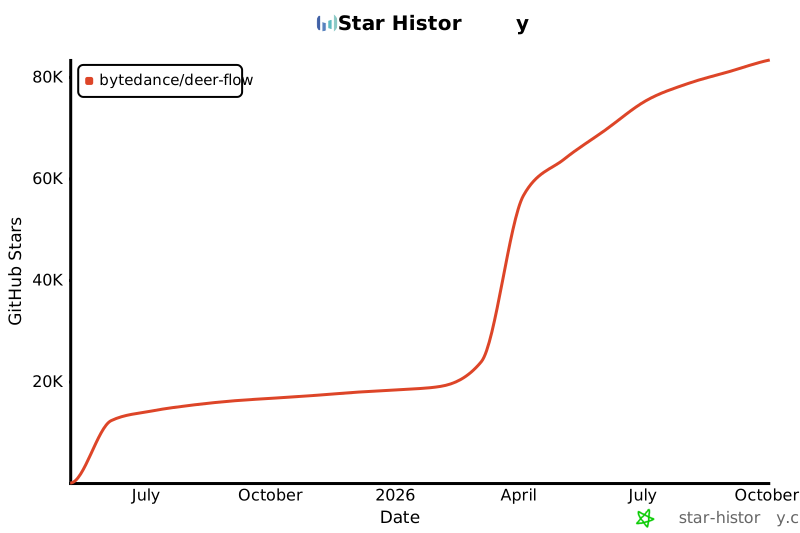
|
||||
|
||||
Explore DeerFlow on GitHub: [github.com/bytedance/deer-flow](https://github.com/bytedance/deer-flow)
|
||||
|
||||
## 🌐 Official Website
|
||||
|
||||
Visit the official website of DeerFlow: [deerflow.tech](https://deerflow.tech/)
|
||||
|
||||
## 📧 Support
|
||||
|
||||
If you have any questions or need help, please contact us at [support@deerflow.tech](mailto:support@deerflow.tech).
|
||||
|
||||
---
|
||||
|
||||
## 📜 License
|
||||
|
||||
DeerFlow is proudly open source and distributed under the **MIT License**.
|
||||
|
||||
---
|
||||
|
||||
## 🙌 Acknowledgments
|
||||
|
||||
We extend our heartfelt gratitude to the open source projects and contributors who have made DeerFlow a reality. We truly stand on the shoulders of giants.
|
||||
|
||||
### Core Frameworks
|
||||
- **[LangChain](https://github.com/langchain-ai/langchain)**: A phenomenal framework that powers our LLM interactions and chains.
|
||||
- **[LangGraph](https://github.com/langchain-ai/langgraph)**: Enabling sophisticated multi-agent orchestration.
|
||||
- **[Next.js](https://nextjs.org/)**: A cutting-edge framework for building web applications.
|
||||
|
||||
### UI Libraries
|
||||
- **[Shadcn](https://ui.shadcn.com/)**: Minimalistic components that power our UI.
|
||||
- **[SToneX](https://github.com/stonexer)**: For his invaluable contribution to token-by-token visual effects.
|
||||
|
||||
These outstanding projects form the backbone of DeerFlow and exemplify the transformative power of open source collaboration.
|
||||
|
||||
### Special Thanks
|
||||
Finally, we want to express our heartfelt gratitude to the core authors of DeerFlow 1.0 and 2.0:
|
||||
|
||||
- **[Daniel Walnut](https://github.com/hetaoBackend/)**
|
||||
- **[Henry Li](https://github.com/magiccube/)**
|
||||
|
||||
Without their vision, passion and dedication, \`DeerFlow\` would not be what it is today.
|
||||
`;
|
||||
@@ -1,15 +1,55 @@
|
||||
# About CM Assistant
|
||||
# 🦌 [About DeerFlow 2.0](https://github.com/bytedance/deer-flow)
|
||||
|
||||
CM Assistant is an internal super-agent platform that orchestrates sub-agents,
|
||||
memory, and sandboxes — powered by extensible skills — to research, analyze,
|
||||
and create on your behalf.
|
||||
> **From Open Source, Back to Open Source**
|
||||
|
||||
**DeerFlow** (**D**eep **E**xploration and **E**fficient **R**esearch **Flow**) is a community-driven SuperAgent harness that researches, codes, and creates.
|
||||
With the help of sandboxes, memories, tools and skills, it handles
|
||||
different levels of tasks that could take minutes to hours.
|
||||
|
||||
---
|
||||
|
||||
## Core Features
|
||||
## 🌟 GitHub Repository
|
||||
|
||||
* **Skills & Tools**: Built-in and extensible skills let CM Assistant tackle a wide range of tasks.
|
||||
* **Sub-Agents**: Specialized sub-agents handle complex jobs the main agent delegates to them.
|
||||
* **Sandbox & File System**: Safely execute code and manipulate files inside an isolated sandbox.
|
||||
* **Context Engineering**: Isolated sub-agent context plus summarization keeps the context window sharp.
|
||||
* **Long-Term Memory**: Continuously records your profile, top-of-mind notes, and conversation history.
|
||||
Explore DeerFlow on GitHub: [github.com/bytedance/deer-flow](https://github.com/bytedance/deer-flow)
|
||||
|
||||
## 🌐 Official Website
|
||||
|
||||
Visit the official website of DeerFlow: [deerflow.tech](https://deerflow.tech/)
|
||||
|
||||
## 📧 Support
|
||||
|
||||
If you have any questions or need help, please contact us at [support@deerflow.tech](mailto:support@deerflow.tech).
|
||||
|
||||
---
|
||||
|
||||
## 📜 License
|
||||
|
||||
DeerFlow is proudly open source and distributed under the **MIT License**.
|
||||
|
||||
---
|
||||
|
||||
## 🙌 Acknowledgments
|
||||
|
||||
We extend our heartfelt gratitude to the open source projects and contributors who have made DeerFlow a reality. We truly stand on the shoulders of giants.
|
||||
|
||||
### Core Frameworks
|
||||
|
||||
- **[LangChain](https://github.com/langchain-ai/langchain)**: A phenomenal framework that powers our LLM interactions and chains.
|
||||
- **[LangGraph](https://github.com/langchain-ai/langgraph)**: Enabling sophisticated multi-agent orchestration.
|
||||
- **[Next.js](https://nextjs.org/)**: A cutting-edge framework for building web applications.
|
||||
|
||||
### UI Libraries
|
||||
|
||||
- **[Shadcn](https://ui.shadcn.com/)**: Minimalistic components that power our UI.
|
||||
- **[SToneX](https://github.com/stonexer)**: For his invaluable contribution to token-by-token visual effects.
|
||||
|
||||
These outstanding projects form the backbone of DeerFlow and exemplify the transformative power of open source collaboration.
|
||||
|
||||
### Special Thanks
|
||||
|
||||
Finally, we want to express our heartfelt gratitude to the core authors of DeerFlow 1.0 and 2.0:
|
||||
|
||||
- **[Daniel Walnut](https://github.com/hetaoBackend/)**
|
||||
- **[Henry Li](https://github.com/magiccube/)**
|
||||
|
||||
Without their vision, passion and dedication, `DeerFlow` would not be what it is today.
|
||||
@@ -1,126 +0,0 @@
|
||||
"use client";
|
||||
|
||||
import { useMemo } from "react";
|
||||
import { CopyIcon, LogOutIcon, UserIcon } from "lucide-react";
|
||||
import { toast } from "sonner";
|
||||
|
||||
import { Badge } from "@/components/ui/badge";
|
||||
import { Button } from "@/components/ui/button";
|
||||
import { clearStoredAuth, getStoredAuth } from "@/core/auth";
|
||||
|
||||
import { SettingsSection } from "./settings-section";
|
||||
|
||||
function roleLabel(role?: string) {
|
||||
if (role === "admin") return "管理员";
|
||||
if (role === "user") return "普通用户";
|
||||
return role || "未知角色";
|
||||
}
|
||||
|
||||
function copy(text: string, hint = "已复制") {
|
||||
if (!text) return;
|
||||
navigator.clipboard
|
||||
.writeText(text)
|
||||
.then(() => toast.success(hint))
|
||||
.catch(() => toast.error("复制失败"));
|
||||
}
|
||||
|
||||
export function AccountSettingsPage() {
|
||||
const auth = useMemo(() => getStoredAuth(), []);
|
||||
|
||||
if (!auth) {
|
||||
return (
|
||||
<SettingsSection title="个人信息" description="当前未登录或登录信息无法读取。">
|
||||
<div className="text-muted-foreground rounded-md border p-6 text-center text-sm">
|
||||
没有可显示的账号信息。
|
||||
</div>
|
||||
</SettingsSection>
|
||||
);
|
||||
}
|
||||
|
||||
const usernameFromEmail = (auth.email ?? "").split("@")[0] ?? "";
|
||||
const displayName = usernameFromEmail || auth.user_id;
|
||||
|
||||
const handleLogout = () => {
|
||||
clearStoredAuth();
|
||||
// Match the rest of the app's logout flow: blow away the cookie session
|
||||
// by hitting the gateway logout endpoint and then forcing a full reload
|
||||
// so any cached query state goes too.
|
||||
void fetch("/api/v1/auth/logout", { method: "POST", credentials: "include" })
|
||||
.catch(() => undefined)
|
||||
.finally(() => {
|
||||
window.location.assign("/");
|
||||
});
|
||||
};
|
||||
|
||||
return (
|
||||
<SettingsSection title="个人信息" description="当前登录账号的基本信息。">
|
||||
<div className="flex flex-col gap-4 rounded-xl border bg-white p-5">
|
||||
<div className="flex items-center gap-3">
|
||||
<div className="bg-primary/10 text-primary flex size-10 items-center justify-center rounded-full">
|
||||
<UserIcon className="size-5" />
|
||||
</div>
|
||||
<div className="min-w-0 flex-1">
|
||||
<div className="truncate text-sm font-medium">{displayName}</div>
|
||||
<div className="text-muted-foreground truncate text-xs">
|
||||
{roleLabel(auth.system_role)}
|
||||
</div>
|
||||
</div>
|
||||
<Badge variant={auth.system_role === "admin" ? "default" : "secondary"}>
|
||||
{roleLabel(auth.system_role)}
|
||||
</Badge>
|
||||
</div>
|
||||
|
||||
<InfoRow
|
||||
label="用户名"
|
||||
value={displayName}
|
||||
onCopy={() => copy(displayName, "用户名已复制")}
|
||||
/>
|
||||
<InfoRow
|
||||
label="用户 ID"
|
||||
value={auth.user_id}
|
||||
onCopy={() => copy(auth.user_id, "用户 ID 已复制")}
|
||||
/>
|
||||
<InfoRow label="账号角色" value={roleLabel(auth.system_role)} />
|
||||
<InfoRow
|
||||
label="账号状态"
|
||||
value={auth.needs_setup ? "待初始化" : "已就绪"}
|
||||
/>
|
||||
|
||||
<div className="flex justify-end pt-2">
|
||||
<Button variant="outline" size="sm" onClick={handleLogout}>
|
||||
<LogOutIcon className="size-4" />
|
||||
退出登录
|
||||
</Button>
|
||||
</div>
|
||||
</div>
|
||||
</SettingsSection>
|
||||
);
|
||||
}
|
||||
|
||||
function InfoRow({
|
||||
label,
|
||||
value,
|
||||
onCopy,
|
||||
}: {
|
||||
label: string;
|
||||
value: string;
|
||||
onCopy?: () => void;
|
||||
}) {
|
||||
return (
|
||||
<div className="flex items-center gap-3 border-t pt-3 first:border-t-0 first:pt-0">
|
||||
<div className="text-muted-foreground w-20 shrink-0 text-xs">{label}</div>
|
||||
<div className="min-w-0 flex-1 truncate text-sm">{value || "—"}</div>
|
||||
{onCopy && value && (
|
||||
<Button
|
||||
size="icon"
|
||||
variant="ghost"
|
||||
className="size-7"
|
||||
onClick={onCopy}
|
||||
aria-label={`复制${label}`}
|
||||
>
|
||||
<CopyIcon className="size-3.5" />
|
||||
</Button>
|
||||
)}
|
||||
</div>
|
||||
);
|
||||
}
|
||||
@@ -12,10 +12,8 @@ import {
|
||||
SelectValue,
|
||||
} from "@/components/ui/select";
|
||||
import { Separator } from "@/components/ui/separator";
|
||||
import { Switch } from "@/components/ui/switch";
|
||||
import { enUS, isLocale, zhCN, type Locale } from "@/core/i18n";
|
||||
import { useI18n } from "@/core/i18n/hooks";
|
||||
import { useLocalSettings } from "@/core/settings";
|
||||
import { cn } from "@/lib/utils";
|
||||
|
||||
import { SettingsSection } from "./settings-section";
|
||||
@@ -29,7 +27,6 @@ export function AppearanceSettingsPage() {
|
||||
const { t, locale, changeLocale } = useI18n();
|
||||
const { theme, setTheme, systemTheme } = useTheme();
|
||||
const currentTheme = (theme ?? "system") as "system" | "light" | "dark";
|
||||
const [settings, setSettings] = useLocalSettings();
|
||||
|
||||
const themeOptions = useMemo(
|
||||
() => [
|
||||
@@ -110,30 +107,6 @@ export function AppearanceSettingsPage() {
|
||||
</SelectContent>
|
||||
</Select>
|
||||
</SettingsSection>
|
||||
|
||||
<Separator />
|
||||
|
||||
<SettingsSection
|
||||
title="对话体验"
|
||||
description="问答过程中的辅助显示。"
|
||||
>
|
||||
<div className="flex items-start justify-between gap-4 rounded-lg border p-4">
|
||||
<div>
|
||||
<div className="text-sm font-medium">回答速度指示器</div>
|
||||
<p className="text-muted-foreground mt-1 max-w-md text-xs leading-relaxed">
|
||||
在生成回答时显示一个小胶囊,实时估算当前 token/s
|
||||
并用绿到红的渐变条直观反映快慢。默认关闭。
|
||||
</p>
|
||||
</div>
|
||||
<Switch
|
||||
checked={settings.display.streamSpeedMeterEnabled}
|
||||
onCheckedChange={(checked) =>
|
||||
setSettings("display", { streamSpeedMeterEnabled: checked })
|
||||
}
|
||||
aria-label="回答速度指示器"
|
||||
/>
|
||||
</div>
|
||||
</SettingsSection>
|
||||
</div>
|
||||
);
|
||||
}
|
||||
|
||||
@@ -1,362 +0,0 @@
|
||||
"use client";
|
||||
|
||||
import { useEffect, useMemo, useState } from "react";
|
||||
import { toast } from "sonner";
|
||||
|
||||
import { Button } from "@/components/ui/button";
|
||||
import {
|
||||
Dialog,
|
||||
DialogContent,
|
||||
DialogFooter,
|
||||
DialogHeader,
|
||||
DialogTitle,
|
||||
} from "@/components/ui/dialog";
|
||||
import { Input } from "@/components/ui/input";
|
||||
import {
|
||||
Select,
|
||||
SelectContent,
|
||||
SelectItem,
|
||||
SelectTrigger,
|
||||
SelectValue,
|
||||
} from "@/components/ui/select";
|
||||
import { Switch } from "@/components/ui/switch";
|
||||
import { Textarea } from "@/components/ui/textarea";
|
||||
import { useUpsertMCPServer } from "@/core/mcp/hooks";
|
||||
import type {
|
||||
MCPServerConfig,
|
||||
MCPServerTransport,
|
||||
} from "@/core/mcp/types";
|
||||
|
||||
type EditMode = "create" | "edit";
|
||||
|
||||
export interface MCPServerEditDialogProps {
|
||||
open: boolean;
|
||||
onOpenChange: (open: boolean) => void;
|
||||
mode: EditMode;
|
||||
originalName?: string;
|
||||
initialServer?: MCPServerConfig;
|
||||
existingNames: string[];
|
||||
}
|
||||
|
||||
const TRANSPORT_OPTIONS: { value: MCPServerTransport; label: string }[] = [
|
||||
{ value: "stdio", label: "stdio(本地进程)" },
|
||||
{ value: "http", label: "http(远端 HTTP)" },
|
||||
{ value: "sse", label: "sse(远端 SSE)" },
|
||||
];
|
||||
|
||||
const DEFAULT_SERVER: MCPServerConfig = {
|
||||
enabled: true,
|
||||
type: "stdio",
|
||||
command: "",
|
||||
args: [],
|
||||
env: {},
|
||||
url: "",
|
||||
headers: {},
|
||||
description: "",
|
||||
disabled_tools: [],
|
||||
};
|
||||
|
||||
function argsToText(args?: string[]): string {
|
||||
return (args ?? []).join("\n");
|
||||
}
|
||||
|
||||
function textToArgs(text: string): string[] {
|
||||
return text
|
||||
.split("\n")
|
||||
.map((line) => line.trim())
|
||||
.filter(Boolean);
|
||||
}
|
||||
|
||||
function kvToText(map?: Record<string, string>): string {
|
||||
if (!map) return "";
|
||||
return Object.entries(map)
|
||||
.map(([k, v]) => `${k}=${v}`)
|
||||
.join("\n");
|
||||
}
|
||||
|
||||
function textToKV(text: string): { value: Record<string, string>; error?: string } {
|
||||
const result: Record<string, string> = {};
|
||||
const lines = text.split("\n");
|
||||
for (const rawLine of lines) {
|
||||
const line = rawLine.trim();
|
||||
if (!line) continue;
|
||||
const eq = line.indexOf("=");
|
||||
if (eq <= 0) {
|
||||
return { value: {}, error: `每行需为 KEY=VALUE 格式:${line}` };
|
||||
}
|
||||
const key = line.slice(0, eq).trim();
|
||||
const value = line.slice(eq + 1);
|
||||
if (!key) {
|
||||
return { value: {}, error: `键名不能为空:${line}` };
|
||||
}
|
||||
result[key] = value;
|
||||
}
|
||||
return { value: result };
|
||||
}
|
||||
|
||||
export function MCPServerEditDialog({
|
||||
open,
|
||||
onOpenChange,
|
||||
mode,
|
||||
originalName,
|
||||
initialServer,
|
||||
existingNames,
|
||||
}: MCPServerEditDialogProps) {
|
||||
const upsert = useUpsertMCPServer();
|
||||
|
||||
const [name, setName] = useState("");
|
||||
const [type, setType] = useState<MCPServerTransport>("stdio");
|
||||
const [enabled, setEnabled] = useState(true);
|
||||
const [description, setDescription] = useState("");
|
||||
const [command, setCommand] = useState("");
|
||||
const [argsText, setArgsText] = useState("");
|
||||
const [envText, setEnvText] = useState("");
|
||||
const [url, setUrl] = useState("");
|
||||
const [headersText, setHeadersText] = useState("");
|
||||
const [disabledToolsText, setDisabledToolsText] = useState("");
|
||||
|
||||
useEffect(() => {
|
||||
if (!open) return;
|
||||
const base = initialServer ?? DEFAULT_SERVER;
|
||||
setName(originalName ?? "");
|
||||
setType((base.type ?? "stdio") as MCPServerTransport);
|
||||
setEnabled(base.enabled);
|
||||
setDescription(base.description ?? "");
|
||||
setCommand(base.command ?? "");
|
||||
setArgsText(argsToText(base.args));
|
||||
setEnvText(kvToText(base.env));
|
||||
setUrl(base.url ?? "");
|
||||
setHeadersText(kvToText(base.headers));
|
||||
setDisabledToolsText((base.disabled_tools ?? []).join("\n"));
|
||||
}, [open, initialServer, originalName]);
|
||||
|
||||
const nameConflict = useMemo(() => {
|
||||
const trimmed = name.trim();
|
||||
if (!trimmed) return false;
|
||||
if (mode === "edit" && trimmed === originalName) return false;
|
||||
return existingNames.includes(trimmed);
|
||||
}, [name, existingNames, mode, originalName]);
|
||||
|
||||
const handleSubmit = async () => {
|
||||
const trimmedName = name.trim();
|
||||
if (!trimmedName) {
|
||||
toast.error("请填写 MCP 服务器名称");
|
||||
return;
|
||||
}
|
||||
if (nameConflict) {
|
||||
toast.error(`已存在同名 MCP 服务器:${trimmedName}`);
|
||||
return;
|
||||
}
|
||||
|
||||
const env = textToKV(envText);
|
||||
if (env.error) {
|
||||
toast.error(`环境变量格式错误:${env.error}`);
|
||||
return;
|
||||
}
|
||||
const headers = textToKV(headersText);
|
||||
if (headers.error) {
|
||||
toast.error(`Headers 格式错误:${headers.error}`);
|
||||
return;
|
||||
}
|
||||
|
||||
const args = textToArgs(argsText);
|
||||
const disabledTools = textToArgs(disabledToolsText);
|
||||
|
||||
if (type === "stdio" && !command.trim()) {
|
||||
toast.error("stdio 传输需要填写启动命令");
|
||||
return;
|
||||
}
|
||||
if ((type === "http" || type === "sse") && !url.trim()) {
|
||||
toast.error(`${type} 传输需要填写服务器 URL`);
|
||||
return;
|
||||
}
|
||||
|
||||
const server: MCPServerConfig = {
|
||||
enabled,
|
||||
type,
|
||||
description: description.trim(),
|
||||
command: type === "stdio" ? command.trim() : null,
|
||||
args: type === "stdio" ? args : [],
|
||||
env: type === "stdio" ? env.value : {},
|
||||
url: type === "stdio" ? null : url.trim(),
|
||||
headers: type === "stdio" ? {} : headers.value,
|
||||
disabled_tools: disabledTools,
|
||||
};
|
||||
|
||||
try {
|
||||
await upsert.mutateAsync({
|
||||
serverName: trimmedName,
|
||||
server,
|
||||
originalName: mode === "edit" ? originalName : undefined,
|
||||
});
|
||||
toast.success(mode === "create" ? "MCP 服务器已创建" : "MCP 服务器已更新");
|
||||
onOpenChange(false);
|
||||
} catch (err) {
|
||||
toast.error(err instanceof Error ? err.message : String(err));
|
||||
}
|
||||
};
|
||||
|
||||
return (
|
||||
<Dialog open={open} onOpenChange={onOpenChange}>
|
||||
<DialogContent
|
||||
className="max-h-[85vh] overflow-y-auto sm:max-w-2xl"
|
||||
aria-describedby={undefined}
|
||||
>
|
||||
<DialogHeader>
|
||||
<DialogTitle>
|
||||
{mode === "create" ? "新增 MCP 服务器" : `编辑 MCP 服务器`}
|
||||
</DialogTitle>
|
||||
</DialogHeader>
|
||||
<div className="flex flex-col gap-4 py-2">
|
||||
<Field label="名称" hint="作为 MCP 服务器的唯一标识,用于工具命名前缀">
|
||||
<Input
|
||||
value={name}
|
||||
onChange={(e) => setName(e.target.value)}
|
||||
placeholder="例如 github、filesystem"
|
||||
aria-invalid={nameConflict || undefined}
|
||||
/>
|
||||
{nameConflict && (
|
||||
<div className="text-destructive text-xs">已存在同名服务器</div>
|
||||
)}
|
||||
</Field>
|
||||
|
||||
<div className="grid grid-cols-2 gap-4">
|
||||
<Field label="传输类型">
|
||||
<Select
|
||||
value={type}
|
||||
onValueChange={(v) => setType(v as MCPServerTransport)}
|
||||
>
|
||||
<SelectTrigger>
|
||||
<SelectValue />
|
||||
</SelectTrigger>
|
||||
<SelectContent>
|
||||
{TRANSPORT_OPTIONS.map((opt) => (
|
||||
<SelectItem key={opt.value} value={opt.value}>
|
||||
{opt.label}
|
||||
</SelectItem>
|
||||
))}
|
||||
</SelectContent>
|
||||
</Select>
|
||||
</Field>
|
||||
<Field label="启用">
|
||||
<div className="flex h-9 items-center">
|
||||
<Switch
|
||||
checked={enabled}
|
||||
onCheckedChange={setEnabled}
|
||||
/>
|
||||
<span className="text-muted-foreground ml-2 text-xs">
|
||||
{enabled ? "已启用" : "已停用"}
|
||||
</span>
|
||||
</div>
|
||||
</Field>
|
||||
</div>
|
||||
|
||||
<Field label="描述">
|
||||
<Textarea
|
||||
rows={2}
|
||||
value={description}
|
||||
onChange={(e) => setDescription(e.target.value)}
|
||||
placeholder="给这个 MCP 服务器写一段说明,会展示在工具列表里"
|
||||
/>
|
||||
</Field>
|
||||
|
||||
{type === "stdio" && (
|
||||
<>
|
||||
<Field
|
||||
label="启动命令"
|
||||
hint="例如 npx、uvx、python,配合参数启动 MCP server 进程"
|
||||
>
|
||||
<Input
|
||||
value={command}
|
||||
onChange={(e) => setCommand(e.target.value)}
|
||||
placeholder="npx"
|
||||
/>
|
||||
</Field>
|
||||
<Field label="参数" hint="每行一个参数">
|
||||
<Textarea
|
||||
rows={3}
|
||||
value={argsText}
|
||||
onChange={(e) => setArgsText(e.target.value)}
|
||||
placeholder={"-y\n@modelcontextprotocol/server-github"}
|
||||
/>
|
||||
</Field>
|
||||
<Field
|
||||
label="环境变量"
|
||||
hint="每行 KEY=VALUE;值以 $ 开头会在加载时解析为对应环境变量"
|
||||
>
|
||||
<Textarea
|
||||
rows={3}
|
||||
value={envText}
|
||||
onChange={(e) => setEnvText(e.target.value)}
|
||||
placeholder={"GITHUB_TOKEN=$GITHUB_TOKEN"}
|
||||
/>
|
||||
</Field>
|
||||
</>
|
||||
)}
|
||||
|
||||
{(type === "http" || type === "sse") && (
|
||||
<>
|
||||
<Field label="服务器 URL">
|
||||
<Input
|
||||
value={url}
|
||||
onChange={(e) => setUrl(e.target.value)}
|
||||
placeholder="https://example.com/mcp"
|
||||
/>
|
||||
</Field>
|
||||
<Field label="Headers" hint="每行 KEY=VALUE">
|
||||
<Textarea
|
||||
rows={3}
|
||||
value={headersText}
|
||||
onChange={(e) => setHeadersText(e.target.value)}
|
||||
placeholder={"Authorization=Bearer xxx"}
|
||||
/>
|
||||
</Field>
|
||||
</>
|
||||
)}
|
||||
|
||||
<Field
|
||||
label="禁用的工具"
|
||||
hint="每行一个工具名(不带服务器前缀),加载时会被过滤掉"
|
||||
>
|
||||
<Textarea
|
||||
rows={2}
|
||||
value={disabledToolsText}
|
||||
onChange={(e) => setDisabledToolsText(e.target.value)}
|
||||
placeholder={"some_dangerous_tool"}
|
||||
/>
|
||||
</Field>
|
||||
</div>
|
||||
<DialogFooter>
|
||||
<Button variant="outline" onClick={() => onOpenChange(false)}>
|
||||
取消
|
||||
</Button>
|
||||
<Button onClick={handleSubmit} disabled={upsert.isPending}>
|
||||
{upsert.isPending
|
||||
? "保存中..."
|
||||
: mode === "create"
|
||||
? "创建"
|
||||
: "保存"}
|
||||
</Button>
|
||||
</DialogFooter>
|
||||
</DialogContent>
|
||||
</Dialog>
|
||||
);
|
||||
}
|
||||
|
||||
function Field({
|
||||
label,
|
||||
hint,
|
||||
children,
|
||||
}: {
|
||||
label: string;
|
||||
hint?: string;
|
||||
children: React.ReactNode;
|
||||
}) {
|
||||
return (
|
||||
<div className="flex flex-col gap-1">
|
||||
<div className="text-sm font-medium">{label}</div>
|
||||
{hint && <div className="text-muted-foreground text-xs">{hint}</div>}
|
||||
{children}
|
||||
</div>
|
||||
);
|
||||
}
|
||||
File diff suppressed because it is too large.
Load diff
@@ -0,0 +1,92 @@
|
||||
"use client";
|
||||
|
||||
import { BellIcon } from "lucide-react";
|
||||
|
||||
import { Button } from "@/components/ui/button";
|
||||
import { Switch } from "@/components/ui/switch";
|
||||
import { useI18n } from "@/core/i18n/hooks";
|
||||
import { useNotification } from "@/core/notification/hooks";
|
||||
import { useLocalSettings } from "@/core/settings";
|
||||
|
||||
import { SettingsSection } from "./settings-section";
|
||||
|
||||
export function NotificationSettingsPage() {
|
||||
const { t } = useI18n();
|
||||
const { permission, isSupported, requestPermission, showNotification } =
|
||||
useNotification();
|
||||
|
||||
const [settings, setSettings] = useLocalSettings();
|
||||
|
||||
const handleRequestPermission = async () => {
|
||||
await requestPermission();
|
||||
};
|
||||
|
||||
const handleTestNotification = () => {
|
||||
showNotification(t.settings.notification.testTitle, {
|
||||
body: t.settings.notification.testBody,
|
||||
});
|
||||
};
|
||||
|
||||
const handleEnableNotification = async (enabled: boolean) => {
|
||||
setSettings("notification", {
|
||||
enabled,
|
||||
});
|
||||
};
|
||||
|
||||
if (!isSupported) {
|
||||
return (
|
||||
<SettingsSection
|
||||
title={t.settings.notification.title}
|
||||
description={t.settings.notification.description}
|
||||
>
|
||||
<p className="text-muted-foreground text-sm">
|
||||
{t.settings.notification.notSupported}
|
||||
</p>
|
||||
</SettingsSection>
|
||||
);
|
||||
}
|
||||
|
||||
return (
|
||||
<SettingsSection
|
||||
title={t.settings.notification.title}
|
||||
description={
|
||||
<div className="flex items-center gap-2">
|
||||
<div>{t.settings.notification.description}</div>
|
||||
<div>
|
||||
<Switch
|
||||
disabled={permission !== "granted"}
|
||||
checked={
|
||||
permission === "granted" && settings.notification.enabled
|
||||
}
|
||||
onCheckedChange={handleEnableNotification}
|
||||
/>
|
||||
</div>
|
||||
</div>
|
||||
}
|
||||
>
|
||||
<div className="flex flex-col gap-4">
|
||||
{permission === "default" && (
|
||||
<Button onClick={handleRequestPermission} variant="default">
|
||||
<BellIcon className="mr-2 size-4" />
|
||||
{t.settings.notification.requestPermission}
|
||||
</Button>
|
||||
)}
|
||||
|
||||
{permission === "denied" && (
|
||||
<p className="text-muted-foreground rounded-md border border-amber-200 bg-amber-50 p-3 text-sm dark:border-amber-800 dark:bg-amber-950/50">
|
||||
{t.settings.notification.deniedHint}
|
||||
</p>
|
||||
)}
|
||||
|
||||
{permission === "granted" && settings.notification.enabled && (
|
||||
<div className="flex flex-col gap-4">
|
||||
<Button onClick={handleTestNotification} variant="outline">
|
||||
<BellIcon className="mr-2 size-4" />
|
||||
{t.settings.notification.testButton}
|
||||
</Button>
|
||||
</div>
|
||||
)}
|
||||
</div>
|
||||
</SettingsSection>
|
||||
);
|
||||
}
|
||||
@@ -1,6 +1,13 @@
|
||||
"use client";
|
||||
|
||||
import { BellIcon, PaletteIcon, SparklesIcon, UserIcon, WrenchIcon } from "lucide-react";
|
||||
import {
|
||||
BellIcon,
|
||||
InfoIcon,
|
||||
BrainIcon,
|
||||
PaletteIcon,
|
||||
SparklesIcon,
|
||||
WrenchIcon,
|
||||
} from "lucide-react";
|
||||
import { useEffect, useMemo, useState } from "react";
|
||||
|
||||
import {
|
||||
@@ -11,18 +18,20 @@ import {
|
||||
} from "@/components/ui/dialog";
|
||||
import { ScrollArea } from "@/components/ui/scroll-area";
|
||||
import { AboutSettingsPage } from "@/components/workspace/settings/about-settings-page";
|
||||
import { AccountSettingsPage } from "@/components/workspace/settings/account-settings-page";
|
||||
import { AppearanceSettingsPage } from "@/components/workspace/settings/appearance-settings-page";
|
||||
import { MemorySettingsPage } from "@/components/workspace/settings/memory-settings-page";
|
||||
import { NotificationSettingsPage } from "@/components/workspace/settings/notification-settings-page";
|
||||
import { SkillSettingsPage } from "@/components/workspace/settings/skill-settings-page";
|
||||
import { ToolSettingsPage } from "@/components/workspace/settings/tool-settings-page";
|
||||
import { useI18n } from "@/core/i18n/hooks";
|
||||
import { cn } from "@/lib/utils";
|
||||
|
||||
type SettingsSection =
|
||||
| "account"
|
||||
| "appearance"
|
||||
| "memory"
|
||||
| "tools"
|
||||
| "skills"
|
||||
| "notification"
|
||||
| "about";
|
||||
|
||||
type SettingsDialogProps = React.ComponentProps<typeof Dialog> & {
|
||||
@@ -50,31 +59,26 @@ export function SettingsDialog(props: SettingsDialogProps) {
|
||||
label: t.settings.sections.appearance,
|
||||
icon: PaletteIcon,
|
||||
},
|
||||
// {
|
||||
// id: "notification",
|
||||
// label: t.settings.sections.notification,
|
||||
// icon: BellIcon,
|
||||
// },
|
||||
// { id: "tools", label: t.settings.sections.tools, icon: WrenchIcon },
|
||||
// { id: "skills", label: t.settings.sections.skills, icon: SparklesIcon },
|
||||
// 记忆已移至侧边栏入口 (/page/workspace/memory)
|
||||
// {
|
||||
// id: "memory",
|
||||
// label: t.settings.sections.memory,
|
||||
// icon: BrainIcon,
|
||||
// },
|
||||
{ id: "tools", label: t.settings.sections.tools, icon: WrenchIcon },
|
||||
{
|
||||
id: "account",
|
||||
label: "个人信息",
|
||||
icon: UserIcon,
|
||||
id: "notification",
|
||||
label: t.settings.sections.notification,
|
||||
icon: BellIcon,
|
||||
},
|
||||
{
|
||||
id: "memory",
|
||||
label: t.settings.sections.memory,
|
||||
icon: BrainIcon,
|
||||
},
|
||||
{ id: "tools", label: t.settings.sections.tools, icon: WrenchIcon },
|
||||
{ id: "skills", label: t.settings.sections.skills, icon: SparklesIcon },
|
||||
// { id: "about", label: t.settings.sections.about, icon: InfoIcon },
|
||||
],
|
||||
[
|
||||
t.settings.sections.appearance,
|
||||
t.settings.sections.memory,
|
||||
t.settings.sections.tools,
|
||||
t.settings.sections.skills,
|
||||
t.settings.sections.notification,
|
||||
t.settings.sections.about,
|
||||
],
|
||||
);
|
||||
@@ -120,10 +124,15 @@ export function SettingsDialog(props: SettingsDialogProps) {
|
||||
</nav>
|
||||
<ScrollArea className="h-full min-h-0 min-w-0 rounded-lg border">
|
||||
<div className="min-w-0 space-y-8 p-6">
|
||||
{activeSection === "account" && <AccountSettingsPage />}
|
||||
{activeSection === "appearance" && <AppearanceSettingsPage />}
|
||||
{activeSection === "memory" && <MemorySettingsPage />}
|
||||
{activeSection === "tools" && <ToolSettingsPage />}
|
||||
{activeSection === "skills" && (
|
||||
<SkillSettingsPage
|
||||
onClose={() => props.onOpenChange?.(false)}
|
||||
/>
|
||||
)}
|
||||
{activeSection === "notification" && <NotificationSettingsPage />}
|
||||
{activeSection === "about" && <AboutSettingsPage />}
|
||||
</div>
|
||||
</ScrollArea>
|
||||
|
||||
@@ -1,36 +1,10 @@
|
||||
"use client";
|
||||
|
||||
import {
|
||||
AlertCircle,
|
||||
ArchiveIcon,
|
||||
CheckCircle2,
|
||||
ClockIcon,
|
||||
FileArchive,
|
||||
GlobeIcon,
|
||||
Loader2,
|
||||
LockIcon,
|
||||
PinIcon,
|
||||
PinOffIcon,
|
||||
SparklesIcon,
|
||||
TagsIcon,
|
||||
Trash2Icon,
|
||||
TrendingUpIcon,
|
||||
Upload,
|
||||
} from "lucide-react";
|
||||
import { SparklesIcon } from "lucide-react";
|
||||
import { useRouter } from "next/navigation";
|
||||
import { useCallback, useMemo, useRef, useState } from "react";
|
||||
import { toast } from "sonner";
|
||||
import { useMemo, useState } from "react";
|
||||
|
||||
import { Badge } from "@/components/ui/badge";
|
||||
import { Button } from "@/components/ui/button";
|
||||
import {
|
||||
Dialog,
|
||||
DialogContent,
|
||||
DialogDescription,
|
||||
DialogFooter,
|
||||
DialogHeader,
|
||||
DialogTitle,
|
||||
} from "@/components/ui/dialog";
|
||||
import {
|
||||
Empty,
|
||||
EmptyContent,
|
||||
@@ -46,476 +20,100 @@ import {
|
||||
ItemContent,
|
||||
ItemDescription,
|
||||
} from "@/components/ui/item";
|
||||
import { Switch } from "@/components/ui/switch";
|
||||
import { Tabs, TabsList, TabsTrigger } from "@/components/ui/tabs";
|
||||
import { SkillDetailDialog } from "@/components/workspace/skills/skill-detail-dialog";
|
||||
import { TagChipList } from "@/components/workspace/tags/tag-chip";
|
||||
import { TagPickerDialog } from "@/components/workspace/tags/tag-picker-dialog";
|
||||
import { TagSearchBar } from "@/components/workspace/tags/tag-search-bar";
|
||||
import { getStoredAuth } from "@/core/auth";
|
||||
import { useI18n } from "@/core/i18n/hooks";
|
||||
import type { ValidateSkillUploadResponse } from "@/core/skills/api";
|
||||
import {
|
||||
useDeleteCustomSkill,
|
||||
useInstallSkillUpload,
|
||||
useSetSkillPinned,
|
||||
useSetSkillPublished,
|
||||
useSkills,
|
||||
useValidateSkillUpload,
|
||||
} from "@/core/skills/hooks";
|
||||
import { useEnableSkill, useSkills } from "@/core/skills/hooks";
|
||||
import type { Skill } from "@/core/skills/type";
|
||||
import { env } from "@/env";
|
||||
import { cn } from "@/lib/utils";
|
||||
|
||||
import { SettingsSection } from "./settings-section";
|
||||
import { SkillStateSheet } from "./skill-state-sheet";
|
||||
|
||||
export function SkillSettingsPage({ onClose }: { onClose?: () => void } = {}) {
|
||||
const { t } = useI18n();
|
||||
const { skills, isLoading, error } = useSkills();
|
||||
return (
|
||||
<SettingsSection
|
||||
title={t.settings.skills.title}
|
||||
description={t.settings.skills.description}
|
||||
>
|
||||
<SkillSettingsList onClose={onClose} />
|
||||
{isLoading ? (
|
||||
<div className="text-muted-foreground text-sm">{t.common.loading}</div>
|
||||
) : error ? (
|
||||
<div>Error: {error.message}</div>
|
||||
) : (
|
||||
<SkillSettingsList skills={skills} onClose={onClose} />
|
||||
)}
|
||||
</SettingsSection>
|
||||
);
|
||||
}
|
||||
|
||||
function SkillSettingsList({ onClose }: { onClose?: () => void }) {
|
||||
function SkillSettingsList({
|
||||
skills,
|
||||
onClose,
|
||||
}: {
|
||||
skills: Skill[];
|
||||
onClose?: () => void;
|
||||
}) {
|
||||
const { t } = useI18n();
|
||||
const router = useRouter();
|
||||
const [filter, setFilter] = useState<string>("mine");
|
||||
const [installOpen, setInstallOpen] = useState(false);
|
||||
const [staleSheetOpen, setStaleSheetOpen] = useState(false);
|
||||
const [archiveSheetOpen, setArchiveSheetOpen] = useState(false);
|
||||
const [search, setSearch] = useState("");
|
||||
const [tagIds, setTagIds] = useState<string[]>([]);
|
||||
// Name + tag filtering is resolved server-side via the /api/skills query.
|
||||
const { skills, isLoading, error } = useSkills({ search, tagIds });
|
||||
|
||||
const storedAuth = useMemo(() => getStoredAuth(), []);
|
||||
const currentUserId = storedAuth?.user_id ?? null;
|
||||
const isAdmin = storedAuth?.system_role === "admin";
|
||||
|
||||
// 把可见技能分类成 UI 关心的几个桶。
|
||||
// "All" = 内置 + 已发布的技能(仅 active 状态);自己的技能也要自己发布了才出现。
|
||||
// "Mine" = 严格属于我自己的自定义技能(仅 active 状态)。
|
||||
const { activeAll, activeMine, staleVisible, archivedVisible } = useMemo(() => {
|
||||
const all: Skill[] = [];
|
||||
const mine: Skill[] = [];
|
||||
const stale: Skill[] = [];
|
||||
const archived: Skill[] = [];
|
||||
for (const skill of skills) {
|
||||
const state = skill.state ?? "active";
|
||||
const isCustom = skill.category === "custom";
|
||||
const isOwnedByMe =
|
||||
isCustom && !!skill.owner_user_id && skill.owner_user_id === currentUserId;
|
||||
const isBuiltin = skill.builtin ?? !skill.owner_user_id;
|
||||
|
||||
if (state === "stale") {
|
||||
stale.push(skill);
|
||||
continue;
|
||||
}
|
||||
if (state === "archived") {
|
||||
archived.push(skill);
|
||||
continue;
|
||||
}
|
||||
// state === active
|
||||
if (isBuiltin || !!skill.published) {
|
||||
all.push(skill);
|
||||
}
|
||||
if (isOwnedByMe) {
|
||||
mine.push(skill);
|
||||
}
|
||||
}
|
||||
return {
|
||||
activeAll: all,
|
||||
activeMine: mine,
|
||||
staleVisible: stale,
|
||||
archivedVisible: archived,
|
||||
};
|
||||
}, [skills, currentUserId]);
|
||||
|
||||
const filteredSkills = filter === "mine" ? activeMine : activeAll;
|
||||
const staleCount = staleVisible.length;
|
||||
const archivedCount = archivedVisible.length;
|
||||
|
||||
const [filter, setFilter] = useState<string>("public");
|
||||
const { mutate: enableSkill } = useEnableSkill();
|
||||
const filteredSkills = useMemo(
|
||||
() => skills.filter((skill) => skill.category === filter),
|
||||
[skills, filter],
|
||||
);
|
||||
const handleCreateSkill = () => {
|
||||
onClose?.();
|
||||
router.push("/?mode=skill");
|
||||
};
|
||||
return (
|
||||
<div className="flex w-full flex-col gap-4">
|
||||
<header className="flex flex-wrap items-center justify-between gap-3">
|
||||
<div className="flex flex-wrap items-center gap-2">
|
||||
<Tabs value={filter} onValueChange={setFilter}>
|
||||
<header className="flex justify-between">
|
||||
<div className="flex gap-2">
|
||||
<Tabs defaultValue="public" onValueChange={setFilter}>
|
||||
<TabsList variant="line">
|
||||
<TabsTrigger value="mine">{t.settings.skills.tabMine}</TabsTrigger>
|
||||
<TabsTrigger value="all">{t.settings.skills.tabAll}</TabsTrigger>
|
||||
<TabsTrigger value="public">{t.common.public}</TabsTrigger>
|
||||
<TabsTrigger value="custom">{t.common.custom}</TabsTrigger>
|
||||
</TabsList>
|
||||
</Tabs>
|
||||
<Button
|
||||
size="sm"
|
||||
variant="outline"
|
||||
disabled={staleCount === 0}
|
||||
onClick={() => setStaleSheetOpen(true)}
|
||||
title={t.settings.skills.badgeStaleTitle}
|
||||
>
|
||||
<ClockIcon className="size-4" />
|
||||
{t.settings.skills.entryStale.replace("{count}", String(staleCount))}
|
||||
</Button>
|
||||
<Button
|
||||
size="sm"
|
||||
variant="outline"
|
||||
disabled={archivedCount === 0}
|
||||
onClick={() => setArchiveSheetOpen(true)}
|
||||
title={t.settings.skills.badgeArchivedTitle}
|
||||
>
|
||||
<ArchiveIcon className="size-4" />
|
||||
{t.settings.skills.entryArchived.replace(
|
||||
"{count}",
|
||||
String(archivedCount),
|
||||
)}
|
||||
</Button>
|
||||
</div>
|
||||
<div className="flex flex-wrap gap-2">
|
||||
<Button
|
||||
size="sm"
|
||||
variant="outline"
|
||||
onClick={() => {
|
||||
onClose?.();
|
||||
router.push("/page/workspace/skills/evolution");
|
||||
}}
|
||||
>
|
||||
<TrendingUpIcon className="size-4" />
|
||||
{t.settings.skills.goToEvolution}
|
||||
</Button>
|
||||
<Button
|
||||
size="sm"
|
||||
variant="outline"
|
||||
onClick={() => setInstallOpen(true)}
|
||||
disabled={env.NEXT_PUBLIC_STATIC_WEBSITE_ONLY === "true"}
|
||||
>
|
||||
<Upload className="size-4" />
|
||||
{t.settings.skills.installSkill}
|
||||
</Button>
|
||||
<div>
|
||||
<Button size="sm" onClick={handleCreateSkill}>
|
||||
<SparklesIcon className="size-4" />
|
||||
{t.settings.skills.createSkill}
|
||||
</Button>
|
||||
</div>
|
||||
</header>
|
||||
<TagSearchBar
|
||||
targetType="skill"
|
||||
onSearchChange={setSearch}
|
||||
tagIds={tagIds}
|
||||
onTagIdsChange={setTagIds}
|
||||
/>
|
||||
{isLoading && (
|
||||
<div className="text-muted-foreground text-sm">{t.common.loading}</div>
|
||||
)}
|
||||
{error && <div className="text-destructive text-sm">Error: {error.message}</div>}
|
||||
{!isLoading && !error && filteredSkills.length === 0 && (
|
||||
{filteredSkills.length === 0 && (
|
||||
<EmptySkill onCreateSkill={handleCreateSkill} />
|
||||
)}
|
||||
{!isLoading && !error &&
|
||||
filteredSkills.length > 0 &&
|
||||
{filteredSkills.length > 0 &&
|
||||
filteredSkills.map((skill) => (
|
||||
<SkillRow
|
||||
key={skill.name}
|
||||
skill={skill}
|
||||
currentUserId={currentUserId}
|
||||
isAdmin={isAdmin}
|
||||
/>
|
||||
<Item className="w-full" variant="outline" key={skill.name}>
|
||||
<ItemContent>
|
||||
<ItemTitle>
|
||||
<div className="flex items-center gap-2">{skill.name}</div>
|
||||
</ItemTitle>
|
||||
<ItemDescription className="line-clamp-4">
|
||||
{skill.description}
|
||||
</ItemDescription>
|
||||
</ItemContent>
|
||||
<ItemActions>
|
||||
<Switch
|
||||
checked={skill.enabled}
|
||||
disabled={env.NEXT_PUBLIC_STATIC_WEBSITE_ONLY === "true"}
|
||||
onCheckedChange={(checked) =>
|
||||
enableSkill({ skillName: skill.name, enabled: checked })
|
||||
}
|
||||
/>
|
||||
</ItemActions>
|
||||
</Item>
|
||||
))}
|
||||
<InstallSkillDialog
|
||||
open={installOpen}
|
||||
onClose={() => setInstallOpen(false)}
|
||||
isAdmin={isAdmin}
|
||||
/>
|
||||
<SkillStateSheet
|
||||
kind="stale"
|
||||
open={staleSheetOpen}
|
||||
onOpenChange={setStaleSheetOpen}
|
||||
skills={staleVisible}
|
||||
/>
|
||||
<SkillStateSheet
|
||||
kind="archived"
|
||||
open={archiveSheetOpen}
|
||||
onOpenChange={setArchiveSheetOpen}
|
||||
skills={archivedVisible}
|
||||
/>
|
||||
</div>
|
||||
);
|
||||
}
|
||||
|
||||
function SkillRow({
|
||||
skill,
|
||||
currentUserId,
|
||||
isAdmin,
|
||||
}: {
|
||||
skill: Skill;
|
||||
currentUserId: string | null;
|
||||
isAdmin: boolean;
|
||||
}) {
|
||||
const { t } = useI18n();
|
||||
const setPublished = useSetSkillPublished();
|
||||
const setPinned = useSetSkillPinned();
|
||||
const deleteSkill = useDeleteCustomSkill();
|
||||
const [confirmDeleteOpen, setConfirmDeleteOpen] = useState(false);
|
||||
const [tagPickerOpen, setTagPickerOpen] = useState(false);
|
||||
const [detailOpen, setDetailOpen] = useState(false);
|
||||
|
||||
const isCustom = skill.category === "custom";
|
||||
// Built-in flag falls back to "no DB owner" so legacy responses without
|
||||
// the multitenancy fields still classify public skills correctly.
|
||||
const isBuiltin = skill.builtin ?? !skill.owner_user_id;
|
||||
const isOwned =
|
||||
isCustom && !isBuiltin && !!skill.owner_user_id && skill.owner_user_id === currentUserId;
|
||||
const isFromOthers = isCustom && !isBuiltin && !isOwned;
|
||||
// Admin can edit/delete/unpublish anyone's skill; non-admin only their own.
|
||||
const canManage = isCustom && (isOwned || isAdmin);
|
||||
const canTogglePublish = canManage && !isBuiltin;
|
||||
|
||||
async function handleTogglePublished(next: boolean) {
|
||||
try {
|
||||
await setPublished.mutateAsync({ skillName: skill.name, published: next });
|
||||
toast.success(
|
||||
next
|
||||
? t.settings.skills.publishSuccess
|
||||
: t.settings.skills.unpublishSuccess,
|
||||
);
|
||||
} catch (err) {
|
||||
toast.error(err instanceof Error ? err.message : String(err));
|
||||
}
|
||||
}
|
||||
|
||||
async function handleDelete() {
|
||||
try {
|
||||
await deleteSkill.mutateAsync(skill.name);
|
||||
toast.success(t.settings.skills.deleteSuccess);
|
||||
setConfirmDeleteOpen(false);
|
||||
} catch (err) {
|
||||
toast.error(err instanceof Error ? err.message : String(err));
|
||||
}
|
||||
}
|
||||
|
||||
async function handleTogglePinned() {
|
||||
const next = !skill.pinned;
|
||||
try {
|
||||
await setPinned.mutateAsync({ skillName: skill.name, pinned: next });
|
||||
toast.success(
|
||||
next ? t.settings.skills.pinSuccess : t.settings.skills.unpinSuccess,
|
||||
);
|
||||
} catch (err) {
|
||||
toast.error(err instanceof Error ? err.message : String(err));
|
||||
}
|
||||
}
|
||||
|
||||
return (
|
||||
<>
|
||||
<Item className="w-full" variant="outline">
|
||||
<ItemContent
|
||||
className="cursor-pointer"
|
||||
onClick={() => setDetailOpen(true)}
|
||||
>
|
||||
<ItemTitle>
|
||||
<div className="flex flex-wrap items-center gap-2">
|
||||
<span>{skill.name}</span>
|
||||
{isBuiltin && (
|
||||
<Badge variant="secondary" className="text-xs">
|
||||
{t.settings.skills.badgeBuiltin}
|
||||
</Badge>
|
||||
)}
|
||||
{isOwned && (
|
||||
<Badge
|
||||
variant="default"
|
||||
className="bg-emerald-500/15 text-emerald-700 hover:bg-emerald-500/15 dark:text-emerald-300 text-xs"
|
||||
>
|
||||
{t.settings.skills.badgeMine}
|
||||
</Badge>
|
||||
)}
|
||||
{isFromOthers && (
|
||||
<Badge
|
||||
variant="outline"
|
||||
className="border-blue-500/30 text-blue-700 dark:text-blue-300 text-xs"
|
||||
title={
|
||||
skill.owner_user_id
|
||||
? t.settings.skills.badgeFromOthersTitle.replace(
|
||||
"{user_id}",
|
||||
skill.owner_user_id,
|
||||
)
|
||||
: undefined
|
||||
}
|
||||
>
|
||||
{t.settings.skills.badgeFromOthers}
|
||||
</Badge>
|
||||
)}
|
||||
{isOwned && skill.published && (
|
||||
<Badge
|
||||
variant="outline"
|
||||
className="border-sky-500/30 text-sky-700 dark:text-sky-300 text-xs"
|
||||
title={t.settings.skills.badgePublishedTitle}
|
||||
>
|
||||
<GlobeIcon className="size-3" />
|
||||
{t.settings.skills.badgePublished}
|
||||
</Badge>
|
||||
)}
|
||||
{isCustom && !isBuiltin && skill.source === "agent" && (
|
||||
<Badge
|
||||
variant="outline"
|
||||
className="border-cyan-500/30 text-cyan-700 dark:text-cyan-300 text-xs"
|
||||
title={t.settings.skills.badgeSourceAgentTitle}
|
||||
>
|
||||
{t.settings.skills.badgeSourceAgent}
|
||||
</Badge>
|
||||
)}
|
||||
{isCustom && !isBuiltin && skill.source === "upload" && (
|
||||
<Badge
|
||||
variant="outline"
|
||||
className="border-zinc-400/40 text-zinc-600 dark:text-zinc-400 text-xs"
|
||||
title={t.settings.skills.badgeSourceUploadTitle}
|
||||
>
|
||||
{t.settings.skills.badgeSourceUpload}
|
||||
</Badge>
|
||||
)}
|
||||
{skill.pinned && (
|
||||
<Badge
|
||||
variant="outline"
|
||||
className="border-purple-500/30 text-purple-700 dark:text-purple-300 text-xs"
|
||||
title={t.settings.skills.badgePinnedTitle}
|
||||
>
|
||||
{t.settings.skills.badgePinned}
|
||||
</Badge>
|
||||
)}
|
||||
</div>
|
||||
</ItemTitle>
|
||||
<ItemDescription className="line-clamp-4">
|
||||
{skill.description}
|
||||
</ItemDescription>
|
||||
{skill.use_count !== undefined && (
|
||||
<div className="text-muted-foreground mt-1 text-xs">
|
||||
{skill.use_count > 0
|
||||
? t.settings.skills.useCountInline.replace(
|
||||
"{count}",
|
||||
String(skill.use_count),
|
||||
)
|
||||
: t.settings.skills.useCountInlineZero}
|
||||
</div>
|
||||
)}
|
||||
{(skill.tags?.length ?? 0) > 0 && (
|
||||
<TagChipList tags={skill.tags!} className="mt-2" />
|
||||
)}
|
||||
</ItemContent>
|
||||
<ItemActions>
|
||||
{isAdmin && (
|
||||
<Button
|
||||
size="icon"
|
||||
variant="ghost"
|
||||
className="h-8 w-8 shrink-0"
|
||||
onClick={() => setTagPickerOpen(true)}
|
||||
title={t.adminTags.manageTags}
|
||||
>
|
||||
<TagsIcon className="size-3.5" />
|
||||
</Button>
|
||||
)}
|
||||
{canManage && (
|
||||
<Button
|
||||
size="icon"
|
||||
variant="ghost"
|
||||
className="h-8 w-8 shrink-0"
|
||||
disabled={setPinned.isPending}
|
||||
onClick={() => void handleTogglePinned()}
|
||||
title={
|
||||
skill.pinned
|
||||
? t.settings.skills.unpinAction
|
||||
: t.settings.skills.pinAction
|
||||
}
|
||||
>
|
||||
{skill.pinned ? (
|
||||
<PinOffIcon className="size-3.5" />
|
||||
) : (
|
||||
<PinIcon className="size-3.5" />
|
||||
)}
|
||||
</Button>
|
||||
)}
|
||||
{canTogglePublish && (
|
||||
<Button
|
||||
size="icon"
|
||||
variant="ghost"
|
||||
className="h-8 w-8 shrink-0"
|
||||
disabled={setPublished.isPending}
|
||||
onClick={() => void handleTogglePublished(!skill.published)}
|
||||
title={
|
||||
skill.published
|
||||
? t.settings.skills.unpublishAction
|
||||
: t.settings.skills.publishAction
|
||||
}
|
||||
>
|
||||
{skill.published ? (
|
||||
<LockIcon className="size-3.5" />
|
||||
) : (
|
||||
<GlobeIcon className="size-3.5" />
|
||||
)}
|
||||
</Button>
|
||||
)}
|
||||
{canManage && (
|
||||
<Button
|
||||
size="icon"
|
||||
variant="ghost"
|
||||
className="text-destructive hover:text-destructive h-8 w-8 shrink-0"
|
||||
onClick={() => setConfirmDeleteOpen(true)}
|
||||
title={t.settings.skills.deleteAction}
|
||||
>
|
||||
<Trash2Icon className="size-3.5" />
|
||||
</Button>
|
||||
)}
|
||||
</ItemActions>
|
||||
</Item>
|
||||
<Dialog open={confirmDeleteOpen} onOpenChange={setConfirmDeleteOpen}>
|
||||
<DialogContent>
|
||||
<DialogHeader>
|
||||
<DialogTitle>{t.settings.skills.deleteAction}</DialogTitle>
|
||||
<DialogDescription>
|
||||
{t.settings.skills.deleteConfirm.replace("{name}", skill.name)}
|
||||
</DialogDescription>
|
||||
</DialogHeader>
|
||||
<DialogFooter>
|
||||
<Button
|
||||
variant="outline"
|
||||
onClick={() => setConfirmDeleteOpen(false)}
|
||||
disabled={deleteSkill.isPending}
|
||||
>
|
||||
{t.common.cancel}
|
||||
</Button>
|
||||
<Button
|
||||
variant="destructive"
|
||||
onClick={() => void handleDelete()}
|
||||
disabled={deleteSkill.isPending}
|
||||
>
|
||||
{deleteSkill.isPending ? t.common.loading : t.common.delete}
|
||||
</Button>
|
||||
</DialogFooter>
|
||||
</DialogContent>
|
||||
</Dialog>
|
||||
{isAdmin && (
|
||||
<TagPickerDialog
|
||||
open={tagPickerOpen}
|
||||
onOpenChange={setTagPickerOpen}
|
||||
targetType="skill"
|
||||
targetId={skill.name}
|
||||
currentTags={skill.tags ?? []}
|
||||
/>
|
||||
)}
|
||||
<SkillDetailDialog
|
||||
skillName={skill.name}
|
||||
open={detailOpen}
|
||||
onOpenChange={setDetailOpen}
|
||||
/>
|
||||
</>
|
||||
);
|
||||
}
|
||||
|
||||
function EmptySkill({ onCreateSkill }: { onCreateSkill: () => void }) {
|
||||
const { t } = useI18n();
|
||||
return (
|
||||
@@ -535,292 +133,3 @@ function EmptySkill({ onCreateSkill }: { onCreateSkill: () => void }) {
|
||||
</Empty>
|
||||
);
|
||||
}
|
||||
|
||||
function InstallSkillDialog({
|
||||
open,
|
||||
onClose,
|
||||
isAdmin,
|
||||
}: {
|
||||
open: boolean;
|
||||
onClose: () => void;
|
||||
isAdmin: boolean;
|
||||
}) {
|
||||
const { t } = useI18n();
|
||||
const dialog = t.settings.skills.installDialog;
|
||||
const inputRef = useRef<HTMLInputElement | null>(null);
|
||||
const [file, setFile] = useState<File | null>(null);
|
||||
const [validation, setValidation] = useState<ValidateSkillUploadResponse | null>(null);
|
||||
const [validationError, setValidationError] = useState<string | null>(null);
|
||||
const [isDragging, setIsDragging] = useState(false);
|
||||
const [targetCategory, setTargetCategory] = useState<"custom" | "public">("custom");
|
||||
const validateMutation = useValidateSkillUpload();
|
||||
const installMutation = useInstallSkillUpload();
|
||||
|
||||
const reset = useCallback(() => {
|
||||
setFile(null);
|
||||
setValidation(null);
|
||||
setValidationError(null);
|
||||
setIsDragging(false);
|
||||
setTargetCategory("custom");
|
||||
if (inputRef.current) inputRef.current.value = "";
|
||||
}, []);
|
||||
|
||||
const handleClose = useCallback(() => {
|
||||
if (validateMutation.isPending || installMutation.isPending) return;
|
||||
reset();
|
||||
onClose();
|
||||
}, [installMutation.isPending, onClose, reset, validateMutation.isPending]);
|
||||
|
||||
const acceptFile = useCallback(
|
||||
async (selected: File) => {
|
||||
const lower = selected.name.toLowerCase();
|
||||
if (!lower.endsWith(".zip") && !lower.endsWith(".skill")) {
|
||||
toast.error(dialog.rejectInvalidExt);
|
||||
return;
|
||||
}
|
||||
setFile(selected);
|
||||
setValidation(null);
|
||||
setValidationError(null);
|
||||
try {
|
||||
const result = await validateMutation.mutateAsync(selected);
|
||||
setValidation(result);
|
||||
} catch (err) {
|
||||
setValidationError(err instanceof Error ? err.message : String(err));
|
||||
}
|
||||
},
|
||||
[dialog.rejectInvalidExt, validateMutation],
|
||||
);
|
||||
|
||||
const onDrop = useCallback(
|
||||
(e: React.DragEvent<HTMLDivElement>) => {
|
||||
e.preventDefault();
|
||||
// Stop the global chat-upload listener on `document` from also receiving this drop.
|
||||
// React's stopPropagation alone doesn't reach native document listeners — we need to
|
||||
// halt the underlying DOM event too.
|
||||
e.stopPropagation();
|
||||
e.nativeEvent.stopImmediatePropagation();
|
||||
setIsDragging(false);
|
||||
const dropped = e.dataTransfer.files?.[0];
|
||||
if (dropped) void acceptFile(dropped);
|
||||
},
|
||||
[acceptFile],
|
||||
);
|
||||
|
||||
const onPick = useCallback(
|
||||
(e: React.ChangeEvent<HTMLInputElement>) => {
|
||||
const picked = e.target.files?.[0];
|
||||
if (picked) void acceptFile(picked);
|
||||
},
|
||||
[acceptFile],
|
||||
);
|
||||
|
||||
const handleInstall = useCallback(
|
||||
async (overwrite: boolean) => {
|
||||
if (!file) return;
|
||||
try {
|
||||
const result = await installMutation.mutateAsync({ file, overwrite, targetCategory });
|
||||
toast.success(
|
||||
(result.overwritten ? dialog.installSuccessReplaced : dialog.installSuccess).replace(
|
||||
"{name}",
|
||||
result.skill_name,
|
||||
),
|
||||
);
|
||||
reset();
|
||||
onClose();
|
||||
} catch (err) {
|
||||
toast.error(err instanceof Error ? err.message : String(err));
|
||||
}
|
||||
},
|
||||
[dialog.installSuccess, dialog.installSuccessReplaced, file, installMutation, onClose, reset, targetCategory],
|
||||
);
|
||||
|
||||
const isPublicConflict = validation?.conflict && validation.conflict_kind === "public";
|
||||
const isCustomConflict = validation?.conflict && validation.conflict_kind === "custom";
|
||||
// Admin targeting public directory can overwrite an existing public skill.
|
||||
const adminCanOverwritePublic = isAdmin && targetCategory === "public" && !!isPublicConflict;
|
||||
const canInstall = !!validation && !validationError && !isCustomConflict && (adminCanOverwritePublic ? false : !isPublicConflict);
|
||||
const canOverwrite = !!validation && !validationError && (!!isCustomConflict || adminCanOverwritePublic);
|
||||
|
||||
return (
|
||||
<Dialog open={open} onOpenChange={(o) => !o && handleClose()}>
|
||||
<DialogContent className="max-w-xl">
|
||||
<DialogHeader>
|
||||
<DialogTitle>{dialog.title}</DialogTitle>
|
||||
</DialogHeader>
|
||||
<div className="flex flex-col gap-4">
|
||||
<div
|
||||
onDragOver={(e) => {
|
||||
e.preventDefault();
|
||||
e.stopPropagation();
|
||||
e.nativeEvent.stopImmediatePropagation();
|
||||
setIsDragging(true);
|
||||
}}
|
||||
onDragLeave={() => setIsDragging(false)}
|
||||
onDrop={onDrop}
|
||||
className={cn(
|
||||
"flex flex-col items-center justify-center gap-2 rounded-md border-2 border-dashed p-6 text-center transition-colors",
|
||||
isDragging ? "border-primary bg-accent/40" : "border-muted-foreground/30",
|
||||
)}
|
||||
>
|
||||
<FileArchive className="text-muted-foreground size-8" />
|
||||
<div className="text-muted-foreground text-sm">
|
||||
{dialog.dropHint}
|
||||
<button
|
||||
type="button"
|
||||
className="text-primary ml-1 underline underline-offset-4"
|
||||
onClick={() => inputRef.current?.click()}
|
||||
>
|
||||
{dialog.chooseFile}
|
||||
</button>
|
||||
</div>
|
||||
{file && (
|
||||
<div className="text-muted-foreground mt-1 text-xs">
|
||||
{file.name} · {(file.size / 1024).toFixed(1)} KB
|
||||
</div>
|
||||
)}
|
||||
<input
|
||||
ref={inputRef}
|
||||
type="file"
|
||||
accept=".zip,.skill,application/zip"
|
||||
hidden
|
||||
onChange={onPick}
|
||||
/>
|
||||
</div>
|
||||
|
||||
{isAdmin && (
|
||||
<div className="flex items-center gap-3 text-sm">
|
||||
<span className="text-muted-foreground shrink-0">{dialog.targetCategoryLabel}</span>
|
||||
<div className="flex gap-4">
|
||||
{(["custom", "public"] as const).map((cat) => (
|
||||
<label key={cat} className="flex cursor-pointer items-center gap-1.5">
|
||||
<input
|
||||
type="radio"
|
||||
name="targetCategory"
|
||||
value={cat}
|
||||
checked={targetCategory === cat}
|
||||
onChange={() => setTargetCategory(cat)}
|
||||
className="accent-primary"
|
||||
/>
|
||||
<span>{cat === "custom" ? dialog.categoryCustom : dialog.categoryPublic}</span>
|
||||
</label>
|
||||
))}
|
||||
</div>
|
||||
</div>
|
||||
)}
|
||||
|
||||
{validateMutation.isPending && (
|
||||
<div className="text-muted-foreground flex items-center gap-2 text-sm">
|
||||
<Loader2 className="size-4 animate-spin" />
|
||||
{dialog.validating}
|
||||
</div>
|
||||
)}
|
||||
|
||||
{validationError && (
|
||||
<div className="text-destructive flex items-start gap-2 rounded-md border border-destructive/40 bg-destructive/5 p-3 text-sm">
|
||||
<AlertCircle className="mt-0.5 size-4 shrink-0" />
|
||||
<span>{validationError}</span>
|
||||
</div>
|
||||
)}
|
||||
|
||||
{validation && !validationError && (
|
||||
<div className="flex flex-col gap-2 rounded-md border p-3 text-sm">
|
||||
<div className="flex items-center gap-2 text-emerald-600">
|
||||
<CheckCircle2 className="size-4" />
|
||||
<span className="font-medium">{validation.skill_name}</span>
|
||||
</div>
|
||||
<Field label={dialog.descriptionLabel}>
|
||||
<span className="line-clamp-3 whitespace-pre-wrap">
|
||||
{validation.description || "—"}
|
||||
</span>
|
||||
</Field>
|
||||
{validation.license && (
|
||||
<Field label={dialog.licenseLabel}>{validation.license}</Field>
|
||||
)}
|
||||
{validation.allowed_tools.length > 0 && (
|
||||
<Field label={dialog.toolsLabel}>
|
||||
<div className="flex flex-wrap gap-1">
|
||||
{validation.allowed_tools.map((tool) => (
|
||||
<Badge key={tool} variant="secondary" className="text-xs">
|
||||
{tool}
|
||||
</Badge>
|
||||
))}
|
||||
</div>
|
||||
</Field>
|
||||
)}
|
||||
{validation.warnings.length > 0 && (
|
||||
<Field label={dialog.warningsLabel}>
|
||||
<ul className="list-disc pl-4 text-xs">
|
||||
{validation.warnings.map((w, idx) => (
|
||||
<li key={idx}>{w}</li>
|
||||
))}
|
||||
</ul>
|
||||
</Field>
|
||||
)}
|
||||
{isCustomConflict && (
|
||||
<div className="text-amber-600 mt-1 flex items-start gap-2 text-xs">
|
||||
<AlertCircle className="mt-0.5 size-3.5 shrink-0" />
|
||||
<span>
|
||||
{dialog.conflictCustom.replace("{name}", validation.skill_name)}
|
||||
</span>
|
||||
</div>
|
||||
)}
|
||||
{isPublicConflict && (
|
||||
<div className={cn("mt-1 flex items-start gap-2 text-xs", adminCanOverwritePublic ? "text-amber-600" : "text-destructive")}>
|
||||
<AlertCircle className="mt-0.5 size-3.5 shrink-0" />
|
||||
<span>
|
||||
{(adminCanOverwritePublic ? dialog.conflictPublicAdminHint : dialog.conflictPublic).replace("{name}", validation.skill_name)}
|
||||
</span>
|
||||
</div>
|
||||
)}
|
||||
</div>
|
||||
)}
|
||||
</div>
|
||||
<DialogFooter>
|
||||
<Button
|
||||
variant="outline"
|
||||
onClick={handleClose}
|
||||
disabled={installMutation.isPending}
|
||||
>
|
||||
{dialog.cancel}
|
||||
</Button>
|
||||
{canOverwrite && (
|
||||
<Button
|
||||
variant="destructive"
|
||||
onClick={() => handleInstall(true)}
|
||||
disabled={installMutation.isPending}
|
||||
>
|
||||
{installMutation.isPending && (
|
||||
<Loader2 className="size-4 animate-spin" />
|
||||
)}
|
||||
{dialog.replace}
|
||||
</Button>
|
||||
)}
|
||||
<Button
|
||||
onClick={() => handleInstall(false)}
|
||||
disabled={!canInstall || installMutation.isPending}
|
||||
>
|
||||
{installMutation.isPending && (
|
||||
<Loader2 className="size-4 animate-spin" />
|
||||
)}
|
||||
{installMutation.isPending ? dialog.installing : dialog.install}
|
||||
</Button>
|
||||
</DialogFooter>
|
||||
</DialogContent>
|
||||
</Dialog>
|
||||
);
|
||||
}
|
||||
|
||||
function Field({
|
||||
label,
|
||||
children,
|
||||
}: {
|
||||
label: string;
|
||||
children: React.ReactNode;
|
||||
}) {
|
||||
return (
|
||||
<div className="grid grid-cols-[80px_1fr] gap-2">
|
||||
<span className="text-muted-foreground shrink-0 text-xs">{label}</span>
|
||||
<div className="min-w-0">{children}</div>
|
||||
</div>
|
||||
);
|
||||
}
|
||||
@@ -1,360 +0,0 @@
|
||||
"use client";
|
||||
|
||||
import { ArchiveIcon, ClockIcon, MoreHorizontalIcon, RotateCcwIcon, Trash2Icon } from "lucide-react";
|
||||
import { useMemo, useState } from "react";
|
||||
import { toast } from "sonner";
|
||||
|
||||
import { Badge } from "@/components/ui/badge";
|
||||
import { Button } from "@/components/ui/button";
|
||||
import {
|
||||
Dialog,
|
||||
DialogContent,
|
||||
DialogDescription,
|
||||
DialogFooter,
|
||||
DialogHeader,
|
||||
DialogTitle,
|
||||
} from "@/components/ui/dialog";
|
||||
import {
|
||||
DropdownMenu,
|
||||
DropdownMenuContent,
|
||||
DropdownMenuItem,
|
||||
DropdownMenuTrigger,
|
||||
} from "@/components/ui/dropdown-menu";
|
||||
import {
|
||||
Sheet,
|
||||
SheetContent,
|
||||
SheetDescription,
|
||||
SheetHeader,
|
||||
SheetTitle,
|
||||
} from "@/components/ui/sheet";
|
||||
import { useI18n } from "@/core/i18n/hooks";
|
||||
import { useDeleteCustomSkill, useSetSkillState } from "@/core/skills/hooks";
|
||||
import type { Skill } from "@/core/skills/type";
|
||||
import { cn } from "@/lib/utils";
|
||||
|
||||
type Kind = "stale" | "archived";
|
||||
|
||||
export function SkillStateSheet({
|
||||
kind,
|
||||
open,
|
||||
onOpenChange,
|
||||
skills,
|
||||
}: {
|
||||
kind: Kind;
|
||||
open: boolean;
|
||||
onOpenChange: (open: boolean) => void;
|
||||
skills: Skill[];
|
||||
}) {
|
||||
const { t } = useI18n();
|
||||
const tt = t.settings.skills;
|
||||
const ts = tt.stateSheet;
|
||||
const isArchived = kind === "archived";
|
||||
|
||||
return (
|
||||
<Sheet open={open} onOpenChange={onOpenChange}>
|
||||
<SheetContent className="flex w-full flex-col gap-0 p-0 sm:max-w-2xl">
|
||||
<SheetHeader className="border-b">
|
||||
<SheetTitle className="flex items-center gap-2">
|
||||
{isArchived ? (
|
||||
<ArchiveIcon className="size-4" />
|
||||
) : (
|
||||
<ClockIcon className="size-4" />
|
||||
)}
|
||||
{isArchived ? ts.archivedTitle : ts.staleTitle}
|
||||
<span className="text-muted-foreground text-sm font-normal">
|
||||
({skills.length})
|
||||
</span>
|
||||
</SheetTitle>
|
||||
<SheetDescription>
|
||||
{isArchived ? ts.archivedDescription : ts.staleDescription}
|
||||
</SheetDescription>
|
||||
</SheetHeader>
|
||||
<div className="flex-1 overflow-auto p-4">
|
||||
{skills.length === 0 ? (
|
||||
<div className="text-muted-foreground py-12 text-center text-sm">
|
||||
{ts.empty}
|
||||
</div>
|
||||
) : (
|
||||
<div className="flex flex-col gap-3">
|
||||
{skills.map((skill) => (
|
||||
<SkillStateRow key={skill.name} skill={skill} kind={kind} />
|
||||
))}
|
||||
</div>
|
||||
)}
|
||||
</div>
|
||||
</SheetContent>
|
||||
</Sheet>
|
||||
);
|
||||
}
|
||||
|
||||
function SkillStateRow({ skill, kind }: { skill: Skill; kind: Kind }) {
|
||||
const { t } = useI18n();
|
||||
const tt = t.settings.skills;
|
||||
const ts = tt.stateSheet;
|
||||
const setState = useSetSkillState();
|
||||
const deleteSkill = useDeleteCustomSkill();
|
||||
const [confirmDeleteOpen, setConfirmDeleteOpen] = useState(false);
|
||||
const [viewOpen, setViewOpen] = useState(false);
|
||||
|
||||
const pending = setState.isPending || deleteSkill.isPending;
|
||||
const isArchived = kind === "archived";
|
||||
|
||||
const timeLabel = useMemo(() => {
|
||||
if (isArchived) {
|
||||
const when = skill.last_activity_at;
|
||||
return when
|
||||
? ts.archivedAt.replace("{when}", formatRelative(when))
|
||||
: ts.archivedAt.replace("{when}", "—");
|
||||
}
|
||||
const when = skill.last_activity_at;
|
||||
return when
|
||||
? ts.lastUsedAt.replace("{when}", formatRelative(when))
|
||||
: ts.neverUsed;
|
||||
}, [isArchived, skill.last_activity_at, ts.archivedAt, ts.lastUsedAt, ts.neverUsed]);
|
||||
|
||||
async function handleRestore() {
|
||||
try {
|
||||
await setState.mutateAsync({ skillName: skill.name, state: "active" });
|
||||
toast.success(ts.restoreSuccess);
|
||||
} catch (err) {
|
||||
toast.error(err instanceof Error ? err.message : String(err));
|
||||
}
|
||||
}
|
||||
|
||||
async function handleArchive() {
|
||||
try {
|
||||
await setState.mutateAsync({ skillName: skill.name, state: "archived" });
|
||||
toast.success(ts.archiveSuccess);
|
||||
} catch (err) {
|
||||
toast.error(err instanceof Error ? err.message : String(err));
|
||||
}
|
||||
}
|
||||
|
||||
async function handleDelete() {
|
||||
try {
|
||||
await deleteSkill.mutateAsync(skill.name);
|
||||
toast.success(tt.deleteSuccess);
|
||||
setConfirmDeleteOpen(false);
|
||||
} catch (err) {
|
||||
toast.error(err instanceof Error ? err.message : String(err));
|
||||
}
|
||||
}
|
||||
|
||||
return (
|
||||
<>
|
||||
<div className="bg-card flex flex-col gap-2 rounded-md border p-3">
|
||||
<div className="flex items-start justify-between gap-3">
|
||||
<div className="min-w-0 flex-1">
|
||||
<div className="flex flex-wrap items-center gap-2">
|
||||
<span className="font-medium">{skill.name}</span>
|
||||
{isArchived ? (
|
||||
<Badge variant="secondary" className="text-xs" title={tt.badgeArchivedTitle}>
|
||||
{tt.badgeArchived}
|
||||
</Badge>
|
||||
) : (
|
||||
<Badge
|
||||
variant="outline"
|
||||
className="border-amber-500/30 text-amber-700 dark:text-amber-300 text-xs"
|
||||
title={tt.badgeStaleTitle}
|
||||
>
|
||||
{tt.badgeStale}
|
||||
</Badge>
|
||||
)}
|
||||
{skill.source === "agent" && (
|
||||
<Badge
|
||||
variant="outline"
|
||||
className="border-cyan-500/30 text-cyan-700 dark:text-cyan-300 text-xs"
|
||||
title={tt.badgeSourceAgentTitle}
|
||||
>
|
||||
{tt.badgeSourceAgent}
|
||||
</Badge>
|
||||
)}
|
||||
{skill.source === "upload" && (
|
||||
<Badge
|
||||
variant="outline"
|
||||
className="border-zinc-400/40 text-zinc-600 dark:text-zinc-400 text-xs"
|
||||
title={tt.badgeSourceUploadTitle}
|
||||
>
|
||||
{tt.badgeSourceUpload}
|
||||
</Badge>
|
||||
)}
|
||||
</div>
|
||||
<p className="text-muted-foreground mt-1 line-clamp-2 text-sm">
|
||||
{skill.description}
|
||||
</p>
|
||||
<p className="text-muted-foreground mt-1 flex flex-wrap gap-x-3 text-xs">
|
||||
<span>{timeLabel}</span>
|
||||
<span>
|
||||
{skill.use_count && skill.use_count > 0
|
||||
? tt.useCountInline.replace(
|
||||
"{count}",
|
||||
String(skill.use_count),
|
||||
)
|
||||
: tt.useCountInlineZero}
|
||||
</span>
|
||||
</p>
|
||||
</div>
|
||||
</div>
|
||||
<div className="flex items-center justify-end gap-2">
|
||||
<Button
|
||||
size="sm"
|
||||
onClick={() => void handleRestore()}
|
||||
disabled={pending}
|
||||
>
|
||||
<RotateCcwIcon className="size-3.5" />
|
||||
{ts.actionRestore}
|
||||
</Button>
|
||||
{!isArchived && (
|
||||
<Button
|
||||
size="sm"
|
||||
variant="outline"
|
||||
onClick={() => void handleArchive()}
|
||||
disabled={pending}
|
||||
>
|
||||
<ArchiveIcon className="size-3.5" />
|
||||
{ts.actionArchiveNow}
|
||||
</Button>
|
||||
)}
|
||||
<DropdownMenu>
|
||||
<DropdownMenuTrigger asChild>
|
||||
<Button
|
||||
size="icon"
|
||||
variant="ghost"
|
||||
className="h-8 w-8 shrink-0"
|
||||
disabled={pending}
|
||||
title={ts.moreMenu}
|
||||
>
|
||||
<MoreHorizontalIcon className="size-4" />
|
||||
</Button>
|
||||
</DropdownMenuTrigger>
|
||||
<DropdownMenuContent align="end">
|
||||
<DropdownMenuItem onSelect={() => setViewOpen(true)}>
|
||||
{ts.actionView}
|
||||
</DropdownMenuItem>
|
||||
<DropdownMenuItem
|
||||
onSelect={() => setConfirmDeleteOpen(true)}
|
||||
className="text-destructive focus:text-destructive"
|
||||
>
|
||||
<Trash2Icon className="size-3.5" />
|
||||
{ts.actionDelete}
|
||||
</DropdownMenuItem>
|
||||
</DropdownMenuContent>
|
||||
</DropdownMenu>
|
||||
</div>
|
||||
</div>
|
||||
|
||||
<SkillViewDialog
|
||||
skill={skill}
|
||||
open={viewOpen}
|
||||
onOpenChange={setViewOpen}
|
||||
/>
|
||||
|
||||
<Dialog open={confirmDeleteOpen} onOpenChange={setConfirmDeleteOpen}>
|
||||
<DialogContent>
|
||||
<DialogHeader>
|
||||
<DialogTitle>{tt.deleteAction}</DialogTitle>
|
||||
<DialogDescription>
|
||||
{tt.deleteConfirm.replace("{name}", skill.name)}
|
||||
</DialogDescription>
|
||||
</DialogHeader>
|
||||
<DialogFooter>
|
||||
<Button
|
||||
variant="outline"
|
||||
onClick={() => setConfirmDeleteOpen(false)}
|
||||
disabled={deleteSkill.isPending}
|
||||
>
|
||||
{t.common.cancel}
|
||||
</Button>
|
||||
<Button
|
||||
variant="destructive"
|
||||
onClick={() => void handleDelete()}
|
||||
disabled={deleteSkill.isPending}
|
||||
>
|
||||
{deleteSkill.isPending ? t.common.loading : t.common.delete}
|
||||
</Button>
|
||||
</DialogFooter>
|
||||
</DialogContent>
|
||||
</Dialog>
|
||||
</>
|
||||
);
|
||||
}
|
||||
|
||||
function SkillViewDialog({
|
||||
skill,
|
||||
open,
|
||||
onOpenChange,
|
||||
}: {
|
||||
skill: Skill;
|
||||
open: boolean;
|
||||
onOpenChange: (open: boolean) => void;
|
||||
}) {
|
||||
const { t } = useI18n();
|
||||
const tv = t.settings.skills.viewDialog;
|
||||
|
||||
return (
|
||||
<Dialog open={open} onOpenChange={onOpenChange}>
|
||||
<DialogContent className="max-w-lg">
|
||||
<DialogHeader>
|
||||
<DialogTitle>{skill.name}</DialogTitle>
|
||||
<DialogDescription>{tv.title}</DialogDescription>
|
||||
</DialogHeader>
|
||||
<div className="grid gap-3 text-sm">
|
||||
<Row label={tv.descriptionLabel}>
|
||||
<span className="whitespace-pre-wrap">{skill.description}</span>
|
||||
</Row>
|
||||
<Row label={tv.stateLabel}>
|
||||
<span className={cn("font-medium", stateColor(skill.state))}>
|
||||
{skill.state ?? "active"}
|
||||
</span>
|
||||
</Row>
|
||||
{skill.use_count !== undefined && (
|
||||
<Row label={tv.useCountLabel}>{skill.use_count}</Row>
|
||||
)}
|
||||
{skill.last_activity_at && (
|
||||
<Row label={tv.lastUsedLabel}>
|
||||
{formatRelative(skill.last_activity_at)}
|
||||
</Row>
|
||||
)}
|
||||
</div>
|
||||
<DialogFooter>
|
||||
<Button variant="outline" onClick={() => onOpenChange(false)}>
|
||||
{tv.close}
|
||||
</Button>
|
||||
</DialogFooter>
|
||||
</DialogContent>
|
||||
</Dialog>
|
||||
);
|
||||
}
|
||||
|
||||
function Row({ label, children }: { label: string; children: React.ReactNode }) {
|
||||
return (
|
||||
<div className="grid grid-cols-[80px_1fr] gap-2">
|
||||
<span className="text-muted-foreground shrink-0 text-xs">{label}</span>
|
||||
<div className="min-w-0">{children}</div>
|
||||
</div>
|
||||
);
|
||||
}
|
||||
|
||||
function stateColor(state: string | undefined): string {
|
||||
switch (state) {
|
||||
case "archived":
|
||||
return "text-muted-foreground";
|
||||
case "stale":
|
||||
return "text-amber-600 dark:text-amber-300";
|
||||
default:
|
||||
return "text-emerald-600 dark:text-emerald-300";
|
||||
}
|
||||
}
|
||||
|
||||
function formatRelative(iso: string): string {
|
||||
const ms = Date.now() - new Date(iso).getTime();
|
||||
if (Number.isNaN(ms)) return iso;
|
||||
const sec = Math.max(0, Math.floor(ms / 1000));
|
||||
const min = Math.floor(sec / 60);
|
||||
const hour = Math.floor(min / 60);
|
||||
const day = Math.floor(hour / 24);
|
||||
if (day >= 1) return `${day}d ago`;
|
||||
if (hour >= 1) return `${hour}h ago`;
|
||||
if (min >= 1) return `${min}m ago`;
|
||||
return "just now";
|
||||
}
|
||||
@@ -1,18 +1,5 @@
|
||||
"use client";
|
||||
|
||||
import { Pencil, Plus, Trash2 } from "lucide-react";
|
||||
import { useMemo, useState } from "react";
|
||||
import { toast } from "sonner";
|
||||
|
||||
import { Badge } from "@/components/ui/badge";
|
||||
import { Button } from "@/components/ui/button";
|
||||
import {
|
||||
Dialog,
|
||||
DialogContent,
|
||||
DialogFooter,
|
||||
DialogHeader,
|
||||
DialogTitle,
|
||||
} from "@/components/ui/dialog";
|
||||
import {
|
||||
Item,
|
||||
ItemActions,
|
||||
@@ -21,54 +8,16 @@ import {
|
||||
ItemTitle,
|
||||
} from "@/components/ui/item";
|
||||
import { Switch } from "@/components/ui/switch";
|
||||
import { getStoredAuth } from "@/core/auth";
|
||||
import { useI18n } from "@/core/i18n/hooks";
|
||||
import {
|
||||
useDeleteMCPServer,
|
||||
useEnableMCPServer,
|
||||
useMCPConfig,
|
||||
} from "@/core/mcp/hooks";
|
||||
import { useMCPConfig, useEnableMCPServer } from "@/core/mcp/hooks";
|
||||
import type { MCPServerConfig } from "@/core/mcp/types";
|
||||
import { env } from "@/env";
|
||||
|
||||
import { MCPServerEditDialog } from "./mcp-server-edit-dialog";
|
||||
import { SettingsSection } from "./settings-section";
|
||||
|
||||
export function ToolSettingsPage() {
|
||||
const { t } = useI18n();
|
||||
const { config, isLoading, error } = useMCPConfig();
|
||||
const isAdmin = getStoredAuth()?.system_role === "admin";
|
||||
const isStaticMode = env.NEXT_PUBLIC_STATIC_WEBSITE_ONLY === "true";
|
||||
|
||||
const [editOpen, setEditOpen] = useState(false);
|
||||
const [editMode, setEditMode] = useState<"create" | "edit">("create");
|
||||
const [editingName, setEditingName] = useState<string | undefined>(undefined);
|
||||
const [editingServer, setEditingServer] = useState<
|
||||
MCPServerConfig | undefined
|
||||
>(undefined);
|
||||
const [deleteTarget, setDeleteTarget] = useState<string | null>(null);
|
||||
|
||||
const servers = useMemo(() => {
|
||||
if (!config) return [] as Array<[string, MCPServerConfig]>;
|
||||
return Object.entries(config.mcp_servers);
|
||||
}, [config]);
|
||||
|
||||
const existingNames = useMemo(() => servers.map(([n]) => n), [servers]);
|
||||
|
||||
const handleCreate = () => {
|
||||
setEditMode("create");
|
||||
setEditingName(undefined);
|
||||
setEditingServer(undefined);
|
||||
setEditOpen(true);
|
||||
};
|
||||
|
||||
const handleEdit = (name: string, server: MCPServerConfig) => {
|
||||
setEditMode("edit");
|
||||
setEditingName(name);
|
||||
setEditingServer(server);
|
||||
setEditOpen(true);
|
||||
};
|
||||
|
||||
return (
|
||||
<SettingsSection
|
||||
title={t.settings.tools.title}
|
||||
@@ -77,128 +26,38 @@ export function ToolSettingsPage() {
|
||||
{isLoading ? (
|
||||
<div className="text-muted-foreground text-sm">{t.common.loading}</div>
|
||||
) : error ? (
|
||||
<div className="text-destructive text-sm">Error: {error.message}</div>
|
||||
<div>Error: {error.message}</div>
|
||||
) : (
|
||||
<div className="flex w-full flex-col gap-3">
|
||||
{isAdmin && (
|
||||
<div className="flex justify-end">
|
||||
<Button
|
||||
size="sm"
|
||||
onClick={handleCreate}
|
||||
disabled={isStaticMode}
|
||||
>
|
||||
<Plus className="size-4" />
|
||||
新增 MCP 服务器
|
||||
</Button>
|
||||
</div>
|
||||
)}
|
||||
<MCPServerList
|
||||
servers={servers}
|
||||
isAdmin={isAdmin}
|
||||
isStaticMode={isStaticMode}
|
||||
onEdit={handleEdit}
|
||||
onDelete={(name) => setDeleteTarget(name)}
|
||||
/>
|
||||
</div>
|
||||
config && <MCPServerList servers={config.mcp_servers} />
|
||||
)}
|
||||
|
||||
<MCPServerEditDialog
|
||||
open={editOpen}
|
||||
onOpenChange={setEditOpen}
|
||||
mode={editMode}
|
||||
originalName={editingName}
|
||||
initialServer={editingServer}
|
||||
existingNames={existingNames}
|
||||
/>
|
||||
|
||||
<DeleteConfirmDialog
|
||||
target={deleteTarget}
|
||||
onOpenChange={(open) => !open && setDeleteTarget(null)}
|
||||
/>
|
||||
</SettingsSection>
|
||||
);
|
||||
}
|
||||
|
||||
function MCPServerList({
|
||||
servers,
|
||||
isAdmin,
|
||||
isStaticMode,
|
||||
onEdit,
|
||||
onDelete,
|
||||
}: {
|
||||
servers: Array<[string, MCPServerConfig]>;
|
||||
isAdmin: boolean;
|
||||
isStaticMode: boolean;
|
||||
onEdit: (name: string, server: MCPServerConfig) => void;
|
||||
onDelete: (name: string) => void;
|
||||
servers: Record<string, MCPServerConfig>;
|
||||
}) {
|
||||
const { mutate: enableMCPServer } = useEnableMCPServer();
|
||||
|
||||
if (servers.length === 0) {
|
||||
return (
|
||||
<div className="text-muted-foreground rounded-md border p-6 text-center text-sm">
|
||||
{isAdmin
|
||||
? "还没有配置任何 MCP 服务器,点上面的按钮添加一个。"
|
||||
: "管理员还没有配置任何 MCP 服务器。"}
|
||||
</div>
|
||||
);
|
||||
}
|
||||
|
||||
return (
|
||||
<div className="flex w-full flex-col gap-4">
|
||||
{servers.map(([name, config]) => (
|
||||
{Object.entries(servers).map(([name, config]) => (
|
||||
<Item className="w-full" variant="outline" key={name}>
|
||||
<ItemContent>
|
||||
<ItemTitle>
|
||||
<div className="flex flex-wrap items-center gap-2">
|
||||
<span>{name}</span>
|
||||
<Badge variant="outline" className="text-xs">
|
||||
{config.type ?? "stdio"}
|
||||
</Badge>
|
||||
{config.disabled_tools &&
|
||||
config.disabled_tools.length > 0 && (
|
||||
<Badge variant="secondary" className="text-xs">
|
||||
已禁用 {config.disabled_tools.length} 个工具
|
||||
</Badge>
|
||||
)}
|
||||
<div className="flex items-center gap-2">
|
||||
<div>{name}</div>
|
||||
</div>
|
||||
</ItemTitle>
|
||||
<ItemDescription className="line-clamp-4">
|
||||
{config.description ||
|
||||
(config.type === "stdio"
|
||||
? config.command
|
||||
: config.url) ||
|
||||
"暂无描述"}
|
||||
{config.description}
|
||||
</ItemDescription>
|
||||
</ItemContent>
|
||||
<ItemActions className="flex items-center gap-2">
|
||||
{isAdmin && (
|
||||
<>
|
||||
<Button
|
||||
size="icon"
|
||||
variant="ghost"
|
||||
className="size-8"
|
||||
onClick={() => onEdit(name, config)}
|
||||
disabled={isStaticMode}
|
||||
aria-label="编辑"
|
||||
>
|
||||
<Pencil className="size-4" />
|
||||
</Button>
|
||||
<Button
|
||||
size="icon"
|
||||
variant="ghost"
|
||||
className="text-destructive hover:text-destructive size-8"
|
||||
onClick={() => onDelete(name)}
|
||||
disabled={isStaticMode}
|
||||
aria-label="删除"
|
||||
>
|
||||
<Trash2 className="size-4" />
|
||||
</Button>
|
||||
</>
|
||||
)}
|
||||
<ItemActions>
|
||||
<Switch
|
||||
checked={config.enabled}
|
||||
disabled={isStaticMode || !isAdmin}
|
||||
disabled={env.NEXT_PUBLIC_STATIC_WEBSITE_ONLY === "true"}
|
||||
onCheckedChange={(checked) =>
|
||||
enableMCPServer({ serverName: name, enabled: checked })
|
||||
}
|
||||
@@ -209,49 +68,3 @@ function MCPServerList({
|
||||
</div>
|
||||
);
|
||||
}
|
||||
|
||||
function DeleteConfirmDialog({
|
||||
target,
|
||||
onOpenChange,
|
||||
}: {
|
||||
target: string | null;
|
||||
onOpenChange: (open: boolean) => void;
|
||||
}) {
|
||||
const deleteMcp = useDeleteMCPServer();
|
||||
|
||||
const handleConfirm = async () => {
|
||||
if (!target) return;
|
||||
try {
|
||||
await deleteMcp.mutateAsync({ serverName: target });
|
||||
toast.success(`已删除 MCP 服务器:${target}`);
|
||||
onOpenChange(false);
|
||||
} catch (err) {
|
||||
toast.error(err instanceof Error ? err.message : String(err));
|
||||
}
|
||||
};
|
||||
|
||||
return (
|
||||
<Dialog open={target !== null} onOpenChange={onOpenChange}>
|
||||
<DialogContent aria-describedby={undefined}>
|
||||
<DialogHeader>
|
||||
<DialogTitle>删除 MCP 服务器</DialogTitle>
|
||||
</DialogHeader>
|
||||
<div className="py-2 text-sm">
|
||||
确定要删除 MCP 服务器 <b>{target}</b> 吗?该操作不可撤销。
|
||||
</div>
|
||||
<DialogFooter>
|
||||
<Button variant="outline" onClick={() => onOpenChange(false)}>
|
||||
取消
|
||||
</Button>
|
||||
<Button
|
||||
variant="destructive"
|
||||
onClick={handleConfirm}
|
||||
disabled={deleteMcp.isPending}
|
||||
>
|
||||
{deleteMcp.isPending ? "删除中..." : "删除"}
|
||||
</Button>
|
||||
</DialogFooter>
|
||||
</DialogContent>
|
||||
</Dialog>
|
||||
);
|
||||
}
|
||||
@@ -1,349 +0,0 @@
|
||||
"use client";
|
||||
|
||||
import {
|
||||
CopyIcon,
|
||||
EyeIcon,
|
||||
FileCode2Icon,
|
||||
FileTextIcon,
|
||||
GlobeIcon,
|
||||
Loader2,
|
||||
PencilIcon,
|
||||
SparklesIcon,
|
||||
} from "lucide-react";
|
||||
import { useEffect, useMemo, useState } from "react";
|
||||
import { toast } from "sonner";
|
||||
|
||||
import { Badge } from "@/components/ui/badge";
|
||||
import { Button } from "@/components/ui/button";
|
||||
import {
|
||||
Dialog,
|
||||
DialogContent,
|
||||
DialogDescription,
|
||||
DialogHeader,
|
||||
DialogTitle,
|
||||
} from "@/components/ui/dialog";
|
||||
import { Tabs, TabsContent, TabsList, TabsTrigger } from "@/components/ui/tabs";
|
||||
import { Textarea } from "@/components/ui/textarea";
|
||||
import { MarkdownContent } from "@/components/workspace/messages/markdown-content";
|
||||
import { getStoredAuth } from "@/core/auth";
|
||||
import { useI18n } from "@/core/i18n/hooks";
|
||||
import {
|
||||
useSetSkillDetail,
|
||||
useSkill,
|
||||
useSkillContent,
|
||||
} from "@/core/skills/hooks";
|
||||
import type { Skill } from "@/core/skills/type";
|
||||
import { reasoningPlugins } from "@/core/streamdown";
|
||||
|
||||
const markdownClassName =
|
||||
"!h-auto !w-full max-w-none min-w-0 text-sm leading-7 " +
|
||||
"[&_h1]:mt-0 [&_h1]:mb-3 [&_h1]:text-xl [&_h1]:font-semibold " +
|
||||
"[&_h2]:mt-6 [&_h2]:mb-2 [&_h2]:border-b [&_h2]:pb-2 [&_h2]:text-lg [&_h2]:font-semibold " +
|
||||
"[&_h3]:mt-5 [&_h3]:mb-2 [&_h3]:text-base [&_h3]:font-semibold " +
|
||||
"[&_p]:my-3 [&_ul]:my-3 [&_ol]:my-3 [&_li]:my-1.5 " +
|
||||
"[&_ul]:list-disc [&_ol]:list-decimal [&_ul]:pl-5 [&_ol]:pl-5 " +
|
||||
"[&_blockquote]:my-4 [&_blockquote]:border-l-4 [&_blockquote]:pl-4 [&_blockquote]:text-muted-foreground " +
|
||||
"[&_code]:rounded [&_code]:border [&_code]:bg-muted [&_code]:px-1.5 [&_code]:py-0.5 [&_code]:font-mono [&_code]:text-xs " +
|
||||
"[&_pre]:my-4 [&_pre]:max-w-full [&_pre]:overflow-x-auto [&_pre]:rounded-lg [&_pre]:border [&_pre]:bg-muted [&_pre]:p-4 " +
|
||||
"[&_pre_code]:border-0 [&_pre_code]:bg-transparent [&_pre_code]:p-0 " +
|
||||
"[&_table]:my-4 [&_table]:w-full [&_table]:min-w-max [&_table]:border-collapse " +
|
||||
"[&_th]:border [&_th]:bg-muted [&_th]:px-3 [&_th]:py-2 [&_td]:border [&_td]:px-3 [&_td]:py-2";
|
||||
|
||||
function canManageSkill(skill: Skill | null | undefined): boolean {
|
||||
if (!skill) return false;
|
||||
const auth = getStoredAuth();
|
||||
if (!auth) return false;
|
||||
if (auth.system_role === "admin") return true;
|
||||
return (
|
||||
skill.category === "custom" &&
|
||||
!!skill.owner_user_id &&
|
||||
skill.owner_user_id === auth.user_id
|
||||
);
|
||||
}
|
||||
|
||||
function stripYamlFrontmatter(content: string): string {
|
||||
return content.replace(/^---\r?\n[\s\S]*?\r?\n---\r?\n?/, "").trimStart();
|
||||
}
|
||||
|
||||
export function SkillDetailDialog({
|
||||
skillName,
|
||||
open,
|
||||
onOpenChange,
|
||||
}: {
|
||||
skillName: string | null;
|
||||
open: boolean;
|
||||
onOpenChange: (open: boolean) => void;
|
||||
}) {
|
||||
const { t } = useI18n();
|
||||
const tx = t.settings.skills;
|
||||
const activeName = open ? skillName : null;
|
||||
const { data: skill, isLoading: isSkillLoading } = useSkill(activeName);
|
||||
const setDetail = useSetSkillDetail();
|
||||
|
||||
const [editing, setEditing] = useState(false);
|
||||
const [draft, setDraft] = useState("");
|
||||
const [activeTab, setActiveTab] = useState<"detail" | "source" | null>(
|
||||
null,
|
||||
);
|
||||
const [showRawSource, setShowRawSource] = useState(false);
|
||||
|
||||
const canManage = useMemo(() => canManageSkill(skill), [skill]);
|
||||
const {
|
||||
data: contentData,
|
||||
isLoading: isContentLoading,
|
||||
error: contentError,
|
||||
} = useSkillContent(open && canManage ? skillName : null);
|
||||
|
||||
useEffect(() => {
|
||||
setEditing(false);
|
||||
setActiveTab(null);
|
||||
setShowRawSource(false);
|
||||
}, [open, skillName]);
|
||||
|
||||
const skillBody = useMemo(() => {
|
||||
return stripYamlFrontmatter(contentData?.content ?? "");
|
||||
}, [contentData]);
|
||||
|
||||
const defaultTab: "detail" | "source" =
|
||||
canManage && skill && !skill.detail ? "source" : "detail";
|
||||
const selectedTab = activeTab ?? defaultTab;
|
||||
|
||||
function startEditing() {
|
||||
setDraft(skill?.detail ?? "");
|
||||
setEditing(true);
|
||||
}
|
||||
|
||||
async function handleSave() {
|
||||
if (!skill) return;
|
||||
try {
|
||||
await setDetail.mutateAsync({ skillName: skill.name, detail: draft });
|
||||
toast.success(tx.detailSaveSuccess);
|
||||
setEditing(false);
|
||||
} catch (err) {
|
||||
toast.error(err instanceof Error ? err.message : String(err));
|
||||
}
|
||||
}
|
||||
|
||||
async function copySource() {
|
||||
await navigator.clipboard.writeText(contentData?.content ?? "");
|
||||
toast.success("Copied SKILL.md content");
|
||||
}
|
||||
|
||||
return (
|
||||
<Dialog open={open} onOpenChange={onOpenChange}>
|
||||
<DialogContent
|
||||
className="flex flex-col gap-0 overflow-hidden p-0"
|
||||
style={{
|
||||
width: "min(48rem, calc(100vw - 2rem))",
|
||||
maxWidth: "none",
|
||||
height: "min(760px, calc(100dvh - 2rem))",
|
||||
}}
|
||||
>
|
||||
<DialogHeader className="shrink-0 border-b px-6 py-4 pr-12 text-left">
|
||||
<div className="flex items-start gap-3">
|
||||
<div className="bg-primary/10 text-primary flex size-9 shrink-0 items-center justify-center rounded-lg">
|
||||
<SparklesIcon className="size-5" />
|
||||
</div>
|
||||
<div className="min-w-0 flex-1">
|
||||
<div className="flex flex-wrap items-center gap-2">
|
||||
<DialogTitle className="truncate text-base">
|
||||
{skill?.name ?? skillName ?? ""}
|
||||
</DialogTitle>
|
||||
{skill?.builtin && (
|
||||
<Badge variant="secondary" className="text-xs">
|
||||
{tx.badgeBuiltin}
|
||||
</Badge>
|
||||
)}
|
||||
{skill?.published && (
|
||||
<Badge
|
||||
variant="outline"
|
||||
className="border-sky-500/30 text-xs text-sky-700 dark:text-sky-300"
|
||||
>
|
||||
<GlobeIcon className="size-3" />
|
||||
{tx.badgePublished}
|
||||
</Badge>
|
||||
)}
|
||||
</div>
|
||||
<DialogDescription className="mt-1 line-clamp-2 text-sm leading-relaxed">
|
||||
{skill?.description || "-"}
|
||||
</DialogDescription>
|
||||
</div>
|
||||
</div>
|
||||
</DialogHeader>
|
||||
|
||||
{isSkillLoading || !skill ? (
|
||||
<div className="flex min-h-0 flex-1 items-center justify-center px-6 py-10">
|
||||
<div className="text-muted-foreground flex items-center gap-2 text-sm">
|
||||
<Loader2 className="size-4 animate-spin" />
|
||||
{t.common.loading}
|
||||
</div>
|
||||
</div>
|
||||
) : (
|
||||
<Tabs
|
||||
value={selectedTab}
|
||||
onValueChange={(value) =>
|
||||
setActiveTab(value as Exclude<typeof activeTab, null>)
|
||||
}
|
||||
className="flex min-h-0 flex-1 flex-col gap-0"
|
||||
>
|
||||
<div className="flex shrink-0 items-center justify-between gap-2 border-b px-6 py-2">
|
||||
<TabsList className="h-8">
|
||||
<TabsTrigger value="detail" className="text-xs">
|
||||
<FileTextIcon className="mr-1 size-3.5" />
|
||||
{tx.detailSectionTitle}
|
||||
</TabsTrigger>
|
||||
{canManage && (
|
||||
<TabsTrigger value="source" className="text-xs">
|
||||
<FileCode2Icon className="mr-1 size-3.5" />
|
||||
{tx.contentSectionTitle}
|
||||
</TabsTrigger>
|
||||
)}
|
||||
</TabsList>
|
||||
|
||||
<div className="flex shrink-0 items-center gap-1">
|
||||
{selectedTab === "detail" && canManage && !editing && (
|
||||
<Button
|
||||
size="sm"
|
||||
variant="ghost"
|
||||
className="text-muted-foreground hover:text-foreground h-7 px-2 text-xs"
|
||||
onClick={startEditing}
|
||||
>
|
||||
<PencilIcon className="size-3.5" />
|
||||
{tx.detailEditAction}
|
||||
</Button>
|
||||
)}
|
||||
{selectedTab === "source" &&
|
||||
canManage &&
|
||||
!isContentLoading &&
|
||||
!contentError && (
|
||||
<>
|
||||
<Button
|
||||
size="sm"
|
||||
variant="ghost"
|
||||
className="text-muted-foreground hover:text-foreground h-7 px-2 text-xs"
|
||||
onClick={() => setShowRawSource((value) => !value)}
|
||||
>
|
||||
{showRawSource ? (
|
||||
<>
|
||||
<EyeIcon className="size-3.5" />
|
||||
Rendered
|
||||
</>
|
||||
) : (
|
||||
<>
|
||||
<FileCode2Icon className="size-3.5" />
|
||||
Raw
|
||||
</>
|
||||
)}
|
||||
</Button>
|
||||
<Button
|
||||
size="sm"
|
||||
variant="ghost"
|
||||
className="text-muted-foreground hover:text-foreground h-7 px-2 text-xs"
|
||||
onClick={() => void copySource()}
|
||||
>
|
||||
<CopyIcon className="size-3.5" />
|
||||
Copy
|
||||
</Button>
|
||||
</>
|
||||
)}
|
||||
</div>
|
||||
</div>
|
||||
|
||||
<TabsContent
|
||||
value="detail"
|
||||
className="m-0 min-h-0 flex-1 overscroll-contain px-6 py-5 data-[state=inactive]:hidden"
|
||||
style={{ overflowY: "auto" }}
|
||||
>
|
||||
{editing ? (
|
||||
<div className="space-y-2">
|
||||
<Textarea
|
||||
value={draft}
|
||||
onChange={(event) => setDraft(event.currentTarget.value)}
|
||||
placeholder={tx.detailPlaceholder}
|
||||
className="max-h-[420px] min-h-44 resize-y overflow-y-auto text-sm leading-relaxed"
|
||||
autoFocus
|
||||
/>
|
||||
<div className="flex items-center justify-end gap-2">
|
||||
<Button
|
||||
size="sm"
|
||||
variant="outline"
|
||||
onClick={() => setEditing(false)}
|
||||
disabled={setDetail.isPending}
|
||||
>
|
||||
{t.common.cancel}
|
||||
</Button>
|
||||
<Button
|
||||
size="sm"
|
||||
onClick={() => void handleSave()}
|
||||
disabled={setDetail.isPending}
|
||||
>
|
||||
{setDetail.isPending && (
|
||||
<Loader2 className="size-3.5 animate-spin" />
|
||||
)}
|
||||
{t.common.save}
|
||||
</Button>
|
||||
</div>
|
||||
</div>
|
||||
) : skill?.detail ? (
|
||||
<div className="bg-muted/30 min-w-0 rounded-lg border p-4">
|
||||
<MarkdownContent
|
||||
className={markdownClassName}
|
||||
content={skill.detail}
|
||||
isLoading={false}
|
||||
remarkPlugins={reasoningPlugins.remarkPlugins}
|
||||
rehypePlugins={reasoningPlugins.rehypePlugins}
|
||||
/>
|
||||
</div>
|
||||
) : (
|
||||
<div className="text-muted-foreground rounded-lg border border-dashed px-4 py-8 text-center">
|
||||
<FileTextIcon className="mx-auto mb-2 size-6 opacity-40" />
|
||||
<p className="text-sm">{tx.detailEmpty}</p>
|
||||
{canManage ? (
|
||||
<p className="mt-1 text-xs">
|
||||
Open the SKILL.md tab to view the skill source.
|
||||
</p>
|
||||
) : (
|
||||
<p className="mt-1 text-xs">{tx.detailAdminOnlyHint}</p>
|
||||
)}
|
||||
</div>
|
||||
)}
|
||||
</TabsContent>
|
||||
|
||||
{canManage && (
|
||||
<TabsContent
|
||||
value="source"
|
||||
className="m-0 min-h-0 flex-1 overscroll-contain px-6 py-5 data-[state=inactive]:hidden"
|
||||
style={{ overflowY: "auto" }}
|
||||
>
|
||||
{isContentLoading ? (
|
||||
<div className="text-muted-foreground flex items-center justify-center gap-2 py-12 text-sm">
|
||||
<Loader2 className="size-4 animate-spin" />
|
||||
{t.common.loading}
|
||||
</div>
|
||||
) : contentError ? (
|
||||
<div className="text-destructive py-6 text-sm">
|
||||
{contentError instanceof Error
|
||||
? contentError.message
|
||||
: String(contentError)}
|
||||
</div>
|
||||
) : showRawSource ? (
|
||||
<pre className="text-foreground/80 max-w-full overflow-x-auto rounded-lg border bg-muted p-4 font-mono text-xs leading-relaxed whitespace-pre-wrap">
|
||||
{contentData?.content}
|
||||
</pre>
|
||||
) : (
|
||||
<MarkdownContent
|
||||
className={markdownClassName}
|
||||
content={skillBody || "(SKILL.md is empty)"}
|
||||
isLoading={false}
|
||||
remarkPlugins={reasoningPlugins.remarkPlugins}
|
||||
rehypePlugins={reasoningPlugins.rehypePlugins}
|
||||
/>
|
||||
)}
|
||||
</TabsContent>
|
||||
)}
|
||||
</Tabs>
|
||||
)}
|
||||
</DialogContent>
|
||||
</Dialog>
|
||||
);
|
||||
}
|
||||
@@ -1,568 +0,0 @@
|
||||
"use client";
|
||||
|
||||
import {
|
||||
ArrowLeftIcon,
|
||||
Loader2Icon,
|
||||
PlayIcon,
|
||||
RefreshCwIcon,
|
||||
SaveIcon,
|
||||
} from "lucide-react";
|
||||
import { useRouter } from "next/navigation";
|
||||
import { useEffect, useMemo, useState } from "react";
|
||||
import { toast } from "sonner";
|
||||
|
||||
import { Badge } from "@/components/ui/badge";
|
||||
import { Button } from "@/components/ui/button";
|
||||
import {
|
||||
Card,
|
||||
CardContent,
|
||||
CardDescription,
|
||||
CardHeader,
|
||||
CardTitle,
|
||||
} from "@/components/ui/card";
|
||||
import { Input } from "@/components/ui/input";
|
||||
import {
|
||||
Select,
|
||||
SelectContent,
|
||||
SelectItem,
|
||||
SelectTrigger,
|
||||
SelectValue,
|
||||
} from "@/components/ui/select";
|
||||
import { Switch } from "@/components/ui/switch";
|
||||
import {
|
||||
useCuratorConfig,
|
||||
useCuratorLogs,
|
||||
useCuratorStatus,
|
||||
useRunCurator,
|
||||
useUpdateCuratorConfig,
|
||||
} from "@/core/curator/hooks";
|
||||
import type { CuratorConfig } from "@/core/curator/types";
|
||||
import { useI18n } from "@/core/i18n/hooks";
|
||||
import { useModels } from "@/core/models/hooks";
|
||||
import { cn } from "@/lib/utils";
|
||||
|
||||
export function SkillEvolutionPanel() {
|
||||
const { t } = useI18n();
|
||||
const router = useRouter();
|
||||
const tt = t.settings.skillEvolution;
|
||||
|
||||
return (
|
||||
<div className="mx-auto flex w-full max-w-4xl flex-col gap-4">
|
||||
<header className="flex items-start justify-between gap-4">
|
||||
<div>
|
||||
<h1 className="text-2xl font-semibold">{tt.title}</h1>
|
||||
<p className="text-muted-foreground mt-1 text-sm">
|
||||
{tt.description}
|
||||
</p>
|
||||
</div>
|
||||
<Button
|
||||
variant="outline"
|
||||
size="sm"
|
||||
onClick={() => router.push("/page/workspace/skills")}
|
||||
>
|
||||
<ArrowLeftIcon className="size-4" />
|
||||
{tt.backToSkills}
|
||||
</Button>
|
||||
</header>
|
||||
|
||||
<StatusCard />
|
||||
<ConfigCard />
|
||||
<LogsCard />
|
||||
</div>
|
||||
);
|
||||
}
|
||||
|
||||
function StatusCard() {
|
||||
const { t } = useI18n();
|
||||
const tt = t.settings.skillEvolution.status;
|
||||
const { status, isLoading } = useCuratorStatus();
|
||||
const { config } = useCuratorConfig();
|
||||
const runCurator = useRunCurator();
|
||||
|
||||
const lastRunDisplay = useMemo(() => {
|
||||
if (!status?.last_run_at) return tt.lastRunNever;
|
||||
try {
|
||||
return new Date(status.last_run_at).toLocaleString();
|
||||
} catch {
|
||||
return status.last_run_at;
|
||||
}
|
||||
}, [status?.last_run_at, tt.lastRunNever]);
|
||||
|
||||
// 总开关或 curator 子开关任一关闭时,手动触发跑不起来 —— 直接禁用按钮。
|
||||
const runDisabled = !config || !config.enabled || !config.curator.enabled;
|
||||
|
||||
const handleRun = async () => {
|
||||
try {
|
||||
const res = await runCurator.mutateAsync();
|
||||
if (res.triggered) {
|
||||
toast.success(tt.runStarted);
|
||||
} else {
|
||||
// 后端预检拦下了(开关未开 / 已有任务在跑)—— 给出对应原因,而不是误报"已开始"。
|
||||
const reasonMsg: Record<string, string> = {
|
||||
evolution_disabled: tt.runBlockedEvolutionDisabled,
|
||||
curator_disabled: tt.runBlockedCuratorDisabled,
|
||||
already_running: tt.runBlockedAlreadyRunning,
|
||||
};
|
||||
toast.warning(
|
||||
reasonMsg[res.reason ?? ""] ?? tt.runBlockedEvolutionDisabled,
|
||||
);
|
||||
}
|
||||
} catch (err) {
|
||||
toast.error(err instanceof Error ? err.message : String(err));
|
||||
}
|
||||
};
|
||||
|
||||
return (
|
||||
<Card>
|
||||
<CardHeader className="flex flex-row items-start justify-between gap-4">
|
||||
<div>
|
||||
<CardTitle>{tt.title}</CardTitle>
|
||||
{status && (
|
||||
<div className="mt-2 flex flex-wrap gap-2">
|
||||
<Badge variant={status.enabled ? "default" : "secondary"}>
|
||||
{status.enabled ? tt.enabled : tt.disabled}
|
||||
</Badge>
|
||||
{status.paused && (
|
||||
<Badge variant="outline">{tt.paused}</Badge>
|
||||
)}
|
||||
</div>
|
||||
)}
|
||||
</div>
|
||||
<Button
|
||||
size="sm"
|
||||
onClick={handleRun}
|
||||
disabled={runCurator.isPending || runDisabled}
|
||||
title={runDisabled ? tt.runDisabledHint : undefined}
|
||||
>
|
||||
{runCurator.isPending ? (
|
||||
<Loader2Icon className="size-4 animate-spin" />
|
||||
) : (
|
||||
<PlayIcon className="size-4" />
|
||||
)}
|
||||
{tt.runNow}
|
||||
</Button>
|
||||
</CardHeader>
|
||||
<CardContent>
|
||||
{isLoading ? (
|
||||
<div className="text-muted-foreground text-sm">
|
||||
{t.common.loading}
|
||||
</div>
|
||||
) : status ? (
|
||||
<div className="grid gap-3 text-sm sm:grid-cols-2">
|
||||
<StatRow label={tt.runCount}>
|
||||
{status.run_count}
|
||||
{tt.runCountUnit && (
|
||||
<span className="text-muted-foreground ml-1">
|
||||
{tt.runCountUnit}
|
||||
</span>
|
||||
)}
|
||||
</StatRow>
|
||||
<StatRow label={tt.lastRunAt}>{lastRunDisplay}</StatRow>
|
||||
<StatRow label={tt.lastRunSummary} className="sm:col-span-2">
|
||||
<span className="text-muted-foreground">
|
||||
{status.last_run_summary ?? tt.lastRunSummaryEmpty}
|
||||
</span>
|
||||
</StatRow>
|
||||
<StatRow label={tt.skillCounts} className="sm:col-span-2">
|
||||
<span className="text-muted-foreground inline-flex flex-wrap gap-3">
|
||||
<span>
|
||||
{tt.total}: {status.agent_created_skills.total}
|
||||
</span>
|
||||
<span>
|
||||
{tt.active}: {status.agent_created_skills.active}
|
||||
</span>
|
||||
<span>
|
||||
{tt.stale}: {status.agent_created_skills.stale}
|
||||
</span>
|
||||
<span>
|
||||
{tt.archived}: {status.agent_created_skills.archived}
|
||||
</span>
|
||||
<span>
|
||||
{tt.pinned}: {status.agent_created_skills.pinned}
|
||||
</span>
|
||||
</span>
|
||||
</StatRow>
|
||||
<StatRow label={tt.lastActions} className="sm:col-span-2">
|
||||
<div className="flex flex-col gap-2 text-xs">
|
||||
<div>
|
||||
<div className="font-medium">{tt.llmSuggested}</div>
|
||||
{status.last_consolidation_suggestions.consolidations.length ===
|
||||
0 &&
|
||||
status.last_consolidation_suggestions.prunings.length === 0 ? (
|
||||
<span className="text-muted-foreground">
|
||||
{tt.noActions}
|
||||
</span>
|
||||
) : (
|
||||
<ul className="text-muted-foreground mt-0.5 list-disc pl-4">
|
||||
{status.last_consolidation_suggestions.consolidations.map(
|
||||
(c, i) => (
|
||||
<li key={`c${i}`}>
|
||||
{(c.from ?? "?") + " → " + (c.into ?? "?")}
|
||||
{c.reason ? `(${c.reason})` : ""}
|
||||
</li>
|
||||
),
|
||||
)}
|
||||
{status.last_consolidation_suggestions.prunings.map(
|
||||
(p, i) => (
|
||||
<li key={`p${i}`}>
|
||||
{p.name ?? "?"}
|
||||
{p.reason ? `(${p.reason})` : ""}
|
||||
</li>
|
||||
),
|
||||
)}
|
||||
</ul>
|
||||
)}
|
||||
</div>
|
||||
<div>
|
||||
<div className="font-medium">{tt.actuallyDid}</div>
|
||||
{status.last_actual_actions.length === 0 ? (
|
||||
<span className="text-muted-foreground">
|
||||
{tt.noActions}
|
||||
</span>
|
||||
) : (
|
||||
<ul className="mt-0.5 flex flex-col gap-1">
|
||||
{status.last_actual_actions.map((a, i) => (
|
||||
<li
|
||||
key={i}
|
||||
className="flex flex-wrap items-center gap-1.5"
|
||||
>
|
||||
<span className="font-mono">{a.tool ?? "?"}</span>
|
||||
{typeof a.args?.name === "string" && (
|
||||
<span className="text-muted-foreground">
|
||||
{String(a.args.name)}
|
||||
</span>
|
||||
)}
|
||||
<Badge
|
||||
variant={
|
||||
a.status === "error"
|
||||
? "destructive"
|
||||
: "secondary"
|
||||
}
|
||||
className="px-1 text-[10px]"
|
||||
>
|
||||
{a.status}
|
||||
</Badge>
|
||||
</li>
|
||||
))}
|
||||
</ul>
|
||||
)}
|
||||
</div>
|
||||
</div>
|
||||
</StatRow>
|
||||
</div>
|
||||
) : null}
|
||||
</CardContent>
|
||||
</Card>
|
||||
);
|
||||
}
|
||||
|
||||
function StatRow({
|
||||
label,
|
||||
className,
|
||||
children,
|
||||
}: {
|
||||
label: string;
|
||||
className?: string;
|
||||
children: React.ReactNode;
|
||||
}) {
|
||||
return (
|
||||
<div className={cn("flex items-center gap-2", className)}>
|
||||
<span className="text-muted-foreground min-w-[6rem]">{label}</span>
|
||||
<span className="font-medium">{children}</span>
|
||||
</div>
|
||||
);
|
||||
}
|
||||
|
||||
/** Select 不允许空字符串 value,用此哨兵代表"用主模型"(对应 model_name=null)。 */
|
||||
const DEFAULT_MODEL_VALUE = "__default__";
|
||||
|
||||
function ConfigCard() {
|
||||
const { t } = useI18n();
|
||||
const tt = t.settings.skillEvolution.config;
|
||||
const { config, isLoading } = useCuratorConfig();
|
||||
const updateConfig = useUpdateCuratorConfig();
|
||||
const { models } = useModels();
|
||||
|
||||
const [draft, setDraft] = useState<CuratorConfig | null>(null);
|
||||
useEffect(() => {
|
||||
if (config && !draft) {
|
||||
setDraft(config);
|
||||
}
|
||||
}, [config, draft]);
|
||||
|
||||
if (isLoading || !draft) {
|
||||
return (
|
||||
<Card>
|
||||
<CardHeader>
|
||||
<CardTitle>{tt.title}</CardTitle>
|
||||
</CardHeader>
|
||||
<CardContent>
|
||||
<div className="text-muted-foreground text-sm">
|
||||
{t.common.loading}
|
||||
</div>
|
||||
</CardContent>
|
||||
</Card>
|
||||
);
|
||||
}
|
||||
|
||||
const isDirty =
|
||||
!!config &&
|
||||
JSON.stringify(draft) !== JSON.stringify(config);
|
||||
|
||||
const handleSave = async () => {
|
||||
try {
|
||||
const updated = await updateConfig.mutateAsync(draft);
|
||||
setDraft(updated);
|
||||
toast.success(tt.saveSuccess);
|
||||
} catch (err) {
|
||||
toast.error(err instanceof Error ? err.message : String(err));
|
||||
}
|
||||
};
|
||||
|
||||
return (
|
||||
<Card>
|
||||
<CardHeader>
|
||||
<CardTitle>{tt.title}</CardTitle>
|
||||
<CardDescription>{tt.description}</CardDescription>
|
||||
</CardHeader>
|
||||
<CardContent className="space-y-5">
|
||||
<FieldRow
|
||||
label={tt.enabledLabel}
|
||||
helper={tt.enabledHelper}
|
||||
>
|
||||
<Switch
|
||||
checked={draft.enabled}
|
||||
onCheckedChange={(v) => setDraft({ ...draft, enabled: v })}
|
||||
/>
|
||||
</FieldRow>
|
||||
<FieldRow
|
||||
label={tt.curatorEnabledLabel}
|
||||
helper={tt.curatorEnabledHelper}
|
||||
>
|
||||
<Switch
|
||||
checked={draft.curator.enabled}
|
||||
onCheckedChange={(v) =>
|
||||
setDraft({
|
||||
...draft,
|
||||
curator: { ...draft.curator, enabled: v },
|
||||
})
|
||||
}
|
||||
/>
|
||||
</FieldRow>
|
||||
<FieldRow
|
||||
label={tt.intervalHoursLabel}
|
||||
helper={tt.intervalHoursHelper}
|
||||
>
|
||||
<Input
|
||||
type="number"
|
||||
min={1}
|
||||
className="max-w-[10rem]"
|
||||
value={draft.curator.interval_hours}
|
||||
onChange={(e) =>
|
||||
setDraft({
|
||||
...draft,
|
||||
curator: {
|
||||
...draft.curator,
|
||||
interval_hours: Math.max(1, Number(e.target.value) || 1),
|
||||
},
|
||||
})
|
||||
}
|
||||
/>
|
||||
</FieldRow>
|
||||
<FieldRow
|
||||
label={tt.staleAfterDaysLabel}
|
||||
helper={tt.staleAfterDaysHelper}
|
||||
>
|
||||
<Input
|
||||
type="number"
|
||||
min={1}
|
||||
className="max-w-[10rem]"
|
||||
value={draft.curator.stale_after_days}
|
||||
onChange={(e) =>
|
||||
setDraft({
|
||||
...draft,
|
||||
curator: {
|
||||
...draft.curator,
|
||||
stale_after_days: Math.max(1, Number(e.target.value) || 1),
|
||||
},
|
||||
})
|
||||
}
|
||||
/>
|
||||
</FieldRow>
|
||||
<FieldRow
|
||||
label={tt.archiveAfterDaysLabel}
|
||||
helper={tt.archiveAfterDaysHelper}
|
||||
>
|
||||
<Input
|
||||
type="number"
|
||||
min={1}
|
||||
className="max-w-[10rem]"
|
||||
value={draft.curator.archive_after_days}
|
||||
onChange={(e) =>
|
||||
setDraft({
|
||||
...draft,
|
||||
curator: {
|
||||
...draft.curator,
|
||||
archive_after_days: Math.max(1, Number(e.target.value) || 1),
|
||||
},
|
||||
})
|
||||
}
|
||||
/>
|
||||
</FieldRow>
|
||||
<FieldRow
|
||||
label={tt.curatorModelLabel}
|
||||
helper={tt.curatorModelHelper}
|
||||
>
|
||||
<Select
|
||||
value={draft.curator.model_name ?? DEFAULT_MODEL_VALUE}
|
||||
onValueChange={(v) =>
|
||||
setDraft({
|
||||
...draft,
|
||||
curator: {
|
||||
...draft.curator,
|
||||
model_name: v === DEFAULT_MODEL_VALUE ? null : v,
|
||||
},
|
||||
})
|
||||
}
|
||||
>
|
||||
<SelectTrigger className="max-w-[20rem]">
|
||||
<SelectValue />
|
||||
</SelectTrigger>
|
||||
<SelectContent>
|
||||
<SelectItem value={DEFAULT_MODEL_VALUE}>
|
||||
{tt.curatorModelDefault}
|
||||
</SelectItem>
|
||||
{models.map((m) => (
|
||||
<SelectItem key={m.name} value={m.name}>
|
||||
{m.display_name || m.name}
|
||||
</SelectItem>
|
||||
))}
|
||||
</SelectContent>
|
||||
</Select>
|
||||
</FieldRow>
|
||||
|
||||
<div className="flex justify-end gap-2 pt-2">
|
||||
<Button
|
||||
variant="outline"
|
||||
size="sm"
|
||||
disabled={!isDirty || updateConfig.isPending}
|
||||
onClick={() => config && setDraft(config)}
|
||||
>
|
||||
{tt.reset}
|
||||
</Button>
|
||||
<Button
|
||||
size="sm"
|
||||
disabled={!isDirty || updateConfig.isPending}
|
||||
onClick={handleSave}
|
||||
>
|
||||
{updateConfig.isPending ? (
|
||||
<Loader2Icon className="size-4 animate-spin" />
|
||||
) : (
|
||||
<SaveIcon className="size-4" />
|
||||
)}
|
||||
{tt.save}
|
||||
</Button>
|
||||
</div>
|
||||
</CardContent>
|
||||
</Card>
|
||||
);
|
||||
}
|
||||
|
||||
function FieldRow({
|
||||
label,
|
||||
helper,
|
||||
children,
|
||||
}: {
|
||||
label: string;
|
||||
helper?: string;
|
||||
children: React.ReactNode;
|
||||
}) {
|
||||
return (
|
||||
<div className="flex items-start justify-between gap-4 border-b pb-4 last:border-b-0 last:pb-0">
|
||||
<div className="flex-1">
|
||||
<div className="text-sm font-medium">{label}</div>
|
||||
{helper && (
|
||||
<div className="text-muted-foreground mt-1 text-xs">{helper}</div>
|
||||
)}
|
||||
</div>
|
||||
<div className="flex-shrink-0">{children}</div>
|
||||
</div>
|
||||
);
|
||||
}
|
||||
|
||||
function LogsCard() {
|
||||
const { t } = useI18n();
|
||||
const tt = t.settings.skillEvolution.logs;
|
||||
const [autoRefresh, setAutoRefresh] = useState(true);
|
||||
const { logs, isLoading, refetch } = useCuratorLogs({ autoRefresh });
|
||||
|
||||
const records = logs?.records ?? [];
|
||||
|
||||
return (
|
||||
<Card>
|
||||
<CardHeader className="flex flex-row items-start justify-between gap-4">
|
||||
<div>
|
||||
<CardTitle>{tt.title}</CardTitle>
|
||||
<CardDescription>{tt.description}</CardDescription>
|
||||
</div>
|
||||
<div className="flex items-center gap-3">
|
||||
<label className="text-muted-foreground flex items-center gap-2 text-xs">
|
||||
<Switch
|
||||
checked={autoRefresh}
|
||||
onCheckedChange={setAutoRefresh}
|
||||
/>
|
||||
{tt.autoRefresh}
|
||||
</label>
|
||||
<Button size="sm" variant="outline" onClick={() => void refetch()}>
|
||||
<RefreshCwIcon className="size-3.5" />
|
||||
{tt.refresh}
|
||||
</Button>
|
||||
</div>
|
||||
</CardHeader>
|
||||
<CardContent>
|
||||
{isLoading && records.length === 0 ? (
|
||||
<div className="text-muted-foreground text-sm">
|
||||
{t.common.loading}
|
||||
</div>
|
||||
) : records.length === 0 ? (
|
||||
<div className="text-muted-foreground text-sm">{tt.empty}</div>
|
||||
) : (
|
||||
<div className="bg-muted/30 max-h-[420px] overflow-auto rounded-md border p-3 font-mono text-xs leading-relaxed">
|
||||
{records.map((record, idx) => (
|
||||
<div
|
||||
key={`${record.ts}-${idx}`}
|
||||
className={cn(
|
||||
"flex gap-3",
|
||||
record.level === "warning" && "text-yellow-700 dark:text-yellow-300",
|
||||
record.level === "error" && "text-red-600 dark:text-red-300",
|
||||
)}
|
||||
>
|
||||
<span className="text-muted-foreground shrink-0">
|
||||
{formatTime(record.ts)}
|
||||
</span>
|
||||
<span className="text-muted-foreground w-14 shrink-0 uppercase">
|
||||
{record.level}
|
||||
</span>
|
||||
<span className="whitespace-pre-wrap break-all">
|
||||
{record.message === "run_started"
|
||||
? "——— 本次策展开始 ———"
|
||||
: record.message}
|
||||
</span>
|
||||
</div>
|
||||
))}
|
||||
</div>
|
||||
)}
|
||||
</CardContent>
|
||||
</Card>
|
||||
);
|
||||
}
|
||||
|
||||
function formatTime(ts: string): string {
|
||||
try {
|
||||
const d = new Date(ts);
|
||||
const pad = (n: number) => String(n).padStart(2, "0");
|
||||
return `${pad(d.getHours())}:${pad(d.getMinutes())}:${pad(d.getSeconds())}`;
|
||||
} catch {
|
||||
return ts;
|
||||
}
|
||||
}
|
||||
Loaded 100 of 701 files, more files were not shown because too many files have changed in this diff.
Show more
Reference in new issue
Block a user